-
-
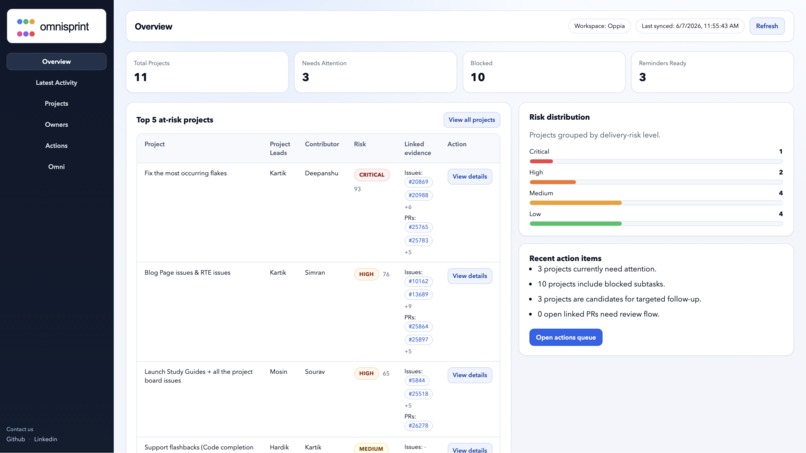
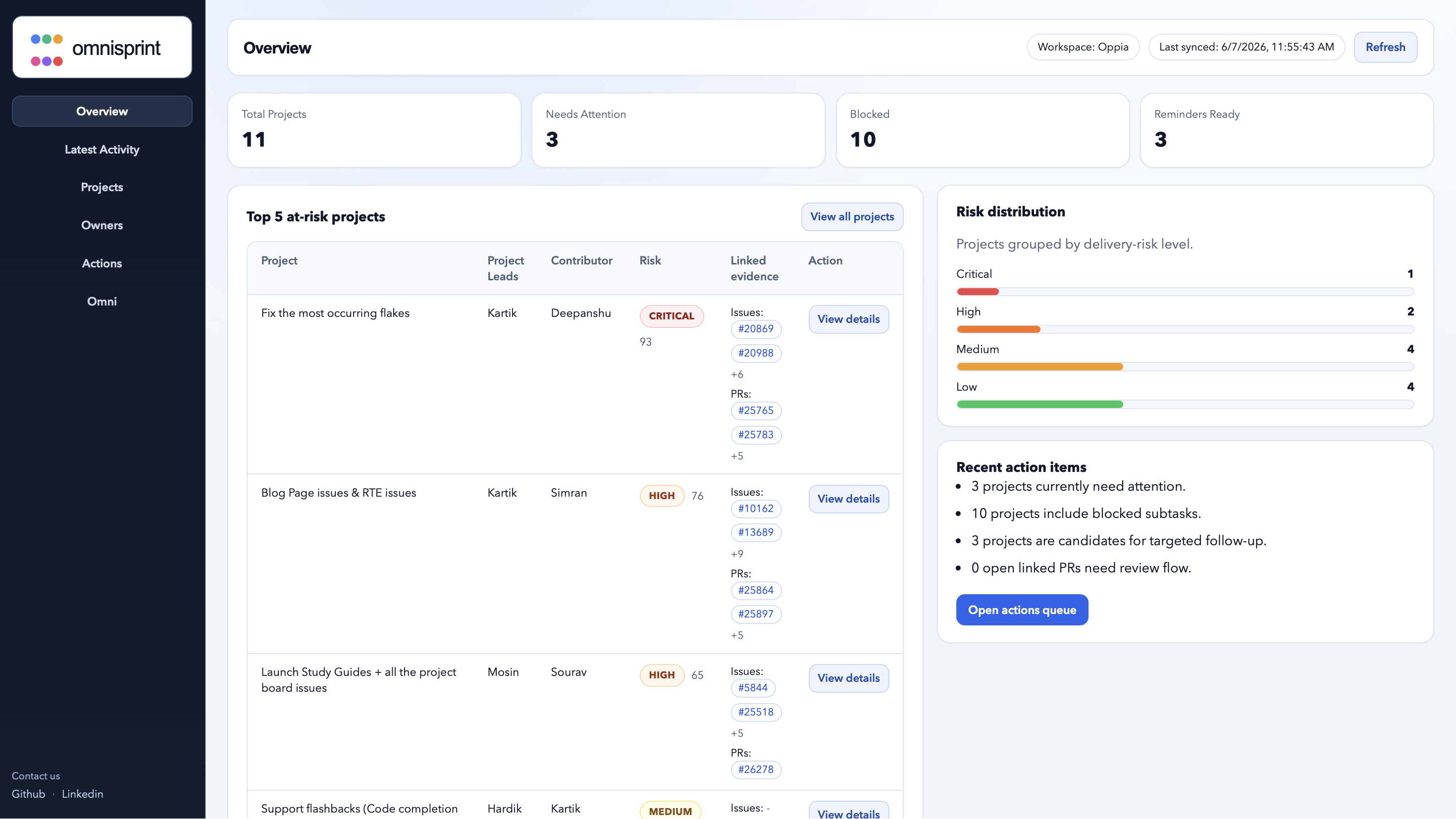
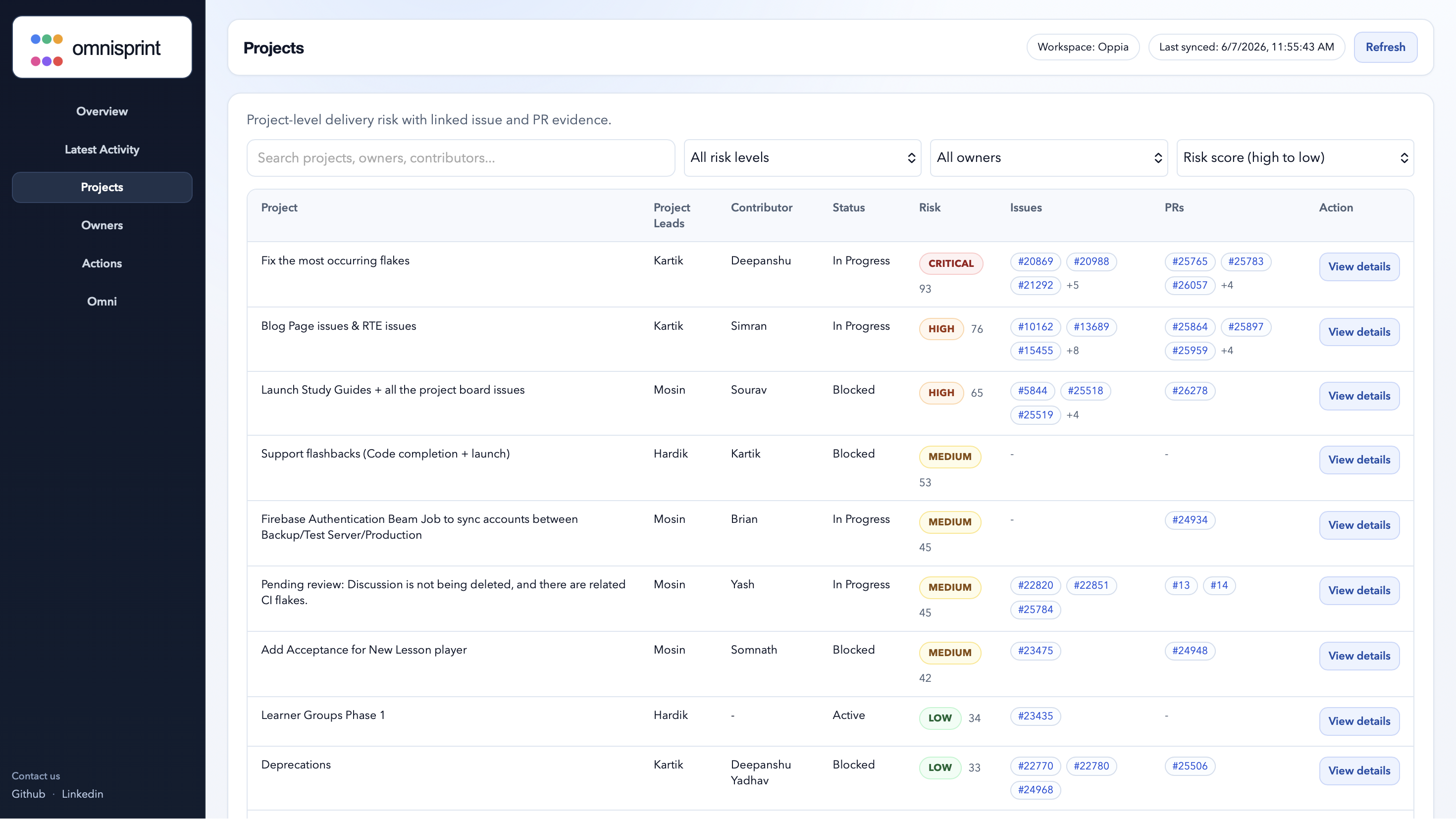
Project risk dashboard
-
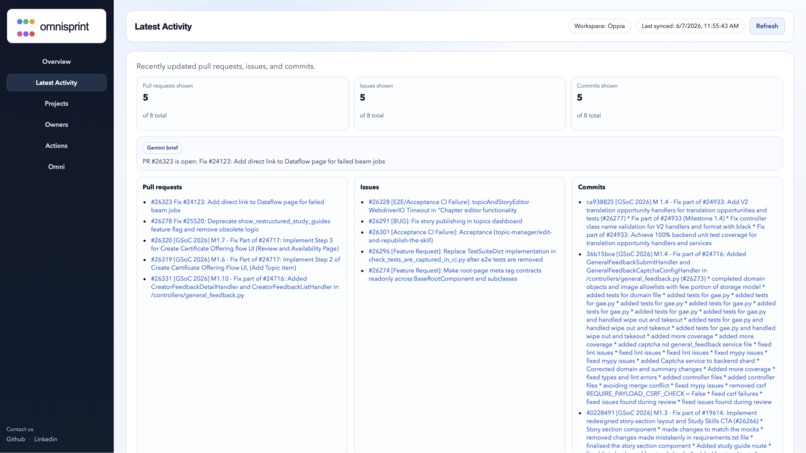
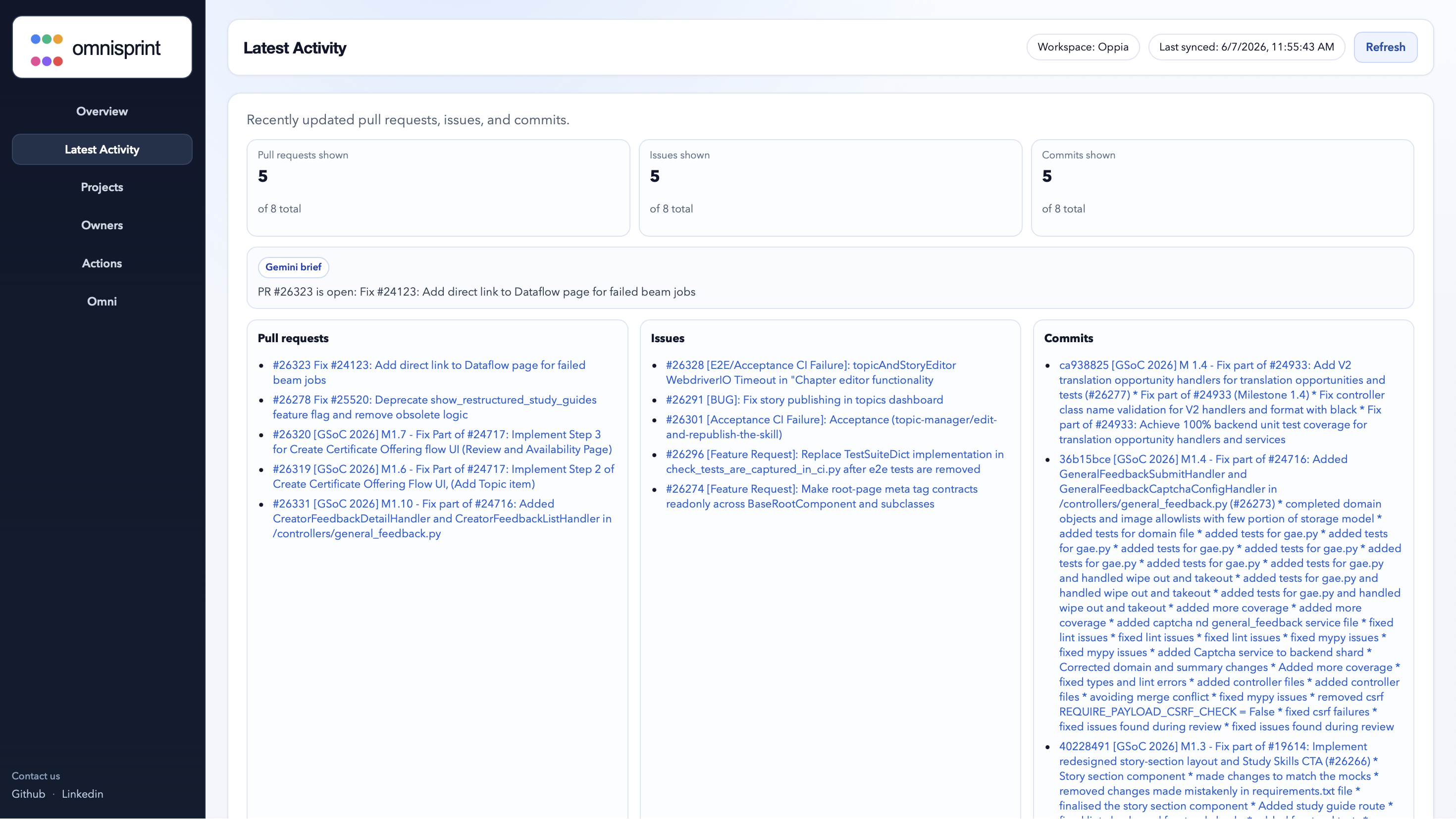
Latest changes made to the repository like PRs/Issues and commits
-
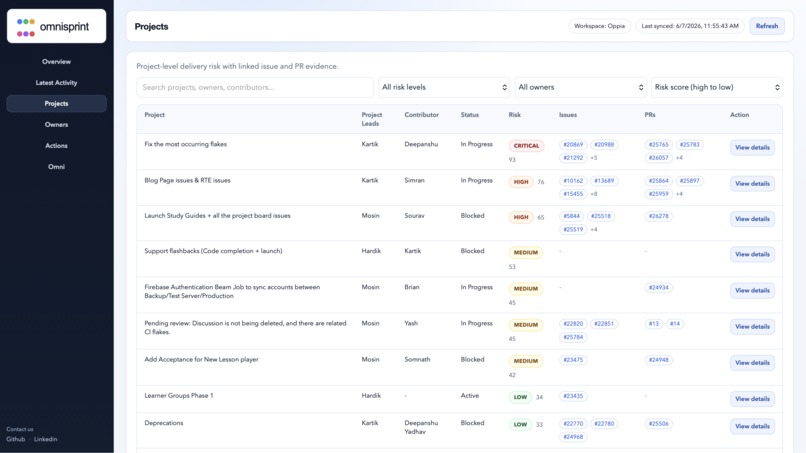
Project wise risk scoring for the current sprint/quarter
-
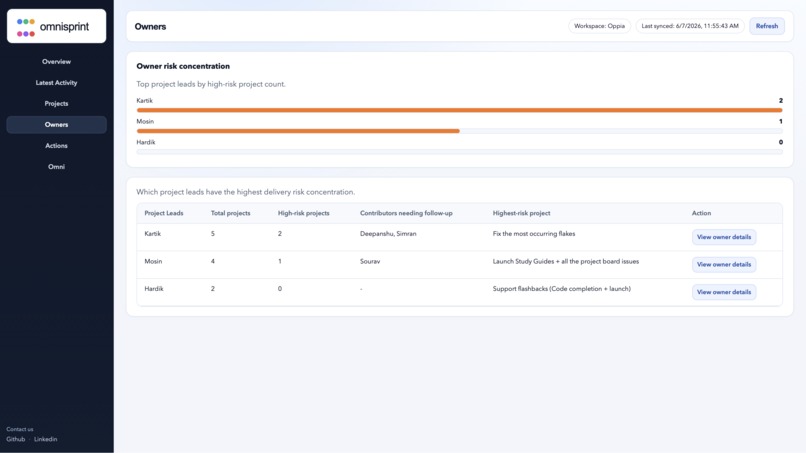
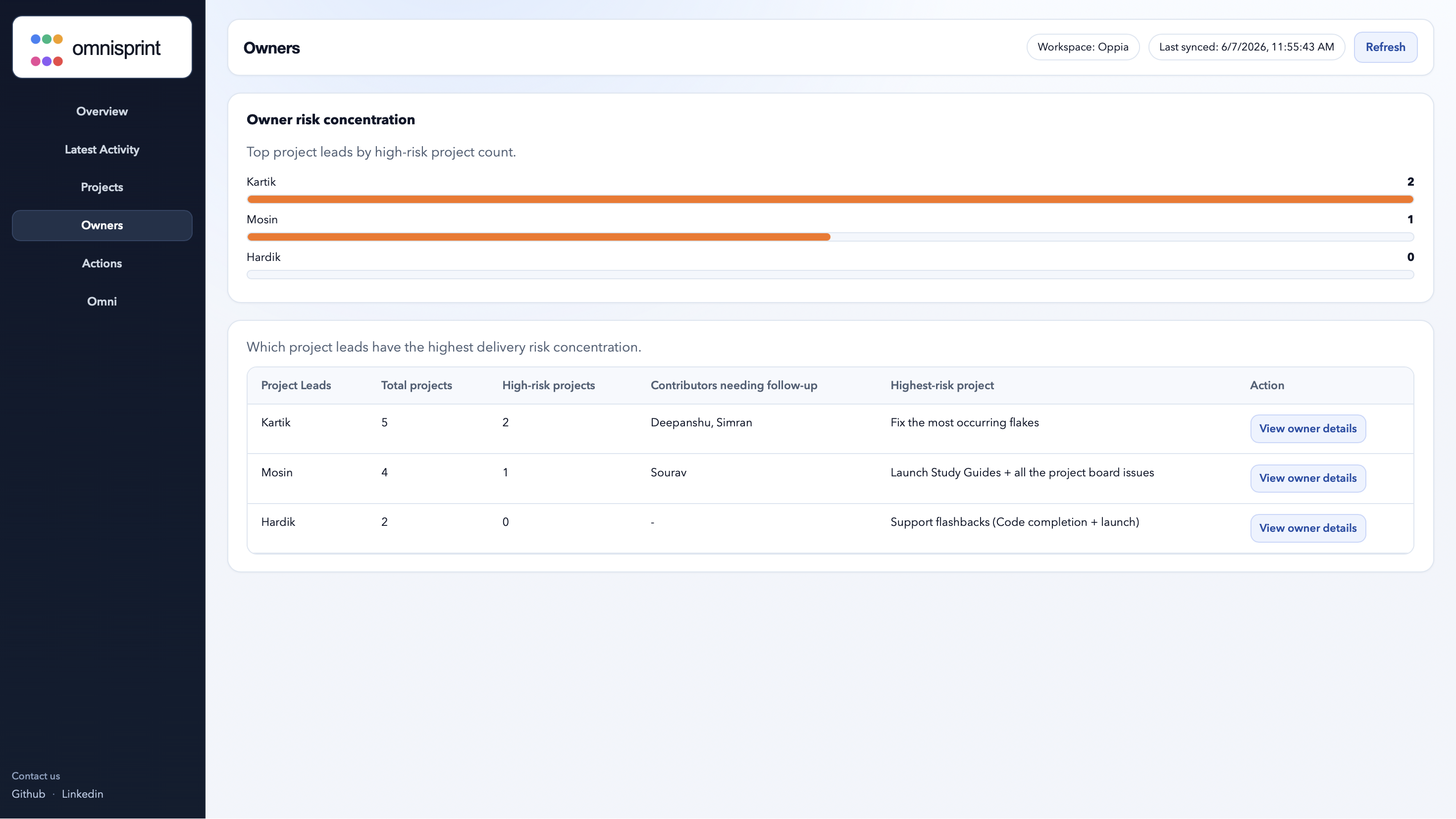
Owner-level risk summaries
-
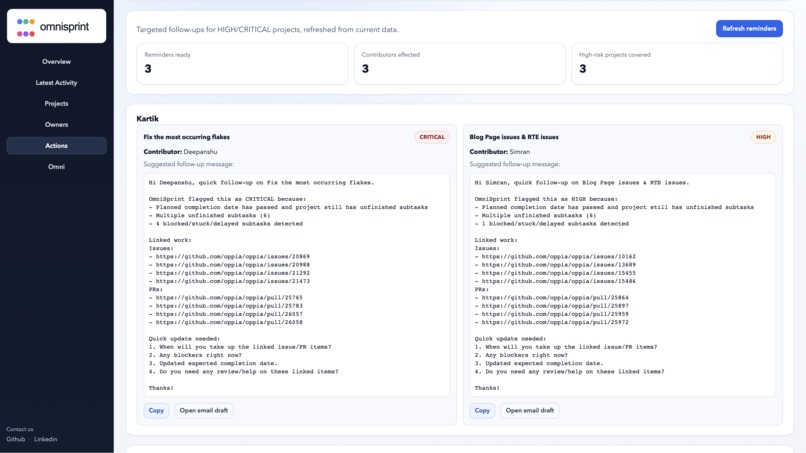
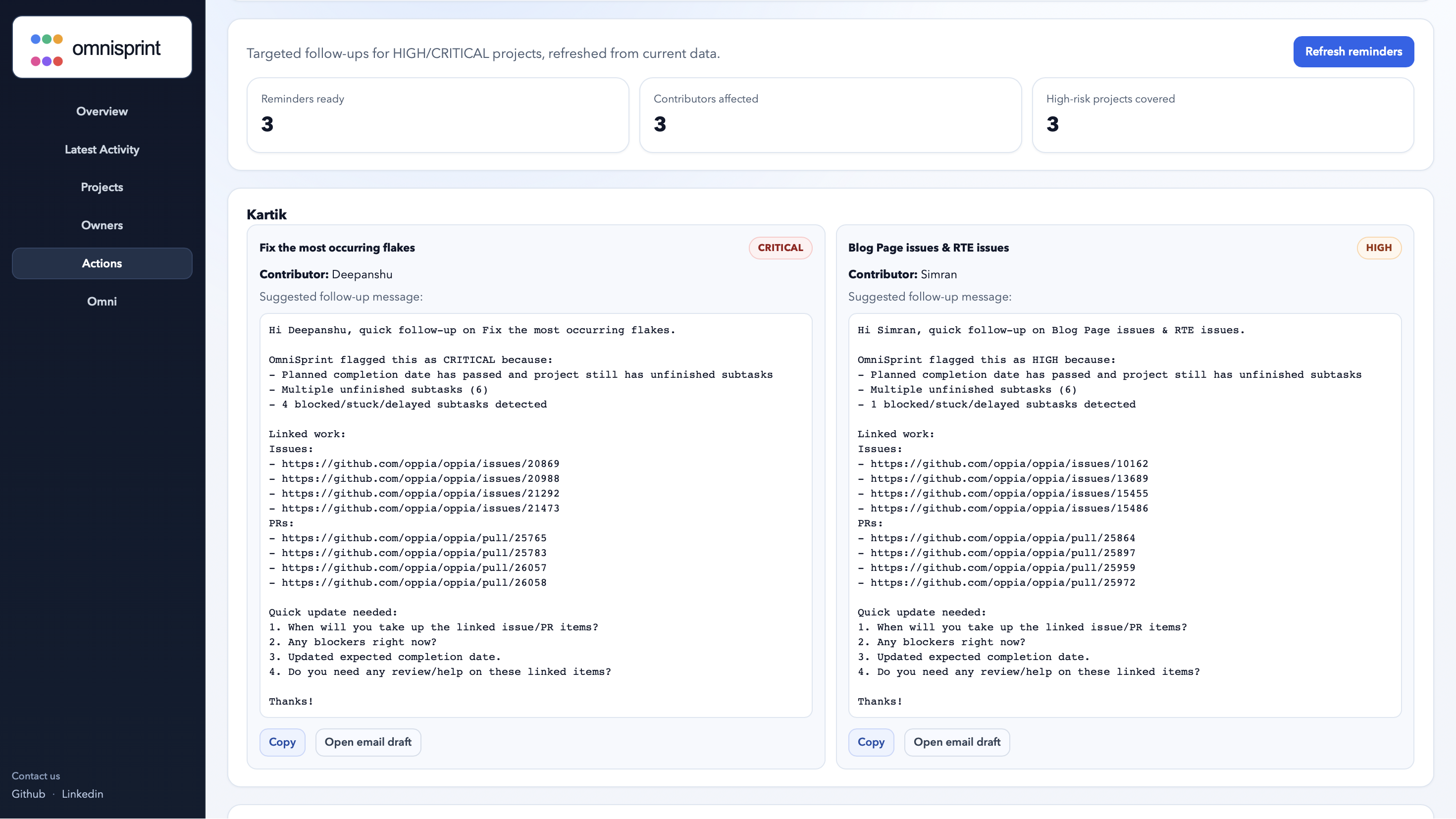
Targeted reminder generation
-
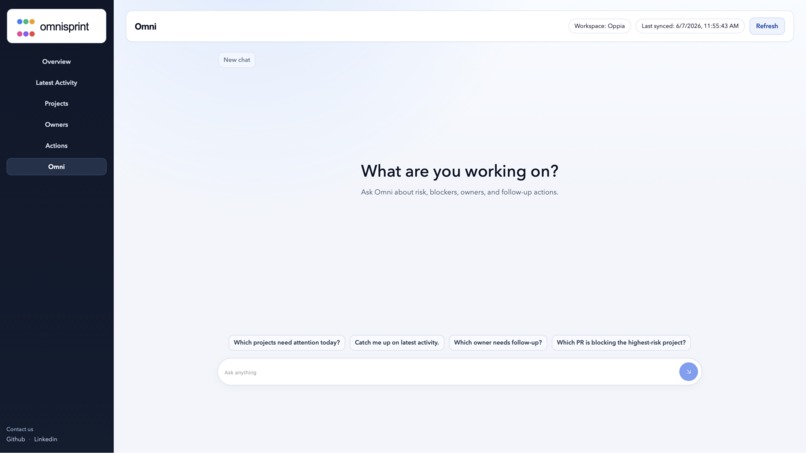
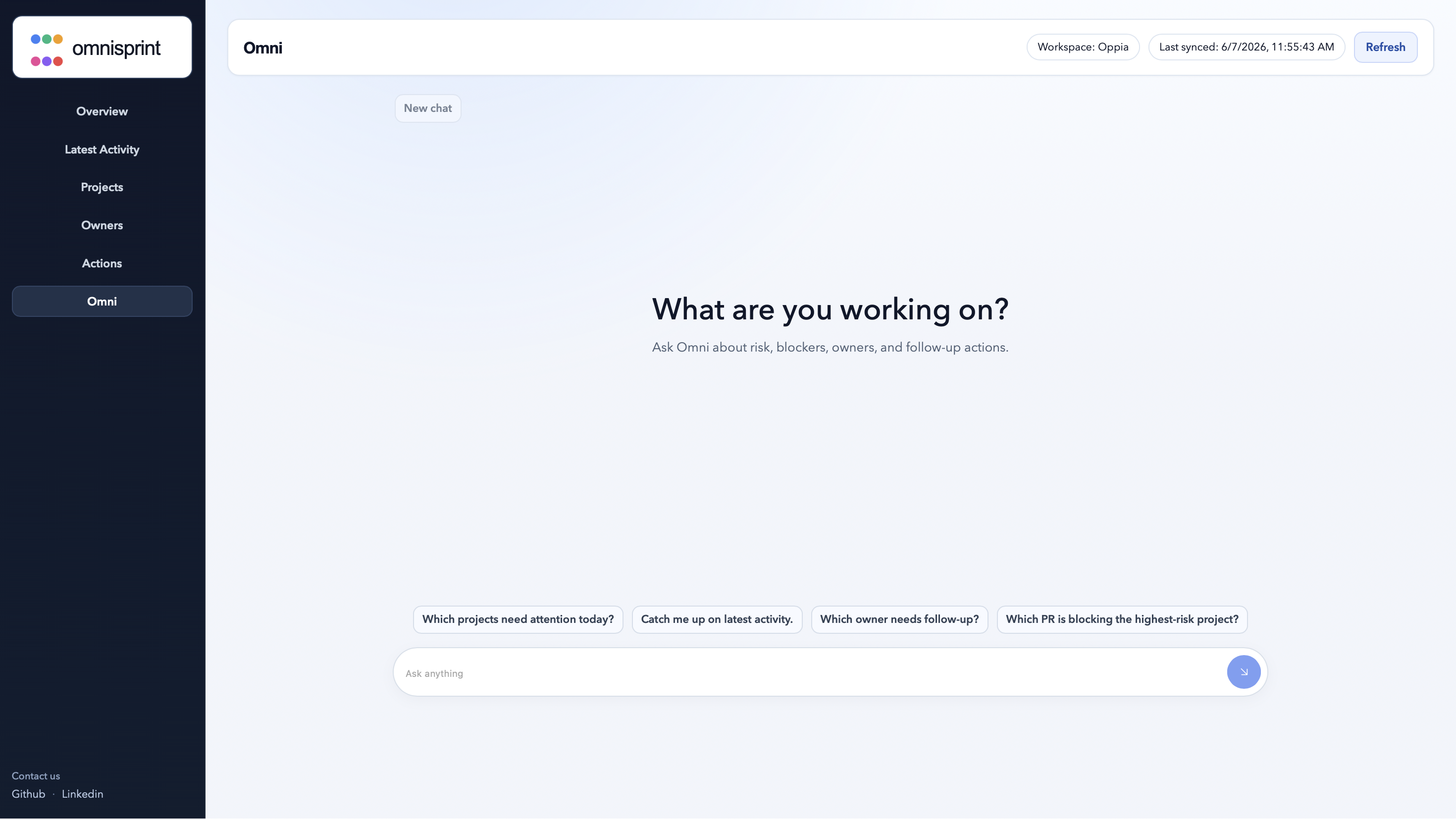
Gemini-powered queries over any changes made in the repo
Project Description — OmniSprint
OmniSprint is a Coral-powered sprint intelligence platform for software teams. It connects planning sheets with GitHub issues, pull requests, and CI/check signals to detect delivery risks early and generate targeted follow-up drafts for project leads. Instead of making managers manually jump between Google Sheets, GitHub, Linear, Notion, and chat tools, OmniSprint creates one unified sprint cockpit that shows what is on track, what is blocked, who owns it, and what action should be taken next.
Problem Statement
Fast-moving engineering teams usually track work across multiple disconnected systems. Planning may live in Google Sheets or Notion, execution in GitHub issues and PRs, CI failures in GitHub Actions, and follow-ups in Slack, Google Chat, WhatsApp, or email.
Because of this fragmentation, project leads often struggle to quickly answer questions like:
Are we on track to complete the sprint? Which tasks are blocked? Which pull requests are stale or pending review? Which owners need follow-up? Did a recent commit or PR create a regression? Which projects are at risk of slipping?
OmniSprint is built to solve this visibility gap by joining planning context with real engineering evidence.
Solution Overview
OmniSprint uses Coral as the core retrieval and query layer. Planning data, project links, GitHub issues, GitHub pull requests, CI signals, and team context are exposed as SQL-queryable sources. The backend queries Coral, normalizes the returned data into project-level entities, maps planning rows to GitHub evidence, scores delivery risk, and then generates targeted reminder drafts only for high-risk or critical projects.
The system works like this:
- Query planning-sheet data through Coral.
- Normalize planning rows into projects.
- Extract linked GitHub issue and PR references.
- Query GitHub issues and pull requests through Coral.
- Join planning context with engineering evidence.
- Score each project’s delivery risk.
- Generate copy-ready follow-up drafts.
- Show everything in a React dashboard.
This makes the agent layer more efficient because Gemini does not need huge raw sheets or full GitHub dumps in its prompt. Coral retrieves compact, relevant evidence first, and the AI layer focuses on reasoning and writing.
Key Features
Project risk dashboard Shows sprint/project health in one place with risk levels and supporting evidence.
Owner-level risk summaries Groups risk by project lead or contributor so managers know exactly who needs attention.
High-risk project detection Flags projects that are blocked, overdue, stale, missing linked PRs, or showing risky execution signals.
GitHub issue and PR evidence mapping Links planning rows with GitHub issues and pull requests to show why a project is considered at risk.
CI/check signal enrichment Uses CI signals where available to identify failing or flaky checks connected to project work.
Targeted reminder generation Creates Google Chat/email-style follow-up drafts for only high-risk or critical projects.
Coral-powered source health checks
Checks source/table availability using Coral and information_schema.
Natural-language agent layer Supports Gemini-powered queries over sprint/project evidence with deterministic fallback logic.
Technologies Used
- Coral — retrieval/query layer for planning, GitHub, CI, and team data
- FastAPI — backend API service
- React + TypeScript — frontend dashboard
- Python — risk engine, normalizer, reminder generator
- GitHub Coral source — issues and pull request evidence
- Custom Coral source specs — planning sheet, CI signals, team directory
- Gemini — natural-language agent layer and response generation
- SQL — focused cross-source querying through Coral
- Makefile / shell scripts — setup, build, and demo workflow
The repo includes custom Coral source specs such as planning_sheet.yaml, ci_signals.yaml, and team_directory.yaml, exposing planning data, CI signals, and team-member mappings as structured tables. ([GitHub][1])
Target Users
OmniSprint is built for:
- Engineering managers
- Product managers
- Startup founders
- Tech leads
- Open-source maintainers
- Sprint leads
- Remote engineering teams
- Teams using GitHub plus planning tools like Google Sheets, Notion, Linear, or Jira
It is especially useful for teams where planning and execution data are spread across many tools and delivery risk is discovered too late.
Inspiration
The inspiration behind OmniSprint came from a common engineering problem: teams already have the data needed to understand project health, but that data is scattered. Planning sheets show intent, GitHub shows execution, CI shows quality signals, and chat tools show follow-ups. But no one wants to manually connect all of that every day.
We wanted to build a tool that acts like an intelligent sprint co-pilot: not just showing tasks, but explaining which projects are at risk, why they are at risk, and what follow-up should happen next.
What it does
OmniSprint connects planning data with GitHub issues, pull requests, and CI signals to identify projects that may miss deadlines or require attention. It shows a dashboard of project health, owner-level summaries, linked GitHub evidence, and generated follow-up drafts.
For example, if a project is marked in progress but has no linked PR, a stale PR, failing checks, or unresolved issues near a deadline, OmniSprint can flag it as high risk and generate a targeted message for the responsible lead.
How we built it
We built OmniSprint around Coral as the main retrieval layer. Instead of feeding raw spreadsheets and GitHub data directly into an LLM, we exposed them as structured Coral sources and queried them through SQL.
The backend is built with FastAPI. It executes Coral SQL queries, normalizes planning rows, maps projects to linked GitHub evidence, calculates risk scores, and generates reminder drafts. The frontend is built with React and TypeScript and displays project risk, owner summaries, evidence, and reminders.
We also created custom Coral source specs for planning sheets, CI signals, and team directory context so that non-GitHub operational data could be queried just like structured tables.
Challenges we ran into
One major challenge was connecting semi-structured planning data with structured GitHub execution data. Planning sheets are often messy: project names, owners, notes, dates, and links may not always follow a clean schema. We had to build normalization and mapping logic to group rows into actual project entities.
Another challenge was avoiding unnecessary LLM token usage. Sending entire planning sheets and GitHub dumps to Gemini would be inefficient and less grounded. Coral helped us solve this by retrieving only the relevant rows and evidence first.
We also had to design risk scoring in a way that was explainable. A project should not just be marked “high risk”; the system should show whether the reason is a stale PR, failing CI, missing ownership, overdue status, or blocked work.
Accomplishments that we’re proud of
We are proud that OmniSprint is not just a dashboard but an evidence-backed sprint intelligence system. It does not simply summarize project data; it joins planning intent with real engineering activity.
We are also proud of using Coral deeply in the workflow instead of treating it as an add-on. Coral powers the core retrieval layer, custom source specs, SQL queries, source health checks, and compact evidence retrieval for the agent layer.
Another accomplishment is the targeted reminder generation. Instead of creating generic alerts for every project, OmniSprint focuses only on high-risk or critical projects and generates follow-ups that leads can review and send manually.
What we learned
We learned how valuable structured retrieval is when building AI tools for engineering workflows. The quality of an AI agent depends heavily on the quality and relevance of the data it receives. Coral made it easier to ground the agent in focused, queryable evidence rather than raw unstructured context.
We also learned that delivery risk is not a single signal. It comes from a combination of planning status, deadlines, ownership, GitHub activity, PR freshness, issue state, and CI health. Building OmniSprint helped us think more deeply about how engineering managers actually track execution.
What’s next for OmniSprint
Future improvements include historical risk trends, multi-workspace support, better admin configuration, automated source syncing, and richer natural-language project queries through the Gemini agent layer.

Log in or sign up for Devpost to join the conversation.