Inspiration
While studying STEM concepts like calculus and physics, I noticed how much time students and engineers waste trying to visualize dynamic, multi-variable systems from flat, static textbook diagrams. Reading equations on paper doesn't build intuition for how forces actually interact in 3D space. I wanted to bridge the gap between static equations and interactive visual understanding—turning any diagram, messy sketch, or formula into a playable simulation in seconds.
What it does
OmniSim AI is an autonomous multimodal simulation studio that transforms static images and natural language prompts into live, interactive 3D WebGL environments:
- Multimodal Vision Parsing: Users can upload a photo of a textbook physics problem, a hand-drawn whiteboard diagram, or type a prompt, and the AI extracts the underlying physical laws, forces, and boundary conditions.
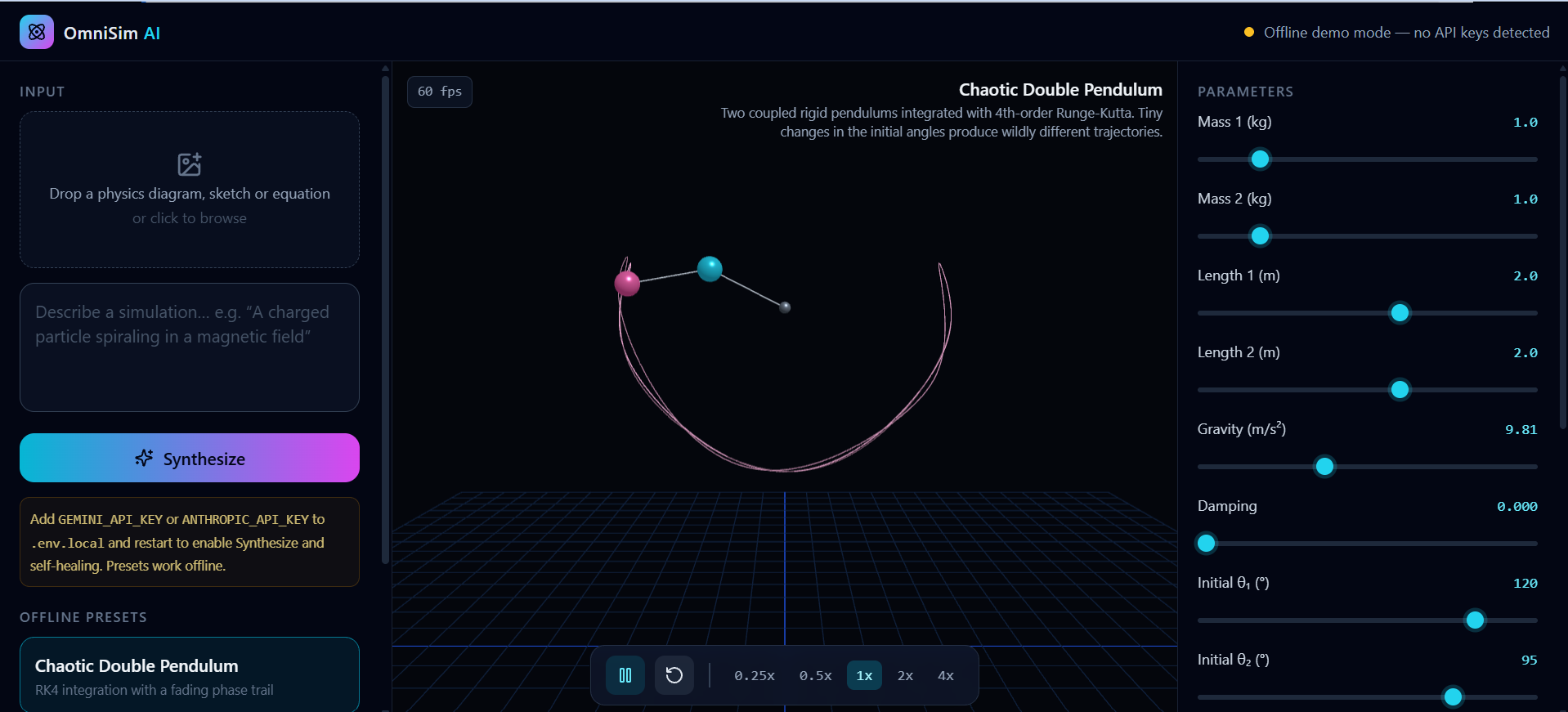
- Real-Time 3D Synthesis: It generates and compiles runnable Three.js code directly in the browser at 60fps with full camera orbit, pan, and zoom controls.
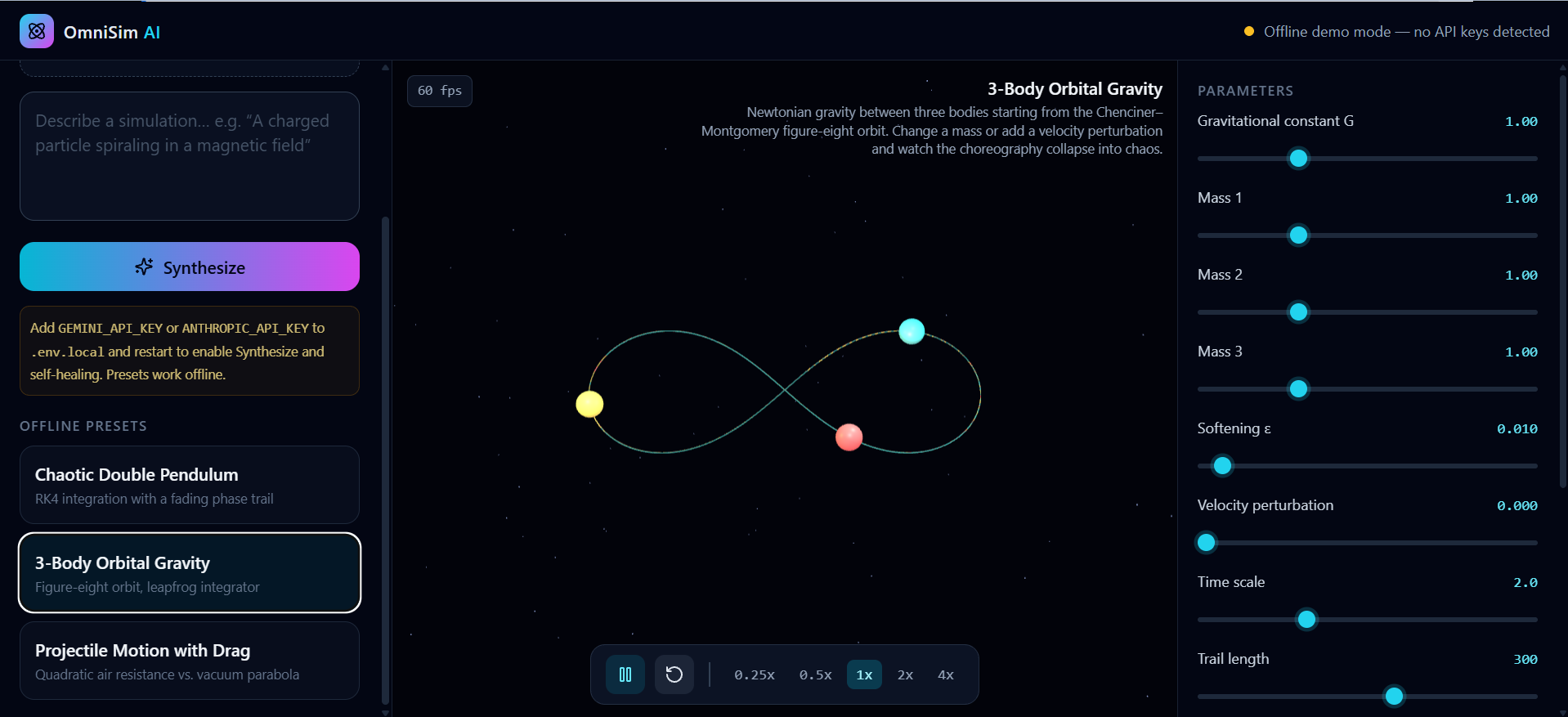
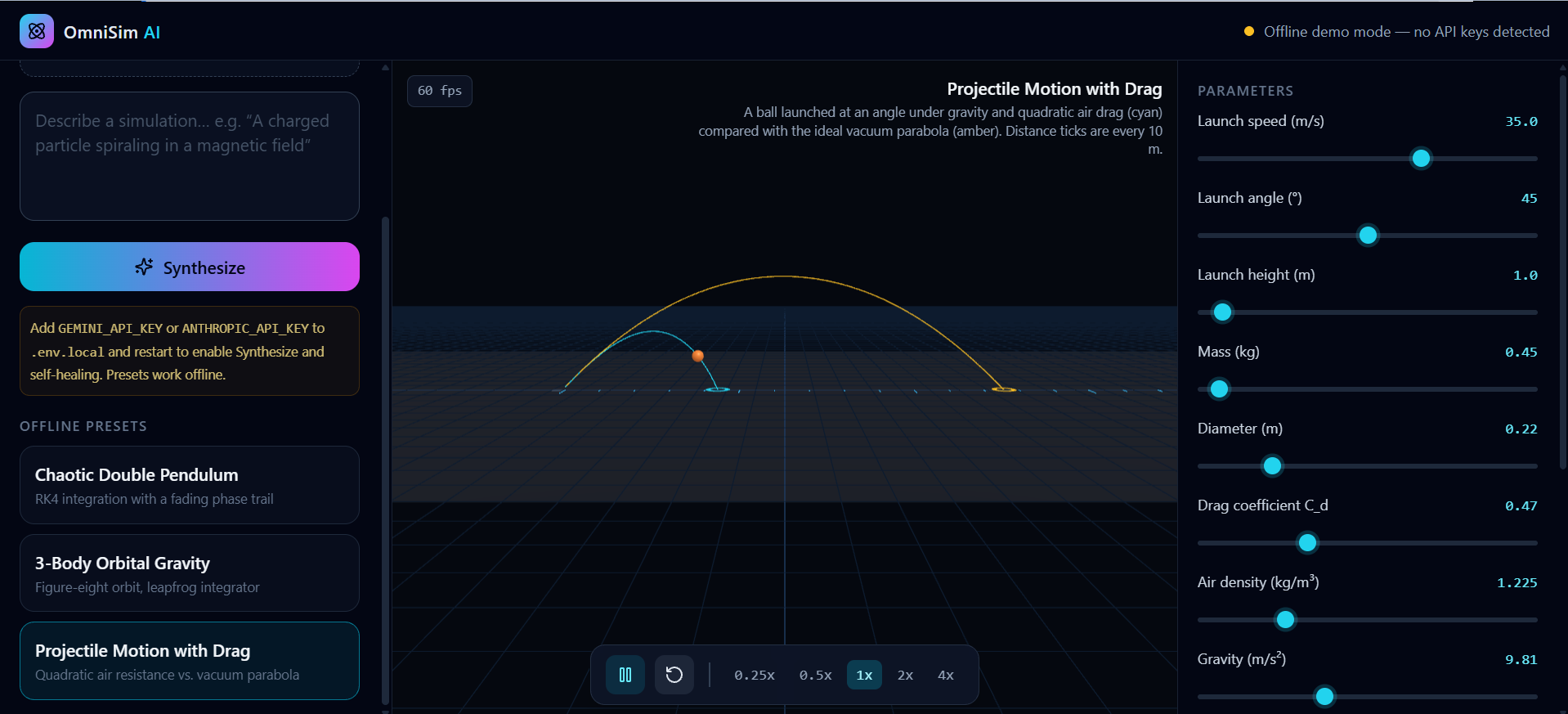
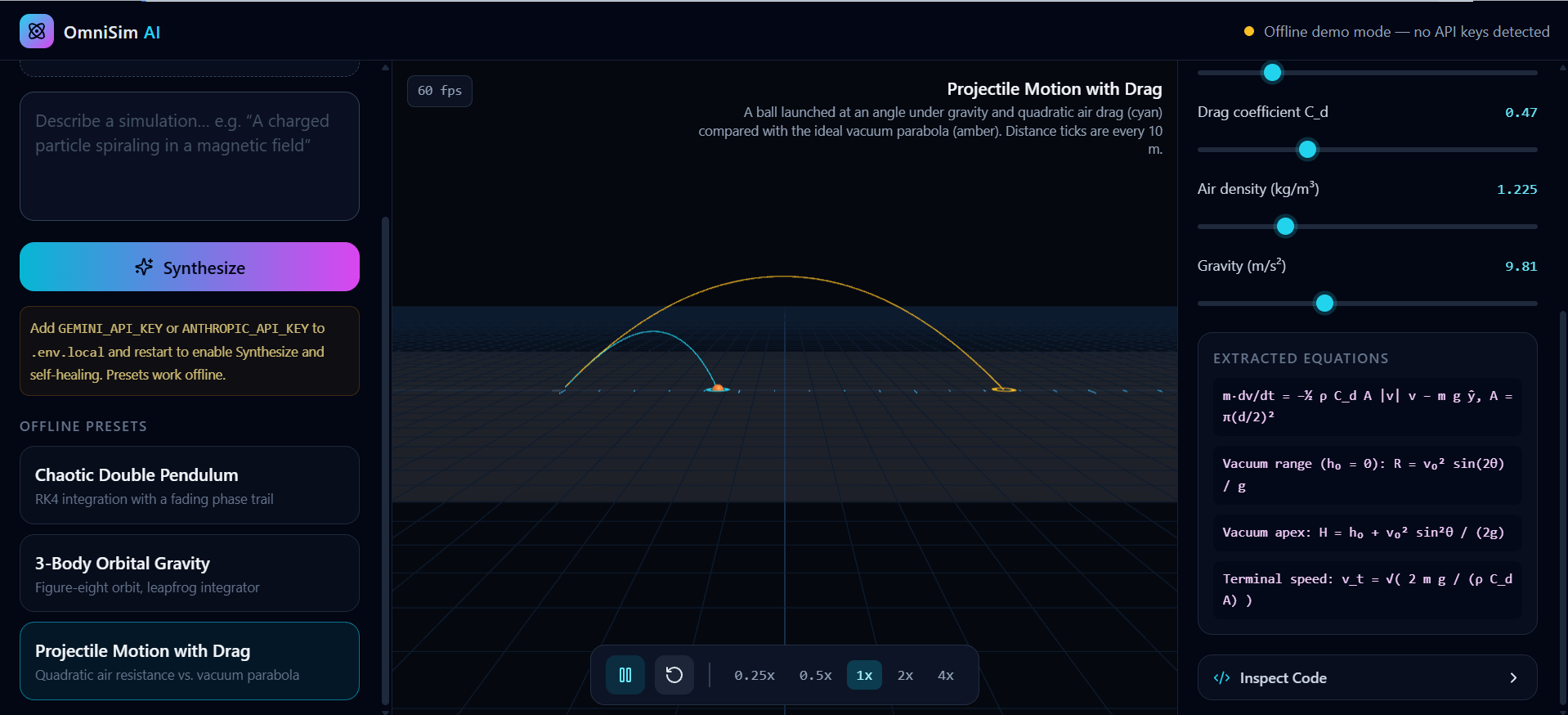
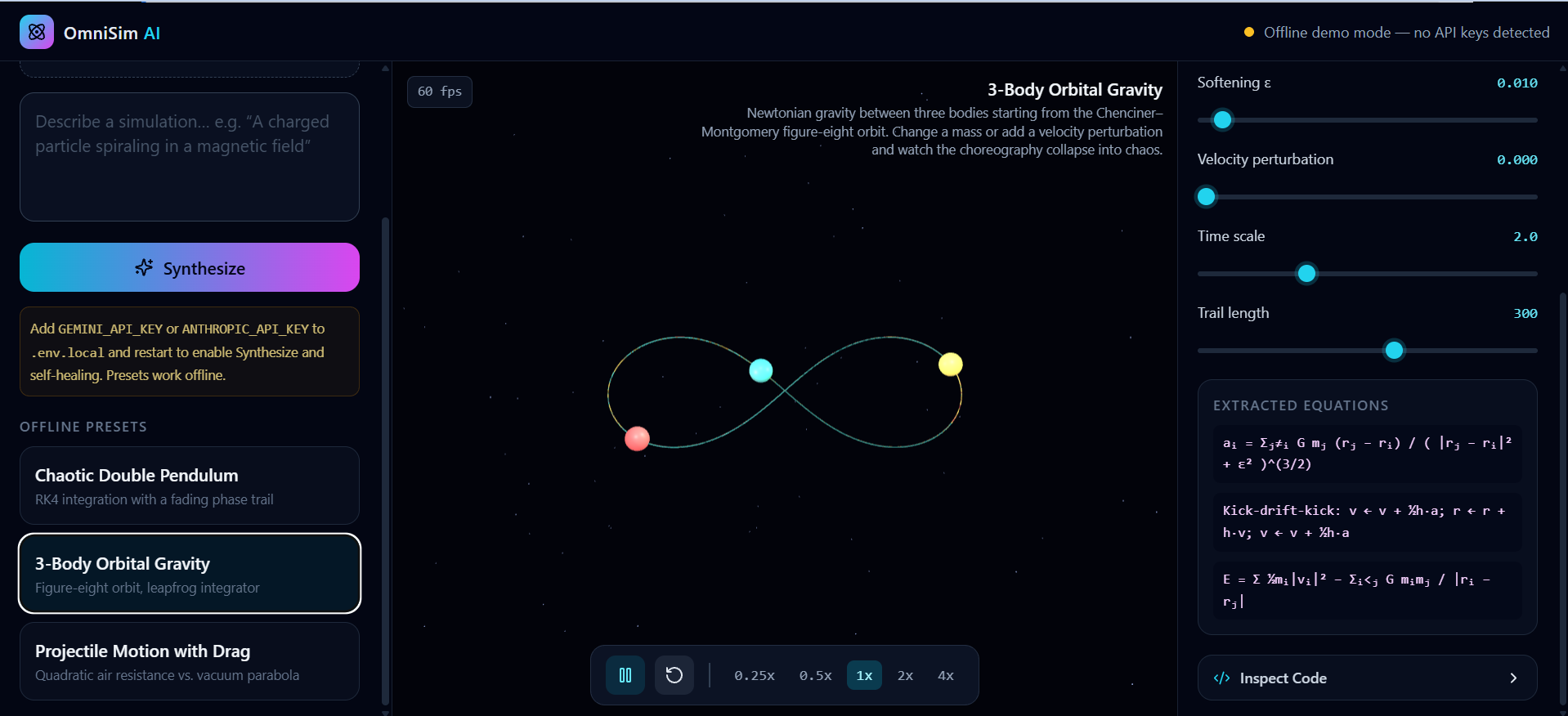
- Live Parameter Control: Alongside the simulation, it generates a dynamic control panel of interactive sliders (e.g., gravity $g$, mass $m$, damping coefficient $\zeta$, or orbital velocity $v$), allowing users to manipulate variables in real time without resetting the scene.
- Autonomous Self-Healing Loop: If dynamically generated code throws a runtime exception inside the browser sandbox, a self-healing critic agent automatically captures the error stack trace, patches the code, and hot-reloads the simulation seamlessly.
How I built it
- Frontend & UI: Built with Next.js (App Router), React, TypeScript, and Tailwind CSS to create a sleek, dark-mode scientific studio layout.
- 3D Rendering Sandbox: Used raw Three.js (
three) mounted inside a sandboxed HTML5 Canvas component withOrbitControlsand atry/catchrequestAnimationFrameexecution loop. - AI Pipeline: Integrated multimodal Vision-Language models (
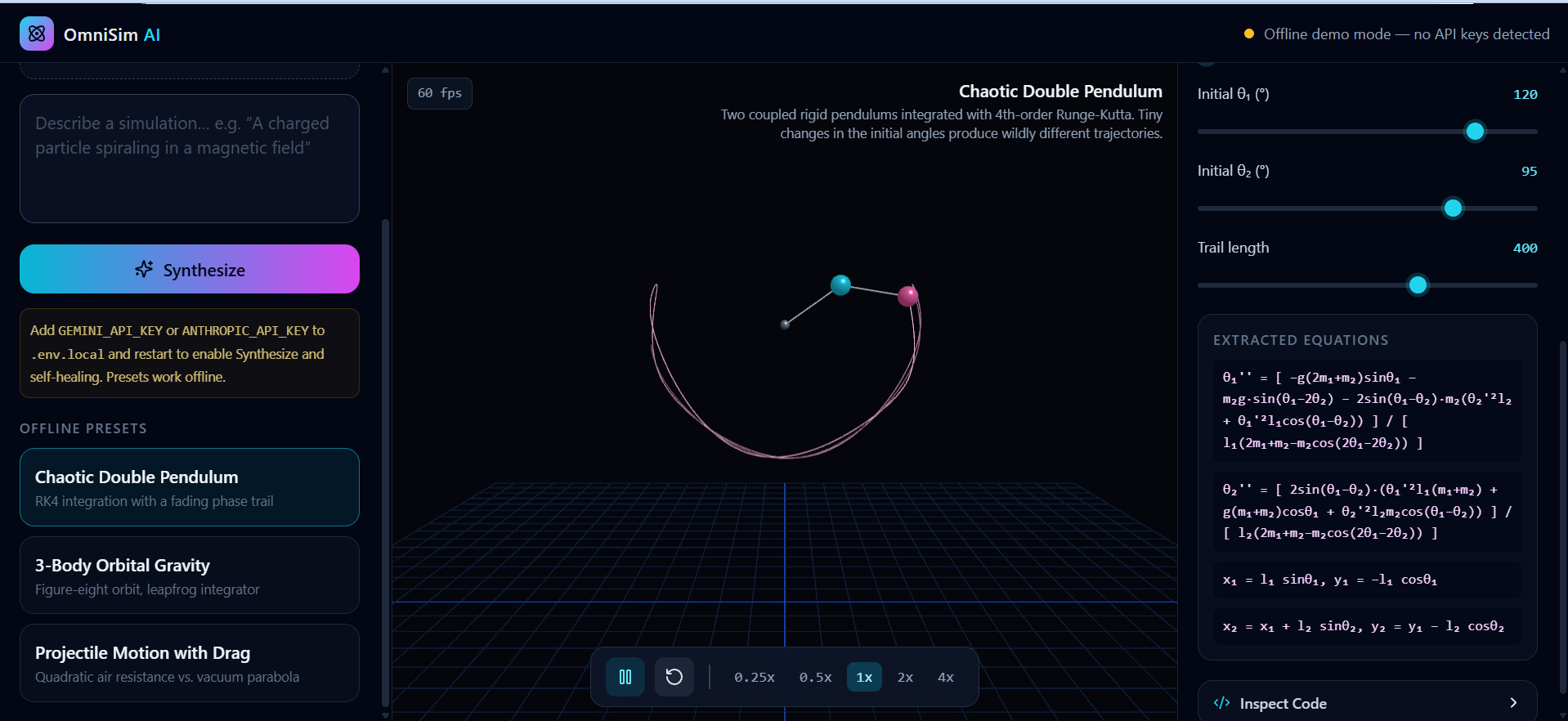
Gemini 2.5 Flash/Claude 3.5 Sonnet) via Next.js API routes (/api/generate-simand/api/fix-sim) to return structured JSON containing both the executable Three.js script and the dynamic slider schema. - Offline Fallback Engine: Engineered built-in presets (including a chaotic double pendulum with phase trails, a 3-body orbital gravity well, and projectile motion with wind drag) so the studio works instantaneously out of the box.
Challenges I ran into
- Runtime Stability of AI-Generated Code: LLMs occasionally hallucinate deprecated Three.js methods or make syntax errors when writing complex 3D physics loops from scratch. I solved this by wrapping the execution engine in a strict error boundary and building the
/api/fix-simself-healing loop to automatically repair broken frames. - Decoupling UI State from 60fps Render Loops: Updating React state on every slider drag caused frame drops in the WebGL canvas. I resolved this by passing a mutable
paramsreference directly into the animation loop so physics variables update instantaneously without triggering React re-renders.
Accomplishments that I'm proud of
- Achieving true end-to-end multimodal execution—going from a flat image to an interactive, manipulatable 3D simulation in under 5 seconds.
- Building the self-healing code agent, which turns fragile LLM code generation into a resilient, self-correcting system.
- Designing a responsive 3-pane studio interface that balances complex mathematical transparency (displaying extracted equations and inspectable code) with effortless visual play.
What I learned
- How to safely sandbox and hot-reload dynamically generated JavaScript inside a browser environment without crashing the host application.
- Prompt engineering for strict structured JSON outputs that synchronize executable physics logic with dynamic UI schemas.
- Managing memory cleanup and WebGL disposal cycles in Three.js when hot-swapping scenes on the fly.
What's next for OmniSim AI
- Multi-Physics & FEM Support: Expanding beyond rigid-body and orbital mechanics to support fluid dynamics, electromagnetism field lines, and circuit simulations.
- Collaborative Classroom Mode: Allowing teachers to generate a simulation from a worksheet and share a live link where students can test hypotheses together.
- Exportable Embeds: Letting users export any generated simulation as a standalone HTML snippet or interactive widget for documentation and study notes.
Built With
- api
- canvas
- css
- gemini
- html5
- javascript
- next.js
- node.js
- react
- tailwind
- three.js
- typescript
- vercel

