OmniSense AI — Hackathon Submission
Live URL: https://omnisense-orchestrator.vercel.app
Inspiration
We've all been in conversations where we missed the subtext — a friend who says "I'm fine" but clearly isn't, a colleague whose polite smile hides frustration, a social situation where we said the wrong thing and only realized it hours later. For neurodivergent individuals, people with social anxiety, or anyone navigating high-stakes social moments, these missed signals can have real consequences.
We asked: what if AI could read the room for you in real time? Not after the fact, not as a chatbot you type into — but as a silent partner that watches, listens, and whispers the perfect move in your ear the moment you need it.
The rise of smart glasses and always-on wearables made this feel inevitable. But existing tools are either post-hoc transcription services or generic chatbots. Nobody was building a live social intelligence engine that detects micro-expressions, reads conversational dynamics, and autonomously handles the follow-ups — booking the dinner, drafting the email, remembering that your friend Alex has a sweet tooth.
That gap inspired OmniSense.
What it does
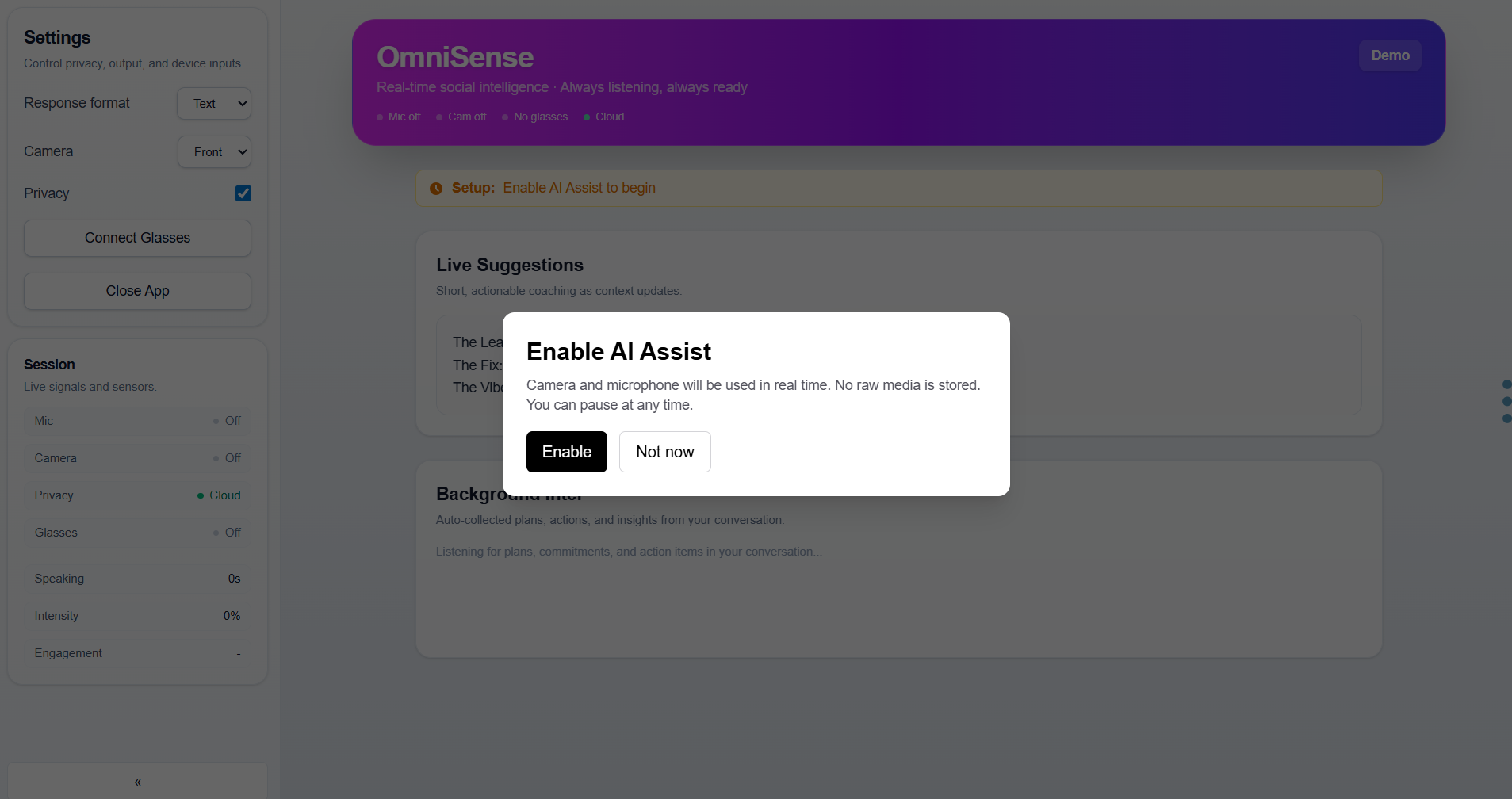
OmniSense is a real-time social intelligence engine that runs through your mic, camera, and (optionally) AI glasses. It does three things simultaneously:
1. Live Coaching ("The Tactical Fixer") As you talk, OmniSense analyzes audio dynamics, facial cues, and conversational patterns. Every few seconds, it delivers a 3-line coaching script:
- The Leak — what's really happening beneath the surface ("His brow furrows in genuine bewilderment before the hostage smile kicks in")
- The Fix — the exact words to say right now ("I saw that first reaction — you don't have to perform for me")
- The Vibe — the body language to use ("Lean back, laugh, open palms")
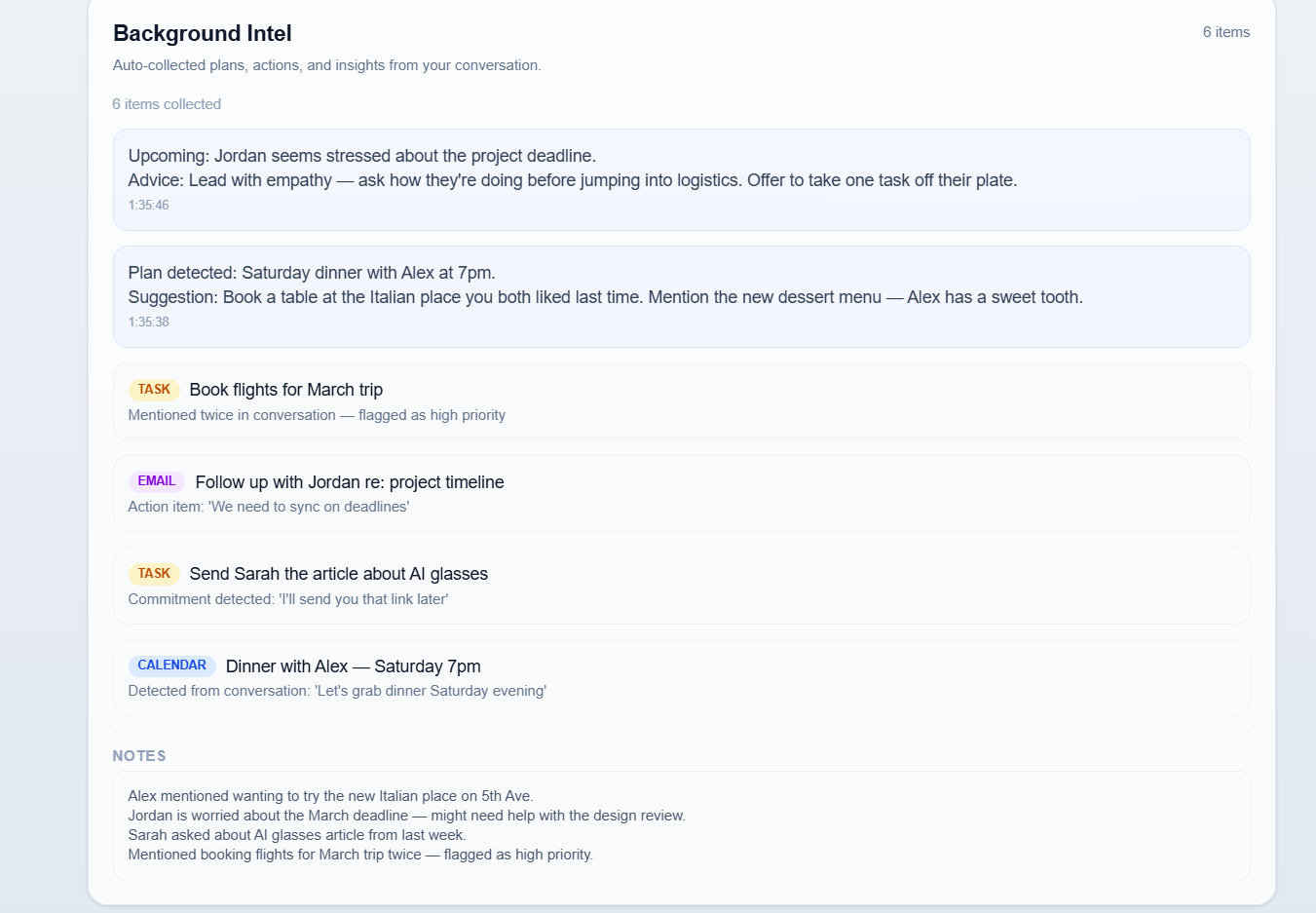
2. Background Intel (Autonomous Planner) While you're focused on the conversation, OmniSense silently listens for plans, commitments, and action items. It automatically:
- Detects "Let's grab dinner Saturday" → creates a calendar event
- Catches "I'll send you that article" → creates a task reminder
- Notices "We need to sync on deadlines" → drafts a follow-up email
- Builds social advice: "Jordan seems stressed — lead with empathy before jumping into logistics"
3. Long-Term Social Memory Every interaction is persisted. OmniSense remembers that Alex likes Italian food, that Jordan is worried about the March deadline, and that Sarah asked about AI glasses last week. This context flows into every future suggestion, making the coaching more personal over time.
How we built it
Stack: Next.js 16 + React 19 + TypeScript + Tailwind CSS 4, deployed on Vercel.
AI Engine: Google Gemini 3 Pro via the @google/generative-ai SDK. We use Gemini in three distinct modes:
- Streaming analysis — SSE endpoint (
/api/omnisense/analyze/stream) for real-time coaching. The prompt combines system instructions, user preferences, live audio/vision observations, transcript snippets, and long-term memory into a single call. Gemini returns structured JSON with the 3-line coaching script. - Autonomous agent —
/api/agent/runprovides Gemini with 8 tool schemas (web search, calendar, tasks, memory, notes, verification). Gemini proposes tool calls; the server executes them, logs thought signatures, and writes verification records. This powers the Background Intel planner. - Self-evaluation — A second Gemini call scores each insight for clarity, actionability, and safety (0–1 confidence).
/api/evaluategenerates synthetic scenarios and rubric-scores outputs across 4 competencies.
Persistence: Upstash Redis for long-term memory in production, with local JSONL fallback for development. Every interaction (analysis, suggestion, agent step, autonomous action) is persisted and injected into future prompts.
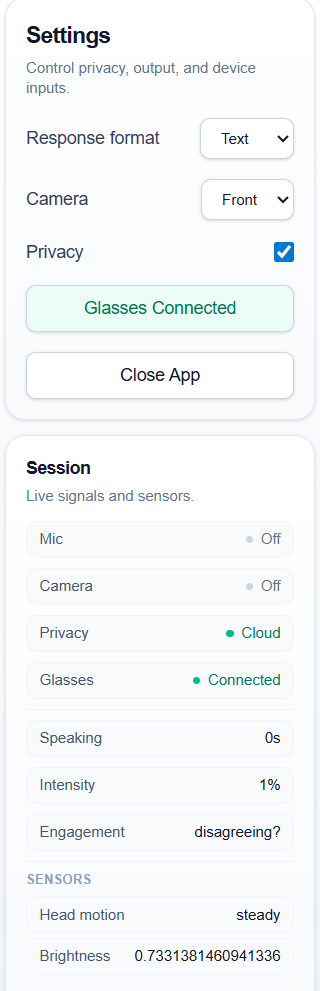
Privacy: No raw audio or video is ever stored. The browser processes media in-memory and sends only structured observations (intensity percentages, boolean flags, short transcript snippets, capped frame sets). Three privacy modes: Cloud (full AI), Local (heuristics only), Off (all analysis disabled).
Real-time pipeline: The browser runs a requestAnimationFrame loop for audio analysis (RMS levels, speaking detection), throttled to ~2 state updates/second for mobile performance. A polling loop sends observations to the streaming API every 3 seconds. Background Intel runs on staggered intervals (actions every 30s, planner every 45s).
Challenges we ran into
iPhone flickering — React state updates at 30fps from the audio analysis loop caused visible UI flickering on iOS Safari. We solved this by throttling
setLevelsto 2 updates/second and using refs for high-frequency data, plus GPU compositing hints (transform: translateZ(0)) on card containers.False interruption detection — Our initial "interruption detector" (spike in audio RMS when transitioning from silence to speech) fired constantly during normal conversation. With a single microphone, there's no way to distinguish speakers. We ultimately removed the feature entirely rather than ship something unreliable.
API quota burn rate — Polling Gemini every 1 second during live sessions burned through the free tier quota in minutes. We had to balance responsiveness against cost, settling on 3-second intervals with visible error feedback when quota is exceeded.
Layout shifts on mobile — The Background Intel card's content changes dynamically as actions and plans appear. Conditional rendering (
{condition && <div>}) caused iOS Safari to recalculate layout and shift everything. We replaced all conditional mounts with stable DOM structures that use opacity transitions and empty array maps instead.Prompt engineering for social nuance — Getting Gemini to produce genuinely useful social coaching (not generic platitudes) required extensive prompt iteration. The "Tactical Fixer" persona — with its emphasis on "graceful exits" and specific quotes the user can say — emerged after many rounds of testing with real conversation scenarios.
Accomplishments that we're proud of
It actually works in real time. You can have a conversation and see genuinely insightful coaching appear within seconds — not generic advice, but specific observations about what's happening in your conversation right now.
The autonomous planner is invisible. You never have to tell it to do anything. It silently detects commitments from natural speech and handles them. The user's job is to be present in the conversation; OmniSense handles the rest.
Privacy-first architecture. No raw media is ever stored or transmitted. We proved you can build a powerful real-time AI assistant without compromising user privacy.
Self-improving feedback loop. Every autonomous action gets a thumbs up/down rating. When accuracy drops below 70%, future prompts automatically become more conservative. The system learns from its mistakes.
31 API routes, 8 agent tools, 3 privacy modes — all working together in a cohesive product, not a collection of demos.
What we learned
Gemini 3 Pro's structured JSON output is remarkably reliable. We enforce strict JSON schemas in every prompt, and Gemini consistently produces parseable, well-formed responses — even for complex nested objects with confidence scores.
The 1M token context window changes what's possible. We inject weeks of interaction history into every prompt without truncation. This means OmniSense genuinely remembers past conversations and adapts its coaching accordingly.
Real-time AI on mobile is harder than expected. iOS Safari has strict constraints around autoplay audio,
requestAnimationFrameperformance, and layout recalculation. Every state update matters when you're targeting 60fps on a phone.Social intelligence is not sentiment analysis. Detecting that someone is "negative" is easy. Detecting that someone is performing politeness while actually confused — and then crafting a response that gives them a graceful exit — requires a fundamentally different kind of prompt engineering.
The best AI features are the ones users don't notice. The autonomous planner is the most powerful feature in OmniSense, and it has zero UI controls. It just works silently in the background. That's the goal.
What's next for OmniSense AI
Smart glasses integration — We have a simulated glasses sensor bridge ready. The next step is integrating with real hardware (Meta Ray-Ban, etc.) for true hands-free social coaching whispered through bone conduction.
Multi-speaker diarization — With proper speaker separation (either from stereo mics or AI-based diarization), we can track who said what and provide per-person social profiles and coaching.
Proactive social preparation — Before you walk into a meeting, OmniSense could pull up everything it knows about the attendees from past interactions: "Last time you spoke with Jordan, they were stressed about deadlines. Sarah mentioned wanting to discuss the AI glasses article."
Emotional pattern tracking — Over weeks of use, OmniSense could identify patterns: "You tend to get defensive when discussing budgets" or "Your energy drops in afternoon meetings." This longitudinal insight could drive genuinely transformative self-awareness.
API for third-party wearables — Open the social intelligence engine as an API that any wearable device can plug into, creating an ecosystem of socially-aware hardware.
Built With
- google-gemini-3-pro-preview
- next.js-16
- react-19
- tailwind-css-4
- typescript
- upstash-redis

Log in or sign up for Devpost to join the conversation.