It started with a simple frustration: watching a football match with my family and realizing we were all having completely different experiences. My younger sibling had no idea what "offside" meant, my dad wanted win probability stats, and my mom just wanted to know who scored. Meanwhile, we were all staring at the same screen, getting the same broadcast.
That gap — between what a smart TV could know about the people in the room and what it actually does — was the seed for OmniPulse TV.
The second spark was noticing that during halftime, everyone reaches for their phone. The TV becomes background noise. I wanted to ask: what if the TV knew it was halftime and did something useful — challenged you to 30 squats, quizzed your kids about the first half, or started a family vote?
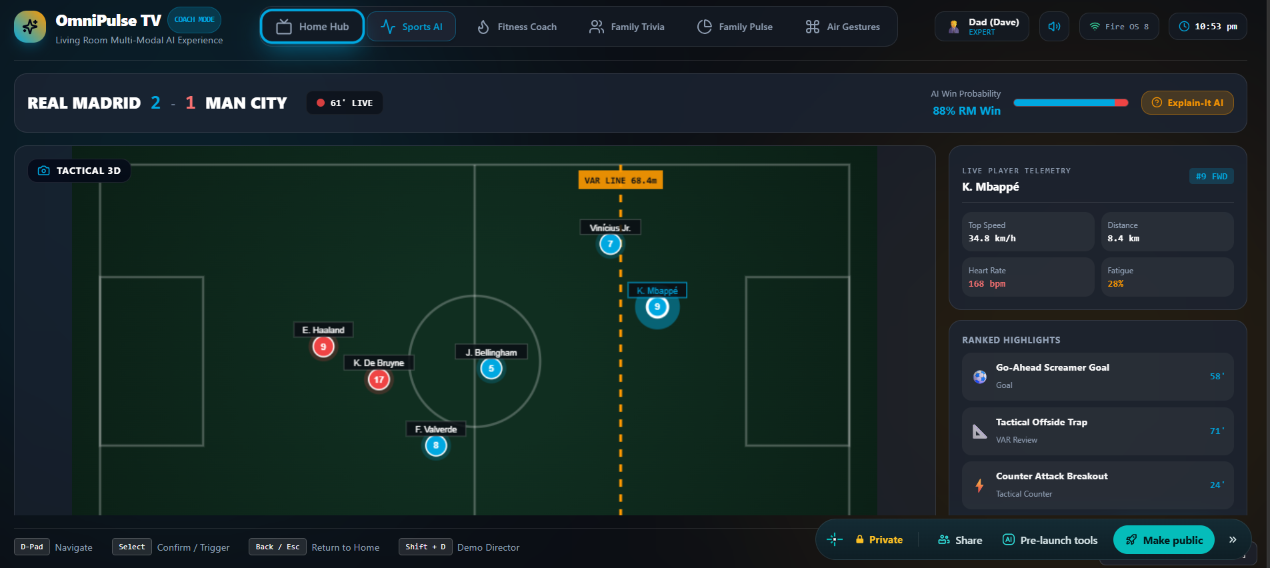
I was also inspired by how broadcast sports graphics have evolved — the tactical cameras, the instant replays with arrows, the VAR lines — and wanted to bring that intelligence into the living room experience rather than just showing it passively.
What I Built
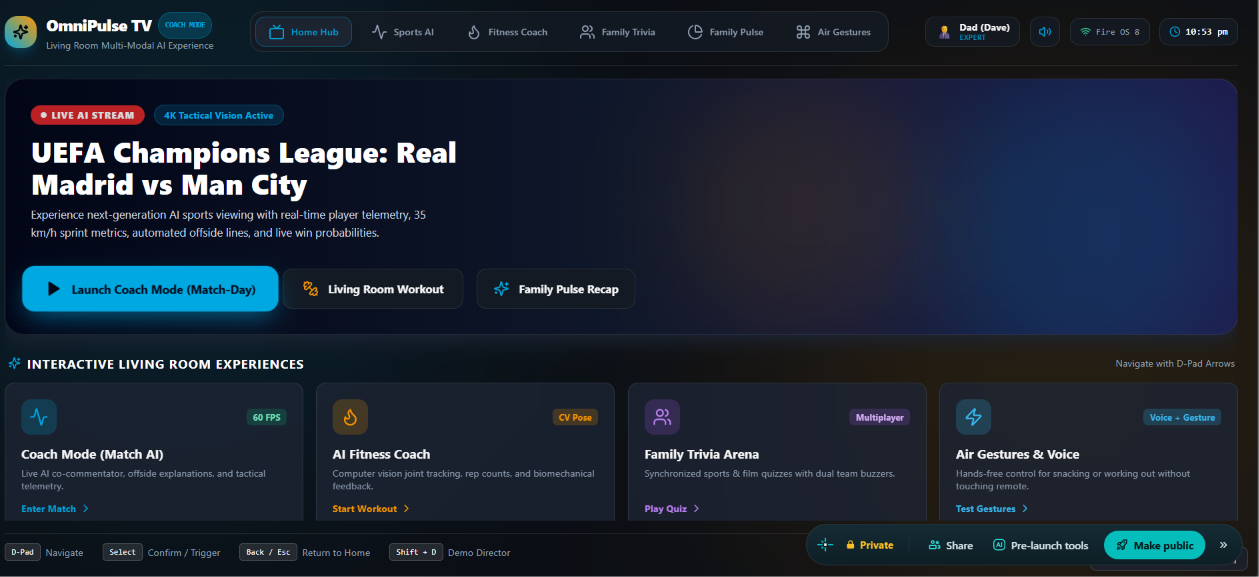
OmniPulse TV is a 10-foot UI streaming companion app designed for Fire OS and Vega OS (Android TV-based platforms). It runs entirely in the browser as a PWA — no backend, no cloud dependency, fully offline-capable.
The two core feature systems are:
Feature A — Coach Mode
An AI co-commentator that watches the match with your family:
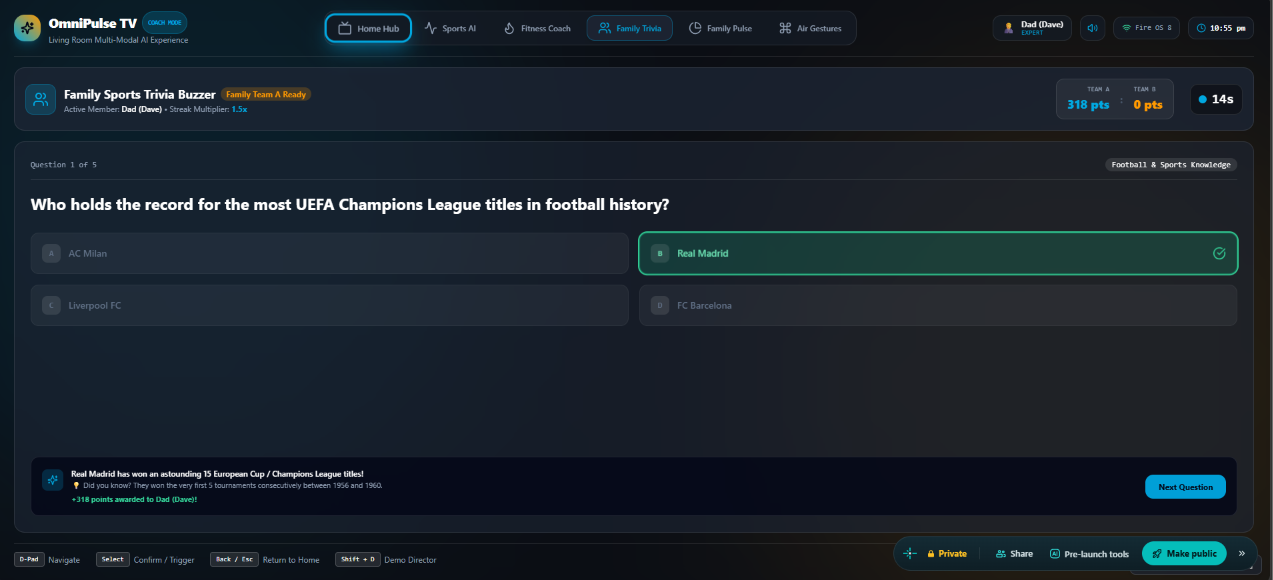
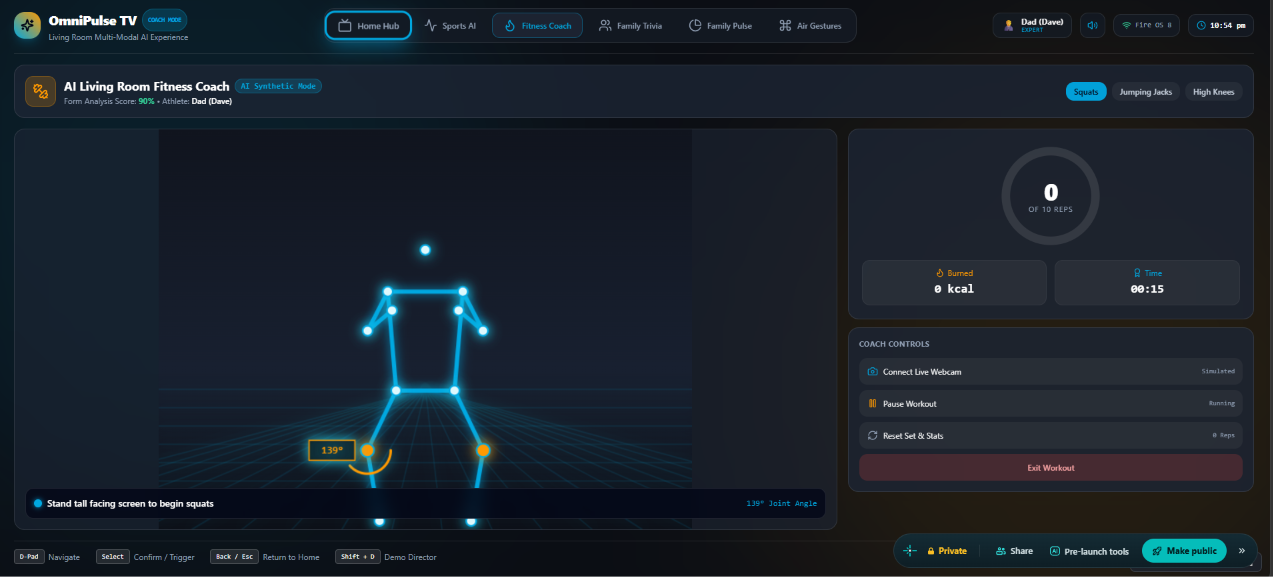
Explain-It Overlay: When a foul, offside, or VAR check happens, the stream auto-pauses and a tactical annotation appears on screen — arrows, highlighted players, the offside line — paired with an explanation tuned to the active viewer's profile (kid / casual / expert). Learn-then-Quiz Loop: After every explanation, a one-question quiz is injected into Family Trivia. "Who was caught offside?" The family answers via D-pad, voice, or gesture. Halftime Challenge: Triggered by a HALFTIME or LULL event, it launches Fitness Coach in a 30-second challenge mode — squats or jumping jacks — with reps credited to the active profile's score. Works in Simulation Mode when no camera is available. Goal Celebration: Confetti, a synthetic crowd cheer built with the Web Audio API (zero external assets), and a "cheer meter" driven by microphone input or camera motion — with a simulated fallback. Feature B — Family Voices
A profile and input-fusion system:
Family Profiles: Each member (kid, casual fan, expert) has a persistent profile with their preferred commentary depth, avatar, score, badges, and input preferences. Voice + Gesture Fusion: Commands arrive from Web Speech API, camera-based air gestures (MediaPipe Hands), or the D-pad. All three input streams merge into one action dispatcher. Ambiguous commands go to a confirmation step rather than misfiring. Family Pulse: A live ambient dashboard showing who is active, their score, and their streak. A gentle notification ("Dad just earned a badge!") surfaces without interrupting the match. how i built it React 18 + TypeScript + Vite 5 + Tailwind CSS 3 Web APIs: MediaPipe Hands, Web Speech API, Web Audio API, MediaDevices, Canvas State: React Context + useReducer (versioned, persistent, migratable) Testing: Vitest (32 tests, 100% pass rate) Target platform: Fire OS / Vega OS (Android TV WebView + D-pad input) The architecture follows a strict pub-sub event model:
Match Event → publish Event Bus → subscribe { Explain-It Overlay
Family Trivia (quiz)
Fitness Coach (challenge)
Family Pulse (score update) Match Event publish
Event Bus subscribe
⎩ ⎨ ⎧
Explain-It Overlay Family Trivia (quiz) Fitness Coach (challenge) Family Pulse (score update)
This meant I could build and test each module independently, then wire them together through the bus — no prop-drilling, no circular dependencies.
Spatial navigation was built from scratch using a direction-weighted nearest-neighbor algorithm. For a remote-control-first UI, getting focus management right — trapping focus inside modals, restoring it when overlays close, handling uneven grids — was the most technically demanding part of the project.
Challenges I Faced
D-pad focus management on TV Browser focus APIs are not designed for 10-foot UIs. There is no native API for "move focus left." I built a custom spatial navigation engine that measures element bounding rects, scores candidates by direction and distance using a weighted formula, and manages a Back/Escape stack so every overlay can be dismissed cleanly. Edge cases (focused element unmounting, focus after modal close, uneven grids) required careful state machine design.
Web Speech API reliability The Web Speech API has no standard fallback, stops silently on some platforms, and has different behavior across Chromium versions used in Fire OS WebViews. I implemented a keyword-scanning fallback and a voice activity detector so the app stays functional even when the API degrades.
Keeping camera streams from leaking MediaPipe and getUserMedia streams must be explicitly released. In a multi-module app where any module can request the camera, it was easy to accumulate open streams. I introduced a centralized CameraManager singleton that reference-counts consumers and releases the stream only when the last subscriber disconnects.
One-euro filter for skeleton smoothing Raw MediaPipe landmark coordinates are noisy — especially at low frame rates on embedded hardware. I implemented a one-euro filter per landmark per axis, which significantly reduced jitter without adding lag during fast movements. Getting the β (speed coefficient) and f_min (minimum cutoff) values right for squat and jumping-jack detection took the most tuning.
Confetti + Web Audio with zero external assets I wanted goal celebrations to feel real but had no access to licensed audio files. I synthesized a crowd roar using the Web Audio API — layered noise oscillators, a low-pass filter sweep, and reverb via a convolver node built from computed impulse responses. It sounds surprisingly convincing and adds zero bytes to the bundle.
What I Learned Pub-sub is underrated in UI apps. When multiple unrelated UI components need to react to the same external event stream, an event bus is cleaner than lifting state or using global stores. TV UI is a different discipline. Everything that works on a mouse-driven web app needs to be reconsidered: hover states don't exist, touch doesn't exist, focus is everything, and latency from the remote adds 100–150ms of perceived lag that you have to design around. Browser APIs are powerful enough to replace native. Gesture recognition, speech, audio synthesis, camera access, and canvas drawing — all in a PWA, all without App Store approval, all cross-platform across Fire OS and Vega OS.
Built With
- fire-os
- mediapipe
- react
- typescript
- vite
- web-audio-api
- web-speech-api
