-
-
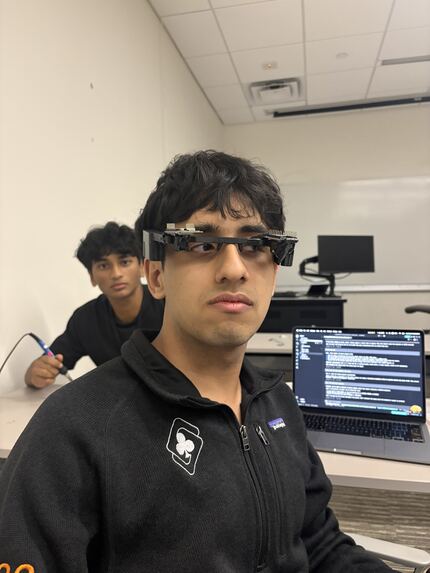
initial prototype
-
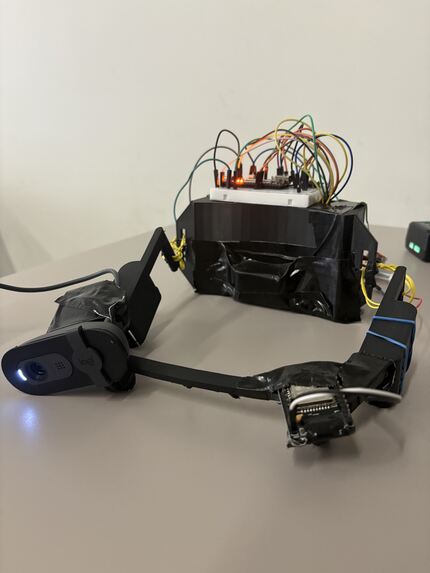
final product
Inspiration
As the world becomes increasingly digital, screen time is skyrocketing - leading to widespread eye strain and physical isolation. From laptops to smartphones, we are constantly locked into our devices. We wanted to build a wearable that protects your physical safety, actively monitors your eye health, and, most importantly, brings people together.
What it does
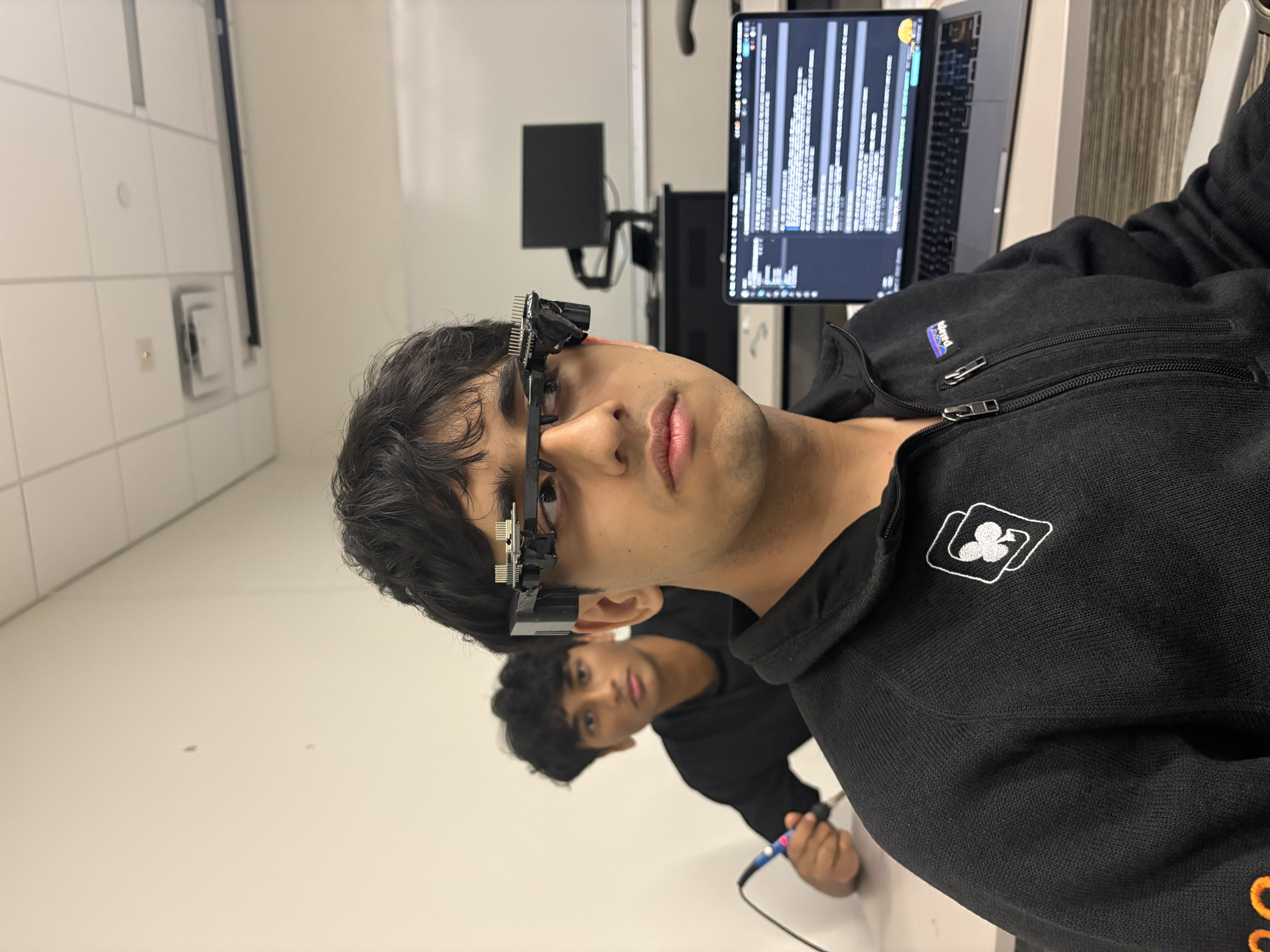
OmniGlass is a pair of smart glasses that seamlessly blends custom embedded systems with advanced AI to create a safer, more connected world.
Main features:
Look-and-Ask Visual AI: By tracking your exact pupil direction, the glasses know what you are focusing on. When you ask, "What am I looking at?", it dynamically crops your line of sight and uses Meta's Muse API to instantly identify the object.
Shared POV: Integrated with our custom Flutter app, you can seamlessly switch a FaceTime call to your glasses' front camera to share your exact perspective. We also added live captions using Muse Voice Transcribe.
Social Eye Health: We gamified eye care by letting you compete with friends on live leaderboards. The app tracks your stats in real-time, rewarding you for the healthiest blink rates, lowest squint times, and highest "heads-up" counts.
Zero-lag Hazard Detection: A rear-facing camera watches your blind spots. It detects fast-approaching hazards (like a bicycle) and buzzes you instantly, using an integrated gyroscope to filter out false alarms when you simply turn your head.
How we built it
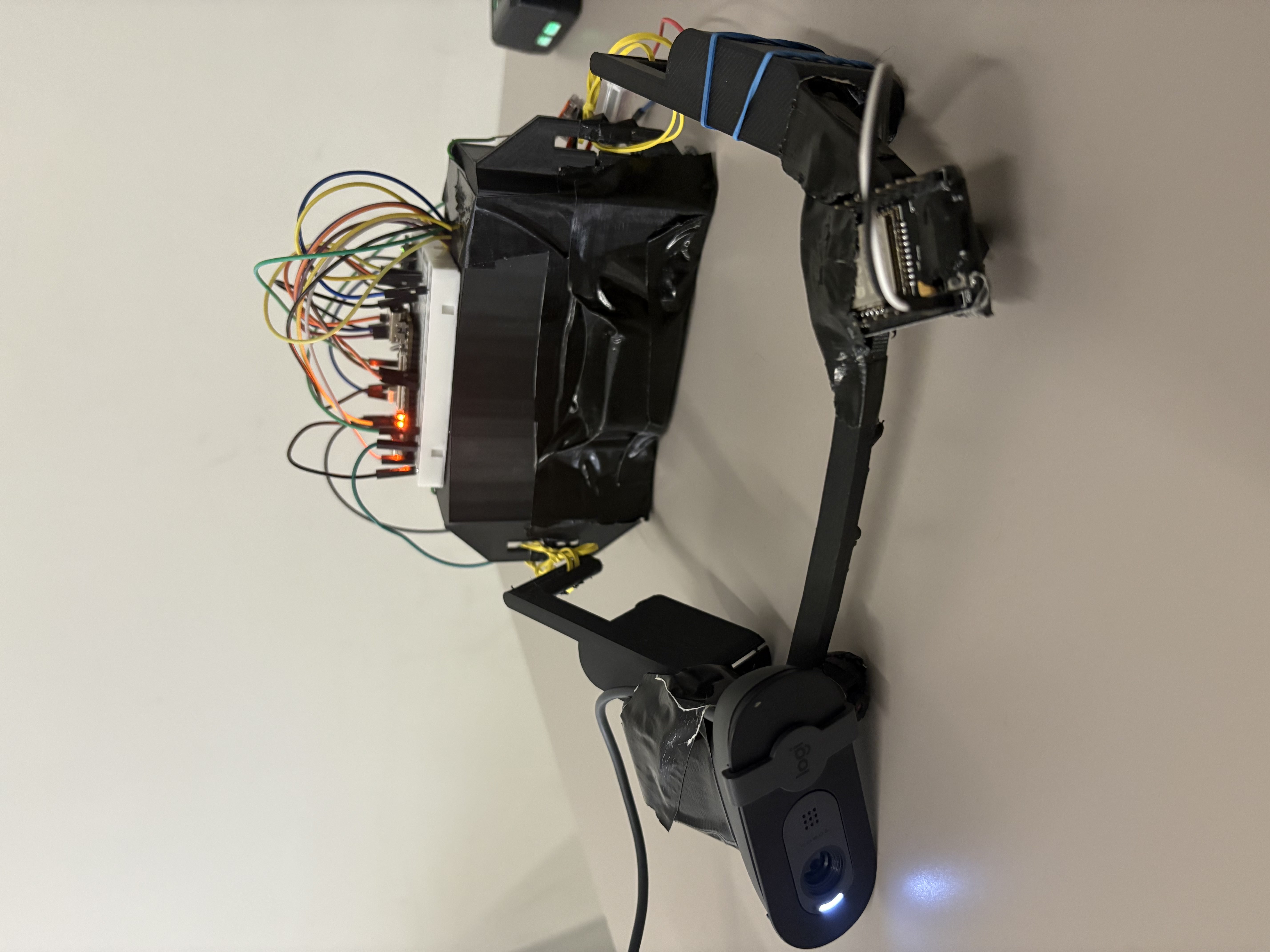
We built this by integrating three cameras:
Camera 1 (Inward-facing eye camera): An ESP32-CAM positioned near the eye. This streams video via UDP to our Python backend, running custom computer vision algorithms to track your pupil direction, blink rate, and eye strain in real-time.
Camera 2 (Outward-facing front camera): A forward-facing ESP32-CAM that captures high-resolution photos of your surroundings. It coordinates with the inward camera to crop the specific region you are looking at and feeds that data directly to Meta's Muse model.
Camera 3 (Rear-facing collision camera): An ESP32-CAM wired directly to a Tang Nano 20K FPGA. Instead of sending video to the cloud, the FPGA acts as a dedicated hardware accelerator that processes every single pixel captured by the back camera locally over SPI. Using a locust-inspired looming algorithm, the FPGA determines if there is an impending object collision. If a hazard is detected, it instantly sends a signal to the backend, which plays an immediate audio alert. The FPGA was crucial for this feature because its parallel processing architecture eliminates the lag inherent in network transmission and software-based computer vision. This pure hardware edge-computing setup provides the deterministic, ultra-low latency response required to ensure the user's physical safety.
Challenges we ran into
Streaming live video over UDP from multiple ESP32s without dropping massive amounts of frames was tough. On the hardware side, bridging the ESP32 cameras with the Tang Nano FPGA required us to write custom binary event protocols. We also had to extensively calibrate the gaze-tracking algorithm so it wouldn't fail in different lighting conditions or with different eye shapes.
Accomplishments that we're proud of
- Programming a Tang Nano 20K FPGA with no previous experience to achieve zero-lag collision detection at the edge.
- Successfully integrating complex computer vision models and real-time UDP video streaming into a smooth iOS/Flutter app.
- Using frontier technology such as Meta's Muse API and Muse Voice Transcribe to turn raw camera feeds into a dynamic, context-aware visual and audio assistant.
- Engineering a complete project from the physical 3D-printed circuits up to the social cloud layer in just 24 hours.
What we learned
- How to bridge edge devices (ESP32s and FPGAs) with a Python backend using custom communication protocols like SPI and UDP to minimize dropped frames.
- The power of parallel processing on an FPGA compared to traditional CPUs, allowing us to achieve zero-lag collision detection.
- How to calibrate pupil-tracking algorithms so they work reliably across different lighting conditions and eye shapes.
- How to leverage models like Meta's Muse API and Voice Transcribe as dynamic visual and audio reasoning engines, rather than just standard text chatbots.
What's next for OmniGlasses
Using the cameras to implement more features in our frontend. We plan to launch this for more users to use to gain real-world data and improve our code.

Log in or sign up for Devpost to join the conversation.