Inspiration
I needed to extract frames from a GIF that included personal photos. Every online tool asked me to upload the file first. I hesitated — who owns that server, how long do they keep the GIF, and is a private screenshot now sitting in someone else's processing queue?
That moment felt broken. GIF tools are everywhere, but most still follow the old upload → process → download model. Meanwhile, modern browsers can already decode GIF89a, encode WebP and APNG, and even run FFmpeg through WebAssembly. The capability was there; the product wasn't.
So I started OmniGIF with a simple mission: convert, edit, and inspect animations without compromising privacy.
What it does
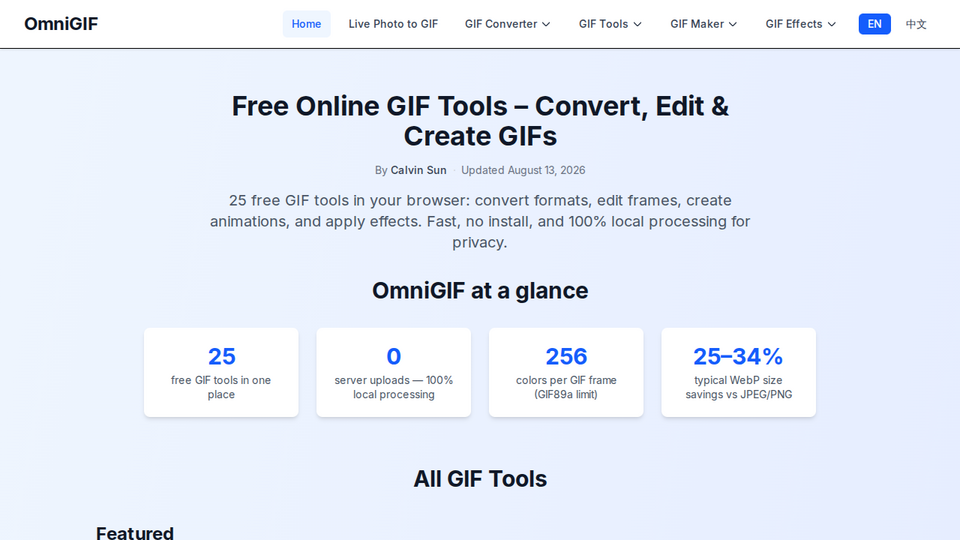
OmniGIF is a free, privacy-first GIF toolkit that runs entirely in your browser. Your files never leave your device.
You can:
- Convert between GIF, PNG, WebP, APNG, and related formats
- Make GIFs from stills, text (typewriter, bounce, rainbow, and more), Live Photos, and creative makers like vinyl spin or fire text
- Edit & inspect frames — crop, trim, view delays, extract stills, add watermarks or overlays
- Apply effects — fade, glitch, dither, pixelation, speed, borders, confetti, and more
- Use the browser extension (Chrome, Edge, Firefox) to right-click or pick any web image and send it straight into a tool
No signup wall for core tools. Open a page, drop a file, download the result.
How I built it
OmniGIF is a Next.js 15 + React + TypeScript app with Tailwind CSS, statically generated and deployed via OpenNext on Cloudflare.
All heavy lifting happens client-side:
- gifuct-js — decode GIF frames and delays locally
- gif.js — encode animated GIFs in a Web Worker
- ffmpeg.wasm — video / Live Photo conversion in the browser
- UPNG.js — PNG / APNG workflows
- gifsicle-wasm-browser — local GIF optimization where needed
I treat the browser like a desktop app: live preview on desktop when settings change, consistent UI across similar tools, i18n (EN / ZH / FR), SEO (sitemap, EEAT signals), and analytics on interactive actions. Privacy isn't a toggle — it's the architecture.
Challenges I ran into
Making local processing feel fast. WASM / Worker encoding can stutter on large or long GIFs. I had to tune workers, preview strategies, and UX so tweaking FPS or effects doesn't feel like waiting on a server.
GIF quirks. Partial frames, disposal methods, palette limits (256 colors), and timing edge cases break naive decode → edit → re-encode pipelines. Frame viewers and converters needed real GIF89a care, not just canvas screenshots.
Parity without uploads. Users expect cloud-converter completeness (crop, trim, format hops, effects). Matching that locally — especially Live Photo / video paths — meant stitching multiple libraries into one coherent product.
Shipping as a solo founder. Dozens of tools, shared settings patterns, translations, sitemaps, and hub pages all have to stay consistent. Reusable components and strict UI conventions mattered as much as the codecs.
Accomplishments that I'm proud of
- A full GIF suite (converters, makers, tools, effects) with zero server uploads
- Browser extension on Chrome, Edge, and Firefox, plus an offline install path
- Live Photo → GIF and text-to-GIF makers that feel like small creative apps, not one-off demos
- A product people can use on personal screenshots without a trust leap
- Growing from a weekend frustration into a polished, multi-locale site at omnigif.com
What I learned
- Trust is the product. Features matter, but “does this file leave my machine?” is often the real decision.
- Client-side media is viable in 2025–2026: Wasm + Workers can feel desktop-class if you design for them.
- Consistency scales better than clever one-offs — shared settings, preview patterns, and hub pages keep a large tool catalog maintainable.
- Shipping privacy-first means saying no to the easy path (upload APIs) even when it would be faster to build.
What's next for OmniGIF
- More makers and effects people ask for, without breaking the local-only promise
- Deeper extension workflows (faster “image on page → tool → export” loops)
- Performance work on large / long GIFs and better mobile editing UX
- Broader language coverage beyond EN / ZH / FR
- Keep core tools free and signup-free — expand the toolkit, not the paywall
If you're tired of uploading private animations to a random converter, try OmniGIF: https://www.omnigif.com
Built With
- ffmpeg
- next.js
- react
- typescript
- wasm


Log in or sign up for Devpost to join the conversation.