Inspiration
While working on coding projects and browsing technical documentation, we realized that developers constantly switch between tabs, search engines, and AI tools to understand what is happening on their screen. This interrupts workflow and slows productivity.
We wanted to create an AI assistant that understands your screen instantly. Inspired by tools like Jarvis and modern AI copilots, we built OmniGem AI, a voice-powered screen intelligence assistant that can analyze any screen content and explain it in real time using Google Gemini.
The goal was simple: ask your screen anything, and get an instant explanation.
What it does
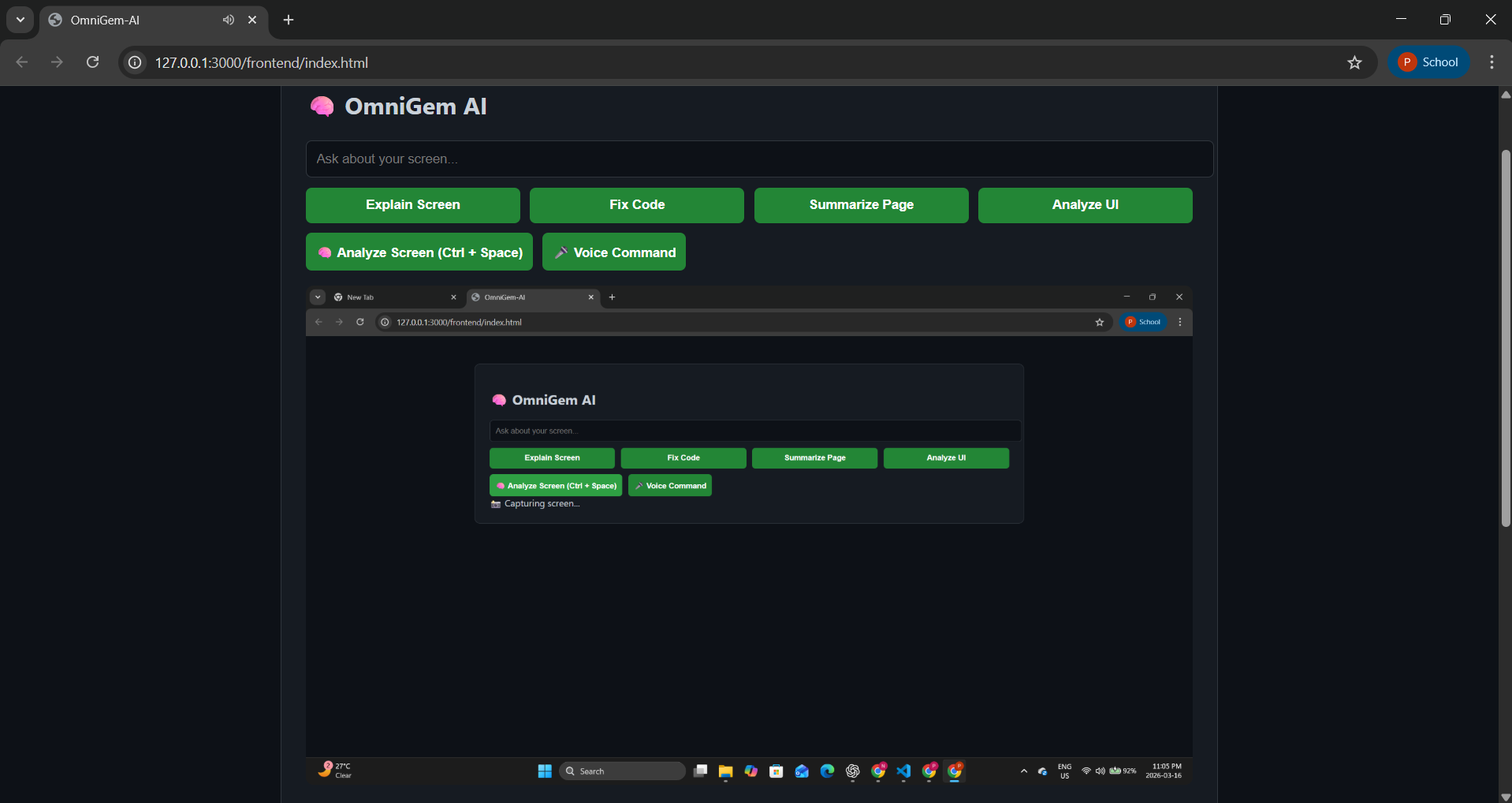
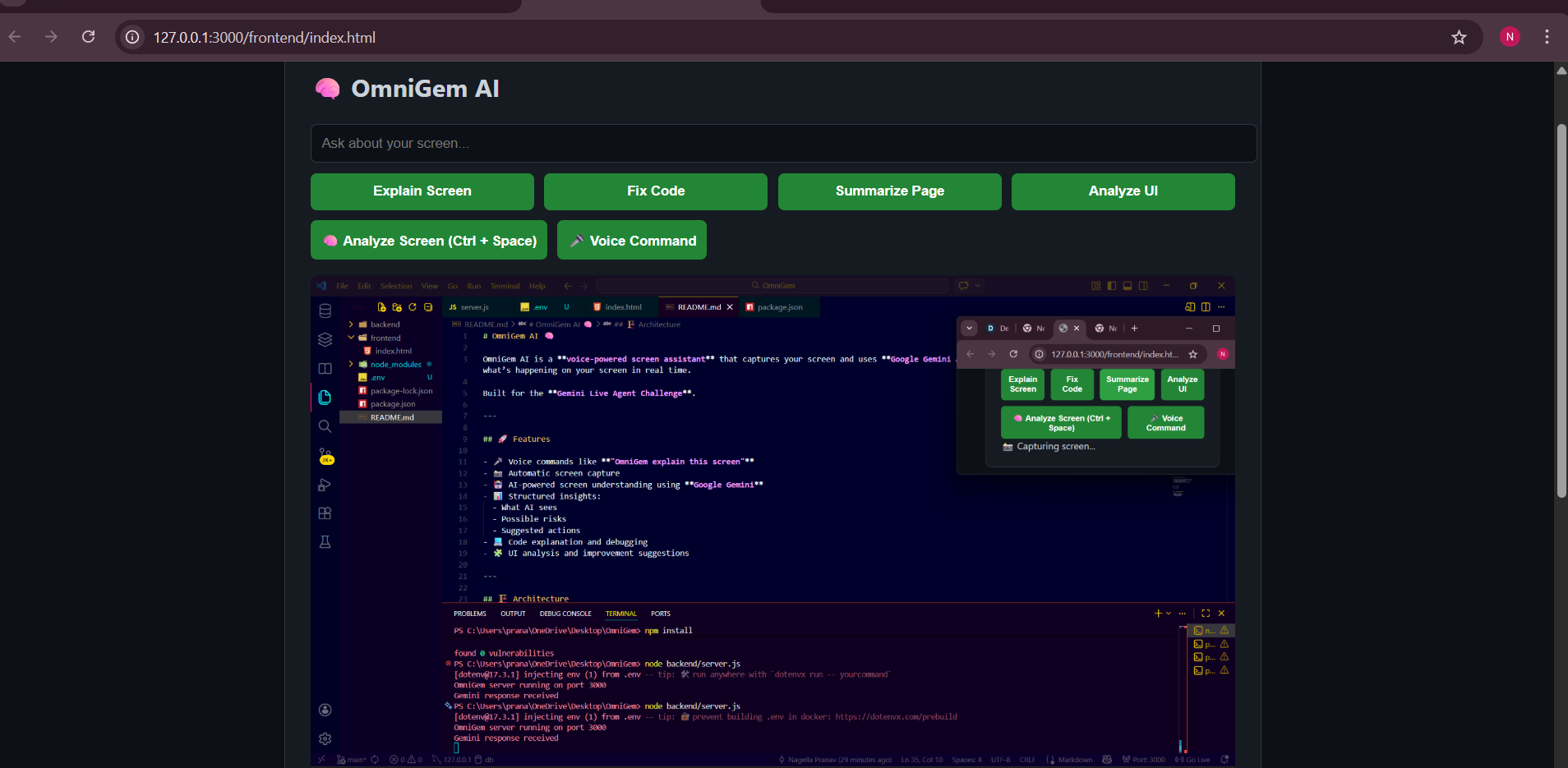
OmniGem AI is a voice-powered AI assistant that analyzes your screen in real time. Users can simply say:
- "OmniGem explain this screen"
- "OmniGem summarize this page"
- "OmniGem fix this code" The system then:
- Captures the user's screen
- Sends the screenshot to a backend server
- Uses Gemini AI to analyze the visual content
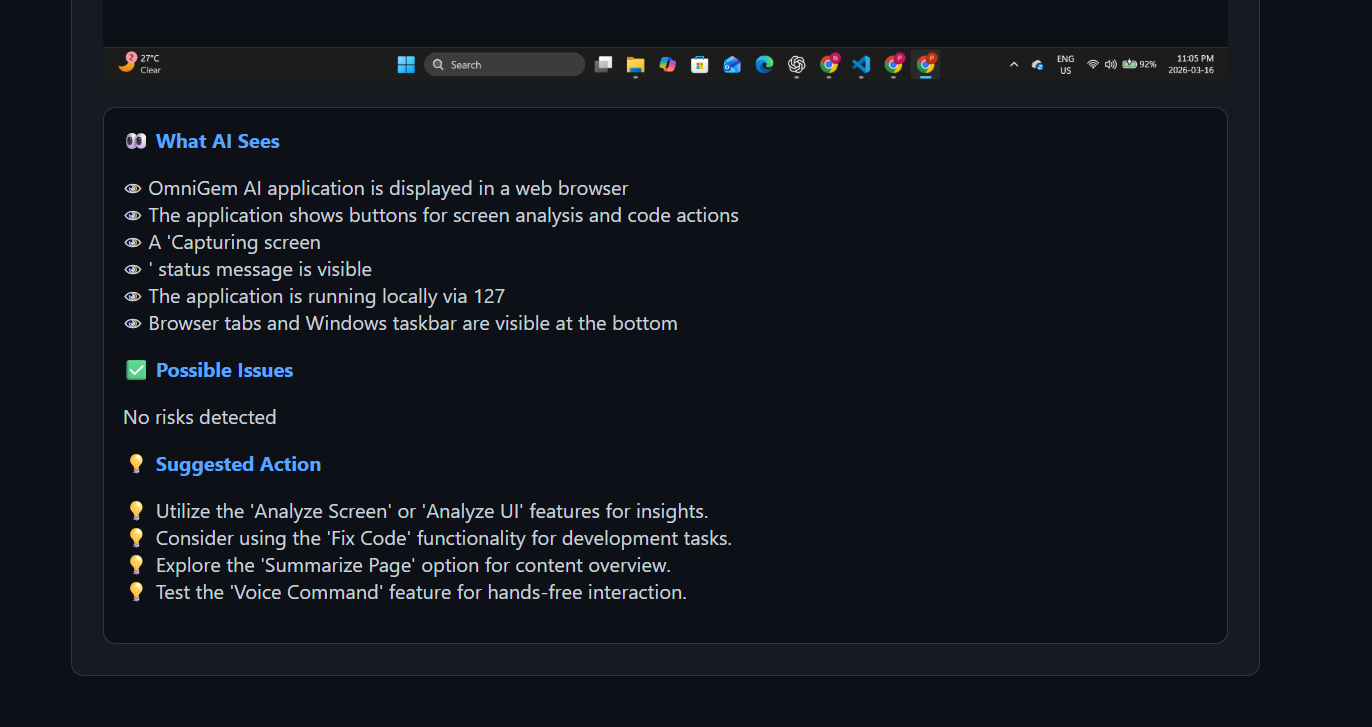
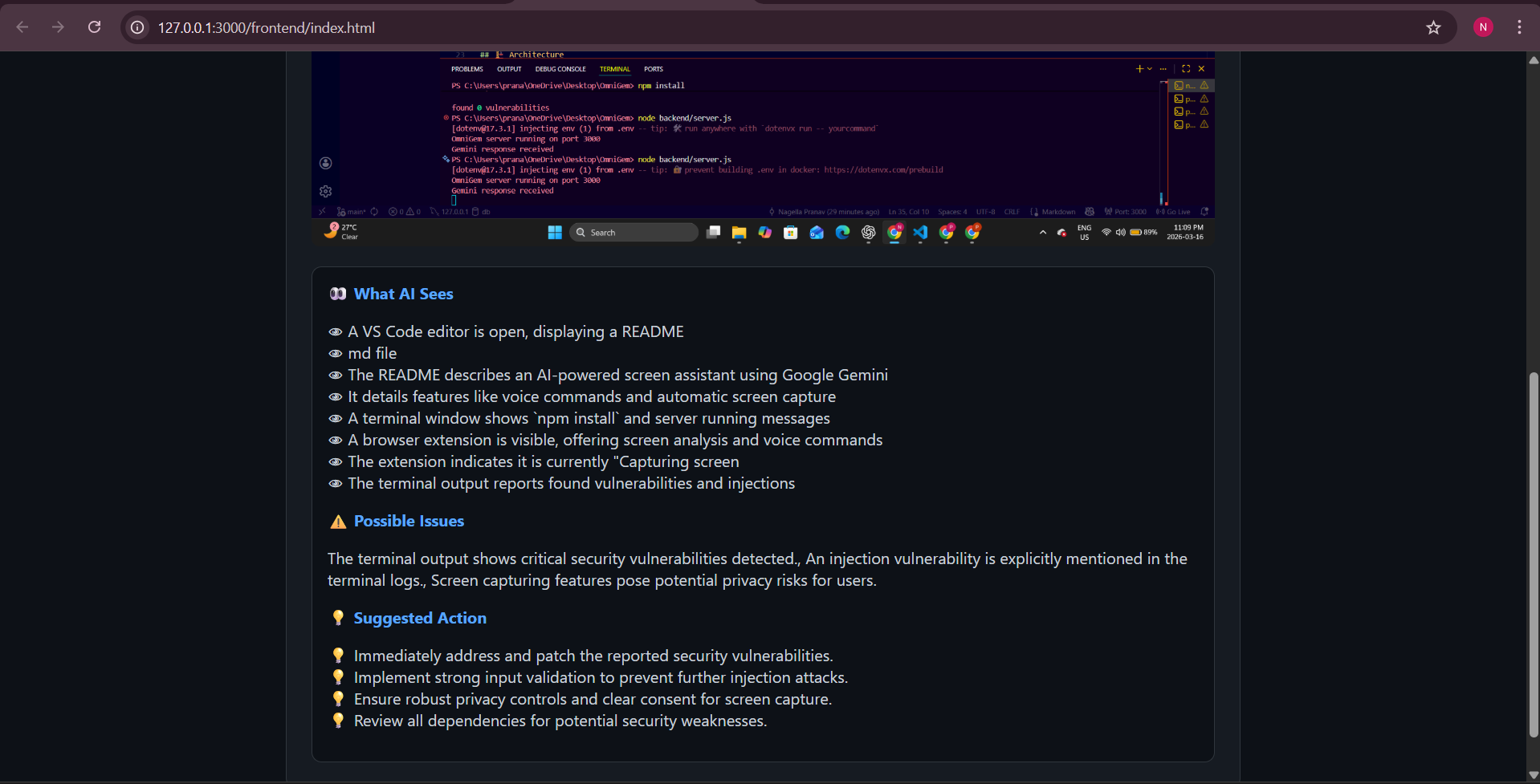
- Returns a structured explanation including:
- What AI sees
- Possible risks
- Suggested actions
This allows developers, students, and researchers to understand any screen instantly.
How we built it
OmniGem AI was built using a lightweight full-stack architecture:
Frontend
- HTML
- CSS
- JavaScript
- Web Speech API for voice commands
Backend
- Node.js
- Express.js
AI Processing
- Google Gemini API for multimodal image analysis
Workflow
Voice Command → Screen Capture → Backend API → Gemini AI → Structured Response → UI Display
The frontend captures the screen using a Node screenshot service and sends it to Gemini for visual understanding. The AI then returns structured JSON data that is displayed in an easy-to-read interface.
Challenges we ran into
One major challenge was handling voice recognition accurately. Speech APIs often return partial sentences, which caused repeated commands and unnecessary API calls.
We solved this by:
- Filtering only final speech recognition results
- Adding command detection using trigger words like "OmniGem"
- Preventing duplicate requests
Another challenge was Gemini returning long paragraphs instead of structured output. We solved this by enforcing strict JSON formatting and post-processing the results for clean bullet-point insights.
We also had to handle API rate limits, which required request throttling and response handling.
What we learned
Through this project we learned:
- How to integrate multimodal AI systems
- Real-time voice interaction with web applications
- Handling image processing pipelines
- Designing AI-driven UX interfaces
We also gained experience using Google Gemini models for visual understanding tasks.
What's next for OmniGem AI
Future improvements include:
- Chrome extension support to analyze any browser tab
- Automatic code detection and debugging
- AI-powered UI/UX feedback for designers
- Cross-application support for productivity tools
- Voice-driven automation workflows
Our long-term vision is to build a universal AI screen assistant that helps users understand, debug, and interact with anything they see on their screen.
Built With
- api
- capture
- css
- express.js
- gemini
- html
- javascript
- node.js
- screen
- speech
- web


Log in or sign up for Devpost to join the conversation.