-
-
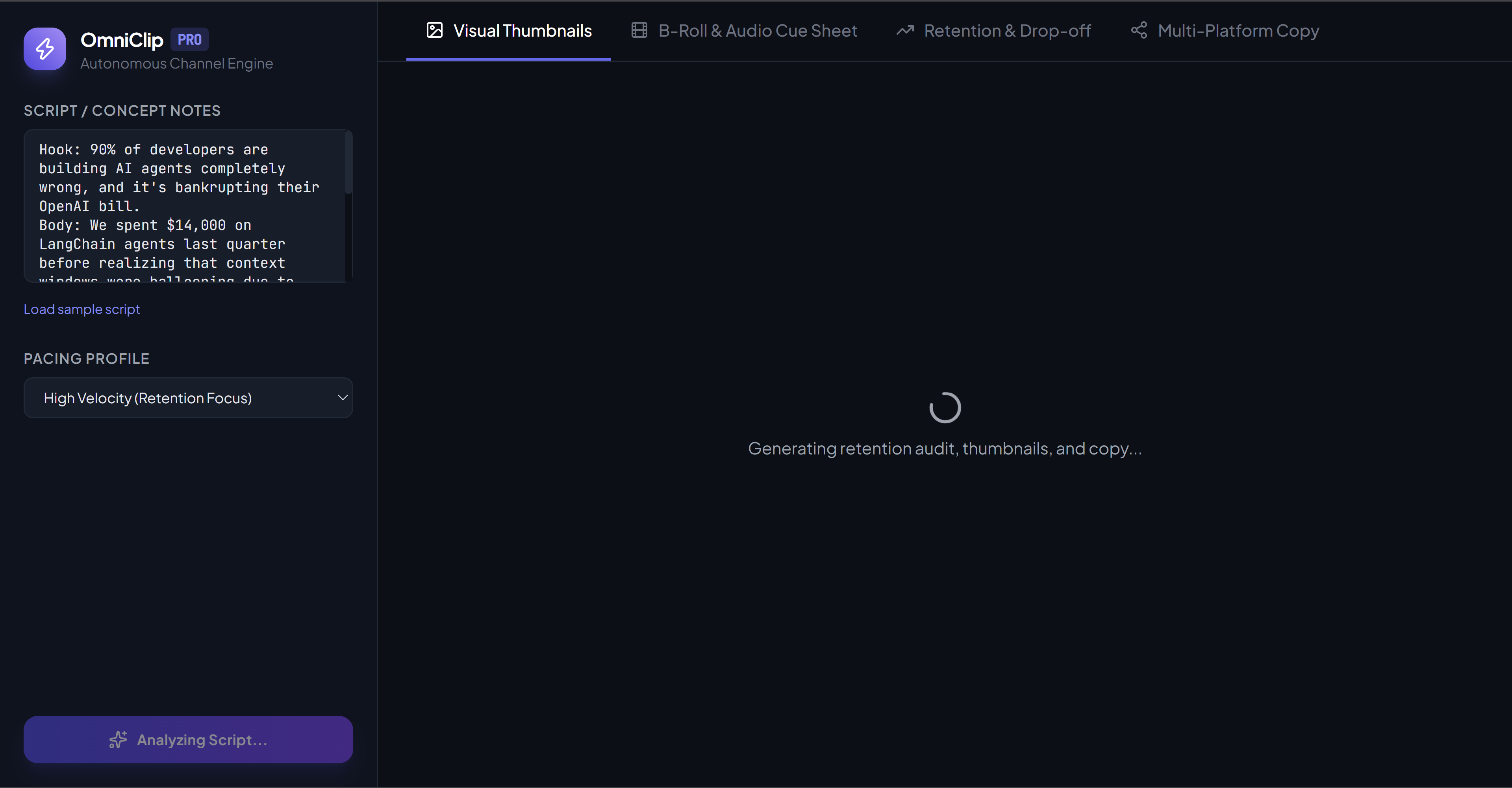
Every run is a live Gemini call, no mock data. Here it's generating the full retention audit, thumbnails, and copy in real time.
-
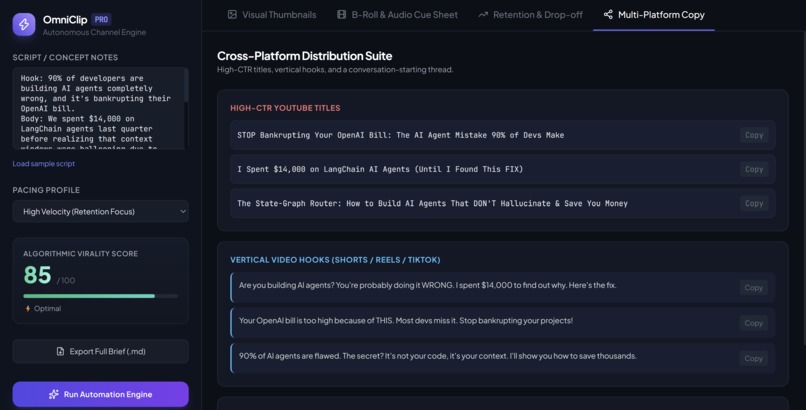
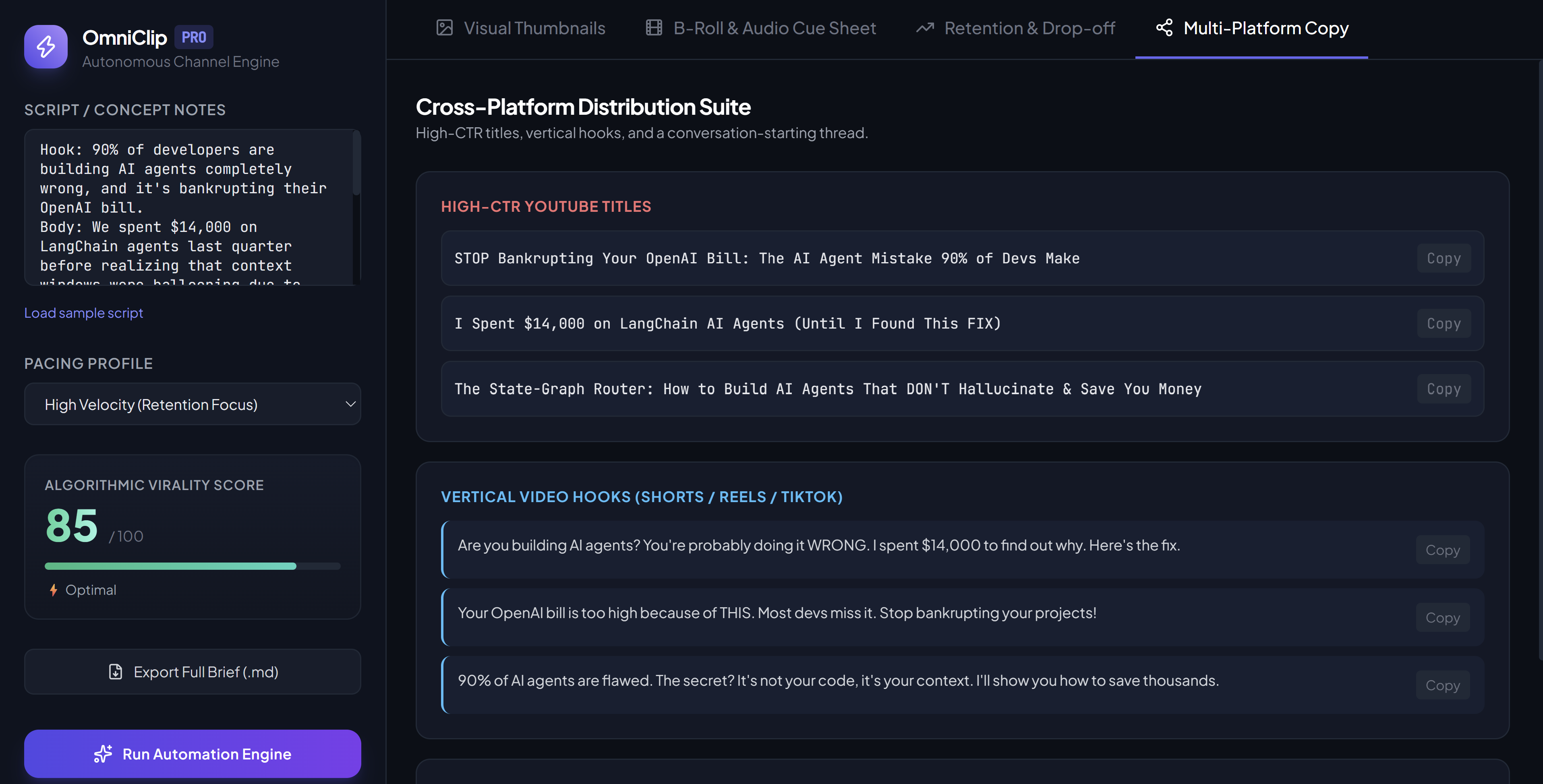
High-CTR YouTube titles, Shorts/Reels hooks, and an X thread starter, all one-click copyable for instant publishing.
-
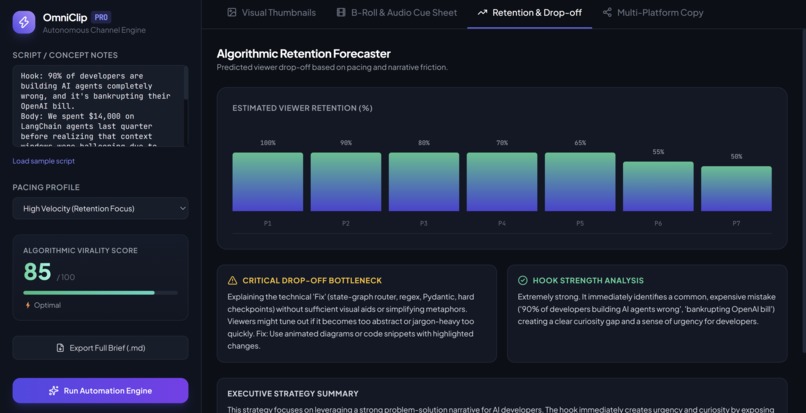
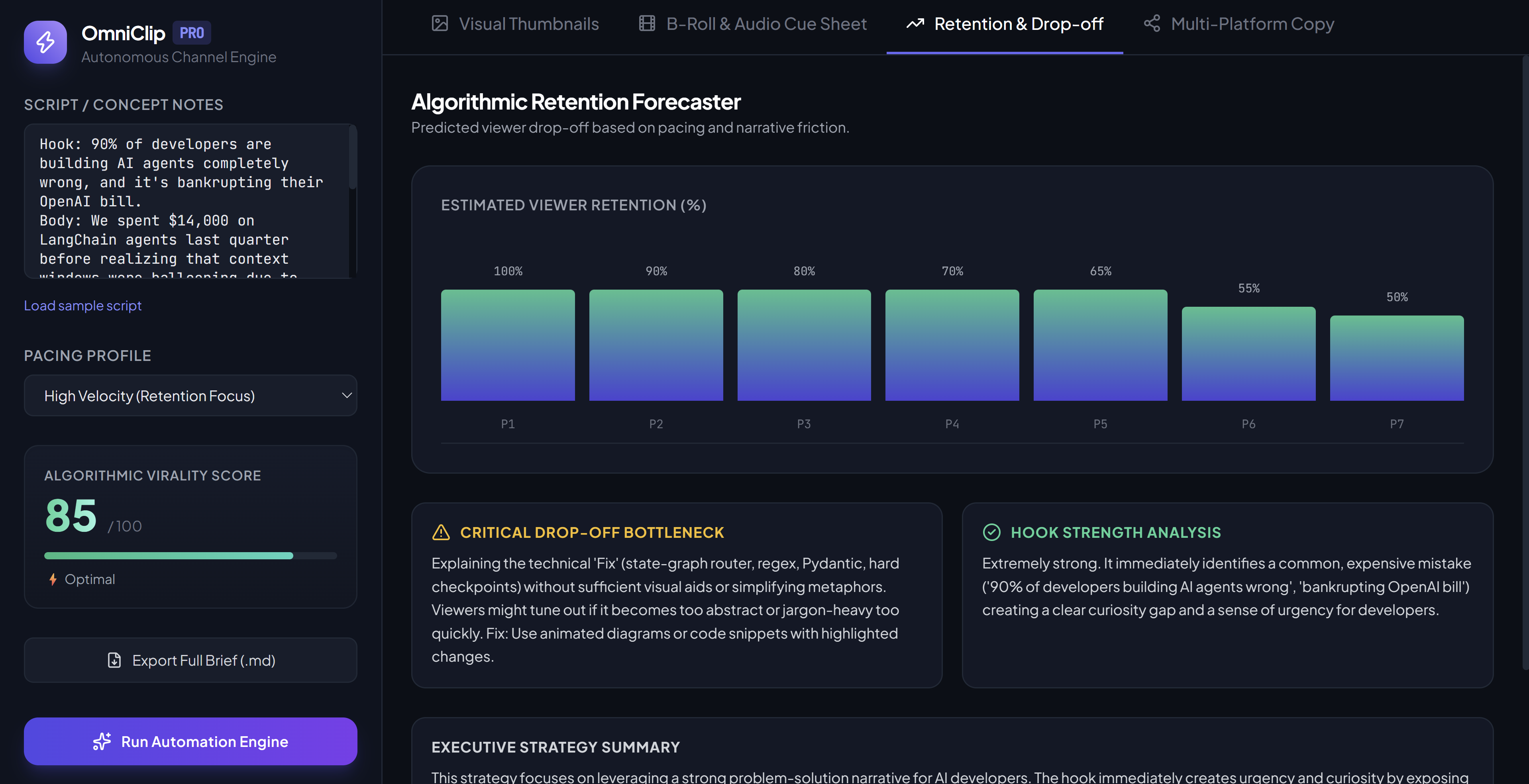
Predicted 7-point retention curve plus the single biggest drop-off risk and hook strength analysis, with concrete fixes.
-
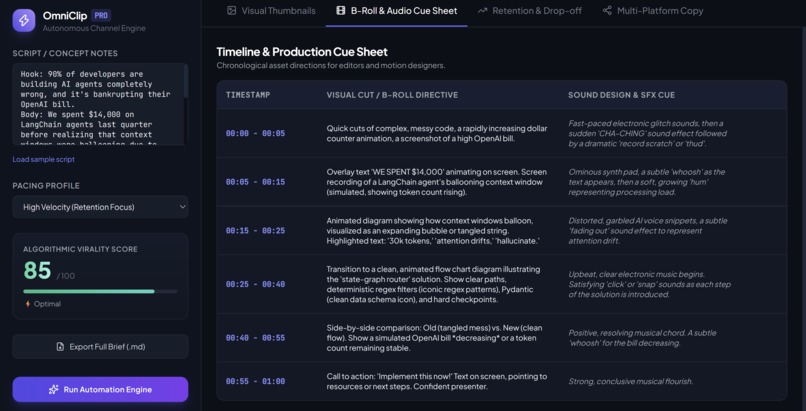
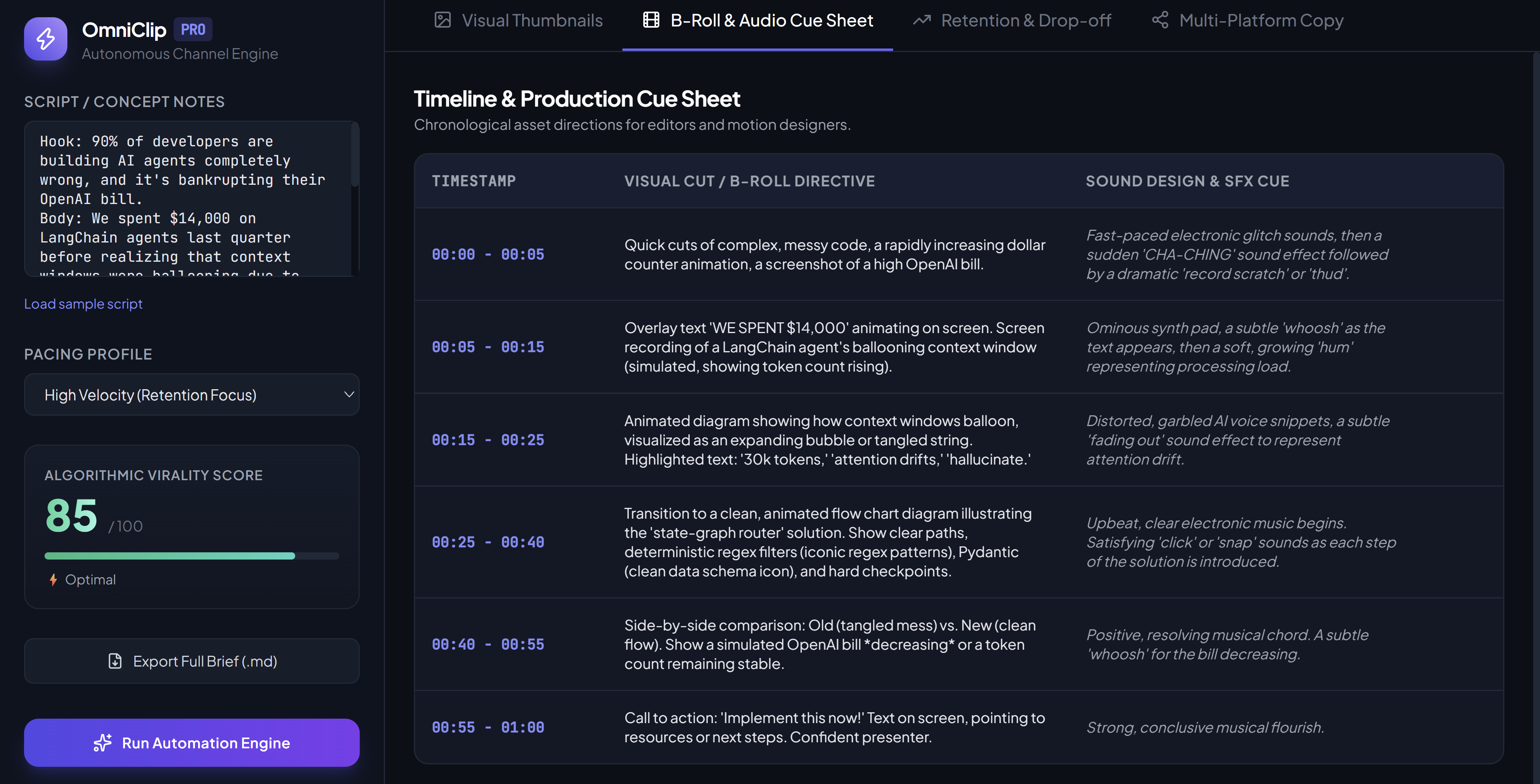
A full scene-by-scene B-roll and sound design cue sheet an editor could work from directly, generated from the raw script.
-
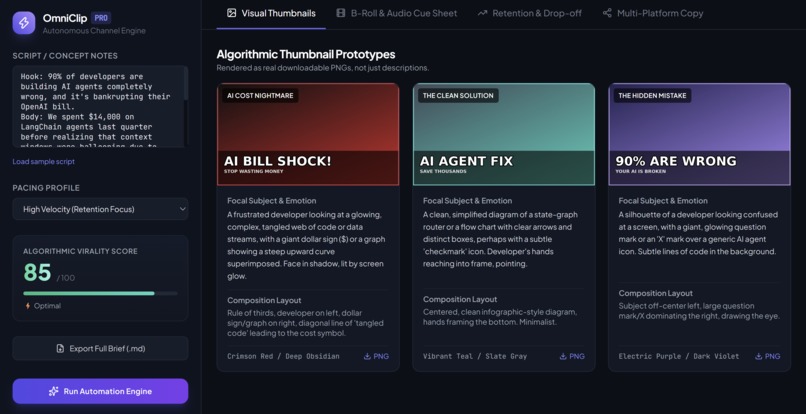
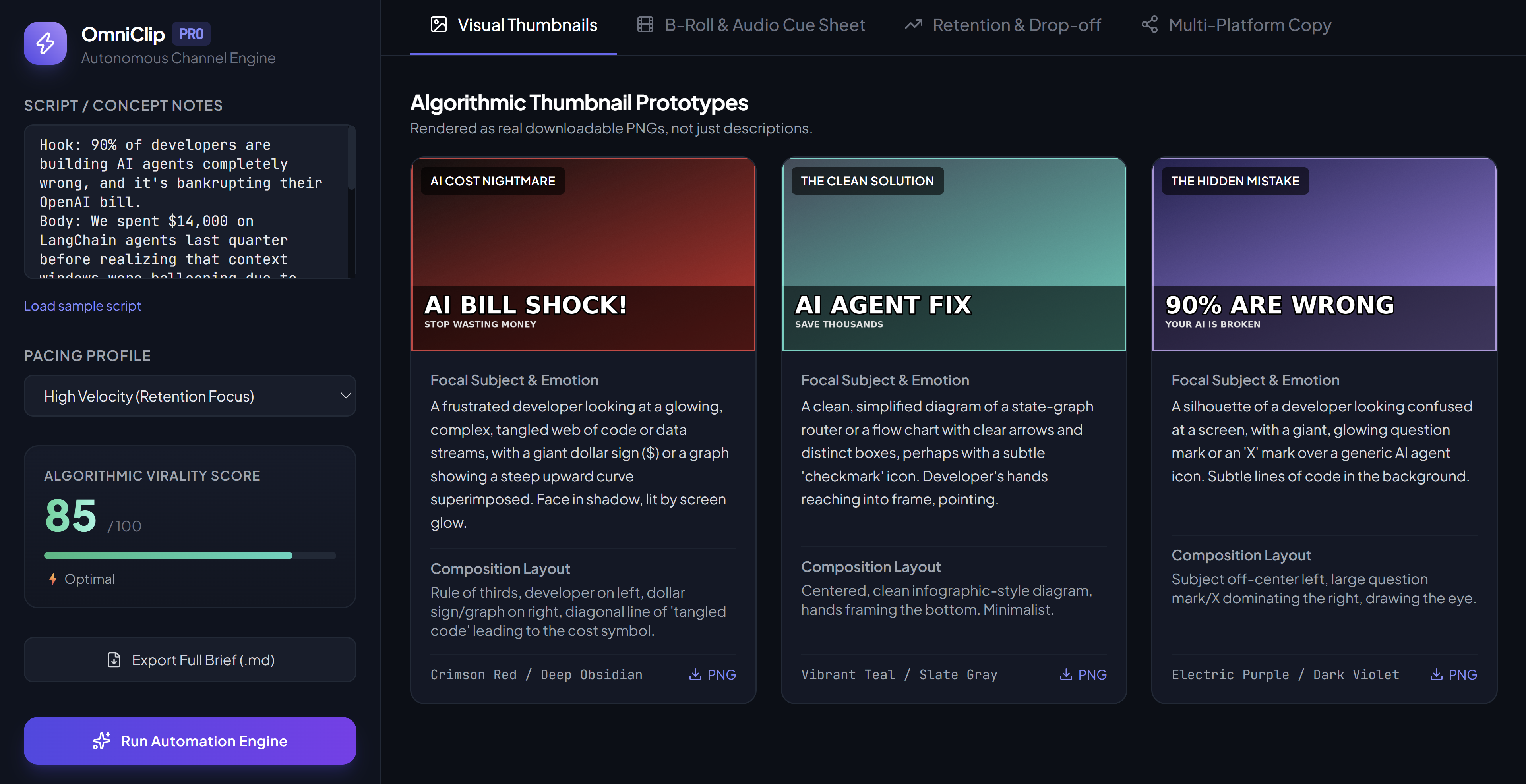
Three distinct thumbnail concepts, each rendered as a real downloadable PNG with AI-chosen colors and auto-scaled bold text.
Inspiration
Every long-form video hides a second job: after the edit is done, a creator still has to write titles, design thumbnails, plan B-roll, and repurpose the video for five other platforms. Most "AI for creators" tools stop at generating text ideas. We wanted something that actually hands back finished assets, not just descriptions of what a thumbnail should look like.
What it does
OmniClip Pro takes a raw script or a rough set of notes and returns a full production suite in one pass:
- Retention & Drop-off Audit — a virality score, pacing rating, a 7-point predicted retention curve, and the single biggest place viewers are likely to click away, with a fix.
- Real Thumbnail Assets — three distinct visual concepts, each rendered as an actual downloadable PNG (not just a text description), with AI-chosen colors, bold overlay text, and auto-scaled typography.
- Production Cue Sheet — a scene-by-scene B-roll and sound design breakdown an editor could work from directly.
- Cross-Platform Copy — high-CTR YouTube titles, Shorts/Reels hooks, and an X thread starter, all copyable with one click.
- Export Full Brief — everything bundled into a single downloadable Markdown file to hand off to an editor or collaborator.
How I built it
The backend is a Flask app that calls Google's Gemini API with a Pydantic-constrained JSON schema, so every response comes back typed and structured instead of free-form text I'd have to parse and hope for the best. The most interesting technical piece is thumbnail_gen.py: it takes the color palette and text the model chooses and actually renders a finished 1280x720 PNG using Pillow — diagonal gradient, vignette, film grain, auto-scaled headline typography that picks the largest font size that still fits the panel, and a clean border. The frontend is a single-file React app (no build step) styled with Tailwind, talking to the Flask backend over a simple /api/generate endpoint. The API key lives only in server-side environment variables, never in the browser.
Challenges I ran into
- Getting Gemini's structured output to reliably include usable hex colors (not just color names) so I could actually render real images instead of placeholder shapes.
- Balancing thumbnail text: an early version let long headlines overflow the image entirely at large font sizes. I fixed it by computing available vertical space first and picking the largest font size that still fits both the width and height constraints, accounting for the subtitle line too.
- Making sure the deployed version never falls back to fake/mock data, since a judge testing it live needs every run to be a real model call.
Accomplishments that I'm proud of
Turning "AI describes a thumbnail" into "AI designs a thumbnail you can actually download and upload" was the single change that made this feel like a real tool instead of a demo.
What I've learned
Structured output (JSON schema constraints) turns an LLM from a text generator into something closer to a reliable API — that pattern is reusable well beyond this project.
What's next for OmniClip Pro
Per-thumbnail regeneration, pulling a real transcript directly from a YouTube URL instead of pasting a script, and validating predicted retention curves against real YouTube Analytics data.

Log in or sign up for Devpost to join the conversation.