-
-
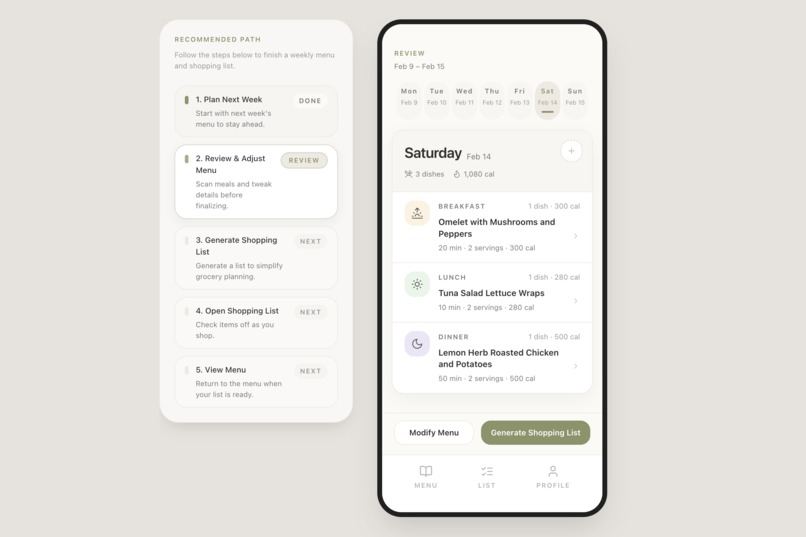
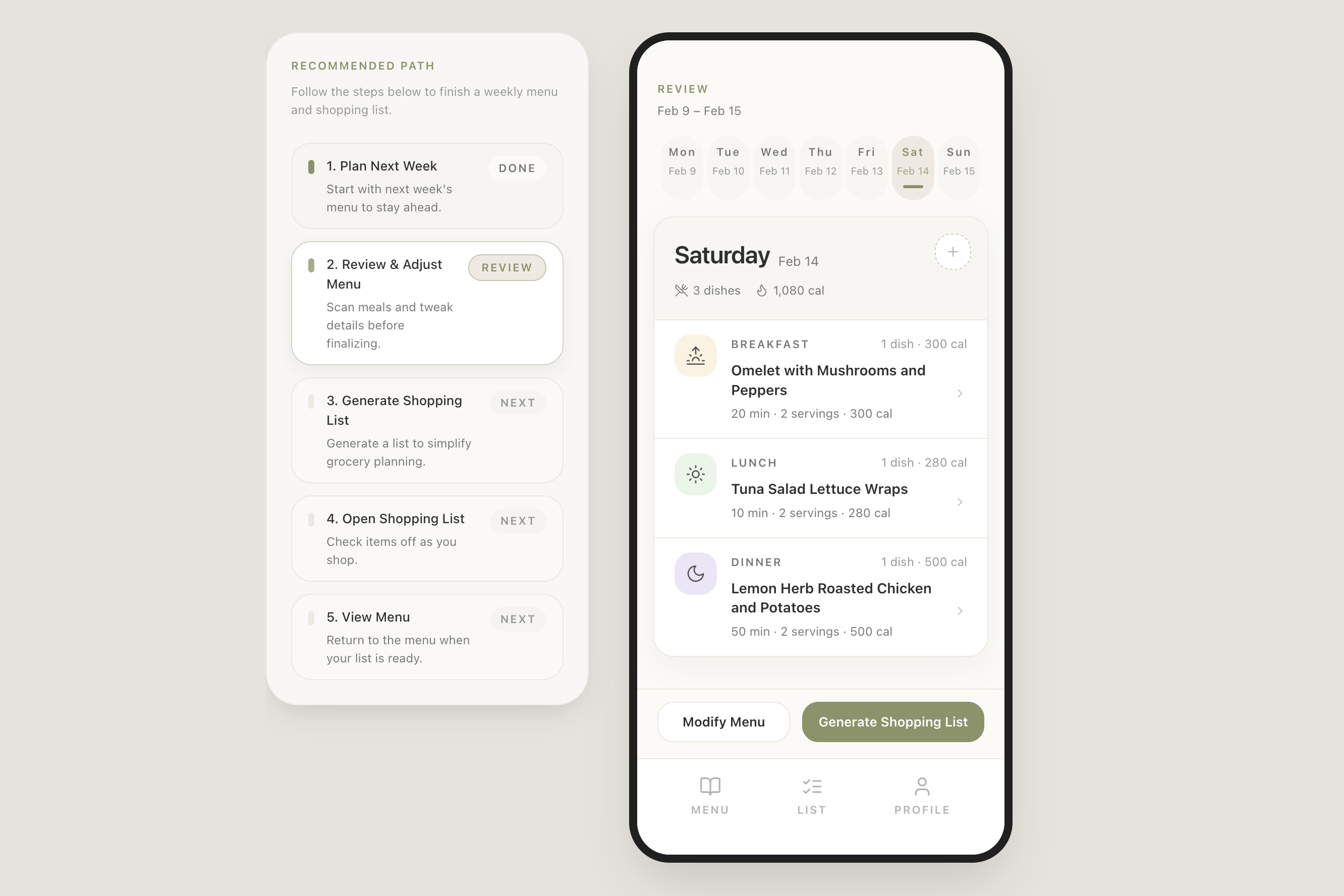
Menu Book: browse meals by day with dish names, servings, cook time, and calorie totals at a glance
-
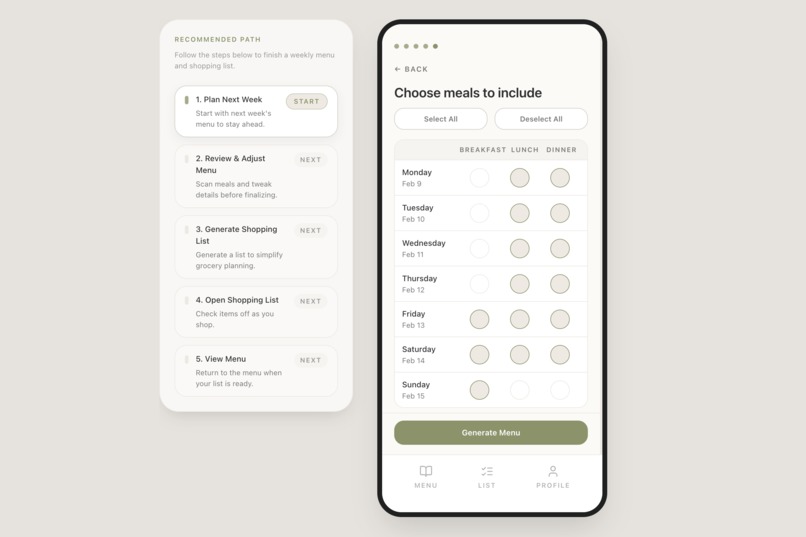
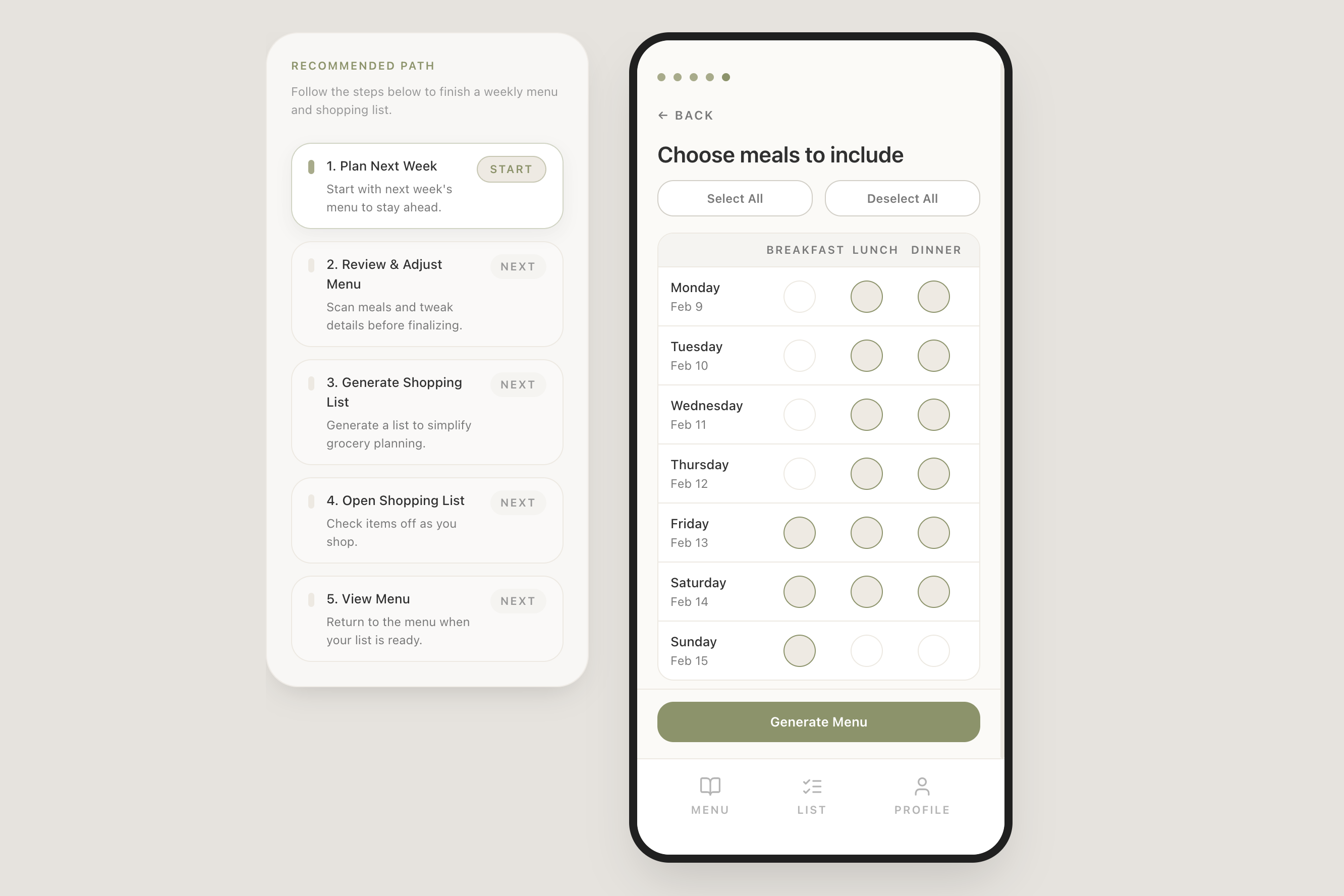
7-day × 3-meal schedule grid: choose exactly which meals to plan, then tap Generate Menu
-
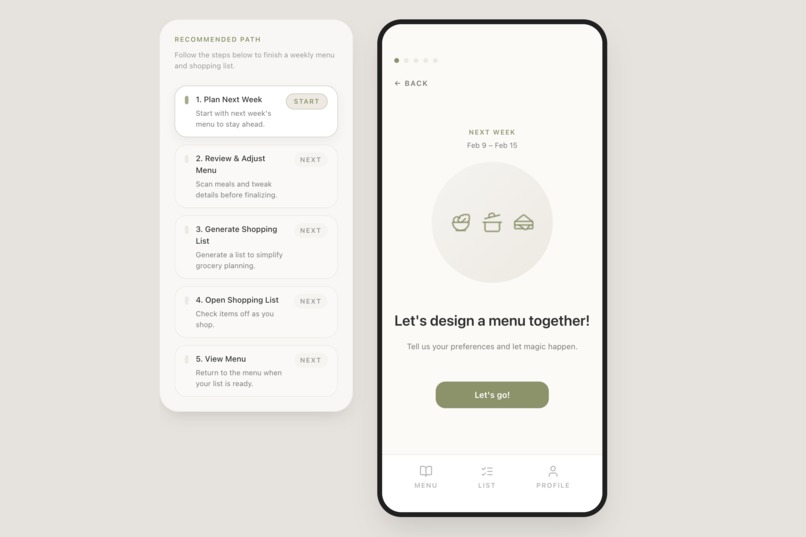
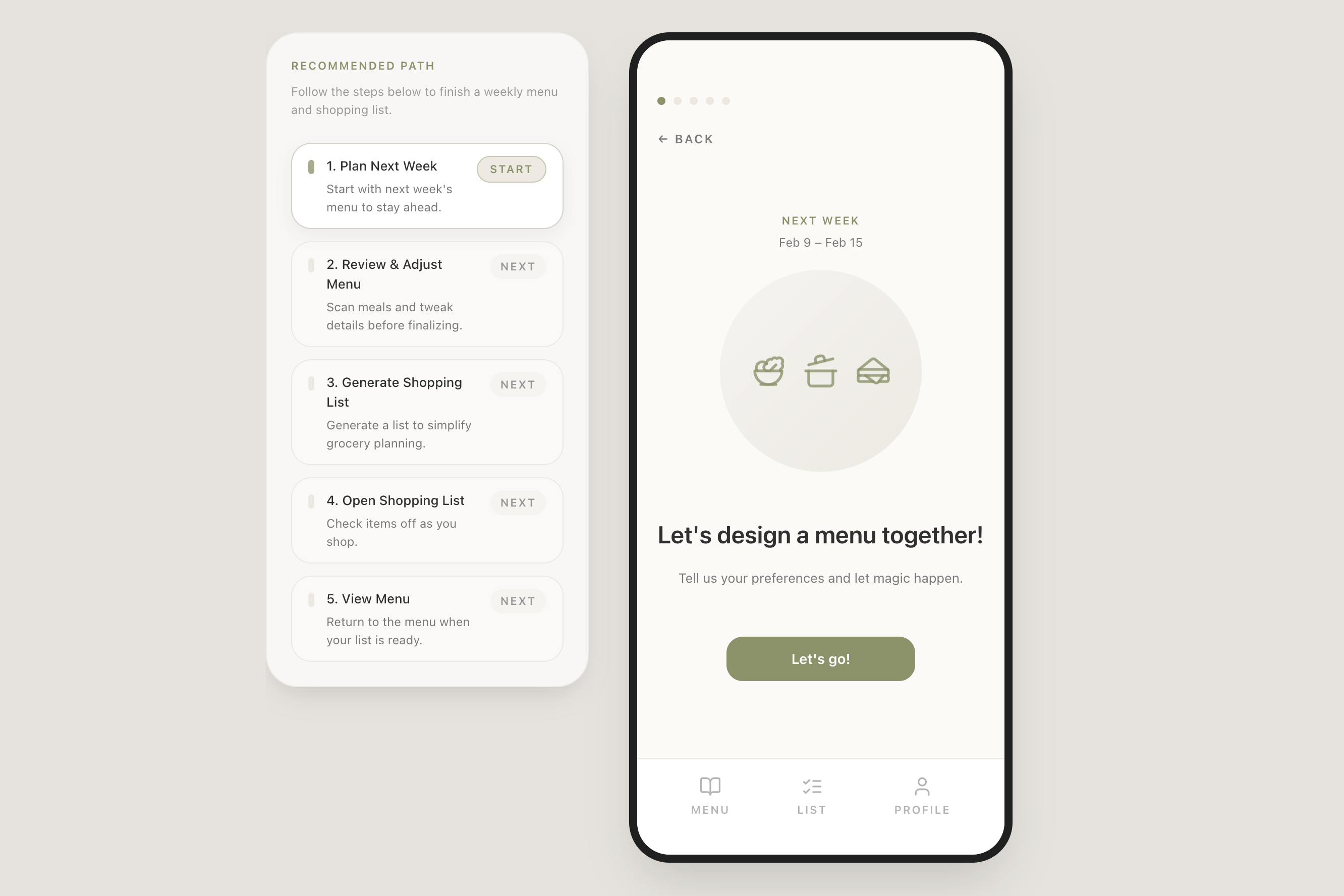
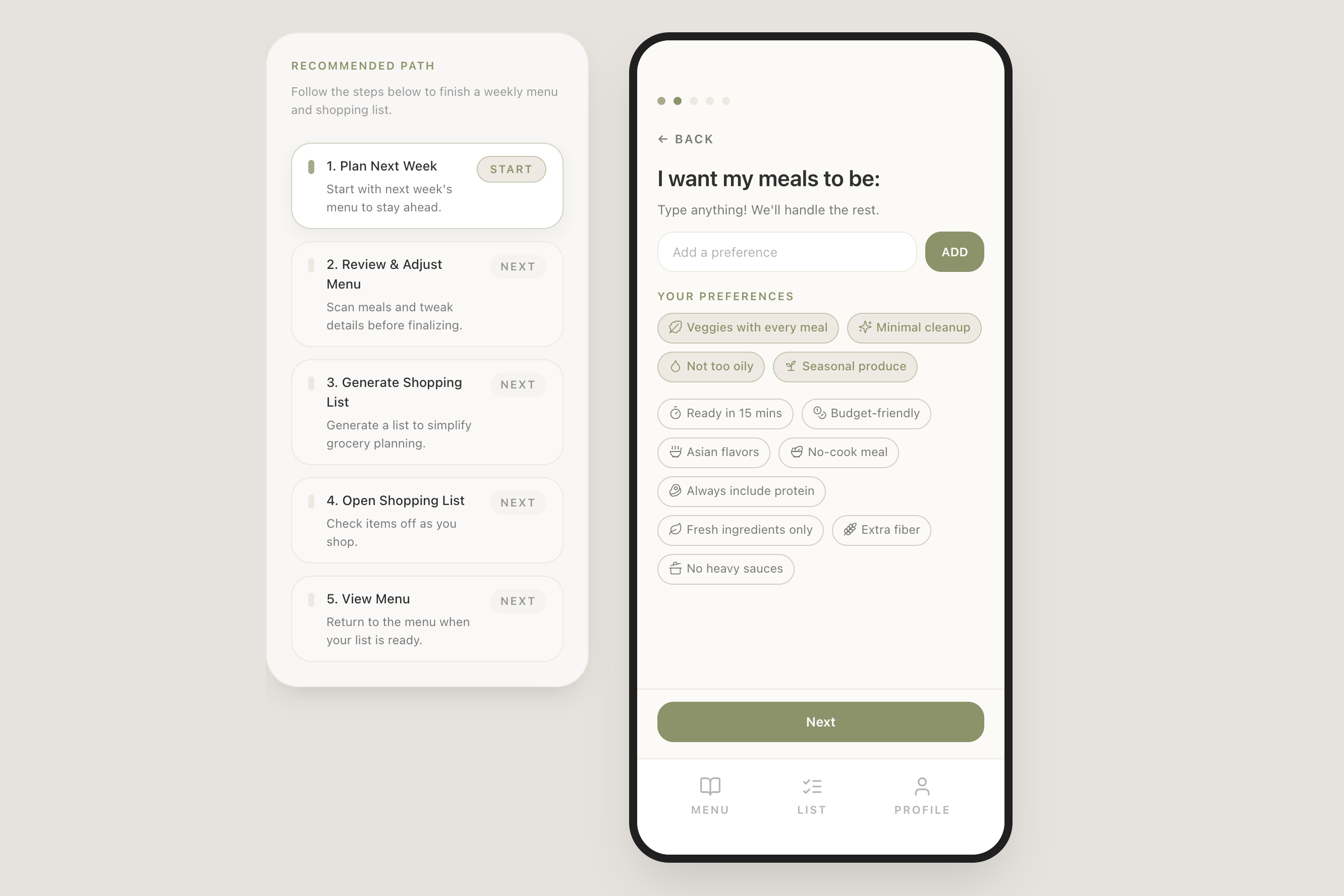
Desktop view: Recommended Path guides users step by step; phone frame shows the mobile-first experience
-
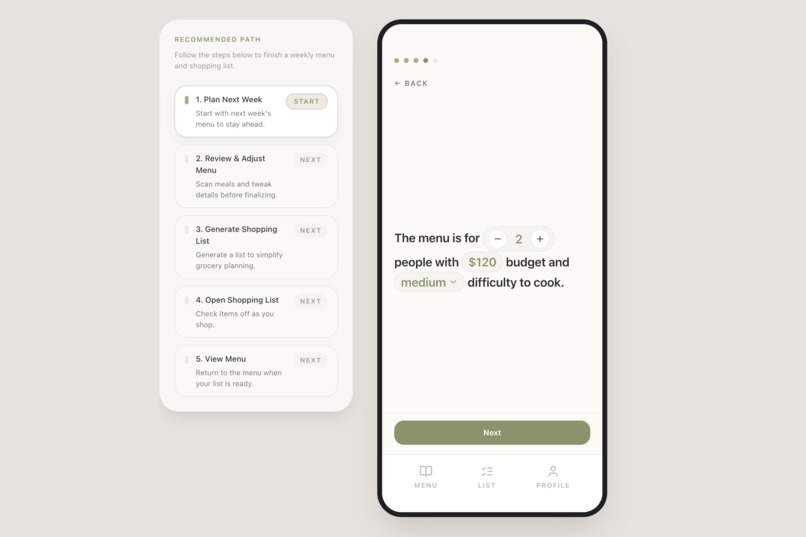
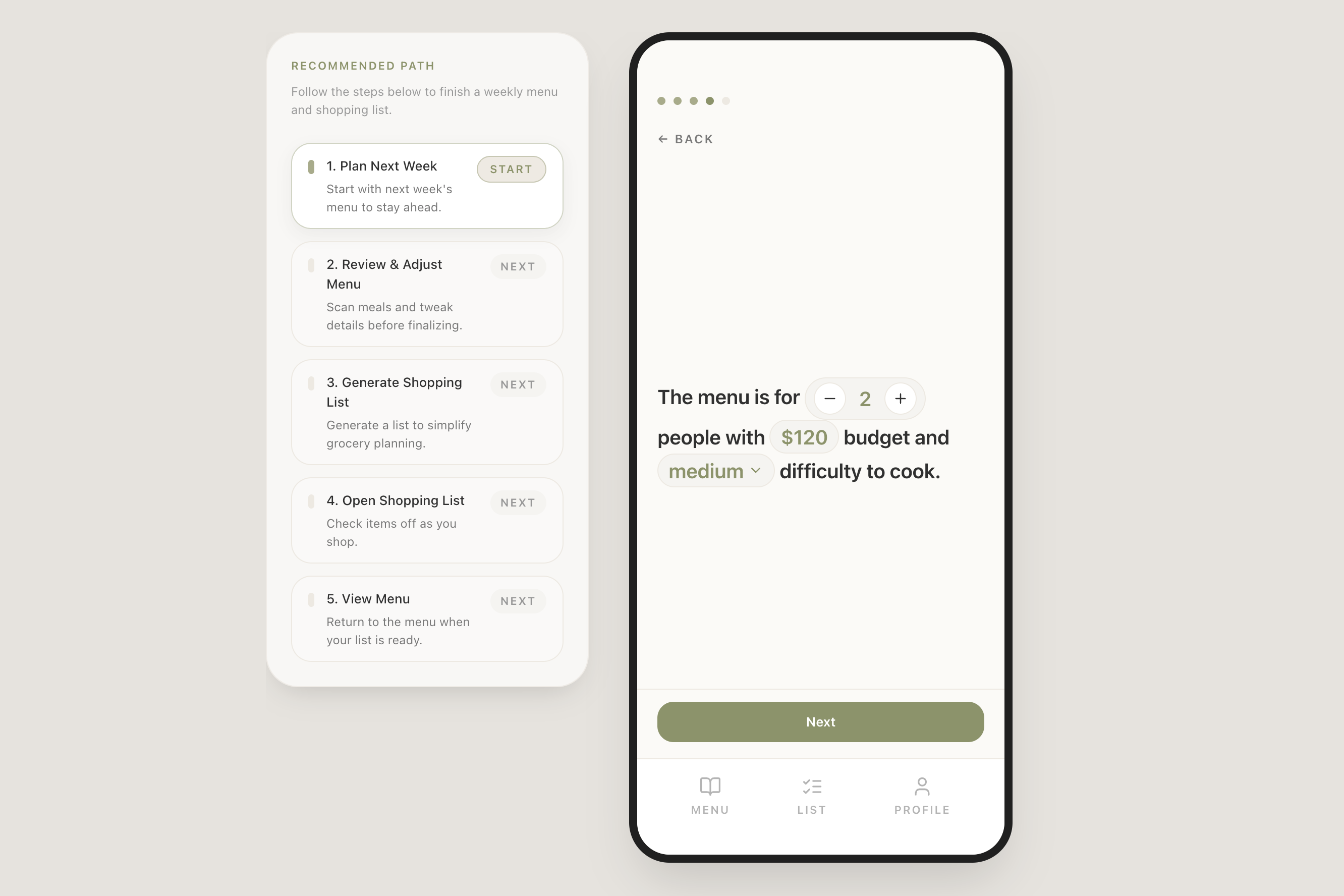
Sentence-style input: "The menu is for 2 people with $120 budget and medium difficulty to cook"
-
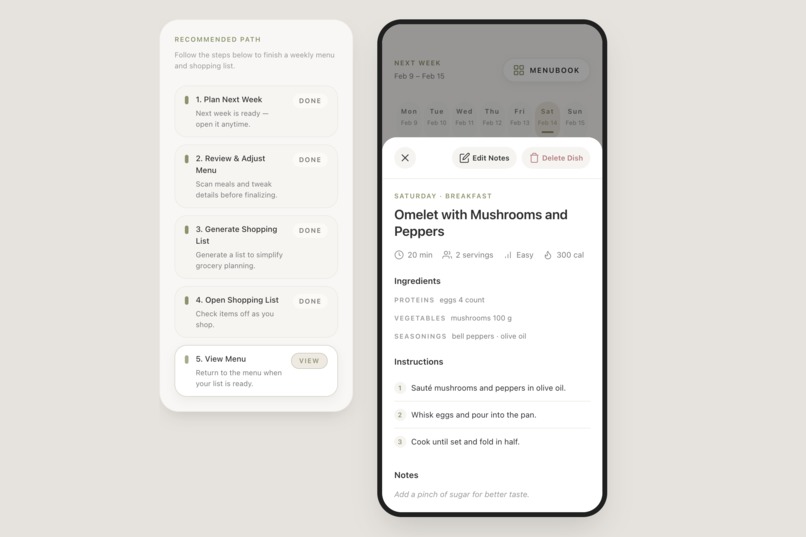
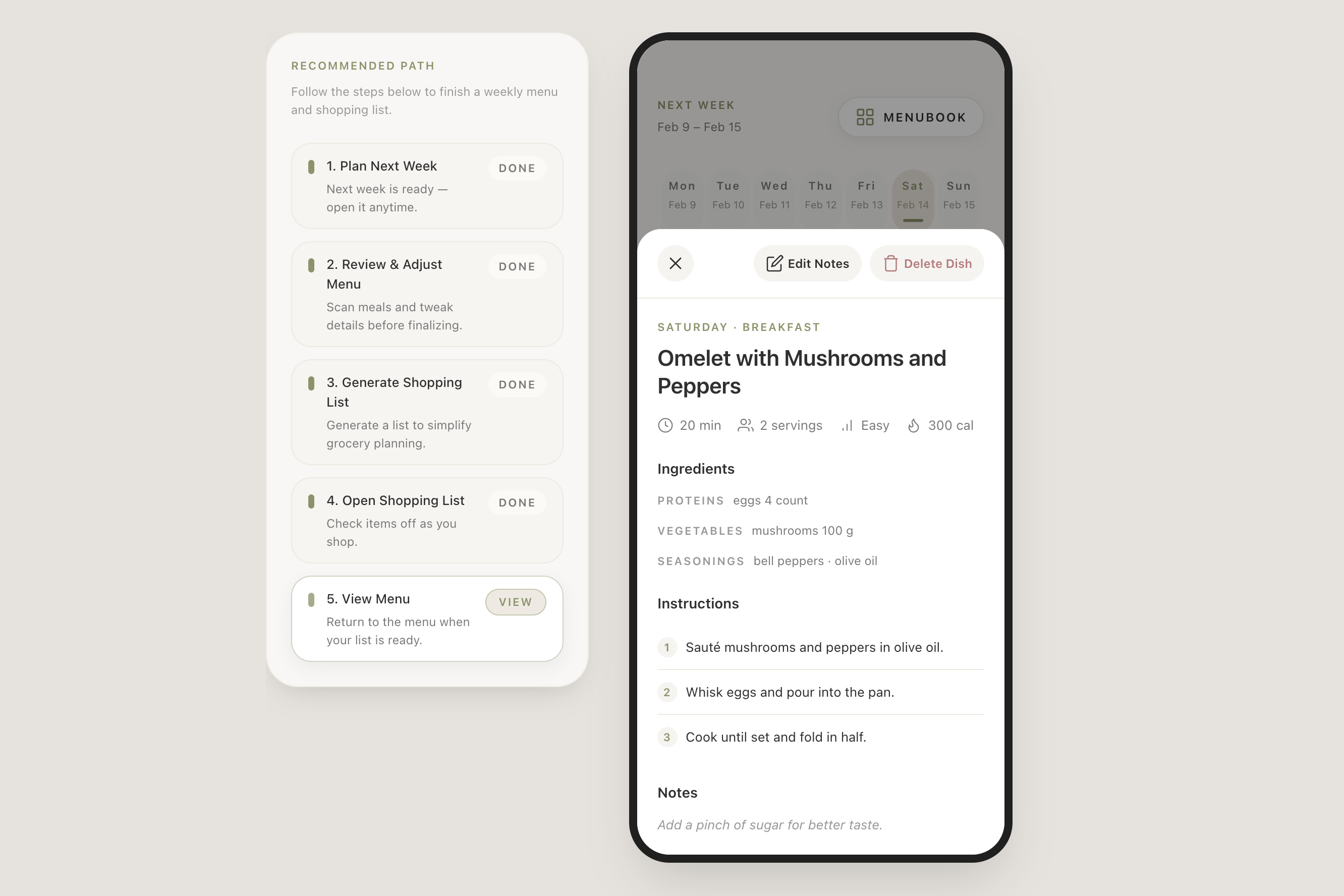
Cooking Handbook: tap any dish for exact quantities, instructions, time, and calories — personalized to your household
-
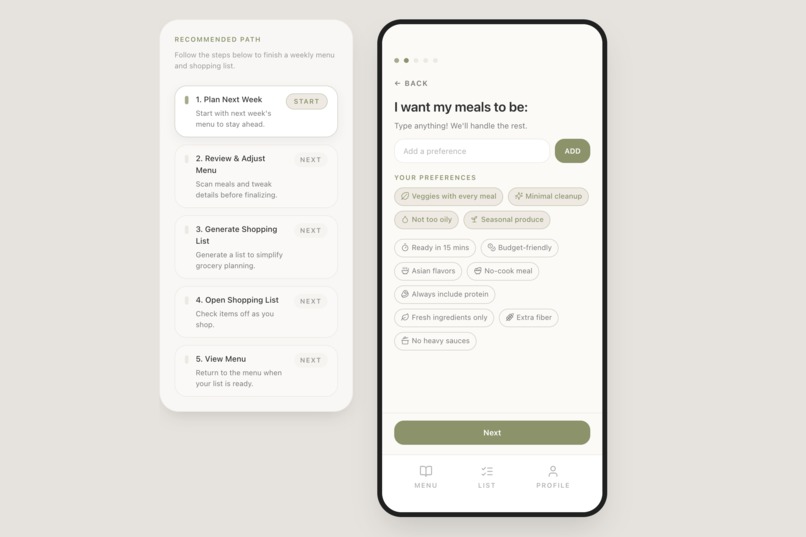
Natural-language preference chips spanning diet, cuisine, time, lifestyle, taste, and ingredients
-
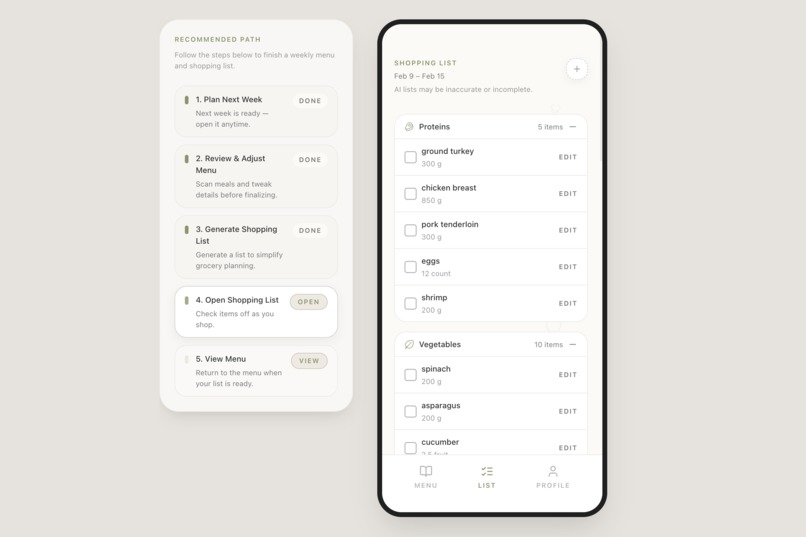
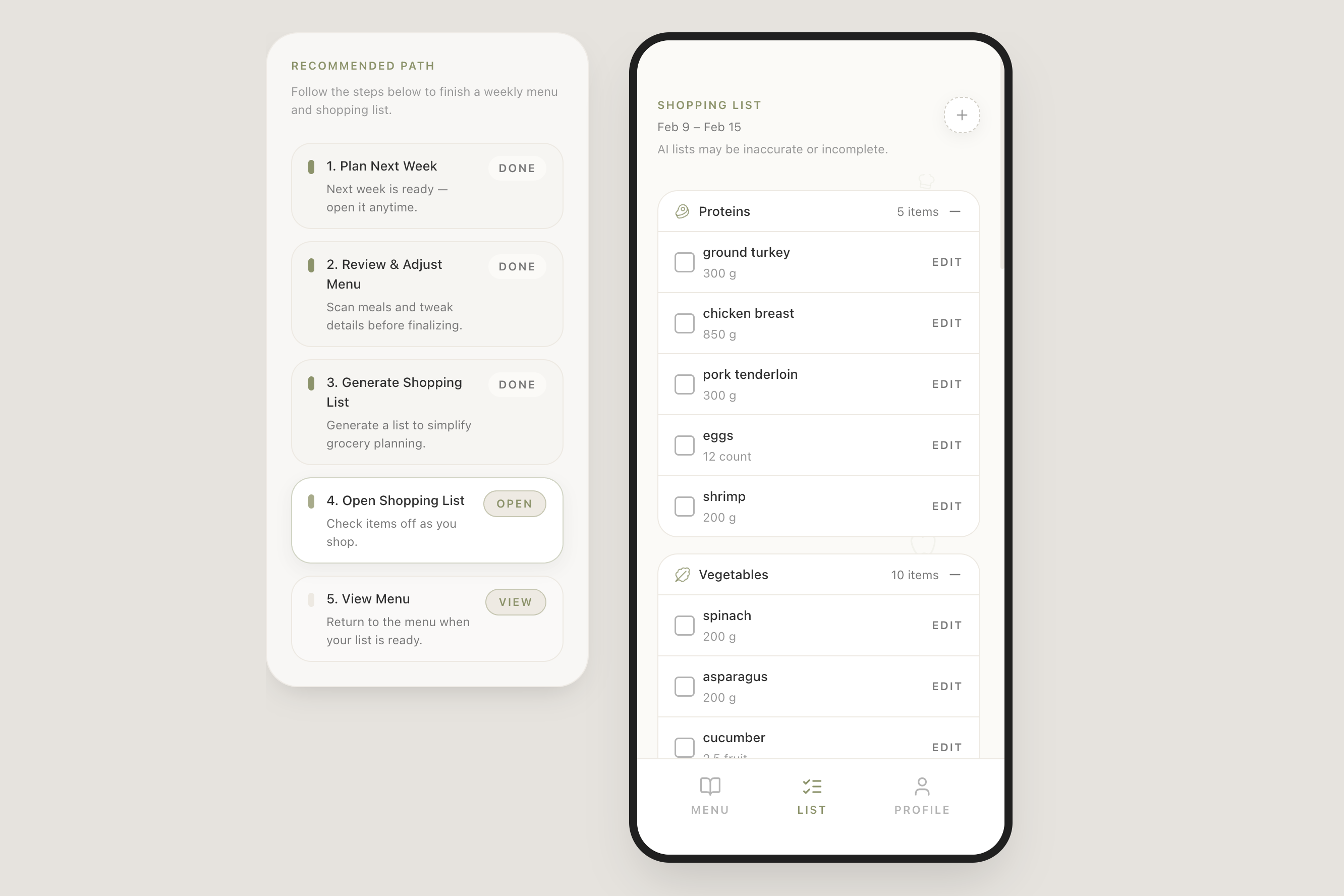
Shopping List: ingredients consolidated across every recipe, categorized, quantified, ready to check off
Inspiration
My wife and I go through the same ritual every weekend — discuss what to eat next week, write a shopping list, buy everything in one trip, then cook day by day. This Plan → Shop → Cook workflow works great, but the mental effort of juggling preferences, budget, schedule, nutrition, and variety every single week is exhausting. Reddit is full of families with the same struggle. We wanted Gemini 3 to make this workflow effortless for everyone.
What it does
OMenu generates three deeply linked outputs from a single set of preferences:
- Menu Book — a full week of meals, browsable by day
- Cooking Handbook — tap any dish for exact quantities, step-by-step instructions, cook time, and calories, personalized to your household
- Shopping List — consolidated across every recipe, categorized, unit-converted, ready to check off at the store
The three are connected: change one dish, the shopping list updates. Users set preferences via curated natural-language chips (diet, cuisine, time, lifestyle, taste, ingredients) or free text, and can modify the menu in natural language. Manually added dishes are never overwritten by AI.
How we built it
2.5-step orchestrated Gemini 3 pipeline — not a single prompt, not a chatbot:
- Creative Draft — deliberately unstructured (dish names + ingredient names only) so Gemini 3 focuses entirely on multi-constraint optimization: taste, budget, schedule, nutrition, variety, ingredient reuse
- Structured Menu — Step 1's output locks the ingredient space. Gemini 3 now concentrates on recipe quality: exact quantities, instructions, calories. This also lays the data foundation for Step 3
- Shopping List — merges ingredients across up to 21 meals, converts units, deduplicates, categorizes. Complex enough to need a dedicated step
Creativity → Structure → Precision. Each step's output is validated by a Python layer before reaching the frontend.
Stack: React + Vite + Tailwind + Zustand → Vercel serverless Python → Gemini 3 (response_mime_type: application/json, thinking_level: MINIMAL) → Supabase Auth + Postgres.
Challenges we ran into
- Getting Gemini to produce consistent, valid JSON across a full week of meals required extensive prompt engineering and a robust validation layer
- Finding the right pipeline split — too much in one prompt degrades quality; too many steps adds latency. The 2.5-step design emerged from significant experimentation
- Ingredient deduplication: "bell pepper" vs "peppers" vs "red bell pepper" — knowing what to merge and what to keep separate
Accomplishments that we're proud of
- The pipeline design — three interlocking steps, each solving a genuinely hard problem, discovered through weeks of iteration
- Curated preference chips across 6 dimensions — they look simple but dramatically lower the barrier to expressing complex preferences
- Three outputs, one closed loop — not just AI generation, but a coherent data system where everything stays in sync
- AI serves the user — manual dishes coexist with AI, modifications are minimal-diff, guest mode means zero friction
What we learned
- Decomposing complex AI tasks into specialized, sequenced steps dramatically outperforms single-prompt approaches
- Gemini 3's native JSON output mode eliminates an entire class of parsing errors — it's a game-changer for structured apps
- The hardest part isn't the AI — it's the validation and state management between AI output and user-facing UI
What's next for OMenu — Planning, Shopping, Cooking for Every Family
- Pantry tracking — know what you already have, reduce waste further
- Nutritional targets — macro/calorie goals as planning constraints
- Grocery store integration — order directly from the generated list
- Family member profiles — different preferences per person
Built With
- css
- gemini3
- python
- react
- supabase
- tailwind
- typescript
- vercel
- vite
- zustand


Log in or sign up for Devpost to join the conversation.