Inspiration
In the US about 1 in 4 people over 65 live alone. Their children often live far away and ask themselves the same question every day: "Is Mom OK today? Did she take her pills?" Phone check-in apps exist, but many older people struggle with smartphones. What they do use every day, comfortably, is the TV and its remote. The only TV product we found for this needs an extra box with a camera and a monthly fee. We wanted something that works with the TV they already have.
What it does
On the Fire TV (only the remote: arrows, OK, Back)
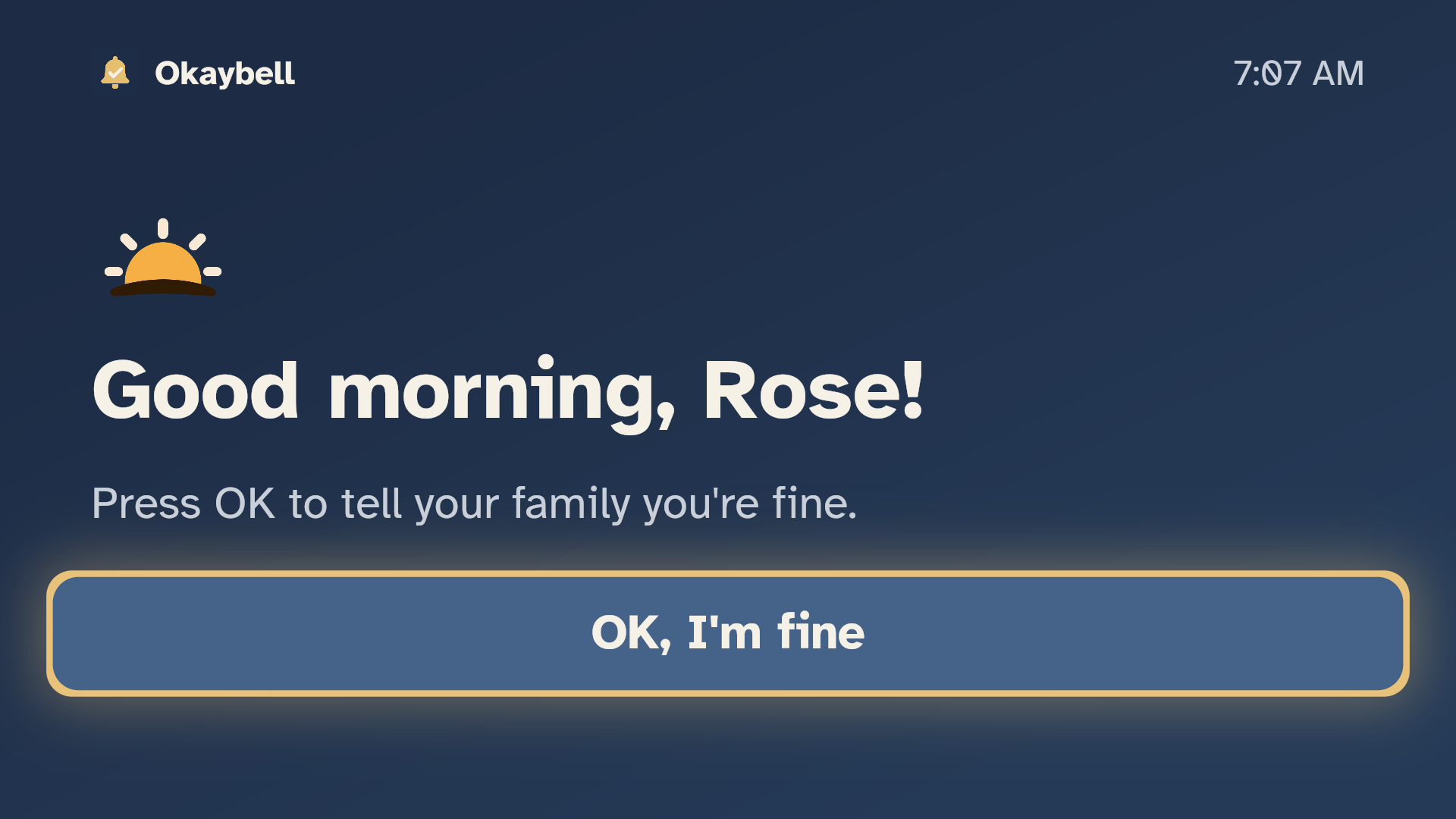
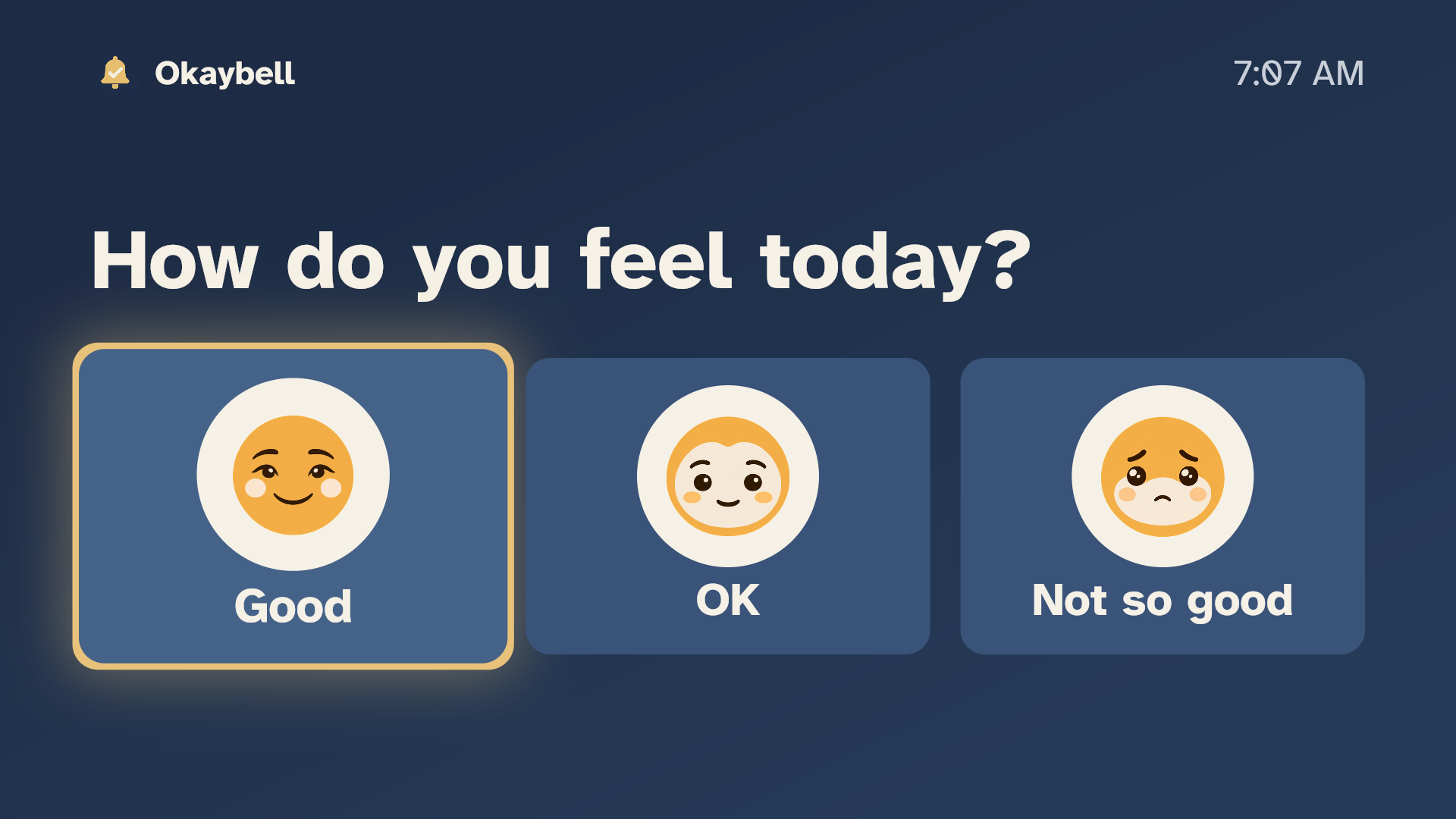
- Every morning: "Good morning, Rose! Press OK to tell your family you're fine." Then: "How do you feel today?"
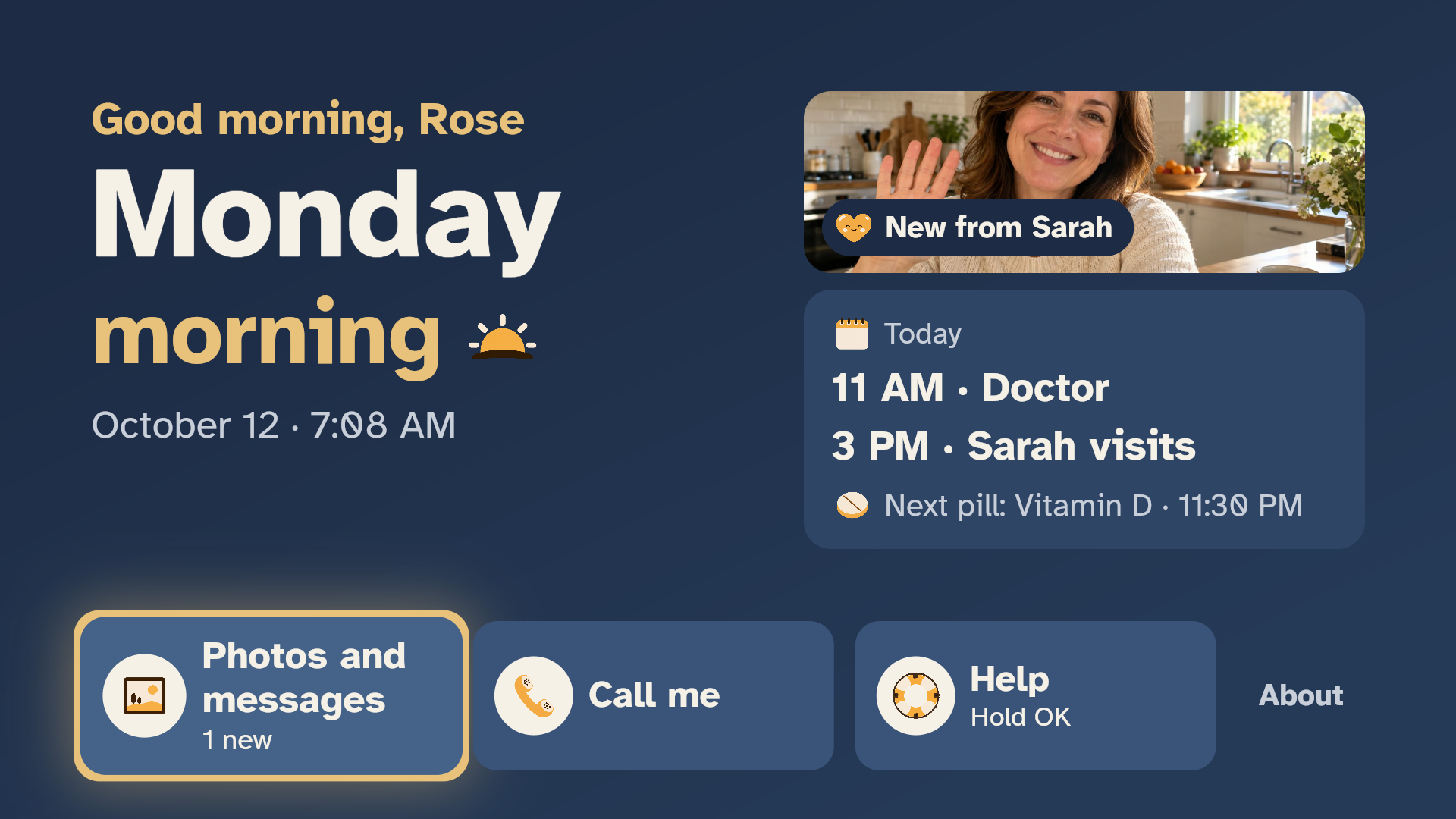
- A calm Today screen, like a dementia day clock: "Saturday morning", the date, the time, today's plan ("Sarah visits at 3 PM") and the next pill.
- Pill reminders: "I took it" or "Remind me later".
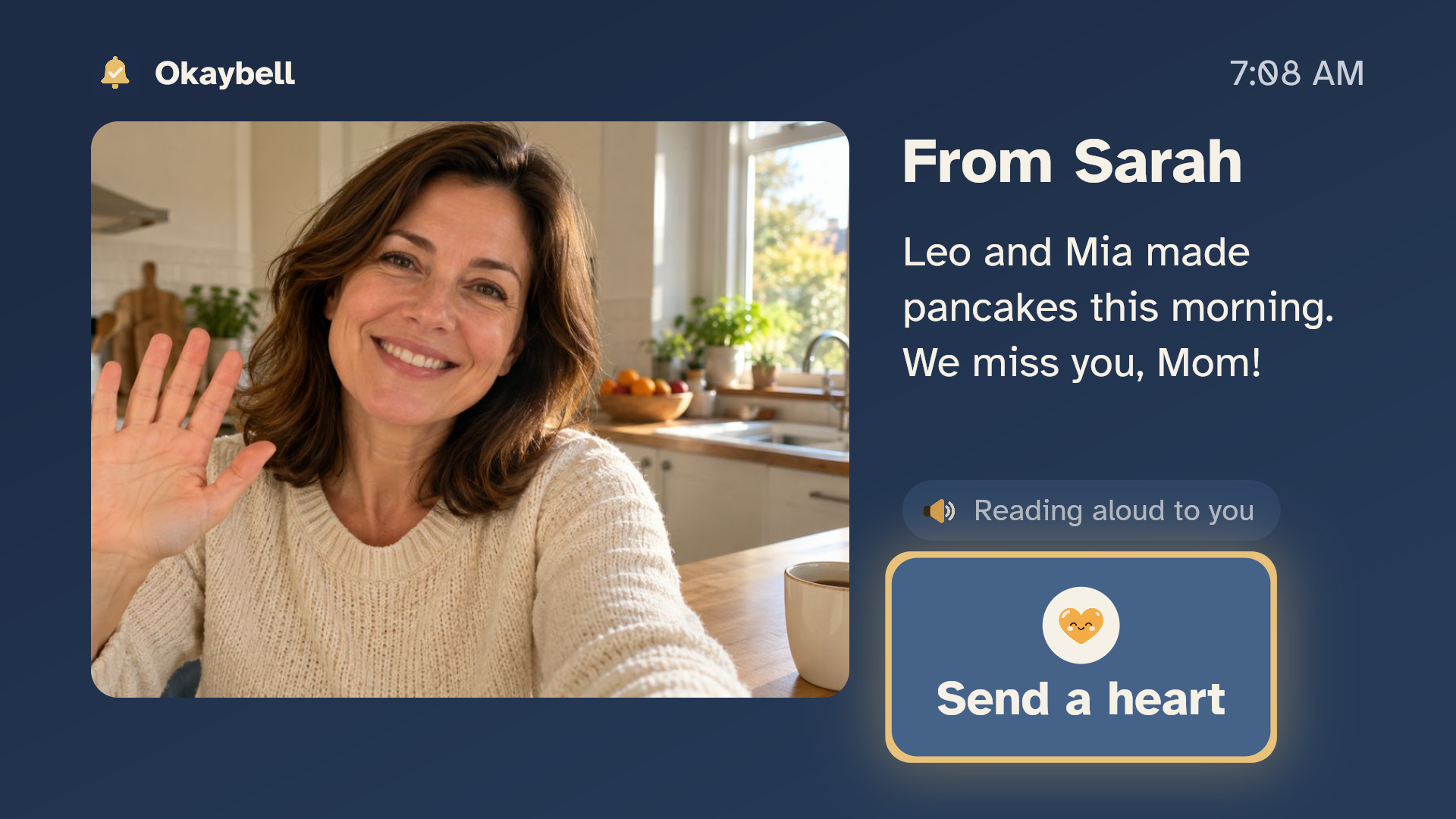
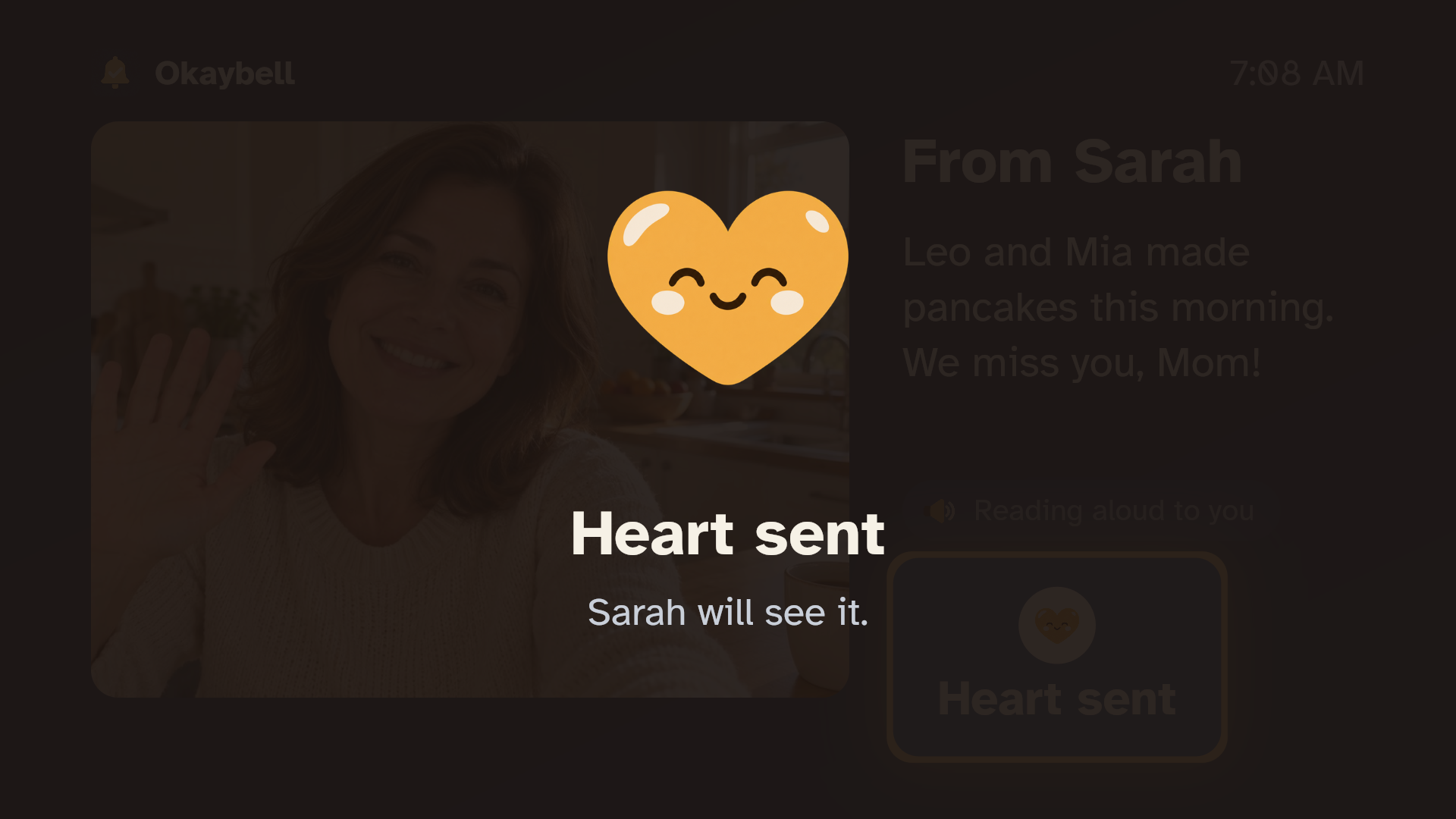
- Family photos and messages, read aloud by Amazon Polly for weak eyes. OK sends a heart back.
- Help: hold OK for 3 seconds (so it can't happen by accident) and every family member gets an urgent email.
- "Call me": the family knows Mom would like a call.
On the family's phones (any phone browser, nothing to install)
- Scan the QR code on the TV to join.
- Live status: checked in at 9:12 (feeling good) / not yet / missed / TV offline, with the time of everything.
- If Mom hasn't checked in by the time the family chose, the server emails everyone, even if the TV is off or unplugged. When she checks in late, an "all clear" follows.
- Never alarming for nothing: if Mom used the TV app in the last 25 minutes when the deadline comes, the family first sees a calm line ("Rose hasn't pressed OK yet. TV in use since 8:40") and the email waits 30 minutes, 1 hour or 2 hours (the family chooses).
- Every alert shows its result for each person ("email sent" or "FAILED: reason"). Nothing fails silently.
- Set the check-in time, pills and today's plan; send photos and messages; send a test alert; delete all data.
Private by design: no camera, no microphone, no ads or tracking, first names only, and one button deletes all of the family's data.
Works with the TV or tablet Mom already has, and any family phone. No new hardware. Okaybell is not a medical or emergency service, and says so on the TV and in every email.
How we built it
- One Flutter codebase, two modes. Parent mode runs as a Fire OS app (D-pad focus with a large high-contrast focus state, readable from the sofa) and the same screens work by touch on a tablet or with a mouse in a browser. Family mode runs in any phone browser.
- Cloudflare Workers + one Durable Object per family. The family's Durable Object holds the schedule, check-ins, pills, plan and messages, and sets an alarm for the check-in deadline. That alarm is why the alert goes out with the TV switched off. WebSockets keep the TV and the phones live.
- Amazon SES sends the alert emails (missed check-in, Help, Call me, all clear, test), with two retries; the result per person is stored and shown in the family app.
- Amazon Polly (neural voice) turns each family message into speech once; the TV plays it when Mom opens the message.
- AWS requests are SigV4-signed from the Worker with an IAM user that may only call Polly and SES (plus Bedrock, reserved for the planned daily summary); keys are secrets, never in the repo.
- Cost and safety guards: per-address rate limits, daily caps per family, size caps, one alarm per family, a deploy check that no Durable Object ever calls another (no runaway loops), and a pause switch that keeps check-ins and alerts working.
- Tested: 36 API checks, an alarm test (TV off → alert at the deadline → all clear), app tests, a two-window end-to-end test (TV + phone), and real-device tests in Amazon's Live Device Interaction on a Fire OS 14 TV: pairing, check-in, "TV in use", photo message + heart, Call me and Help emails all passed with the live server, plus a small probe app that answered our biggest design question (can a reminder reach someone watching a film?).
Challenges we ran into
- Reaching someone who is watching another app: we tested it on a real Fire OS 14 TV with a film playing. A high-priority notification does appear over the film as a small card for about 4 seconds, and the film keeps playing. But the card's "I'm fine" button can't be reached with the remote (OK goes to the film and pauses it), and there is no notification list to come back to later. So we never ask Mom to answer over her film: she answers when she opens Okaybell, and the family app shows a calm "TV in use" line before any alert.
- Voice: the remote's microphone belongs to Alexa, and Amazon's voice docs only describe Alexa routes for third-party apps (we did not get to test raw microphone access on the device). So we chose one-way voice for now: Polly reads the family's messages aloud, and Mom answers with one press. A voice check-in ("Alexa, tell Okaybell I'm OK") is the next step.
- "Never fail silently": an alert that isn't delivered is worse than no app. We store every attempt and show failures in red instead of a green tick we can't prove.
- Designing for a 75-year-old from 3 meters: one main action per screen, OK always does the obvious thing, Help needs a 3-second hold.
Accomplishments that we're proud of
- The missed check-in alert fires from the server at the deadline with the TV off, within a second in our tests.
- Mom needs nothing new: no phone app, no account, no password, no extra box.
- One codebase for the Fire TV, a tablet, a browser and the family's phones.
What we learned
- Fire OS still runs Android apps (and Flutter) while newer Fire TV devices run Vega OS, so check the device before testing.
- Durable Object alarms are a simple, reliable way to schedule per-family deadlines without cron jobs.
- Older users need fewer choices more than bigger buttons.
What's next for Okaybell
- The final TV-first design (in progress).
- Phone push alerts with delivery receipts, and an alert chain (daughter first, then son after 30 minutes).
- A short, friendly AI daily summary for the family with Amazon Bedrock.
- "Alexa, tell Okaybell I'm OK" (a voice check-in via an Alexa skill), and a "Who is this?" photo memory game.
- More languages (Arabic, French, Spanish…), an iOS family app, and a family subscription for SMS/call alerts.
Built With
- amazon-polly
- amazon-ses
- amazon-web-services
- android
- cloudflare-workers
- dart
- durable-objects
- fire-os
- fire-tv
- flutter
- typescript

Log in or sign up for Devpost to join the conversation.