Inspiration
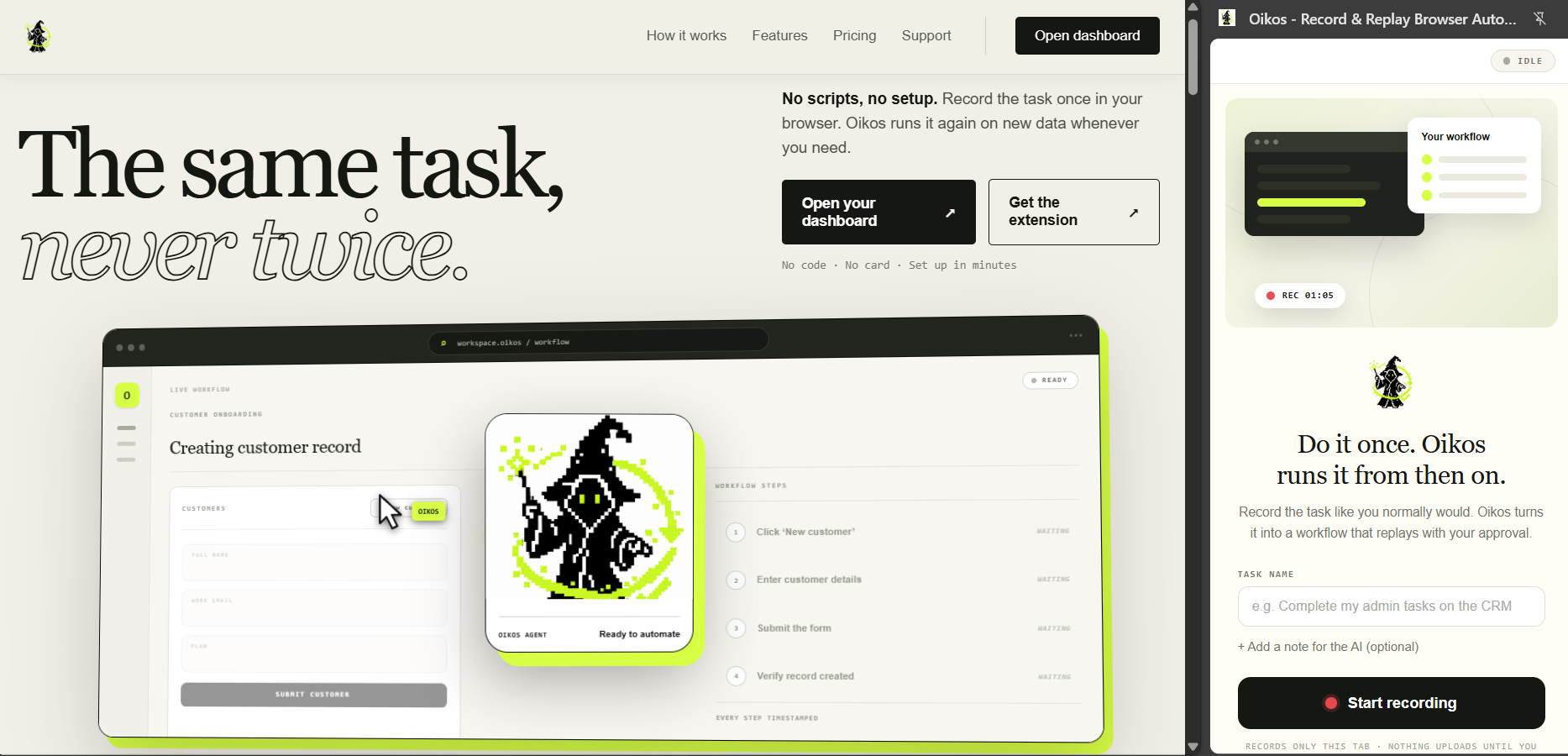
Oikos was inspired by a problem we kept seeing across businesses: people spending hours repeating simple tasks inside their browsers. This includes entering data into portals, completing forms, updating records, downloading documents, and transferring information between systems that do not integrate with each other. Traditional browser automation can be difficult to configure and often breaks when a website changes. We wanted to create a simpler system where users could demonstrate a task once and allow AI to repeat it. We also believed automation should not complete every action independently. Important steps such as payments, submissions, messages, and deletions should remain under human control. That idea led to Oikos.
What it does
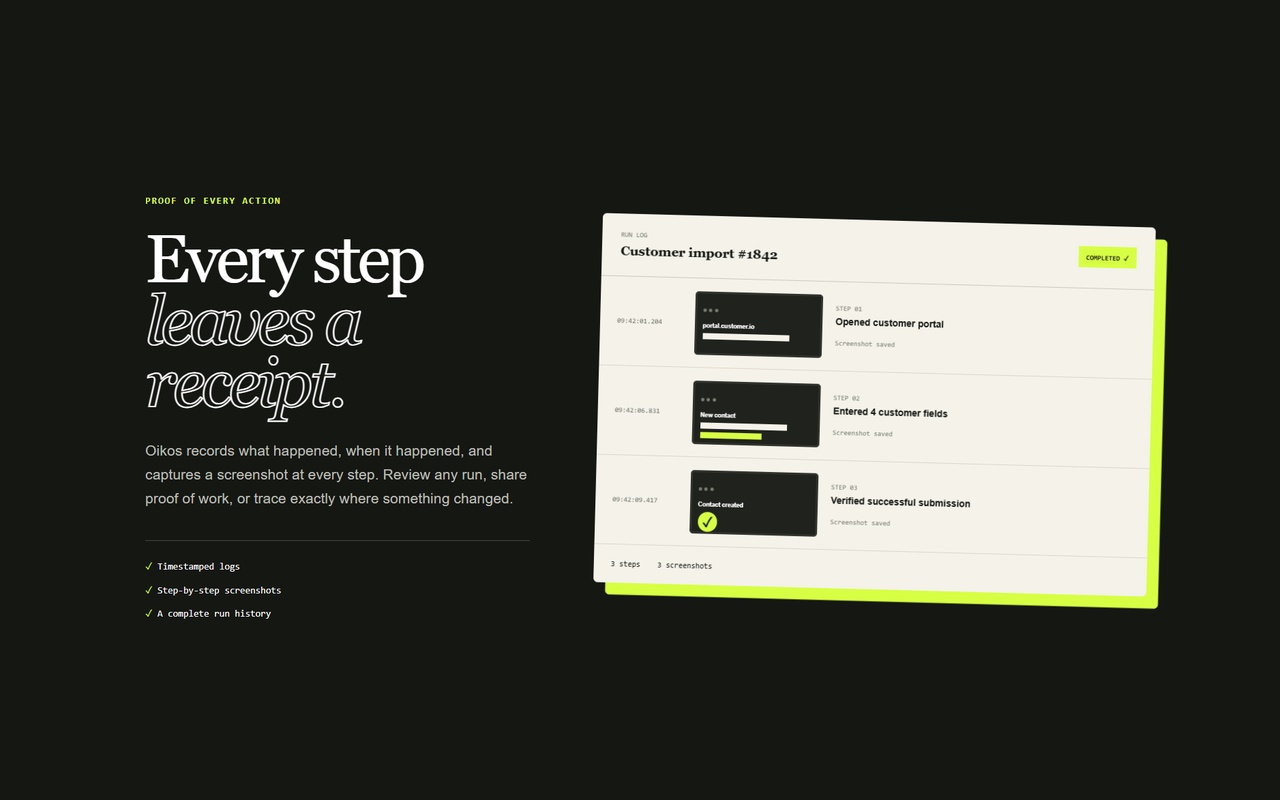
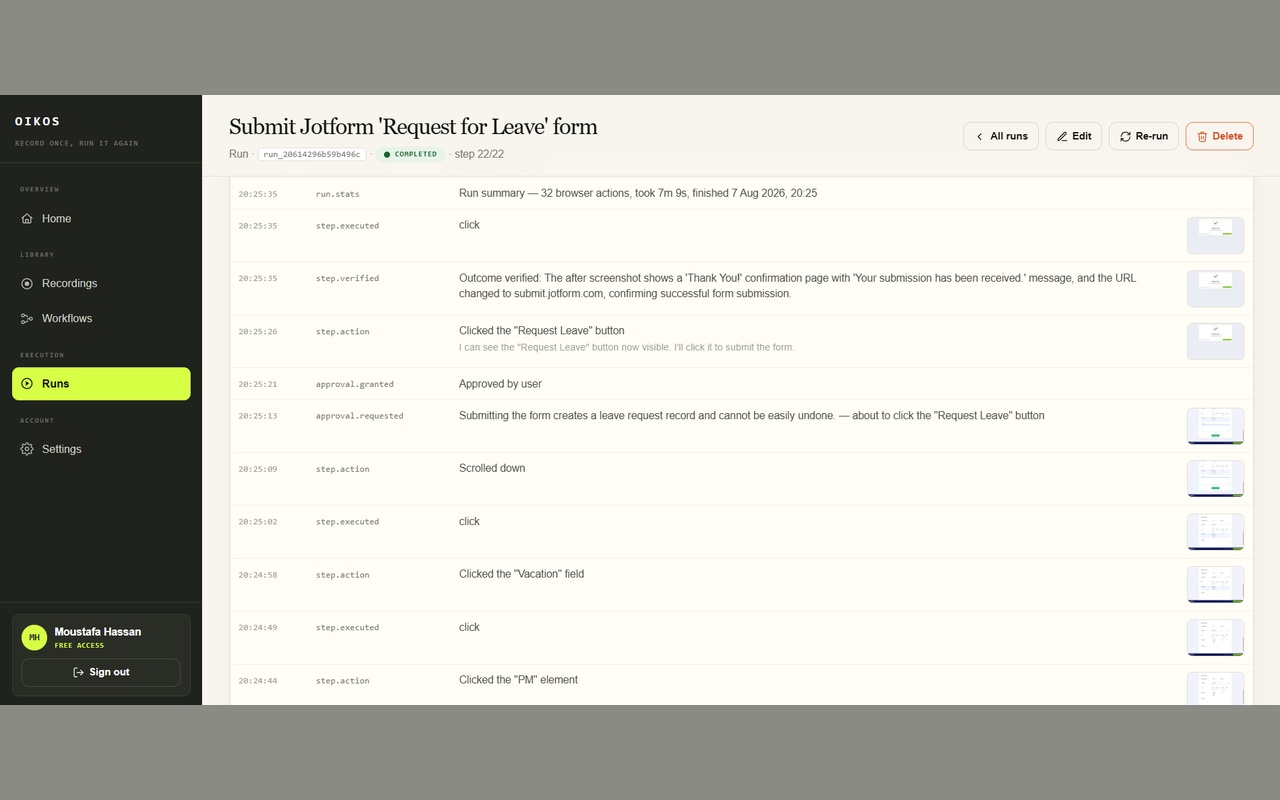
Oikos allows users to record a browser task using an extension and convert it into a reusable AI workflow. The workflow can then: Navigate websites Fill in forms Click buttons Select options Upload or download files Process multiple records from a CSV file Pause before sensitive actions Store screenshots, timestamps, and run evidence Instead of only replaying exact mouse coordinates, Oikos examines the current webpage and attempts to understand the intention behind each recorded action. For example, if a button moves after a minor redesign, Oikos can try to identify it using its label, purpose, and surrounding context.
How we built it
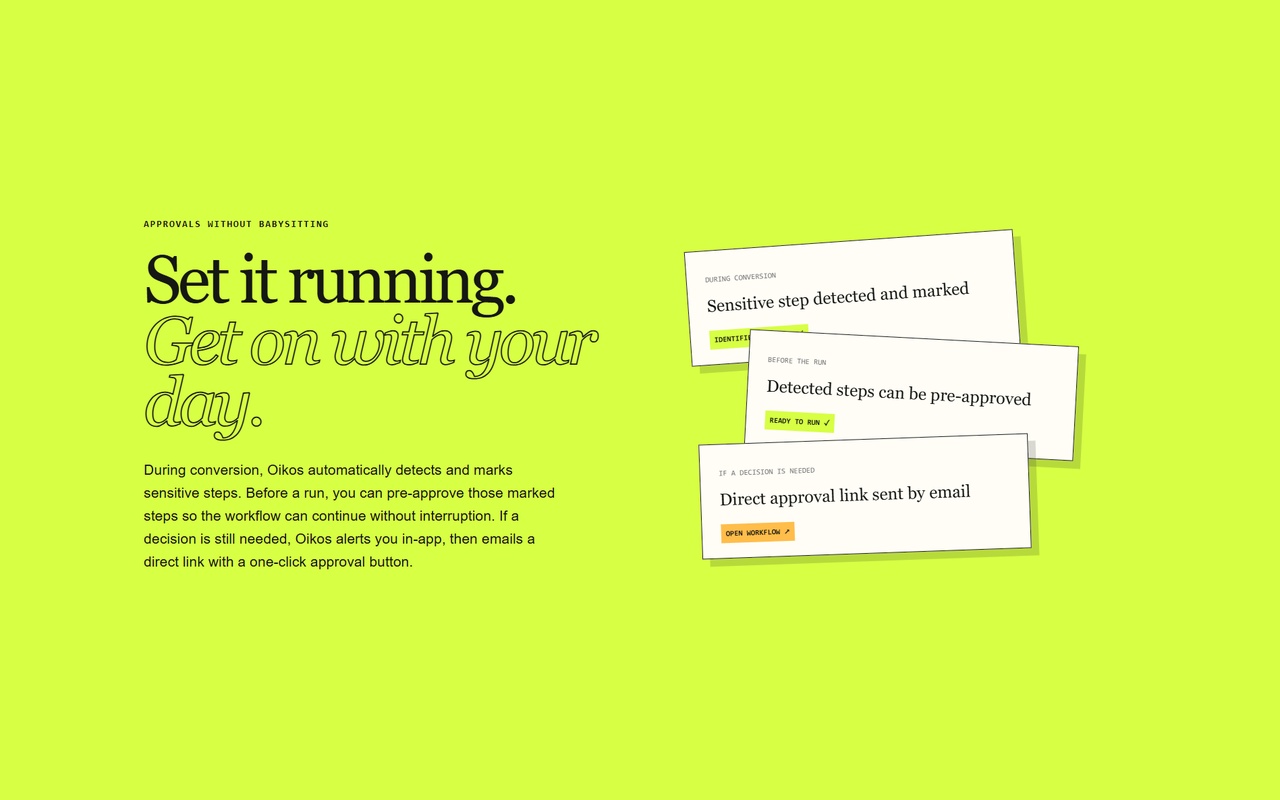
Oikos consists of several connected systems. The browser extension captures the user's actions and page context. The recording is then analysed and converted into a structured workflow. The workflow runs inside a cloud-hosted browser where an AI agent observes the current page and completes each step. Approval checkpoints can be added before important actions. When a workflow reaches one of these checkpoints, it pauses and allows the user to approve, reject, or manually take control.
Challenges we ran into
Websites frequently change their layouts, labels, and page structures. Fixed automation scripts can break when even a small element moves. We addressed this by focusing on the intention of each action rather than relying entirely on fixed coordinates or selectors. Major changes to a website's process may still require a workflow update, but Oikos is designed to handle moderate interface changes more effectively.
Accomplishments that we're proud of
One of the biggest design decisions was determining when automation should stop. We introduced pause-for-approval checkpoints so that Oikos can complete repetitive work while leaving final responsibility with the user. Our principle became: Automate repetition, but preserve human judgement.
What we learned
We learned that users care more about successful outcomes than complex AI features. The most important measurements are: Workflow completion rate Time saved Manual interventions required Failure recovery rate Cost per successful run
What's next for Oikos
1-Industry specific automation packages 2-Fine Tuning an open source model to drive the application 3-Own isolated Chromium instances 4-1000 Monthly Users
Built With
- browserbase
- chrome
- chromium
- css3
- express.js
- html5
- javascript
- manifest-v3
- node.js
- openai
- playwright
- sendgrid
- sqlite
- typescript
- vanilla



Log in or sign up for Devpost to join the conversation.