-
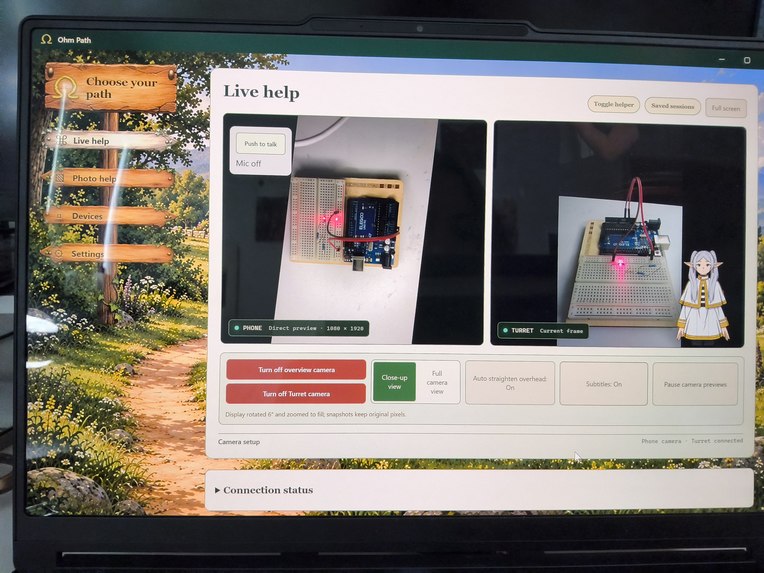
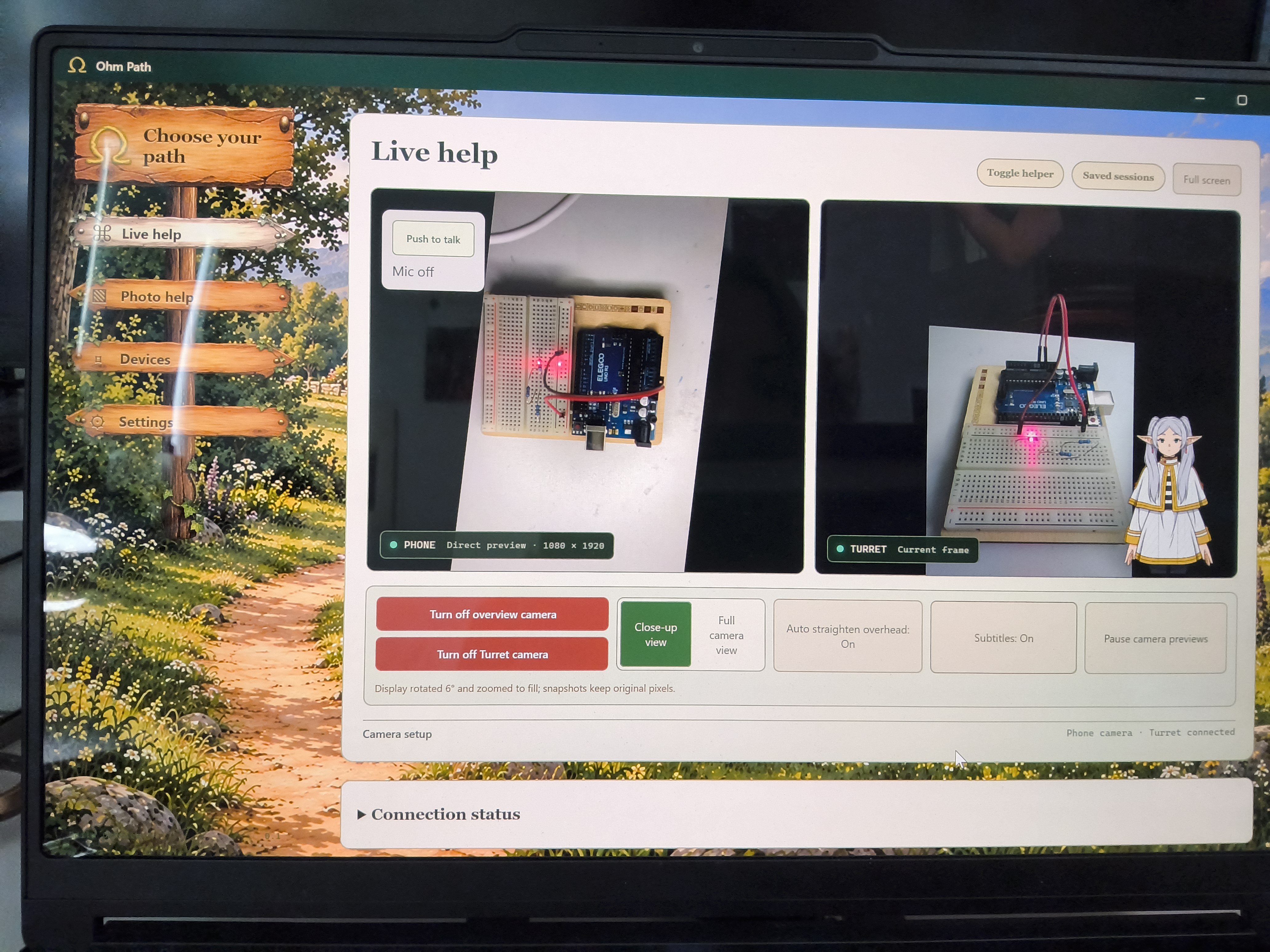
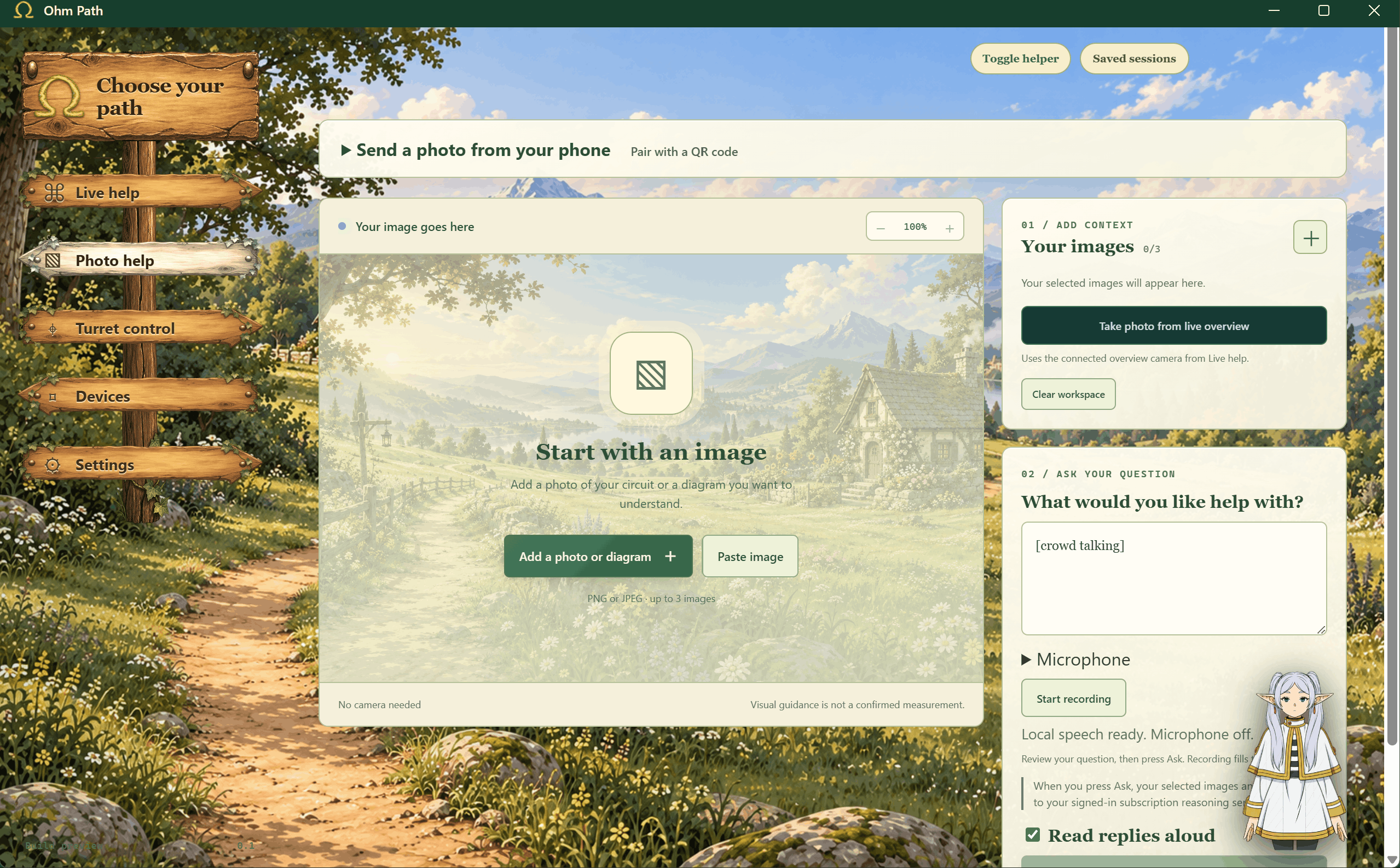
Live Help interface: phone and turret camera views side by side, with push-to-talk controls and an animated guide.
-
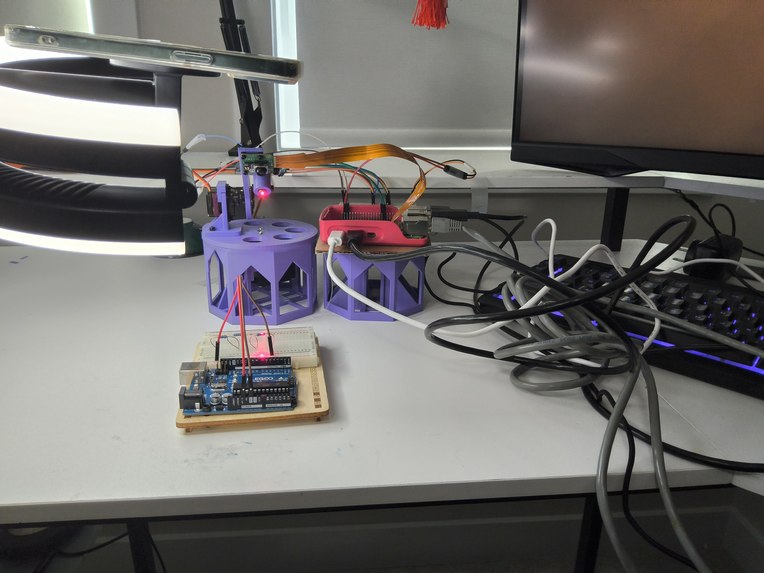
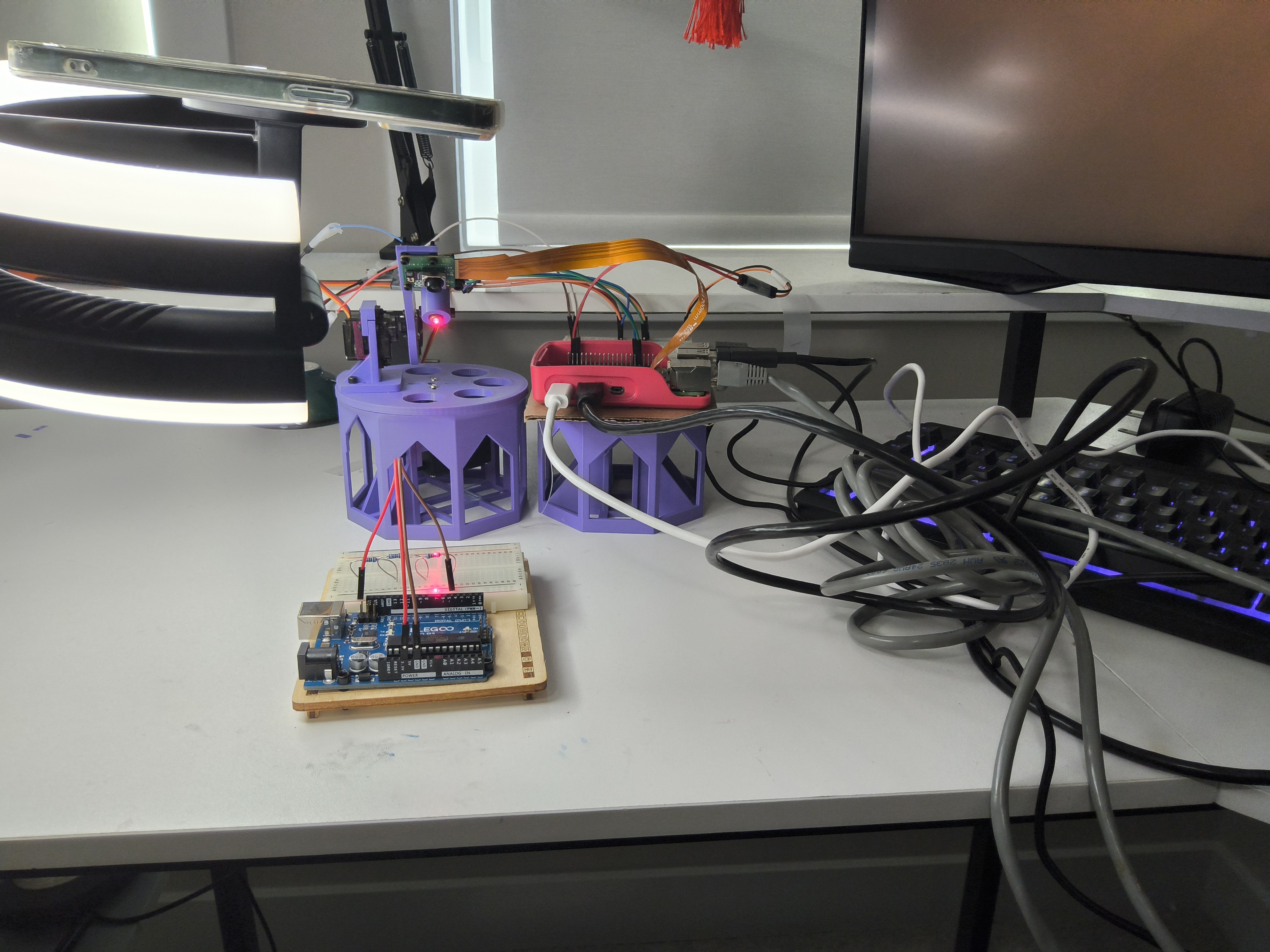
Hardware prototype: 3D-printed camera-and-pointer turret, Raspberry Pi, and a breadboard test circuit.
-
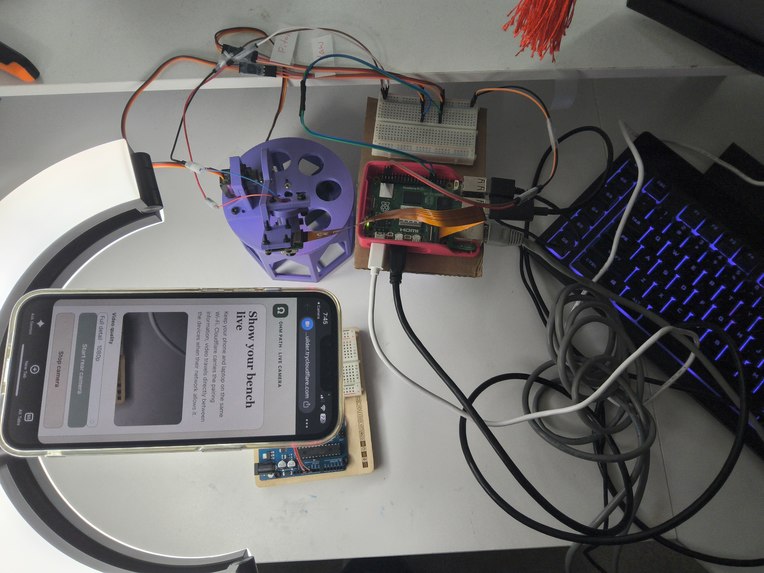
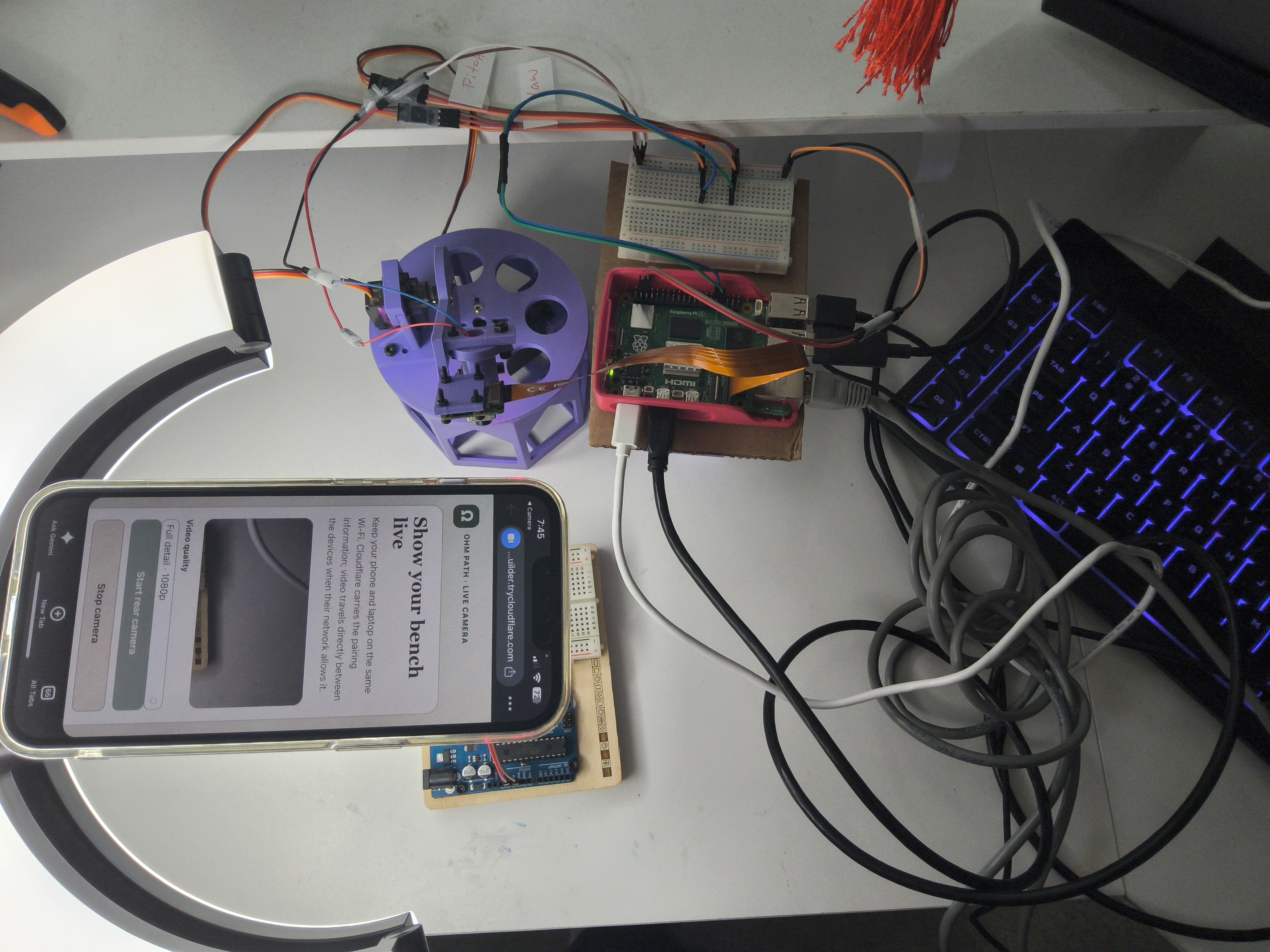
Bench setup from above: phone camera page, Raspberry Pi, turret wiring, and breadboard connections.
-
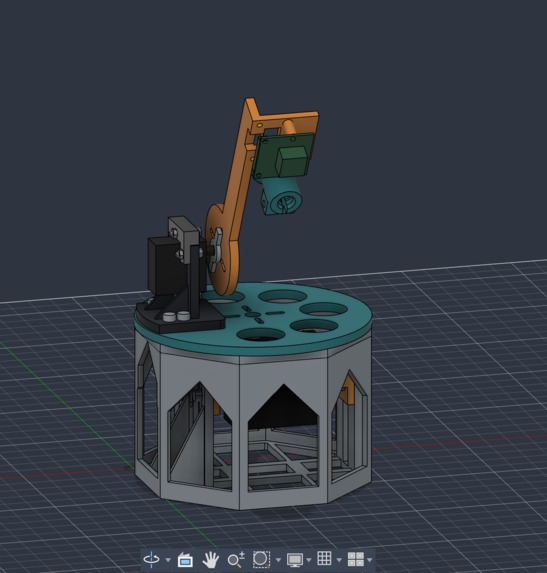
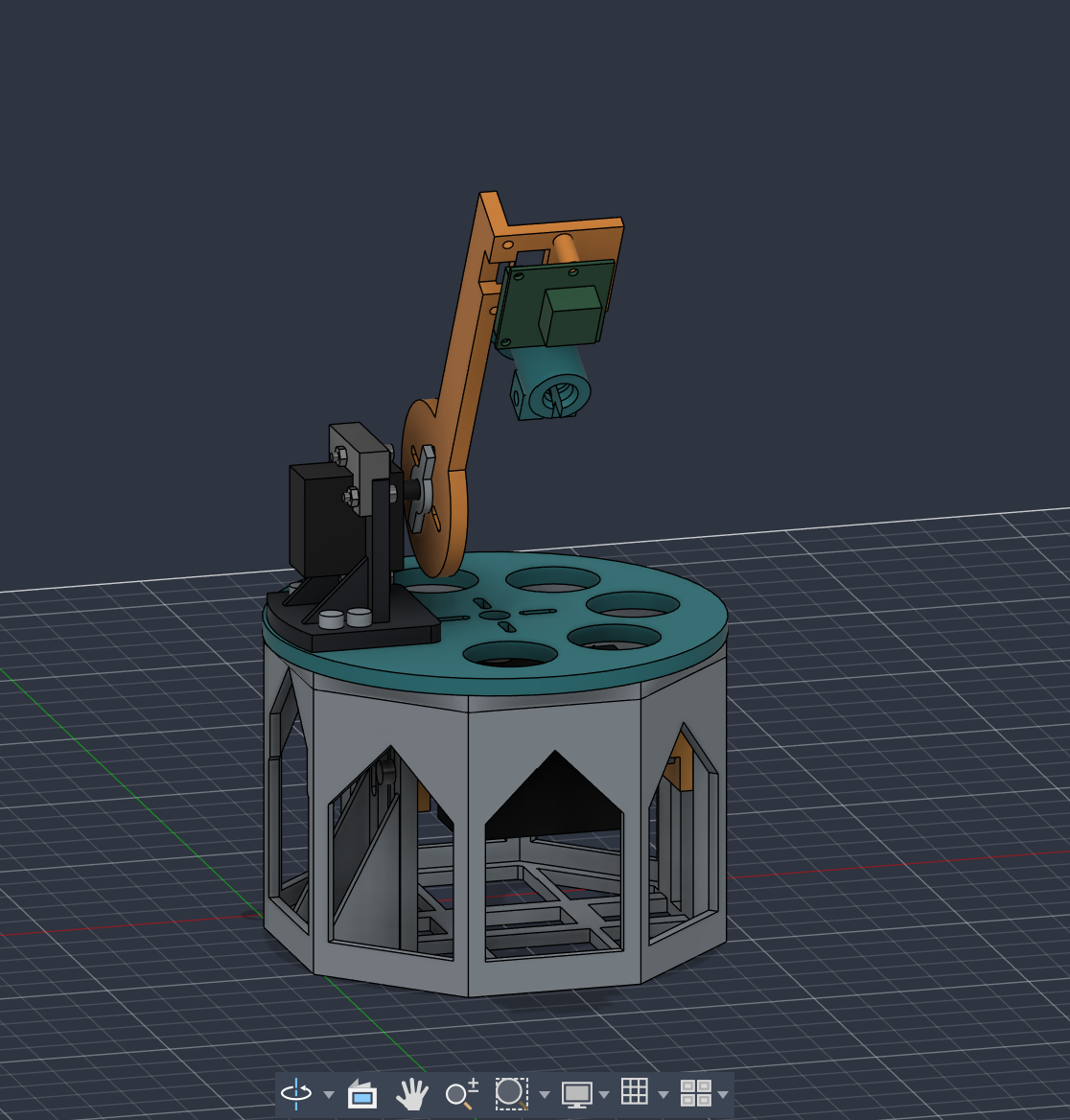
Turret CAD design: the base enclosure, pivoting arm, camera mount, and pointer assembly.
-
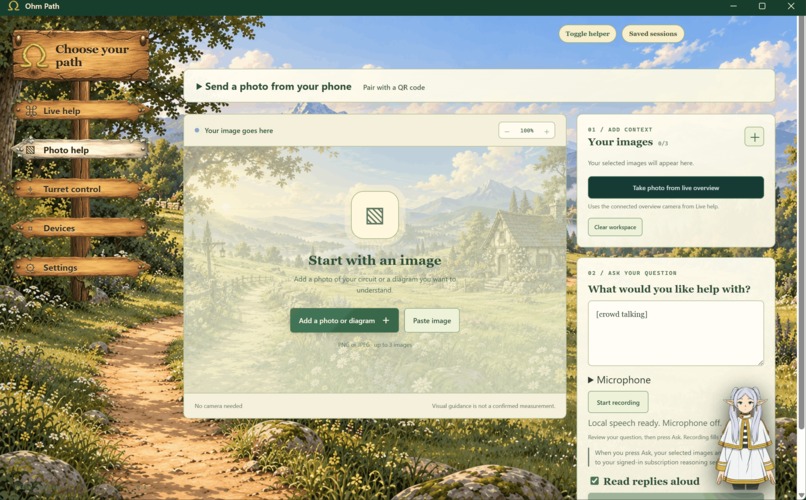
Photo helper
Inspiration
I have suffered too many times at hackathons trying to figure out what's wrong with my wiring. The worst part? It's always something faulty -_-. I built Ohm Path for my own sanity.
Beyond hackathons, I want to make hands-on technical work less intimidating. Ohm Path could give people starting a new job a patient guide at the workbench, helping them learn, troubleshoot, and build confidence without needing a supervisor beside them every step of the way.
What it does
Ohm Path is a desktop electronics assistant that helps you investigate whether a problem comes from your wiring, your circuit, or your code. It brings camera views, guided questions, and circuit tools into one workspace so you can work through a problem step by step. It also points at what it's refering to when helping you with a laser turret.
- Live help at the bench: View your circuit through overview and turret cameras, select a snapshot, and ask about what you are seeing. The two views help you keep track of the whole setup while inspecting a smaller area.
- Photo help at your own pace: If you are feeling shy, upload circuit photos or diagrams instead. Ask questions, follow up on the explanation, and use image annotations to see which area is being discussed.
- Circuit checks: Use KiCad imports and local ngspice simulations to examine a circuit model. Record and confirm your own readings, then compare the evidence with possible faults.
- Help beyond the wiring: Work through assembly questions and supplied firmware logs when the cause is not obvious.
- Talk or type: Ask questions in text or transcribe a spoken question locally. Optional ElevenLabs replies let you listen to the answer, while an animated guide accompanies the workspace.
The hardware prototype brings a Raspberry Pi, camera, and 3D-printed turret to the bench alongside the app. The gallery shows the CAD design, assembled setup, and camera views in the interface.
How I built it
The app brings together:
- Desktop interface: Electron, React, and TypeScript.
- Local backend: A private Python service running on the user's machine.
- Circuit tools: KiCad and ngspice.
- AI investigation: A locally signed-in Codex CLI, used when explicitly requested.
- Optional spoken replies: ElevenLabs.
We are building and refining the app in Codex. The repository includes documented requirements, implementation notes, and repeatable software checks.
Challenges and lessons
The main challenge is keeping AI explanations tied to evidence. Ohm Path distinguishes between simulated inputs, user-confirmed readings, and model suggestions.
Camera analysis begins only after the user selects a snapshot. Local image tracking follows a chosen visual feature; it does not identify components or prove an electrical connection.
Built With
- codex
- electron
- elevenlabs
- kicad
- ngspice
- python
- react
- typescript


Log in or sign up for Devpost to join the conversation.