-
-

oh-bot

Inspiration
Our software engineering team had a lot of random interrupts. These interrupts caused context switching and stress. We decided to implement 'office hours' to control the interrupt problem. It became apparent that an office hours bot would be a great tool to help us organize and manage our team's office hours!
What it does
Present abilities
Oh-bot is able to...
- Set your team's office hours. Just ask to set your team's office hours and it will help out.
- Retrieve office hours for a known team (Controlled by the Lex slot SetTeam)
- Add discussion topic for a team's office hours for a given day
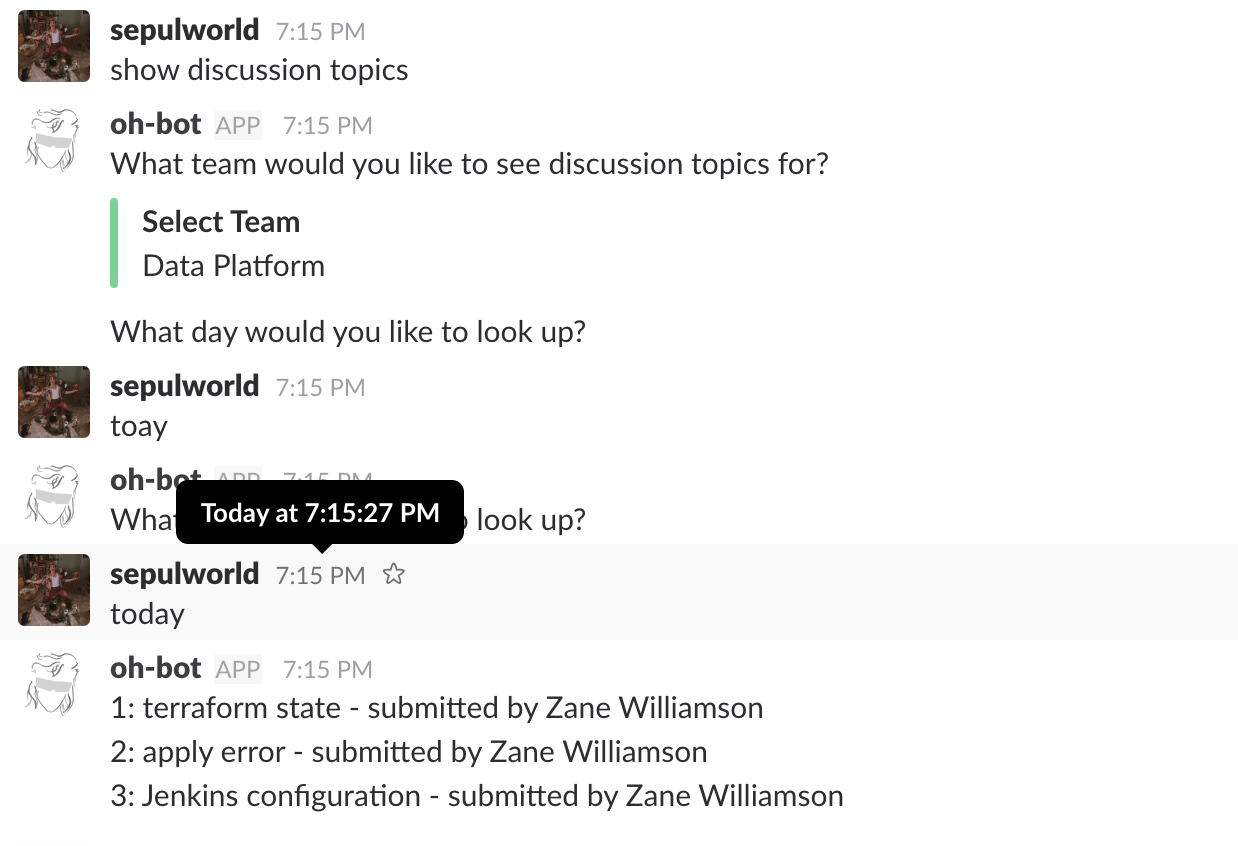
- Lookup office hour discussion topics for a given day
Technology stack
Serverless.com framework driven setup
Python 3.6 AWS Lambda Functions
Lex configuration overview
Intents
- AddDiscusionTopicOfficeHours
- GetTeamsOfficeHours
- LookupDiscussionTopics
- SetTodaysOfficeHours
Slots
- GetDiscussionTopic
- SetTeam
- OfficeHoursLocation
Dynamodb tables
- oh-bot-{environment}
- oh-bot-{environment}-topics
How I built it
Our company uses Slack so I started with creating a Slack app/bot and then connected it to our Amazon Lex bot. Basically, started with 1 intent at a time.
Challenges I ran into
We found it hard to collaborate on the Lex configurations since most of it is done via the web interface. Importing and exporting Lex configurations is limited to JSON and AWS API//cli. It would be great to see it support Yaml . Also keeping track of what has changed between the different 'intent' and 'slot' versions can cause confusion. One huge problem was how to get more event data from Slack into Lex (Like which Slack user is interacting with the bot).
Lastly, we found the error messaging for Lex could be misleading or non-informative.
Accomplishments that I'm proud of
Implemented with clean and simple Lambda functions and Dynamodb. Totally serverless :)
What I learned
I learned a lot about Lex and a few new things about Slack! Also, this was the first time I implemented an application that used Dynamodb.
What's next for oh-bot
I would like to add some reporting outputs to help teams better understand what types of questions they are getting at office hours so they can adjust to meet the needs of those they support.
Implement Lex build scripts with https://docs.aws.amazon.com/lex/latest/dg/gs-cli-create.html or something similar. To work alongside serverless.yml configuration.
How to test (for judges)
for judges - I invited @devpost to our slack team. Please go to #ohbot chat room and do the following...
Set office hours for "Data Platform" (or any team available in the card if you want) example utterance: "set office hours please" -- follow along with oh-bot from there
View a team's office hours example utterance: "Look up team office hours"
Submit a topic for discussion to a team's office hours example utterance: "Submit a discussion topic"
Look up discussion topics for a given team (will ask you what day to look up, match up perhaps with the day you used for the submission you did in step 3) example utterance: "Show discussion topics for data platform"
That's it!


Log in or sign up for Devpost to join the conversation.