-
-
Conversational Assist
-
-
-
-
Inspiration
Mobile internet is not present everywhere. We all have been in the situation where we need help - like access to maps/directions but no internet. We solve this, by providing the (few)service over sms.
What it does
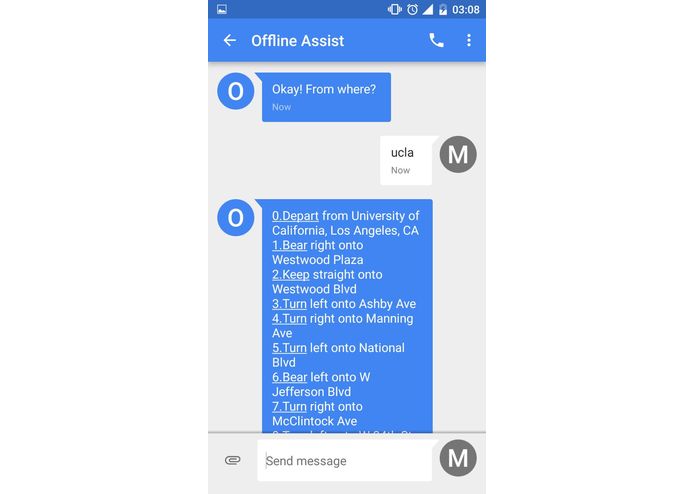
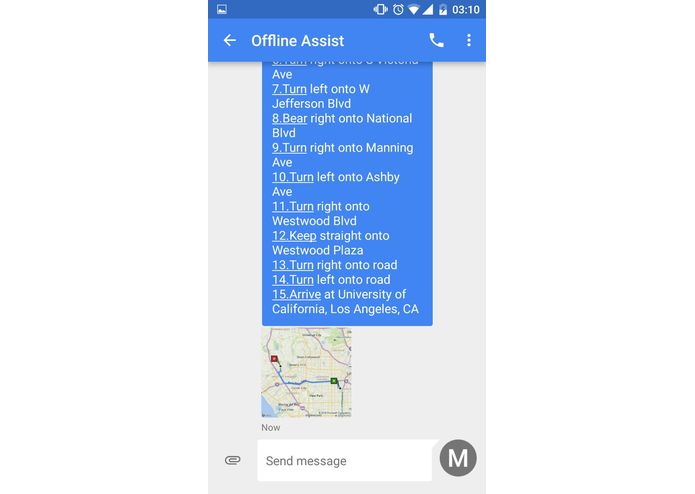
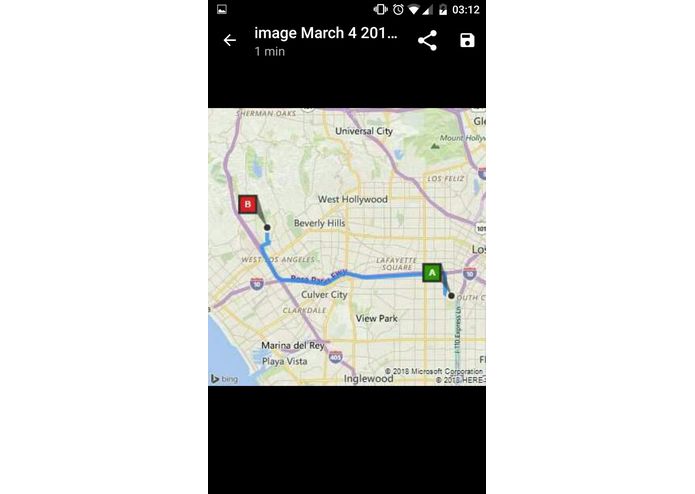
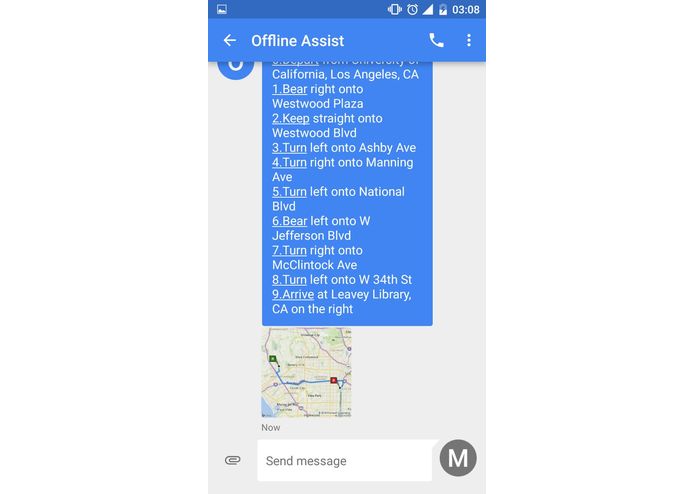
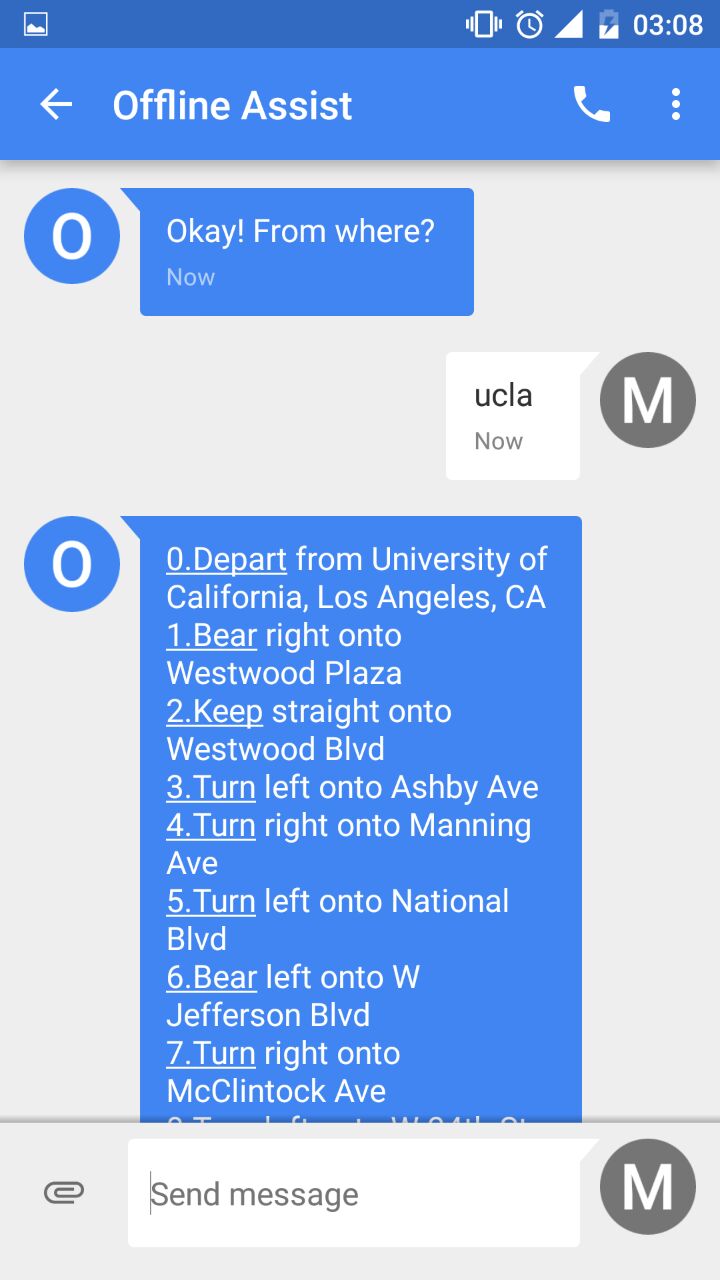
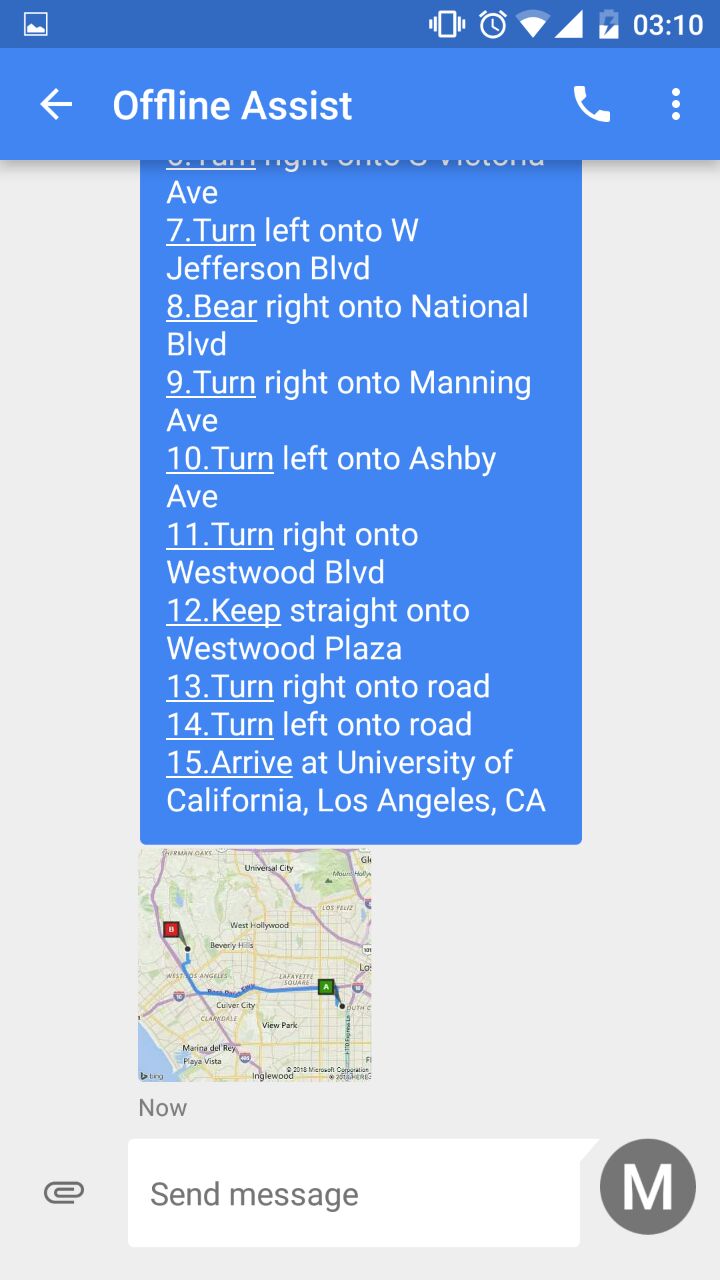
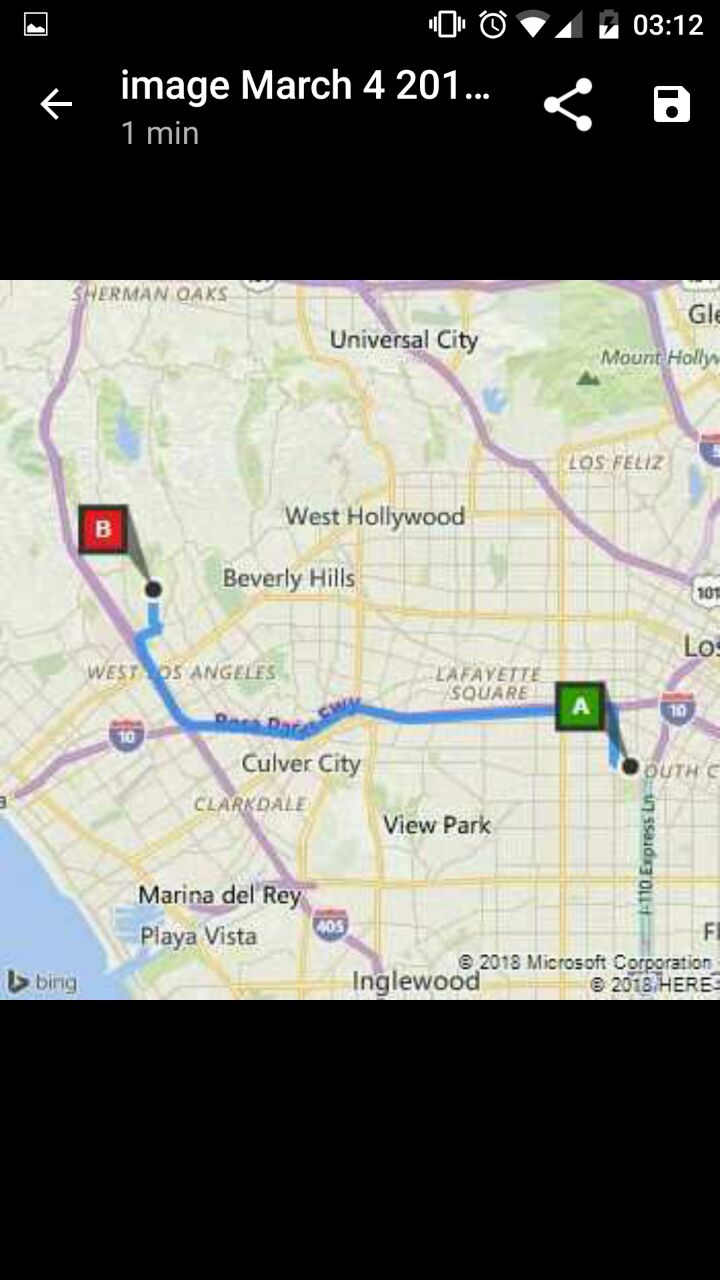
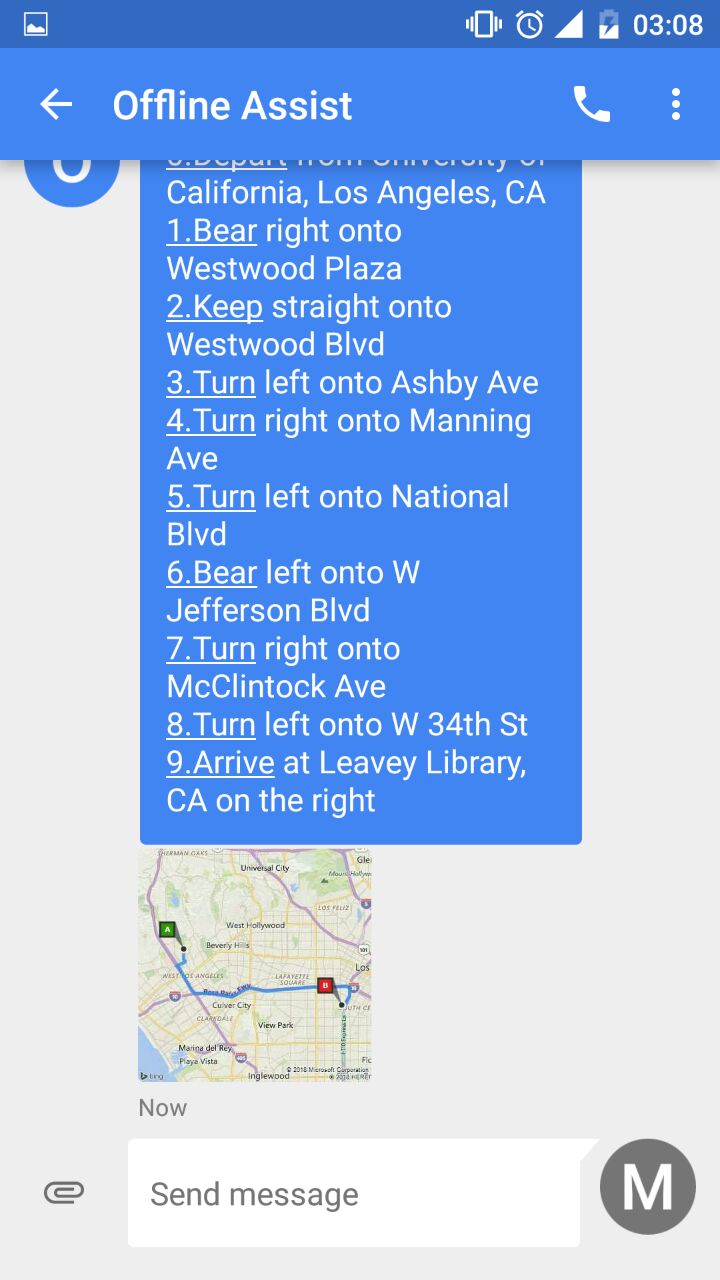
- Users can send text with the source and destination for directions to Offline Assist. It will reply turn-by-turn directions and the route map image.
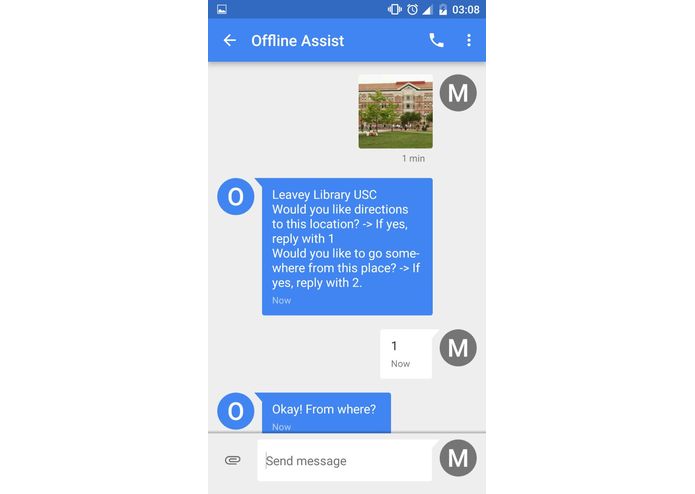
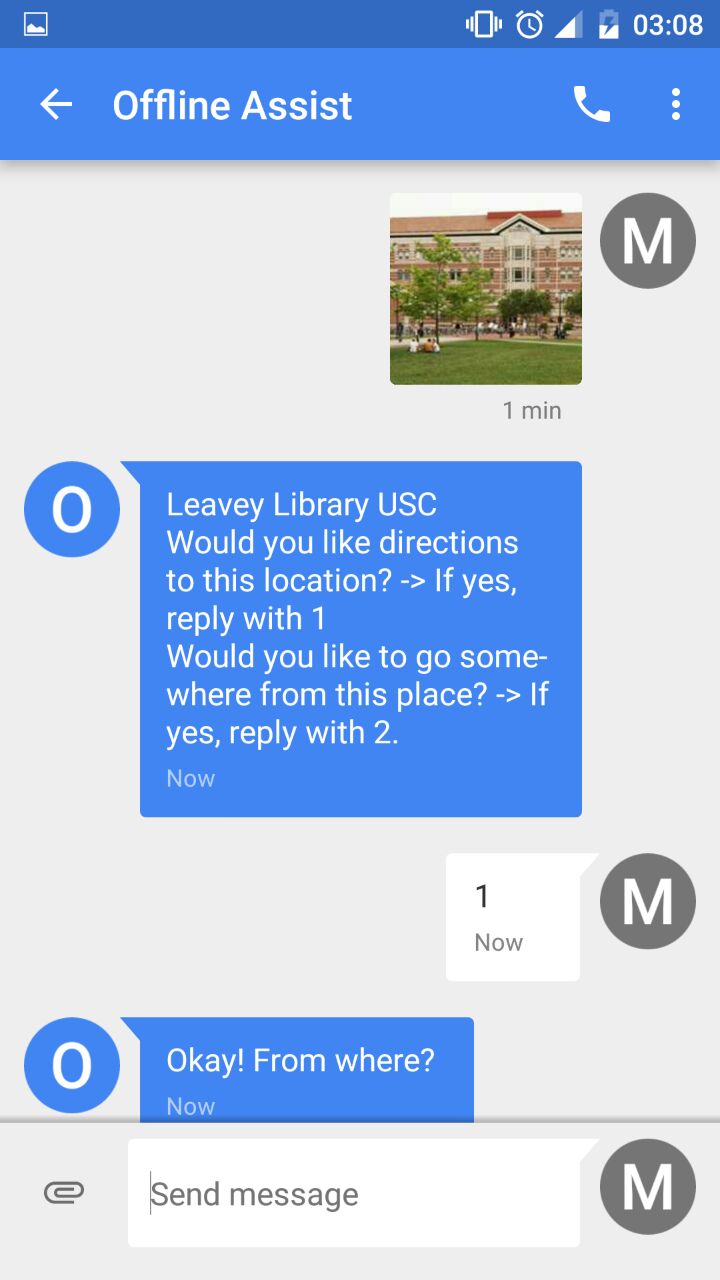
- Users can also send image over sms. Offline Assist will identify that location and interactively assist for directions.
How we built it
- We set up a twilio account to receive sms messages at our server.
- Flask handled this text, and based on type of message, did different things.
- If it was a string, we spoke to Bing Map Api to get directions. We then queried their static image api to get a visual route of the directions.
- We trained a set of 45 images on microsoft's custom vision service, where we uploaded and tagged images of famous landmarks within LA.
- So, if we received an image from the user, we would query the custom vision api, to get the best possible match for that location and then send user this information.
- We maintain context of this information and provide user interactive information.
Challenges we ran into
- Understanding the twilio and microsoft Apis
- Dealing with different data formats
- Limited scope in terms of how much we can send in an SMS
Accomplishments that we're proud of
- Using the API's for the first time
- Integrating two different API's and building this in 36 hours.
What we learned
- How to use Twilio APIs
- How to use Microsoft Bing APIs
- How to use Microsoft Cognitive Services
- Python Flask
What's next for Offline Assist
The scope is vast on potential use of Offline Assist, as it can substitute internet service, during its absence.