Inspiration
Might be odd but the cringe comedy sitcom The Office is one of our main inspiration. We aim to serve every persona of the show and make sure they get together on regular basis. Demanding personalities like Dwight. Workplace cheerleaders like Jim. Servant leaders like Michael. Sassy office managers like Pam.
What they have in common? They're all a little bit lazy and won't take more than 5 seconds to fill in a tool. We want them to keep their company culture alive, erased every frictions that might be on their way. Being in Teams for Offishall is the ultimate step respecting their need of discrete efficiency to organise their freedom in this hybrid new way of working.
What it does
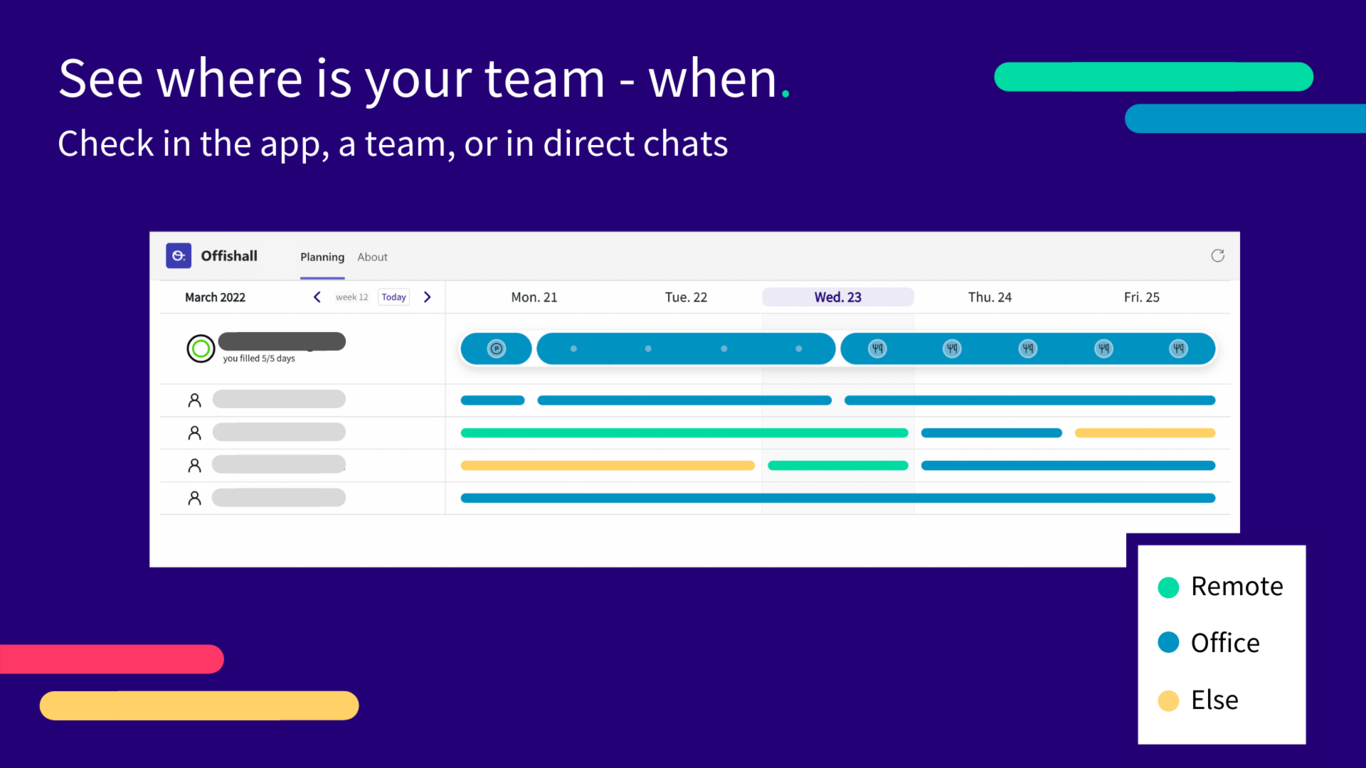
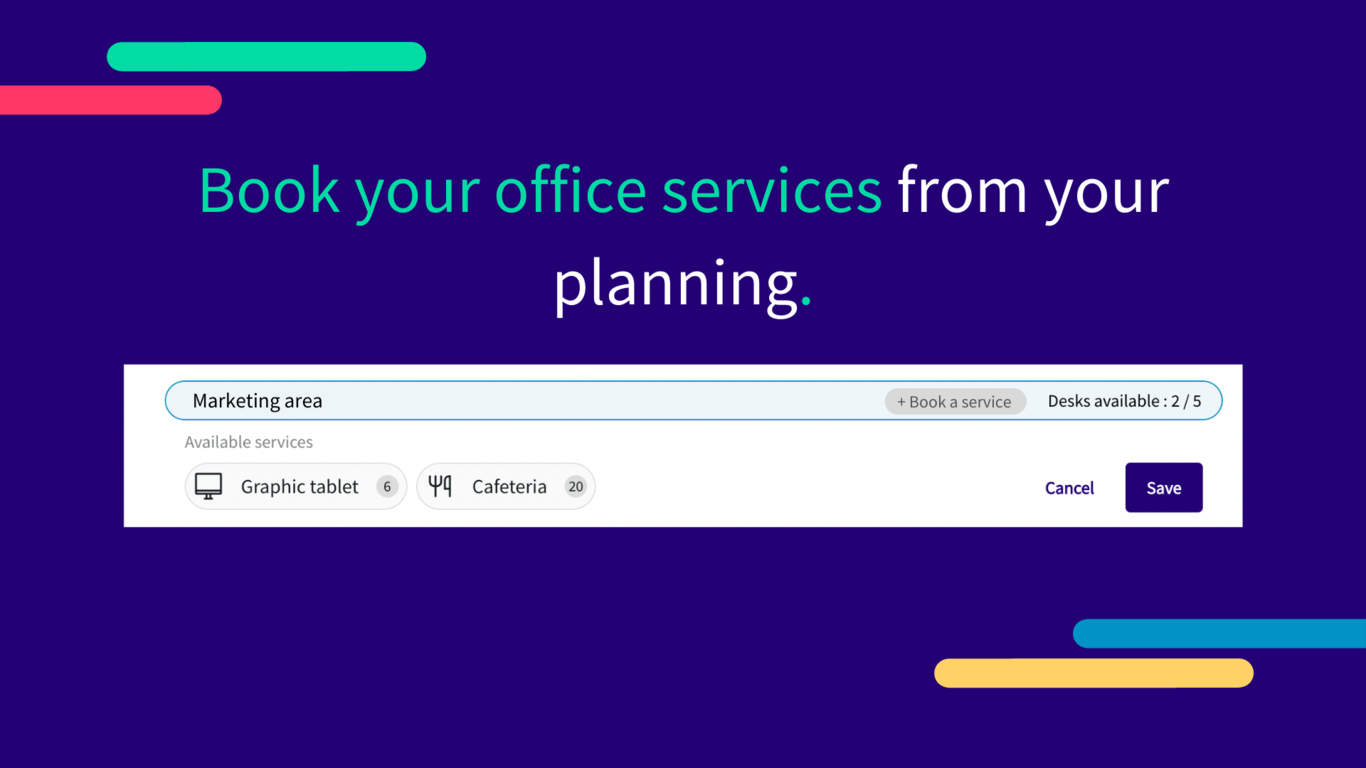
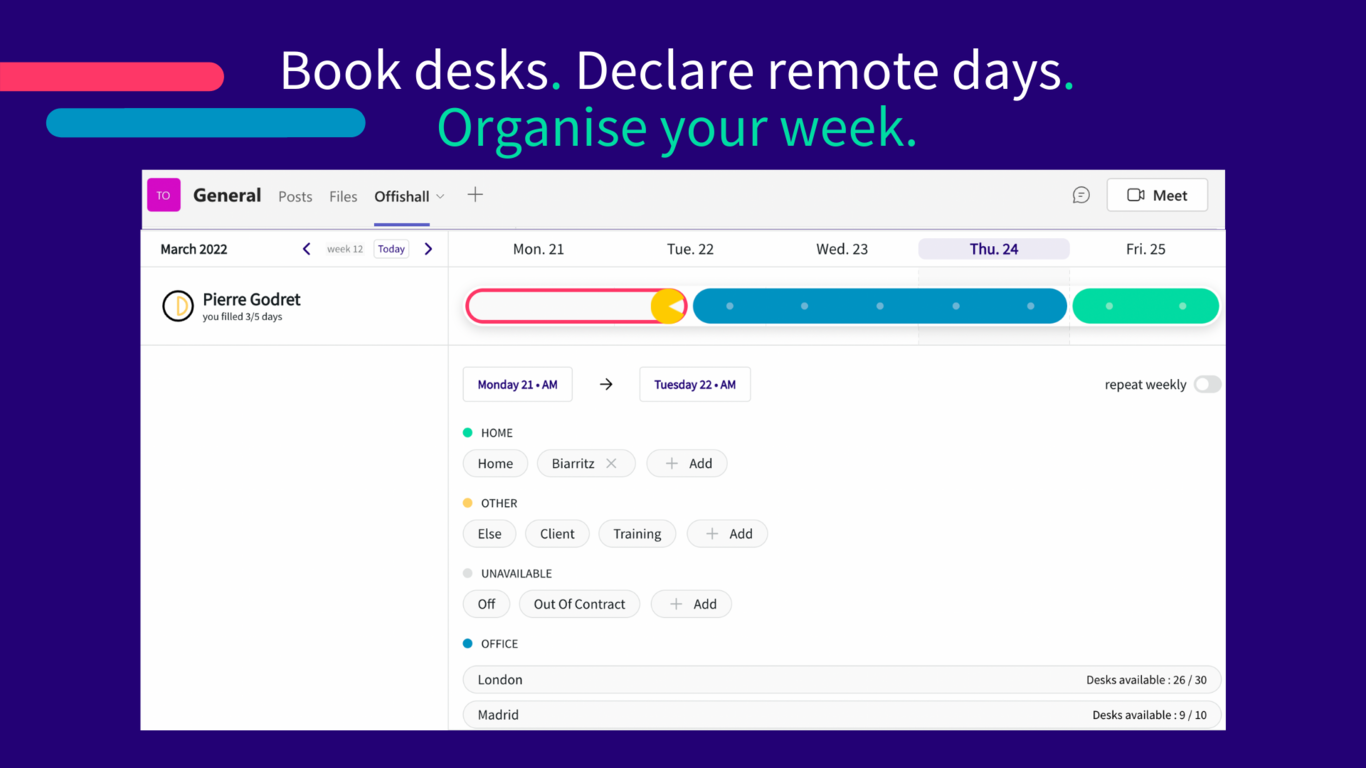
Offishall Planning is a web app that allows users to organize workplace flexibility. We help your coworkers to reconnect at the office by giving them the information they lack. At a glance, Offishall tells you where your teammates are working (at home, at the office, if they are off, or travelling) and allow you to book the services to work better at the offices. This project makes the Offishall Planning app available within Microsoft Teams, as a fully integrated Teams app.
How we built it
We built the integration by adapting our existing web app to run within the Teams app WebView. For that we had to change the way the app navigation works, designing a new UX, adjusting the general app layout and components styling to match what's expected of a Teams app. We also integrated with the Teams SDK and Microsoft Graph API to provide Teams-specific features, such as per-channel or per-chat views of the planning, and a seamless and fully automatic sign-on experience for the user.
Challenges we ran into
Getting Single Sign-On (SSO) to work well was a challenge. We had to go through several iterations to adjust our existing authentication layer to be able to handle automatic sign-on, as well as dynamic user account creation within the Teams app. Working with the complex Microsoft Azure app registration and permissions system was equally difficult, and involved a lot of "trial and error" before nailing it down.
Accomplishments that we're proud of
We are proud to have overcome the difficulties in setting up a seamless sign-on experience for the end user. Going through the process of submitting the app to the store also involved a lot back and forth between us and the team in charge of integrations at Microsoft, and we're proud to have managed to go through this complex process in a relatively short amount of time.
What we learned
We gained a deeper knowledge of authentication flows, a familiarity with the Microsoft toolbox and APIs, and additional experience in the process of publishing an app on some official store.
What's next for Offishall Planning
The next step will be to enhance the Offishall Teams user experience by adding support for additional features like weekly reminders and smart actions using chat bots. We may also want to use Microsoft's paid subscriptions API to further streamline the user experience.


Log in or sign up for Devpost to join the conversation.