-
-
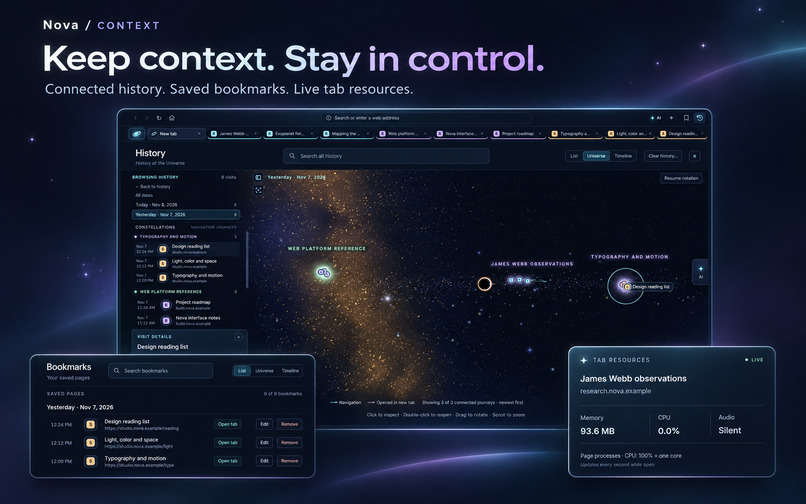
Browser Overview
-
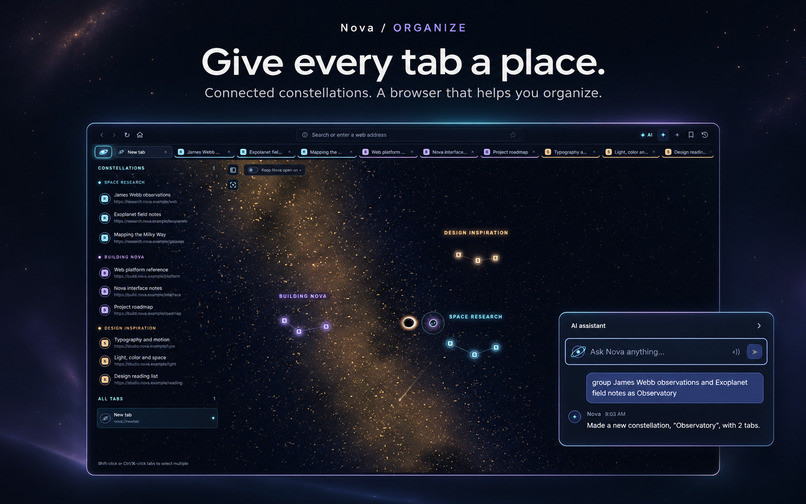
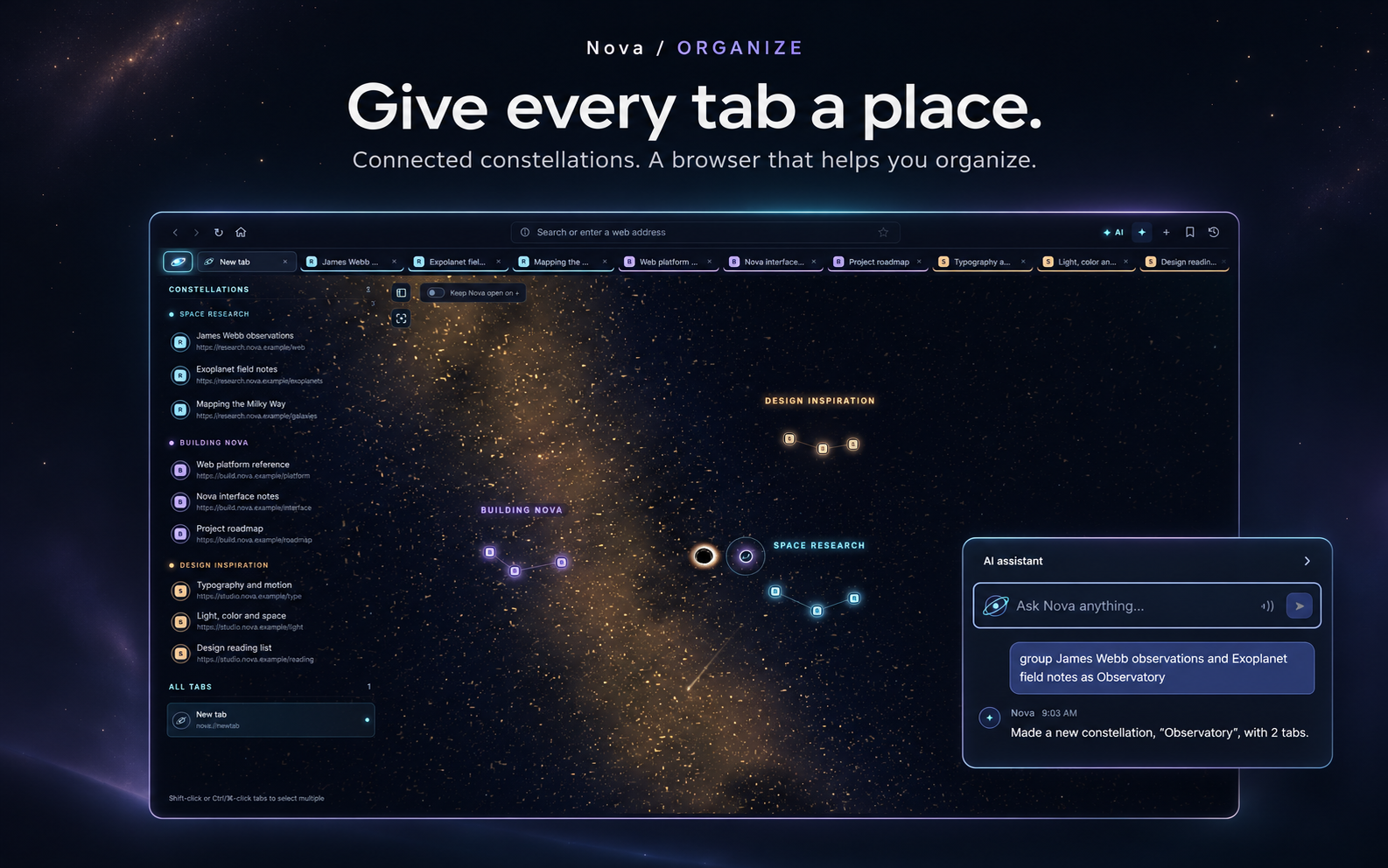
AI assistant screenshot
-
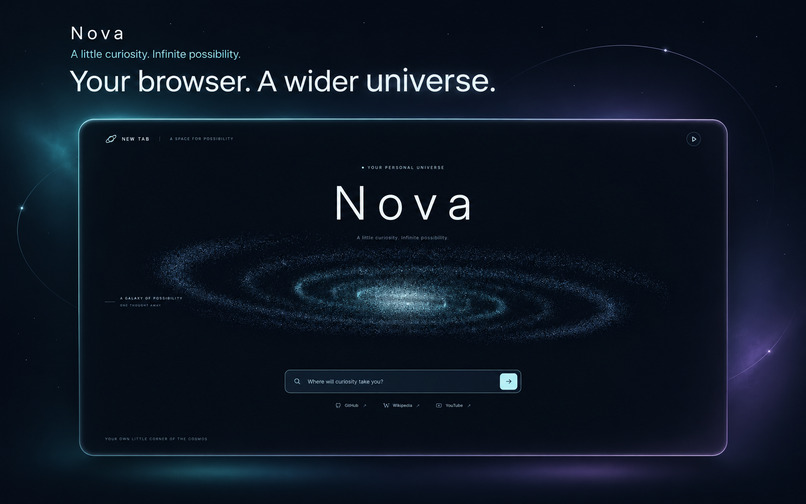
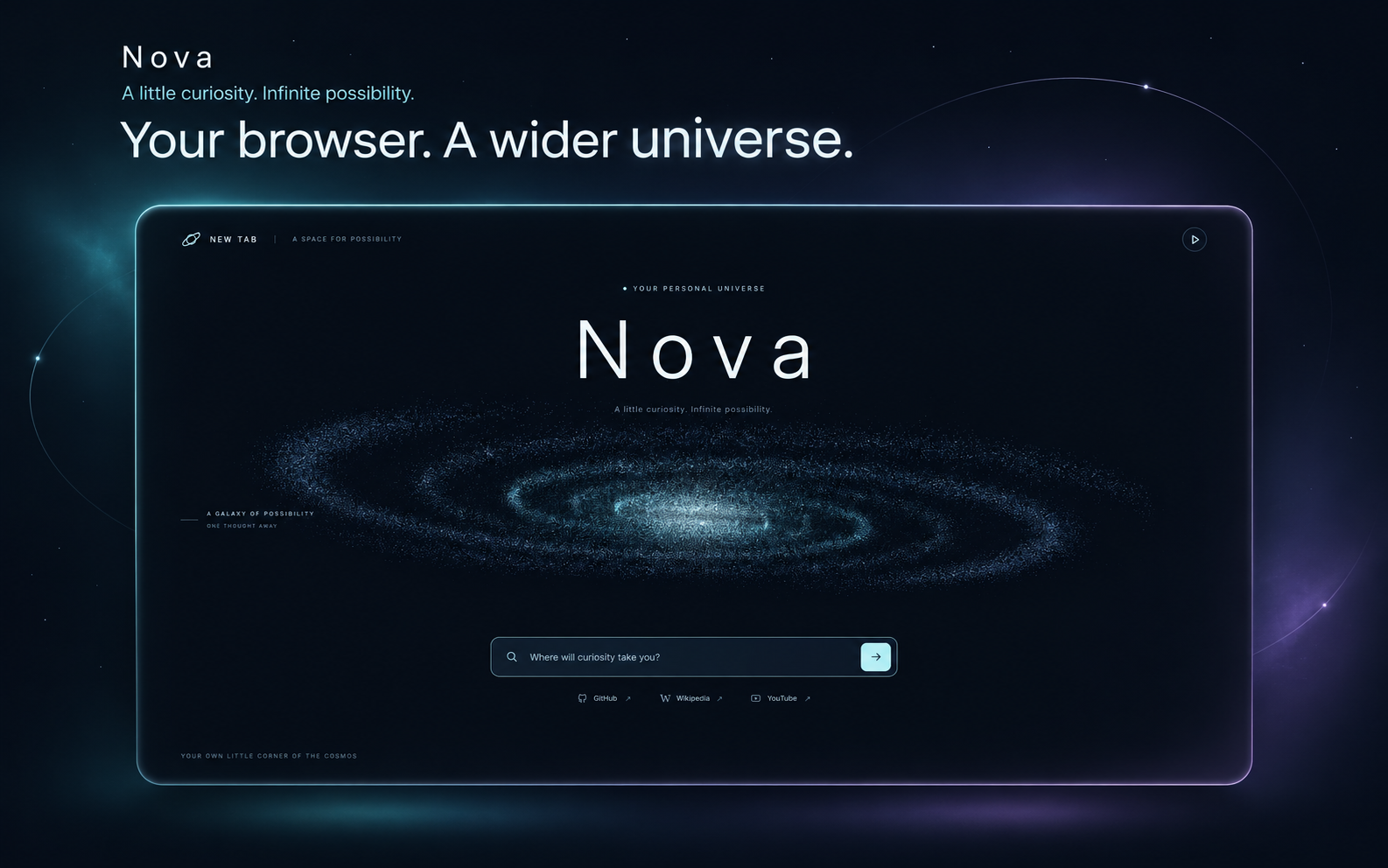
A look towards the homepage
-
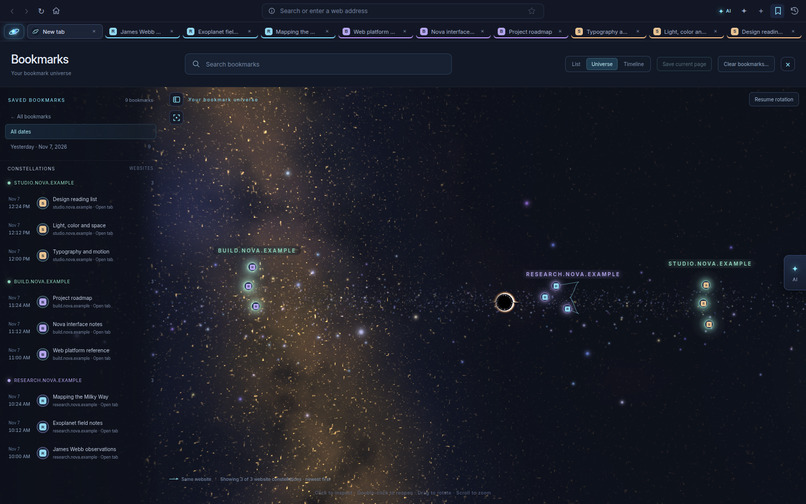
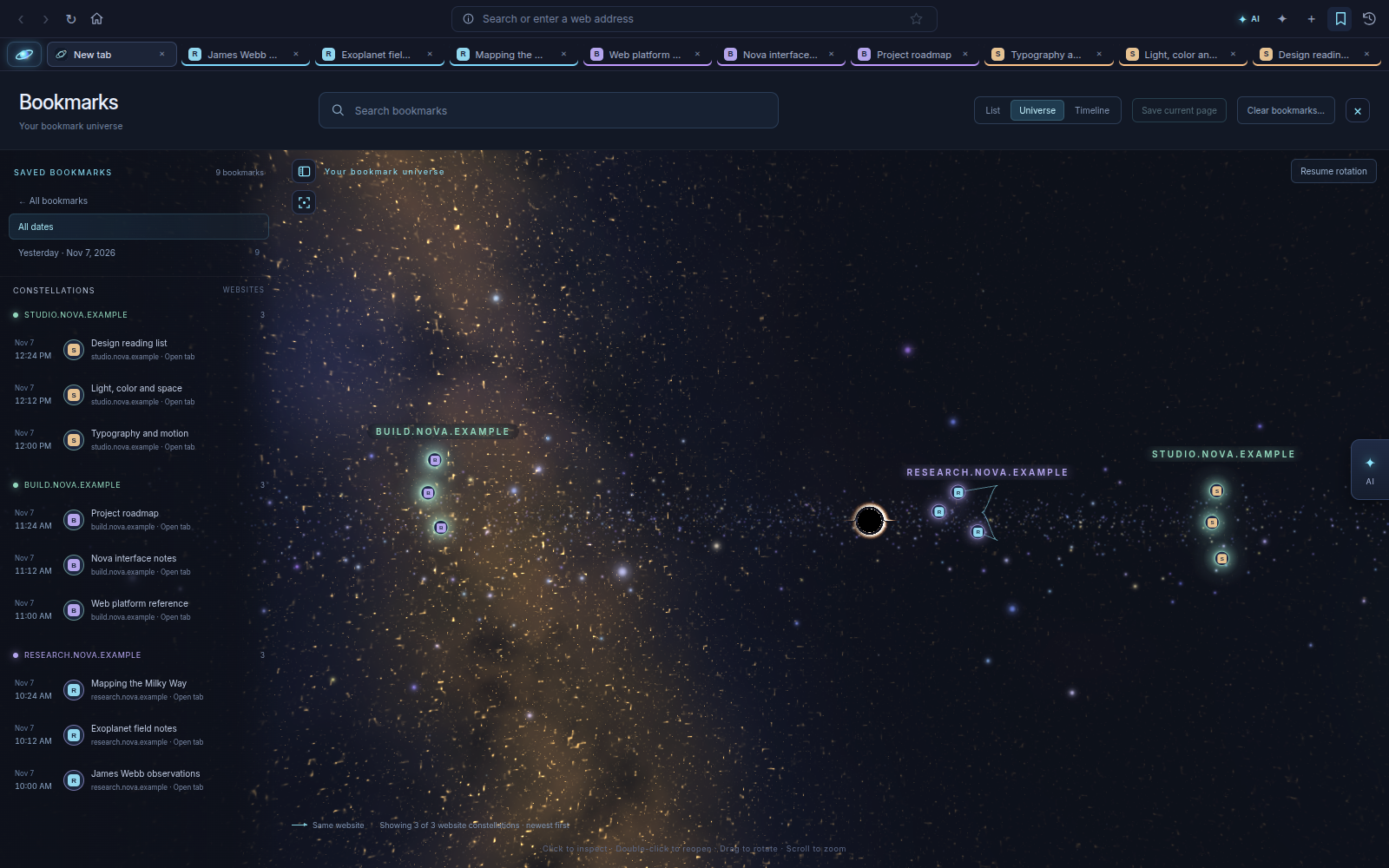
Bookmark's Page
Inspiration
A research session can start with one question and end with thirty open tabs. The information is still there, but the thread connecting it becomes harder to follow.
We built Nova to make those connections visible.
The hackathon’s deep-space theme gave us an interaction model: pages become stars, related tabs form constellations, and browsing history becomes a map of connected journeys. We wanted the theme to help people navigate and organize their work.
What Nova does
Nova is a functioning Chromium-based desktop browser with a spatial interface and an integrated assistant.
- Constellation-based tab organization: Group related pages, name their constellations, and navigate through an interactive 3D universe. A familiar sidebar keeps titles and links easy to find.
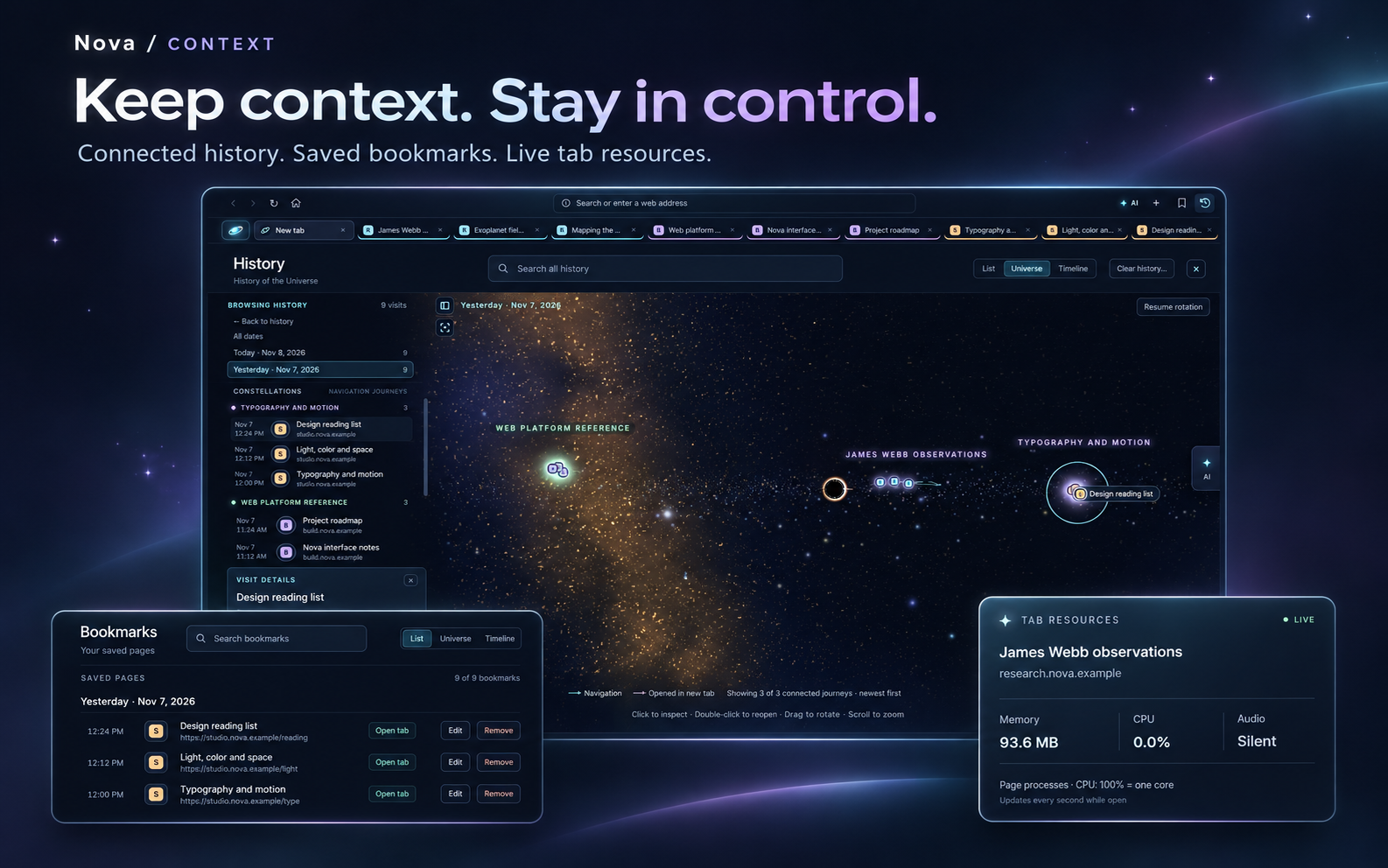
- Connected history and bookmarks: Explore saved pages through list, timeline, and universe views. Search filters the results, while navigation relationships help explain how a browsing journey developed.
- An assistant that can take action: Use natural-language commands to open pages, switch tabs, and organize named tabs. Connect Ollama or a compatible AI endpoint for broader organization requests and questions using available tab context. Optional voice input and spoken responses make interaction more flexible.
- Live resource visibility: Hover over a tab to inspect memory usage, CPU usage, and whether audio is playing, muted, or silent. Measurements update while the page continues running.
- A living new-tab experience: A locally rendered galaxy responds to mouse movement, with animation controls and support for reduced-motion preferences.
- Everyday browser essentials: Search suggestions combine open tabs, history, bookmarks, and web autocomplete. Nova also includes simplified address displays, verified HTTPS indicators, keyboard shortcuts, standard navigation controls, and cookie and cache management.
Bookmarks, history, and preferences persist locally. A build script produces an executable Linux AppImage so Nova can be used as a desktop application.
How we built it
We used Electron and Chromium for real web browsing, with JavaScript, HTML, and CSS for the application interface.
Three.js powers the constellation views, supported by custom layouts for stars, groups, and navigation paths. The new-tab galaxy uses custom WebGL rendering, with a Canvas fallback when WebGL is unavailable.
The assistant connects through compatible chat-completion endpoints. Straightforward browser commands are handled locally, while broader requests can use the configured model.
We separated privileged browser operations from website content through isolated renderer contexts and controlled IPC interfaces. Resource monitoring maps Chromium renderer processes to tabs and includes iframe renderers where available.
Challenges we faced
Keeping the interface usable across native layers
Electron’s web pages are native views, which complicates overlays. A tooltip can disappear behind a page even when its HTML stacking order looks correct.
We implemented a native resource-card overlay so the information remains visible without hiding or pausing the page being measured.
Representing browsing relationships accurately
History contains branches, repeated visits, new tabs, and connections across different dates. Filtering that history should preserve meaningful relationships.
We modeled visits individually and tested layouts for crossing and overlapping routes. This helped us build a visualization that communicates navigation relationships clearly.
Making measurements and security indicators trustworthy
Chromium can share processes between tabs, so resource attribution requires care. Nova labels shared-process totals instead of presenting them as exclusive measurements.
We applied the same care to connection indicators: simplifying an address must preserve its destination, and a security lock requires verified connection information for the current page.
Accomplishments we’re proud of
We brought browsing, spatial navigation, saved data, assistant actions, and live resource monitoring together in one working application.
We validated Nova with 33 automated checks covering core browser behavior, resource monitoring, bookmarks, search suggestions, branding, and profile migration. We also built and launch-tested the AppImage and verified its desktop identity and taskbar icon.
The result is an interactive product that can be explored and demonstrated with real browser controls.
What we learned
We learned that spatial interfaces need clear labels, familiar navigation, and accessible alternatives to remain useful.
We also learned how much browser engineering happens beneath the visible interface: process boundaries, native layering, persistent storage, certificate validation, and desktop integration all shape the experience.
Our greatest improvements came from testing complete user journeys—opening a page, organizing it, finding it again, and returning after a restart.
What’s next
We want to build persistent mission workspaces, split-view browsing, and opt-in semantic search for rediscovering previously visited information. We also want to expand the assistant’s capabilities with user-controlled page context and source-linked research responses.
Nova begins with a little curiosity - and gives it a universe to explore.

