-
-

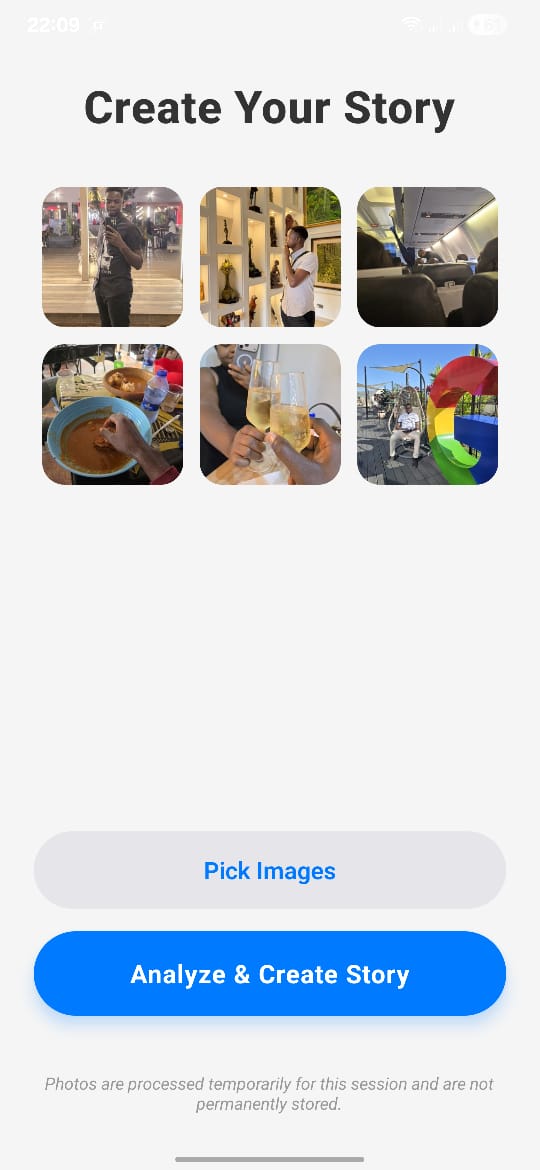
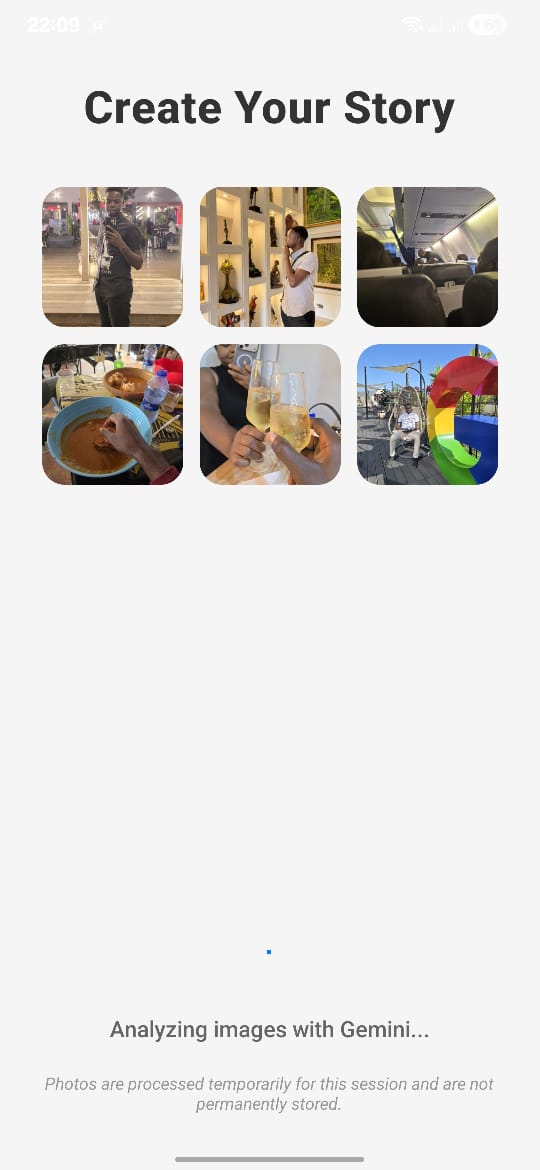
Upload photos
-

Photo analysis and story generation
-
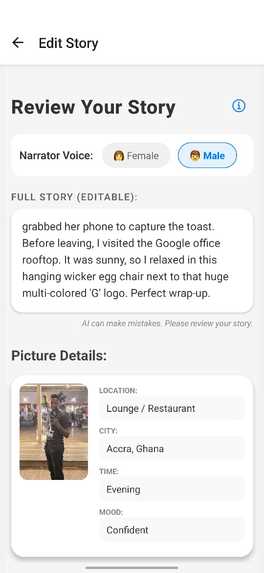
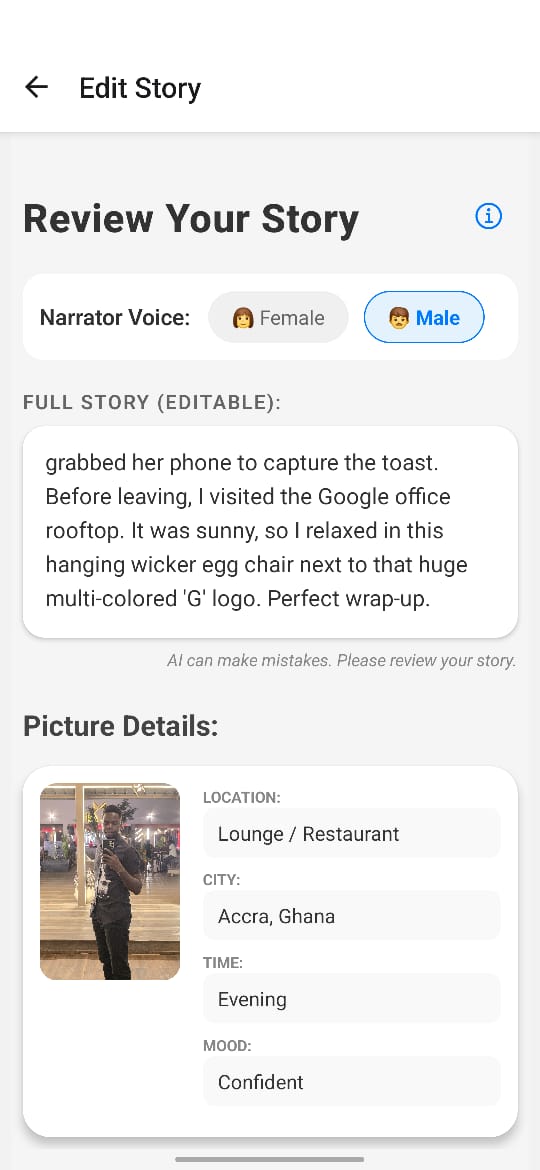
Story preview and edit
-
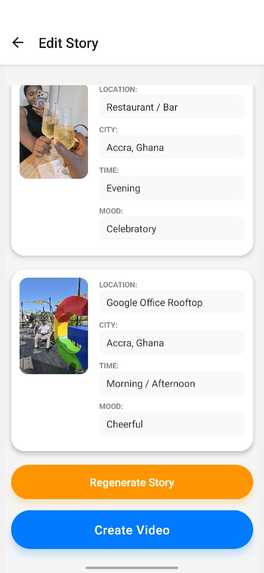
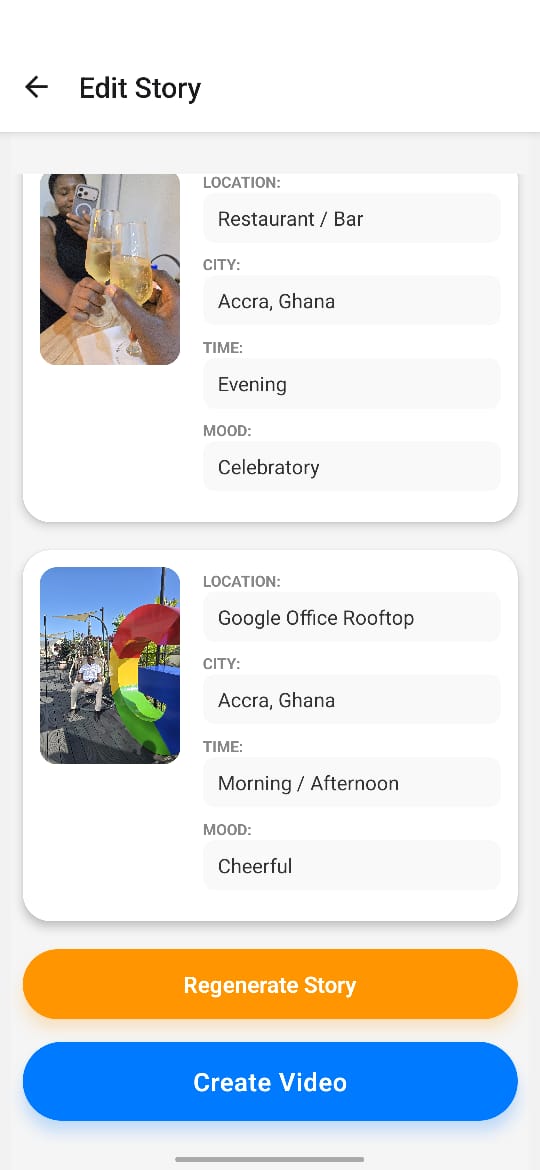
Story preview and edit
-
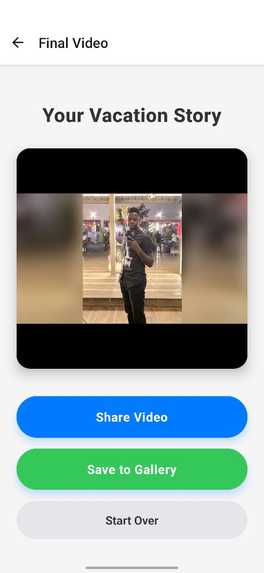
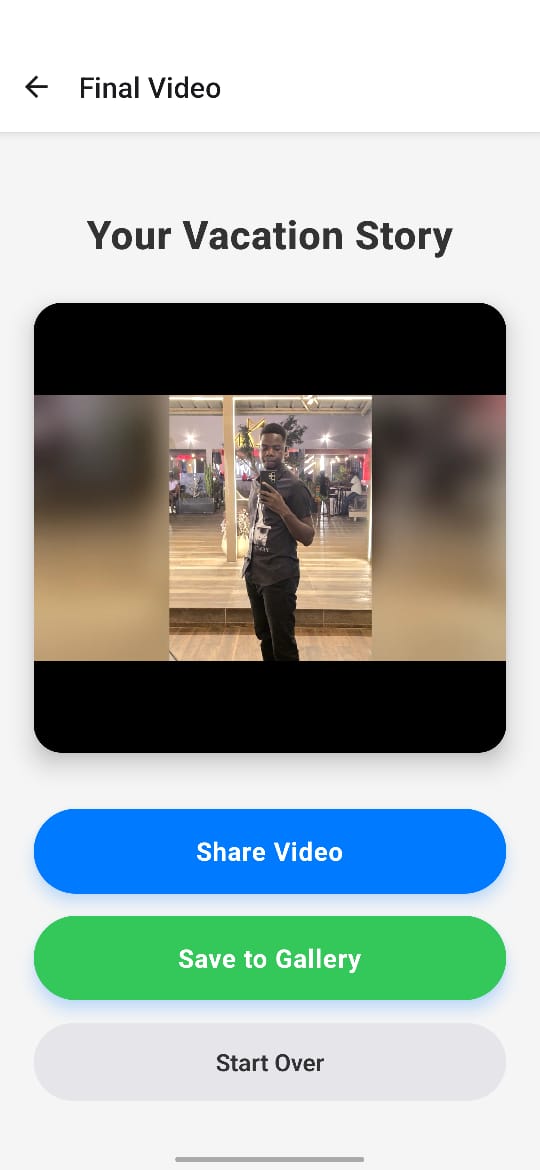
Generated viceo
Inspiration
I wanted to solve the problem of "digital hoarding"—thousands of vacation photos sitting in our camera rolls, never seen again. The goal was to build an app that doesn't just store photos, but actively tells the story of your trip, turning static images into a cinematic experience without any manual editing effort.
What it does
Odyssee turns your static vacation images into video stories without any manual editing effort.
How we built it
The project is a full-stack mobile application:
- Frontend: React Native (Expo) for a smooth, cross-platform mobile experience. It handles image selection, meaningful user interactions (like editing the story mood), and video playback.
- Backend API: Node.js & Express. This acts as the heavy lifter.
- AI Core: Google Gemini 3 Pro. It analyzes image metadata (time, location) and visual content to generate the script.
- Voice: Google Cloud TTS. Converts the AI script into a natural-sounding voiceover.
- Video Engine: FFmpeg. This is the heart of the rendering pipeline. It takes the images and audio, applies complex filter chains (zoompan, boxblur, overlay, xfade), and renders the final MP4.
Challenges we ran into
. The "Rotation" Rabbit Hole
* Problem: Photos taken in portrait mode or upside down would render sideways in the final video.
* Solution: I had to go deep into EXIF data. ffprobe wasn't reliable enough, so I integrated a dedicated exif-parser library to read the raw orientation tags. I then built a logic layer to dynamically apply transpose and vflip filters in FFmpeg before any other processing.
Making it "Watchable"
- Problem: The first version was just hard cuts between static images with black bars. It felt cheap.
- Solution: I implemented a "split-blur" pipeline. For every image, we split the stream: one copy becomes a blurred, darkened background, and the other sits on top. Then, we apply a synchronized slow zoom to both. Finally, we replaced hard cuts with smooth cross-transitions (
xfade).
Permissions & Deprecations
- Problem: Saving video to the iOS gallery failed due to deprecated Expo APIs and missing permission keys.
- Solution: I migrated to
expo-file-system/legacyand configured theexpo-media-libraryplugin to request "Write-Only" access, respecting modern privacy standards while fixing the crash.
Accomplishments that we're proud of
- Seamless AI Integration: Integrating Gemini 3 Pro to not just see pixels but understand context (e.g., recognizing a sunset as the "end of a journey").
- Professional Video Output: Moving beyond simple slideshows to create videos with dynamic motion, smooth transitions, and high-quality voiceovers that feel hand-edited.
- Resilient Mobile UX: Handling complex errors—from network timeouts to permission rejections—gracefully, so the user never feels stuck.
What I learned
- AI as a Creative Director: I learned how to prompt Gemini not just to "describe an image," but to act as a documentary narrator, weaving individual photo descriptions into a cohesive, chronological narrative.
- Mobile-First Video Ops: Stitching high-res video on a mobile timeline is resource-intensive. Offloading this to a Node.js backend using FFmpeg was a key architectural decision that balanced performance with capability.
- The "Uncanny Valley" of Automation: Automation is great, but it needs a human touch. Adding features like the "Ken Burns" effect and "Instagram-style" blurred backgrounds turned a robotic slideshow into something that feels emotional and premium.
What's next for odyssee
- Smart Audio Sync: Aligning the voiceover timing perfectly with specific visual cues in the photos.
- Custom Voice Profile: Using custom voice profiles for the voiceover would be really cool.
- Background Music: Adding mood-based AI-generated backing tracks.
- 4K Export: optimizing the pipeline to handle ultra-high-resolution output.
- Social Integration: One-tap posting to Instagram Stories and TikTok.
Built With
- android
- cloud-run
- express.js
- ffmpeg
- gemini
- google-cloud
- ios
- javascript
- node.js
- react-native
- text-to-speech
- video


Log in or sign up for Devpost to join the conversation.