-
-
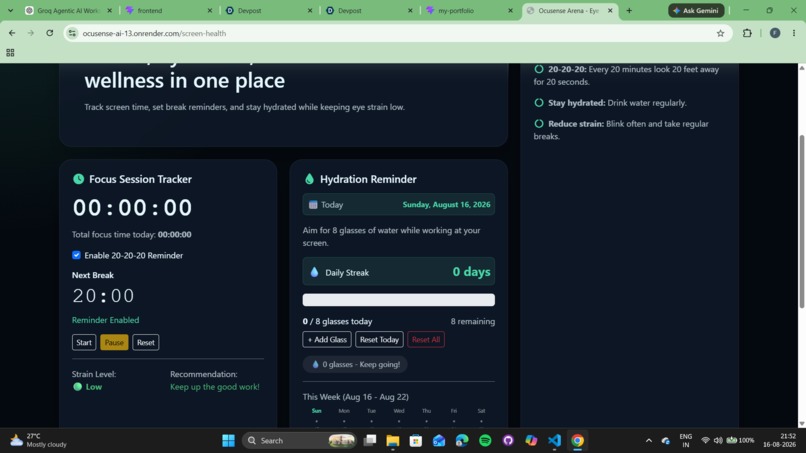
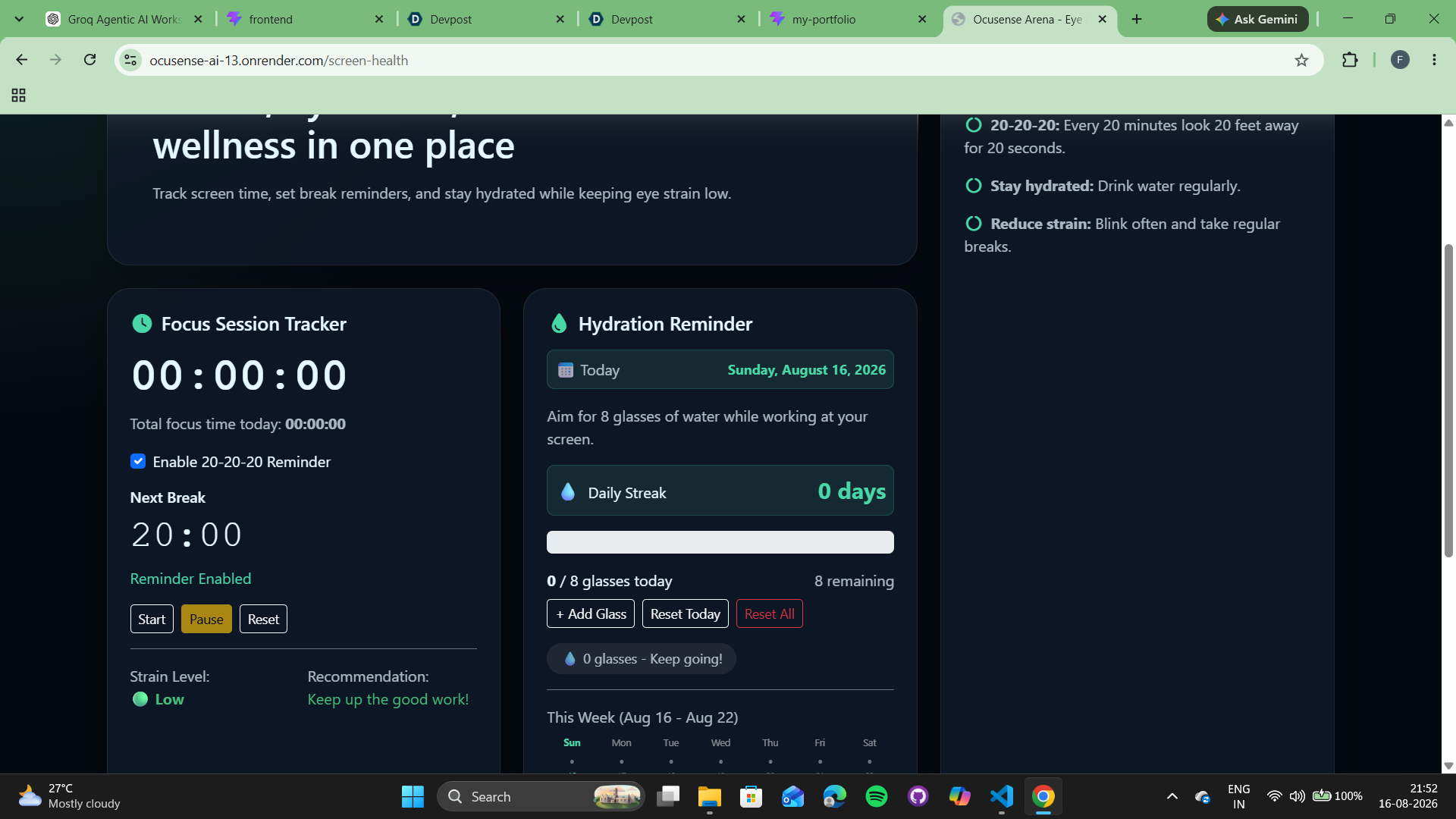
20-20-20 Break and Hydration Tracking
-
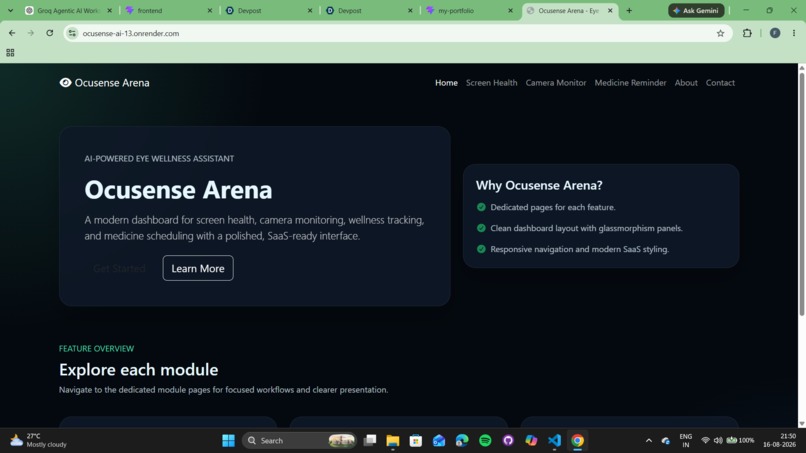
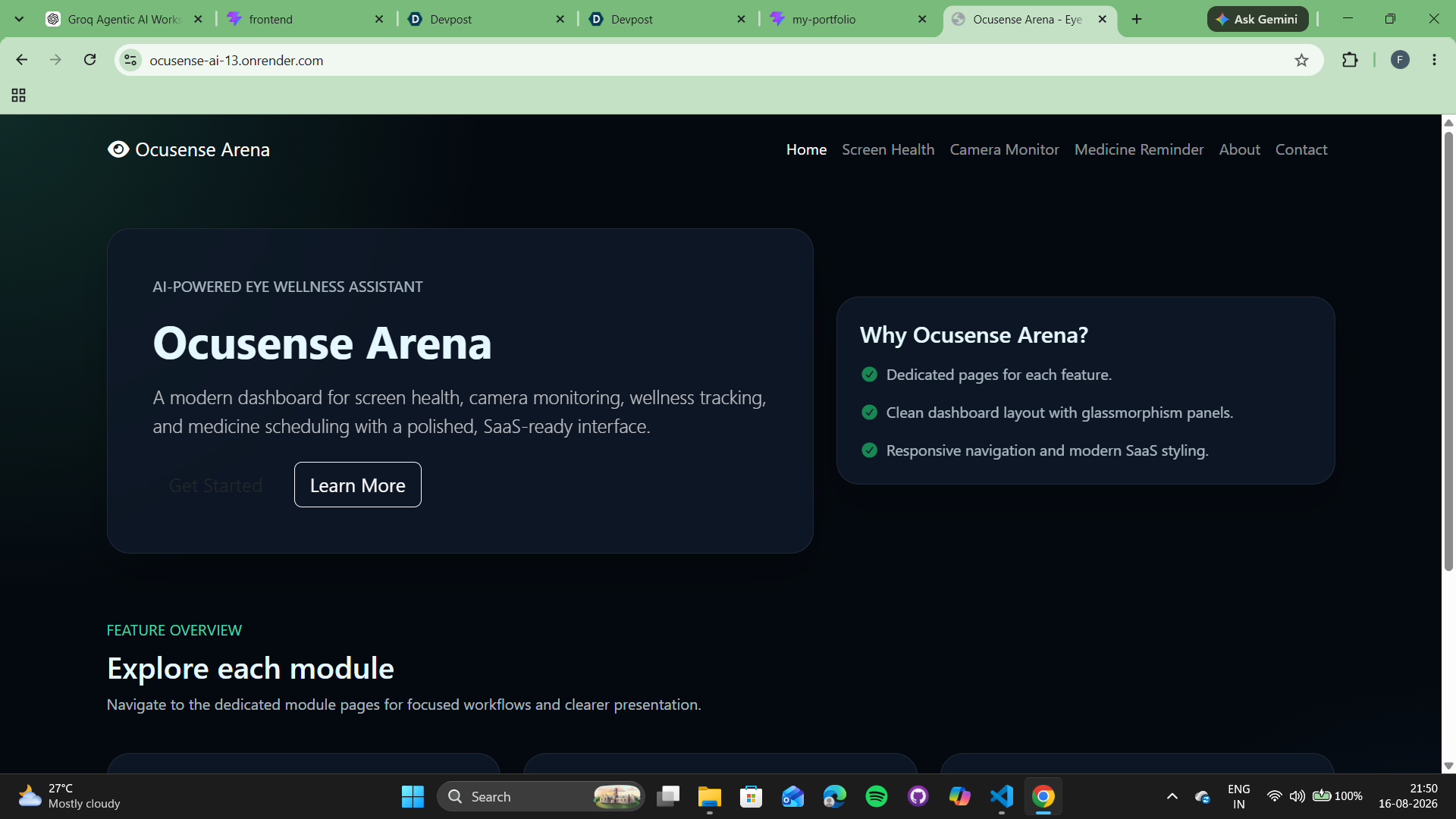
OcuSense Home Dashboard
-
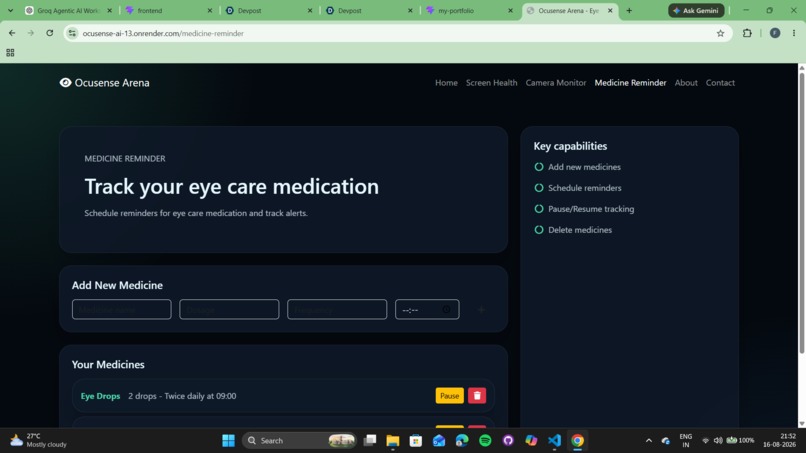
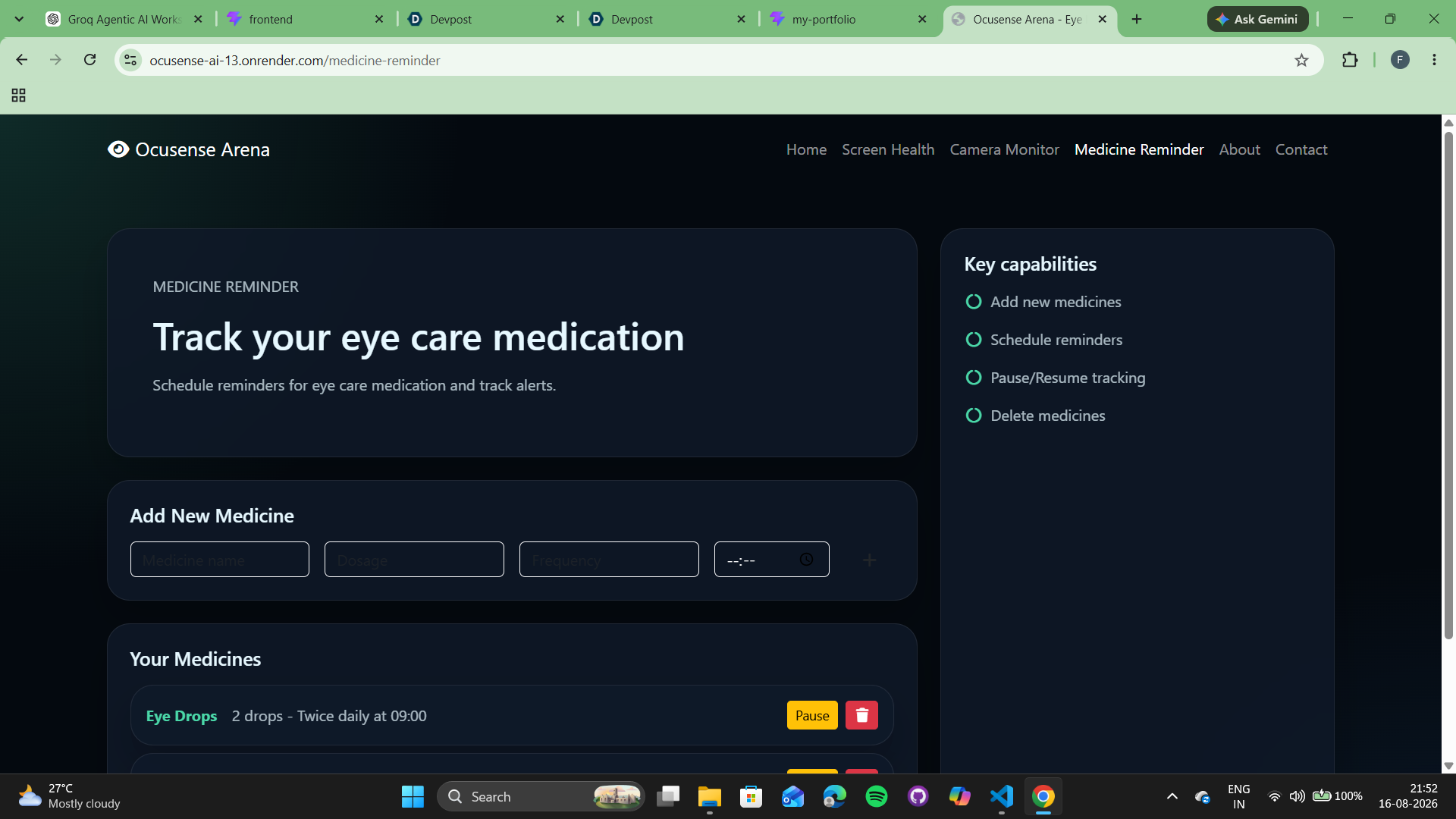
Eye-Care Medicine Reminder
-
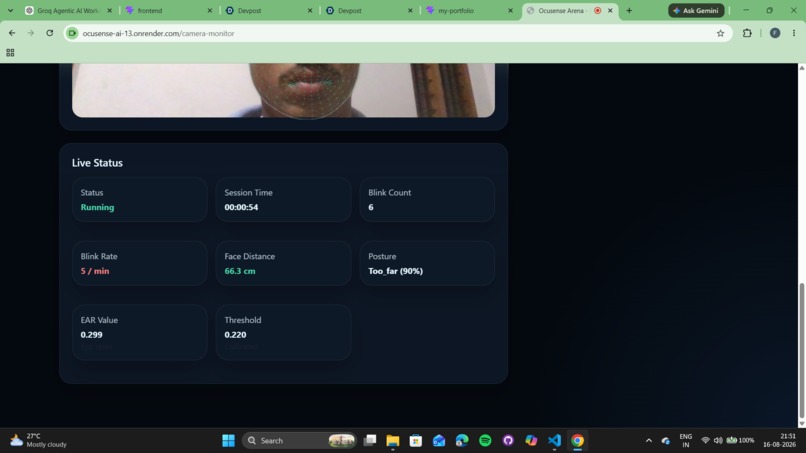
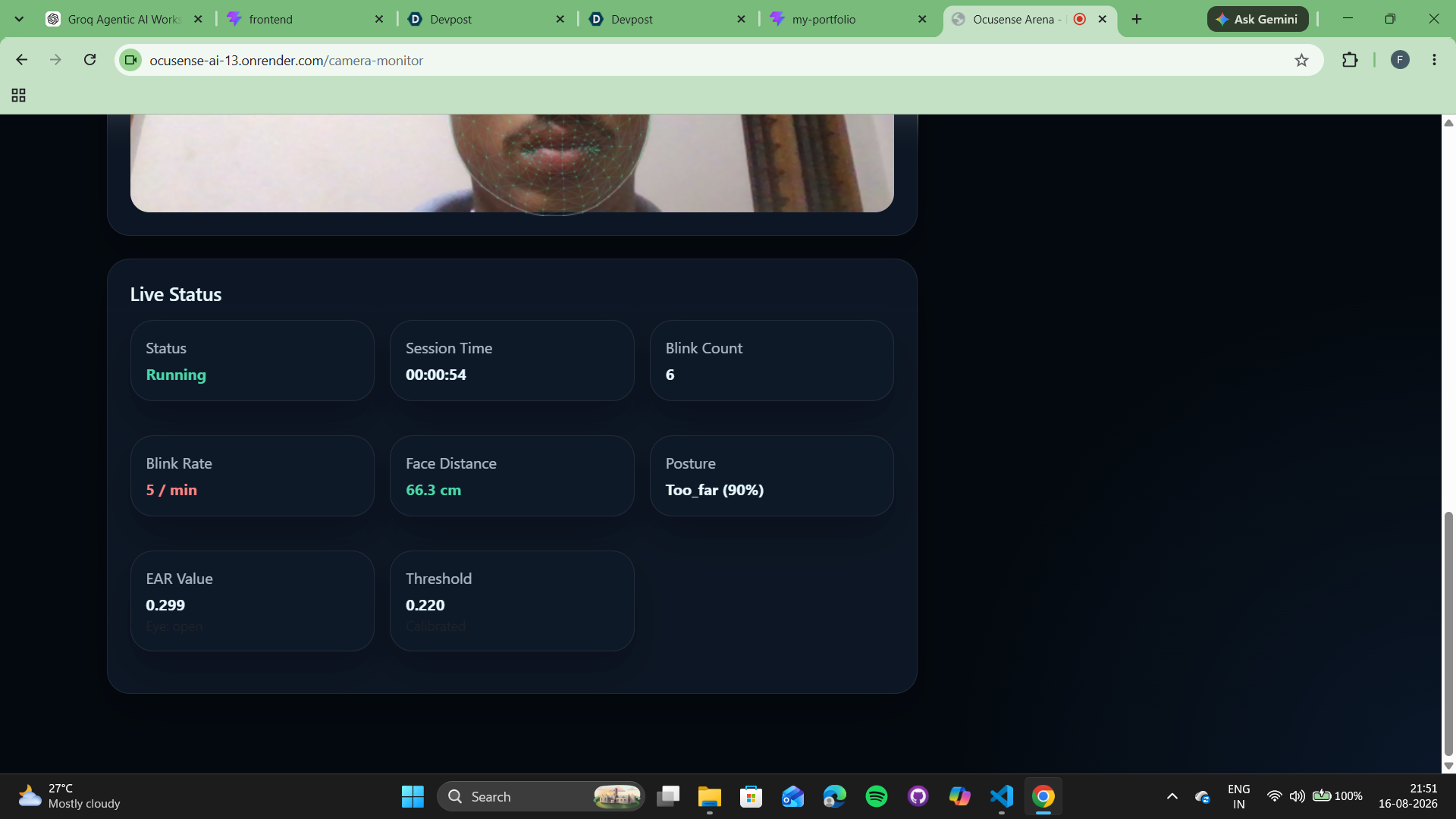
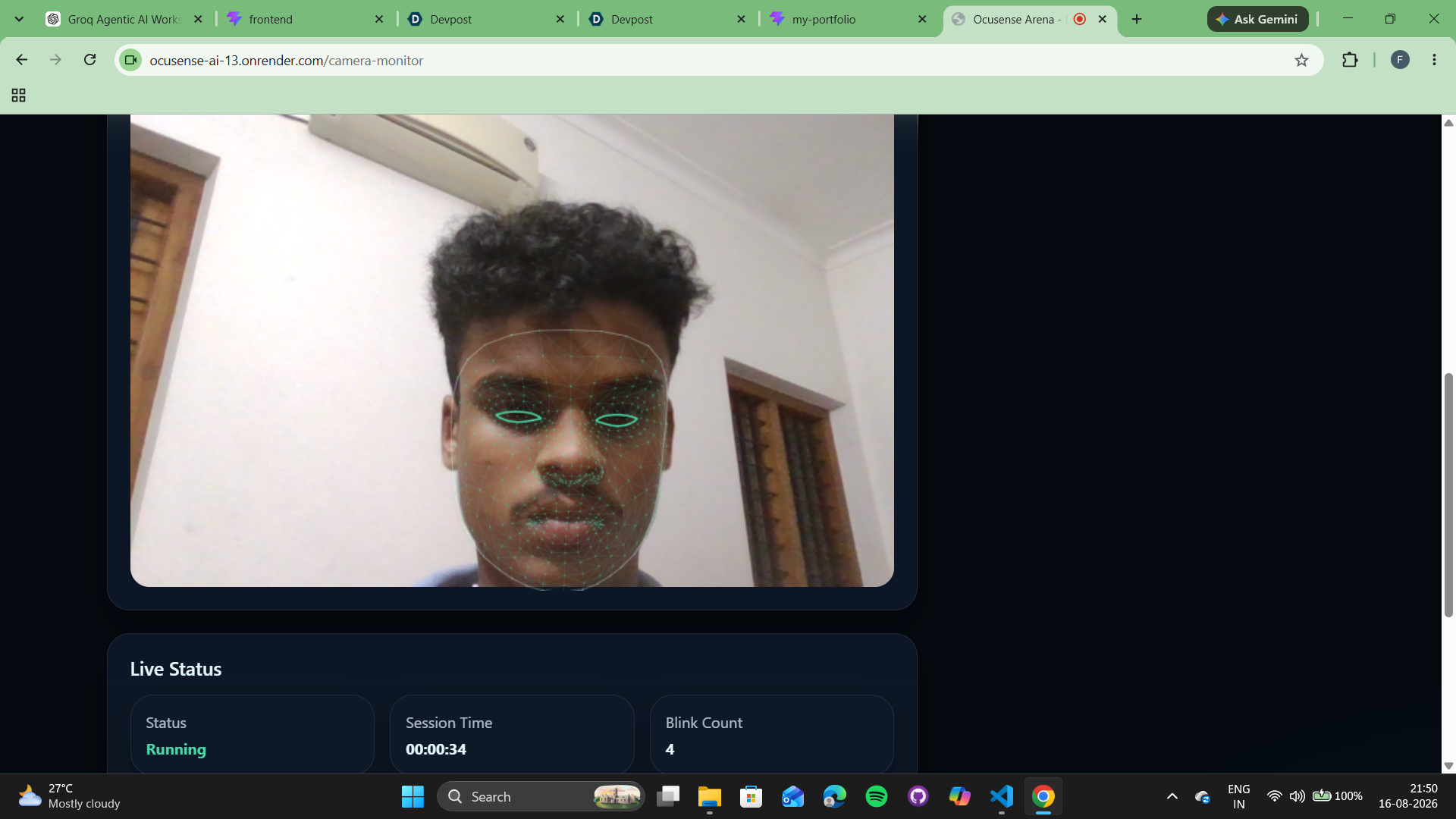
Live Blink, EAR, Distance and Posture Monitoring
-
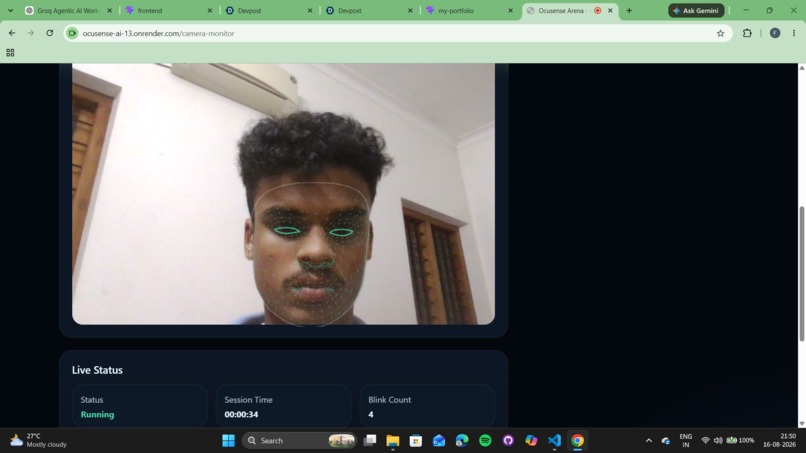
Real-Time Face and Eye Landmark Detectio
Inspiration
Long hours in front of laptops and computer screens can affect eye comfort, posture, hydration habits, and overall screen wellness.
While spending a lot of time working and studying on my laptop, I realized how easy it is to forget simple habits like blinking regularly, taking eye breaks, sitting correctly, maintaining proper screen distance, and drinking water. Instead of relying only on fixed reminders, I wanted to build something that could observe these habits in real time and give useful alerts when they were actually needed.
This inspired me to create OcuSense, a screen-wellness assistant that uses computer vision and real-time monitoring to help users develop healthier screen habits.
What it does
OcuSense monitors different screen-wellness factors while the user works on a computer.
The main features include:
- Real-time blink detection
- Blink-rate monitoring
- Eye Aspect Ratio (EAR) analysis
- PERCLOS-based eye-closure monitoring
- 20-20-20 eye-break reminders
- Hydration reminders
- Screen-distance warnings
- Posture monitoring
- Session timer
- User calibration
- Cooldown-based alerts to avoid repeated notifications
- Audio wellness alerts
The webcam is used to monitor the user's face and facial landmarks. Based on these measurements, OcuSense can detect situations where the user may need to blink more, move away from the screen, correct posture, drink water, or take a break.
The feature I personally find most useful is real-time blink monitoring, because it reacts to the user's actual eye activity instead of simply showing a reminder after a fixed amount of time.
How I built it
I built the frontend using React and JavaScript.
React handles the dashboard, wellness statistics, timers, alerts, webcam interface, and other interactive parts of the application.
I used Django and Python for the backend and server-side functionality.
For computer vision, I used MediaPipe FaceMesh to detect facial landmarks from the webcam feed.
These facial landmarks allow the system to identify important points around the eyes and face.
OcuSense uses Eye Aspect Ratio (EAR) to estimate whether the user's eyes are open or closed.
It also uses PERCLOS, which measures how much time the eyes remain closed during a period of time.
The basic processing flow is:
Webcam → Facial landmarks → Eye/posture measurements → Wellness analysis → Alerts
I also added calibration because one fixed threshold may not work accurately for every person's eyes and face.
I first focused on implementing face-landmark detection and blink monitoring using Eye Aspect Ratio, because that became the foundation for many of the other eye-wellness features.
Challenges I faced
One of the biggest challenges was making blink detection reliable.
Different users have different eye shapes, and factors such as lighting, head movement, viewing angle, and glasses can affect facial-landmark measurements.
Because of this, a fixed eye-detection threshold may produce incorrect detections.
Calibration helped make the measurements more suitable for individual users.
Another challenge was deciding when alerts should appear.
If the application gives warnings continuously, the wellness assistant itself becomes distracting.
To reduce this problem, I used cooldown periods so the same type of warning is not repeatedly shown within a short period.
I also faced challenges while combining real-time webcam processing with the React interface and keeping the displayed measurements updated smoothly.
One real bug I faced was that small head movements or changes in the viewing angle could sometimes be counted as blinks even when the user had not actually blinked. I had to adjust the detection logic and thresholds to reduce these false detections.
What I learned
While building OcuSense, I learned more about:
- Real-time computer vision
- Facial landmark detection
- MediaPipe FaceMesh
- Eye Aspect Ratio calculations
- PERCLOS
- React state management
- Working with webcam data
- Connecting React with Django
- Designing real-time user alerts
- Calibration and threshold-based detection
I also learned that building a wellness system is not only about detecting a problem accurately.
While testing OcuSense, I realized that even an accurate alert can become useless if it appears too often, so I had to balance detection accuracy with when and how frequently the user should actually be interrupted.
What's next
In the future, OcuSense could be improved with:
- More accurate personalized calibration
- Better performance under different lighting conditions
- Improved posture scoring
- Lower false-positive blink detections
- Daily and weekly wellness reports
- Long-term screen-habit statistics
- Smarter alert prioritization
- More personalized recommendations
- Improved background monitoring
- Better privacy through more on-device processing
My goal is to develop OcuSense into a screen-wellness companion that gradually learns each user's individual habits and adjusts its thresholds, reminders, and recommendations accordingly, rather than treating every user in exactly the same way.

Log in or sign up for Devpost to join the conversation.