-
-
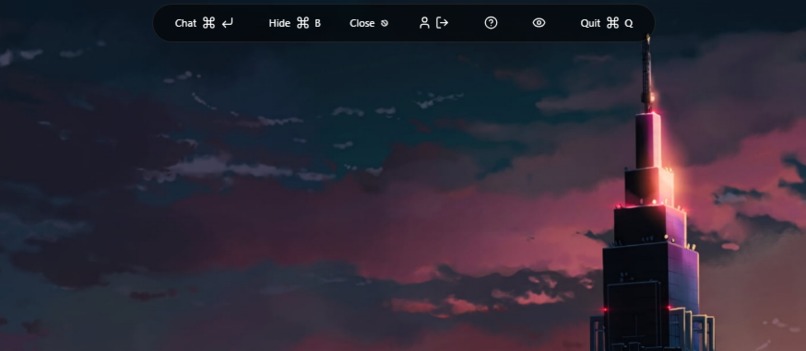
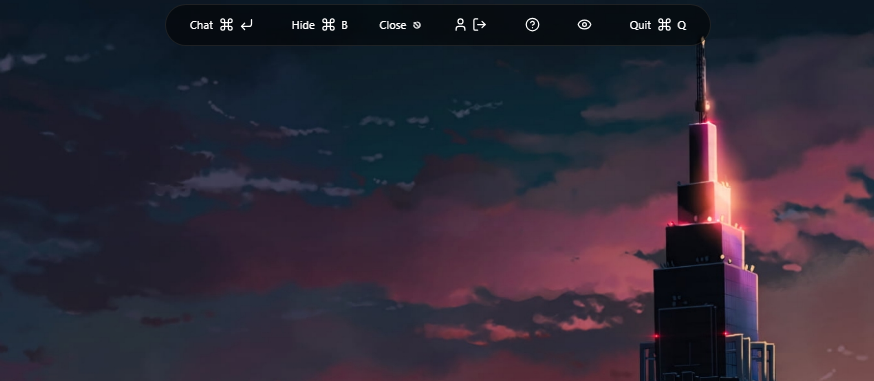
Main bar
-
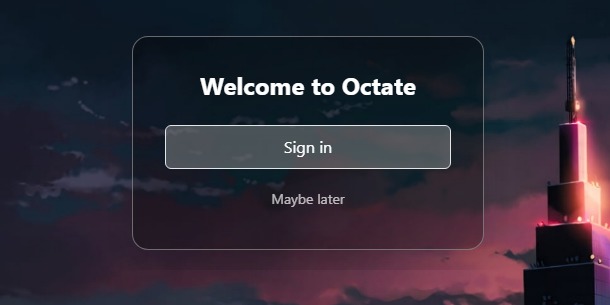
login bar
💡 Inspiration
It was the night before my exam, and I was deep in debugging hell. My workflow looked like this:
- Screenshot VS Code terminal
- Upload to ChatGPT
- Get advice to try something I'd already done
- Run out of tokens
- Repeat until sunrise
I realized the problem wasn't the AI—it was the process. What if the AI could just see my screen instead of me explaining it?
After my exams, I spent 4 months grinding on this idea. Testing combinations. Breaking things. Rebuilding. The result? Octate—an AI that saves me time by actually seeing what I'm working on.
No more screenshots. No more context-pasting. Just press a hotkey and ask.
🎯 What It Does
Octate is an AI assistant powered by Gemini 2.5 Flash with custom prompting tuned for:
- 🐛 Debugging – sees your errors, suggests fixes
- 💻 Coding help – explains code visually
- 🎓 Learning – understands your workflow context
- 🎭 Roasting – optional brutally honest feedback (because bland is boring)
It lives as an invisible overlay on your screen, captures context when you ask questions, and disappears when you need privacy.
Core features:
- Screenshot-based AI assistance with full visual context
- Ghost mode for instant invisibility during screen shares
- Hotkey-driven workflow (zero mouse dependency)
- Free forever (bring your own Gemini API key)
🛠️ How We Built It
Tech Stack:
- Electron.js – Cross-platform desktop app framework
- React.js – UI components and state management
- Tailwind CSS – Utility-first styling
- Supabase – Backend, database, and real-time features
- OAuth – GitHub and Google authentication for seamless login
- Gemini 2.5 Flash API – Vision-capable AI model
Architecture:
- Persistent overlay window with always-on-top functionality
- IPC (Inter-Process Communication) handlers for global keyboard shortcuts
- Screenshot capture pipeline with automatic context injection
- Click-through regions for non-intrusive user experience
🚧 Challenges We Ran Into
1. Overlay Engineering Building a window that stays on top of everything while remaining responsive was harder than expected:
- Balancing always-on-top behavior with user control
- Implementing click-through buttons (some interactive, some passthrough)
- Preventing the overlay from interfering with other apps
2. Keyboard Shortcut Registration The IPC handler system for global shortcuts required extensive testing:
- Handling edge cases (app minimized, focus stolen, multiple monitors)
- Preventing shortcut conflicts with other applications
- Ensuring shortcuts work consistently across Windows/Mac/Linux
3. Screenshot Timing Capturing the screen before the overlay appears (to avoid capturing itself) required precise timing coordination between the main and renderer processes.
🏆 Accomplishments We're Proud Of
✅ Octate exists and works – 80% of the original vision is now reality
✅ The roast feature – adds personality and makes debugging less painful
✅ Ghost mode execution – instant invisibility actually works flawlessly
✅ Free and accessible – no paywalls, no subscriptions, no gatekeeping
✅ Didn't give up – navigated complex technical challenges without compromising the core vision
The biggest win? Watching Octate solve in 10 seconds what used to take me 10 minutes of screenshot-upload-explain cycles.
📚 What We Learned
Technical:
- Electron's IPC communication patterns for complex desktop apps
- Balancing overlay UX with system-level window management
- Integrating vision-capable AI models with real-time workflows
Personal:
- Persistence matters more than perfection
- Complex stacks and edge cases don't define you—your solutions do
- Sometimes the best features come from your own frustrations
Philosophy: Your project reflects who you are. When the code gets complicated and the bugs feel endless, the choice to keep building anyway is what separates ideas from shipped products.
🚀 What's Next for Octate
🎙️ Voice Recognition & Context Memory
The next major feature: voice-driven assistance with conversational context.
How it works:
- Transcribe conversations happening on-screen and off-screen
- Understand spoken debugging sessions during pair programming
- Store conversational context in the database
- Self-train on user patterns for increasingly personalized assistance
Use cases:
- "Hey Octate, what did we just discuss about that API endpoint?"
- Transcribe whiteboard sessions during team calls
- Build a searchable knowledge base from your own debugging conversations
🔮 Other Planned Features
- 🔌 Plugin system for custom workflows
- 💾 Offline mode with local AI models
- 🌐 Multi-language support for international codebases
- 📊 Context memory across sessions
Built With
- electronjs
- gemini
- react
- tailwindcss
- typescript


Log in or sign up for Devpost to join the conversation.