-
-
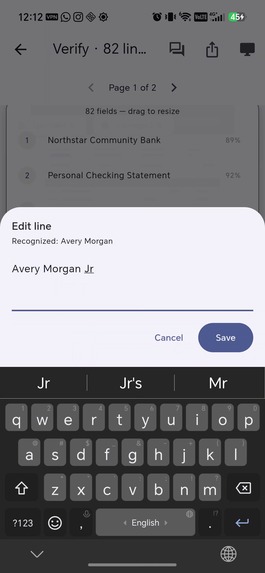
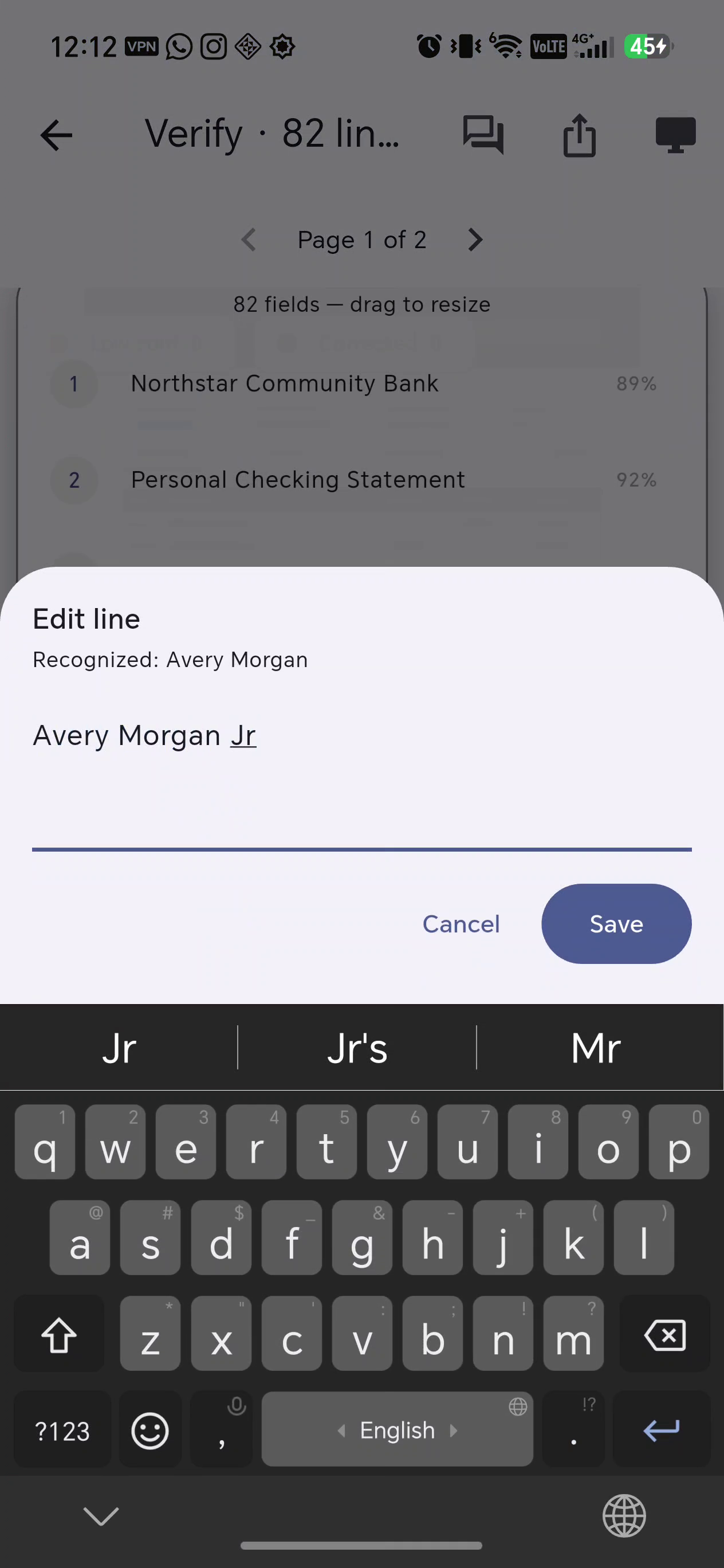
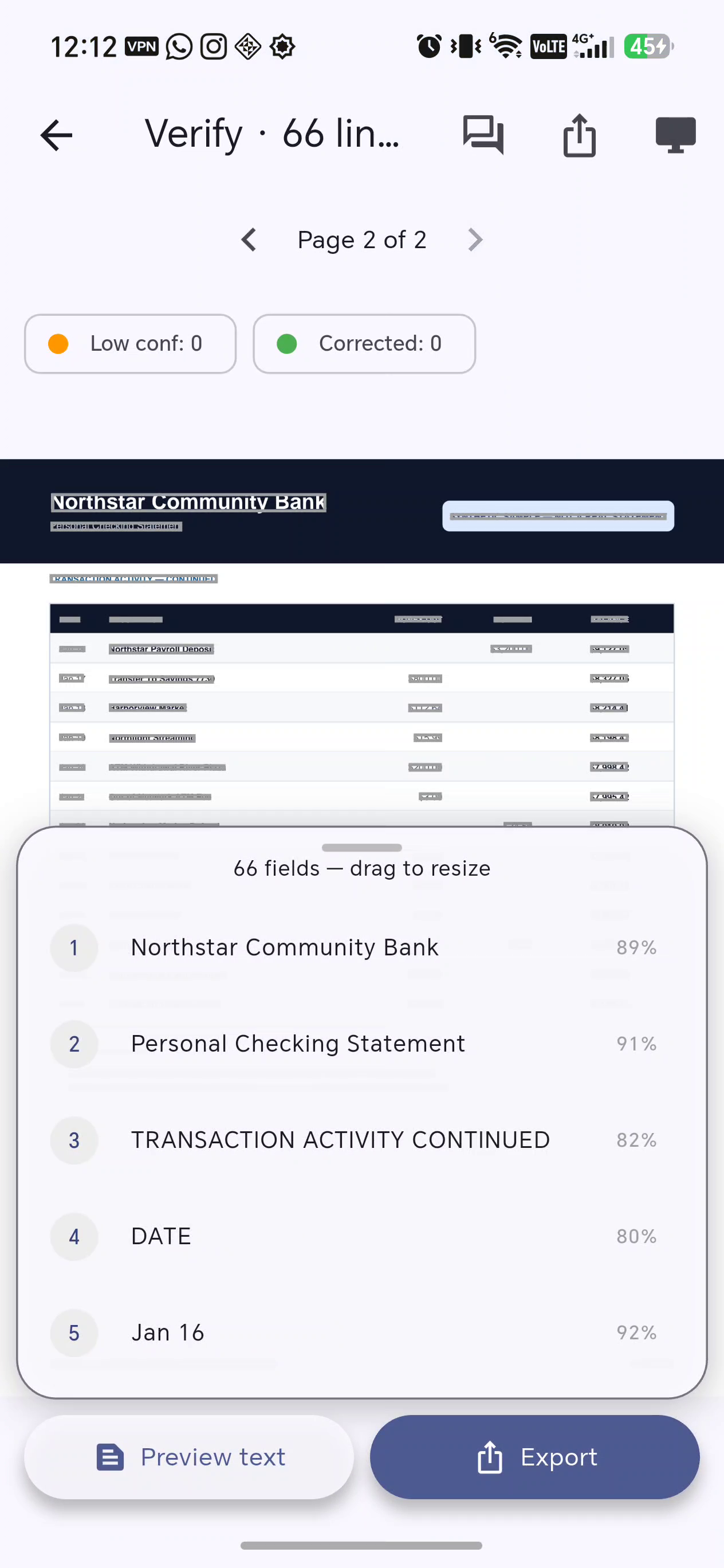
Low-confidence OCR corrected in context before export
-
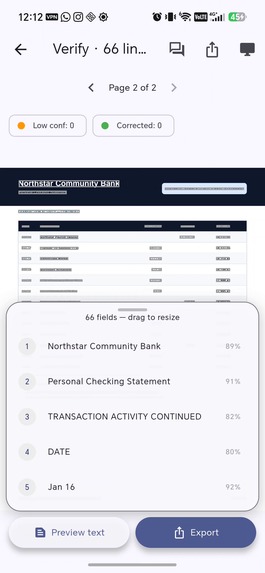
Source-linked OCR with per-line confidence across a multi-page document
-
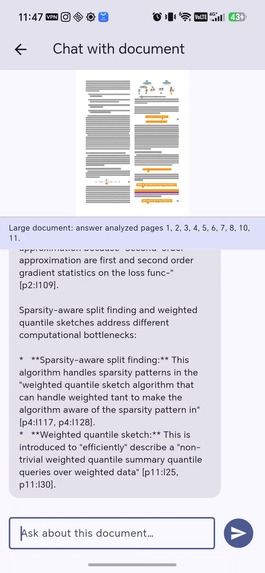
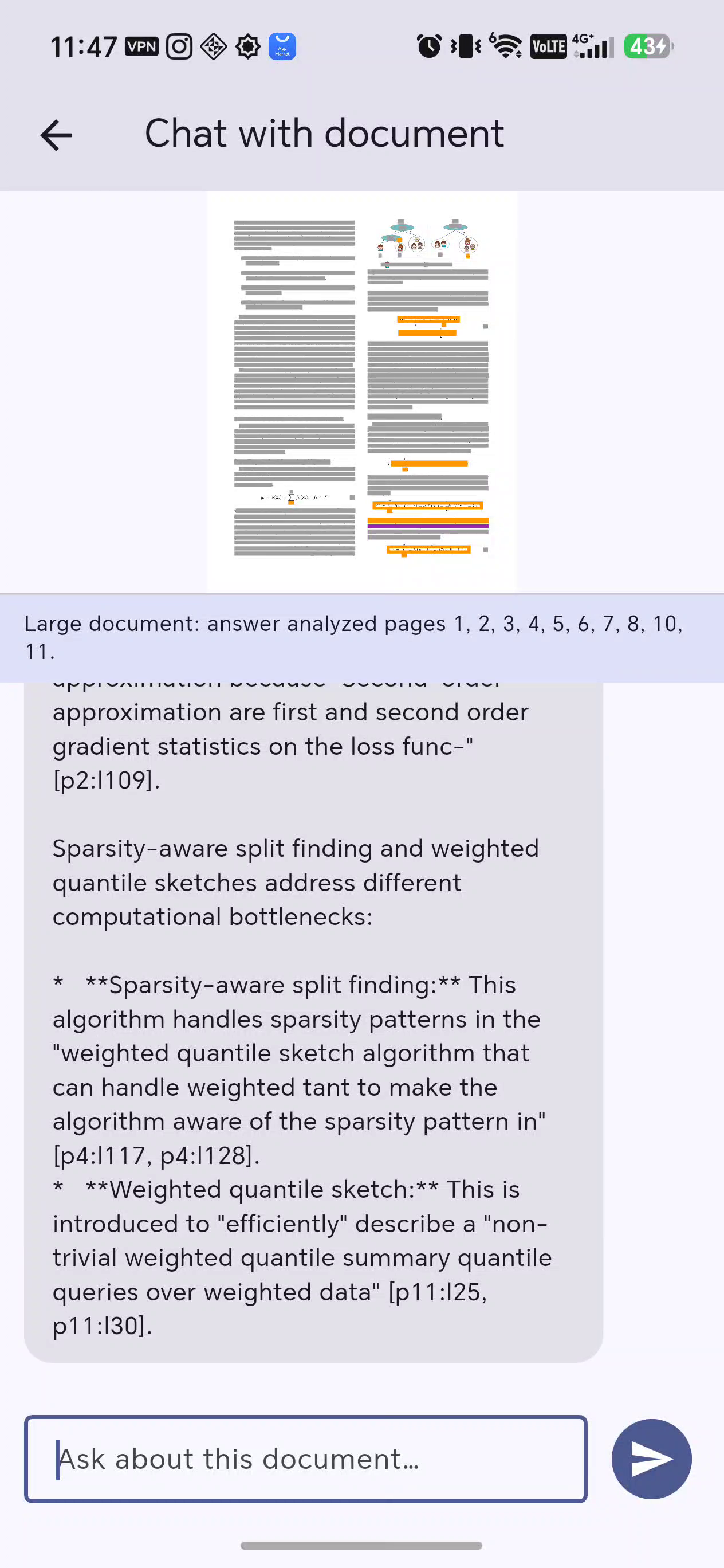
On-device Gemma answers a research-paper question with page and line citations
Why I built it
Most OCR apps return a wall of text and leave you to hope it is correct. OCR Verify focuses on the missing step: showing exactly what was extracted, where it came from, and what may need correction.
What it does
Scan a photo, select multiple images, or import a multi-page PDF. OCR Verify overlays recognized text on the original document, gives every line a confidence score, flags uncertain results, and lets you correct them in place. Once verified, text can be previewed or exported with page references.
For long documents, the on-device document chat retrieves relevant OCR lines across pages and answers with page-and-line citations. It was tested on a 13-page XGBoost research paper, including difficult cross-section questions and repeated follow-ups.
Beam sends only the verified text you explicitly choose to a computer. The app creates a six-character code; enter it at the Beam page and the text is copied. No account or cable is required. Relay data expires after ten minutes and is deleted after it is fetched.
Privacy by architecture
OCR runs locally with Google ML Kit, and document chat runs locally with Gemma. Document images do not need to leave the phone. Beam is the only networked document feature and sends selected text, not the source image.
How I built it
The mobile app uses Flutter, Google ML Kit, Gemma through LiteRT-LM, and RevenueCat. Supabase provides the short-lived Beam relay, while Vercel hosts the receiver page. RevenueCat powers the Pro entitlement and purchase flow.
Challenges and lessons
Dense PDFs exposed several real problems: transparent PDF renders hid body text, oversized prompts exceeded the model's 2,048-token state, and page-level retrieval could miss evidence from another section. I fixed these by rendering onto an opaque background, bounding context safely, retrieving ranked OCR lines across pages, and starting a fresh model session for each document question.
The result is a trust-first scanner: users can see the source, inspect uncertainty, correct mistakes, and keep sensitive documents on their own device.

Log in or sign up for Devpost to join the conversation.