-
-
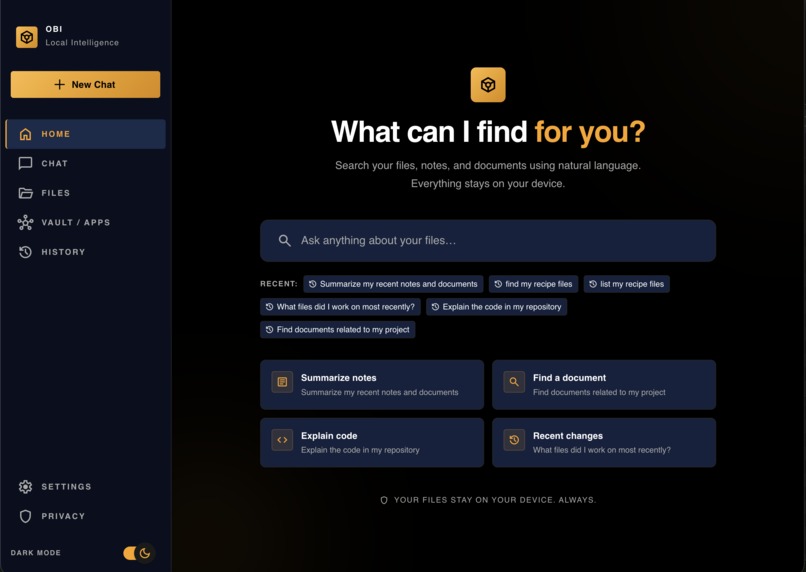
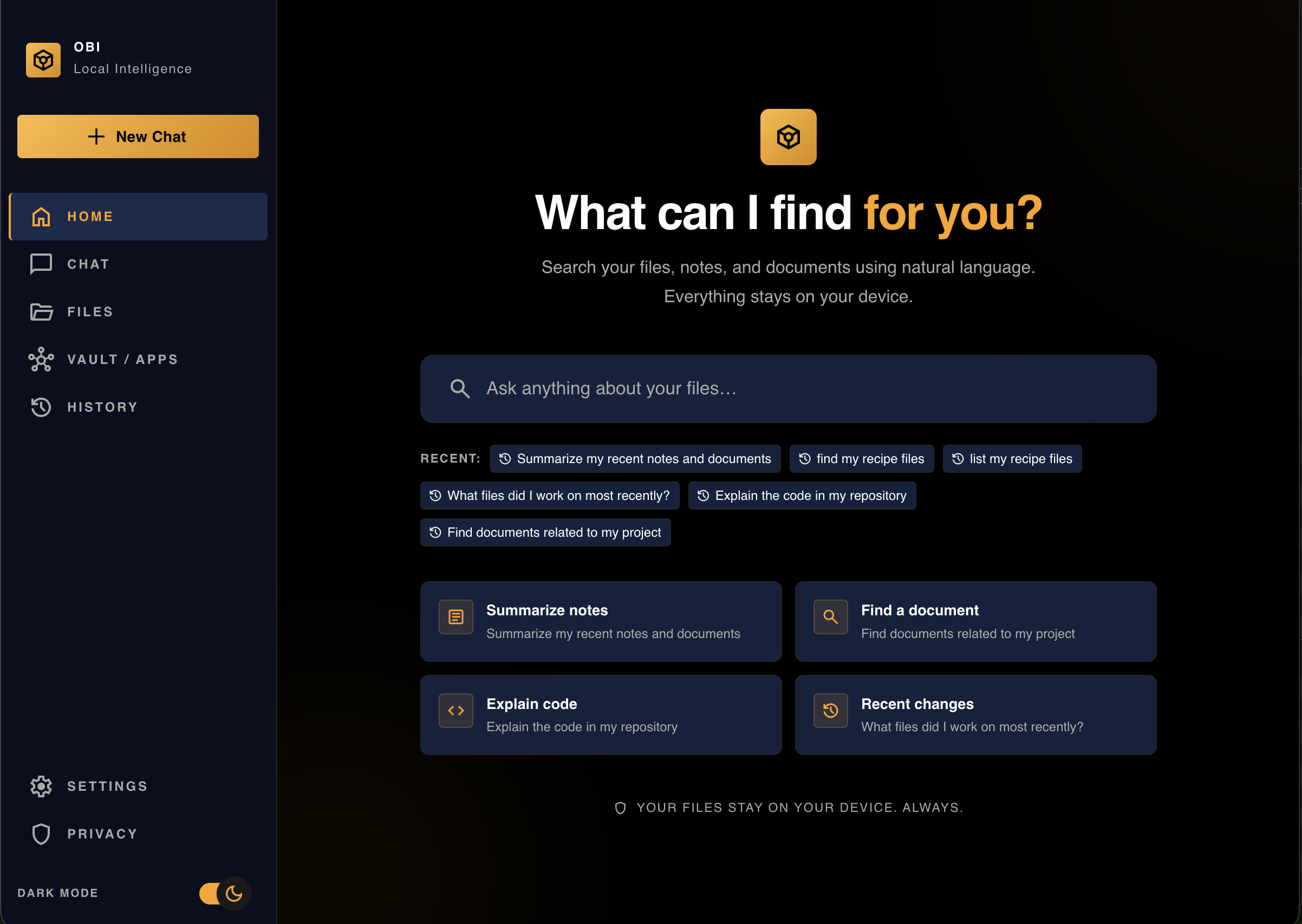
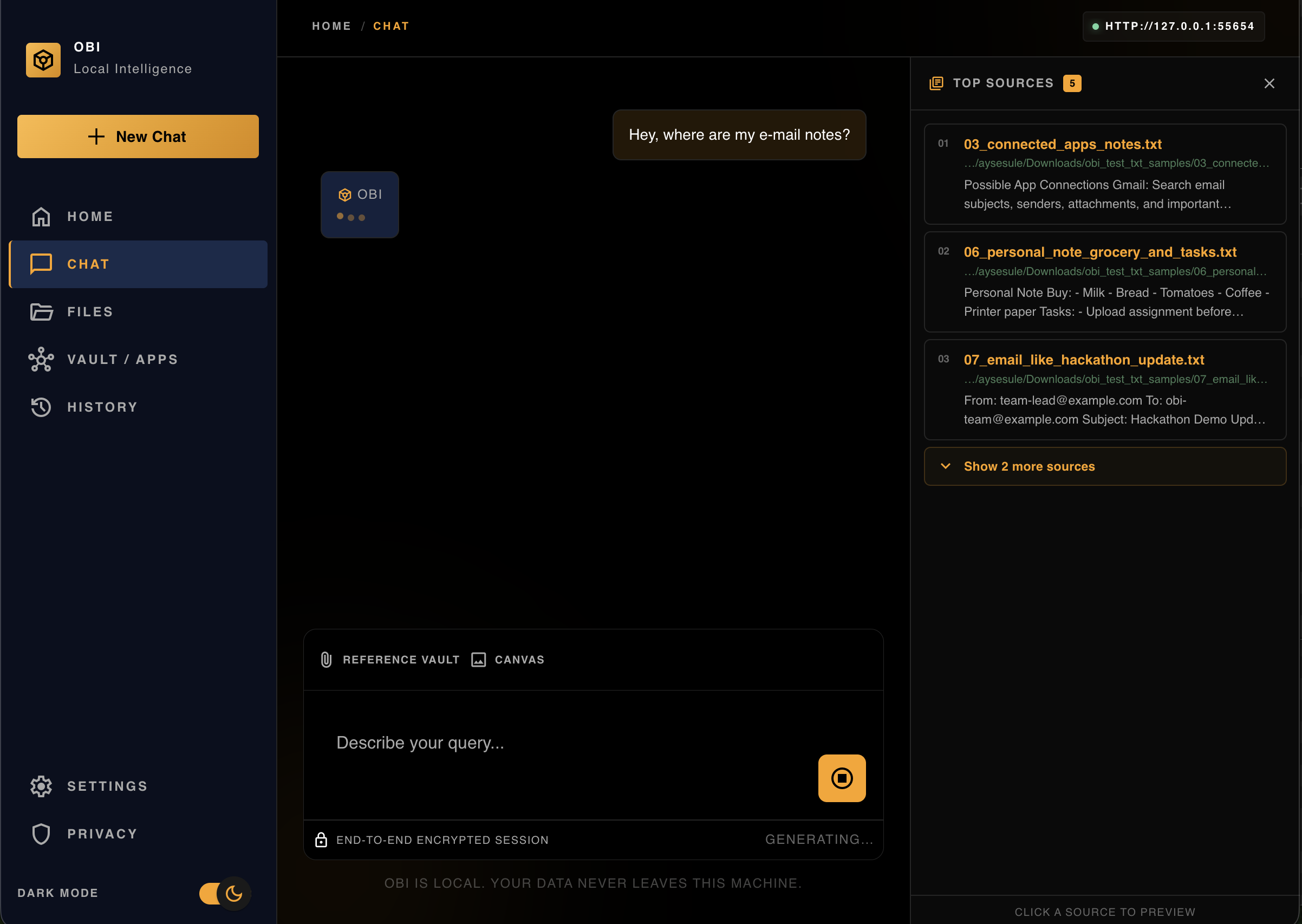
Chat
-

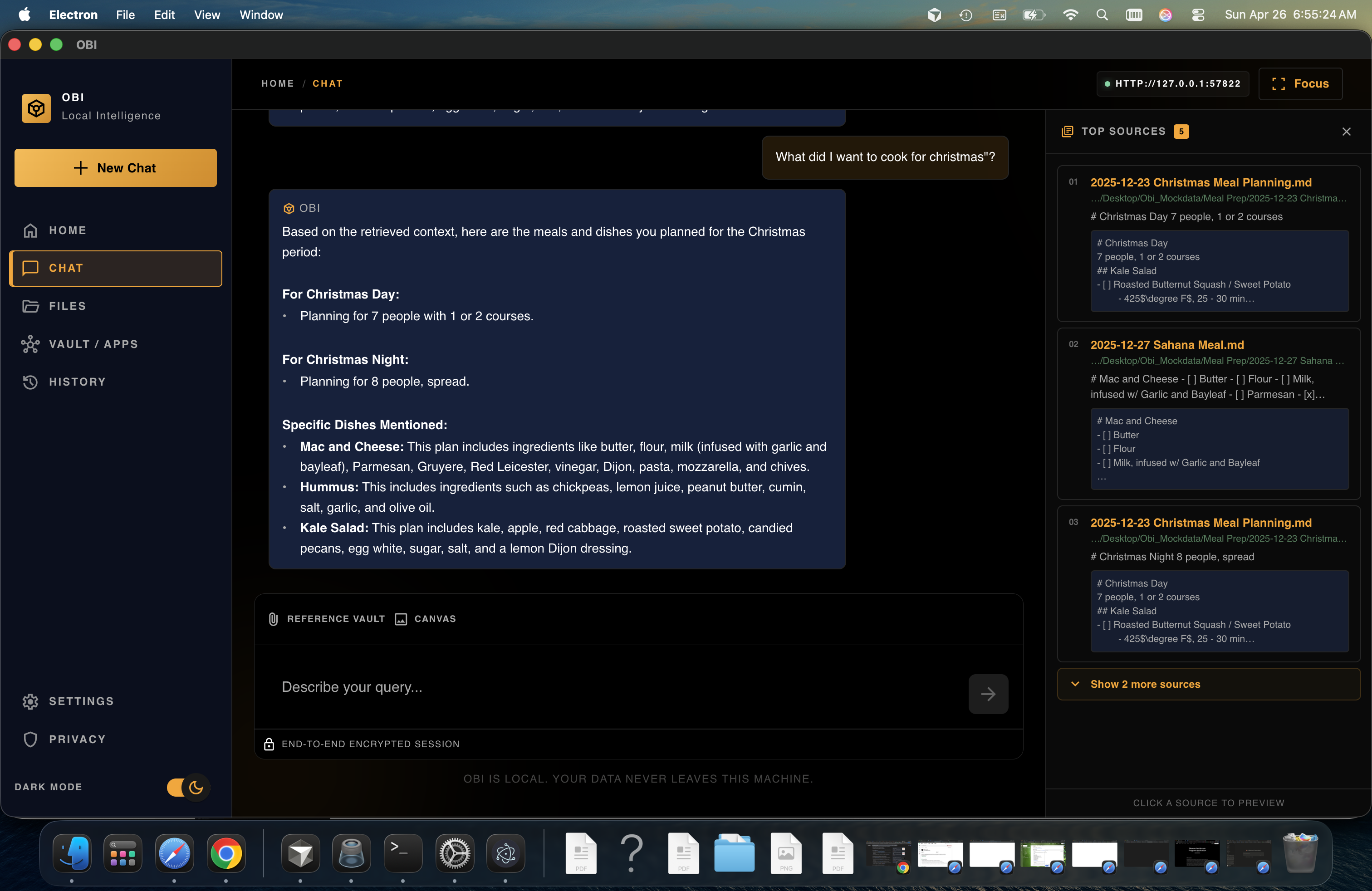
Chat
-
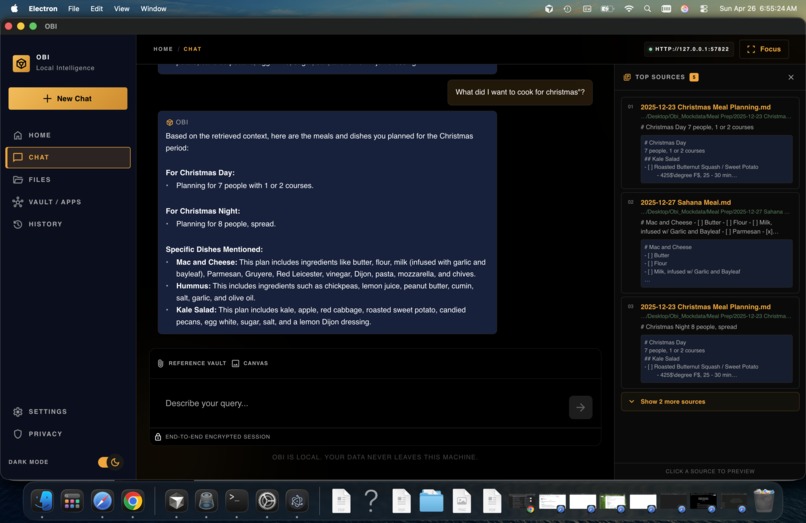
Chat Response
-
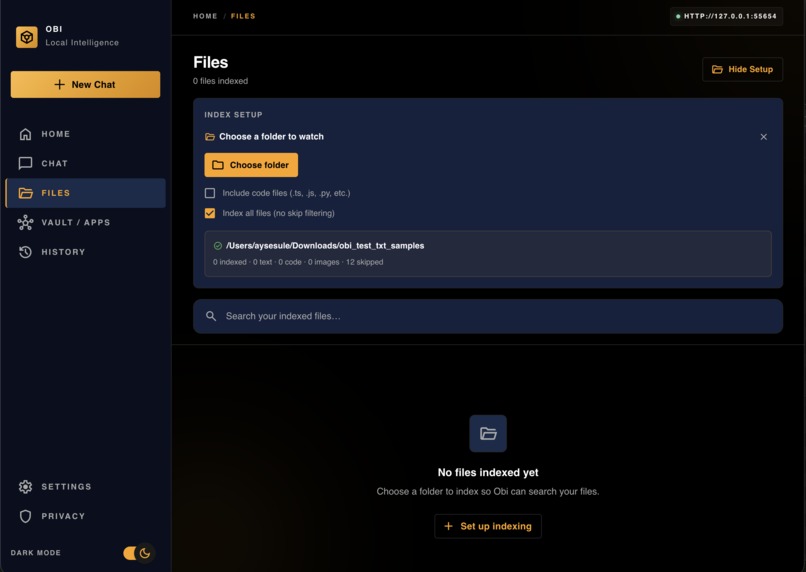
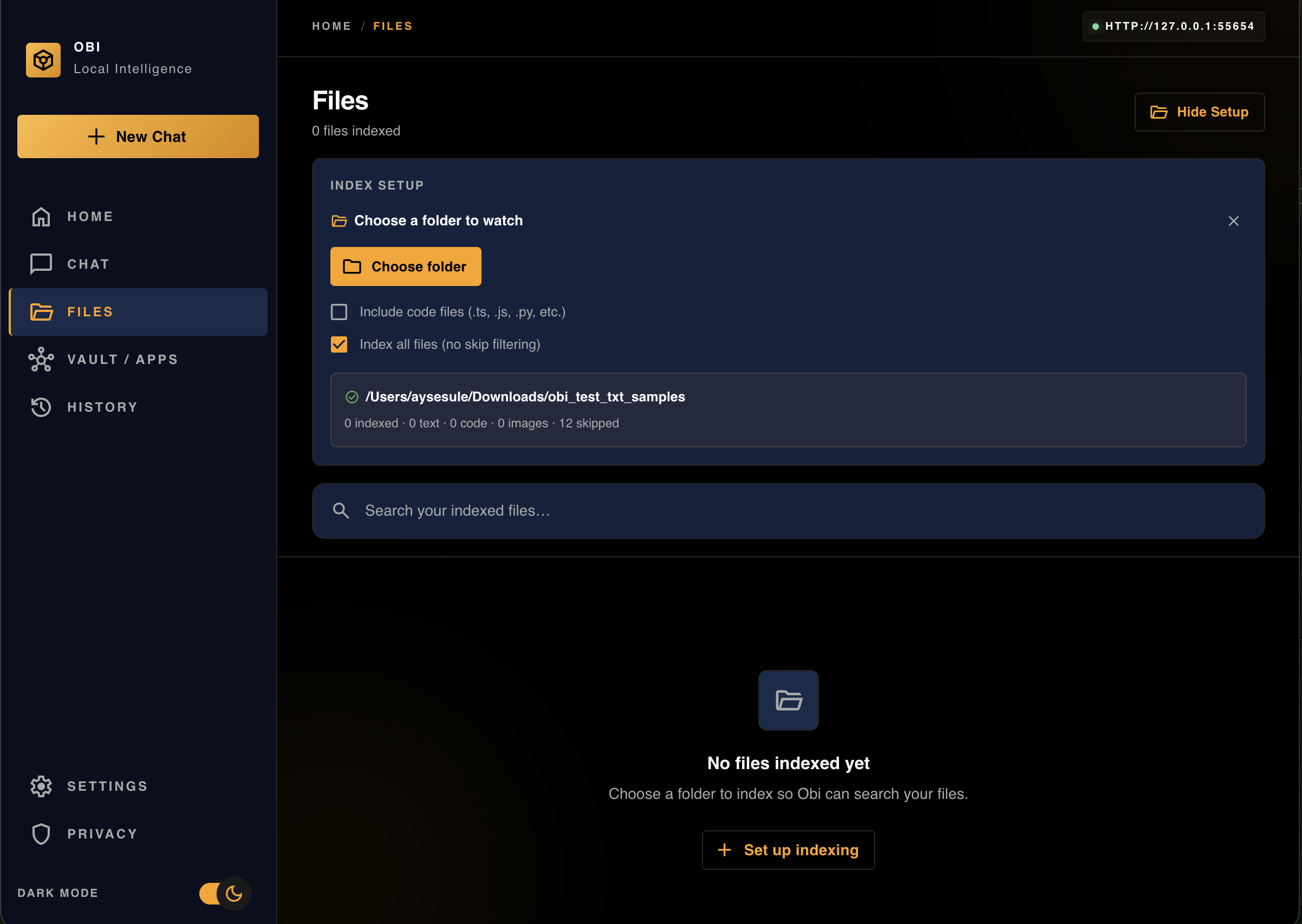
Files
-
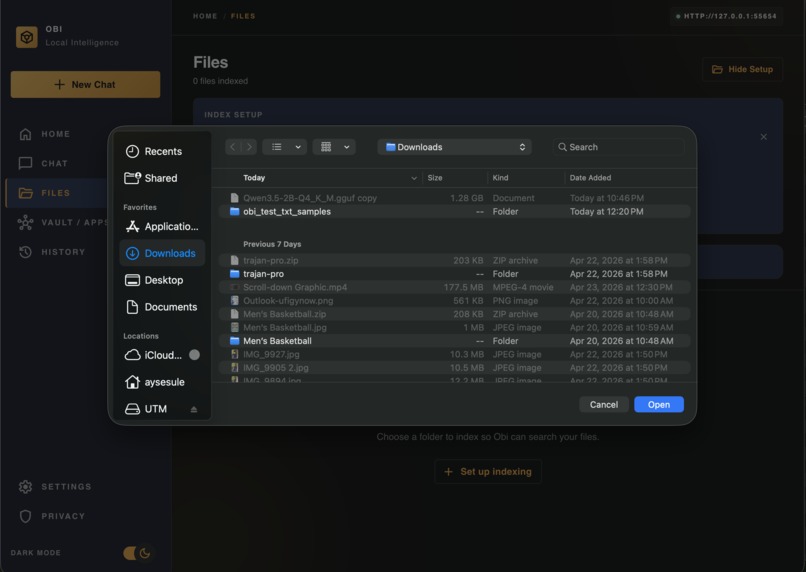
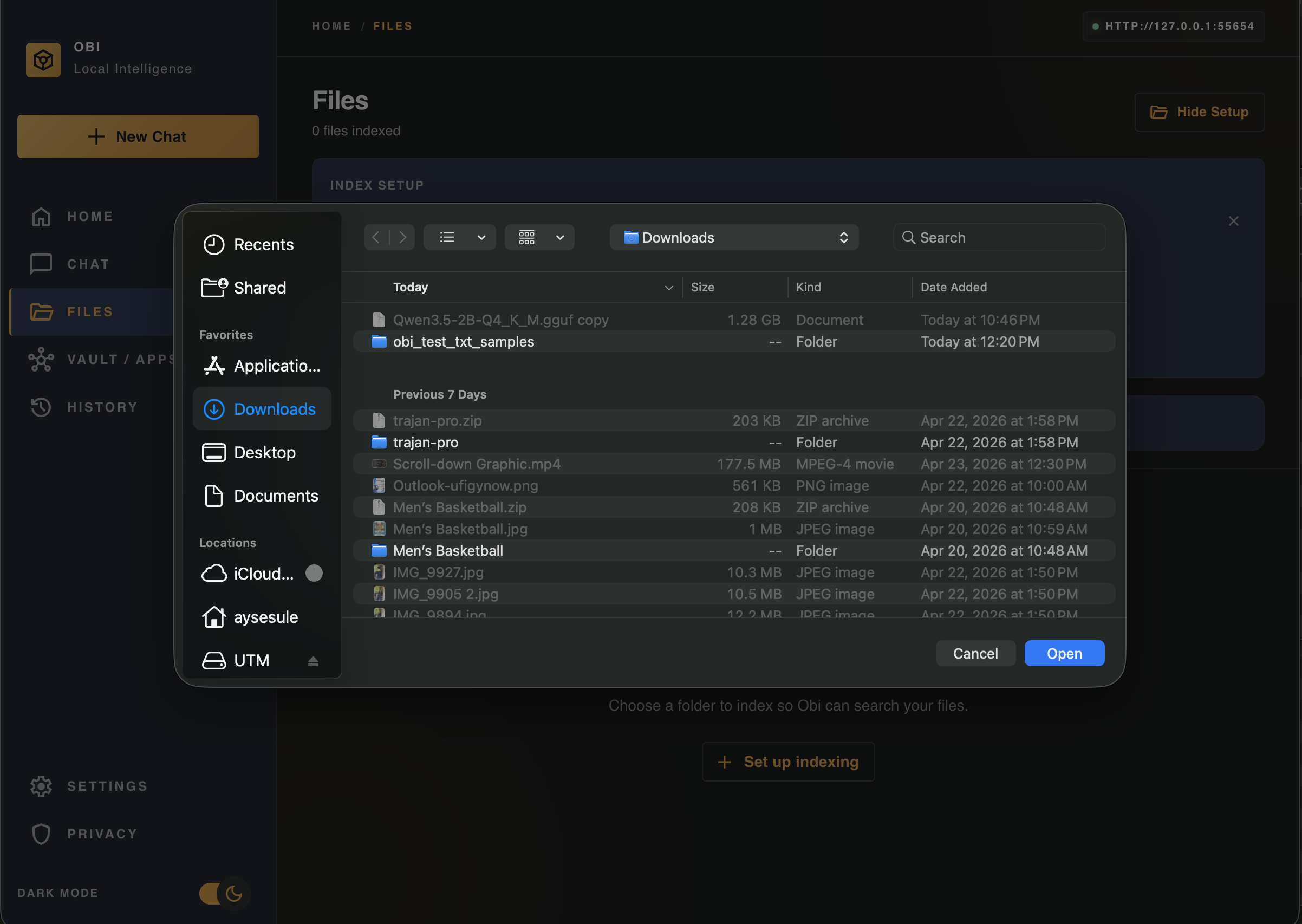
File Set-up
-
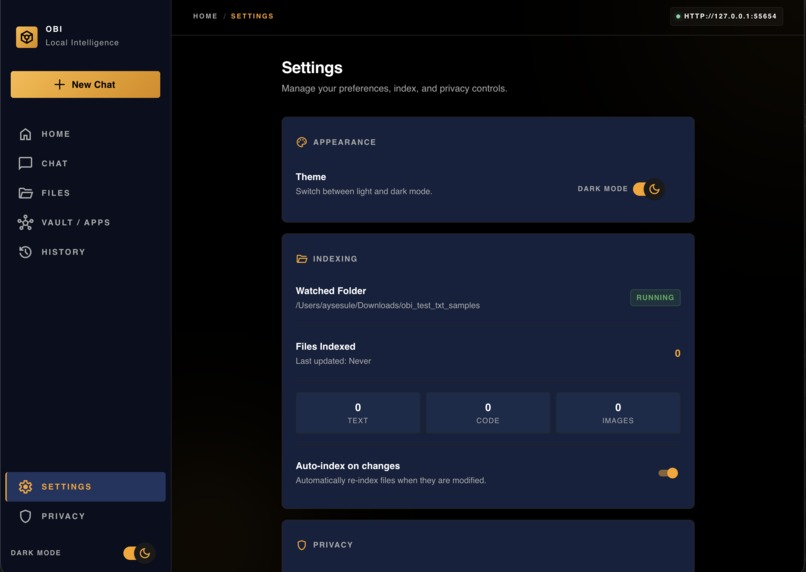
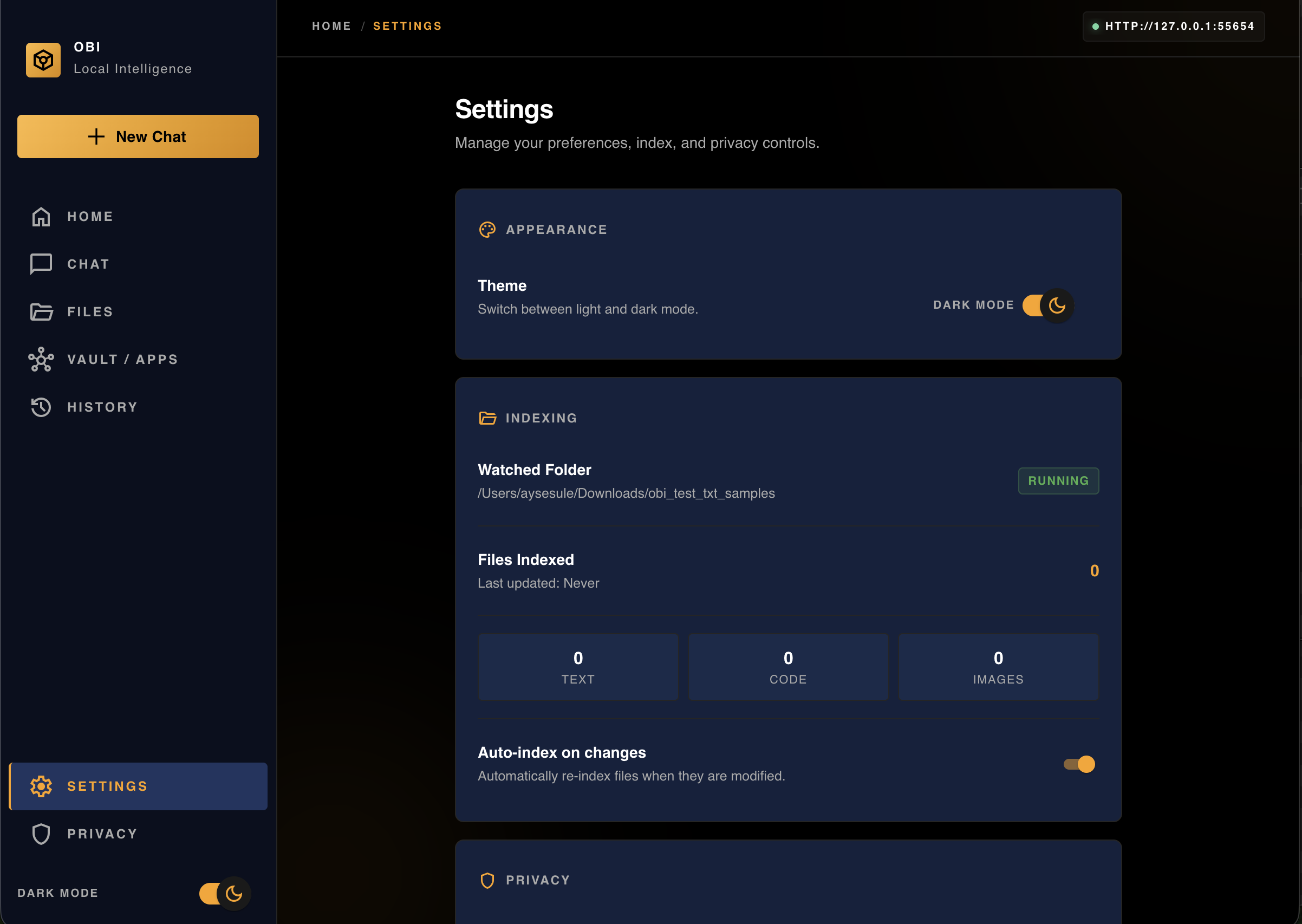
Settings
-
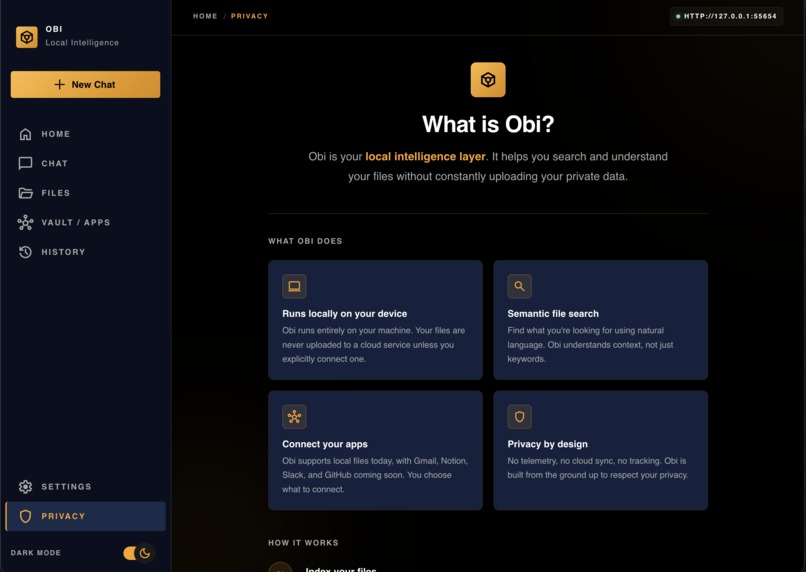
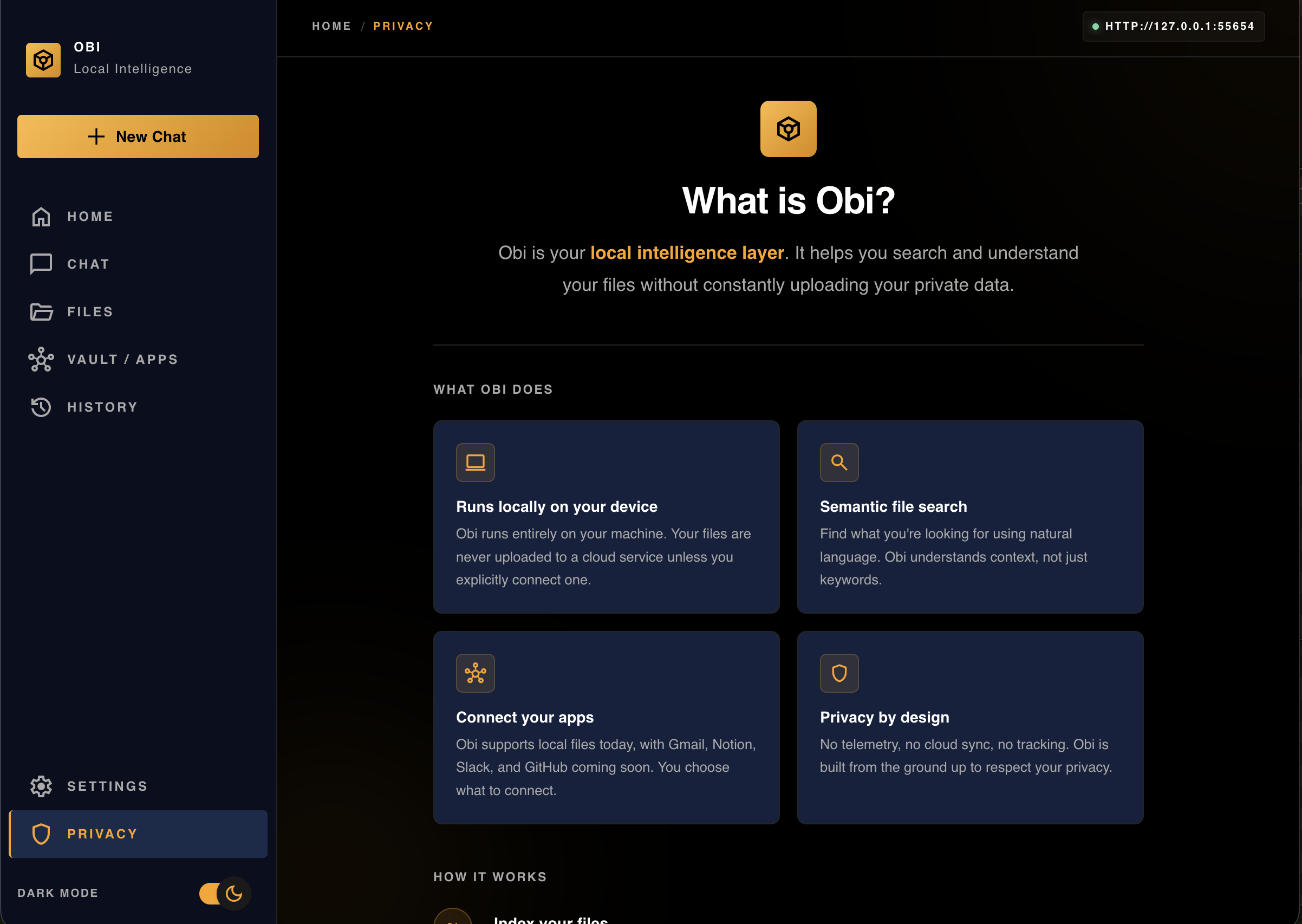
Privacy
-

Logo
-
Logo
-
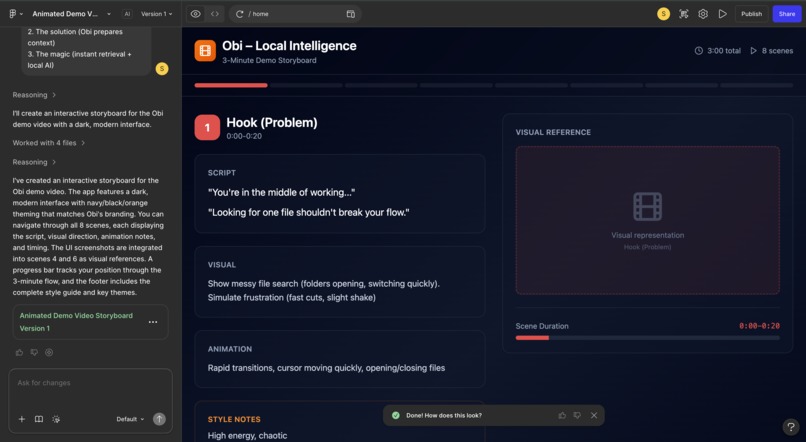
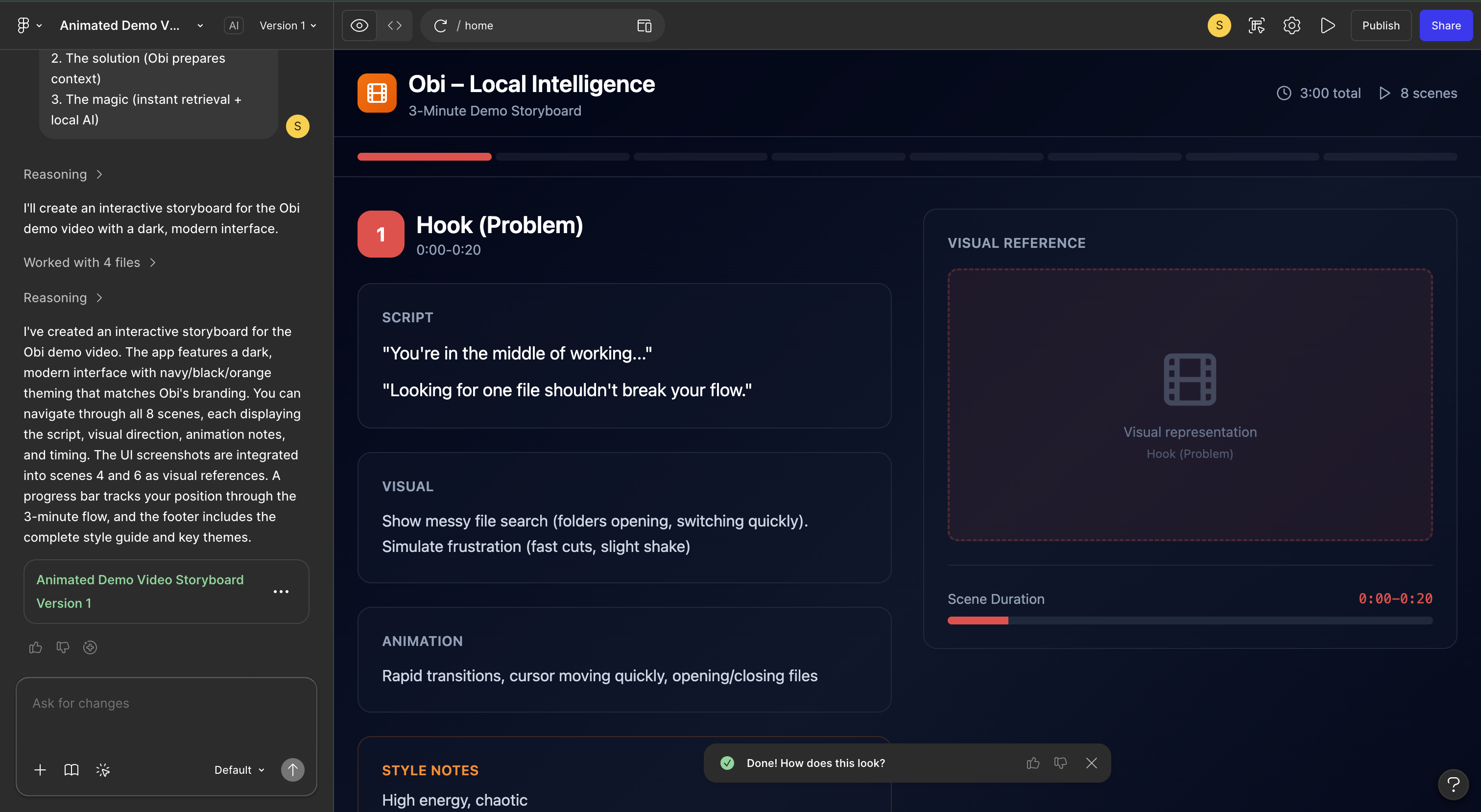
We tried to gather our thoughts and pitch using FigmaMake to brainstorm and visualize.
-
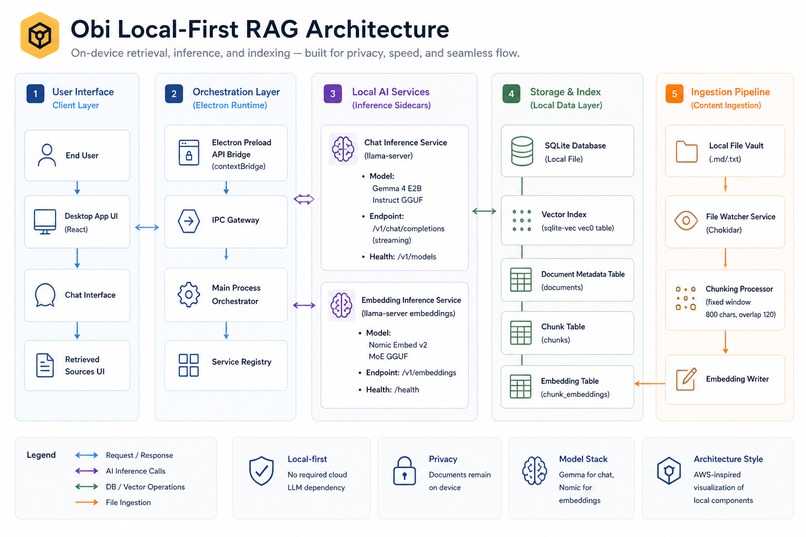
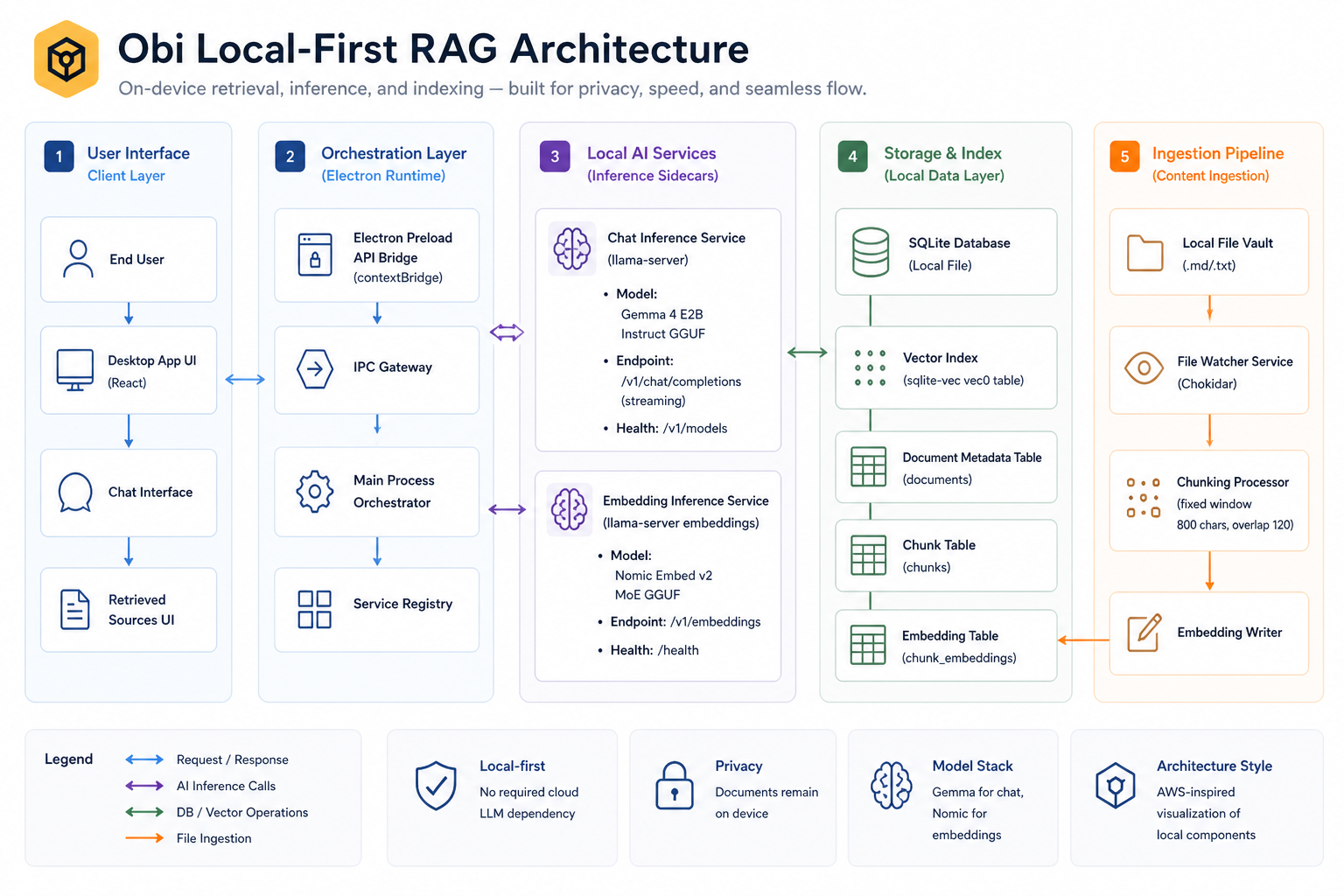
Architecture Diagram

From Flicker to Flow
Modern workflows are fragmented.
You jump between folders, notes, and half-remembered files just to find one piece of information. That constant flicker of context switching breaks focus and slows everything down.
We built Obi to fix that.
Inspired by mise en place, the idea of preparing everything before you begin, Obi keeps your data organized and ready so you can stay in a single loop:
ask → retrieve → continue
No digging. No switching. Just flow.
What Obi Does
Obi is a local-first “second brain” for your files.
It instantly finds the most relevant information from your own data, including text and images, without interrupting your workflow.
Instead of searching manually, you just ask. Obi retrieves exactly what you need.
By combining keyword search and semantic search, Obi delivers accurate, context-aware results while reducing friction for users.
It also acts as a context filter for AI agents by providing only the most relevant information instead of entire files. This significantly reduces token usage and improves response quality.
How It Works
Obi runs entirely on your machine and is built around three core layers:
1. Live Indexing
- Monitor folders of Markdown, text, and image files
- Automatically update as files change
- Always reflect real-time data, not stale snapshots
2. Hybrid Retrieval
- Keyword search for exact matches
- Vector search for semantic understanding
- Combined ranking for higher accuracy
Text is chunked, embedded, and stored in a local SQLite database using sqlite-vec.
3. Local AI Inference
- Fully local chat and embeddings pipeline
- Powered by Gemma via
llama.cpp
Models:
- Chat: Gemma (quantized GGUF for efficient local inference)
- Embeddings: Nomic Embed v2 (GGUF) , CLIP
No cloud. No data leaves your machine.
Why This Matters for Agents
Most agents are inefficient because they operate on too much context.
They either:
- Load entire files
- Or rely on incomplete keyword search
Obi fixes this by acting as a precision retrieval layer.
Instead of: agent → entire dataset → high token usage
You get: agent → Obi → relevant chunks only
This results in:
- Lower token usage
- Faster responses
- Better grounding and fewer hallucinations
- More scalable agent workflows
Obi becomes the mise en place step for agents, preparing exactly the context they need before generating a response.
Retrieval Intuition
We embed both your query and your data into vectors and retrieve the closest matches:
\( \text{cosine-sim}(q, c_i) = \frac{q \cdot c_i}{|q| |c_i|} \)
In simple terms, Obi finds the pieces of your data that are most relevant to your question.
Challenges We Faced
Model startup and compatibility
Loading local models introduced latency and debugging challengesSpeed versus quality tradeoffs
We balanced fast responses with meaningful, grounded resultsHybrid search tuning
Combining keyword and vector search required careful ranking to avoid noise
Accomplishments
- Fully local pipeline (hybrid retrieval and inference)
- Hybrid search with higher accuracy than standard RAG
- Support for both text and image-based context
- Real-time indexing with zero manual refresh
- A system that reduces both context-switching and token usage
What We Learned
Retrieval matters more than generation
The quality of search has a bigger impact than model sizeEfficient context reduces token costs
Smaller, more relevant inputs improve both speed and output qualityLocal AI is a systems problem
Performance, memory, and responsiveness are criticalTrust enables flow
Privacy and grounded outputs make users more confident and focused
Built for Local AI with Gemma
Obi is built entirely around on-device intelligence.
Instead of relying on cloud APIs, Obi runs:
- Local retrieval
- Local embeddings
- Local inference using Gemma
This means:
- Your data stays private
- Your assistant works offline
- Your workflow stays uninterrupted
Gemma enables fast, efficient, and context-aware responses directly on a laptop.
Figma Usage
- Utilised FigmaMake to iterate on the design language and color schemes of our UI.
- We also had a fun time using FigmaMake for making our impactful presentation with playful animations.
What’s Next
- Smarter hybrid ranking and re-ranking
- Improved multimodal retrieval across images and text
- Support for more file types such as PDFs and code
- Faster model loading and performance tuning
- Deeper integration with developer workflows and agents
Obi is mise en place for your data.
Everything in place, before you ask.
Stay in flow.
Built With
- better-sqlite3
- chokidar
- electron
- embeddings
- gemma
- gemma-4
- gguf
- llama-server
- llama.cpp
- local-first
- material-ui
- mui
- nomic
- nomic-embed
- on-device-ai
- rag
- react
- retrieval-augmented-generation
- sqlite
- sqlite-vec
- typescript
- vector-search
- vite


Log in or sign up for Devpost to join the conversation.