-
-
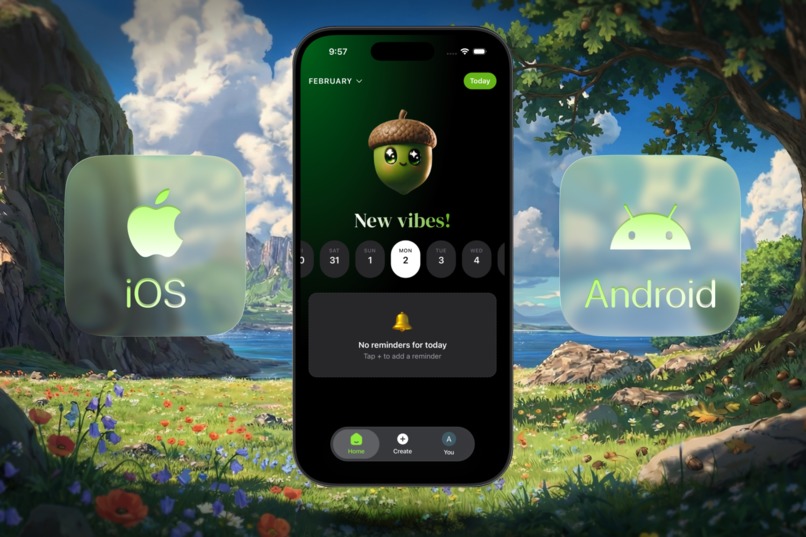
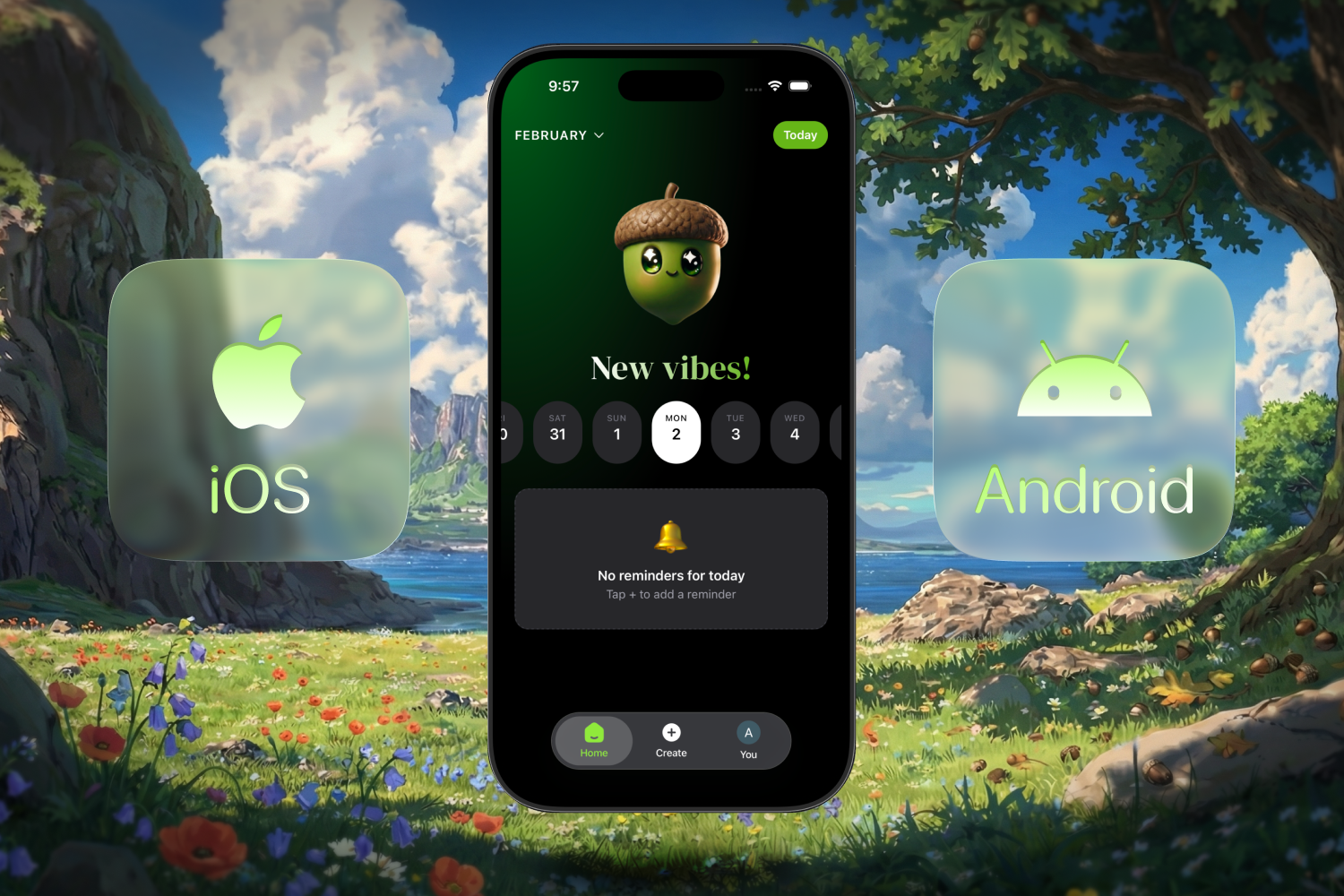
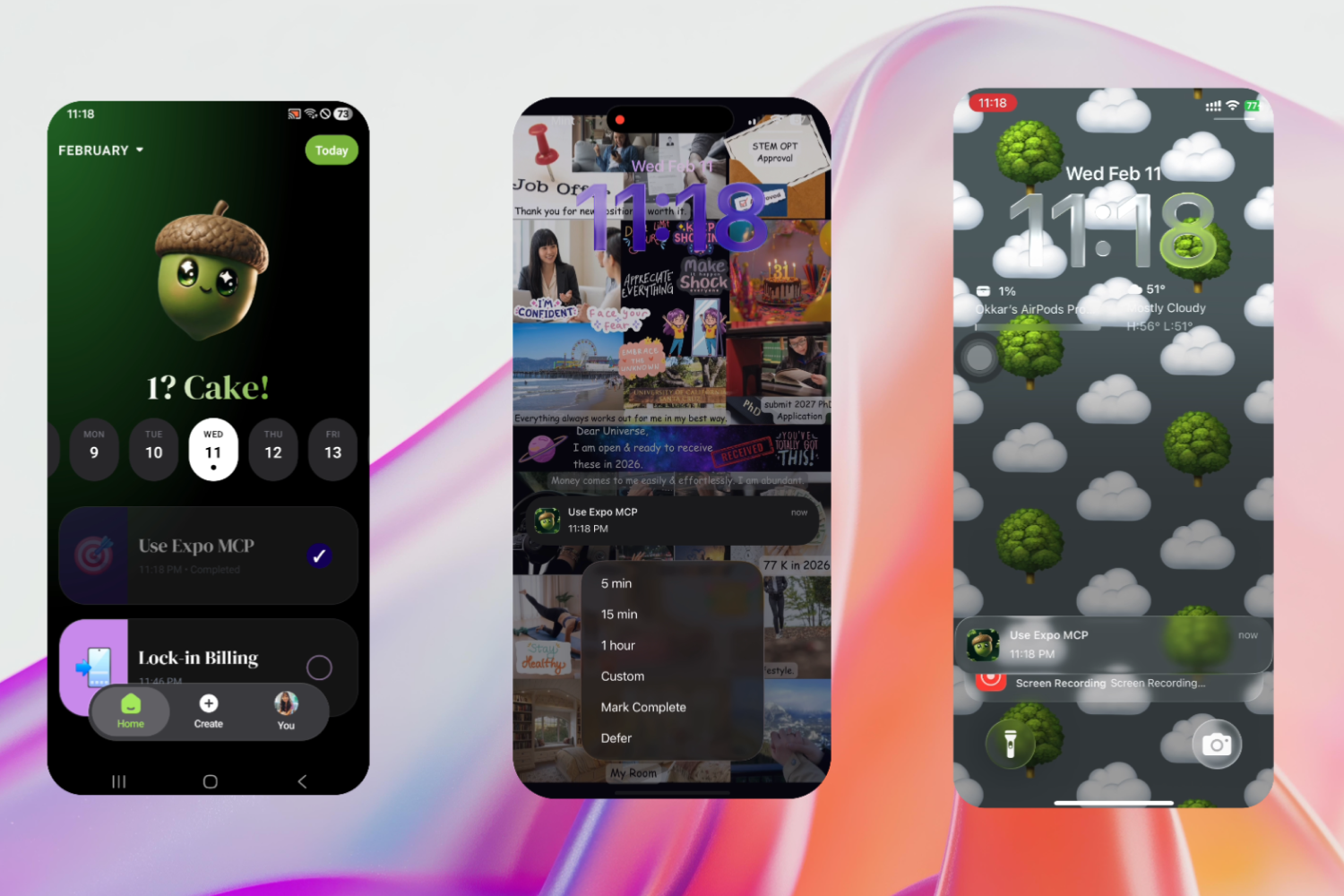
Cross-platform
-
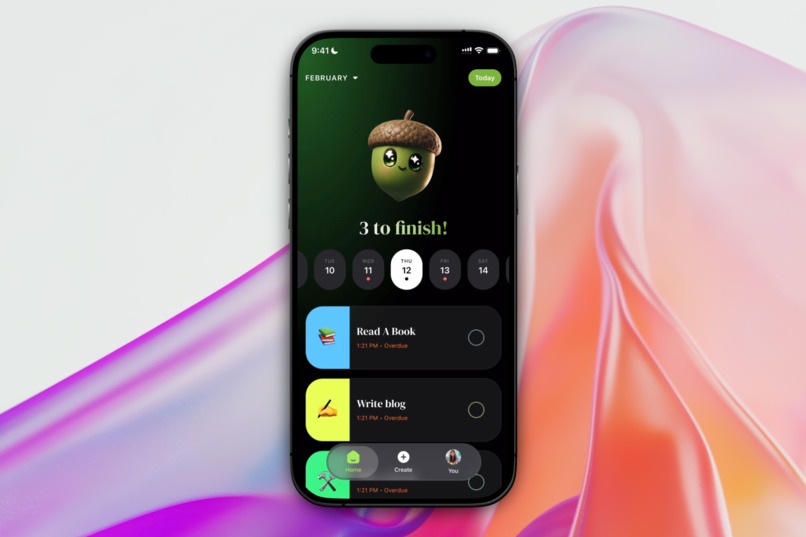
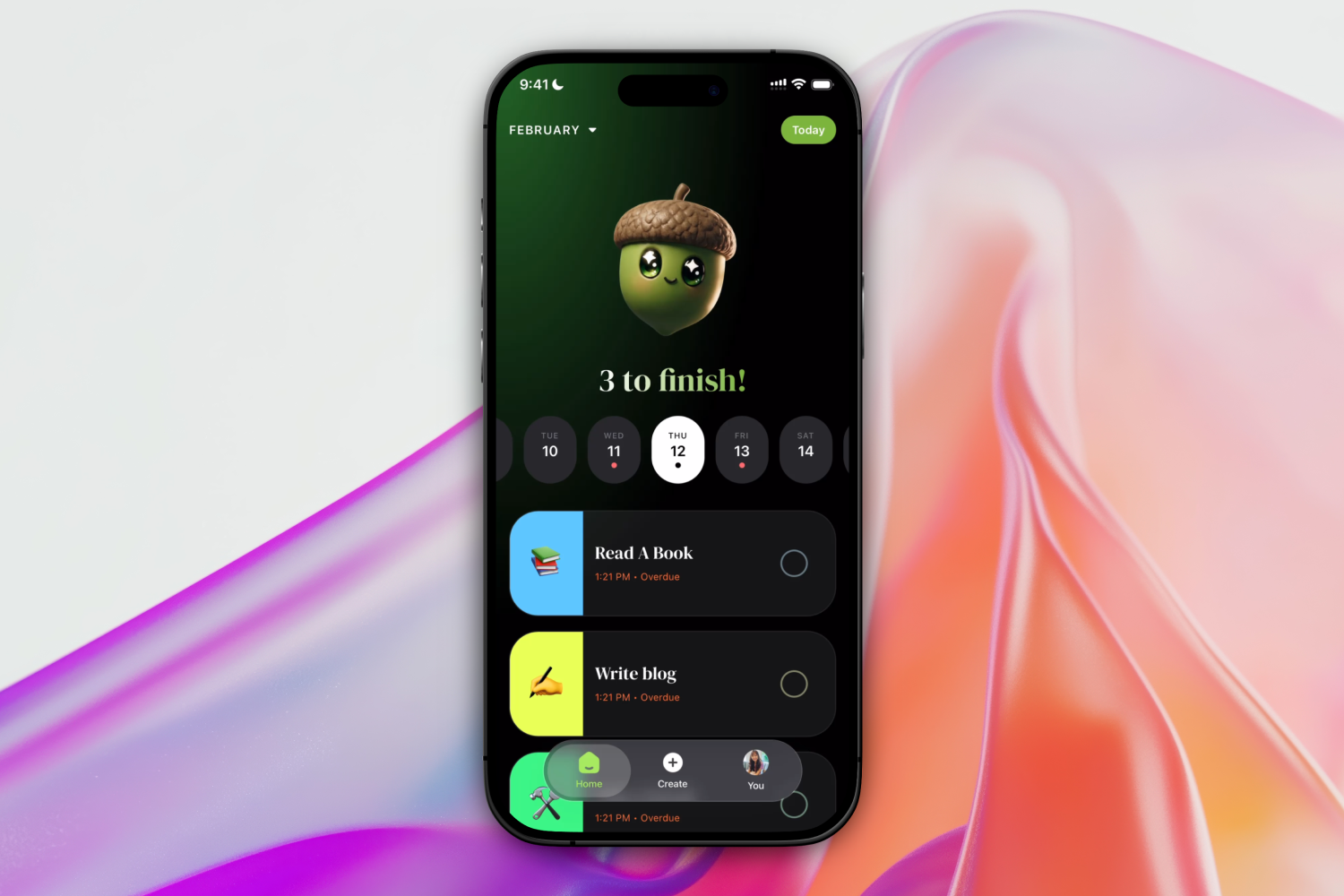
Home Page
-
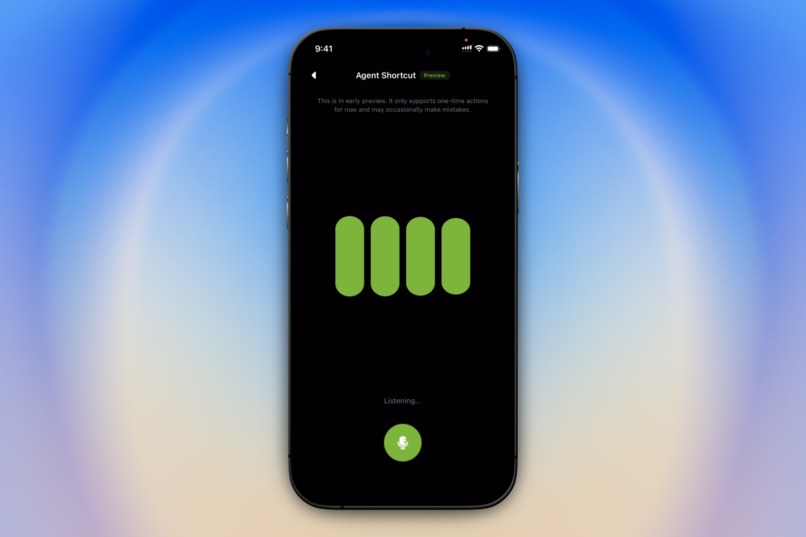
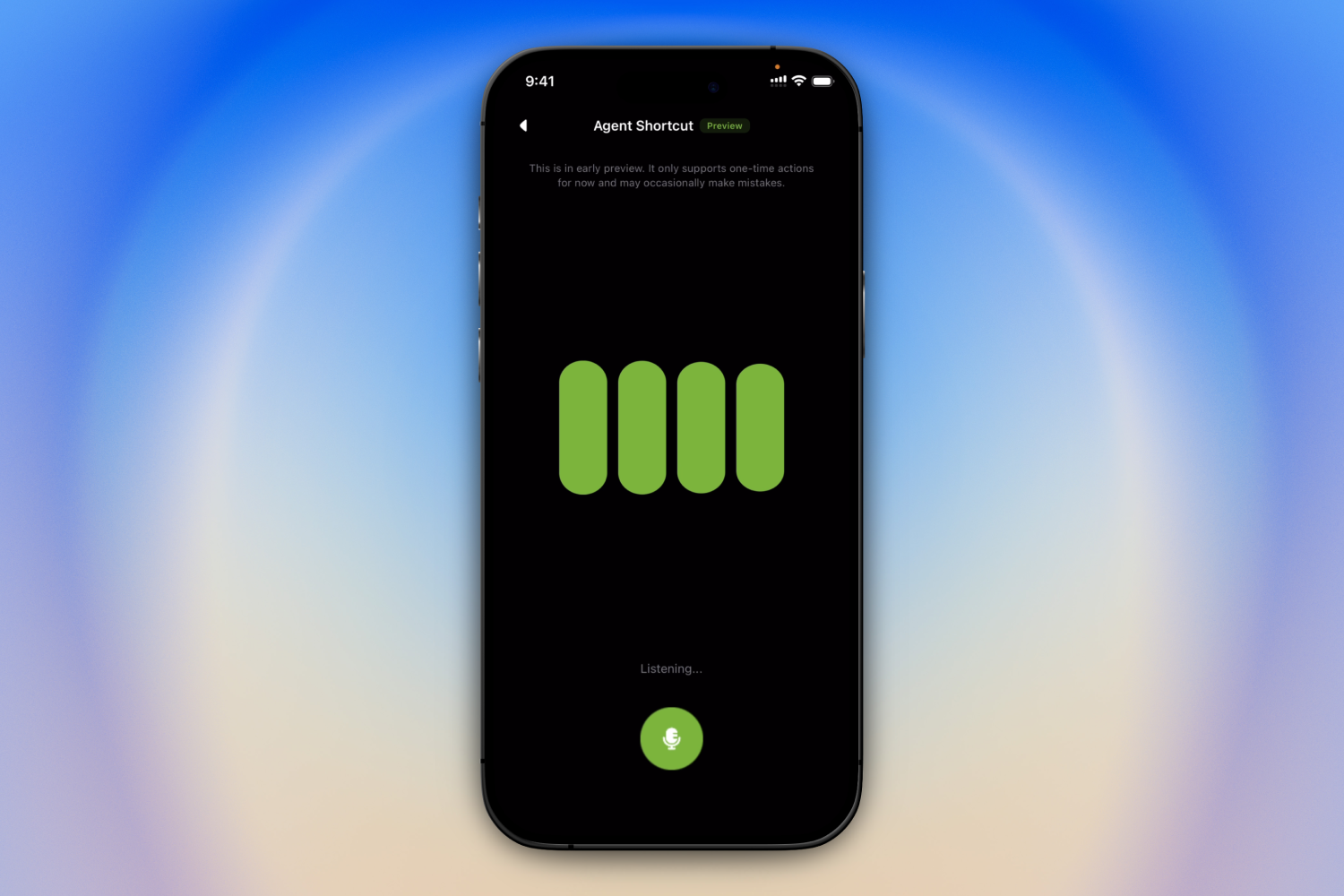
Voice Agent
-
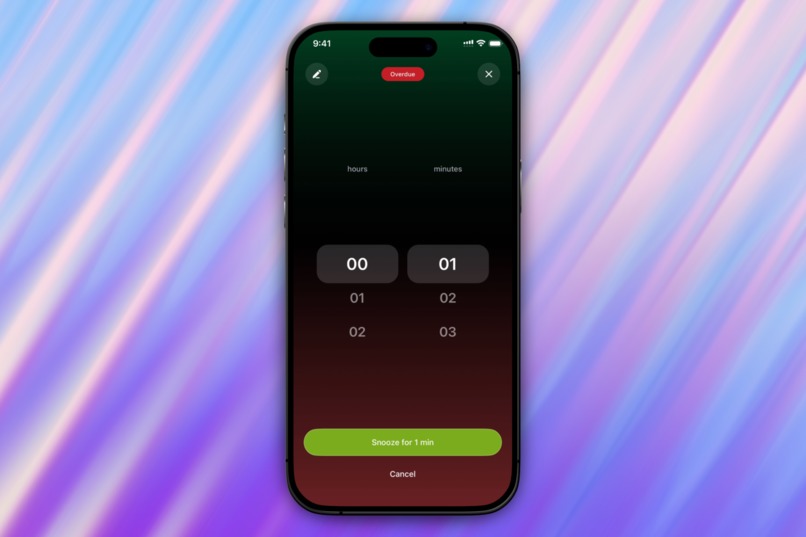
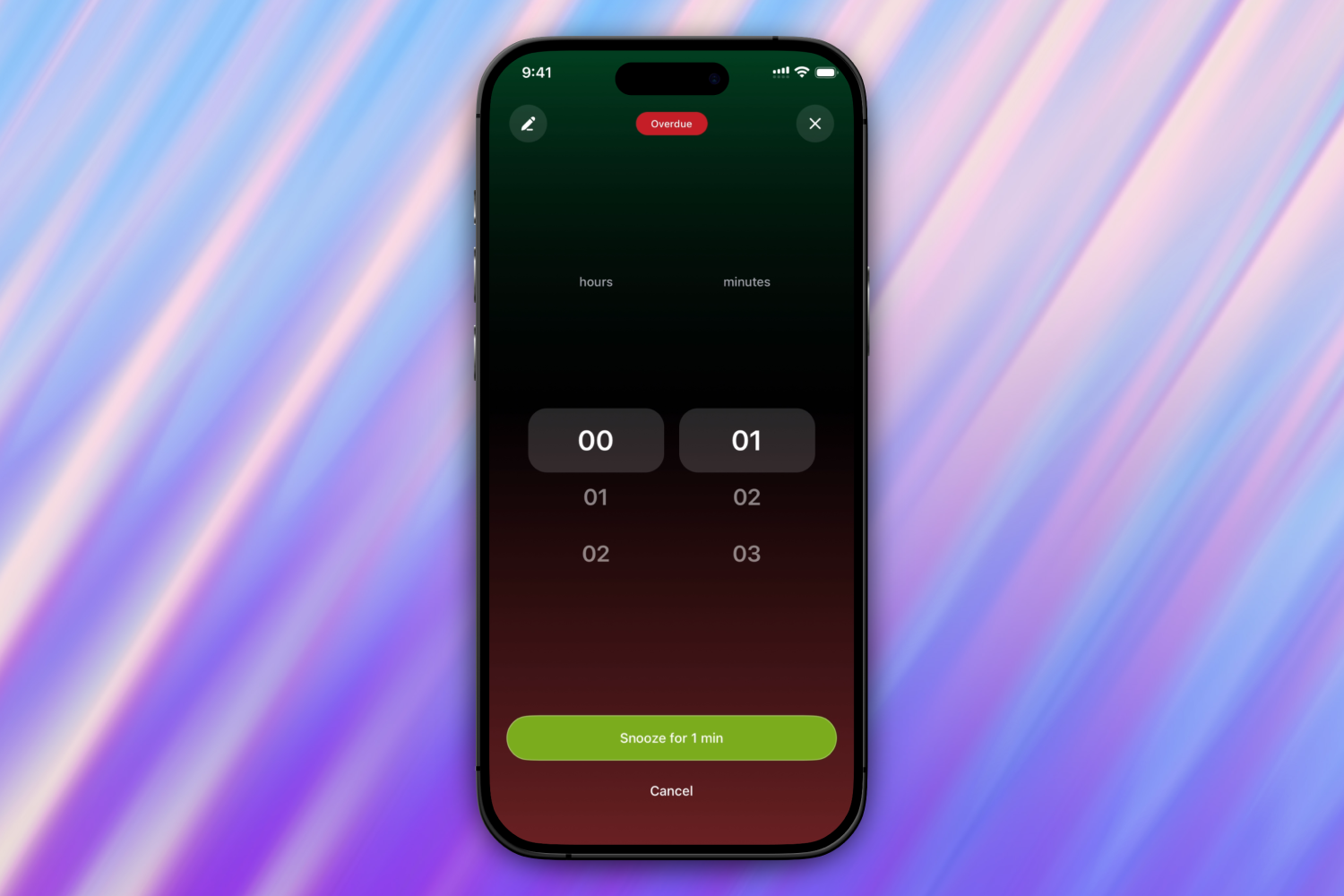
In-app Snooze
-
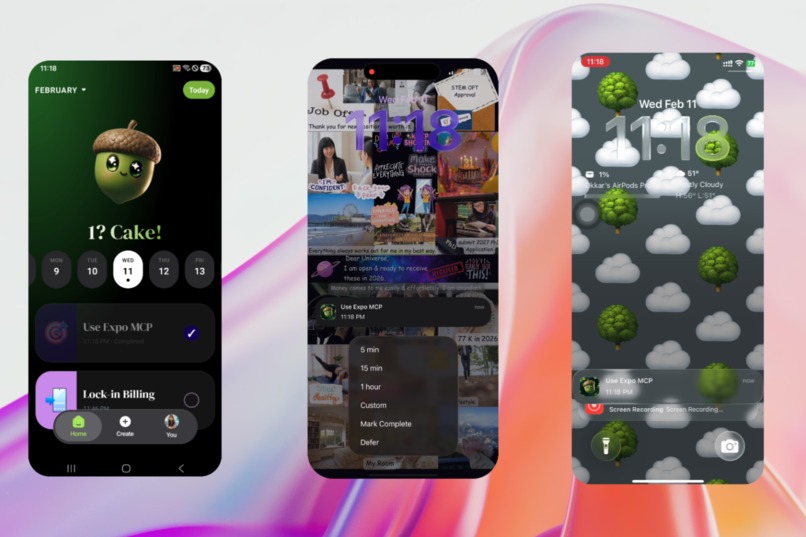
Cross-device Sync
-
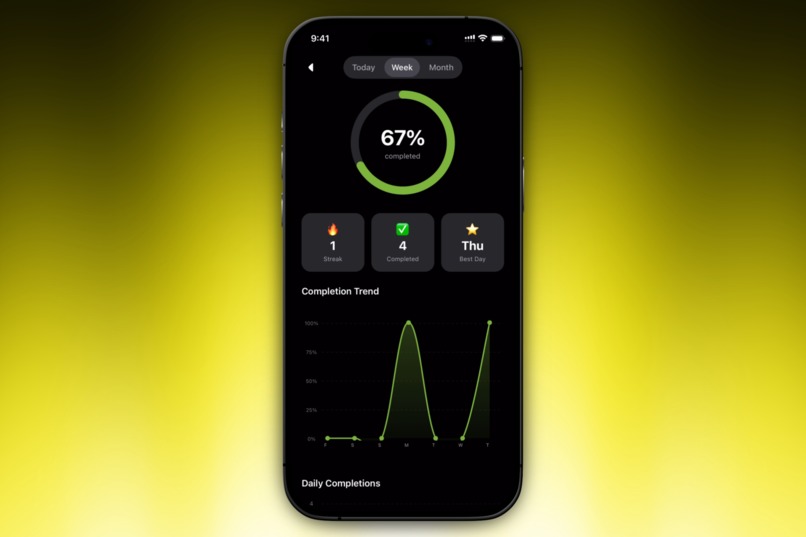
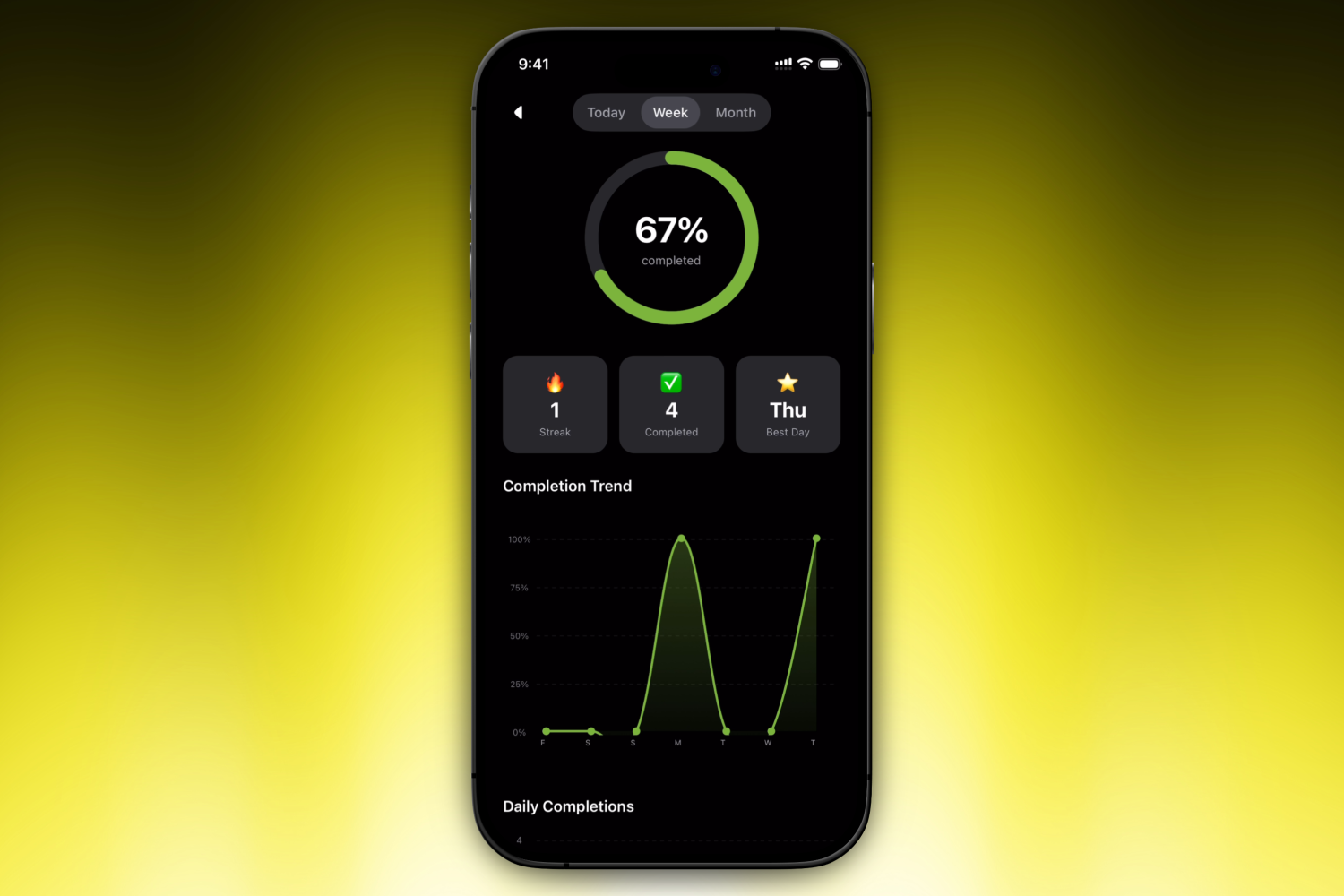
Analytics
-
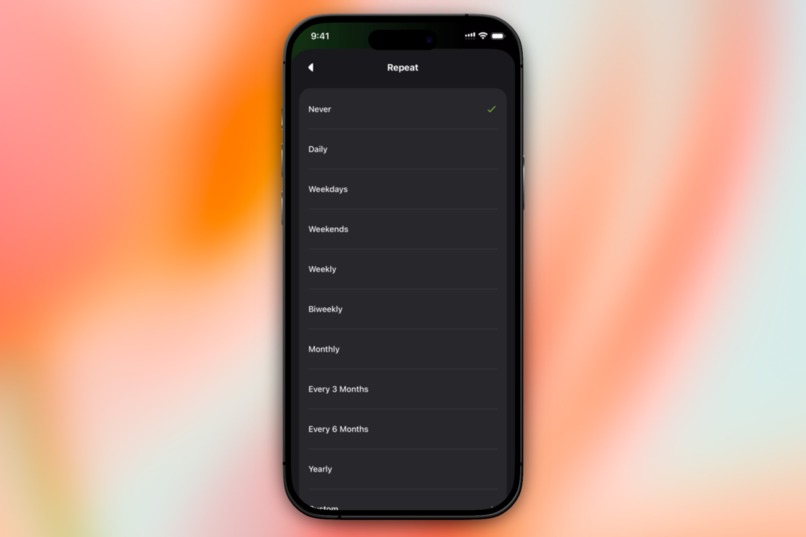
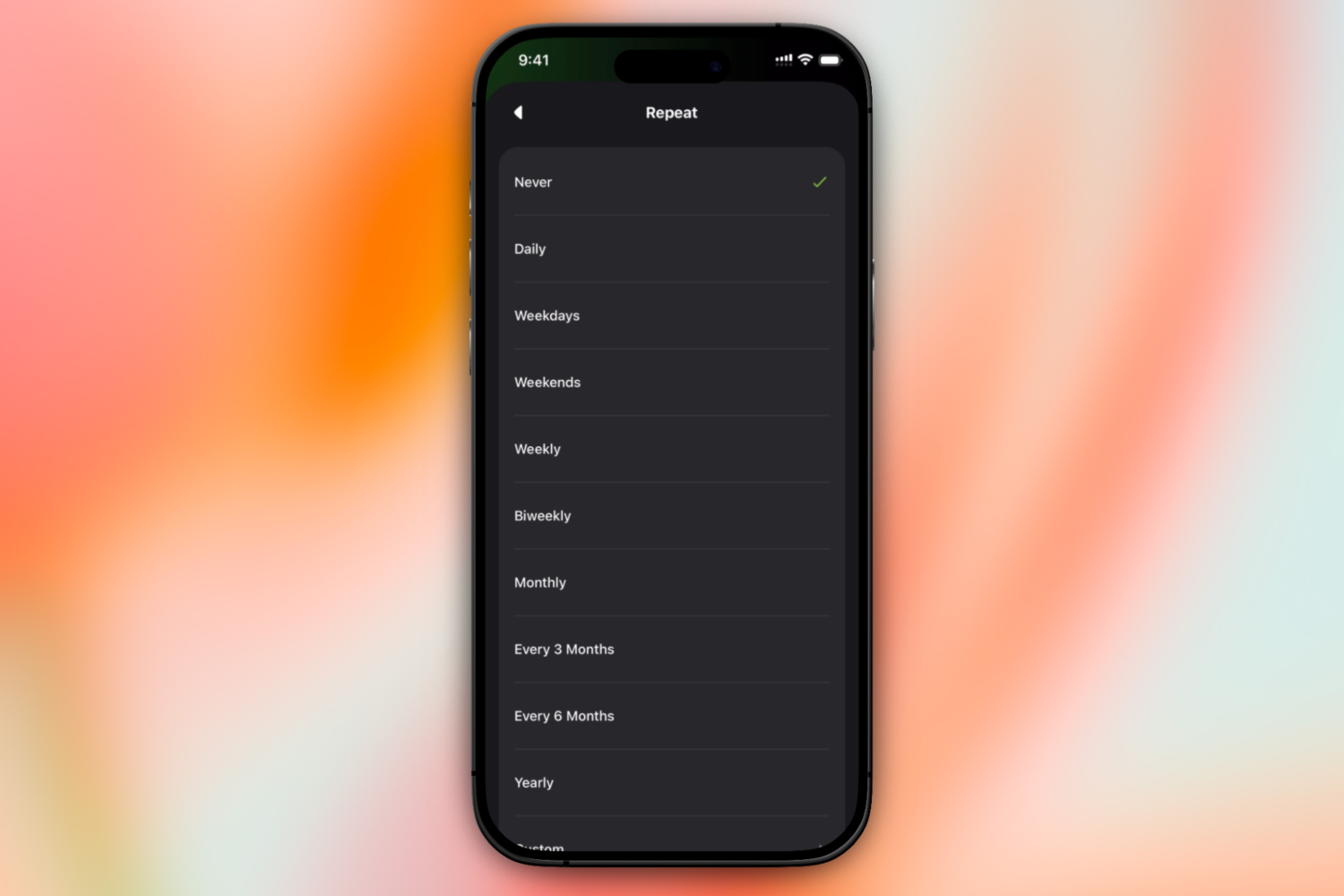
Recurring
-
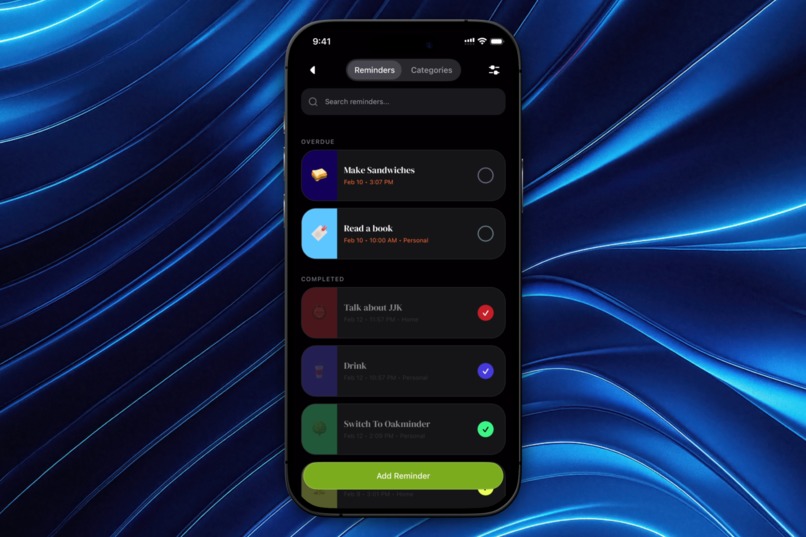
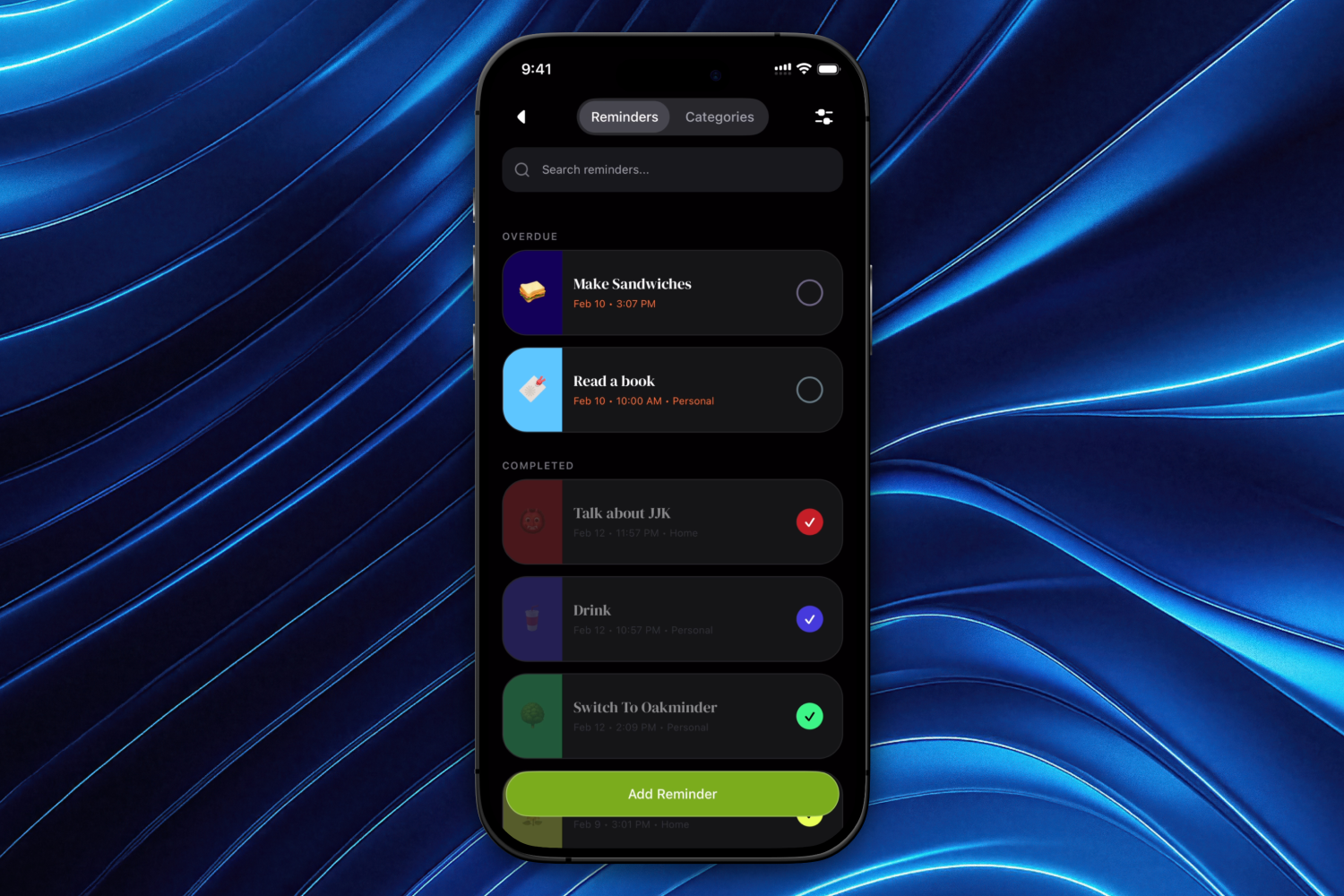
Reminder Library
-
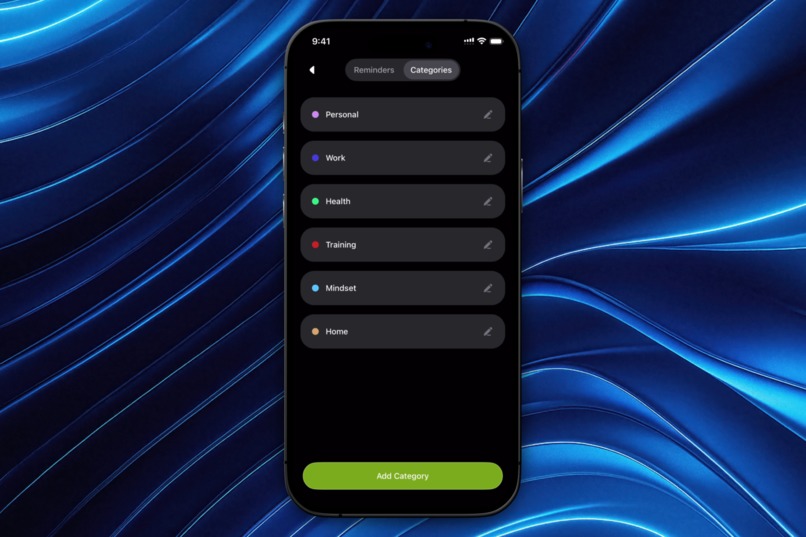
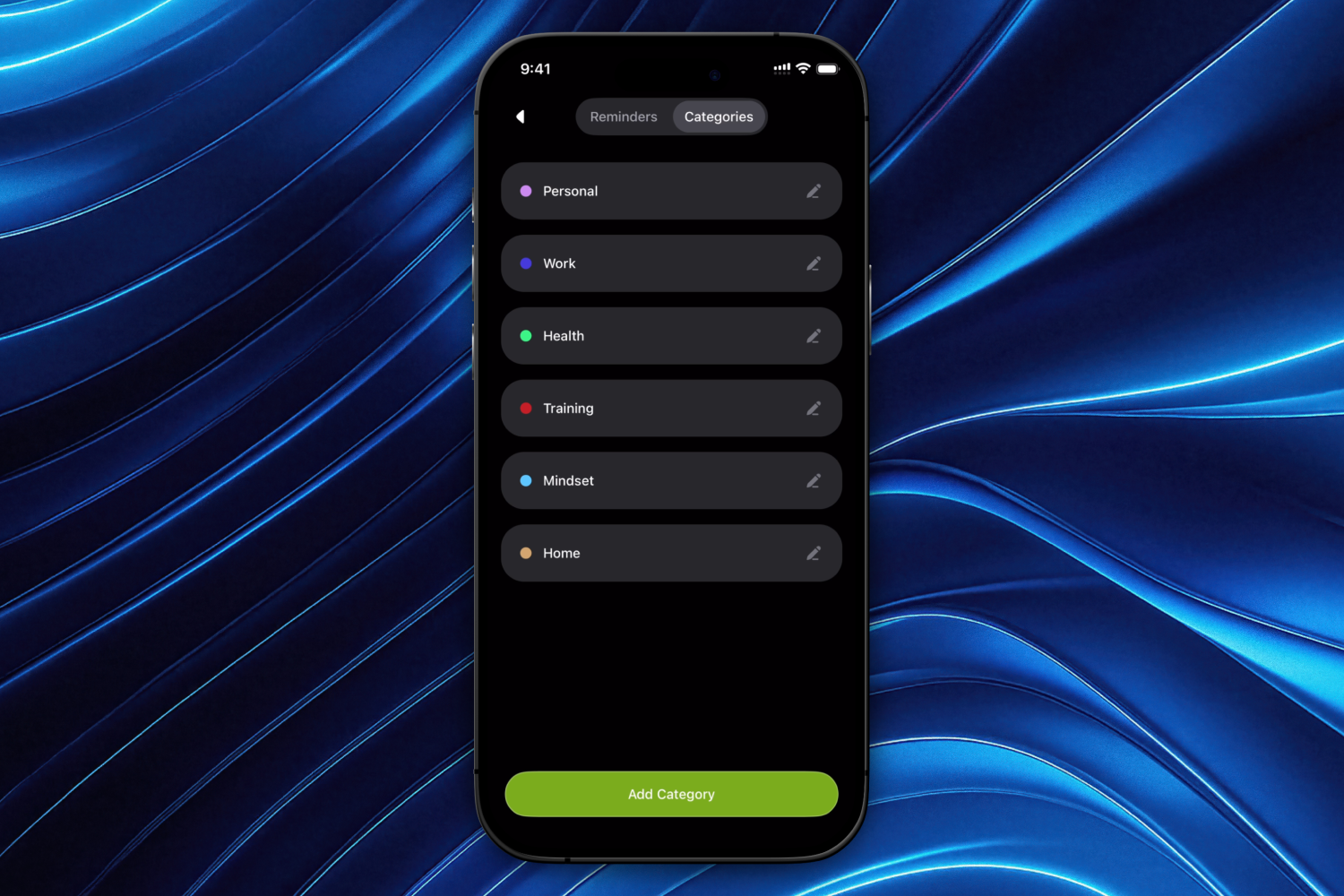
Category Library
-
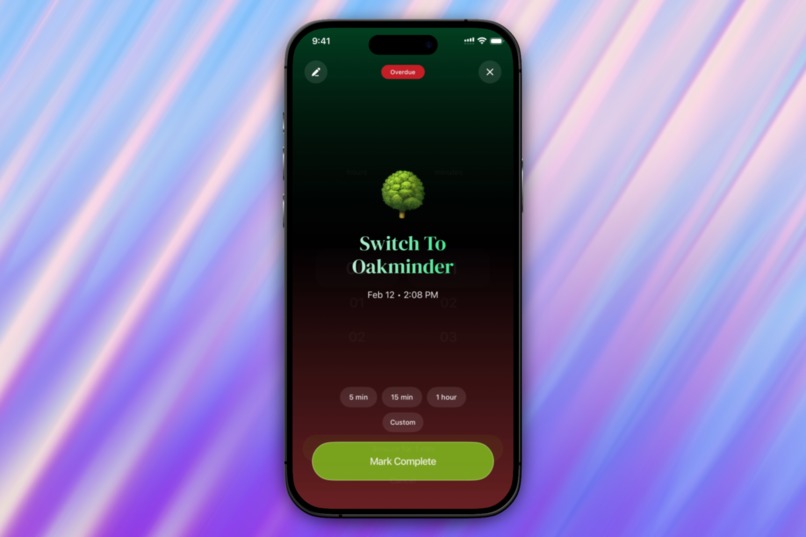
Reminder Info
-
Tech Stack
Why I Built Oakminder
Inspiration
I've used productivity tools every single day since 2016. Hundreds of apps. Nearly every reminder, calendar, and task manager that exists. Before Oakminder, I built YouSoul, an AI-powered productivity app combining a calendar with a Kanban board on the web. I built mini versions of calendar and Kanban tools too, all trying to solve the same problem: staying on top of what matters.
But the real problem isn't at your desk. It's when you're walking to a meeting or cooking dinner and a notification fires. Every single reminder app handles it the same way: unlock your phone, open the app, find the reminder, reschedule it. Four steps when you're already busy. That's been bugging me for years. Not just the snooze thing, but the whole approach. Apps that give you basic recurring options or bury you in configuration screens. Sync that takes 30 seconds or only works within one ecosystem. "AI features" that are just chatbot wrappers where you still do the work yourself.
I kept waiting for someone to fix these problems. Nobody did. When the Shipyard brief from RevenueCat landed, I didn't look at any other briefs. This was the app I'd been wanting to build for years. The hackathon gave me a deadline, but the frustration had been building long before that. Oakminder isn't a hackathon project. It's a personal one that happened to find its moment.
What it does
Custom snooze from notifications
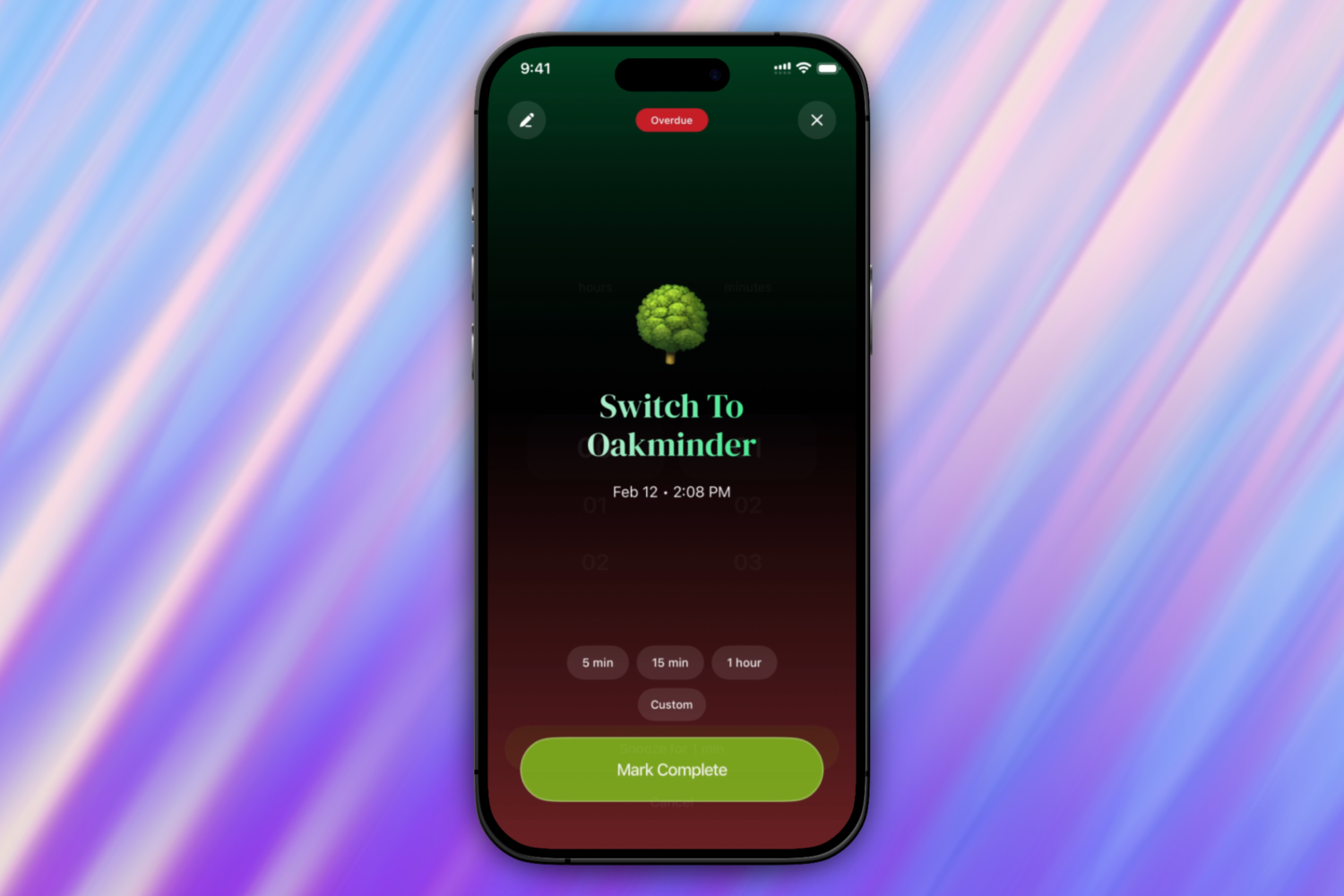
This is the feature I built the entire app around. Long-press a notification, tap 5m, 15m, 30m, 1h, or 2h, and you're done. Two seconds, back to what you were doing. You never leave the lock screen. No other reminder app does this.
And if the presets don't fit, open the app and use the custom snooze wheel picker to set any duration you want. 22 minutes because that's when your meeting ends. 91 minutes because that's when your laundry is done. Real life doesn't work in neat 5-minute intervals, and your snooze shouldn't either.
Recurring reminders that don't break
A one-time reminder is fine for picking up groceries. But most things you need to remember happen more than once. Medication every morning. Team standup three days a week. Rent on the first of the month.
Other apps either give you a handful of basic repeat options or bury you in configuration screens. Oakminder does both: quick presets for common patterns, and full control when your schedule doesn't fit a template.
Editing one occurrence doesn't break the rest. Complete today's "take vitamins" and tomorrow's is still waiting. Change the time for this Thursday's standup without touching every other Thursday. Edit just this one, this and all future, or the entire series. You choose.
Cross-device sync
Create a reminder on your phone and it shows up on your iPad instantly. Dismiss a notification on one device and it disappears on every other device you own. Snooze something and the new time is reflected everywhere. Under a second, every time.
No ecosystem lock-in. Mix and match iOS and Android however you want. Your reminders follow your account, not your hardware.
Voice agent
Say "remind me to call the vet tomorrow at 3pm" and the reminder is created, scheduled, and ready to go. Need to edit it, snooze it, or mark it done? Just say so. No copy-pasting, no follow-up prompts, no extra steps.
Most "AI-powered" apps wrap a chatbot and call it a feature. You talk back and forth, copy the result, and still do the work yourself. Oakminder's voice agent talks like a normal conversation but does the work for you. It handles one-shot commands right now, with multi-step chains and natural follow-ups coming.
Productivity insights
Activity rings that fill as you complete reminders. Trend charts showing your completion patterns over days, weeks, and months. Category breakdowns so you can see if work is eating all your time or health reminders keep getting skipped.
The numbers tell you how your days are going without guilt-tripping you into productivity. Feelings lie, data doesn't.
The experience
Nothing in the UI is default. The snap scroll settles into a position that looks finished. Haptic feedback is tuned, not just turned on. Scroll-driven animations run at 60fps on the UI thread. The welcome area adapts to your day: compact when you're busy, spacious when you're free. Dark mode throughout. Categories use colors and over a hundred curated emojis so you can scan your day at a glance without reading every title.
Business model
Trial-only. 7-day free trial with zero restrictions, everything unlocked. Then $3.49/month or $24.99/year through RevenueCat. No free tier with locked features. No "upgrade to unlock" friction. You either have full access or you don't.
How I built it
Solo developer. Concept to TestFlight in about three weeks. If you count it up, that's roughly two decades of making things on screens. MS Paint to Figma to Expo.
The stack:
| Layer | Technology |
|---|---|
| Framework | Expo SDK 54 (React Native) |
| UI | HeroUI Native + Uniwind |
| Animations | React Native Reanimated (UI-thread, 60fps) |
| Backend | Convex (real-time DB + server-side scheduler) |
| Auth | Clerk |
| Billing | RevenueCat |
On the AI tooling side, Claude Code (Opus) is the main engineering agent. I wrote a CLAUDE.md with 60+ rules teaching the AI how my codebase works. How to handle recurring reminders, notification categories, cross-device sync, access control, the whole stack. Custom agent skills. Custom MCP integrations. The AI keeps up with how fast I want to move.
The decisions about what to build and how it should feel come from years of using and building productivity tools. AI didn't decide what the snooze wheel should feel like. It didn't decide that categories should be minimal or that editing one recurring reminder shouldn't break the rest. Those instincts come from close to a decade of caring about this stuff. AI gave me speed. The taste was already there.
Challenges I ran into
Recurring reminders without database bloat
A daily reminder over a year would create 365 database rows. Over multiple reminders, that's thousands of rows for something that follows a pattern. Instead, I store one document per recurring series and expand virtual occurrences on the client. The trade-off is more client-side logic: virtual expansion, per-occurrence completion tracking in a separate table, date-matching algorithms that need to handle month boundaries and leap years. But the database stays lean and queries stay fast.
Editing recurring reminders without breaking them
This was the hardest engineering problem in the whole app. Users expect three edit scopes: change just this occurrence, change this and all future ones, or change the entire series.
"This and future" required splitting the series into two separate documents. You cap the original series before the split point and create a new recurring document from the split point forward. Without that split, changing a future occurrence would erase all earlier virtual occurrences. Getting the date math right while preserving completion history took multiple iterations.
Cross-device notification dismissal
Local scheduling breaks with multiple devices. If you create a reminder on your phone, your iPad wouldn't know about it until it synced. I moved all notification scheduling to Convex's server-side scheduler so notifications fire from a single source and deliver to all registered devices through APNs and FCM. When you interact with a notification on one device, a silent push broadcasts to your other devices to clear it. A foreground sweep catches anything that slipped through while a device was offline.
iOS notification categories are global
Apple's UNNotificationCategory system means one category equals one set of action buttons for all notifications. You can't have different snooze buttons on different reminders at the OS level. That constraint shaped the entire snooze architecture. Per-reminder customization of snooze presets lives in Settings, and registration requires verification on every launch because Android silently fails without it.
RevenueCat sandbox timing
Sandbox subscriptions renew on an accelerated schedule. I spent days thinking my renewal detection was broken when it was working correctly against the sandbox's sped-up timeline. The LISTENER source works differently in sandbox vs production. Trial period detection requires checking periodType, not just entitlement status. I ended up building a three-source sync system (INIT, LISTENER, FOREGROUND) with different trust levels for each source to handle the edge cases.
Android platform differences
Notification handling, safe areas, splash screens, edge-to-edge layouts, and billing all behave differently between iOS and Android. The notification action buttons use RemoteInput on Android instead of UNNotificationAction. Android wraps notification data in a dataString JSON object that iOS doesn't. Bottom safe area padding is unreliable on Android 15's edge-to-edge mode. Every "cross-platform" promise comes with platform-specific surprises that only show up at runtime.
The opensAppToForeground discovery
Every notification action needs opensAppToForeground: true. Without it, the response listener never fires for push notifications, and snooze actions silently fail. No error, no warning, nothing. The action just doesn't work. That one took a while to figure out.
11 nested providers
React Native apps need a surprising amount of setup before they can render anything useful. Oakminder wraps 11 provider layers in a specific order, and each one depends on the ones above it. Auth initializes first because the database needs a JWT. Gesture handling wraps the UI because components use Reanimated gestures internally. The keyboard provider sits above the bottom sheet provider because sheets need keyboard state for snap points. Getting that order wrong causes silent failures that are hard to trace.
What I learned
RevenueCat handles enormous complexity that I would have struggled to build myself. Receipt validation, entitlements, grace periods, billing retries, cross-device subscription restoration. I originally looked at building Stripe subscriptions from scratch and the list of edge cases kept growing. RevenueCat made it manageable, and the trial-only model (no free tier, no feature gating) keeps access control simple.
Start billing on both platforms at the same time. I finished iOS before thinking about Android and now have to wait for Google Play approval before offering subscriptions there. If I were starting over, I'd apply for both stores on day one and set up RevenueCat for both platforms before writing any subscription code.
Cross-platform is complex in ways you don't expect. Expo and RevenueCat simplified enormous parts of the process, but platform-specific notification rules, library restrictions between iOS and Android, and framework differences that only surface at runtime all require individual attention. "Write once, run everywhere" is closer to "write once, debug twice."
AI paired with real experience is a different thing than AI alone. The speed multiplier is real, but only if you have the instincts to guide it. What used to take months now takes weeks. What used to take days takes hours. But the decisions about what to build, how it should feel, when something isn't right, those don't come from AI. They come from close to a decade of using and building productivity tools. AI is a multiplier, not a replacement.
This is not a hackathon-and-done project. The problem Oakminder solves existed for years before the competition, and it'll keep existing after. I built the reminder app I wished existed. Not a concept, not a demo. An app I rely on every day. I'm going to keep building, keep shipping, and keep fixing whatever annoys me, because I'm both the builder and the most demanding user it has.
Built With
- claude
- clerk
- convex
- expo.io
- figma
- gemini
- nativewind
- react-native
- reanimated
- revenuecat

Log in or sign up for Devpost to join the conversation.