-
-
Home
-
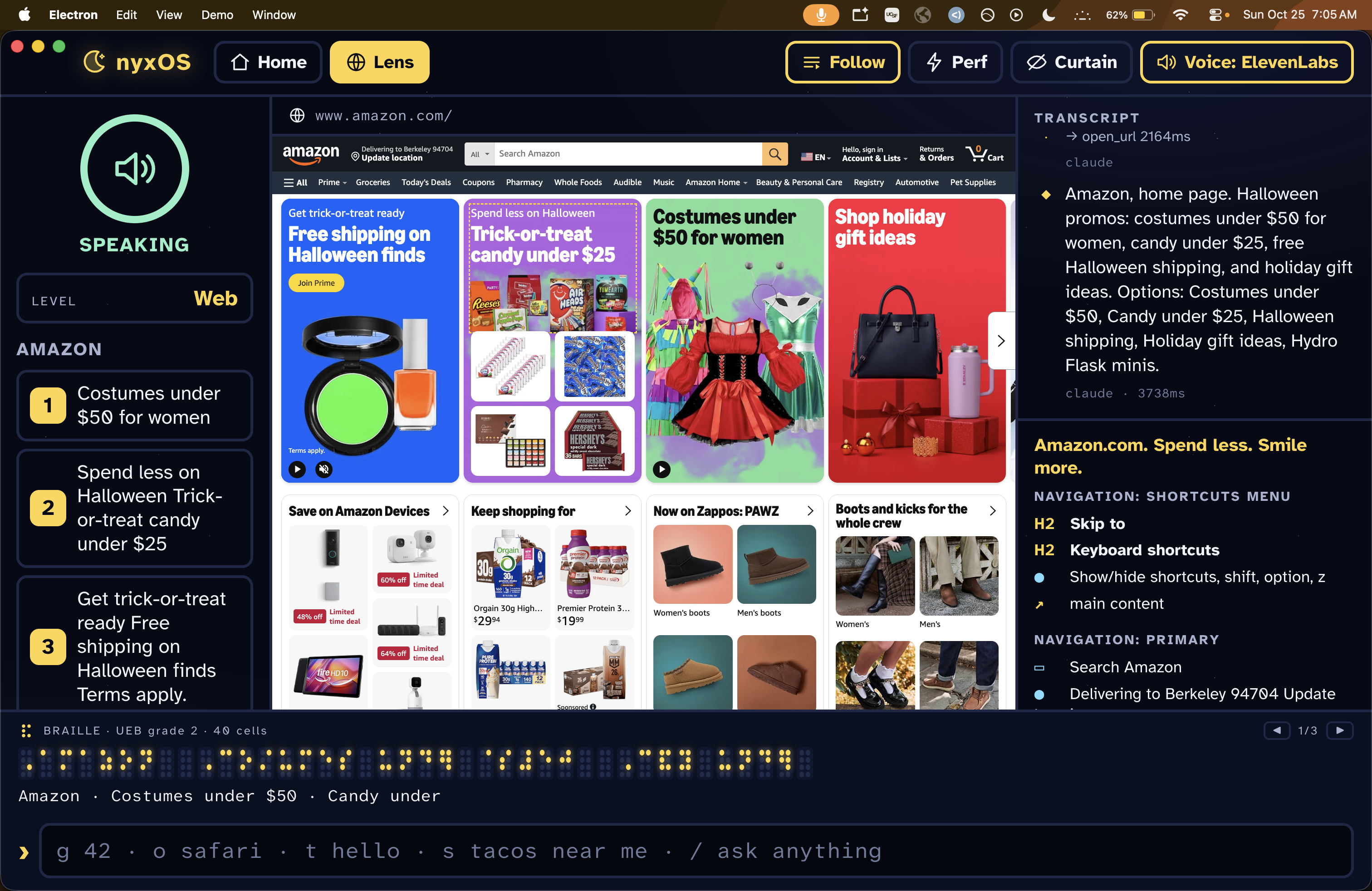
Shopping online
-
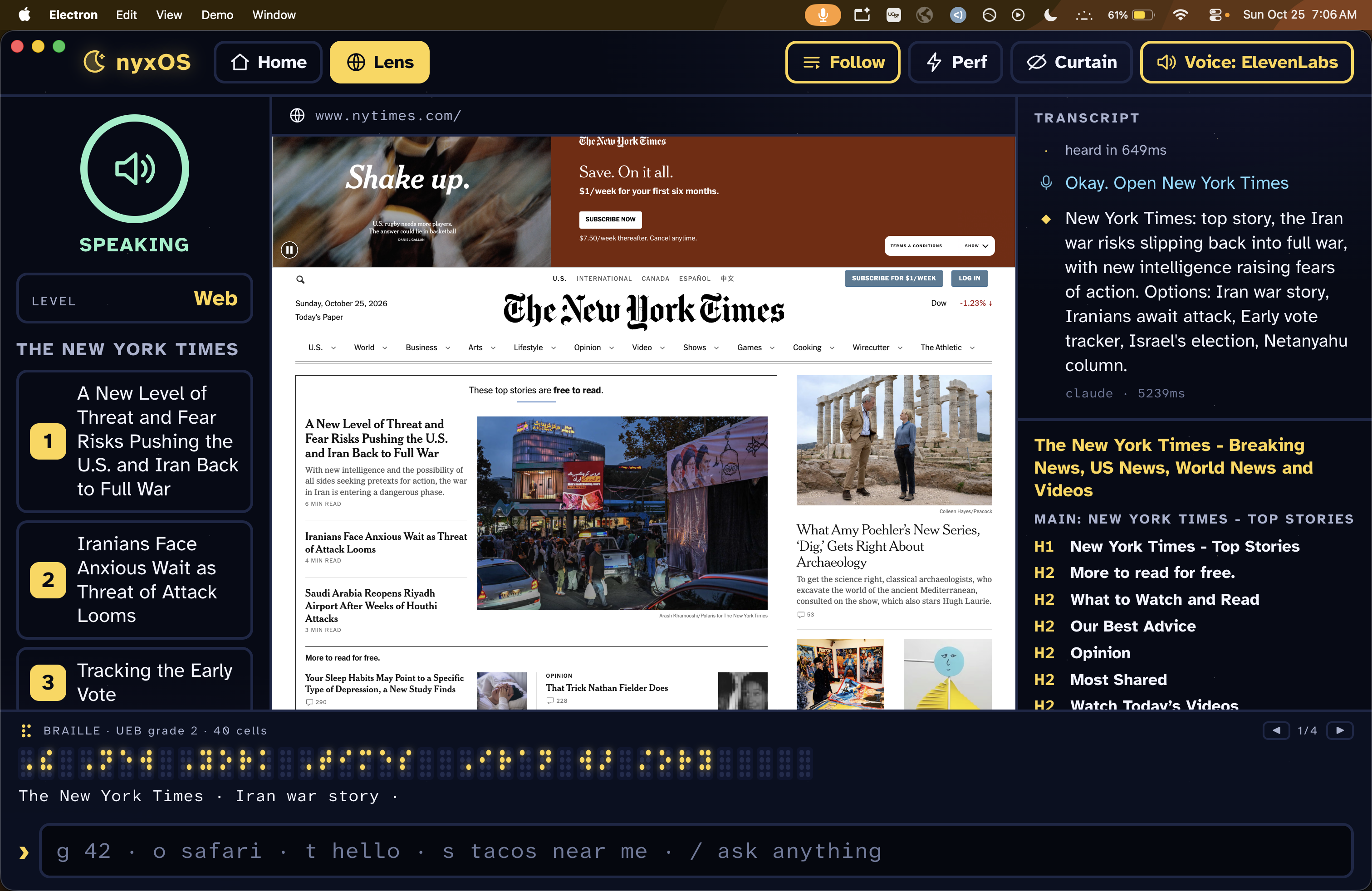
Reading the news
-
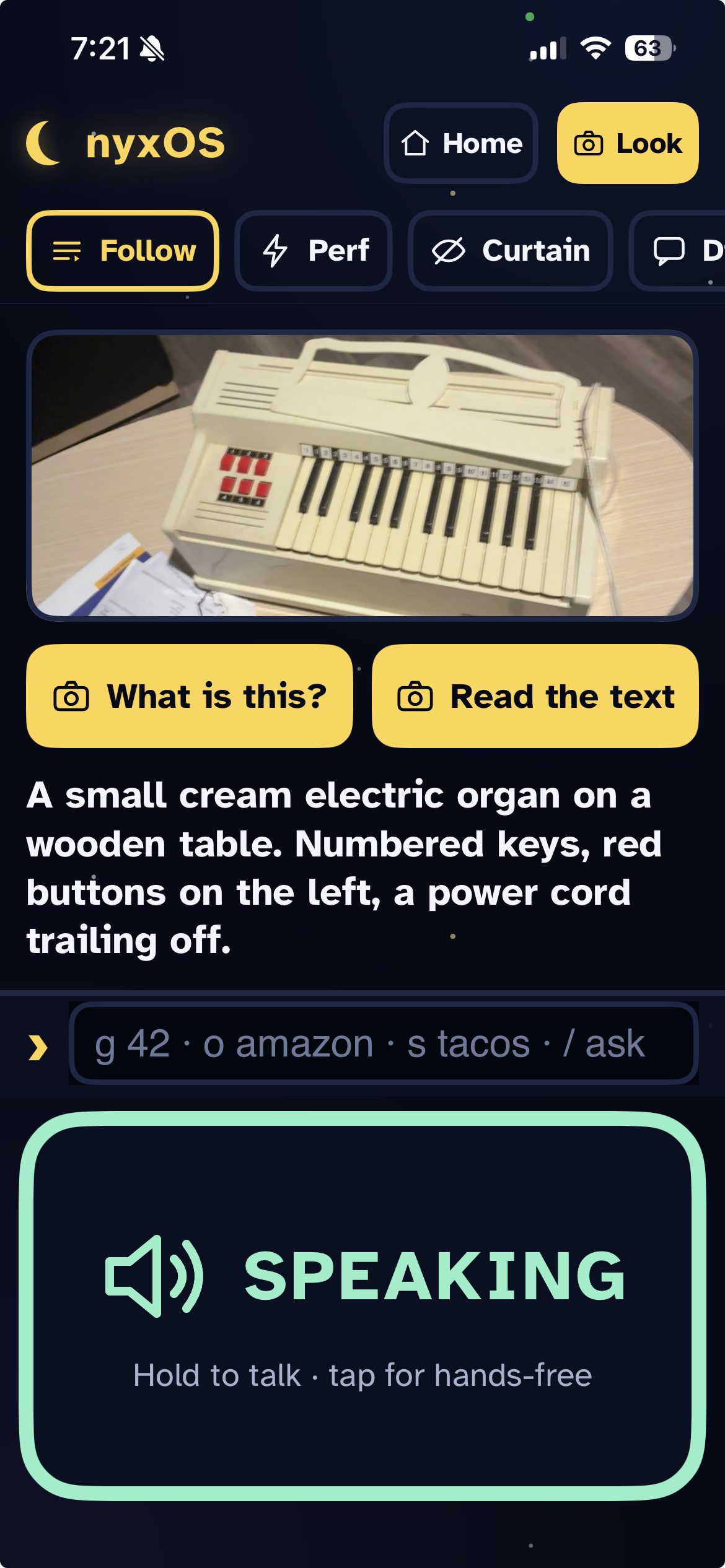
Identifying objects using the mobile app
Inspiration
We originally had the idea to build affordable, scalable braille displays (we projected we could do it at a fraction of market cost), but were unable to secure materials in time for the hackathon. Instead, we pivoted to the software end of blind accessibility: translating a primarily 2D interface into a linear form for non-visual interpretation.
Screen readers today mostly read a screen top to bottom, one element at a time. Something a sighted person does in a few seconds, like replying to a text or finding the price on a product page, can take a blind user minutes of listening. We wanted something that does the step you ask for and tells you only what matters.
What it does
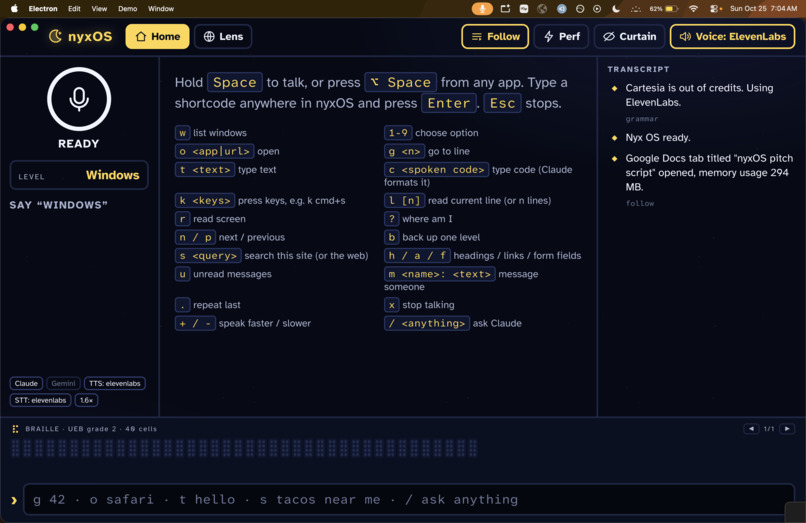
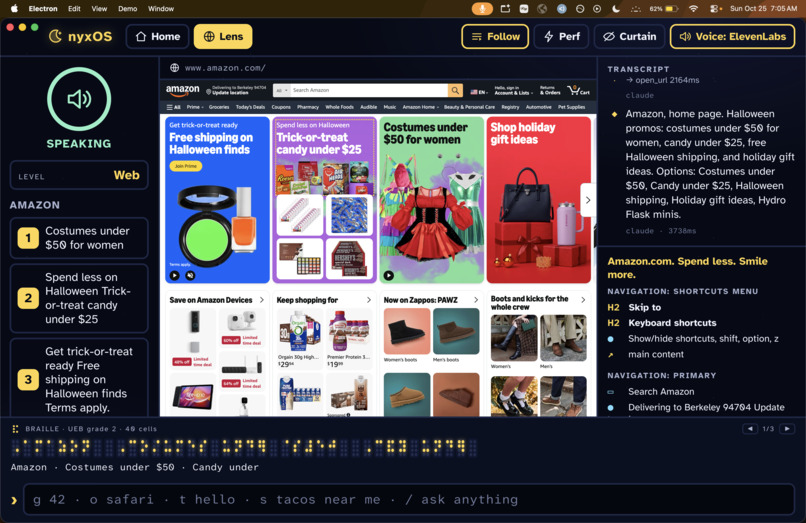
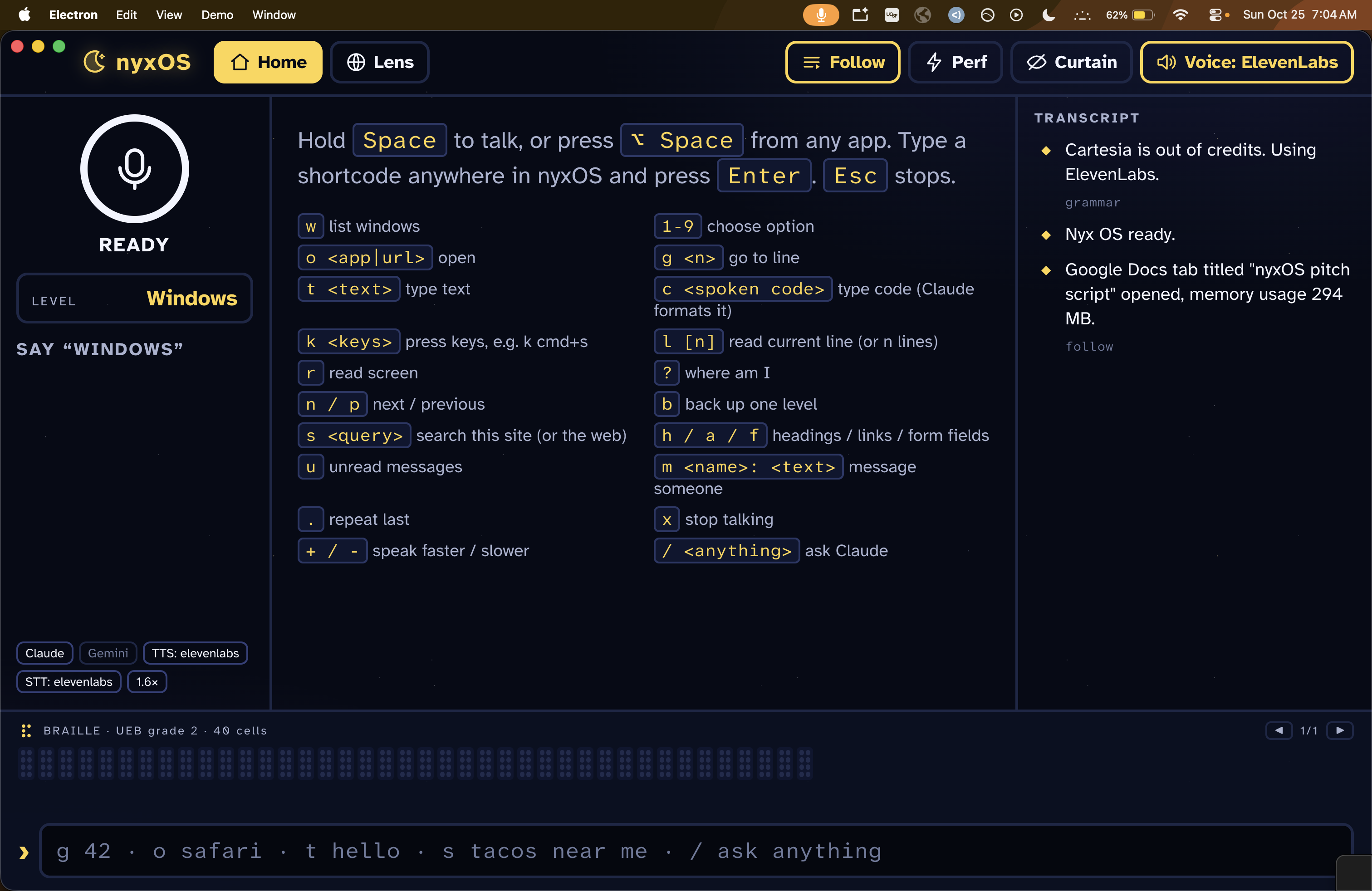
NyxOS uses an agent to interpret any digital environment and communicate it in a clear, concise form, and processes user voice commands in context to enable efficient usage. It can be used to browse the internet, make purchases, play games, read and reply to texts, and even write code in VS Code, just with voice commands ("read my texts", "reply, I'm on my way", "what's on this page?", "go to line 42"). You can also type short codes instead of talking (g 42, o safari, t hello).
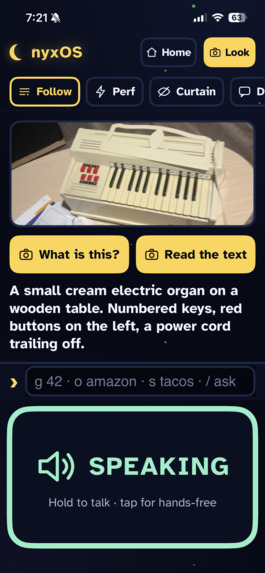
The mobile version additionally can describe its surroundings using the camera (Look mode), enabling navigation and object identification. It also has a Performance mode that skips rendering pages entirely and works from text only, a Screen Curtain that blacks out the display for privacy (NyxOS keeps working underneath since it never relied on pixels), and an endpoint for braille displays: everything it says is also translated to braille.
How we built it
The desktop app is Electron + TypeScript + React. The iPhone app is native SwiftUI, but it runs the same TypeScript core as the desktop inside JavaScriptCore, so commands, spoken lists, and braille behave the same on both.
Hearing you. Push-to-talk (Alt+Space), no wake word, so the mic is never always on. Audio goes to Cartesia's ink-whisper for speech-to-text, falls back to ElevenLabs Scribe if that fails, and on the iPhone falls back again to Apple's on-device recognition.
Deciding what to do. Simple commands (open, click 3, go to line, read my texts) hit a local grammar of about 60 patterns and run in about a millisecond, with no AI involved. Anything else goes to Claude. Claude Haiku answers first with 35 tools (apps and windows, the web, VS Code, keyboard, the accessibility tree, messages). If a request needs real reasoning, like comparing products or reading code, Haiku calls an escalate tool and Claude Opus picks up the same conversation. We use strict tool schemas so every action has valid arguments, and prompt caching that's warmed up at launch so the first command isn't slow.
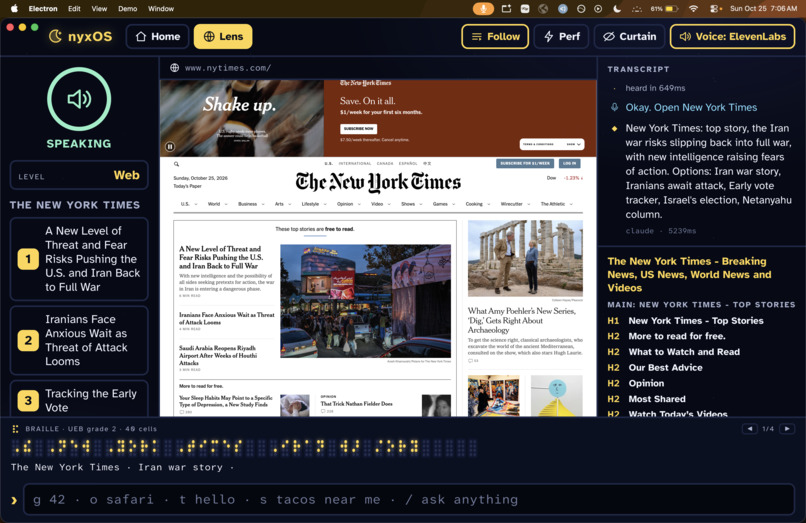
Seeing the screen. We avoid pixels whenever we can. A small native Swift helper reads the macOS accessibility tree directly, about 50x faster than going through AppleScript. For the web, our Lens browser strips each page down to landmark regions, then headings, links, fields, and buttons, gives every element a stable id so "click that" hits the right thing, and ranks regions by how visually prominent they are. A VS Code extension gives exact line numbers, file contents, and errors over a localhost API, since screen readers only see part of the editor. Texts are read from the local Messages database. Only when an app has nothing usable do we take a screenshot and have a vision model (Gemini, with Claude as backup) describe it, since that takes 3 to 5 seconds.
Talking back. Every word goes through one function that drives the voice, the braille, and the on-screen transcript at the same time, so they never disagree. The voice is Cartesia Sonic 3.6 at 1.6x speed (blind users tend to listen fast), with ElevenLabs Flash and then the system voice as backups. You can cut in at any point, and if you interrupt a list and say "click that," it picks the item you were hearing.
Braille. We wrote our own Unified English Braille translator: Grade 2 contractions, capital and number signs, output as Unicode braille cells wrapped into 40-cell lines. Right now it drives an on-screen virtual display, and a hardware display plugs into the same driver interface. For example, "Opened messages." becomes ⠠⠕⠏⠑⠝⠫⠀⠍⠑⠎⠎⠁⠛⠑⠎⠲
Look mode (iPhone). "What is this?" or "read this label" takes a photo once the camera's exposure has settled and answers in a sentence or two: safety stuff first, text read exactly, and "I think" when it isn't sure.
Staying safe. NyxOS never sends, deletes, or submits anything you didn't ask for. Messages are read back and wait for "yes," and you can fix the wording by voice before sending. Discreet mode stops it from saying names or message text out loud, and confirmation pop-ups on websites are announced instead of clicked.
Research
Before building, we went through accessibility research, and four papers ended up shaping the design directly:
- "Siri Talks at You" (Abdolrahmani, Kuber & Branham, ASSETS 2018). A study of how blind people use voice assistants. Their complaints: assistants talk too much, say private things out loud, and make you start over when they get something wrong. That's where our verbosity levels, discreet mode, and fix-before-send come from.
- SaIL (Aydin et al., IUI 2020). Uses predicted visual saliency (where sighted people look first) to mark up the important parts of a page for screen readers. We approximate saliency from layout (size, position, font size, images; nav bars and footers count less) so NyxOS tells you first about what a sighted person would notice first.
- Accessible Skimming (Ahmed et al., UIST 2012). Skimming for screen reader users. Our "skim" command picks the key sentences of an article and reads them in order, keeping more or less depending on your verbosity setting.
- Screen Recognition (Zhang et al., Apple, CHI 2021 Best Paper). Builds accessibility info for apps straight from pixels. Our screenshot fallback for unlabeled apps follows the same idea, using a cloud vision model.
Challenges we ran into
We had some trouble getting the agent to stay at the correct level of context - short commands are usually at the same level or deeper as previous actions, but the user may also wish to completely switch tasks without warning, and this must be accounted for.
Latency was the other big one. When audio is your only feedback, a two-second pause feels broken, which is why we ended up with the local grammar for simple commands, Haiku first with Opus only when needed, prompt caching, and speaking replies sentence by sentence as they come in. Speech-to-text also mishears a lot, so the agent uses what's on screen to fix it (on a shopping site, "each magnets" is almost certainly "search magnets").
Accomplishments that we're proud of
Our system ended up being able to interpret human intent from concise commands very well, and is versatile in navigating the internet on its own, being able to interpret images, and search for open-ended targets. We're also proud that it runs on both a Mac and an iPhone from one shared core, that most commands come back in about a millisecond, and that the braille translation is built from scratch.
What we learned
Less is more when it's spoken. Most of the work was deciding what not to say, and the research on blind users kept pointing us there. We also learned that the accessibility tree and page structure beat screenshots almost every time, both for speed and accuracy.
What's next for NyxOS
Development from a single-program interaction layer to a full desktop environment, with common apps being rebuilt from the ground up to be more efficient for blind usage. We were also in the process of further implementing real-time navigation using the mobile Look mode. And we want to get back to where we started: building the low-cost braille display and plugging it into the braille pipeline we already have, plus testing with blind users.
Built with
TypeScript, React, Electron, Swift, SwiftUI, JavaScriptCore, Claude (Haiku and Opus), Cartesia (ink-whisper, Sonic), ElevenLabs (Scribe, Flash), Gemini, macOS Accessibility API, VS Code extension API, esbuild
Built With
- cartesia
- claude
- elevenlabs
