-
-
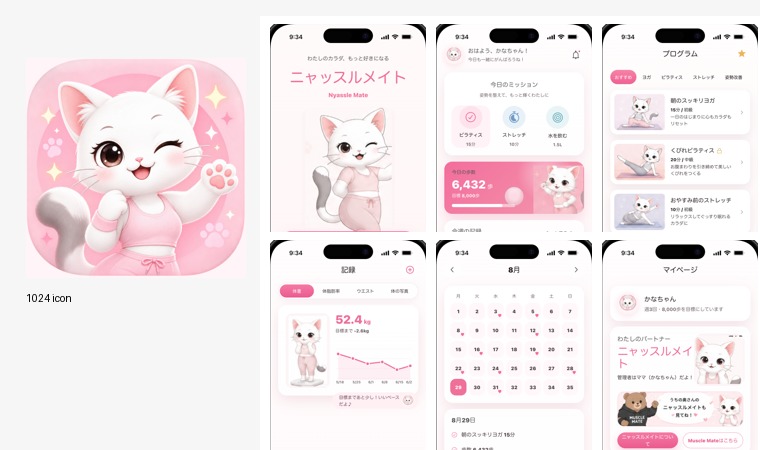
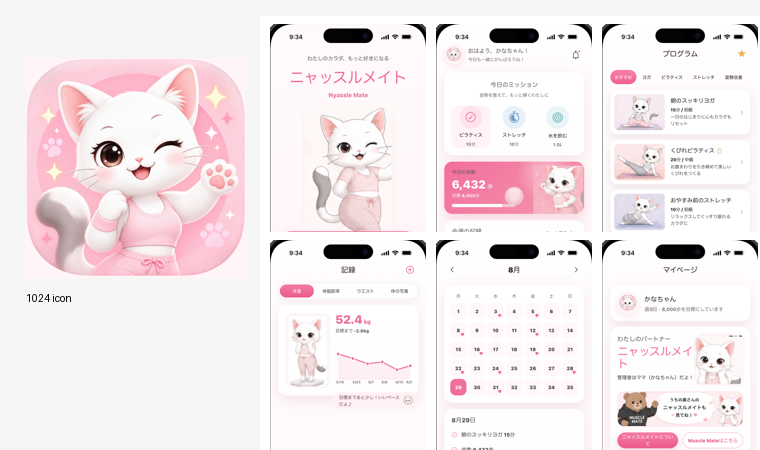
Submission overview: icon and core Nyassle Mate screens.
-
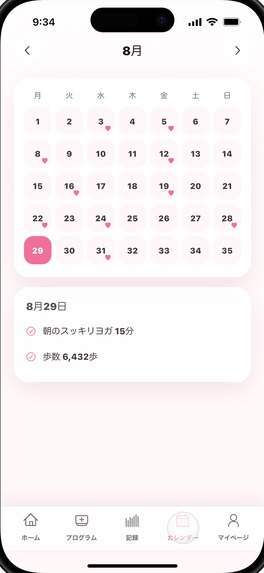
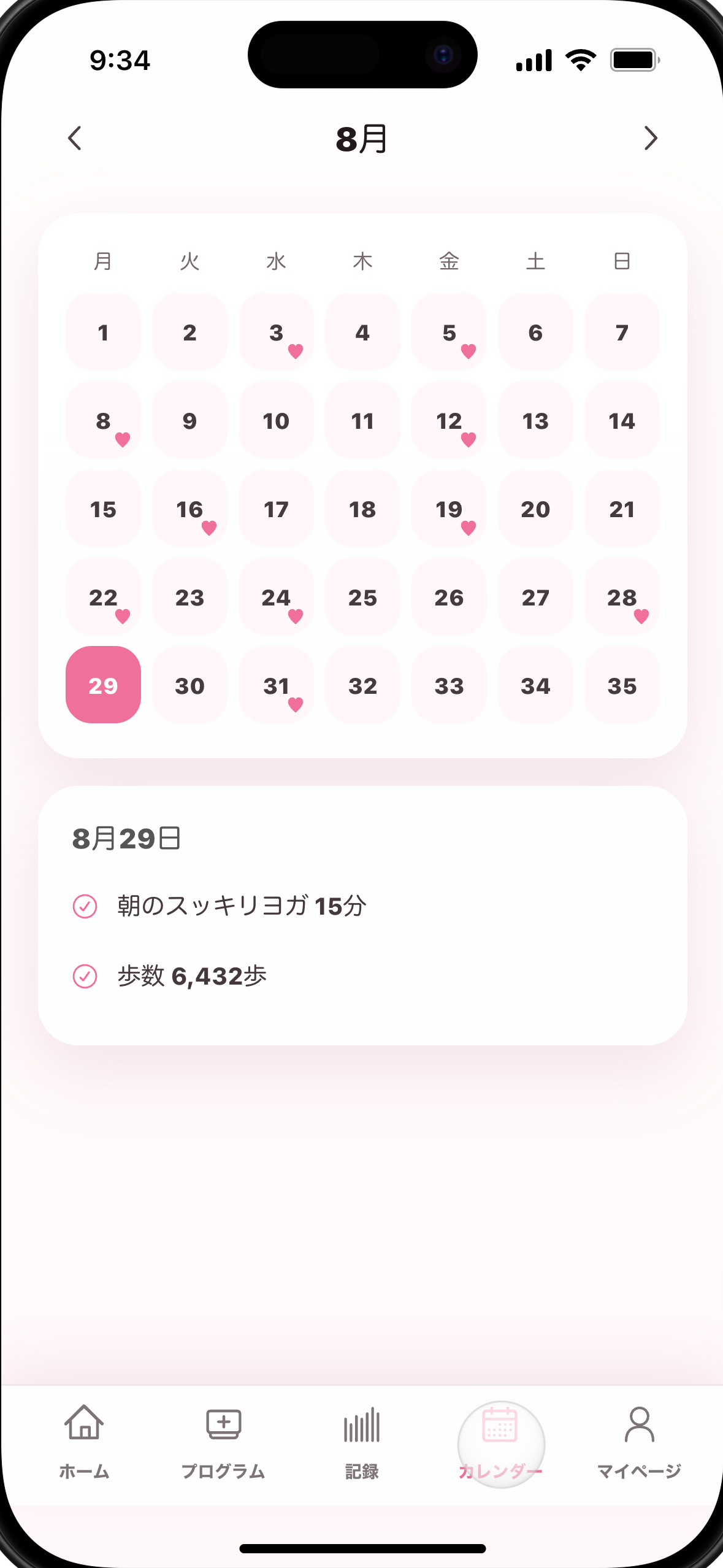
Calendar screen for completed sessions and daily history.
-
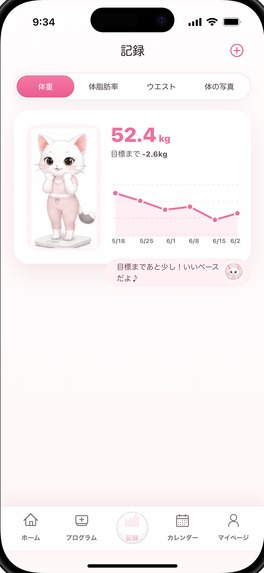
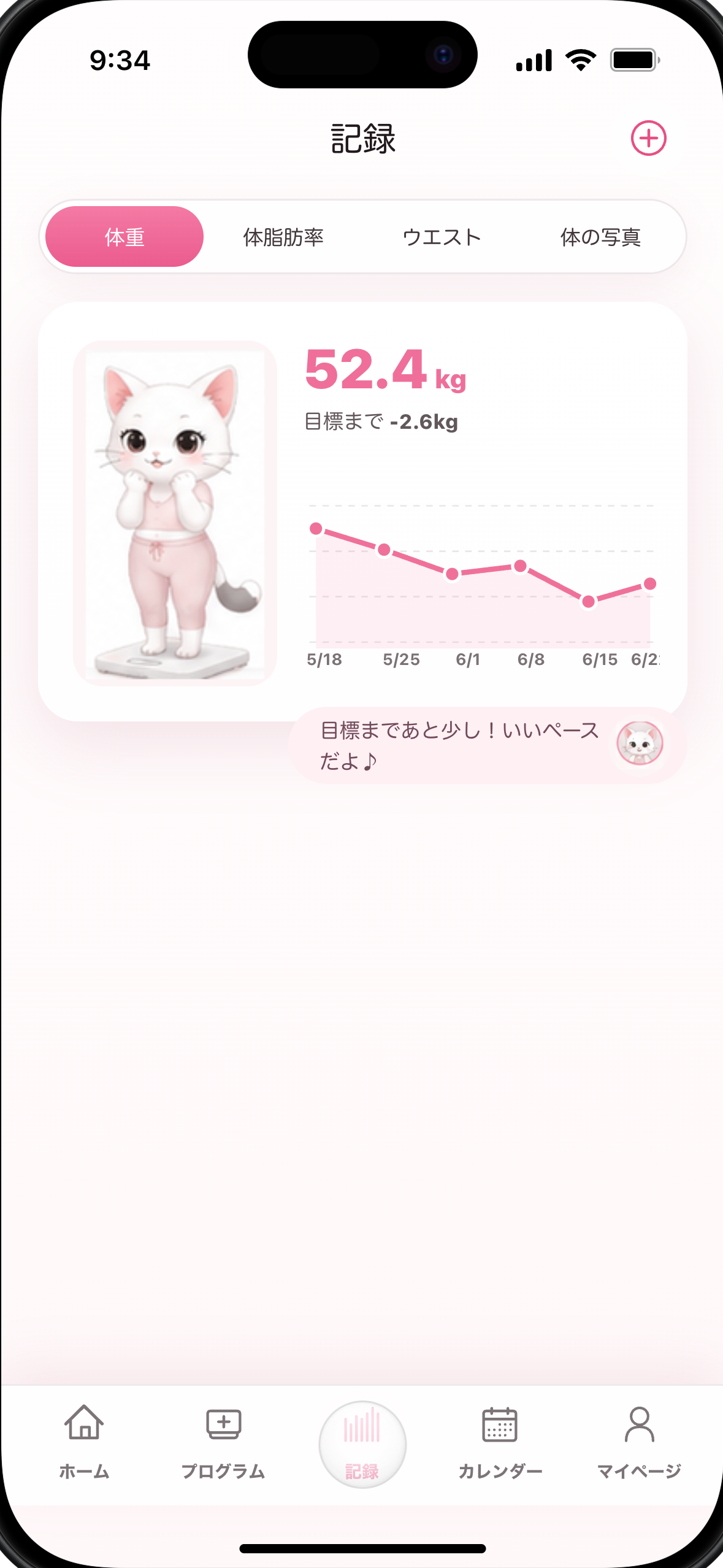
Body record screen with weight trend and cat encouragement.
-
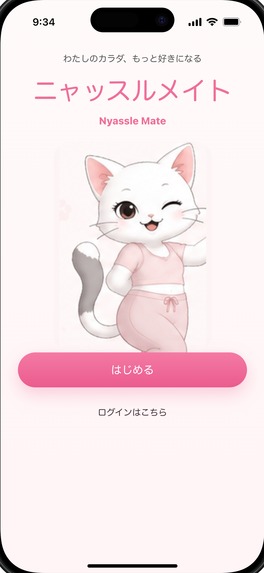
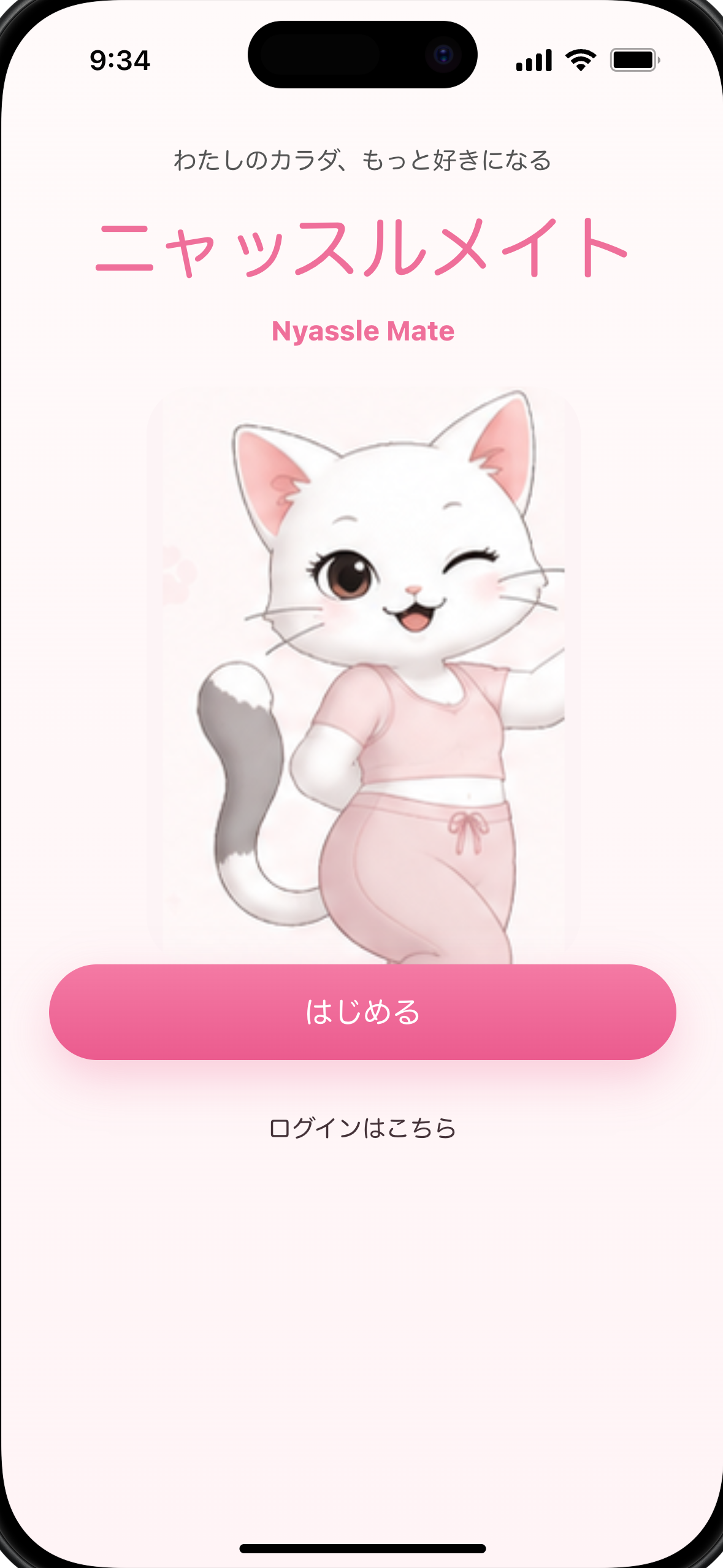
First-run splash screen with the Nyassle Mate character.
-
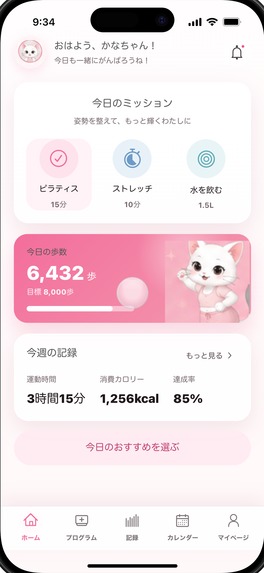
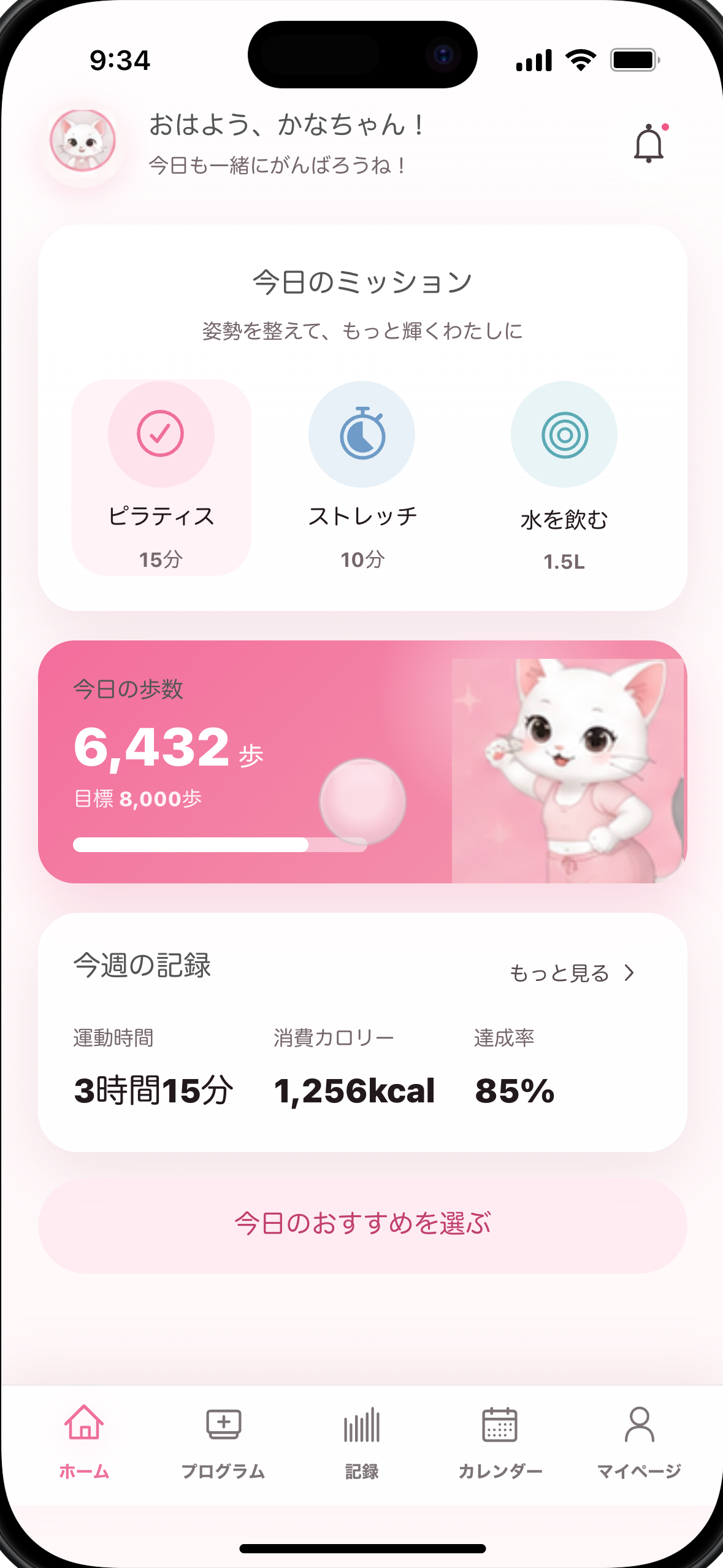
Home screen with daily missions, steps, and weekly summary.
-
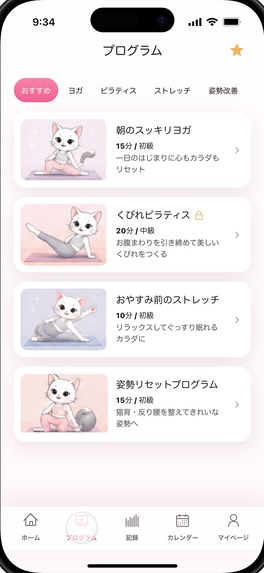
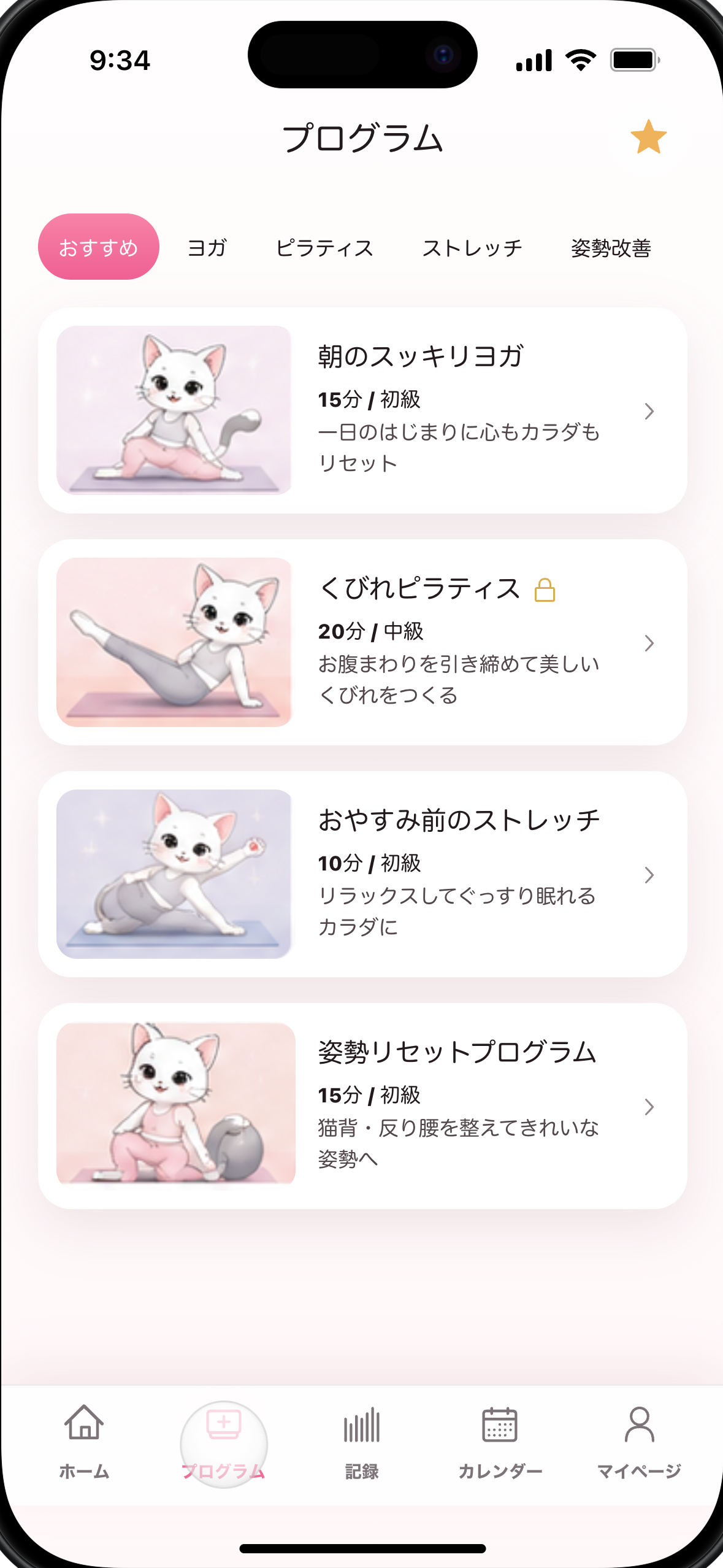
Program library for yoga, Pilates, stretching, and posture reset.
-
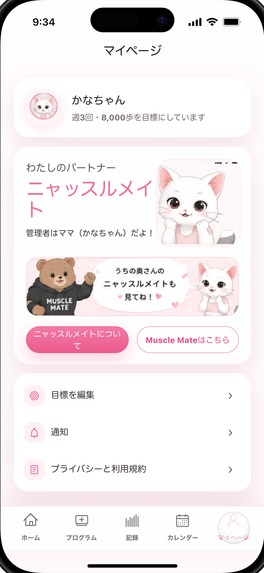
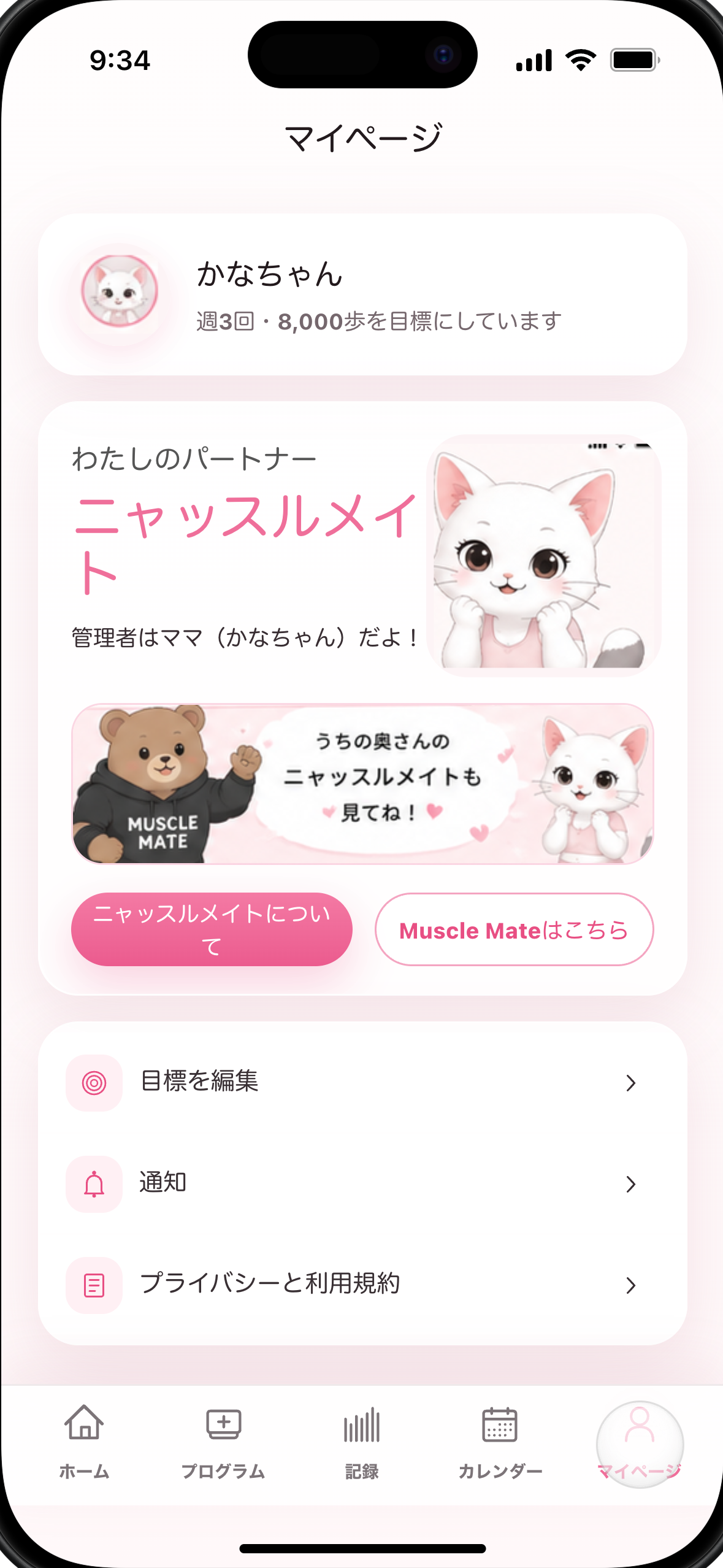
Profile and partner page connecting the Muscle Mate world.
-

1024 x 1024 uncropped Nyassle Mate app icon.

Inspiration
Many fitness apps are built around intensity, streak pressure, or dense metrics. Nyassle Mate started from the opposite question: what if a daily wellness app felt like being gently accompanied?
The design direction came from a pink-and-white cat mockup for a new Muscle Mate sister brand. The core idea is simple: make Pilates, stretching, posture reset, and body tracking feel warm enough that users want to come back tomorrow.
What it does
Nyassle Mate is a soft, character-led wellness app for people who want fitness to feel kind, clear, and easy to return to.
The app pairs the user with a cheerful white cat partner who helps them choose a small daily plan: a Pilates or yoga session, a stretch, posture reset work, hydration, and simple step goals. Instead of overwhelming the user with a large fitness dashboard, Nyassle Mate gives them one friendly home screen, a short list of programs, body-tracking tools, and a calendar that makes consistency visible.
The current flow includes:
- A home screen with today's mission, step progress, weekly summary, and a friendly cat check-in.
- A program library for yoga, Pilates, stretching, and posture-reset sessions.
- A record screen for weight, body fat, waist, and private progress photos.
- A calendar view for completed sessions and body-record history.
- A partner page that introduces the wider Muscle Mate character world.
How it uses RevenueCat
RevenueCat is planned as the subscription and entitlement layer for Nyassle Mate PRO.
The intended PRO model is:
- Free users can use core daily missions, basic records, and starter programs.
- PRO unlocks the full program library, custom daily mission editing, extended progress-photo comparison, and future premium routines.
- Judges should receive either a free trial or a promo code so every paid feature can be reviewed.
Implementation status for this draft: RevenueCat SDK integration, products, offerings, entitlements, and restore purchase behavior still need to be verified in the released app before final submission.
How we built it
The current Shipaton prep package is built from the Nyassle Mate design mockup and a local interactive prototype. The prototype was implemented as a mobile web mockup so the product flow, visual direction, screenshots, and demo video could be prepared quickly before the native store build.
The production app should follow the existing Muscle Mate architecture: Flutter first, iOS first, local-first body records and photos, no account requirement for v1, RevenueCat-powered PRO subscriptions, and program content driven by reusable routine and pose data.
Challenges
The main product challenge is balancing warmth with utility. The app needs to be soft and characterful, but still useful for people who want to track progress, complete routines, and understand what to do today.
The submission challenge is timing. Shipaton requires a brand-new public app release during the contest window, so the mockup and assets are ready, but the released native app, RevenueCat integration, public store URL, public demo video, and judge access still need to be completed before final submission.
Accomplishments
- Created a clear sister-brand concept for the Muscle Mate world.
- Designed the core mobile experience around a daily mission, programs, records, calendar, and partner page.
- Prepared a 1024 x 1024 app icon.
- Prepared 1179 x 2556 screenshots without a device frame for Devpost.
- Prepared a sub-two-minute demo video draft with no third-party music.
- Mapped the RevenueCat PRO model that should be implemented before release.
What we learned
The clearest lesson was that a fitness app can feel more approachable when it starts with one small decision: what should I do today? A mascot is not just decoration here; it is a way to lower the emotional cost of coming back to the app.
What's next
- Build and release the native iOS app during the eligible Shipaton window.
- Integrate RevenueCat SDK, products, offerings, entitlements, and restore purchases.
- Upload the final public demo video to YouTube or Vimeo.
- Add the published App Store URL to Devpost.
- Add the free trial or promo code for judge access.
- Press the final Devpost submit button only after owner review.
Built With
- design
- fitness
- flutter
- ios
- mobile
- react
- revenuecat
- typescript
- vite
- wellness


Log in or sign up for Devpost to join the conversation.