-
-
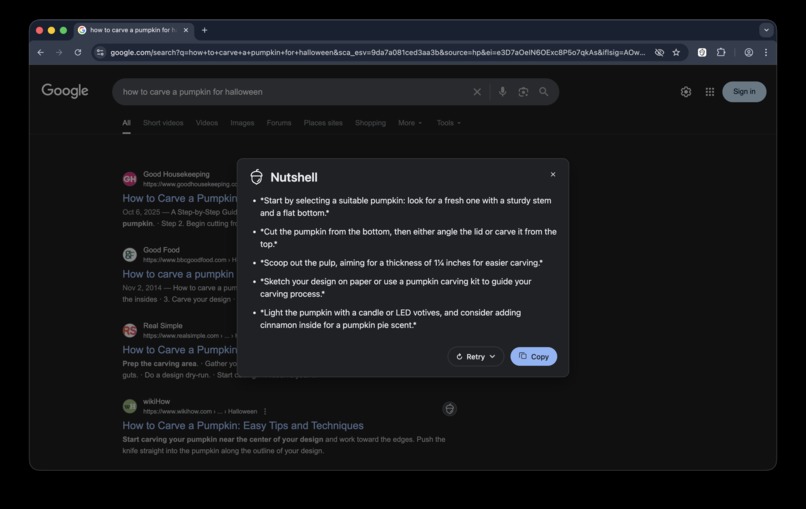
Dark Mode
-
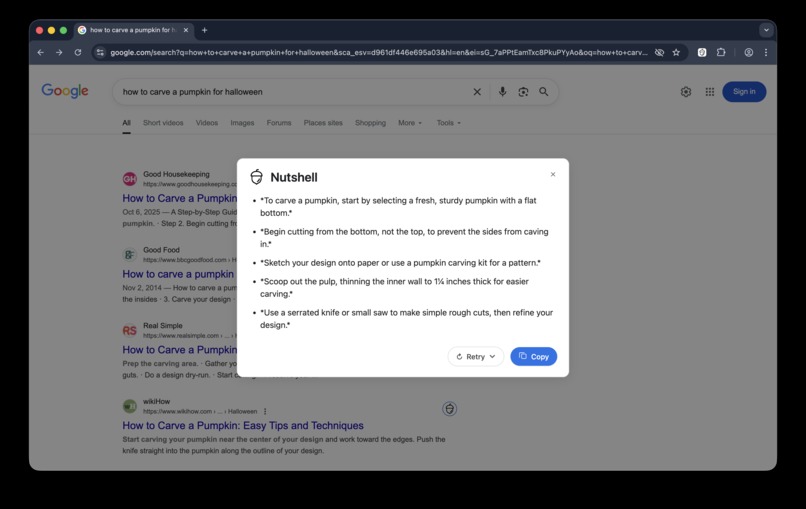
Light Mode
Inspiration
As a Product Manager and a lifelong tech enthusiast, I live on the web. My workflow, like that of millions of others, starts with a search. But I constantly face a frustrating paradox: the answer to my question is just a click away, yet buried within a sea of text, ads, and boilerplate content. Finding the "signal in the noise" has become a job in itself.
How many times have you clicked on a promising search result, only to be met with a wall of text, a lengthy recipe blog, or a Reddit thread where the answer is hidden in a deeply buried comment? This friction was my inspiration for Nutshell. I envisioned a more intelligent search experience, one that respects the user's time and cuts through the information pollution. What if, for any search, you could get the in a nutshell version first?
What it does
Nutshell is a Chrome extension that enhances the Google search experience by integrating seamless, AI-powered summaries directly onto the results page. It's designed to provide clarity and efficiency at a glance.
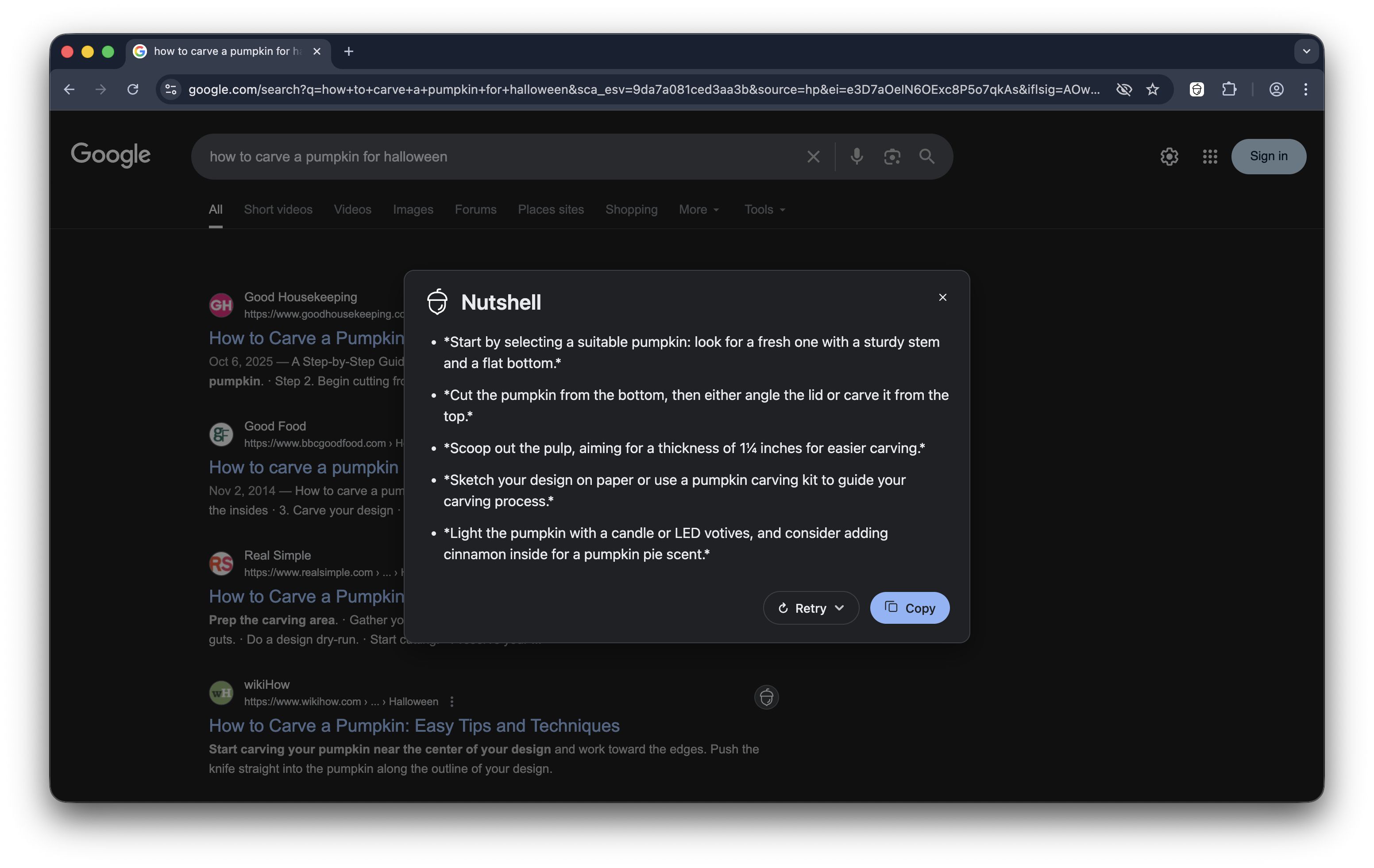
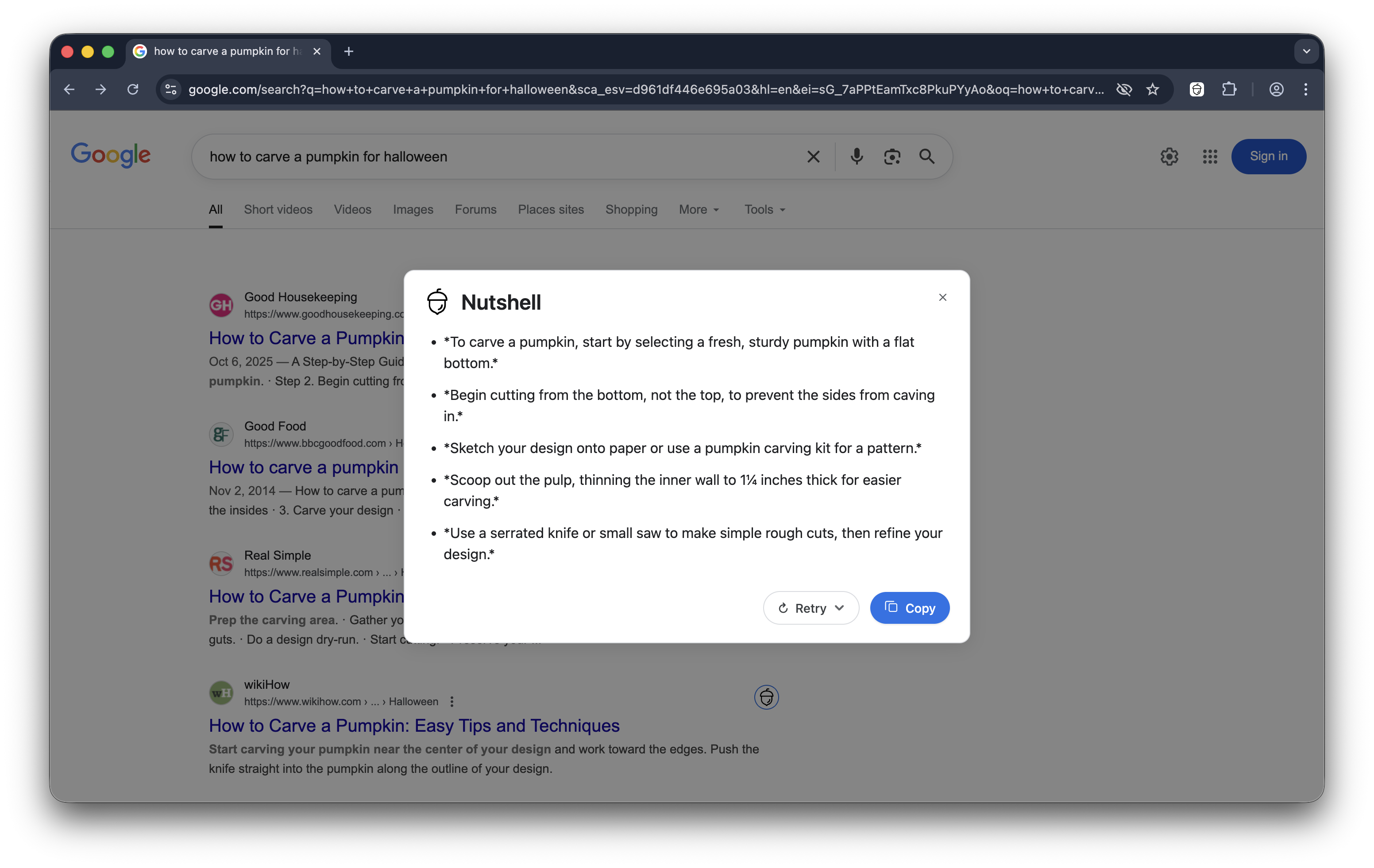
- Instant Summaries: A subtle "Nutshell" button appears next to each search result. Clicking it generates a concise, easy-to-read summary of the key points from the linked page, displayed in a clean, non-intrusive modal.
- Powered by On-Device AI: Nutshell leverages Chrome's built-in AI and the
SummarizerAPI to perform summarization locally and privately on the user's machine. - Seamless UI Integration: The UI is designed to closely match the Google aesthetic. It fully supports both Light and Dark themes by intelligently detecting the page's current appearance.
- Smart Content Extraction: Instead of naively summarizing an entire webpage (including ads and navigation), Nutshell first fetches the page in the background and uses a "reader mode" algorithm to purify the content, ensuring the AI receives only the core, relevant text. This dramatically improves the quality and accuracy of the summaries.
How I built it
As a Product Manager, my strength lies in identifying user problems and architecting solutions, not in writing production-level code. So, the entire extension has to be "vibe coded".
My workflow:
- I defined the product requirements, user flows, and UI/UX goals using Gemini 2.5 Pro.
- I used VS Code with Github Copilot, Google AI Studio, and Gemini CLI to generate the foundational code for the Chrome extension.
- I "read" and debugged the generated code, guiding the AI to refine the logic, add new features, fix bugs, refactor the architecture, and create documentation.
Challenges I ran into
Building what appears to be a simple feature revealed several deep technical challenges:
My first prototype naively passed the entire
body.innerTextof a page to the summarizer. This failed constantly. The AI was overwhelmed by navigation links, ad copy, and cookie banners. The solution was to build a robust content purifier. I architected a "subtractive" extraction function that parses the fetched HTML and aggressively removes dozens of common "junk" selectors. By stripping away everything that isn't content, what remains is the clean, readable text the AI needs to succeed. This was the biggest breakthrough of the project.I wanted the UI to feel native, which meant respecting Google's Light and Dark modes. Relying on the OS's
prefers-color-schememedia query was a disaster; a dark OS with a light Google theme would result in a broken, dark modal on a light page. I solved this by building a JavaScript-based theme detector that checks the actual computed background color of the Google page, applying a definitive CSS class that serves as the single source of truth for theming.Coordinating between the content script, the background service worker (for fetching), and the sandboxed page-world (where the AI runs) required a deep dive into asynchronous JavaScript,
postMessagecommunication, and careful state management. The in-button progress indicator, which seems simple, required a state machine to accurately reflect the truedownloading->summarizing->doneflow of the API.
Accomplishments that I'm proud of
- Bringing a Vision to Life: As someone who primarily writes product specs, not code, I'm incredibly proud of architecting and shipping a complete, polished, and genuinely useful extension. This project proves that with a clear product vision, a deep understanding of the user problem, and the leverage of modern AI tools, anyone can build meaningful software.
- The Content Purifier: The subtractive content extraction logic is the secret sauce of this extension. It's the difference between a demo that works sometimes and a tool that works reliably on the messy, unpredictable web.
- A Polished User Experience: I obsessed over the details. The theme detection, the smooth animations, the in-button spinner, and the clean modal design all come together to create an experience that feels like it truly belongs in the browser.
What I learned
I gained a much deeper understanding of the Chrome Extension APIs and the practical challenges of working with on-device AI. Mastering the workflow between VS Code, the Chrome DevTools, and the AI models was a skill I'll carry forward into all my future projects.
What's next for Nutshell
My goal is to make it the undisputed companion for efficient and intelligent web searching.
- I plan to integrate the built-in Language Detection API to analyze the search query's language. This will allow Nutshell to provide summaries in the user's native language.
- To improve performance and reduce redundant processing, I will implement a session-based caching system for summaries.
- I plan to expand Nutshell's functionality beyond Google to other popular search engines like DuckDuckGo, Bing, and Kagi.
Thank you for considering my project!
Built With
- chrome-built-in-ai
- chrome-extension-api
- chrome-extension-apis
- css3
- devtools
- github
- github-copilot
- google-ai-studio
- google-gemini
- html5
- javascript
- mcp
- summarizer-api
- visual-studio-code


Log in or sign up for Devpost to join the conversation.