-
-
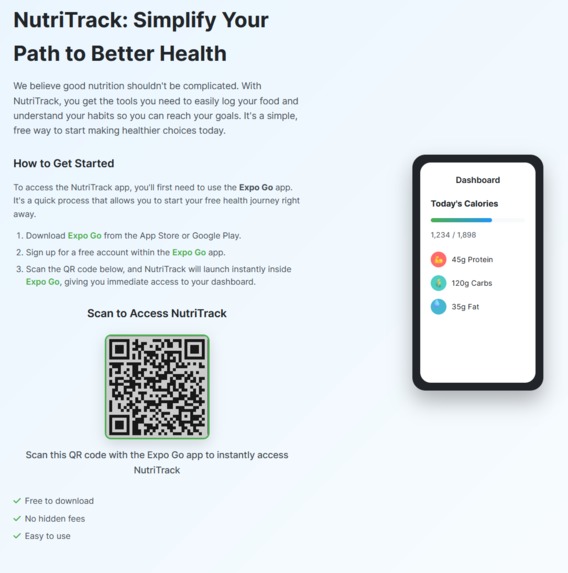
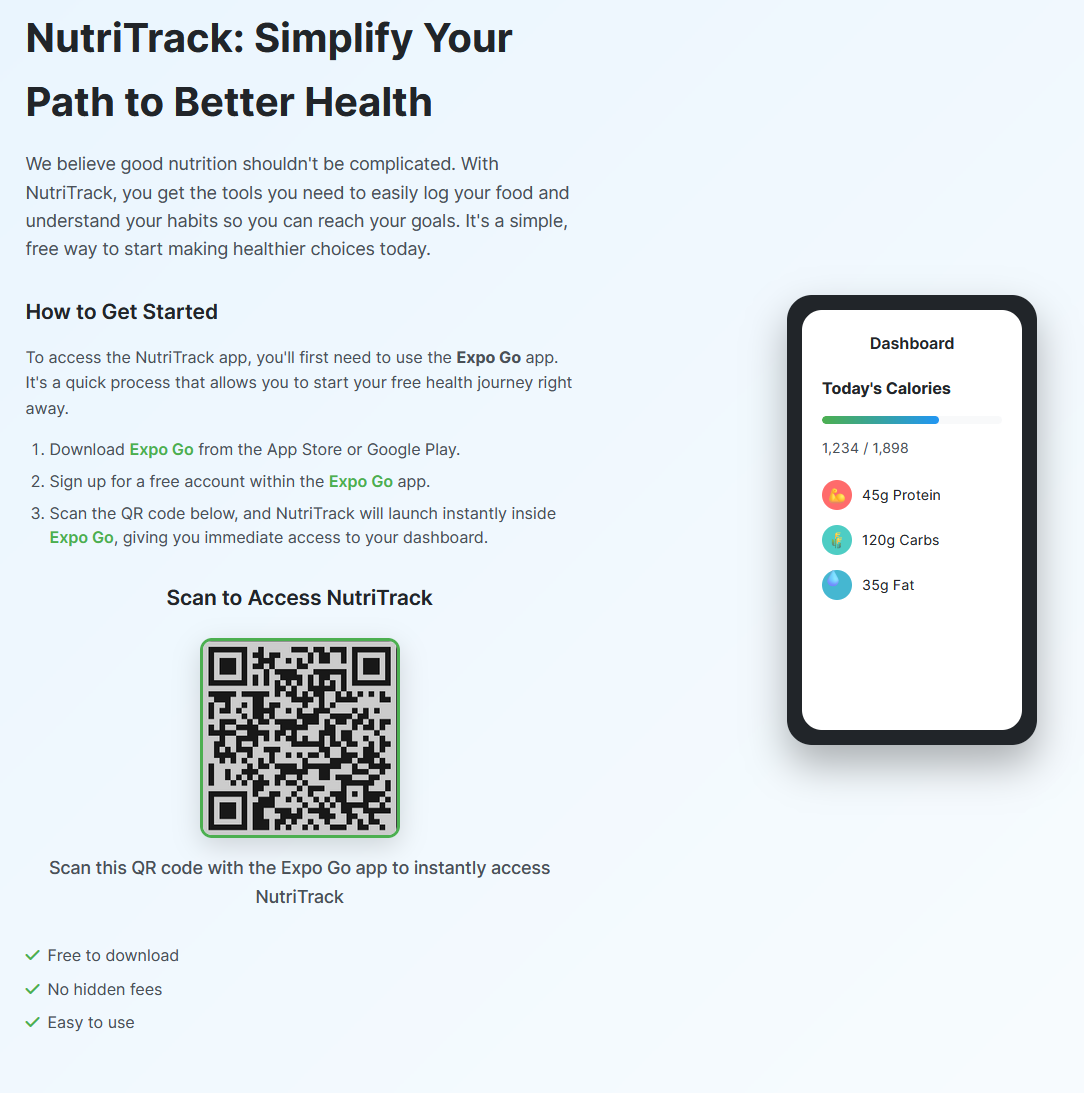
Website download
-
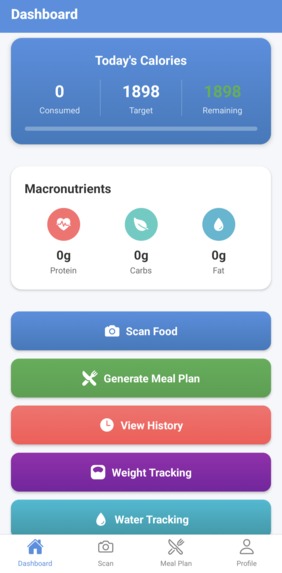
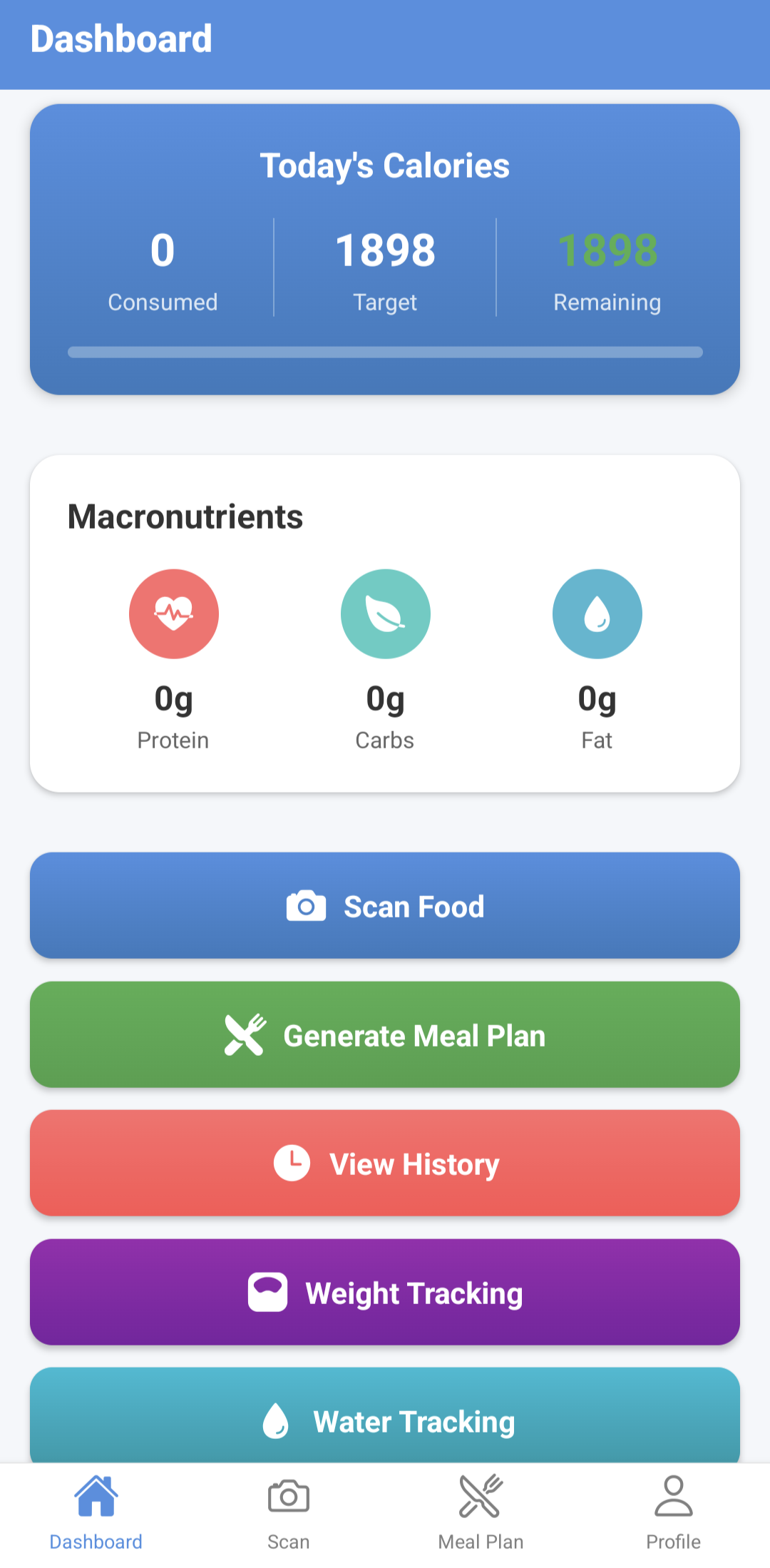
Dashboard page
-
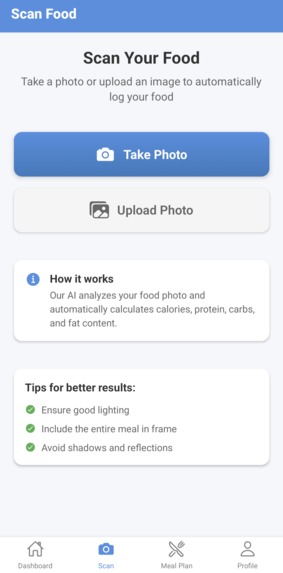
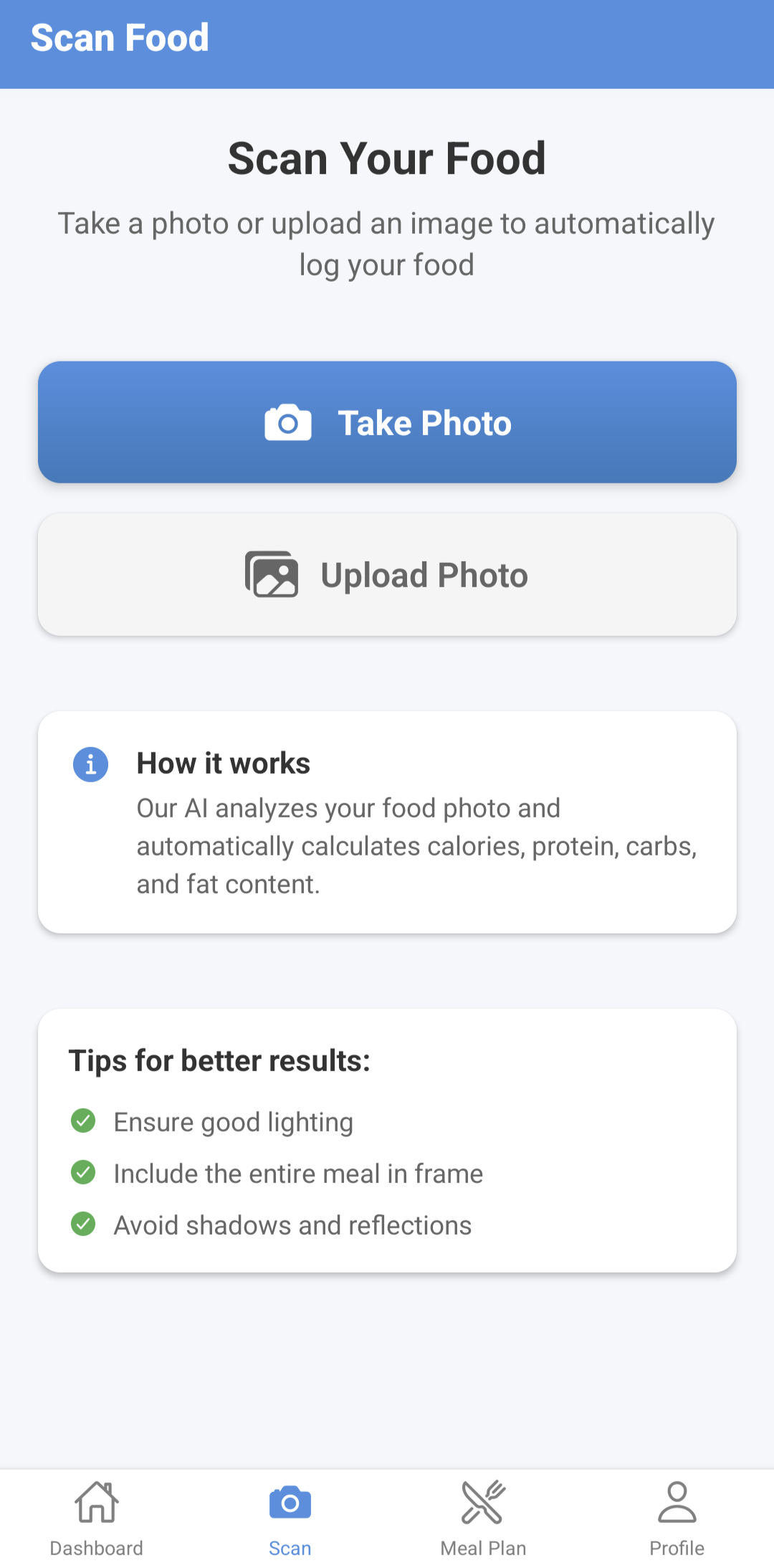
Scan Food page
-
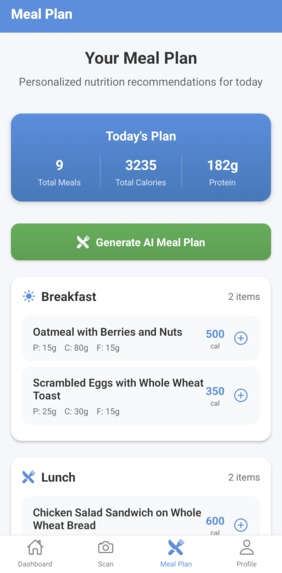
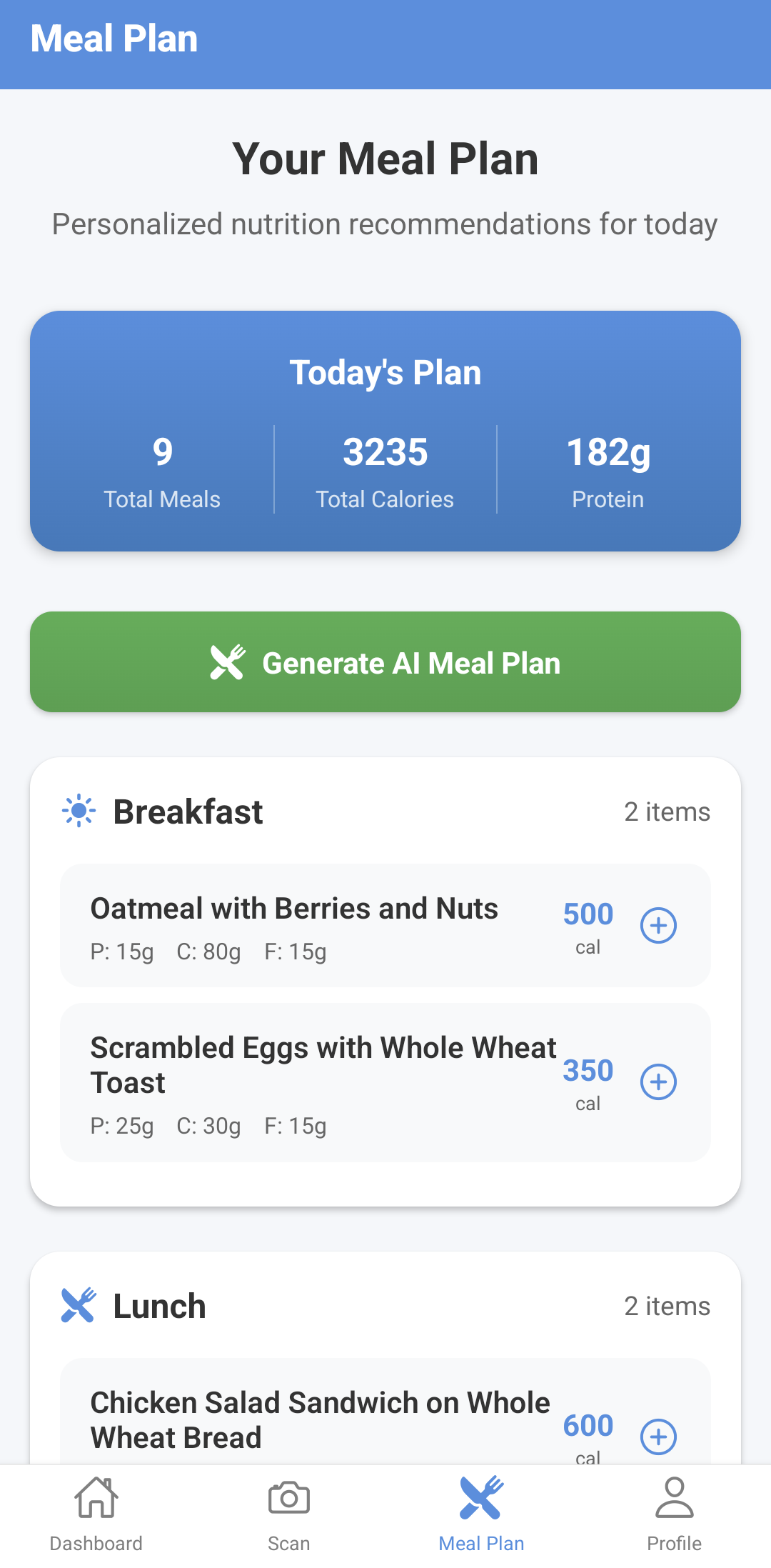
Meal Plan page
Inspiration
NutriTrack came from the everyday struggle of trying to eat healthy while still keeping up with a busy life. We noticed a lot of people want to track what they eat, but most apps are either too clunky or too bare. Manually typing in foods or searching huge databases takes forever, and honestly, nobody wants to do that. We asked ourselves: what if you could just take a picture of your food and instantly get the breakdown? That is exactly what NutriTrack does. The goal is to make healthy eating simple, accurate, and something people can actually stick with.
What it does
With NutriTrack, you can:
- Snap a photo of your food and get instant nutritional analysis with AI
- Track calories, macros, and micronutrients automatically
- Generate meal plans based on your profile and goals
- Monitor weight and water intake with progress visuals
- See your full food history with detailed insights
- Get custom nutrition tips and recommendations
- Create profiles with age, weight, height, and activity level
- Use a dashboard to view your daily progress and trends
How we built it
- Frontend: React Native with Expo for cross-platform development, using React Navigation for smooth flow
- AI Integration: Google Gemini 1.5 Flash API for food recognition and nutrition analysis
- Backend: Firebase Authentication for secure login and Firestore for real-time data storage
- Image Processing: Expo Camera and Image Manipulator for photo capture and optimization
- State Management: React Context API for handling nutrition data and user profiles
- UI/UX: Custom components with gradients and intuitive navigation
- Data Persistence: AsyncStorage for offline support and Firebase for cloud sync
Challenges
The hardest part was connecting Firebase with React Native and making everything work reliably. Getting authentication to persist with AsyncStorage took a lot of debugging. Managing data between Firebase Auth, Firestore, and React Context was tricky because we needed everything to stay consistent. On top of that, the AI API came with its own issues, like image compression, rate limits, and parsing long JSON outputs. We also spent a lot of time testing camera permissions and making sure image processing worked smoothly across iOS and Android.
What we are proud of
- A complete nutrition tracker that actually makes eating healthier easier
- AI-powered food recognition that works fast and accurately
- Real-time sync between offline and cloud data
- Meal planning that adapts to different user needs
- A clean, simple interface that guides the user naturally
- Tracking multiple health metrics all in one app
- Strong error handling and offline support
What we learned
- Firebase with React Native takes careful setup, especially with auth and persistence
- Working with AI APIs means good prompt design and smart response parsing
- If the user experience is not simple, people will not use the app
- Image compression and processing are crucial for AI on mobile
- State management gets complicated fast with linked data
- Cross-platform testing with Expo is a must
- Real-time syncing between local and cloud data needs a clear structure
What’s next
- More advanced AI with better food recognition and portion estimates
- Wearable device integration for automatic activity tracking
- Social features so users can share meals and connect with friends
- Machine learning analytics for deeper insights and recommendations
- Barcode scanning for packaged food
- Data export for healthcare or nutrition providers
- On-device AI for faster processing without internet
Built With
- expo.io
- firebase
- google-gemini-ai-api
- react-native

Log in or sign up for Devpost to join the conversation.