-
-
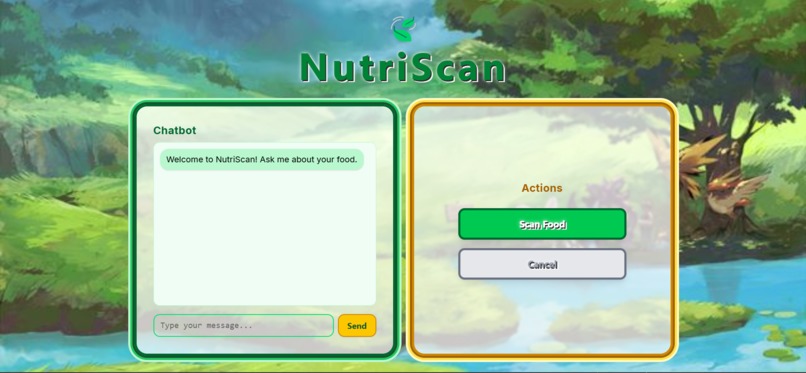
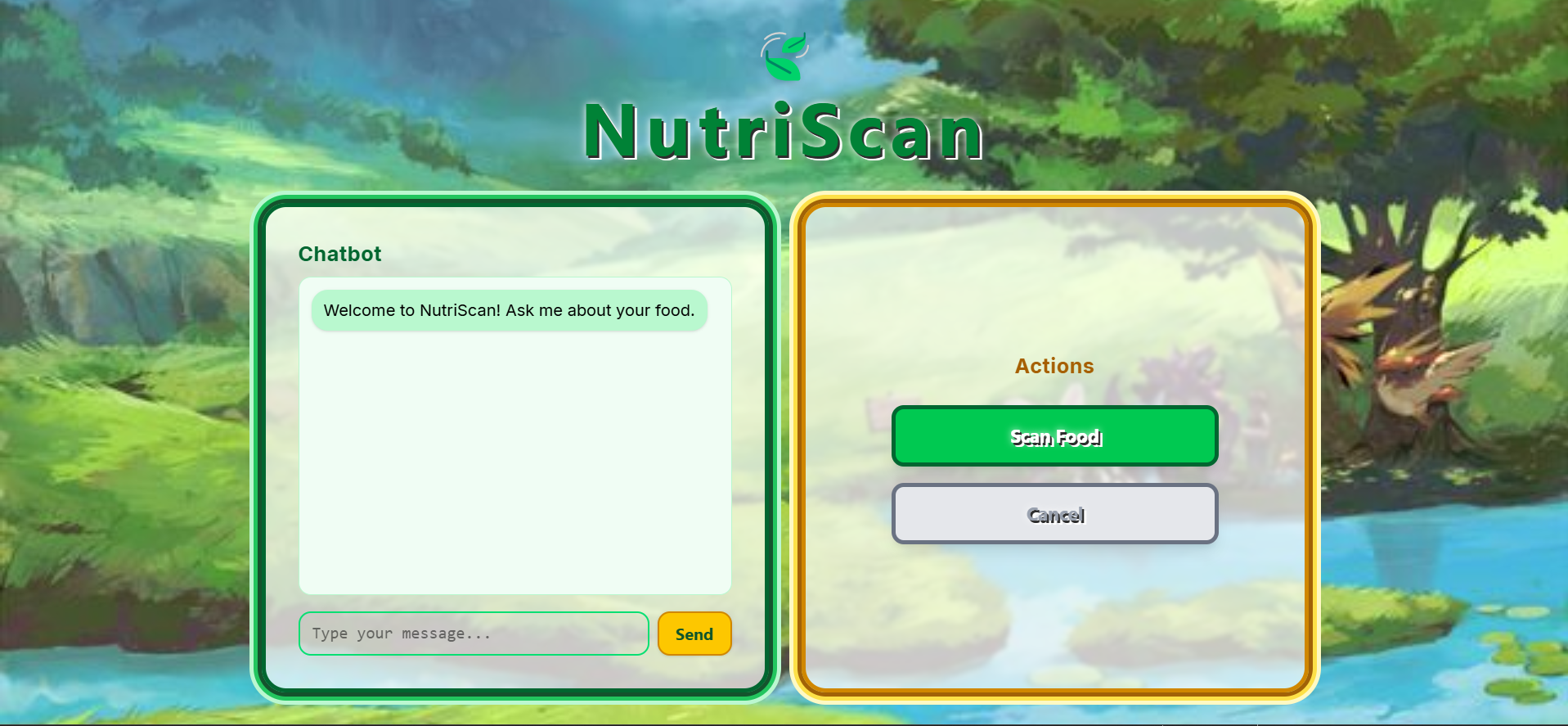
UI and Home Page
-
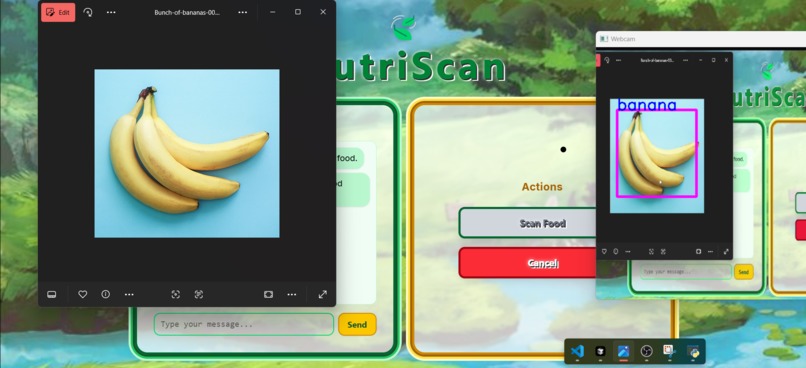
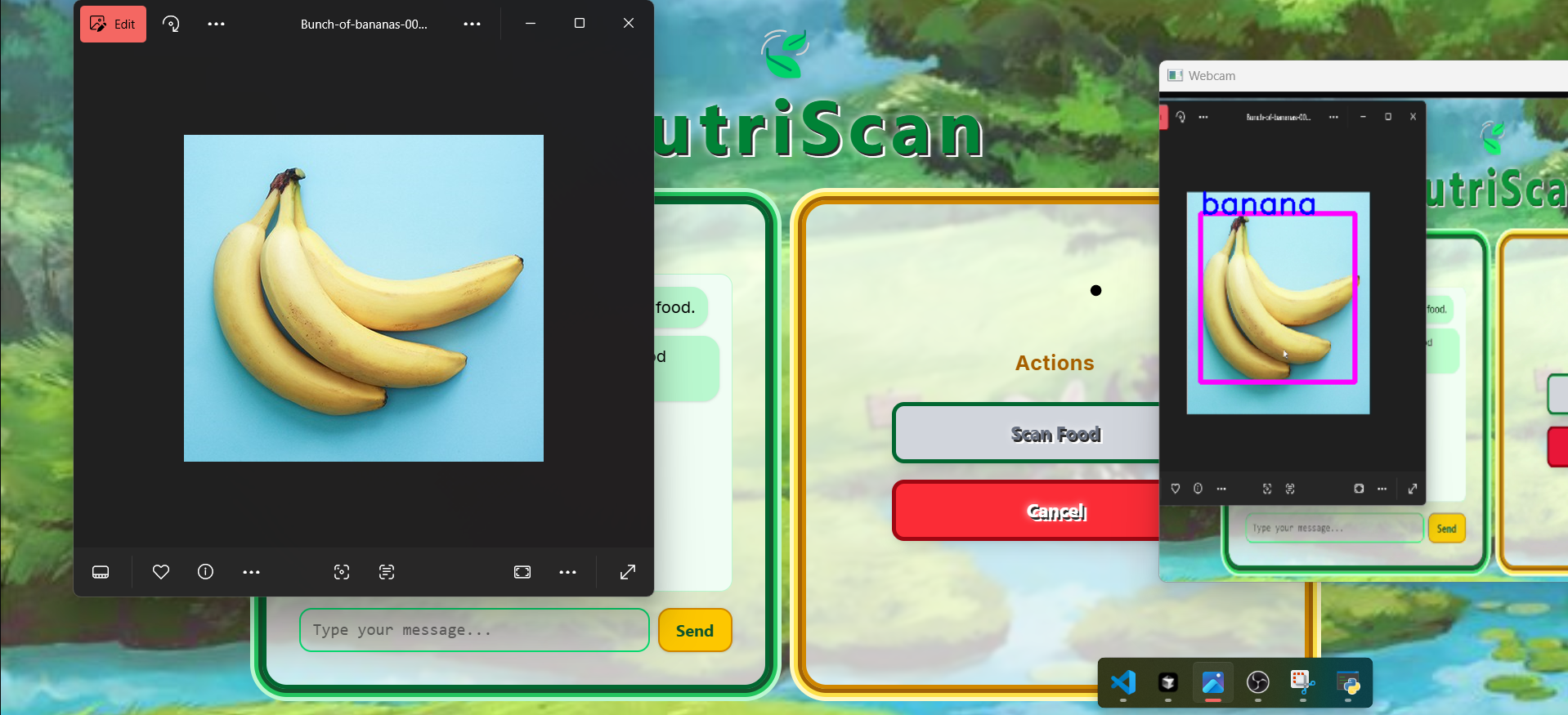
Scanning food through Image
-
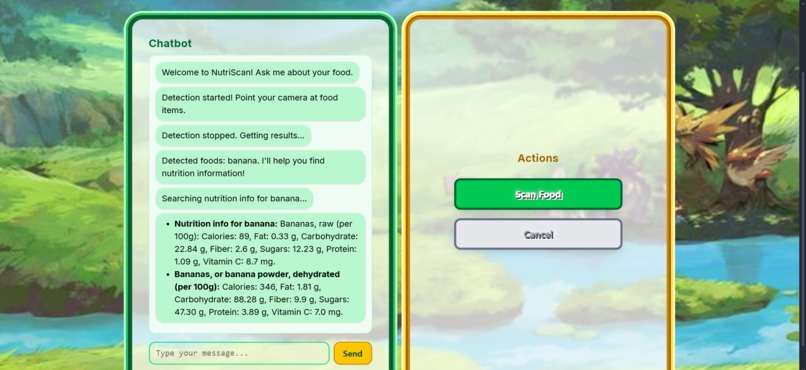
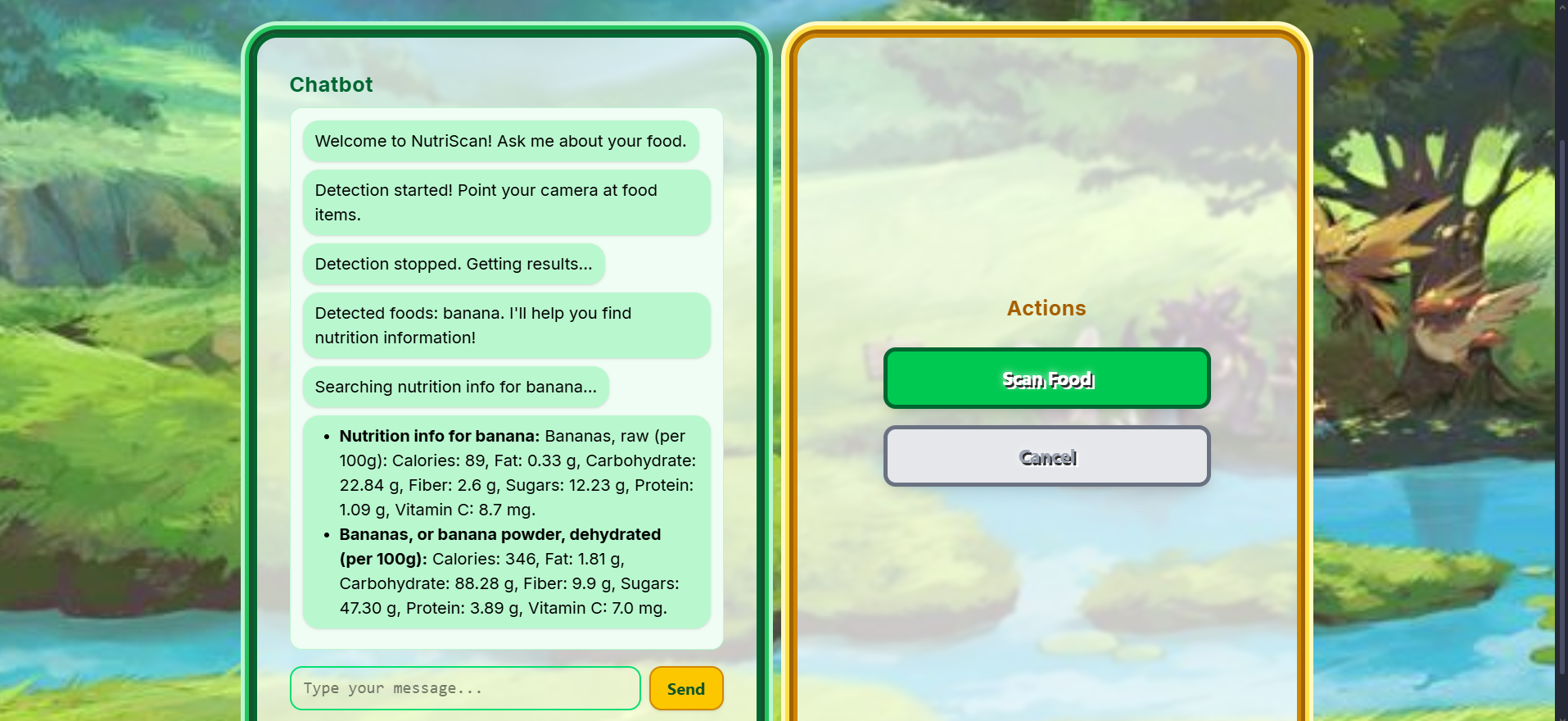
Response from Scan
-
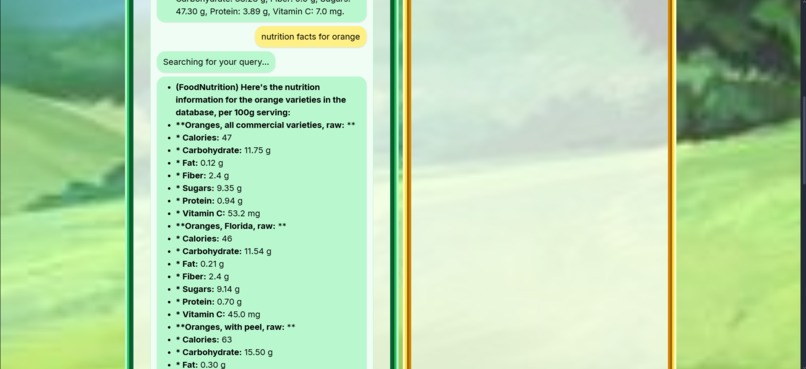
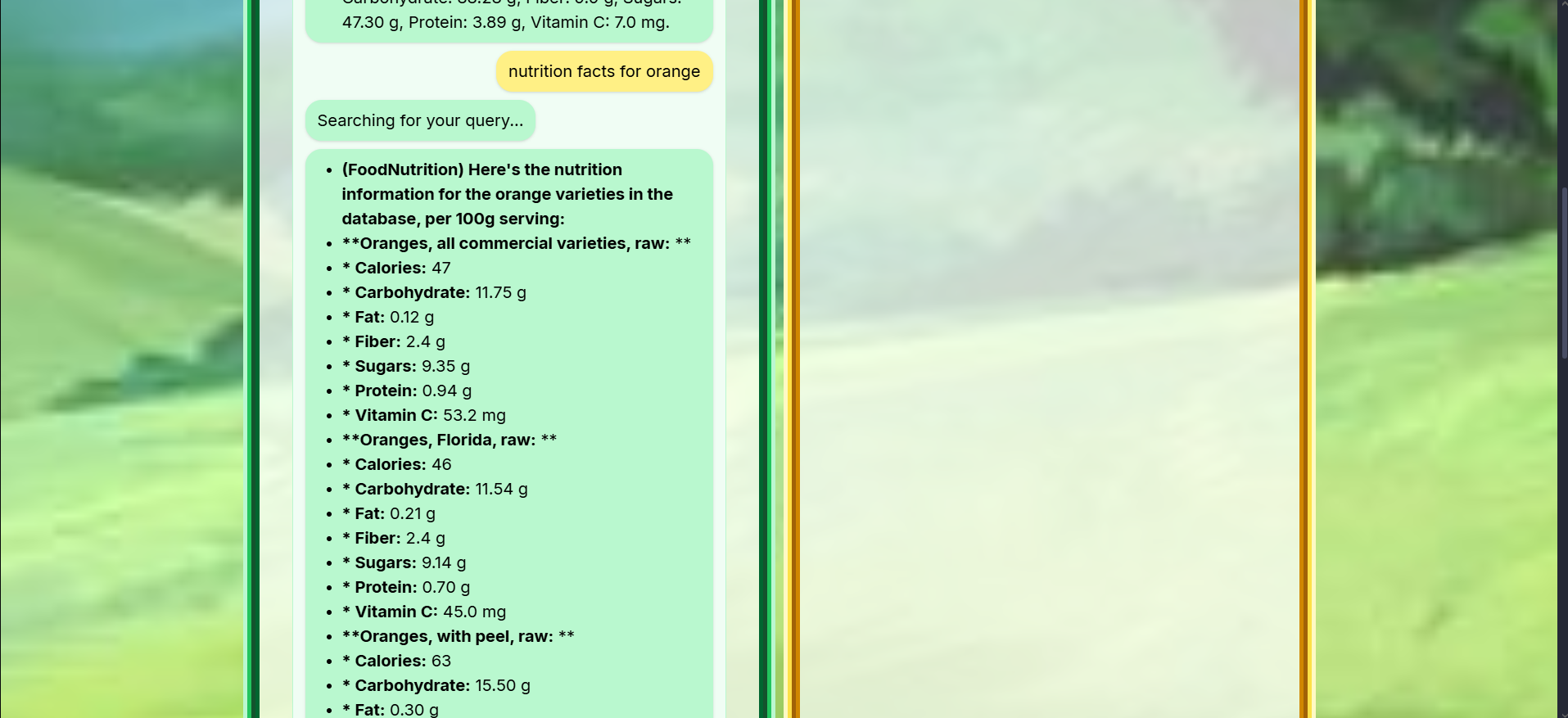
Chatbot Queries
Inspiration
Every day, people struggle with making healthy food choices, not because they don’t want to eat better, but because they don’t have accessible information at the right time. We wanted to create a tool that helps users make smarter dietary decisions instantly by combining computer vision with nutrition data.
What it does
NutriScan is a smart food recognition app that allows users to scan their meals using a camera. The app uses computer vision to detect the food item, then pulls up real-time nutritional information such as calories and macronutrients. It’s designed to empower users with quick and accessible dietary insights, so people know what they are eating, when they are eating.
How we built it
The backend was built with Python and Flask, serving the web interface and handling requests.
For food recognition, we integrated OpenCV to process camera images and used a trained machine learning model to classify food items.
To provide detailed nutrition info, we connected to external nutrition APIs that supply real-time data on calories and macros
We implemented a vector database through Weviate to store embeddings of nutrition data, enabling semantic search
Using Retrieval-Augmented Generation (RAG), we retrieved relevant nutrition data chunks from the vector store and fed them into a language model to generate clear, personalized responses.
The frontend was built with React and Tailwind to create a clean, user-friendly interface.
Challenges we ran into
Initially, we wanted to incorporate hardware into this project, so we decided to use a Raspberry Pi 4 with a camera module. None of us had experience working with Raspberry Pi before, so it was a gamble trying to use it with our project. At first, we had no idea we could even use VNC Viewer to access the Raspberry Pi's desktop, so we were trying to do everything through the terminal on my MacBook (this was hell). After a lot of trial, error, and Googling, we finally discovered that we could launch VNC Viewer, open a script right on the Pi’s desktop, and run OpenCV directly from there. Turns out, using a visual interface makes things a lot easier.
Accomplishments that we're proud of
We built a full pipeline that combines computer vision, Flask, and real-time nutrition data in a clean and functional UI
We successfully implemented vector databases, RAG (Retrieval-Augmented Generation), and semantic search, all for the first time.
Most importantly, we created something that’s actually useful and has the potential to help people make better food choices
What we learned
We got hands-on with computer vision and OpenCV, learning how to process images, build real-time scan functionality, and integrate it smoothly into a Flask app.
We took a deep dive into vector databases and RAG pipelines, and learned how semantic search and embeddings can make data retrieval way more intelligent than basic keyword matching.
We discovered how to balance frontend UX with backend complexity, and how small interface decisions (like when and where a camera activates) make a huge difference for usability.
What's next for NutriScan
Expand our vector database to include more dietary filters, like keto, halal, vegan, and allergen-specific recommendations.
Build a meal history tracker, so users can log what they’ve eaten and get insights over time (kind of like a fitness tracker, but for food).
Add voice-based interaction so users can ask questions like “Is this healthy for someone with high blood pressure?” and get smart, contextual answers.
Optimize for speed and performance, especially when having the camera on, so NutriScan stays fast and light.
Built With
- fastapi
- gemini
- google-vertex-ai
- node.js
- python
- raspberry-pi
- react
- tailwind
- vector-databases
- weaviate
- yolov8


Log in or sign up for Devpost to join the conversation.