Inspiration
A meal plan should not break the moment you eat a pizza. NutriPlanner started from a real need in my family: reaching a minimum of energy during an illness, on days when nothing goes to plan. Most planners assume you follow them perfectly, so one dinner out or one skipped lunch ends the plan and people give up.
What it does
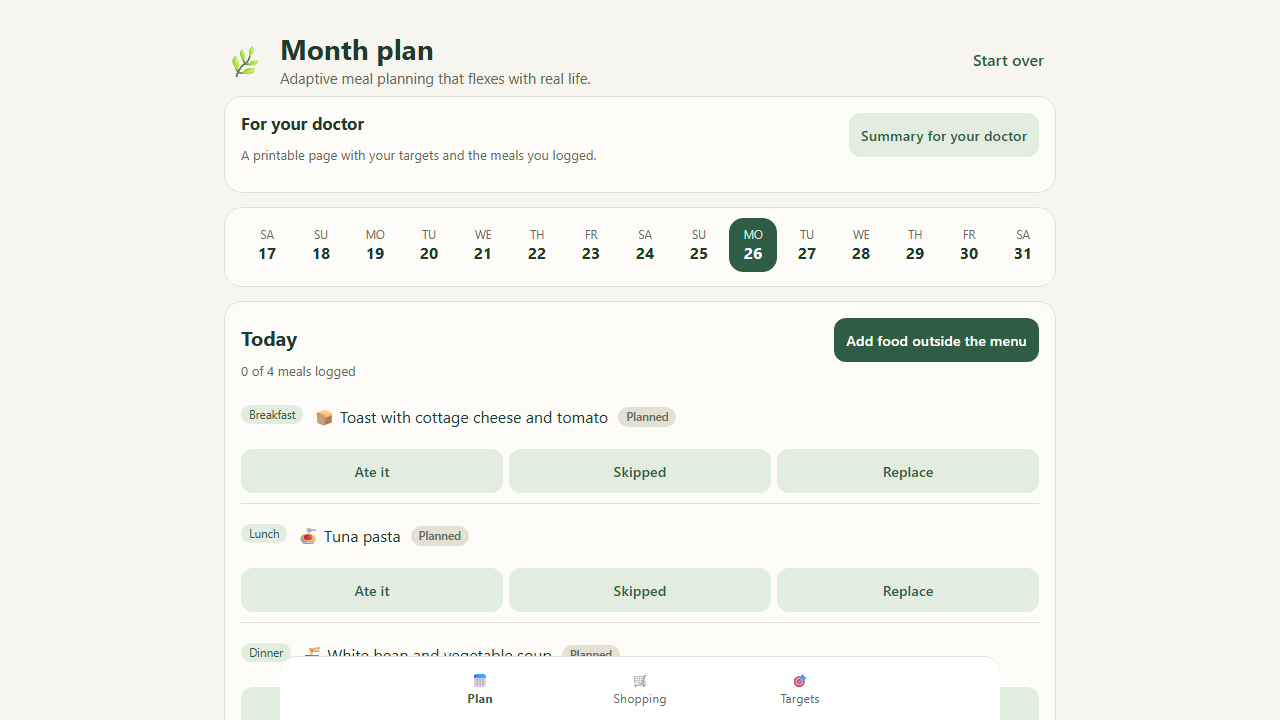
NutriPlanner is a monthly meal planner that adapts to what you actually ate.
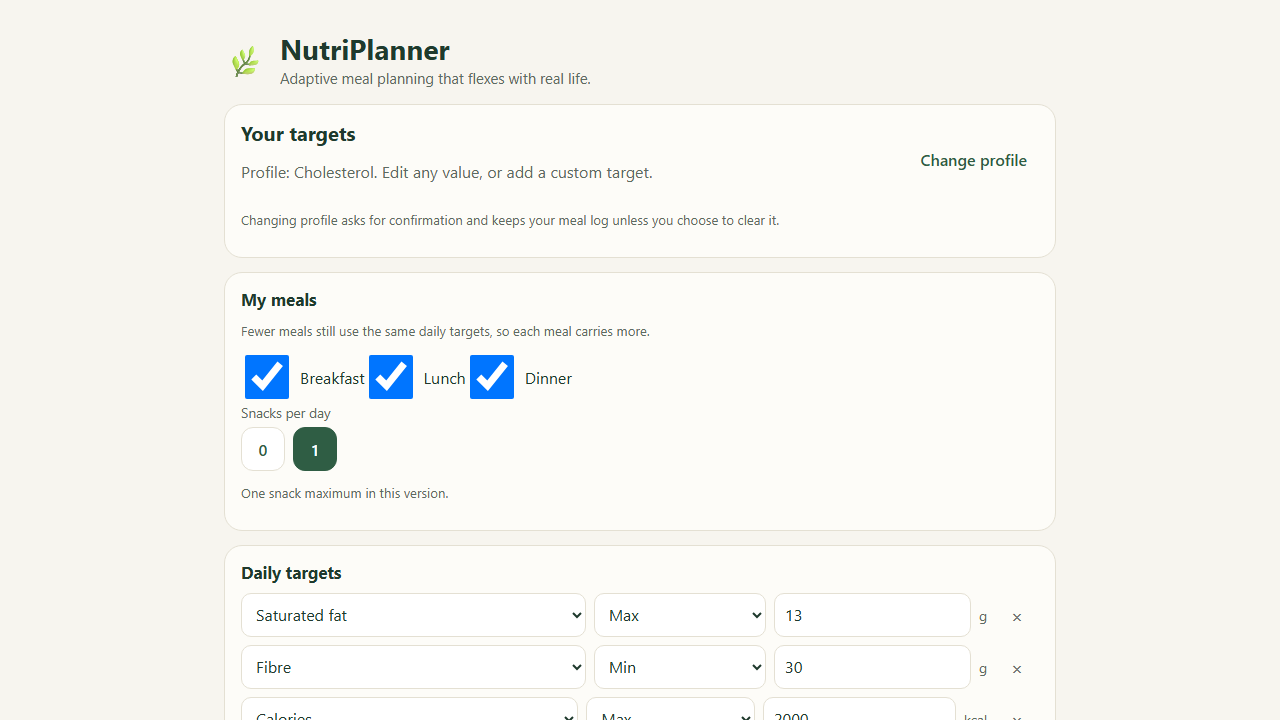
- Pick a starting goal (weight loss, cholesterol, recovery or athlete). Each profile is only an editable set of daily minimum and maximum targets, and you can add your own.
- Build a month of meals from public USDA FoodData Central foods, with a shopping list that covers only the days until your next shop.
- Each meal on the day screen has Ate it, Skipped and Replace, all with Undo. Replace lets you pick another recipe or search any food you actually ate, or add your own food.
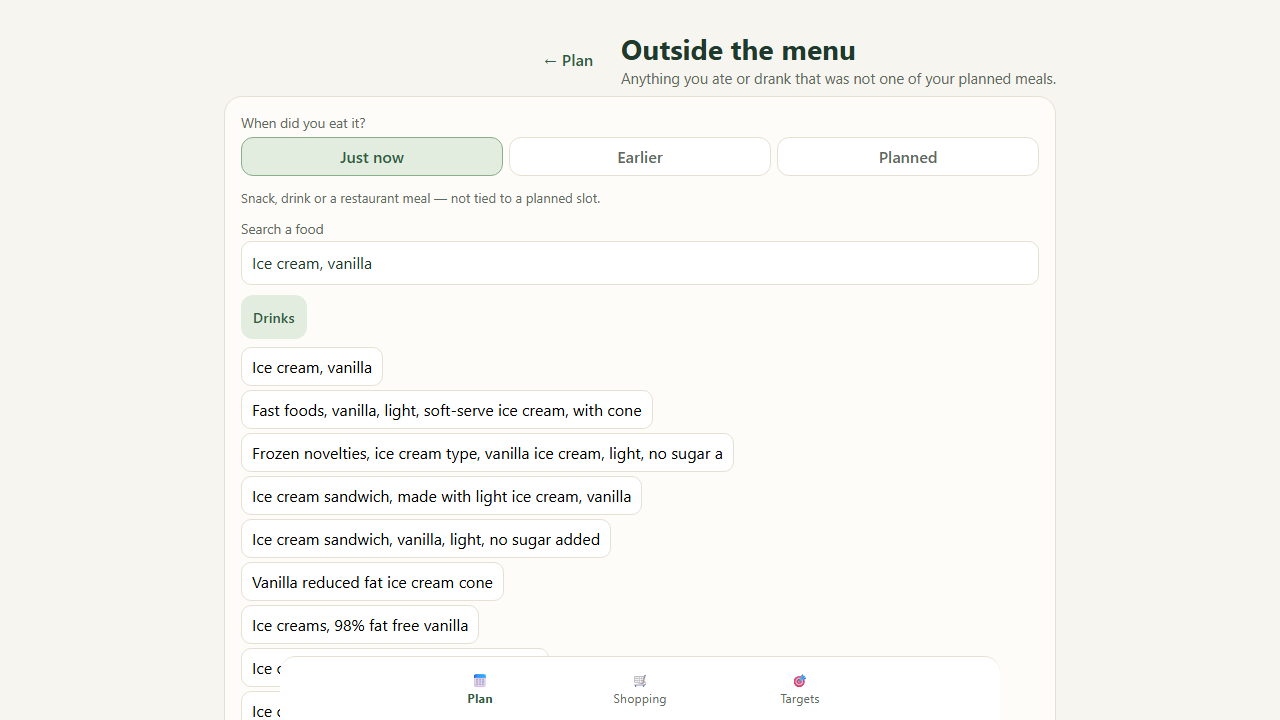
- Add food outside the menu, saying when you ate it: just now, earlier (a past date and time), or planned ahead for a later day. Drinks included.
- If you save this: while you build an off-menu meal, a card already shows the same reason and effect numbers the plan update will show, before you save. It is a dry run of the same calculation, and nothing is stored until you press Save.
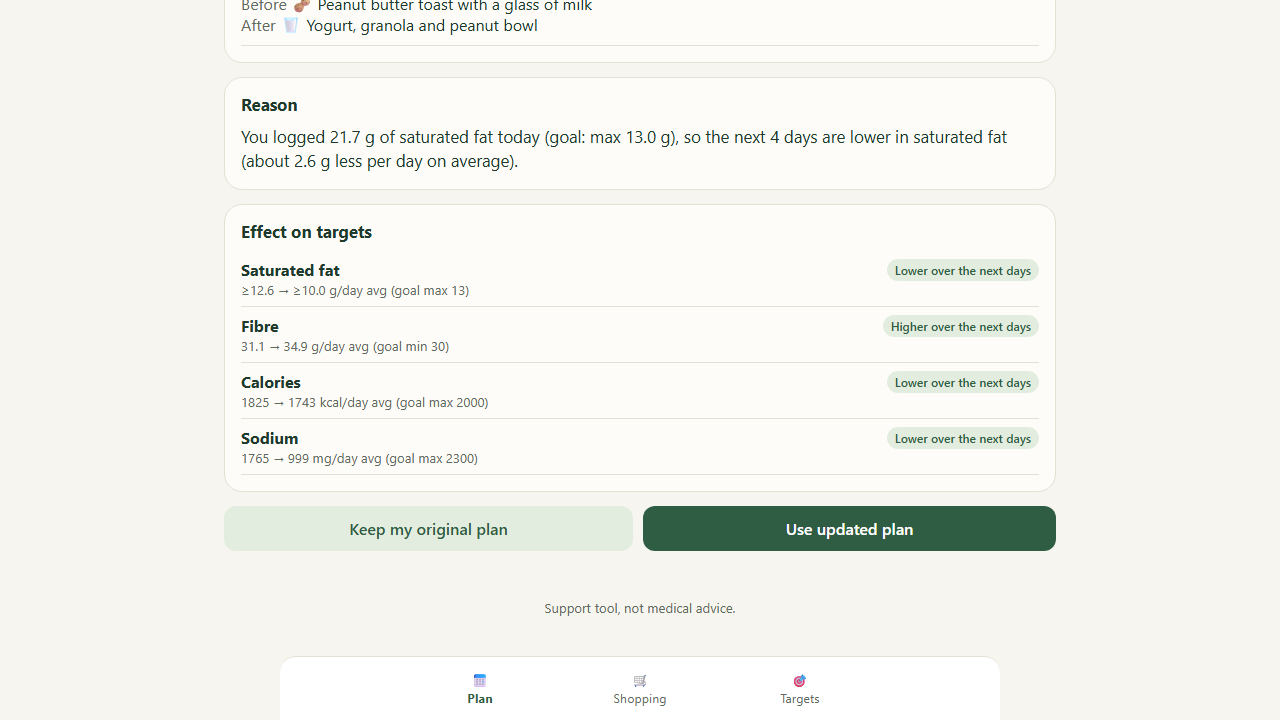
- The Plan updated screen shows which meals of the next four days change, the reason with the real numbers, and the before/after effect on every target. Missing nutrient data is never shown as a certain number.
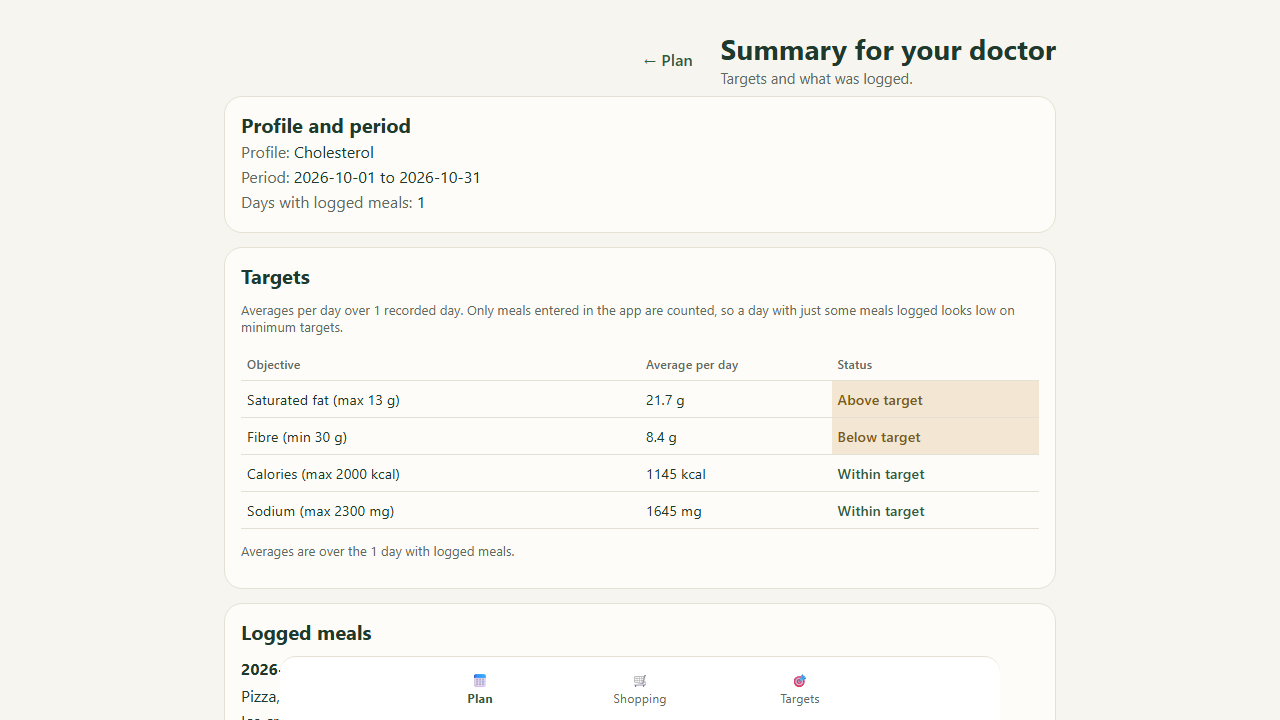
- A printable summary for your doctor lists only what you entered. A planned meal is never counted as eaten.
- Download your data and restore it later; everything stays on your device.
How I built it
Plain JavaScript (ES modules, no framework) in a static site. The shown plan is a pure function of the base month plan, your log and your accept/reject decisions, so undoing or editing an old entry recomputes everything from the original plan instead of drifting. AI coding assistants (Claude, Cursor, Codex and DeepSeek) were used for implementation and independent review, starting from an empty folder with the Devpost Learn skill pack; planning documents are in the devpost/ folder of the repository. There are 423 automated tests, including property tests for the plan function.
Challenges
Keeping the screen honest: the reason text, the effect numbers and the progress counters must always agree, planned food must never count as eaten, and a maximum target must never be pushed over its limit by a make-up. I found many of the defects by using the app as a first-time user on a phone, then fixed them one at a time with tests first.
What I learned
An adaptive plan is mostly bookkeeping: if the log is the source of truth and the plan is derived, every correction becomes safe.
What's next
Targets sent by a doctor or dietitian as a small file that you check and confirm (the app never decides targets by itself), a caregiver view with a printable page for today, a shopping budget that shapes the plan, allergies, and national food tables beyond the US USDA data (the engine only needs a nutrient table).
Try it
Live demo: https://rickyvii-hash.github.io/nutriplanner/ . Source (AGPL-3.0): https://github.com/rickyvii-hash/nutriplanner . Steps: choose Cholesterol, tap Build my month plan, then Add food outside the menu, search pizza and ice cream, Save and update plan; try Skipped, Replace and Undo. NutriPlanner is a support tool, not medical advice, and does not claim to improve health.
Built With
- claude
- codex
- css
- cursor
- deepseek
- github
- html
- javascript
- localstorage
- usda-nutrition-data

Log in or sign up for Devpost to join the conversation.