-
-
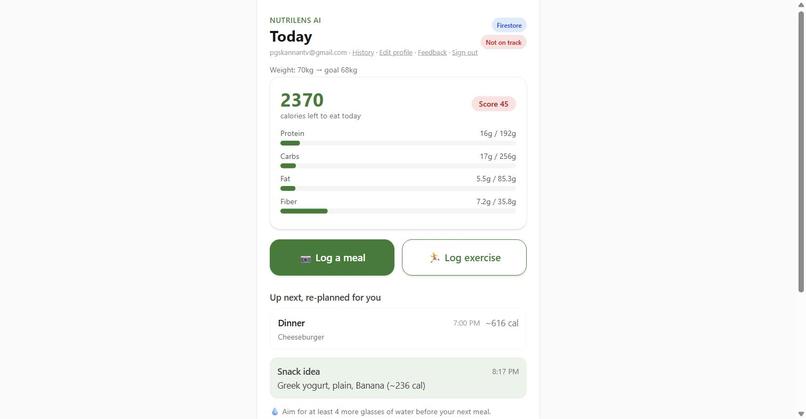
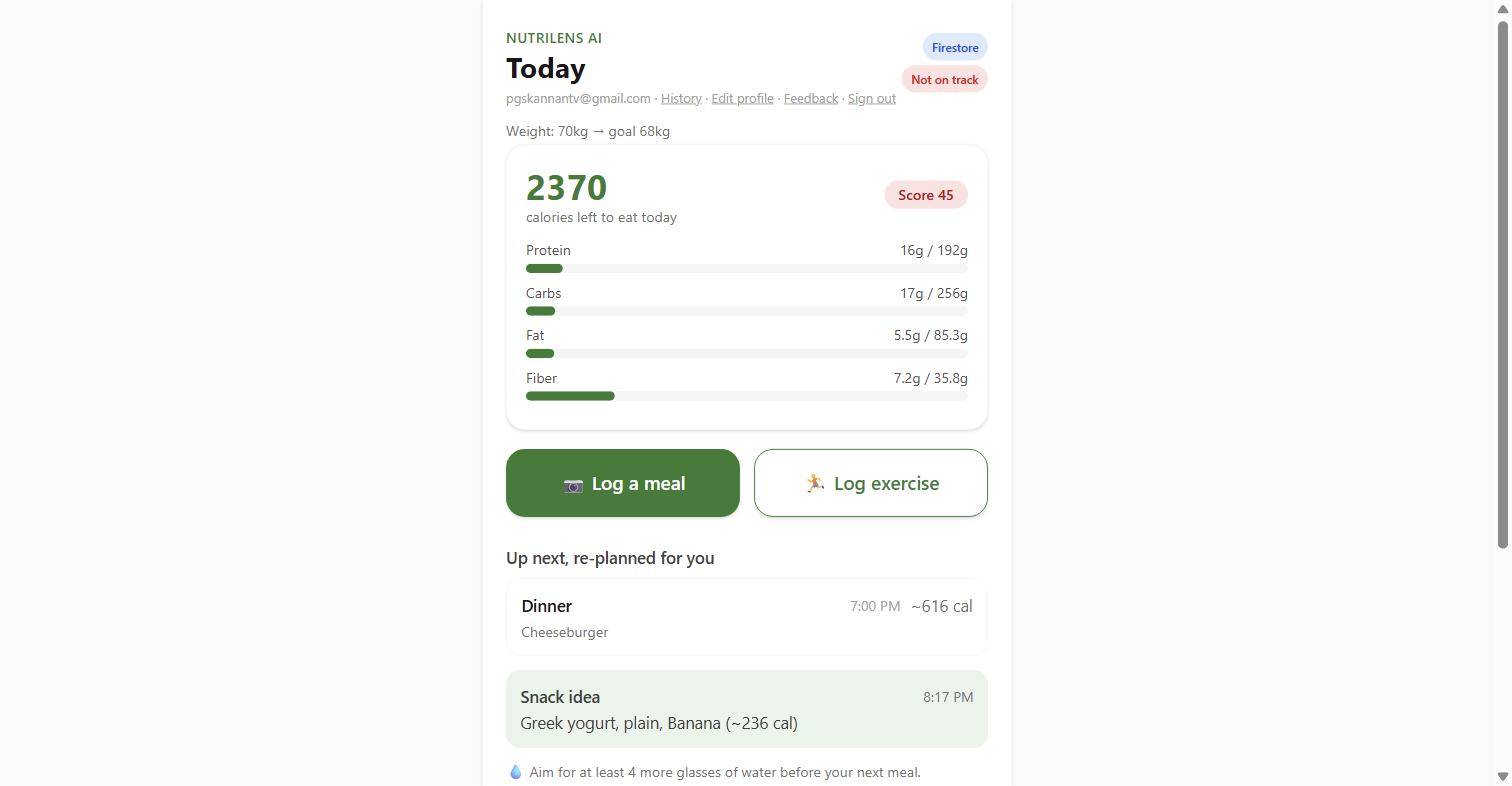
Dashboard — remaining calorie/macro budget, re-planned next meal
-

History — meals and exercise logged per day
-
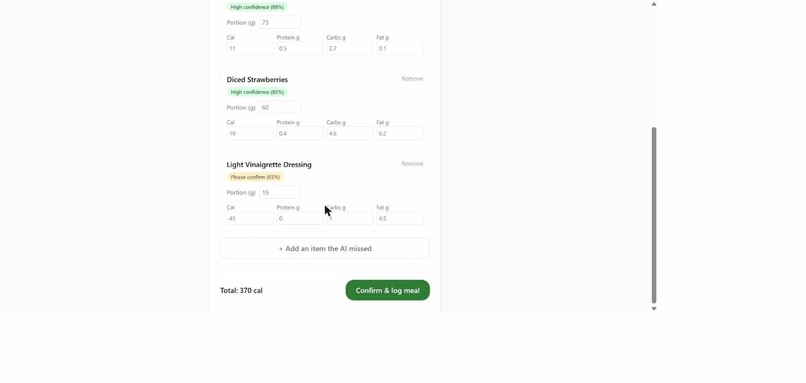
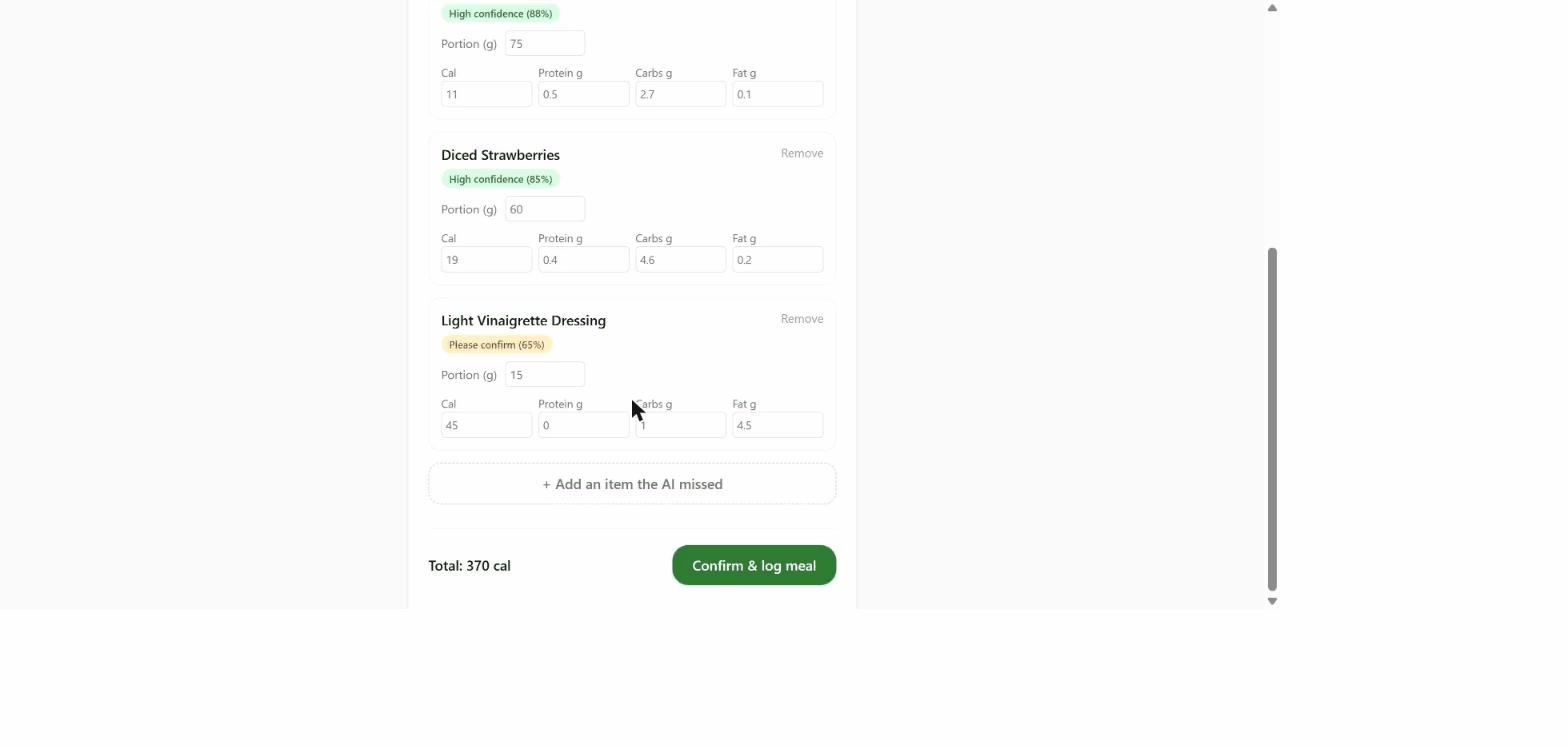
Gemini Vision meal review — confidence scores per item
-
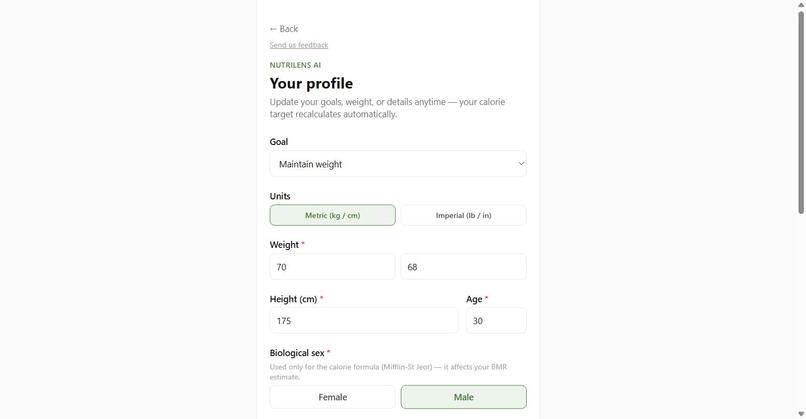
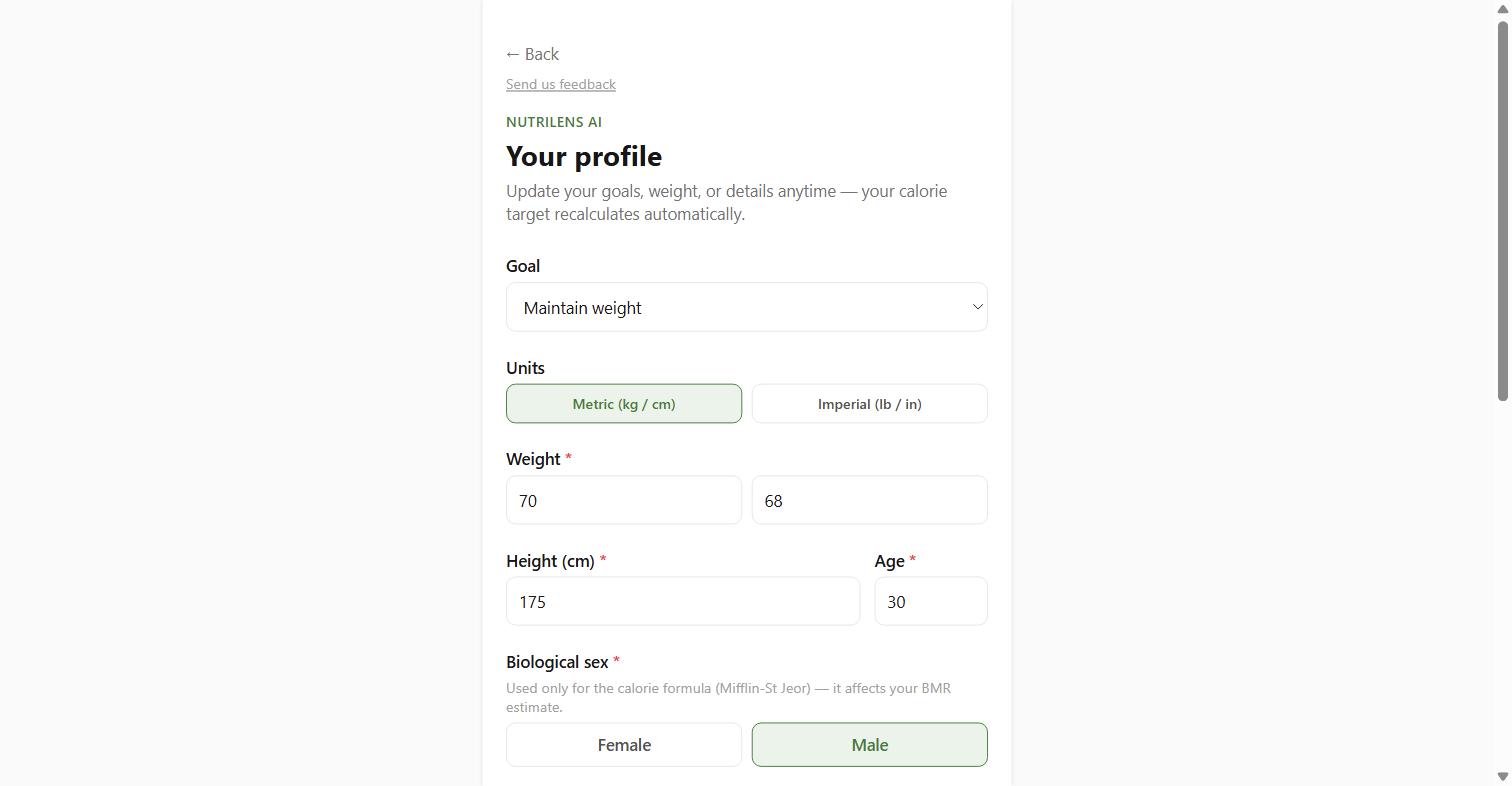
Profile — goals, weight, activity level, calorie target
-
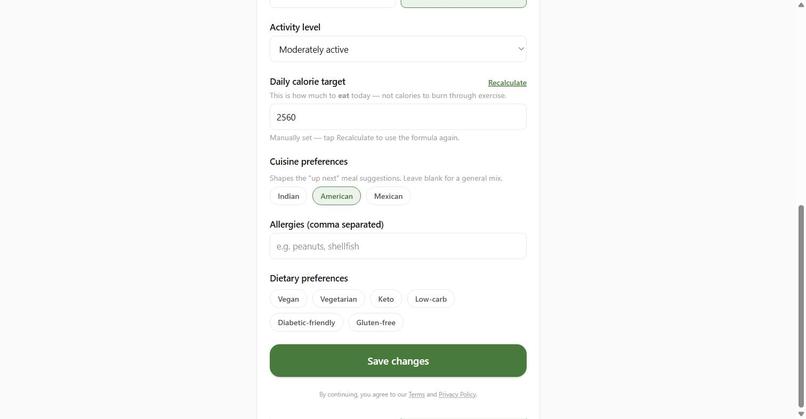
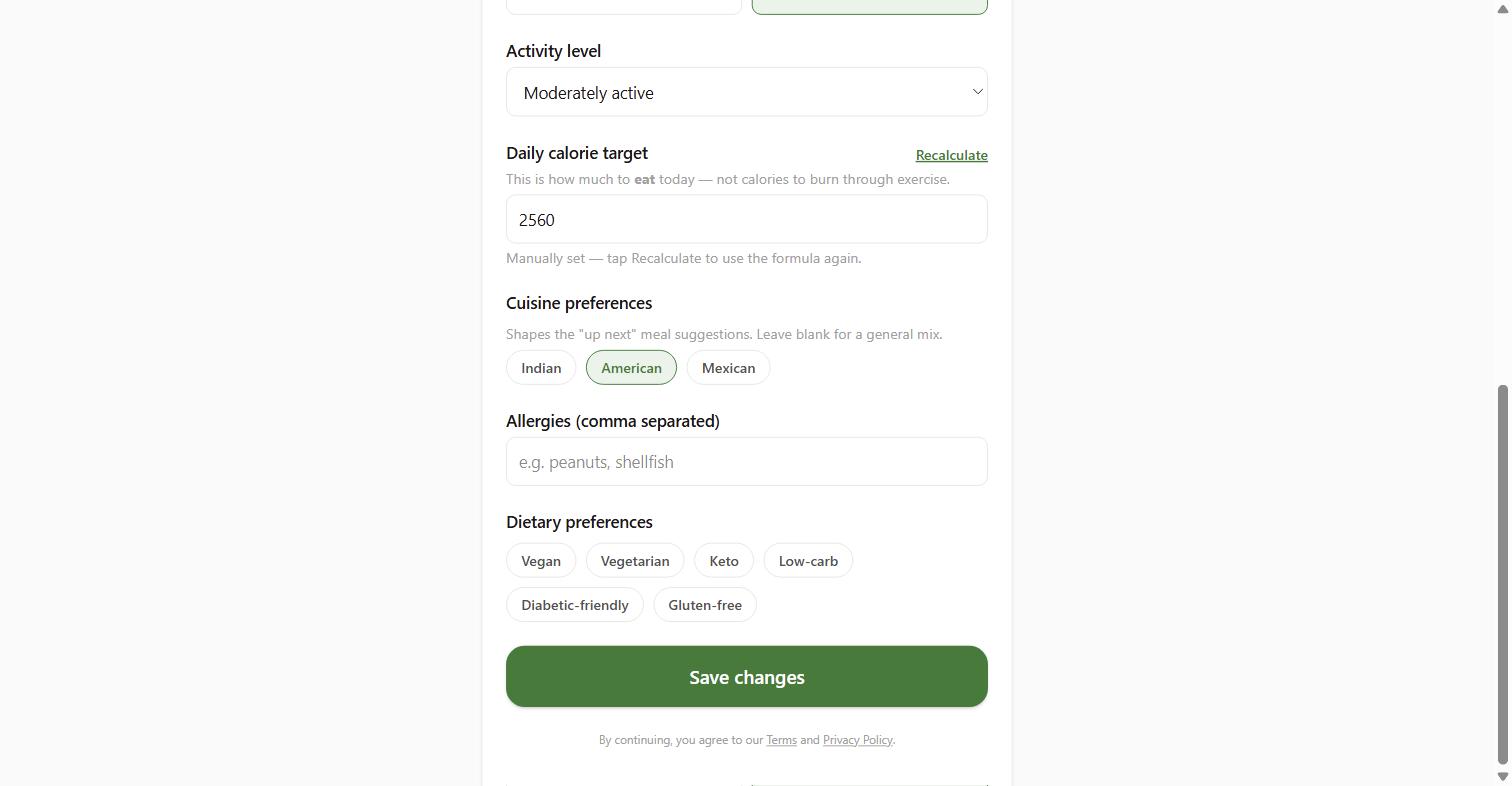
Cuisine preferences, allergies, dietary preferences

Inspiration
Calorie and macro tracking apps ask users to do the hardest part themselves: search a food database, guess a portion size, and manually log every ingredient — three times a day, indefinitely. That friction is the real reason most people abandon nutrition apps within the first few weeks. It isn't a motivation problem, it's a data-entry problem. NutriLens AI removes the data-entry step entirely: photograph your plate, and the app identifies what's on it and estimates calories and macros automatically.
What it does
A user photographs a meal. That photo goes to Gemini Vision, which identifies each food item and estimates its calories and macros, along with a per-item confidence score. Each identified item is cross-checked against USDA FoodData Central — a confident match upgrades Gemini's estimate to a verified USDA figure, shown as a "USDA verified" badge. High-confidence items are auto-approved; lower-confidence ones are flagged for a quick human check before logging, so the AI never silently logs something wrong. Once confirmed, the meal is logged, the day's remaining calorie and macro budget updates instantly, and the app re-plans suggested next meals and snacks to keep the user on target. Every user's data is scoped to their own Google account and persisted in Firestore, so it survives across sessions and devices.
How we built it
NutriLens AI is a single Next.js 16 / React 19 Progressive Web App — no native app required, works from any browser with a camera. Food recognition runs on Gemini Vision; USDA FoodData Central verifies those estimates against real nutrition data. Firebase Google Sign-In and Firestore handle identity and per-user storage of meals, exercise, and history. Photo-analysis calls are rate-limited per user through a Firestore-backed limiter that holds across server instances and restarts, tiered by subscription status. A full Stripe Checkout and webhook billing flow is built and included in the repo for the subscription tier. The app is containerized with Docker and deployed to Google Cloud Run, with secrets held in Secret Manager rather than plain environment variables.
Challenges we ran into
Portion-size estimation from a single photo is inherently uncertain, so we built a confidence-scoring system rather than presenting every AI guess as fact: high-confidence items auto-log, lower-confidence ones route to a review screen the user can correct in seconds, and every correction is stored to improve future estimates. Balancing AI cost against usability was another one — Gemini calls are the primary cost driver, so rate limiting had to be real (Firestore-backed, surviving restarts) rather than an easily-bypassed in-memory counter. We also built the Stripe billing path end-to-end (Checkout plus webhook handling that updates a user's tier in Firestore), even though its keys aren't wired into this specific live deployment yet.
Accomplishments that we're proud of
This is a real end-to-end loop — photo in, verified nutrition data out, persisted per user — not a mocked demo of one piece of that chain. Gemini Vision recognition, USDA verification, Firebase Auth, and Firestore storage are all live and working together on a deployment running right now on Google Cloud Run, not on a laptop.
What we learned
The barrier to sticking with nutrition tracking was never motivation — it was the number of taps between "I ate something" and "it's logged." Cutting that to a single photo is the difference between a habit that survives a busy day and one that doesn't. We also learned the value of gating usage rather than features: putting the paywall on the API cost driver (Gemini calls) rather than on core functionality means every user experiences the full product before deciding whether to pay.
What's next for NutriLens AI
Wiring the already-built Stripe billing into this production deployment; weekly AI meal planning and a grocery-list/pantry-aware recommendation feature; Apple Health and Google Fit integration; a barcode scanner for packaged foods; and a restaurant advisor that suggests menu items fitting a user's remaining daily budget.

Log in or sign up for Devpost to join the conversation.