NutriMadhvi — Turning a Phone Camera Into a Nutritionist
Inspiration
My wife Madhvi wanted to understand what she was actually eating — not in the abstract "log 400 calories" sense that every diet app offers, but the real breakdown: how much of that sugar was free sugar versus the sugar naturally in the fruit, how much of the fat was saturated, whether a day's activity actually offset a day's intake. Every app I tried failed her in the same way. They demanded that a human do the tedious work — search a database, pick "banana (medium)", type in grams — and in exchange they gave back numbers that were coarse, generic, and frequently wrong for the food actually on the plate.
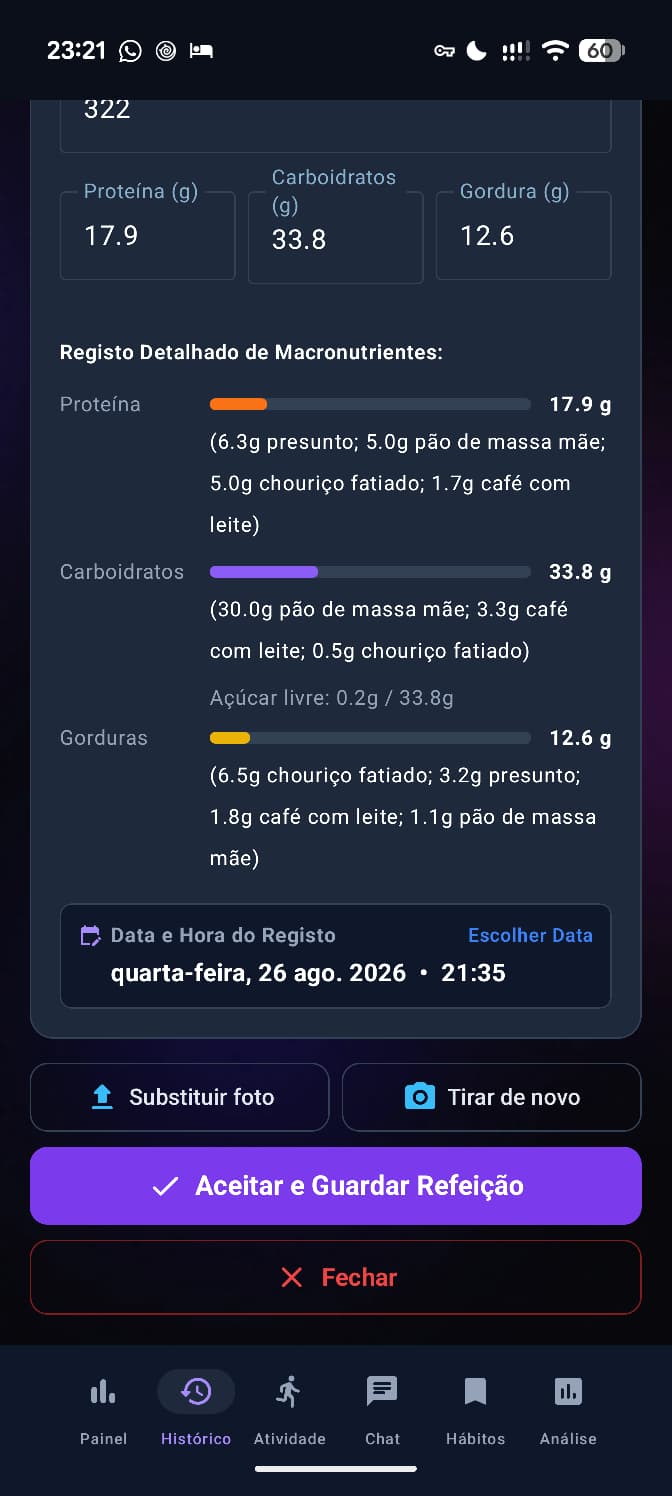
The insight that started NutriMadhvi was simple: a photo of a meal already contains almost everything you need to know about it. A large multimodal model can look at a plate and reason about portions, ingredients, and cooking method far better than a keyword search over a food database can. The phone should do the tedious part. The person should just eat, snap, and get an honest answer — in their own language, Portuguese and Gujarati, not translated app-store English.
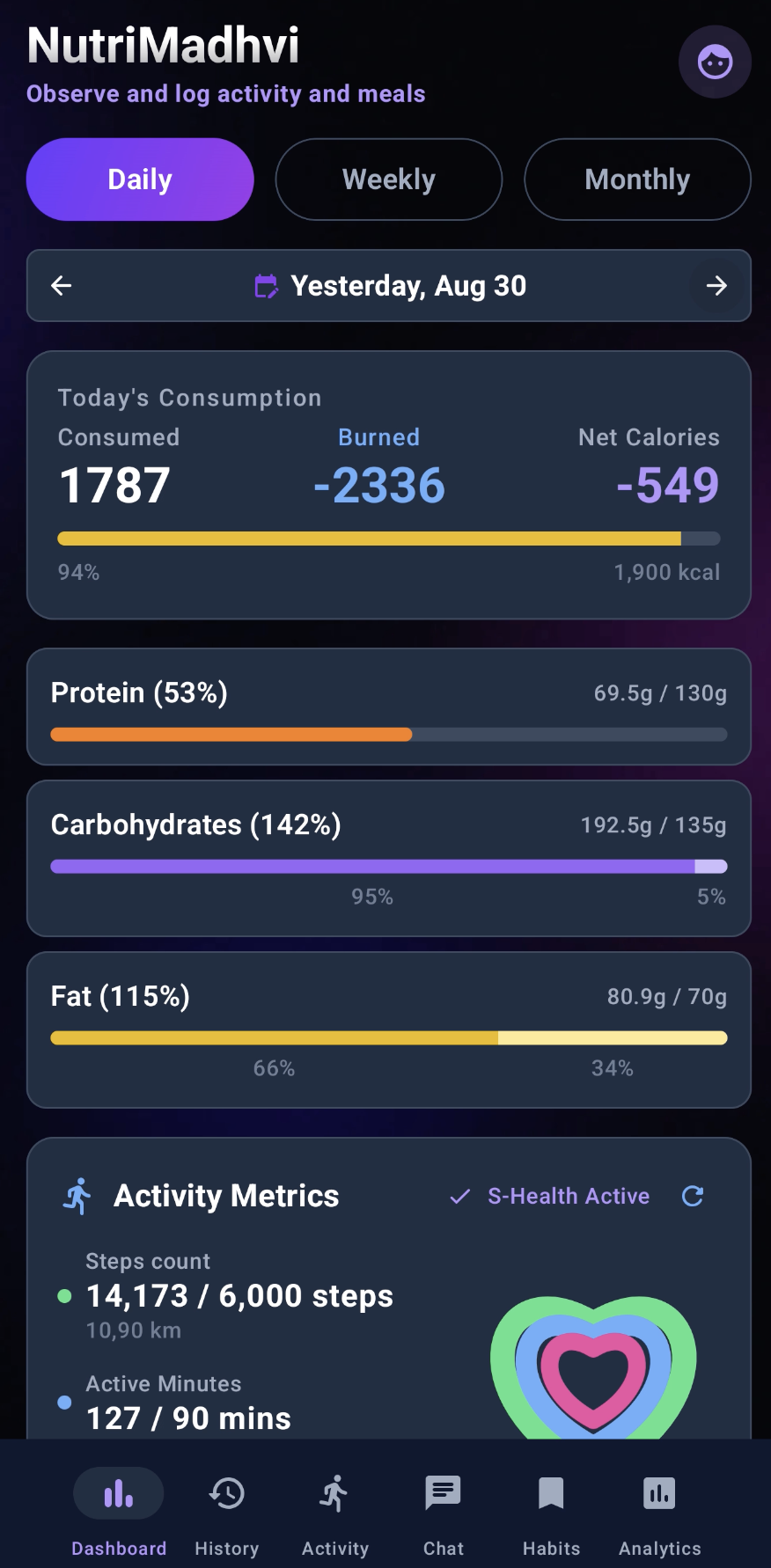
So NutriMadhvi is named for her. It greets her as NutriMadhvi; it greets me as NutriHugo. That personalization is not a gimmick — it was the first sign that this was a tool built for two specific people, not a product built for a market.
What it does
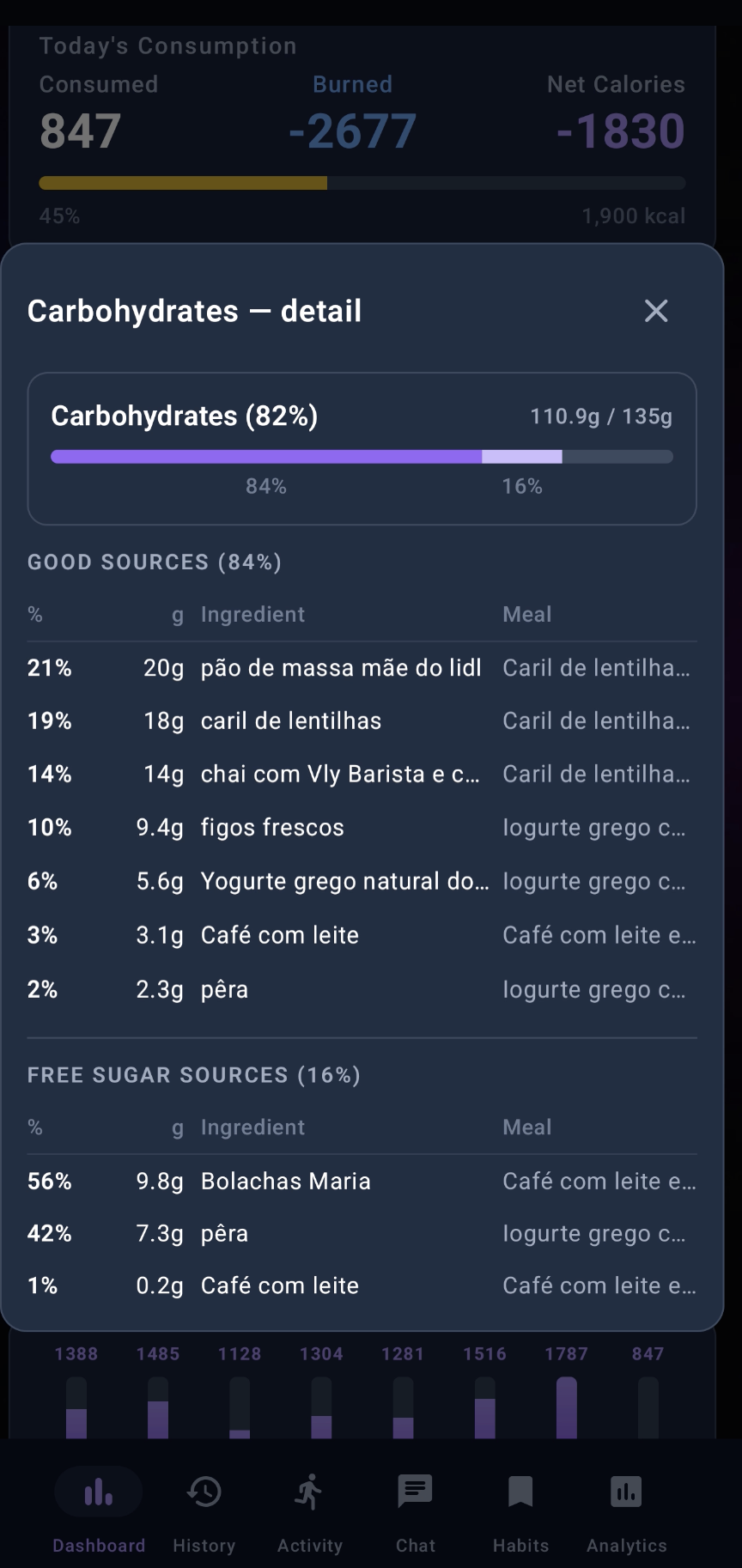
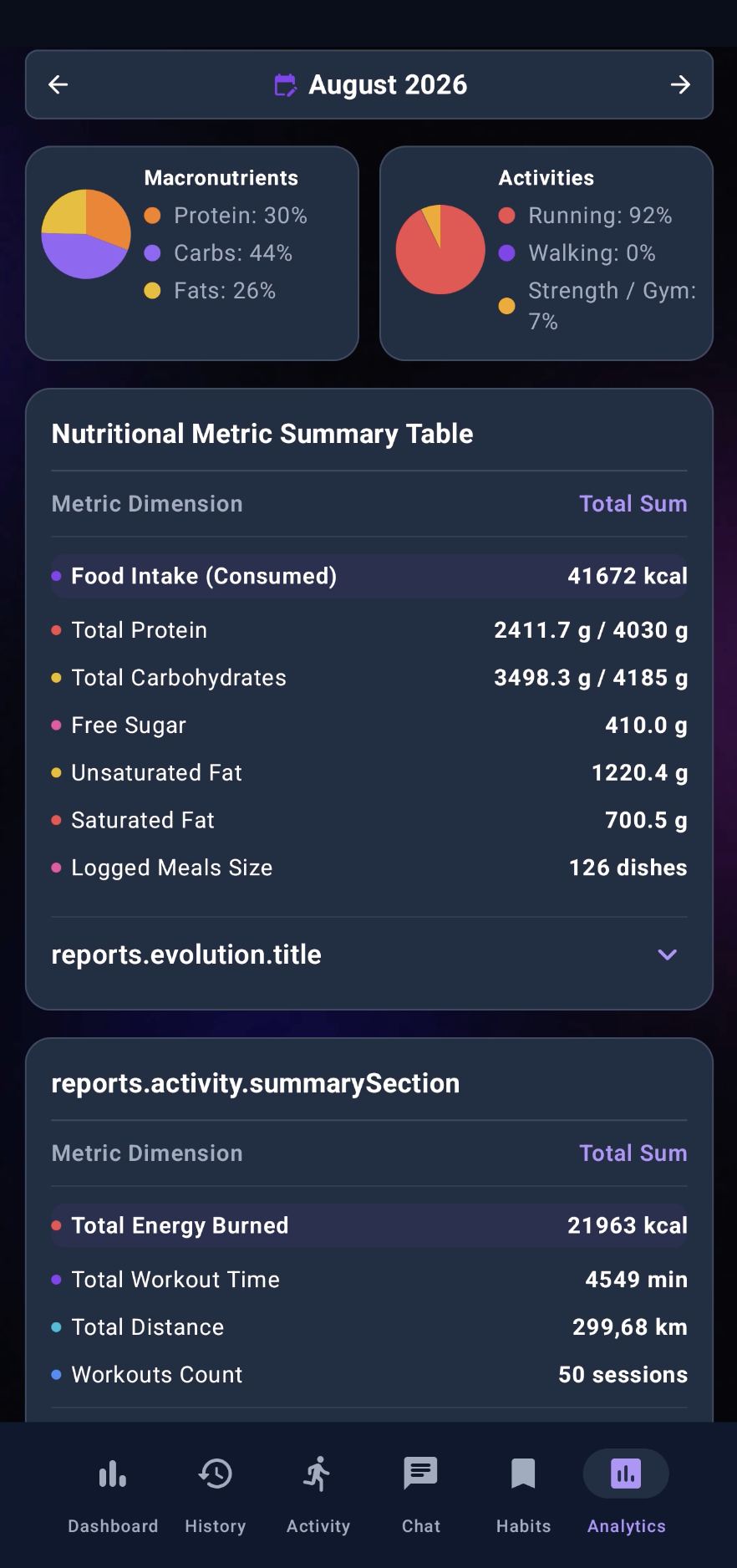
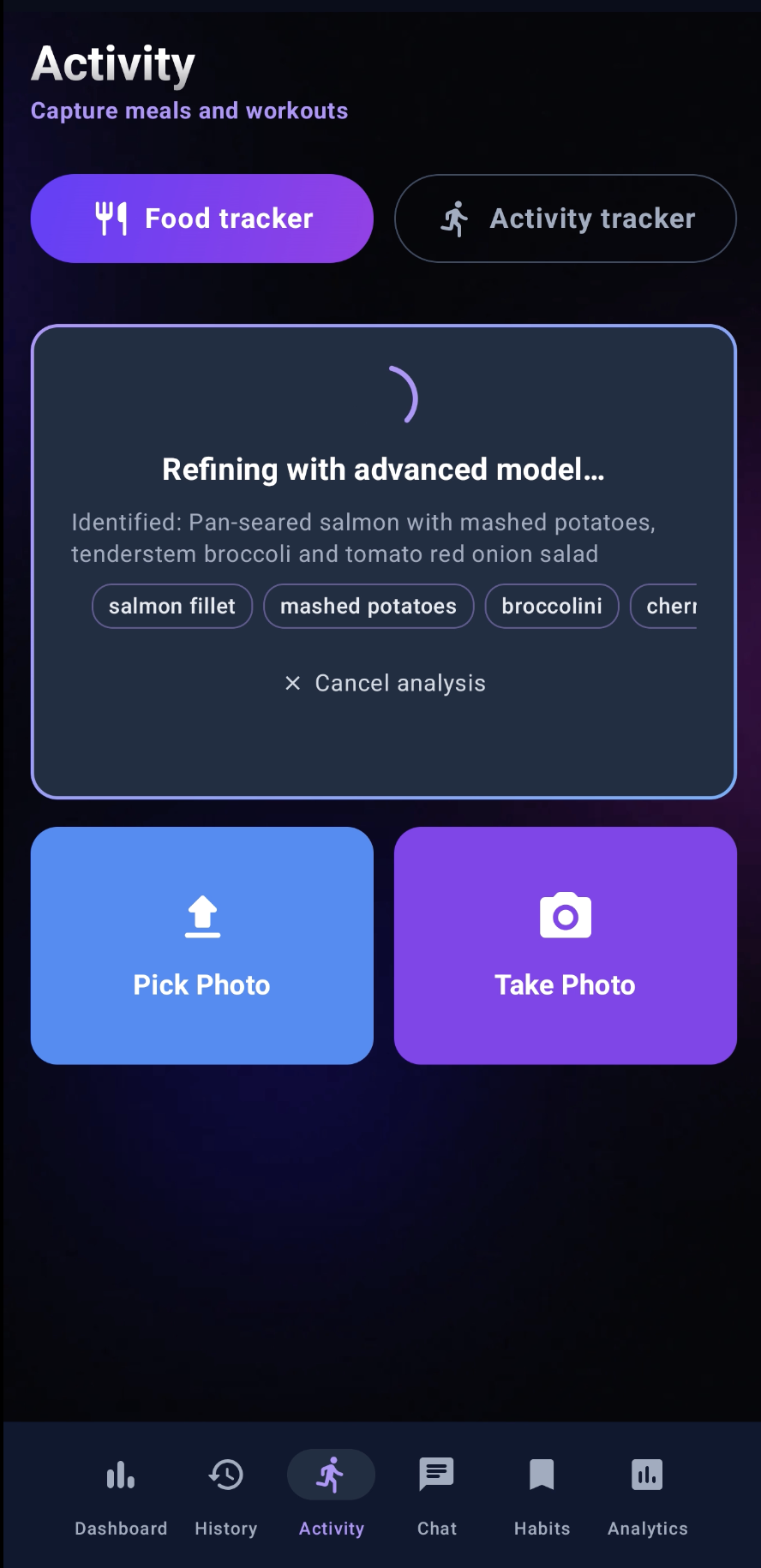
You photograph a meal. Within a couple of seconds a streaming AI response tells you what it is, estimates the macros, and breaks them down honestly — carbohydrates split into total and effective free sugars, fat split into total and saturated, protein, fibre. It logs to a local database. A chat companion — a unified persona that is at once nutritionist, personal trainer, and coach — answers questions about your day, proposes meals and activities you can accept with one tap, and speaks its answers aloud if you turn on voice mode. It pulls real activity and body-composition data from Samsung Health (active calories, workouts, weight, muscle %, body fat %, water %) rather than inventing fitness numbers from formulas. An analysis tab draws your body composition as multi-line charts over time. You can export the whole log to a spreadsheet on Google Drive.
How I built it
It's a native Android app — Kotlin, Jetpack Compose for the entire UI, Room for persistence, and Google's Gemini models for all the multimodal reasoning. Around 45,000 lines of Kotlin across ~119 files, and the Room schema is on its 30th migration — a number that tells its own story about how much the data model learned as the app grew.
The architecture settled into a few load-bearing ideas:
Local-first orchestration. The chat isn't a thin wrapper around an LLM. An IntentRouter matches the request against regex patterns, a DataFetcher gathers the relevant snapshots in parallel, and only then does the model get called — and often only for synthesis, not for facts it shouldn't be guessing. This is the difference between an assistant that says "you've had about 1,400 calories" and one that says the wrong number confidently.
A meal-analysis cascade. Vision is expensive and rate-limited, so meal analysis flows through a tiered cascade of Gemini models — gemini-3.6-flash as the primary vision model, escalating to gemini-3.5-flash when confidence is low, with text-only fallbacks — each step chosen to be vision-safe (some flash variants 503 on image input). Macros are enriched from local clusters built from the user's own history and habits — the median per-100g of foods they've actually eaten — rather than a generic external database.
Honest data all the way down. A principle I wrote into the project's memory and kept returning to: when the system has the fine-grained datum, throwing it away by coarse categorization is a factual error, not a simplification. If Samsung Health reports muscle mass, I don't bucket it into "good/bad"; I store the percentage, convert it correctly to kilograms on read, and show both. This principle caught real bugs — a body-composition backfill where the scale wrote muscle and water as percentages while I was treating them as kilograms.
Latency as a feature. Chat went through nine distinct latency fronts (A–I): parallel snapshot loading, prefetching, request deduplication, an 8-second time-to-first-token target, a ModelCircuitBreaker, a two-tier fast-reply that only escalates if slow, and a predictive Q&A worker that warms answers in the background.
Challenges
Rate limits reshaped the design. The Gemini free tier's hard daily cap forced the tiered-model cascade and the local-cluster enrichment — constraints that, in hindsight, made the app better and cheaper, not just survivable.
The physical data pipeline is unforgiving. Half the hard-won lessons are about Android's edges, not the AI. Room migrations run on first DB open, so PRAGMA user_version reads stale right after an install. Foreign-key ON DELETE CASCADE silently does not fire inside a migration because foreign_keys is OFF there — you must delete children explicitly. Version auto-bump runs after assemble, so the APK on disk is always one version behind the number the build just printed, which cost me a genuinely confusing "I still see the old release" hour. Pulling the SQLite DB off a device without the -wal and -shm sidecars loses the most recent mutations.
Never lose the user's data. Two rules became sacred, written in capital letters in my notes after a scare: never uninstall without pulling the DB first, and never touch Samsung Health permissions, the integration AAR, the food images, or the Room tables during a build. When the app holds months of someone's meals, a careless pm uninstall -k is not a bug — it's a betrayal.
Streaming correctness is subtle. A response is only truly done when Gemini's finishReason == "STOP"; anything else is a truncation that has to fall back gracefully. Getting the chat to pin the user's bubble to the top on send, without fighting the auto-scroll, took several attempts and a rule I still keep: reverseLayout = false + scrollToItem(lastIndex).
What I learned
The technical lessons fill a memory index. But the real one is this: the honest answer beats the confident one. An app that says "I don't have enough signal to be sure about the fat here — want me to look closer?" earns trust that a fabricated $\pm 3\text{g}$ never will. The math is only as good as the humility behind it. If a plate's macros are $C$, $F$, $P$ grams and the day's energy balance is
$$ \Delta E = \underbrace{\left(4C + 9F + 4P\right)}{\text{intake, kcal}} - \underbrace{\left(\text{BMR} + \text{active kcal}\right)}{\text{expenditure}}, $$
then every one of those terms has to be a measured number — active calories from the Samsung Health tile, BMR from a versioned snapshot, macros from the user's own food clusters — because a single guessed term makes $\Delta E$ a story rather than a fact.
NutriMadhvi is still, at its heart, an app for two people. That's exactly why it had to be honest.
Built With
- jetpack
- kotlin


Log in or sign up for Devpost to join the conversation.