-
-
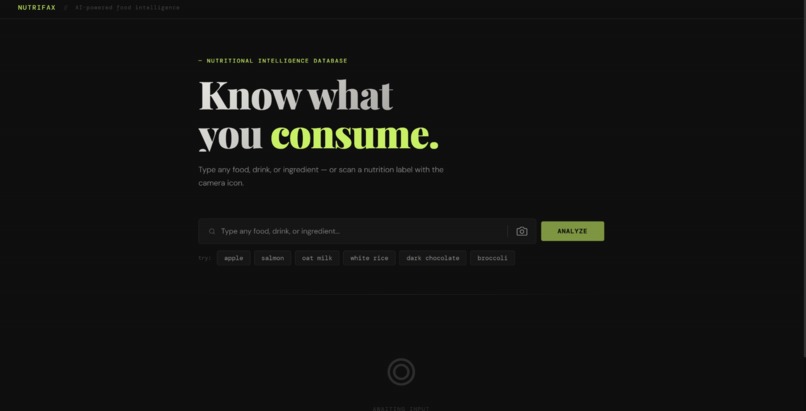
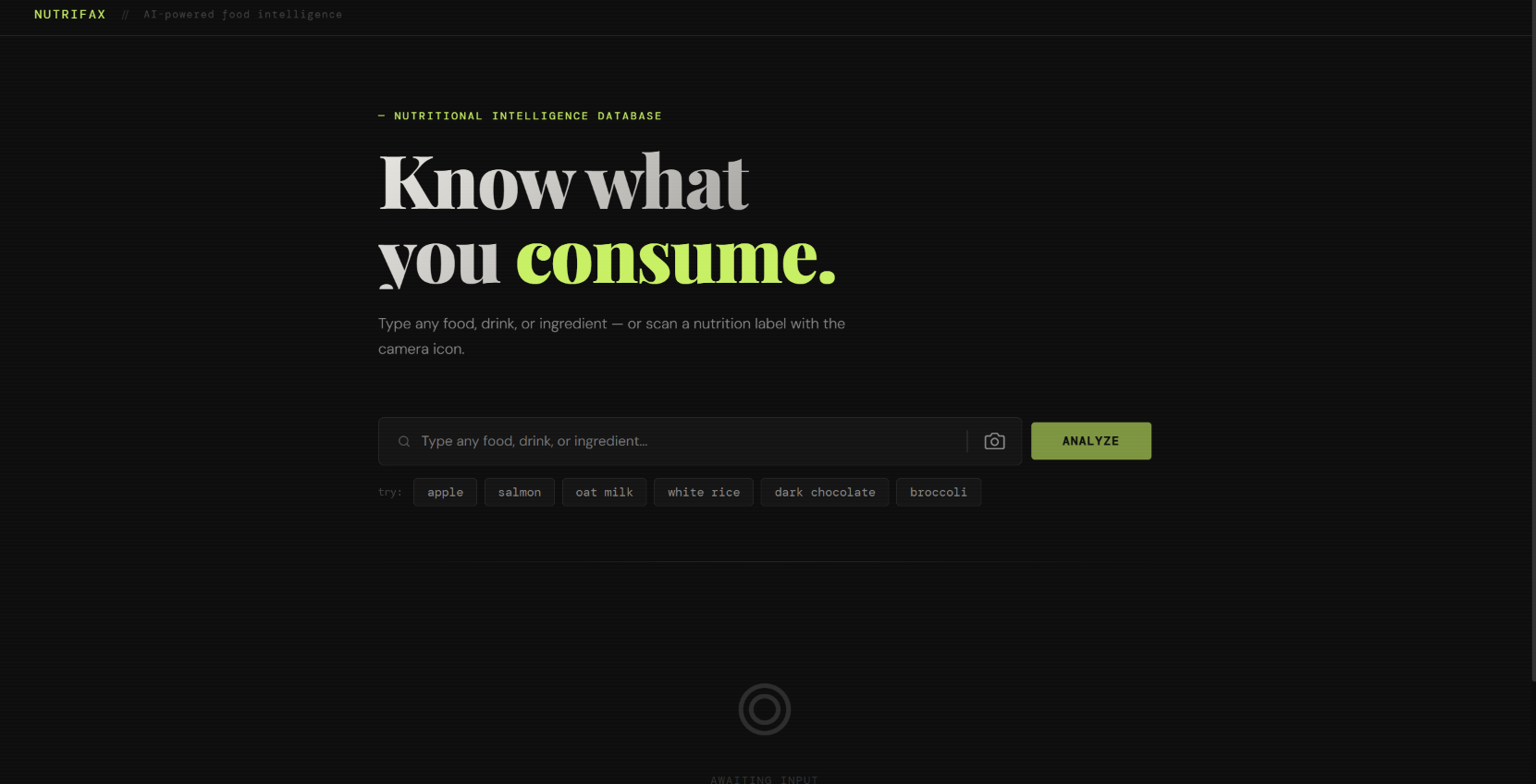
What our home page looks like
-
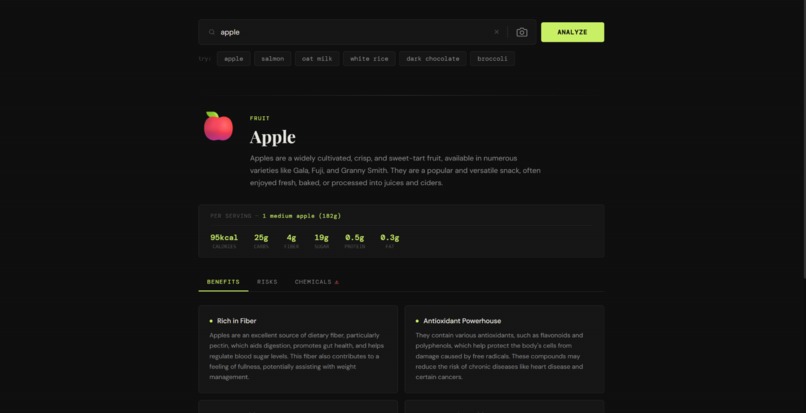
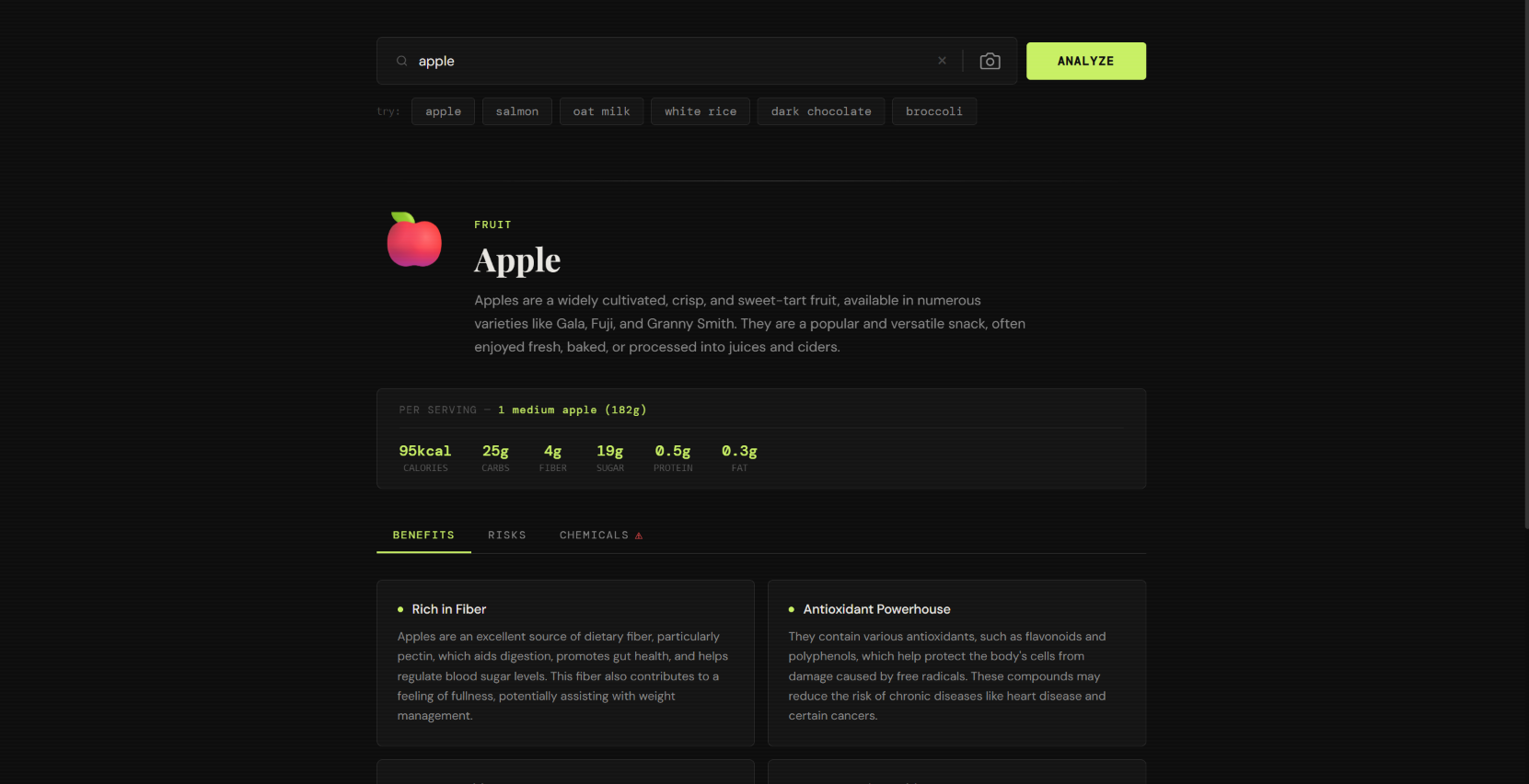
An example of what searching "apple" does
-
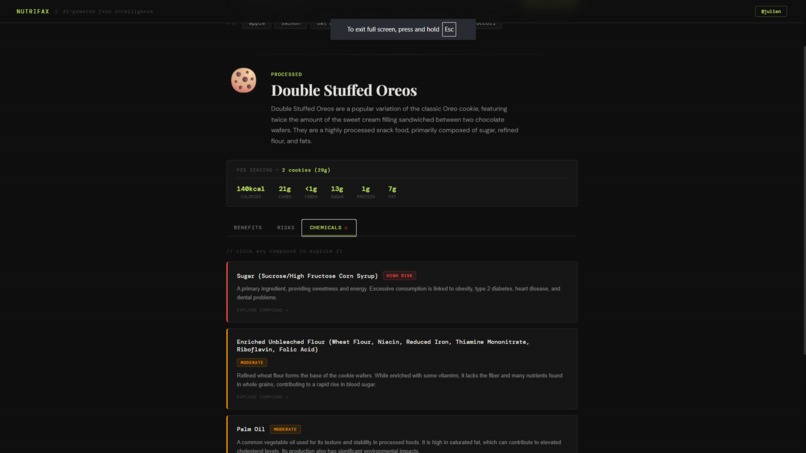
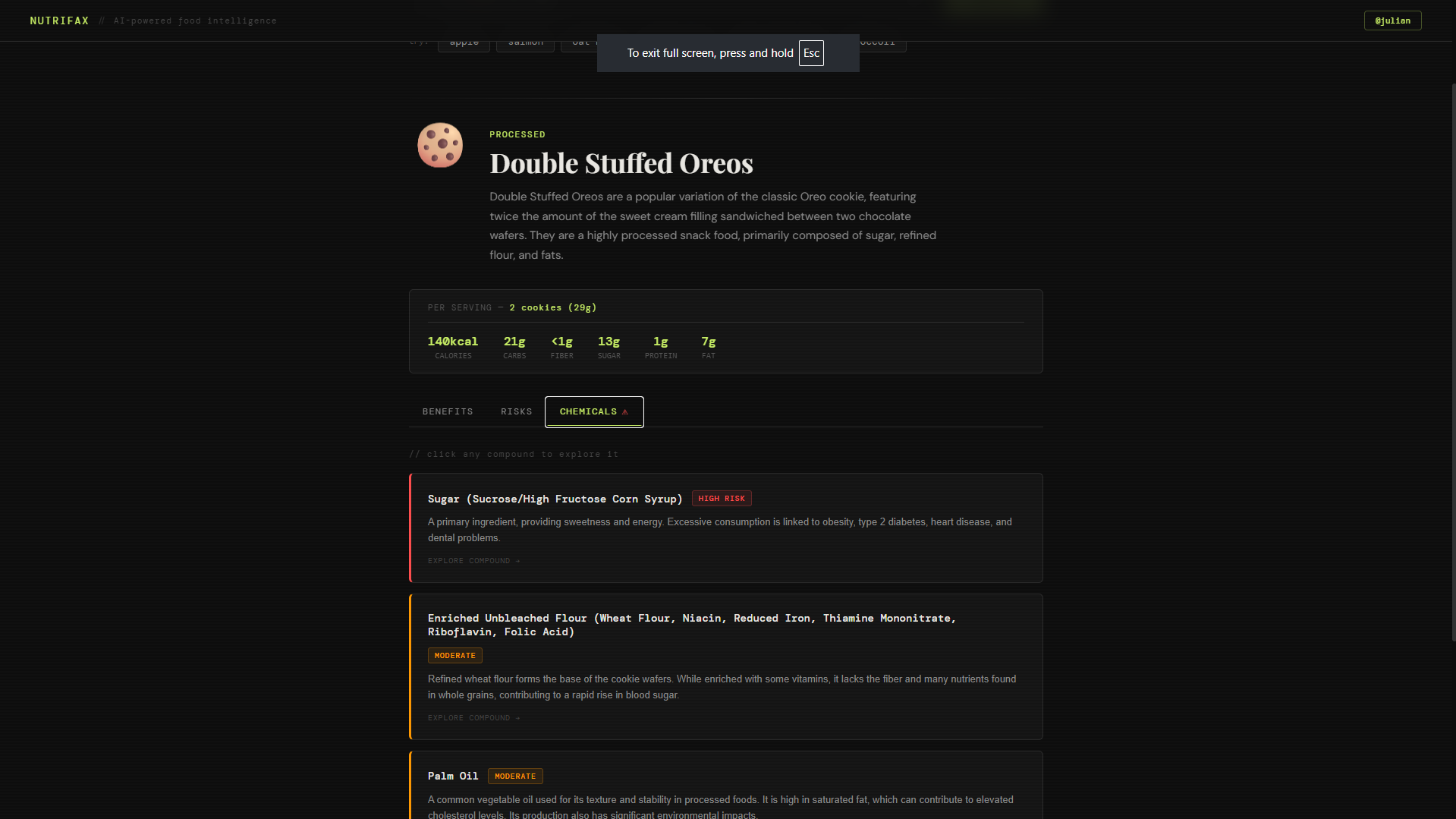
Looking at chemicals in "Double Stuffed Oreos"
-
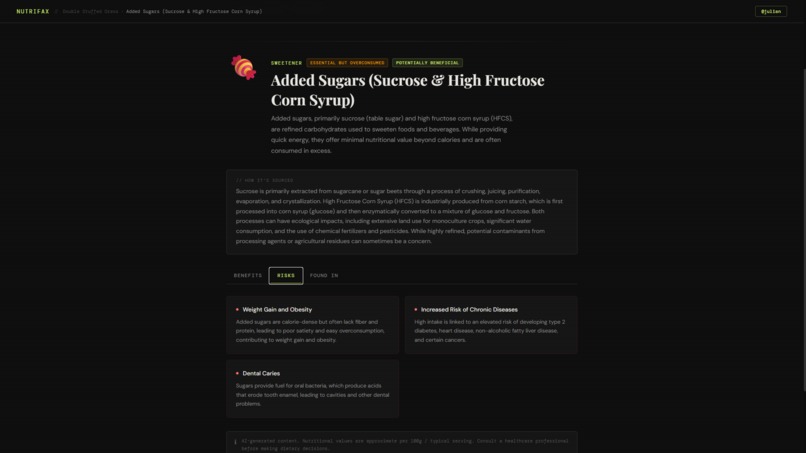
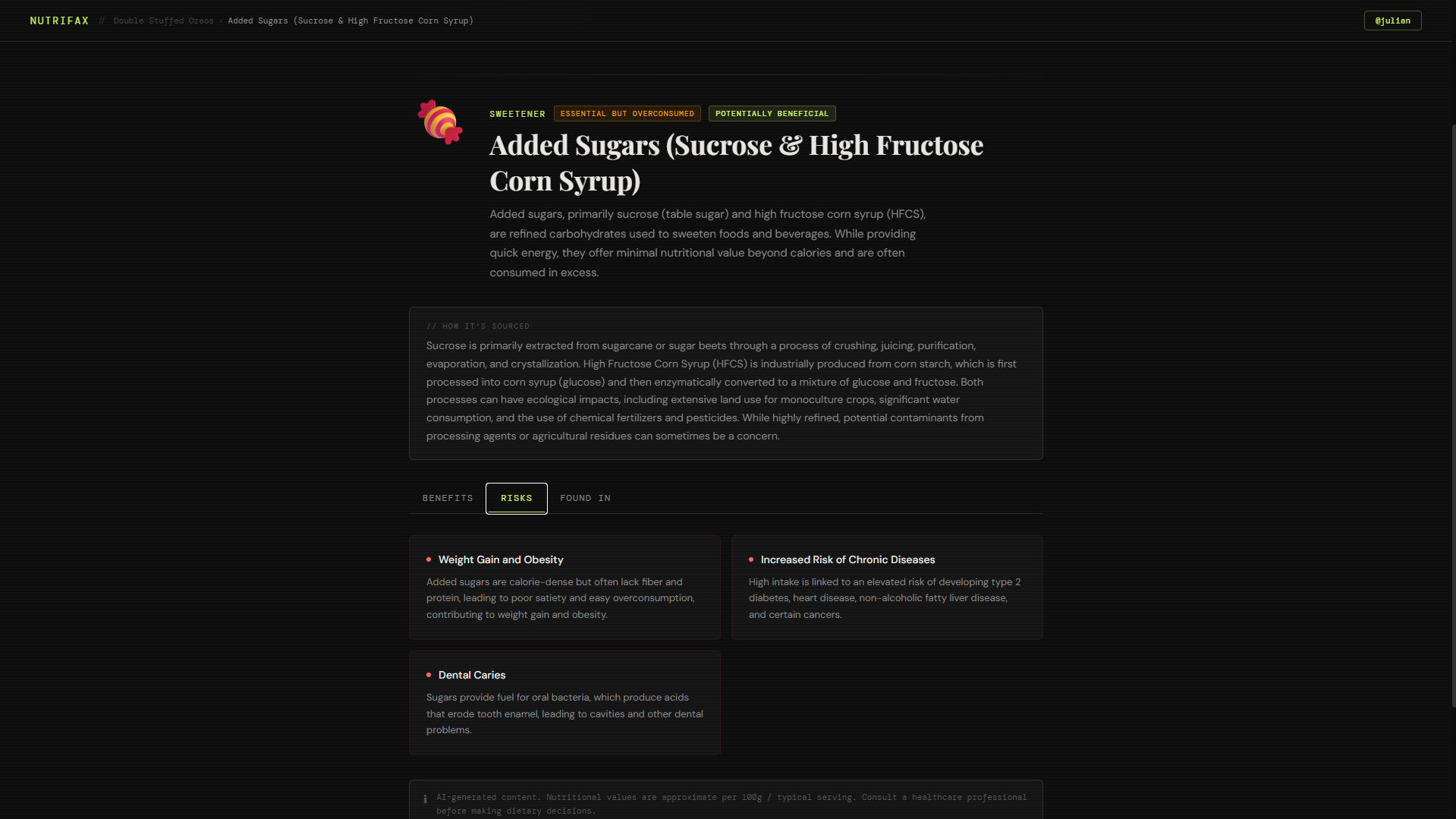
Going more in depth of "Added Sugars" from "Double Stuffed Oreos"
Nutrifax: AI-Powered Food Intelligence
Inspiration
As consumers, we're surrounded by food products with ingredient lists that read like chemistry textbooks. Terms like sodium acid pyrophosphate, acesulfame-K, and carrageenan appear on labels every day — yet most people have no idea what they are, whether they're harmful, or how they accumulate in the body over time.
We asked ourselves:
"What if there was a website that not only told you what's in your food, but warned you about the chemicals you didn't know to look for?"
Then we came up with the website that eventually became Nutrifax, a nutrition intelligence platform that transforms any food, ingredient, or nutrition label into a deep, structured health briefing.
What It Does
Nutrifax is a real-time food and ingredient analysis tool. It:
- Searches any food or drink and returns benefits, risks, and lesser-known chemical compounds
- Analyzes food ingredients (e.g. MSG, aspartame, BHT) with sourcing info and essentiality classification
- Scans nutrition label images using AI vision — extracting serving size, macros, and flagging harmful additives
- Highlights high-risk ingredients in uploaded labels with pulsing red indicators
- Allows deep navigation — click any chemical to explore it, click any food in a "found in" list to analyze it
- Supports image paste via
Ctrl+Vfor fast label scanning on desktop
How We Built It
Nutrifax is a single-file React application powered by the Gemini 2.5 Flash API.
Frontend
- React with inline styles and CSS-in-JS
- Fully dark-mode with CSS custom properties and a scanline overlay for atmosphere
- Animated stagger reveals, floating emoji, glowing hover states, and breadcrumb navigation
Nutrition Label Analysis
Images are converted to base64 and sent alongside the prompt using Gemini's multimodal inline_data API. The model extracts serving size, all macronutrients, and the full ingredient list — flagging only genuinely harmful additives, not essential nutrients.
Challenges We Faced
- Getting the AI to return clean, parseable JSON consistently required extensive iteration. Gemini occasionally wraps responses in markdown code fences, so we implemented a robust parser that slices from the first
{to the last}. - Early versions flagged sodium and vitamin C as high risk. We refined the prompt to explicitly exclude essential nutrients and anchor the model with concrete examples of true high-risk compounds like Red 40, BHA, and sodium nitrite.
- Responses were being truncated at 1024 tokens, causing incomplete JSON and parse failures. Increasing
maxOutputTokensto 4096 resolved this entirely. - Browser defaults apply
color: buttontextto<button>elements. A global reset —button { color: inherit; appearance: none; }— fixed all styling inconsistencies across pages.
What We Learned
- Prompt engineering is a product skill — the difference between useful and useless AI often comes down to a single sentence in the prompt
- Mobile and desktop behave fundamentally differently for pointer events — real device testing is non-negotiable
- JSON robustness matters — always strip, slice, and catch; never assume the model returns clean output
- Visual hierarchy communicates risk — color, animation, and typography warn users more effectively than text alone
What's Next for Nutrifax
- Barcode scanning — point your camera at a product barcode for instant analysis
- Meal builder — combine multiple foods and get an aggregate nutritional and chemical risk profile
- Personal health filters — flag ingredients based on user conditions like diabetes, hypertension, or allergies

Log in or sign up for Devpost to join the conversation.