-
-
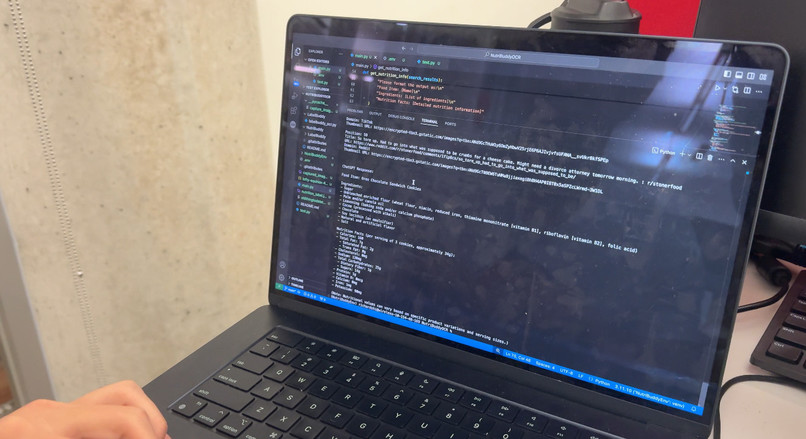
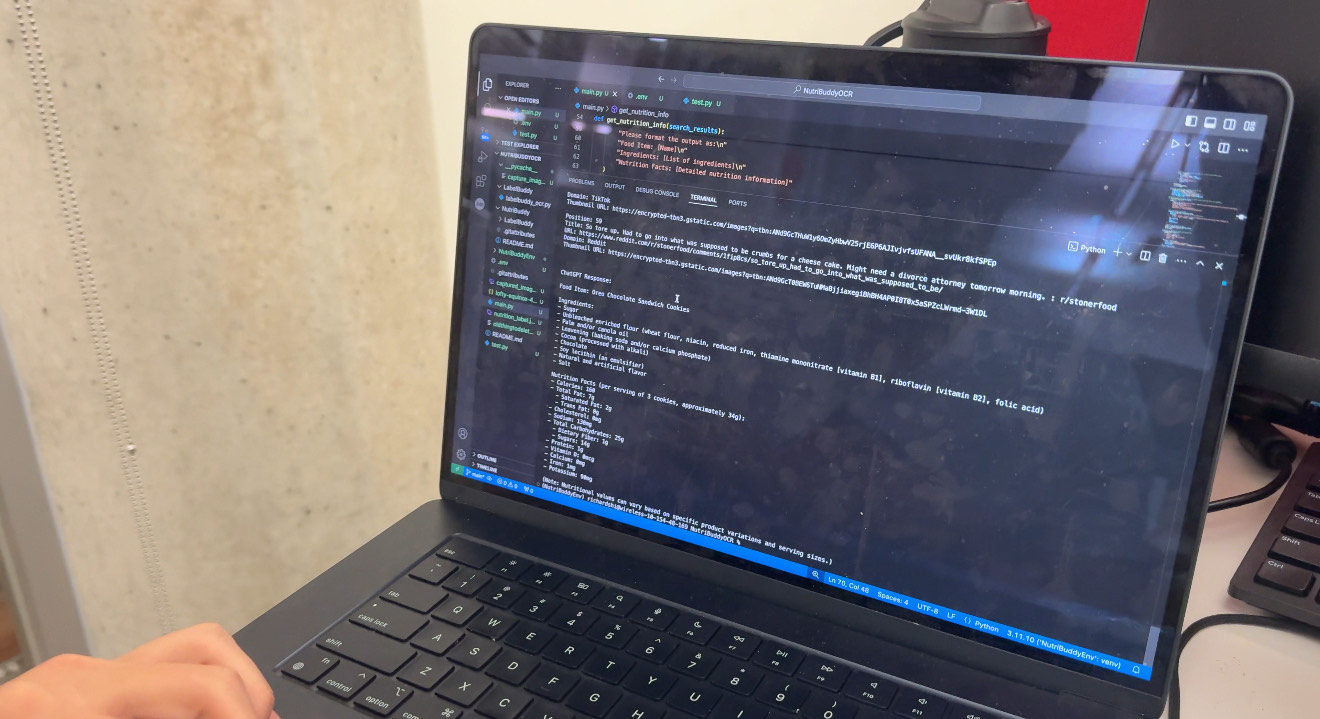
Outputting the nutrition facts of an Oreo
-
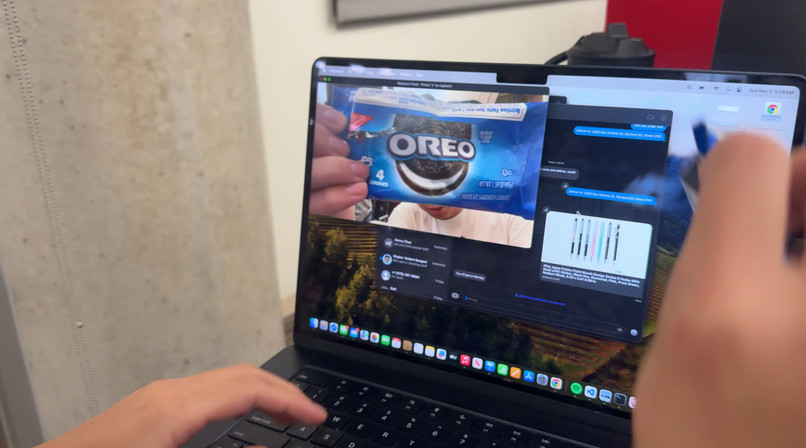
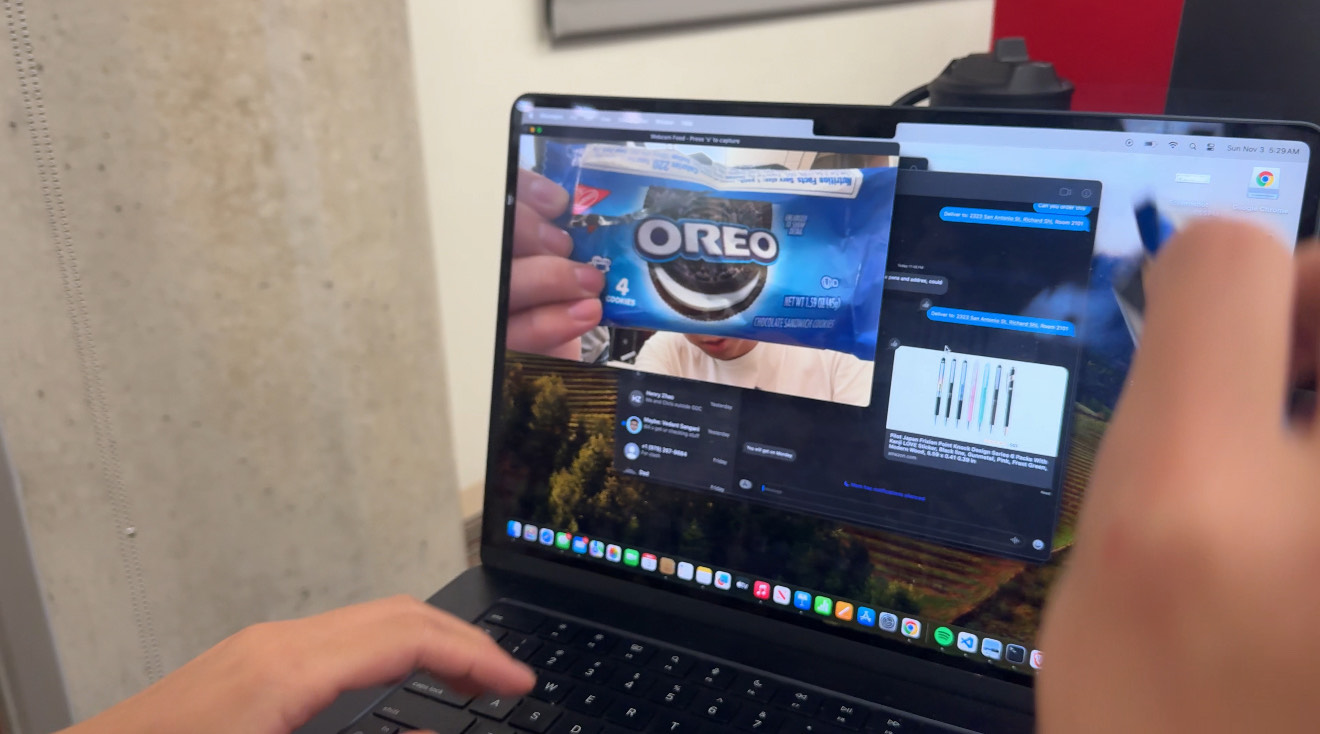
Scanning an Oreo
-
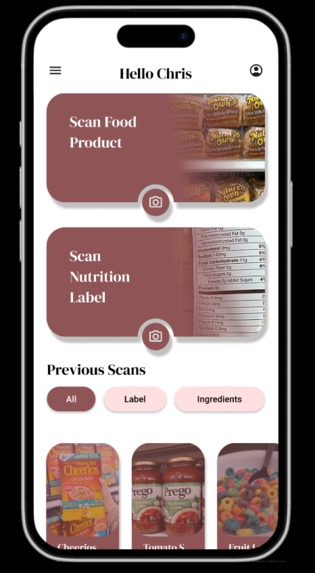
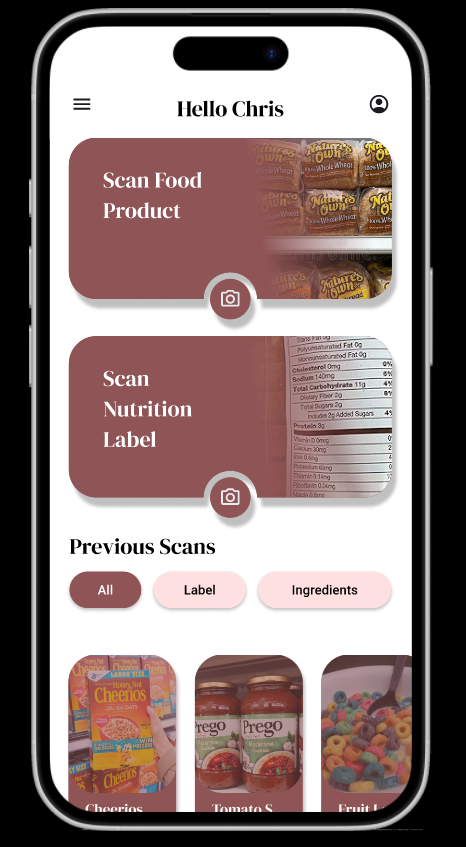
The NutriBuddy app! (Figma)
-
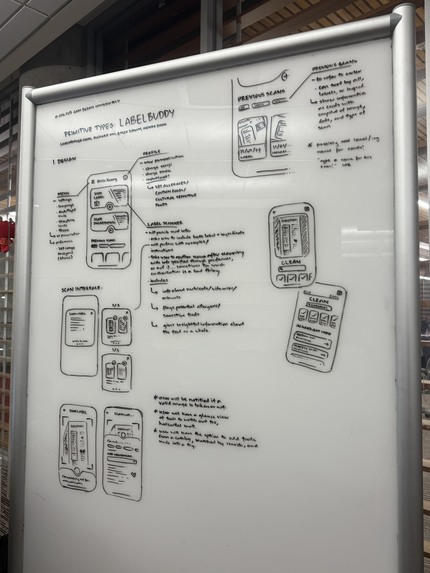
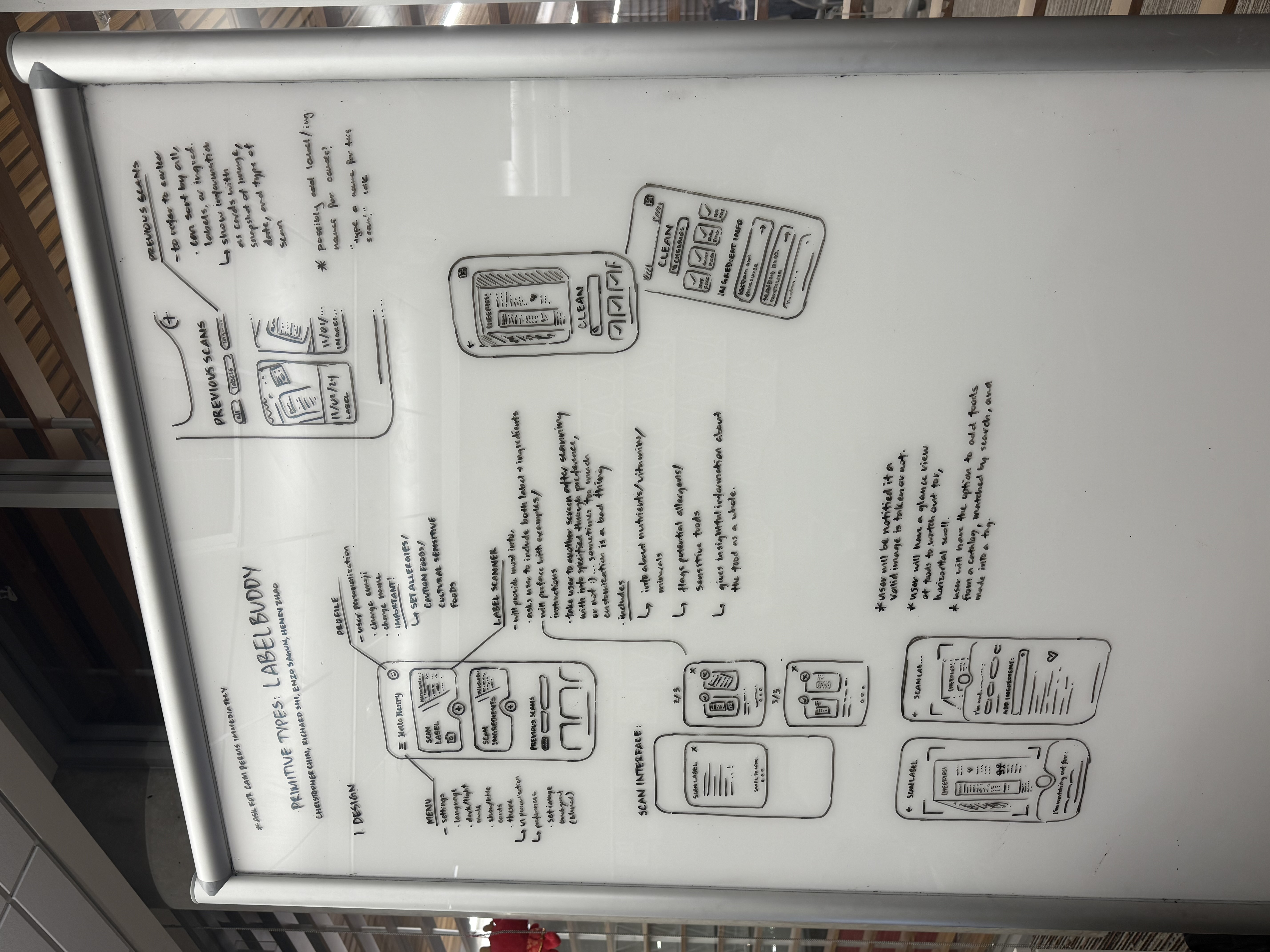
The beautiful board! (Pre-NutriBuddy)
Inspiration
Our inspiration for NutriBuddy derived from our shared interest in food-focused projects. We explored ideas like a drink review app, turning the UT-free-food-groupme into an app, and eventually the nutrition app.
What it does
In its current iteration, NutriBuddy is able to allow a user to submit a picture of any product, identify it, and return nutrition information that we have set up for the app's purpose! If you are unsure of something you're about to eat, snap a picture through NutriBuddy and you have all the information you need! (Who knew Oreos were dairy-free?)
How we built it
The current design uses two primary APIs. To identify food products, we use a Google Lens API. To return the nutrition information, we used an OpenAI ChatGPT-4o-mini API. We primarily used python to write our program, though through Figma and Kotlin, we planned our UI/UX (though has yet to be implemented).
Challenges we ran into
One of the biggest roadblocks we consistently kept hitting was making the actual scanning sequence work. Our initial attempt was during NutriBuddy's early days: LabelBuddy! It would take a nutrition label, and regurgitate back the same information. Our implementation was through OCR, but that deemed impractical to do; the readings from OCR were unreliable, inaccurate, and undesirable.
Then we shifted focus towards using TensorFlow. The implementation seemed promising until during testing, we learned that the API we were trying to access -- food data provided by TensorFlow -- was not publicly available. This meant that the camera would identify products but we had no idea to put those identification indices to a name. So we had to scrap this idea as well.
Then finally, and now our current implementation, we used a Google Lens API. Through this, we harnessed its object identifying capabilities and embedded it into our system. We passed its query results into a ChatGPT query and refined the response to get what we wanted.
Another general roadblock we had was that as freshmen, it was safe to say that we didn't exactly know what was going on. We were learning front-end development and back-end development all simultaneously. We were trying to figure out Figma and how to simulate the app. A lot of hours were spent just tinkering around with code hoping it would work but then receiving the opposite effect.
Accomplishments that we're proud of
The biggest thing we're proud of is definitely the scanning sequence. Through those several attempts, we were still able to find a way to implement the algorithm to make it possible. Figuring out the entire the program at 5:29 AM in the computer labs was very relieving.
What we learned
"There's no better way to get someone to learn a skill than money" - Chris, Primitive Types.
On top of that, give them a time limit... and maybe all the tools, hype, and nourishment needed to aide their process.
In all seriousness though, we learned a lot having attended our first ever hackathon and also realizing that people do in fact sleep at hackathons! Preparation is key to these things, and the more projects we do (whether it be outside the classroom or inside, or even at another hackathon), the more we'll be used to navigating around different frameworks. These past two days were just us messing around. Next time, we're taking over!
What's next for NutriBuddy
Our next goal is turning our front-end aspirations in the Figma to reality. Many have seen our beautifully curated board in the computer labs (credit to Chris!) and as much as we would've loved to implement it in two days, it was not accomplishable. However, given more time, we hope to see this app come to life!
Built With
- android-studio
- figma
- google-lens
- kotlin
- openai
- python
- xml


Log in or sign up for Devpost to join the conversation.