-
App Icon
-
Screenshot

Inspiration
As a group of freshmen, we didn’t really come in here with a project in mind. We simply looked at the different categories and were inspired by the theme “Best Data Oriented Hack”. After an hour of brainstorming, one of our teammates recommended this concept. The idea of incorporating machine learning in our project without any prior knowledge in the domain seemed interesting enough and challenging enough for us to get the perfect hackathon experience.
What it does
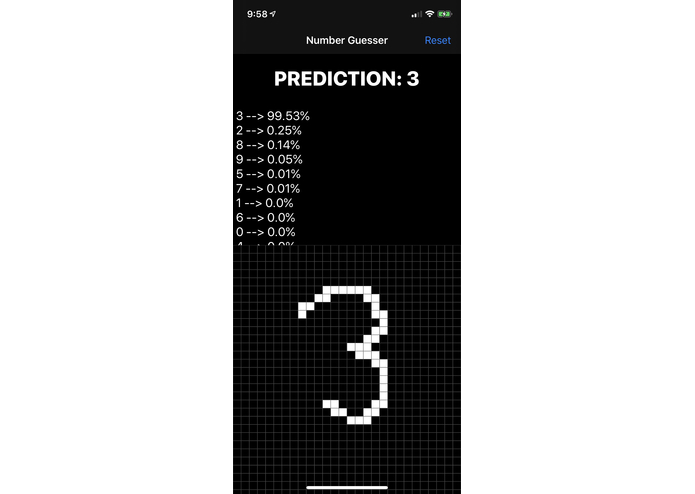
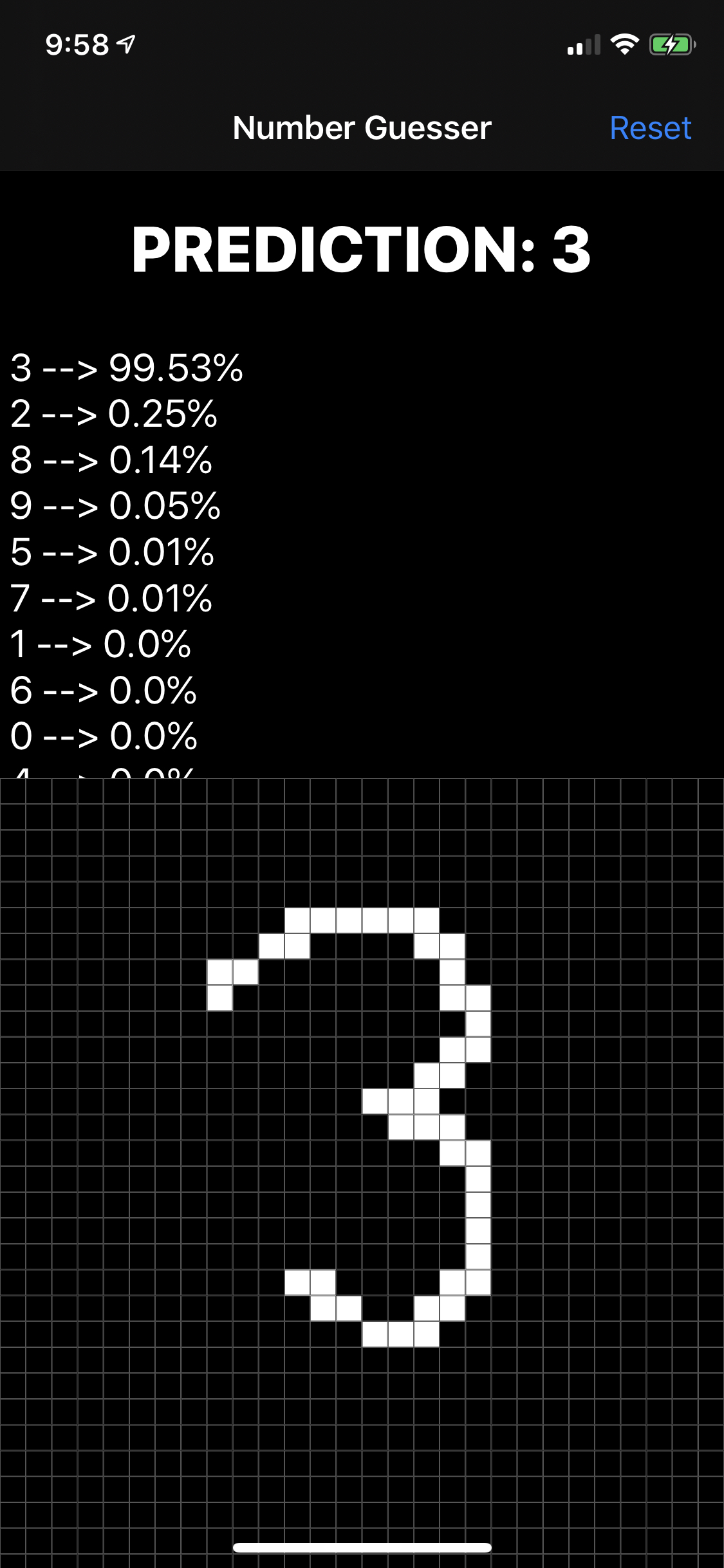
The user draws a digit on the 28 by 28 grid. As the user draws the digit, our app sends snapshots of the drawing to a Machine Learning model designed to identify digits (0-9). The user is able to see the model's confidence level for each digit in real-time, as well as the top prediction at the top of the screen.
How we built it
Our Number Guesser app is built for iOS using Apple's Swift language. The model we use was originally made in Python and then converted to a model that iOS' CoreML library can use. The drawing interface is made up of several UIViews and detects pan gestures that happen on that collection. Using the methods that are used to color each cell that the user draws on, we send a picture of the user’s drawing after every fifth cell detection. This image is resized to 28 by 28 to fit the model and then the model interprets the image and returns each digit and its confidence value.
Challenges we ran into
We wanted to add the ability to take a picture of a digit with the device's camera, but the model requires that the digit is colored white and placed on a dark background. Our idea was to detect if the picture was mostly light or dark and then invert the colors if the picture was mostly light. Unfortunately, we were unable to find a way to invert the colors of a UIImage effectively.
Accomplishments that we're proud of
After getting the model to return pretty consistent results, the app actually felt like an accomplishment. While we didn’t train the model ourselves, applying the model to the UI we built and seeing a working application come out of it was certainly a satisfying result.
What we learned
By doing this project, we developed a basic understanding of how picky ML models can be. Machines can’t interpret anything that they’re not trained to interpret. This is why we had to resize the image to 28x28 before sending it to the model. Also, we had to make the background of the drawing canvas black and the actual drawing color white in order to match the dataset that the model was trained on.
What's next for Number Guesser
As explained in the “challenges we ran into” section, we could not find a way to incorporate a camera feature on our app. This seems to be the next logical step. We will try to find a way to invert the colors so that our model will be more likely to interpret the picture.


Log in or sign up for Devpost to join the conversation.