-
-
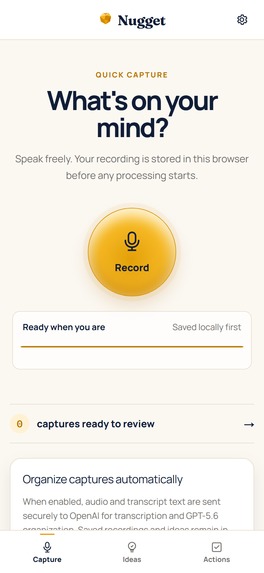
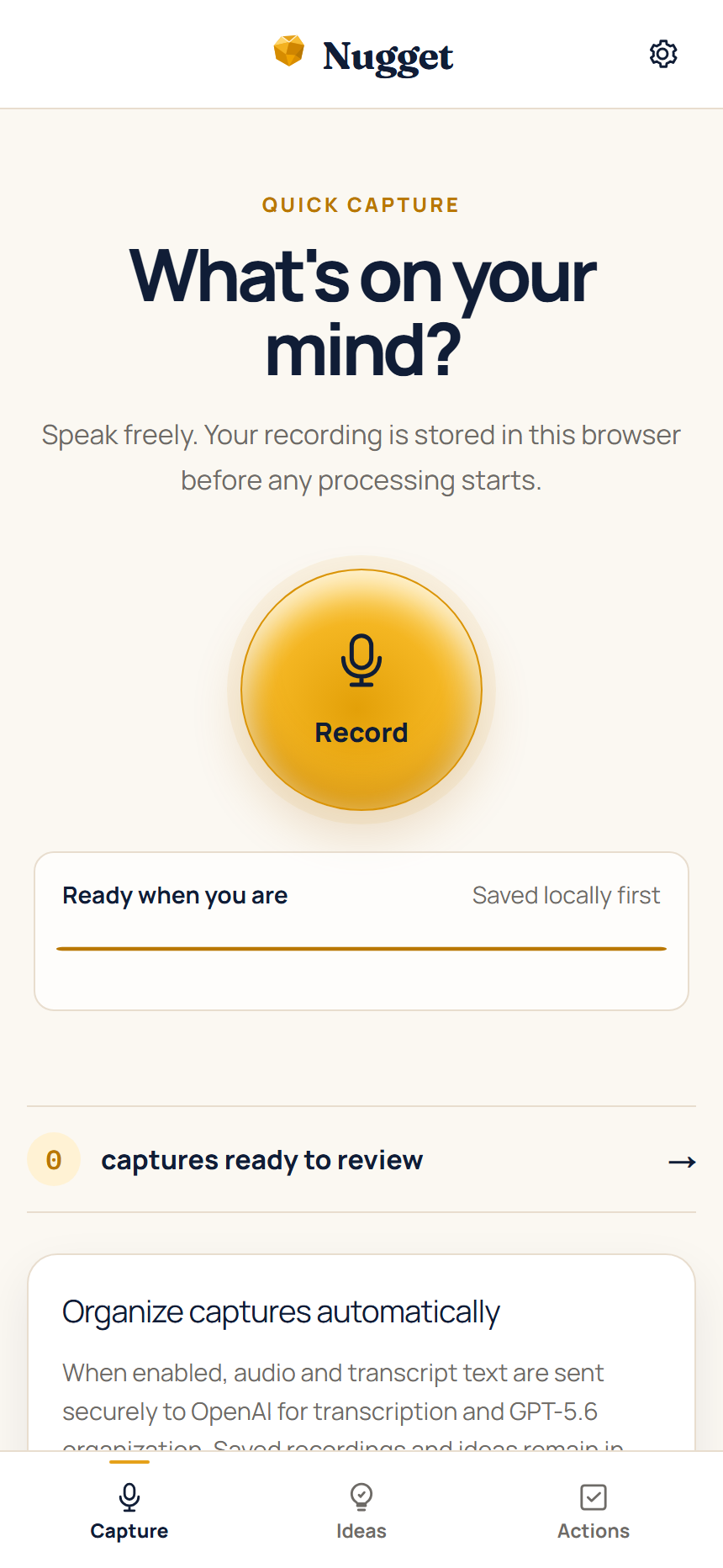
Quick Capture — one-tap mobile voice recording
-
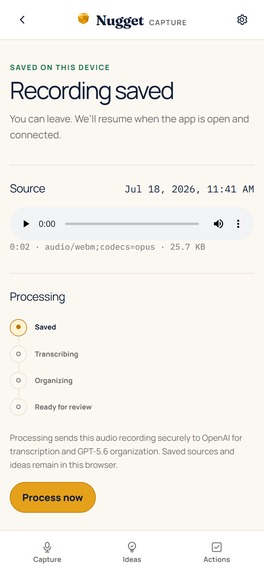
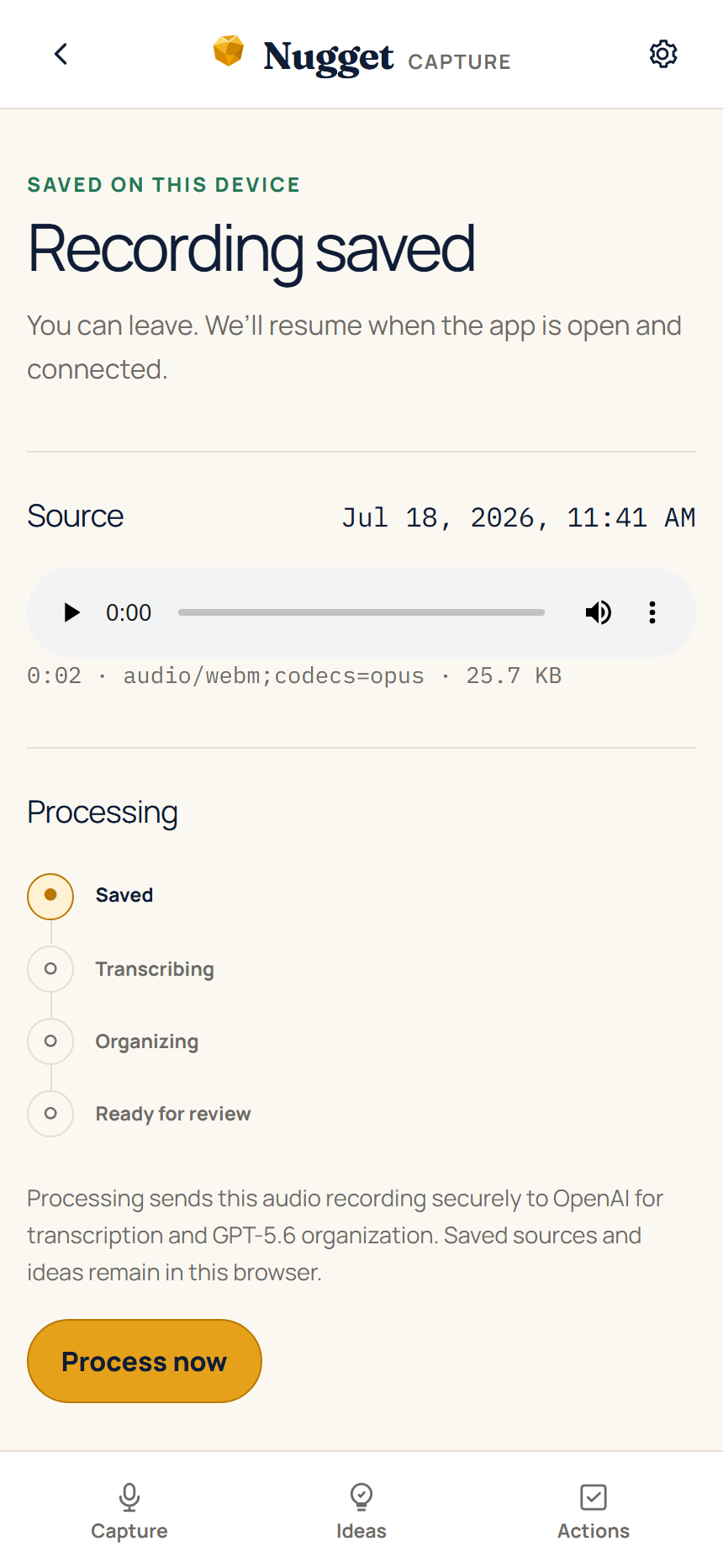
Recording saved locally before processing
-
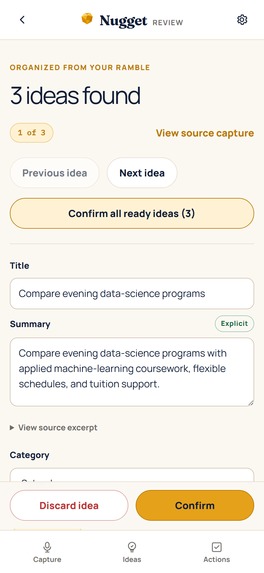
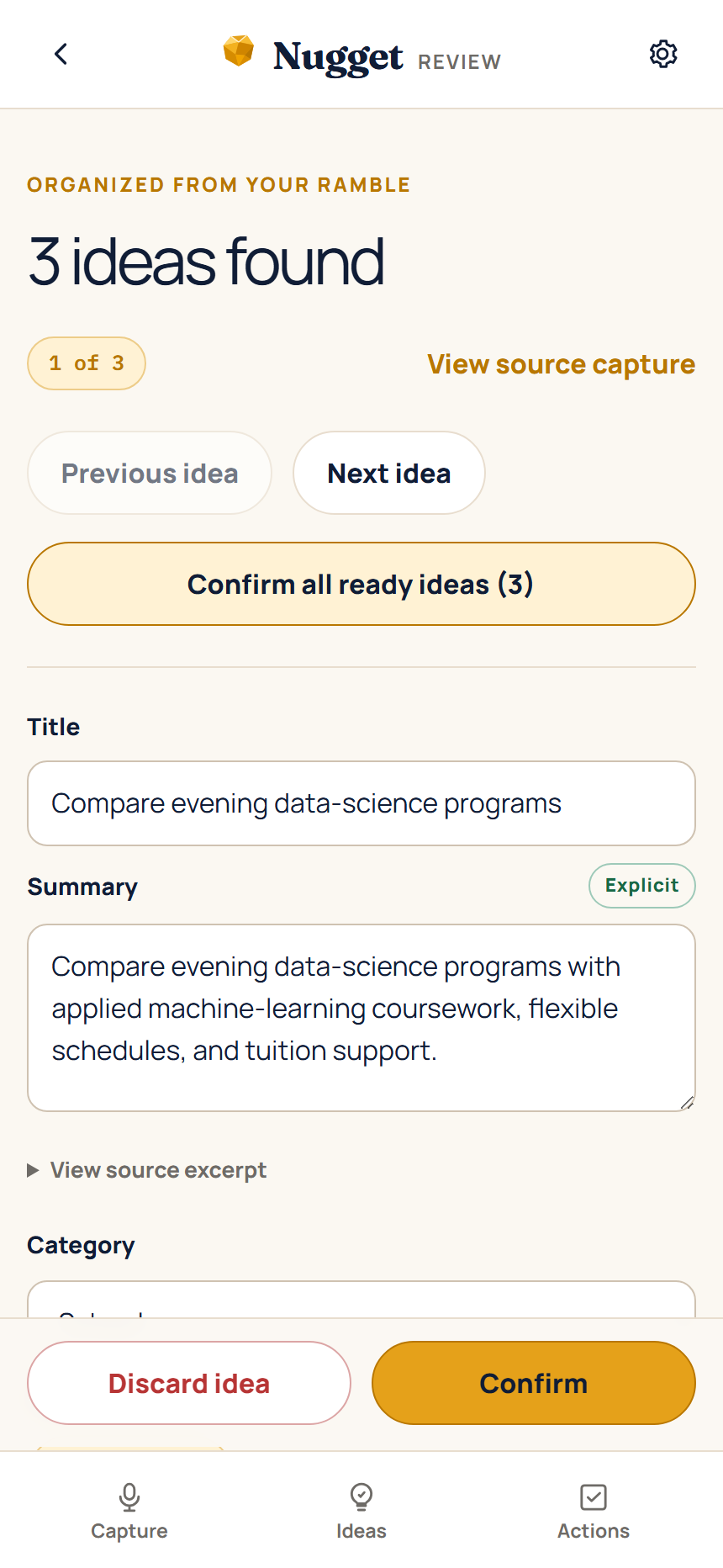
One ramble separated into three editable idea drafts
-
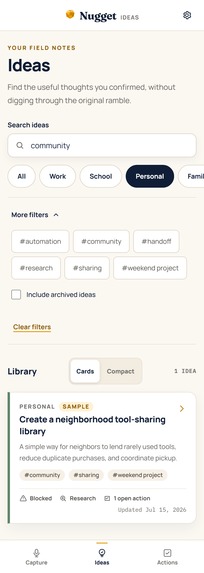
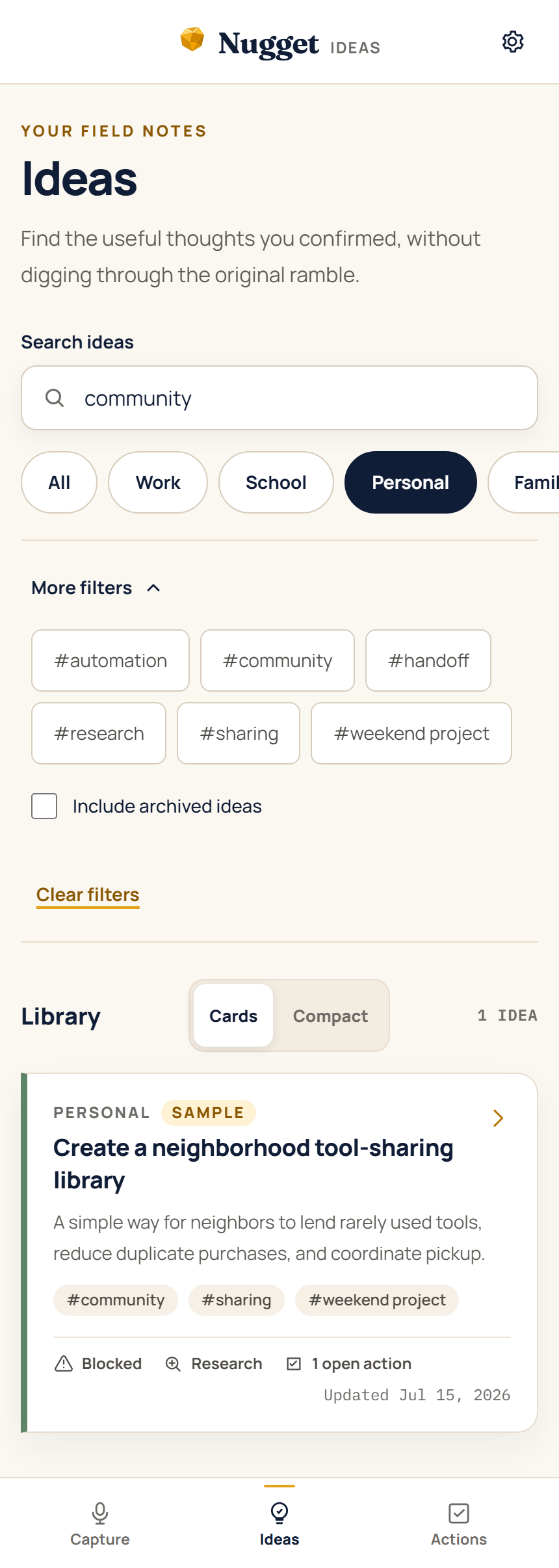
Searchable Ideas library with category filters and Compact view
-
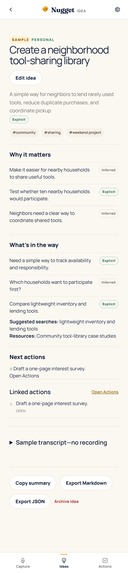
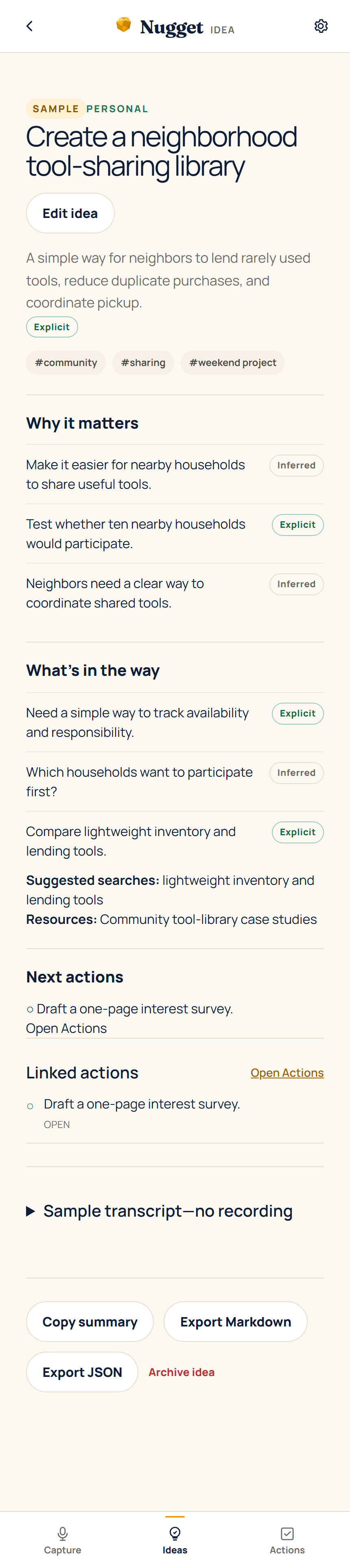
Summary-first idea detail with goal, blocker, research need, and next action
Inspiration
I've had the idea for Nugget in my head for a couple of years. My best ideas almost never show up when I'm actually at a computer. They show up while I'm walking, between errands, or in the middle of something else. I'd record a voice note, and later it was still just a wall of words. I'd captured the thought, but it wasn't useful.
What I wanted was something I could open with one hand, talk into, and close. Then later, when I actually had time, it would pull the separate ideas out of the ramble, show me what each one was about, and let me decide what to keep. That's where the name comes from: Nugget finds the useful little nuggets buried in everything going on in my head.
The best proof came while I was building it: I used an early version of Nugget to capture the idea for the "Work with this idea" feature. That recorded ramble became a real feature in the app.
What it does
Nugget is built around a simple rhythm: capture now, organize later. I tap Record, talk naturally, and leave. The recording is already safe in the browser. When I'm ready, Nugget transcribes it and uses GPT-5.6 to separate one ramble into distinct ideas.
Nothing gets filed away without me looking at it first. I review each idea and can change its title, summary, category, tags, goals, blockers, research needs, and next actions. Confirmed ideas go into a searchable local library. From there, "Work with this idea" helps me explore the thought further, make a plan, or build a prompt for another AI tool that's grounded in what I actually said.
The MVP stores captures, recordings, transcripts, ideas, categories, tags, and actions in browser IndexedDB. No accounts, no cloud sync, no server-side user-content database. It saves capture data before any cloud processing begins, but it doesn't promise that a fully closed mobile browser will keep processing in the background, because it can't.
How I built it
Nugget is a mobile-first web app and installable PWA. Captures, recordings, transcripts, and confirmed ideas live in browser storage, and cloud processing only starts after I choose to use it. The production app uses whisper-1 for transcription and gpt-5.6-terra for organization.
The GPT-5.6 work happens in two stages. First it finds the distinct ideas in the transcript. Then it organizes each idea using the category descriptions I defined. The app validates the structured result and keeps source excerpts, so every suggestion can be checked against what was actually said before it's saved.
The final screenshot run exercised the public account-free production origin backed by main at e50cd42. It used a clean 430 × 932 browser profile, fake microphone input for the saved-recording state, and the shipped, labeled sample data for library/detail/review evidence. It made no provider call and changed no product implementation.
Meaningful GPT-5.6 usage
GPT-5.6 does the part I couldn't get from an ordinary voice-note app. It separates one messy transcript into distinct ideas, recommends categories and tags, finds goals and blockers, flags possible research, and suggests next steps. I still review the result and decide what becomes a saved idea.
A deterministic evaluation harness covers structured-output, grounding, category, research, and duplicate-action behavior. The retained live run applies the same gates to 12 canonical fixtures and records the real GPT-5.6 response IDs. To be clear about what that means: it's evidence for the tested cases, not a guarantee that every possible ramble gets classified perfectly.
How Codex was used
I used Codex as an engineering and creative collaborator all through Build Week. I made the product decisions; Codex helped turn them into sprint plans and then wrote a lot of the actual implementation. It also reviewed changes, debugged failures when things broke, wrote focused tests, and helped me check the production experience and pull together the evidence for this submission.
The demo video is where I leaned on it hardest. Visual design and video editing aren't my strengths, so I described what I wanted judges to understand and went back and forth with Codex on the storyboard, pacing, screen crops, callouts, narration, and captions. I picked the direction and approved the result. Codex made it presentable.
The Codex collaboration record links dated sprint history, roles, decisions, and verification examples. The verified primary implementation /feedback Session ID is 019f66eb-7a90-7080-8667-b6ac77c45a23.
I'll also be upfront that this applies to the writeup you're reading. I'm a programmer, not a writer, and I used AI to help me phrase this submission the same way I used Codex on the build. The ideas, decisions, and everything that happened are mine. I just needed help saying it clearly.
Human product and design decisions
The on-the-go, voice-first capture flow was my call. So were: local save before any cloud processing, review before accepting AI suggestions, one category plus multiple tags, the warm ivory/navy/amber visual direction, and the release boundaries. I also decided to leave self-learning, conversational onboarding, live research, accounts, and sync out of this MVP. I wanted the core experience complete and reliable rather than half of everything.
Challenges
Honest answer: the build went smoother than I expected, and that surprised me. I've done enough AI-assisted projects to know the usual rhythm: review everything, rework a big chunk of it, catch the confident mistakes before they ship. This one wasn't like that. I still reviewed everything, but I was rejecting and reworking way less of it than usual. Normally a decent chunk of AI-generated code comes back with confident mistakes; this time most of it held up on first read. That's most of why a solo project got this far in a week.
That freed me up for the actual hard problems, which were product problems. Where does one idea end and the next one begin in a rambling transcript? How do I stop the model from inventing details I never said? Those took real iteration. The answer ended up being: keep the source excerpt attached to every suggestion, and make me confirm everything before it's saved. Nothing goes in the library without me looking at it.
Mobile recording was the other one. Saving locally before any network activity, recovering when processing gets interrupted, and being upfront that a closed mobile browser can't keep working in the background.
The one real production issue: a deploy exposed a model configuration mismatch my local checks missed. Fixed it, tightened verification, left the failed eval run in the project history.
Accomplishments
- Built a two-stage transcription and GPT-5.6 organization pipeline with structured validation.
- Made one capture capable of producing multiple independently editable review records.
- Added durable browser-local capture and recovery behavior, including offline-safe capture storage before cloud processing.
- Added a searchable library, categories, tags, linked actions, individual export, and a labeled local sample path.
- Prepared deterministic fixtures, evaluation coverage, focused browser verification, and five safe current-UI submission screenshots.
What I learned
The biggest lesson: useful AI organization needs correction points. A confident-looking answer isn't enough. Showing the source, preserving the original capture, and asking me to confirm the result are what make the suggestions trustworthy, not the quality of the model alone.
The other one is simpler. Save the thought first. Everything clever can happen later.
What's next
Next I want Nugget to learn from my corrections, offer conversational onboarding, carry out optional research, and connect ideas to the tools people already use. Those are future directions, not claims about this MVP.
Built With
- codex
- gpt-5.6
- indexeddb
- next.js
- openai-api
- react
- typescript
- vercel
