-
-
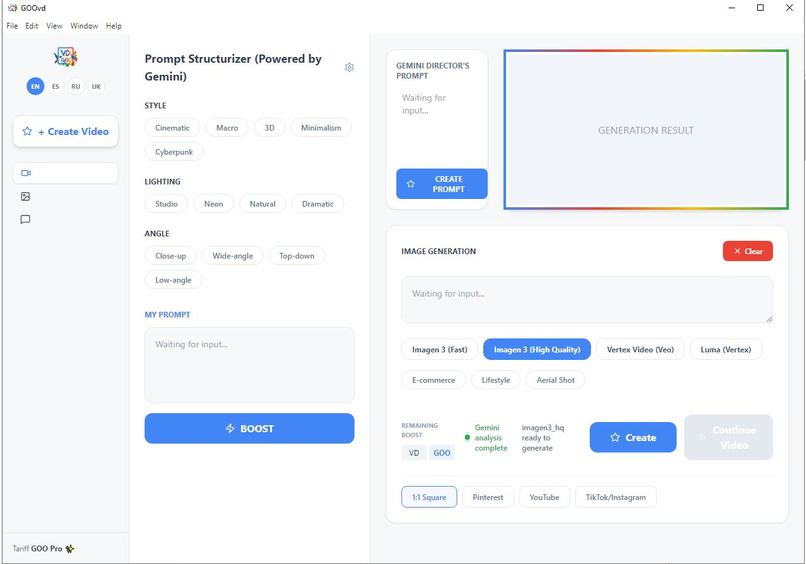
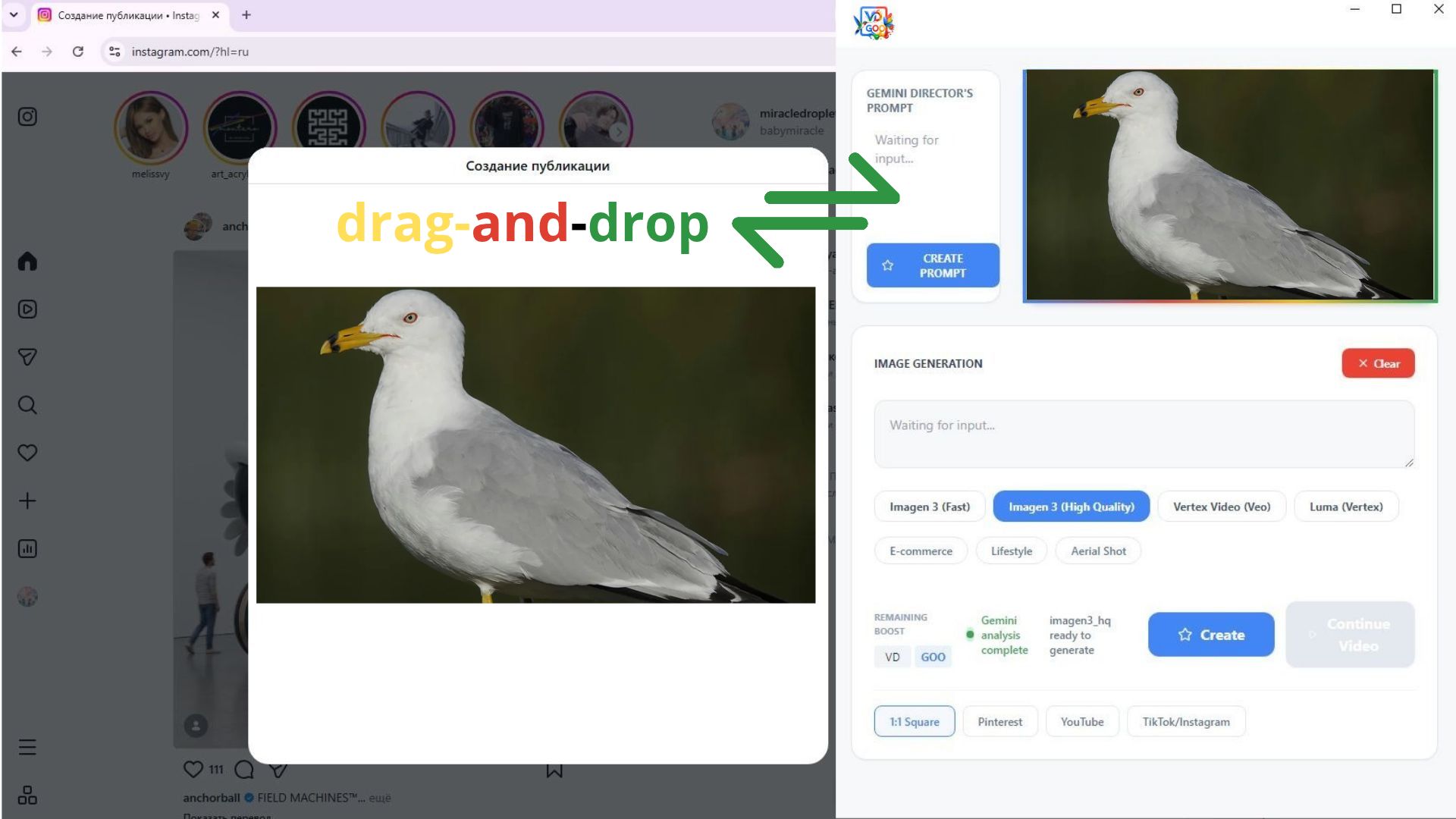
interface
-
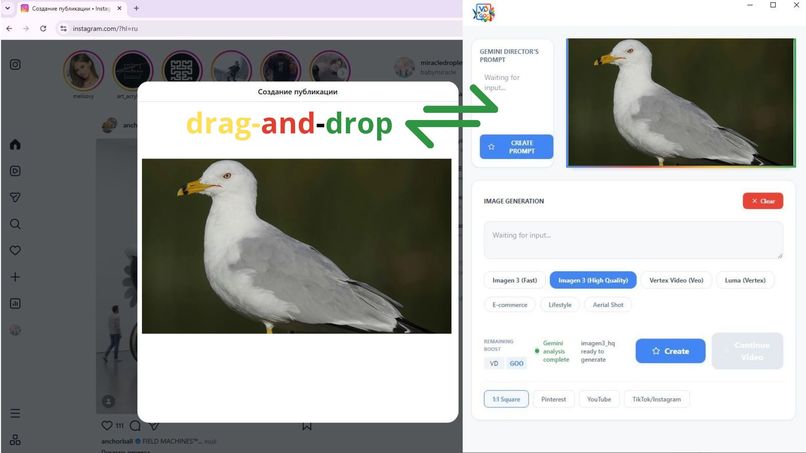
drag-and-drop
-
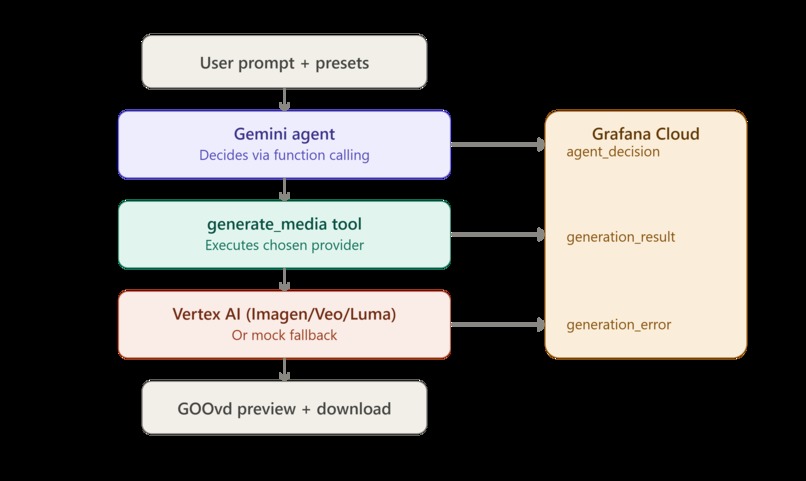
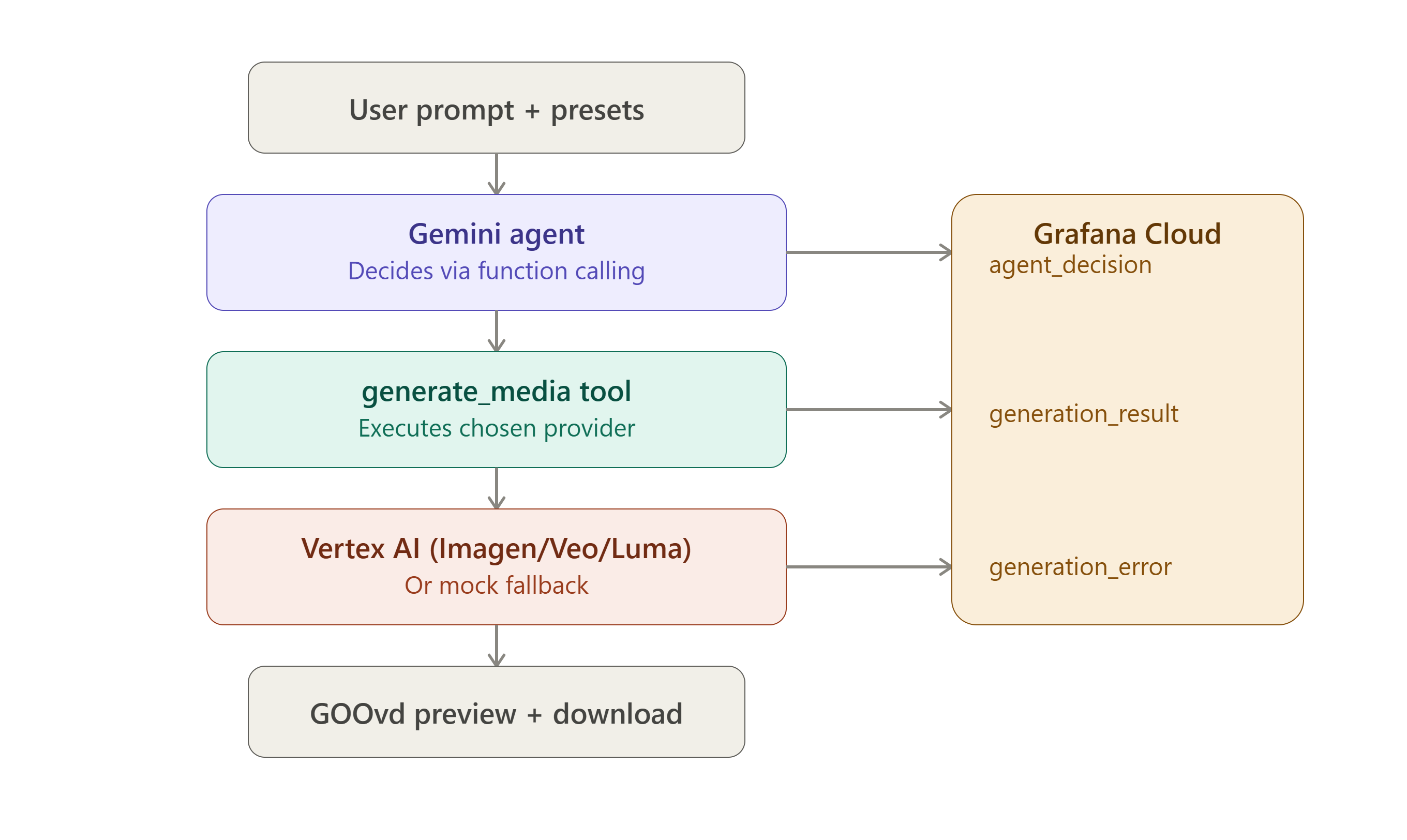
project scheme
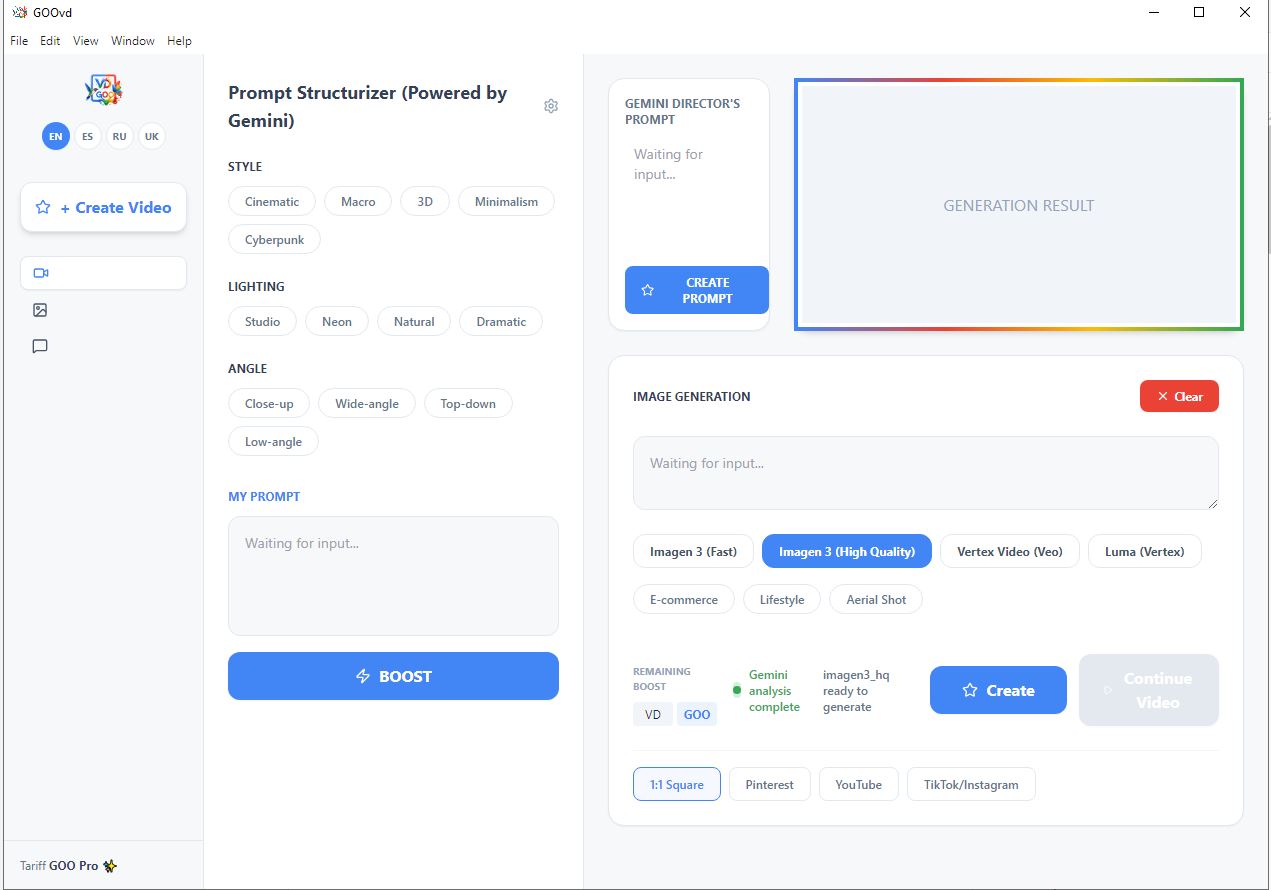
Inspiration
We kept running into the same annoying loop: open a tab, write a prompt, wait, download the result, alt-tab back to whatever we were actually working on — a storyboard doc, a moodboard, a script. Every "AI generation" tool we tried assumed we lived inside its browser tab. We don't. Creative work happens across a dozen open windows at once, and switching context every time you need a new shot kills momentum.
So we asked: what if the generator came to you instead? Not another tab — a small window that floats on top of everything, that you can drag a reference image onto, type an idea into, and get a shot back without ever leaving what you were doing.
That's GOOvd.
What it does
GOOvd is a desktop overlay — always-on-top, resizable, drag-and-drop — for AI image and video generation. You drop in a reference, type a rough idea, pick a style/lighting/camera preset, and a Gemini agent takes it from there. It's not a dumb "click button, call API" wrapper: the agent (gemini-3.6-flash) uses native function calling to decide for itself when your prompt is detailed enough to actually trigger generation. If it's too vague, it asks or refines instead of firing off a wasted, expensive Vertex AI call.
Once it decides to generate, it routes to Imagen 3 for images or Veo (with Luma as fallback) for video, and you can keep extending a video clip frame-by-frame with "Continue Video." Every single decision the agent makes — and every generation result or failure — gets streamed live to Grafana Cloud via Loki, so the whole pipeline is something you can actually audit, not a black box you just hope is working.
How we built it
The shell is Electron, because we needed a real always-on-top desktop window with OS-level drag-and-drop — something a browser tab fundamentally can't do. The UI is React + TypeScript + Tailwind, talking to the Electron main process over IPC for anything that touches the filesystem or window behavior.
The interesting part is the agent layer. Instead of hardcoding "if prompt has X words, call the API," we gave Gemini a generate_media tool via function calling and let the model own the decision of when to call it, with what parameters, based on the raw prompt plus whatever presets the user picked. That call goes to Vertex AI (Imagen 3 / Veo).
For observability, every step — agent_decision, generation_result, generation_error — gets pushed to Grafana Cloud's Loki endpoint in real time, so we (and anyone judging this) can literally watch the agent think in Grafana Explore.
We also built in a demo mode with pre-generated sample outputs, so the app is reviewable end-to-end even without API keys — because we know judges won't want to set up a Vertex AI service account just to see if a UI works.
Challenges we ran into
Getting a genuinely always-on-top, draggable-into window to behave consistently was more finicky than expected — Electron's window management APIs don't always agree with what the OS actually lets you do, especially around focus stealing and drag targets from other applications.
The bigger challenge was resisting the urge to hardcode the generation trigger. It's tempting to just call the API the moment the user hits enter — building an agent that genuinely evaluates prompt readiness and decides on its own meant more careful tool-schema design and more time debugging why the model wasn't calling the tool when we expected it to (which, ironically, is exactly what the Grafana logging ended up being essential for).
Wiring Vertex AI's Veo access also had rough edges — availability isn't guaranteed on every project, so we had to build a genuine fallback path to Luma rather than just letting the feature silently fail.
What we learned
Observability isn't a nice-to-have for agentic systems — it's the only way you actually debug "why didn't the model do the thing I expected." Watching agent_decision events land in Loki in real time changed how we iterated; we stopped guessing and started reading logs.
We also learned that the interface itself is part of the agent design. A floating, drag-and-drop overlay isn't just a UX flourish — it changes what kinds of prompts and references people actually feed the agent, because it removes the friction of "go get the reference file first."
What's next
We want to expand the overlay's drag-and-drop targets beyond images — accepting dropped video clips and script snippets directly — and add a lightweight Grafana dashboard template that ships with the app, so anyone can get the same observability out of the box instead of building panels from scratch.
Built With
- electron
- function-calling
- gemini-api
- google-genai
- grafana-cloud
- grafana-loki
- html5
- imagen-3
- ipc
- javascript
- luma
- node.js
- observability
- react
- tailwindcss
- typescript
- veo
- vertex-ai
- vite

Log in or sign up for Devpost to join the conversation.