-
-
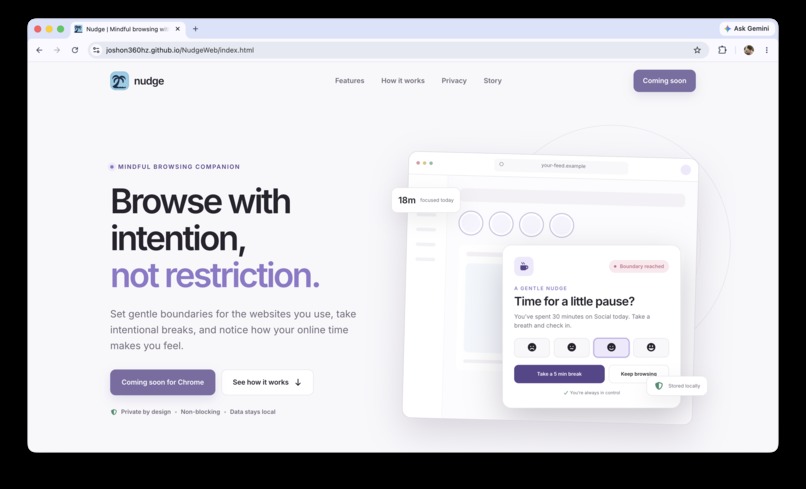
Website Splash
-
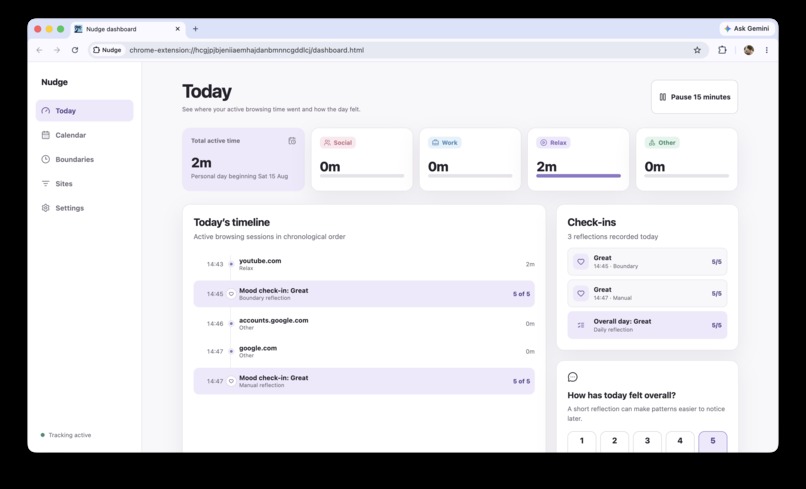
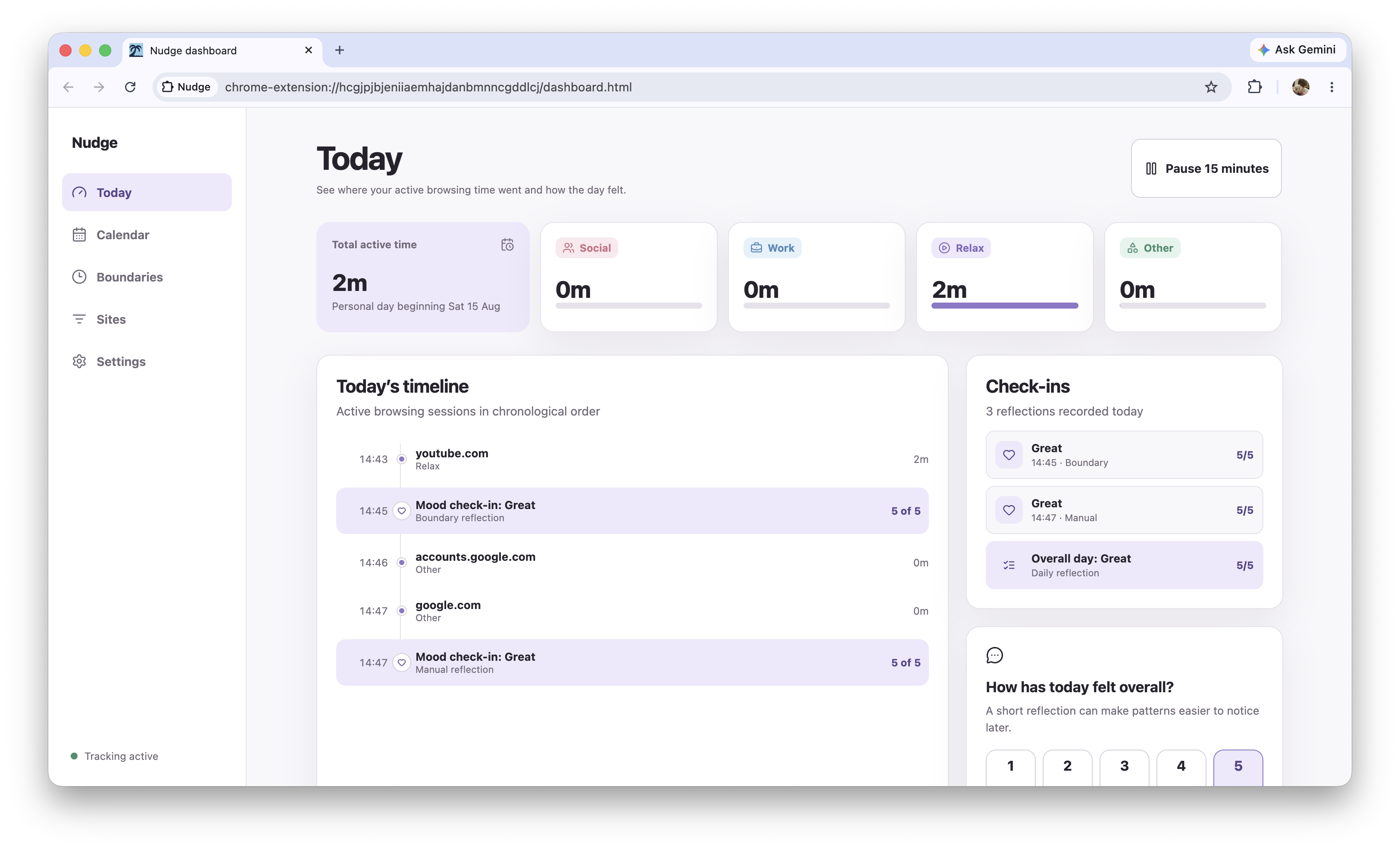
Main Dashboard
-
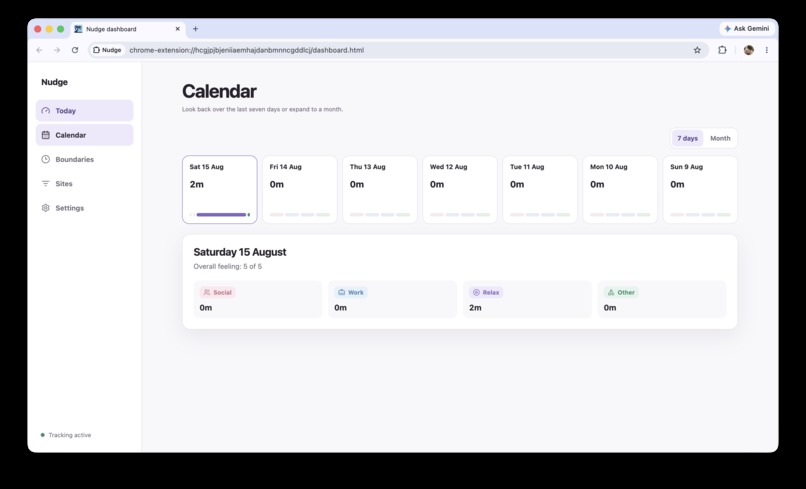
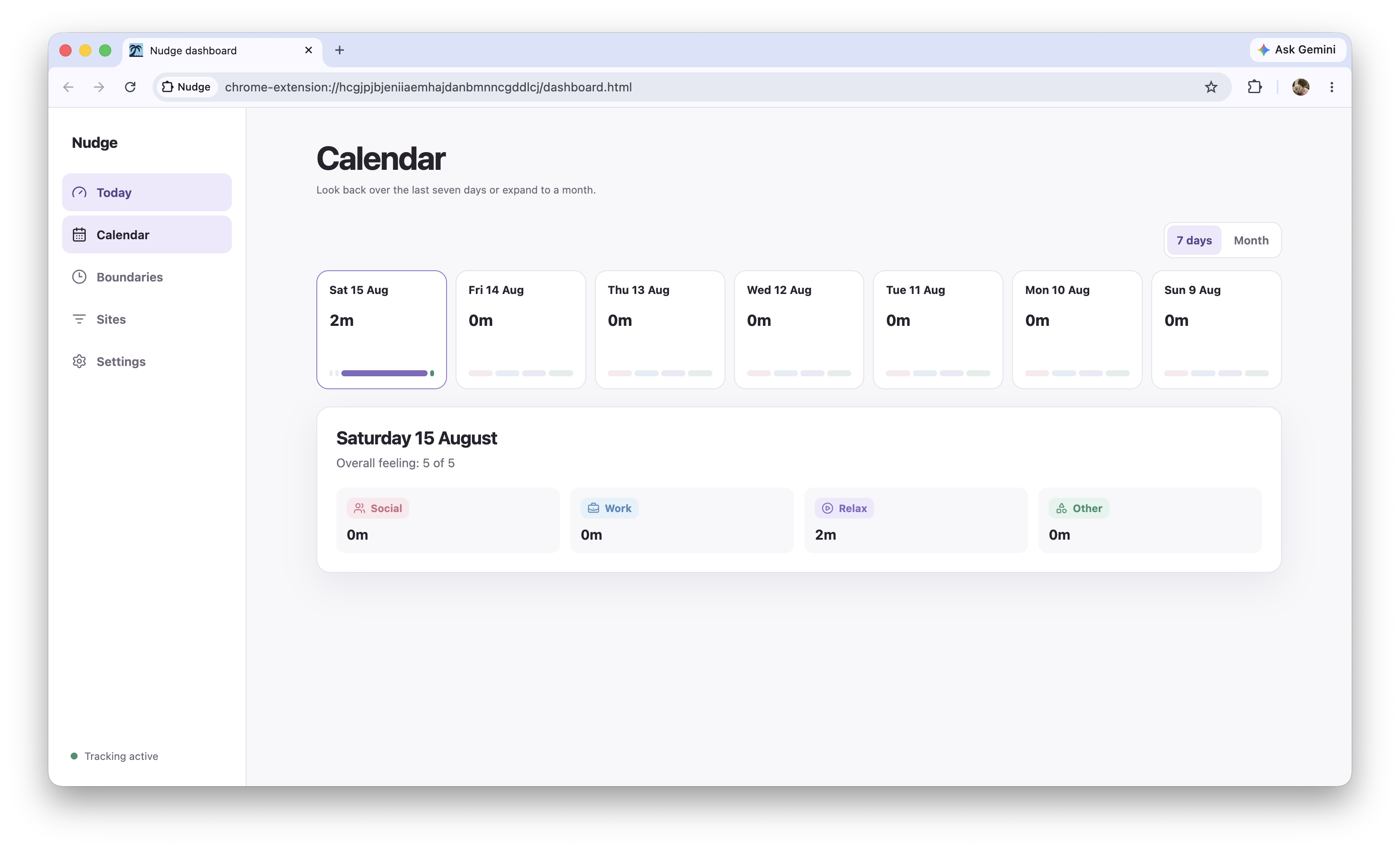
Calendar View
-
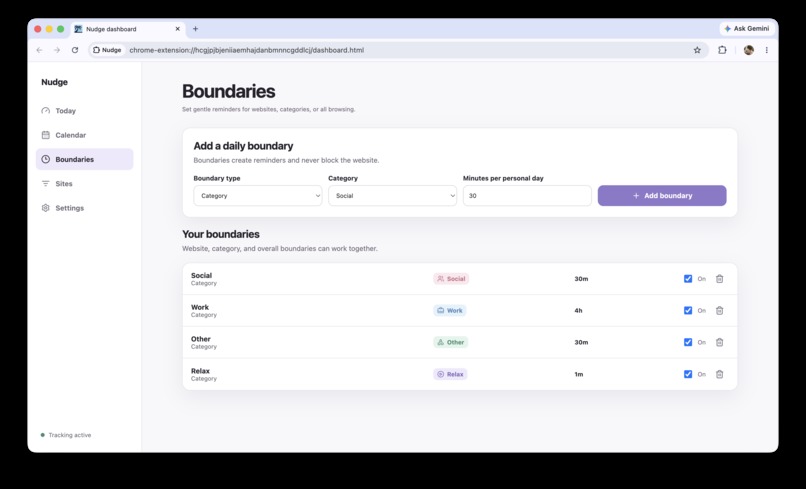
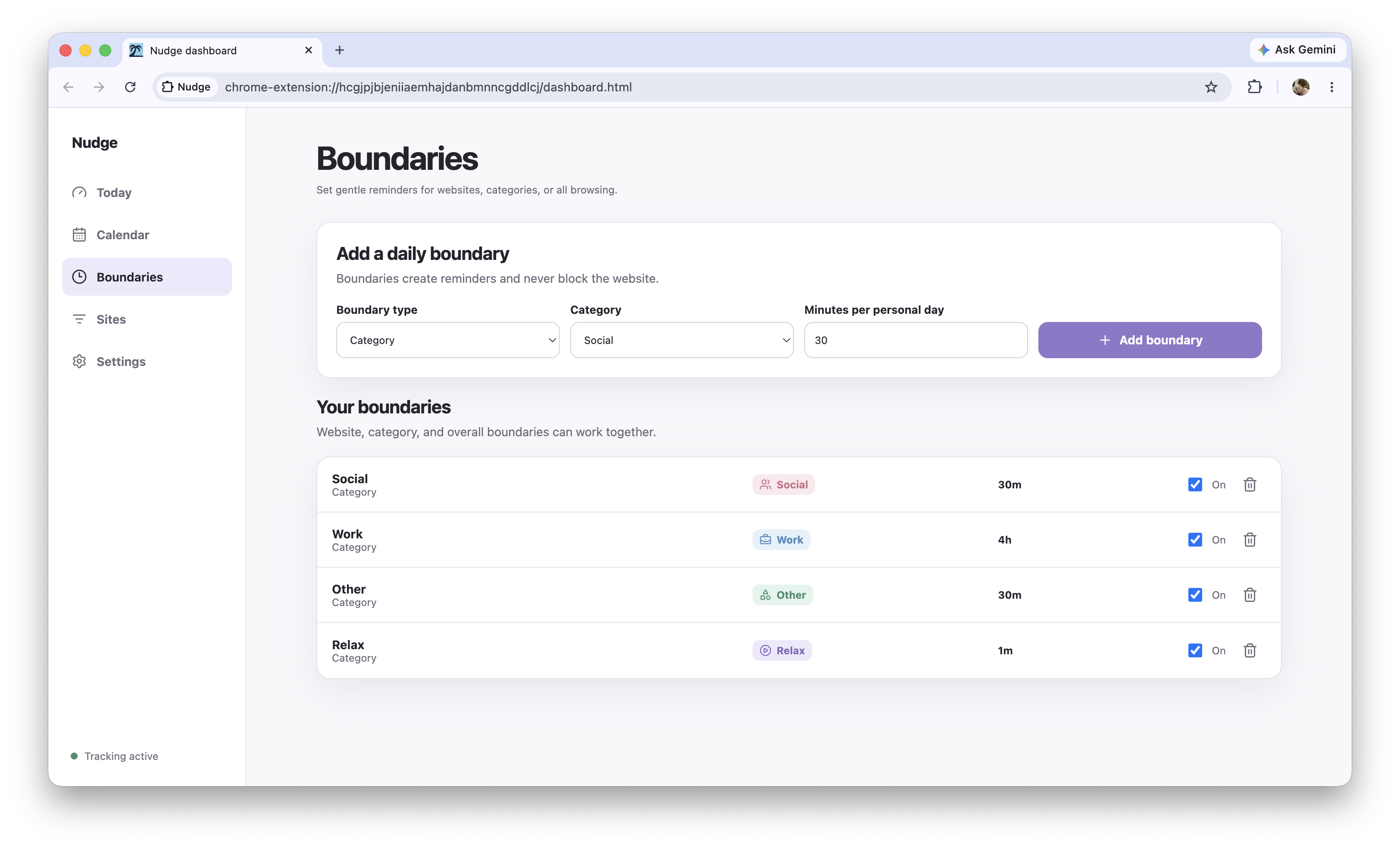
Boundary Setup
-
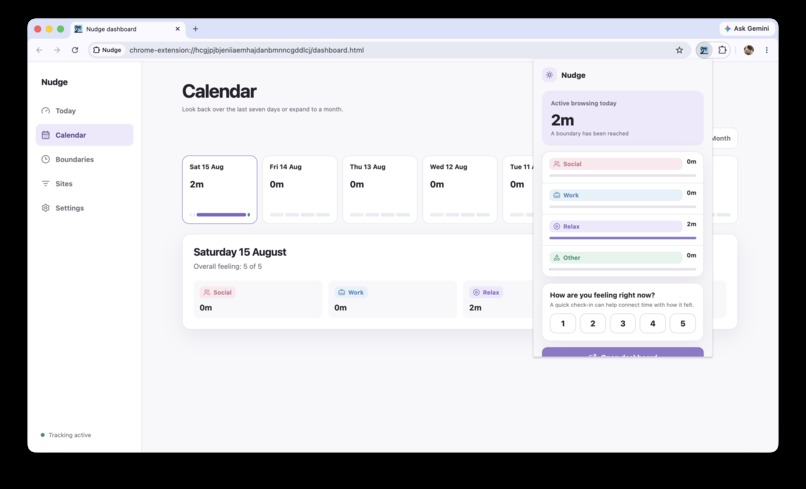
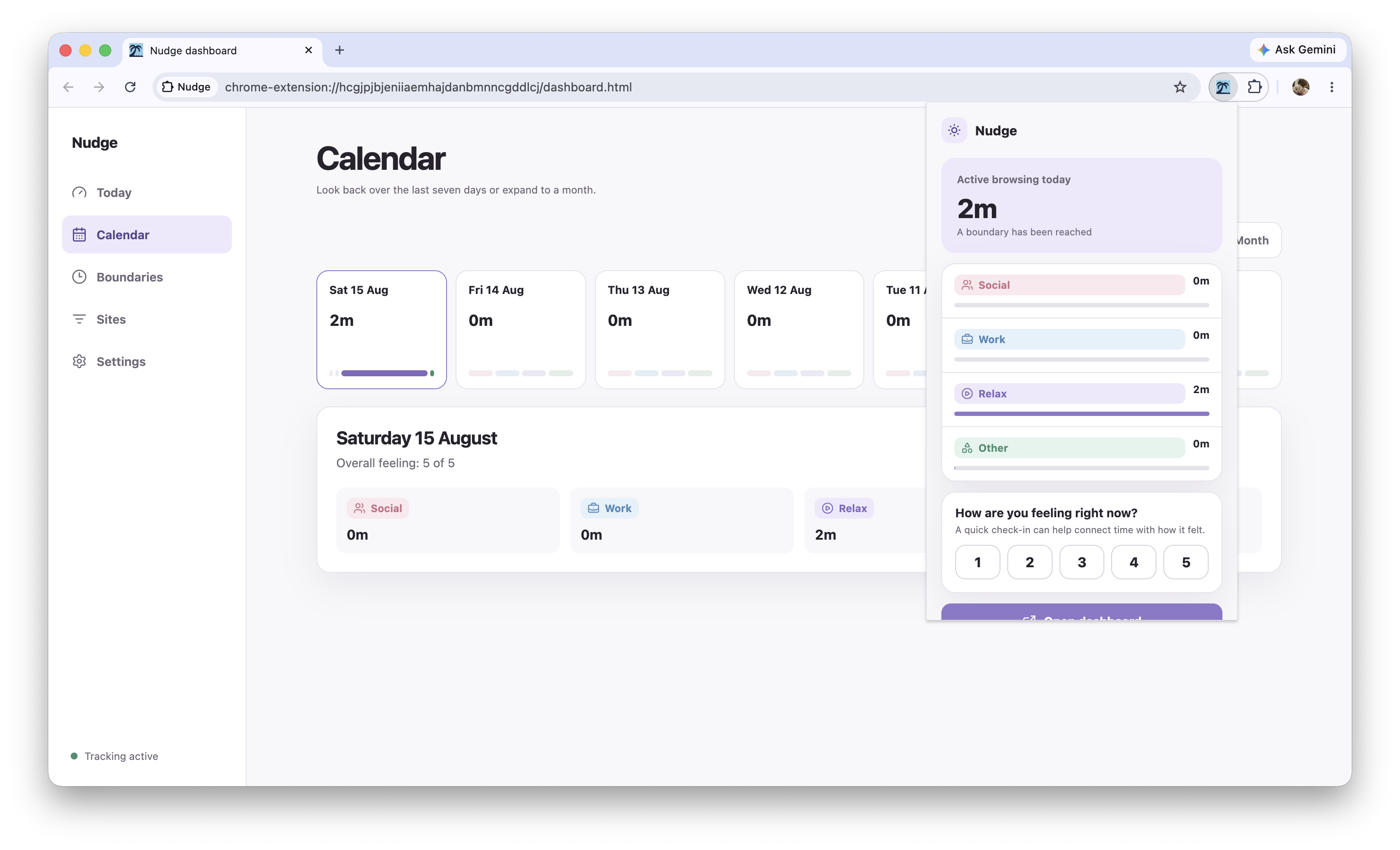
Chrome Extension Popup
-
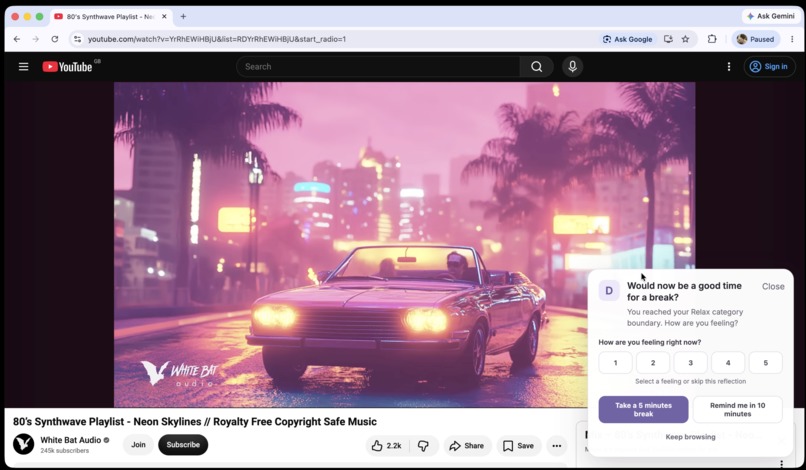
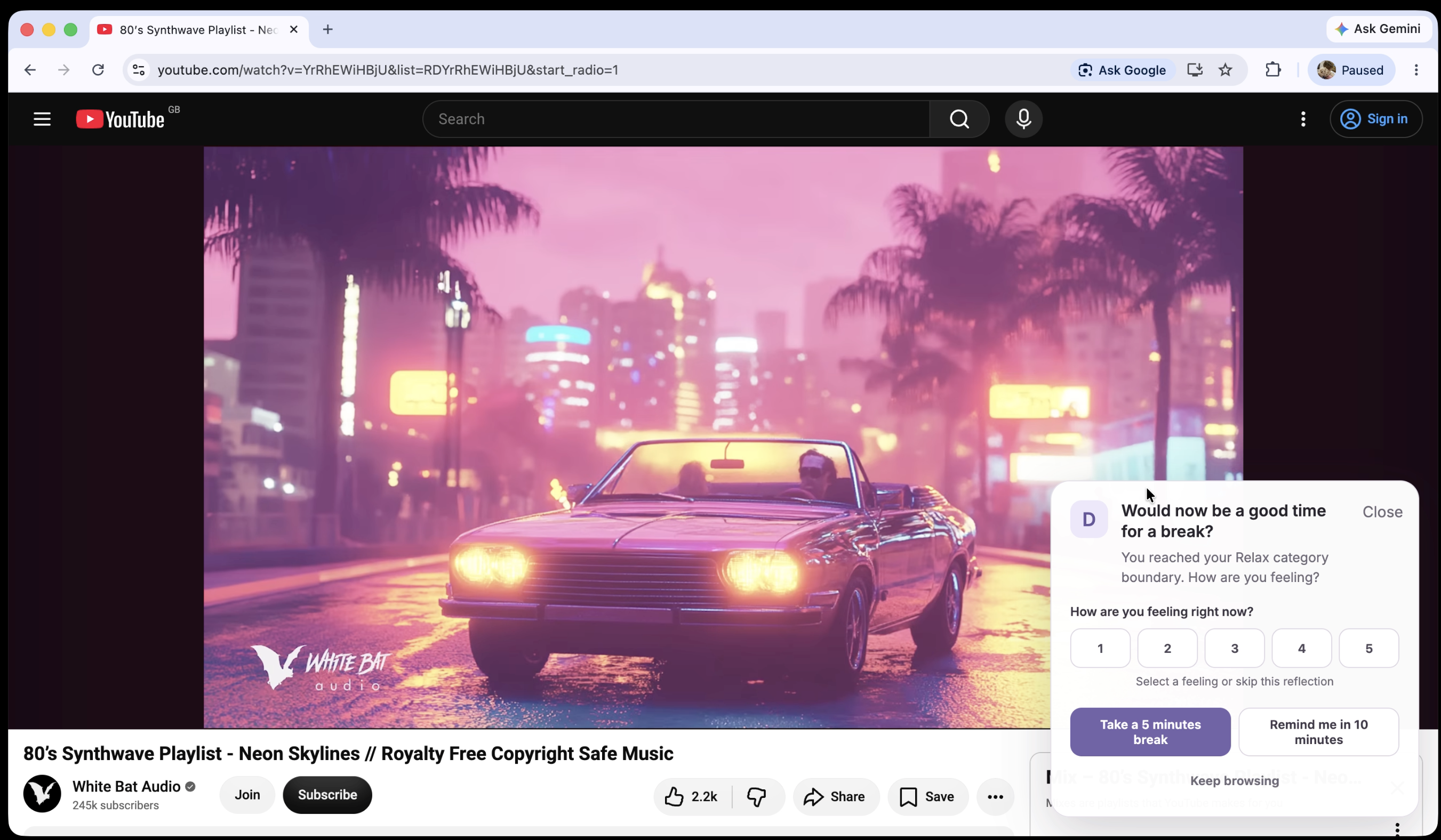
Reflection Pop up
-
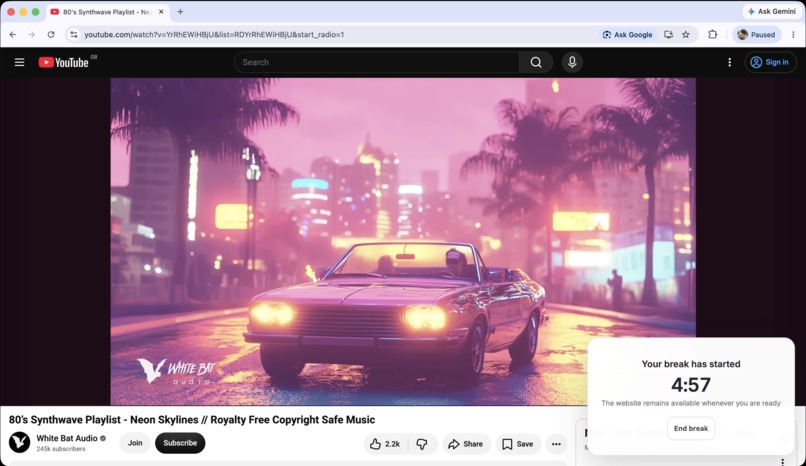
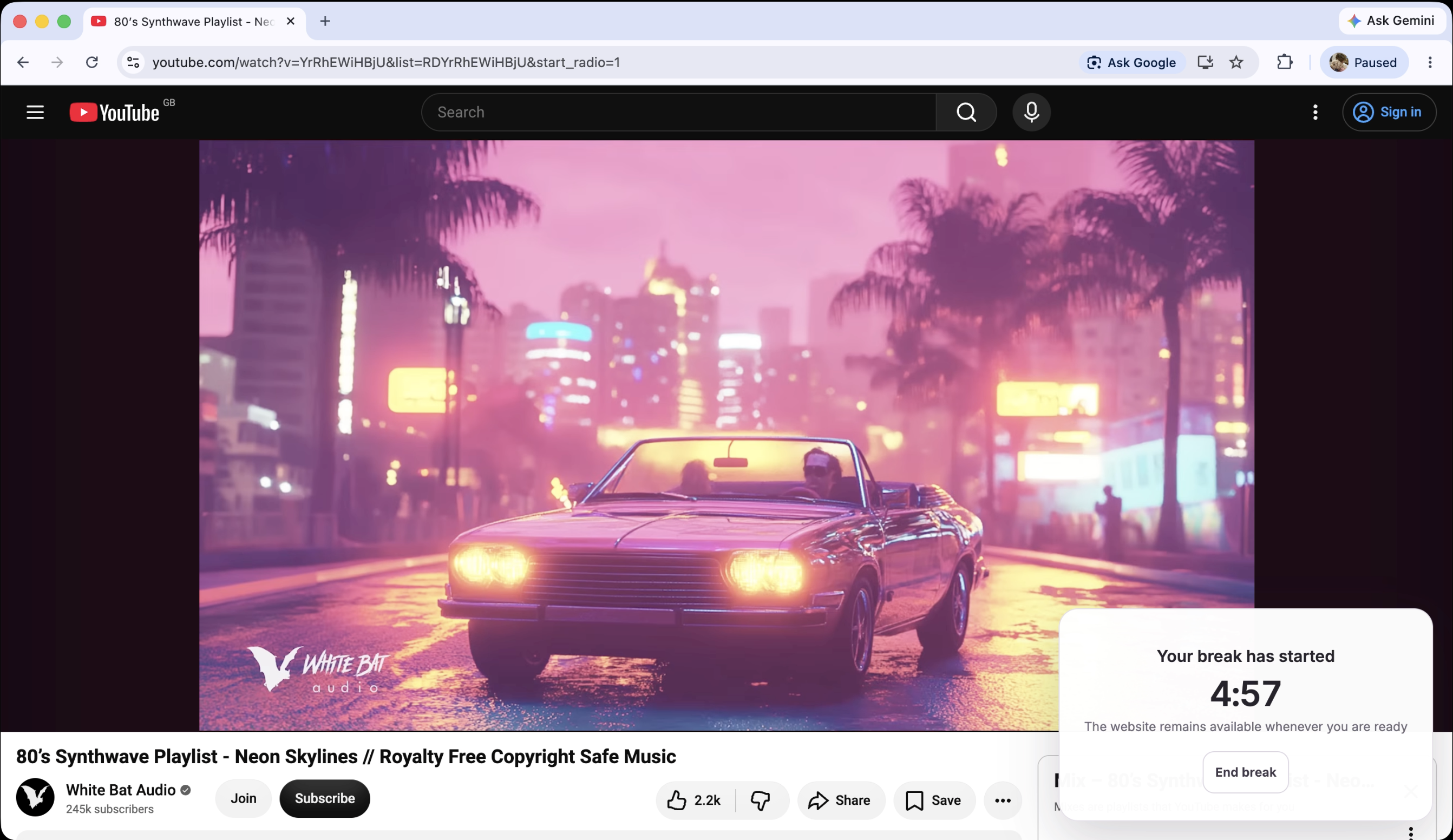
Break Timer
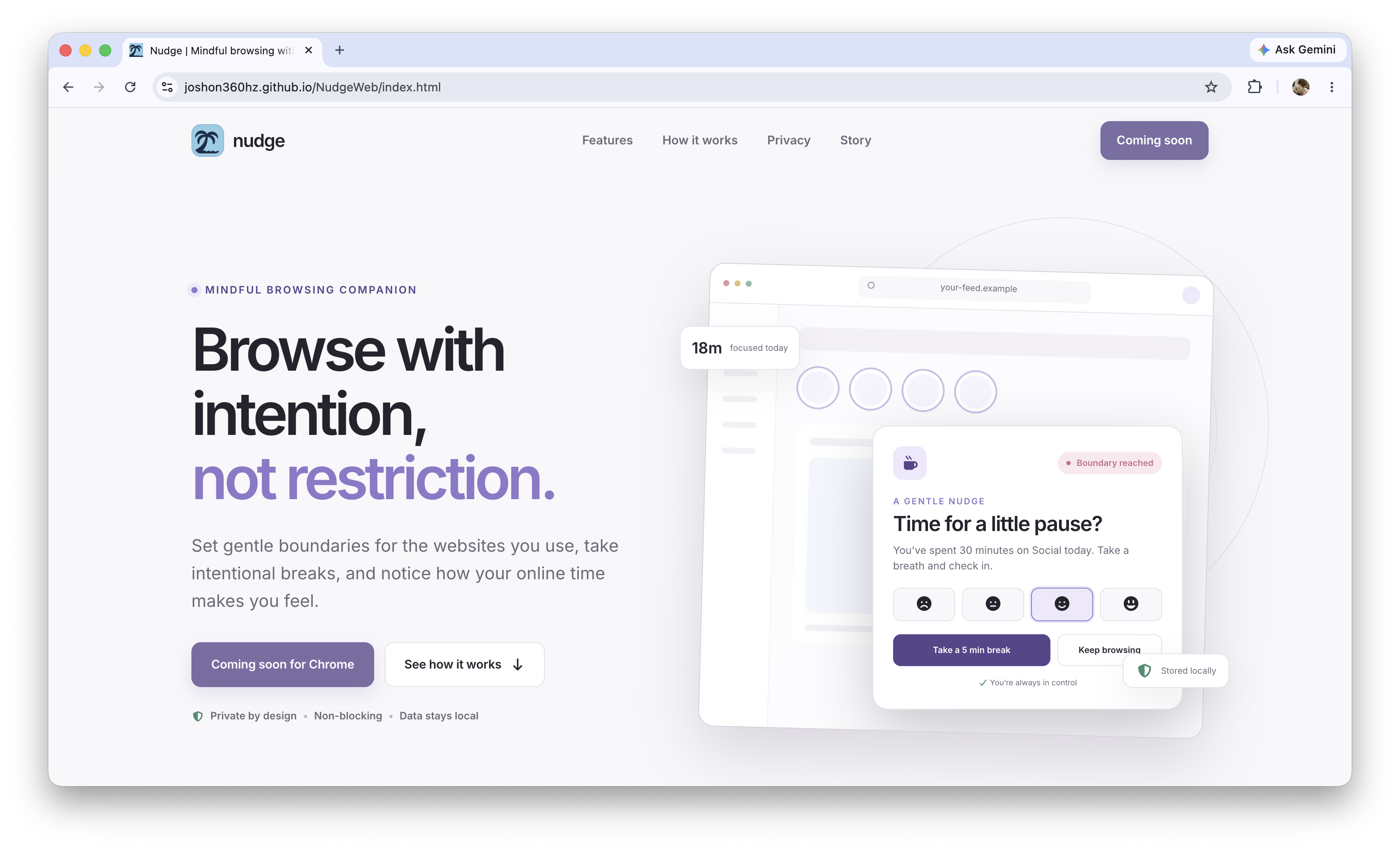
You can find Nudges Website Here and source code Here
Installation
Due to time constraints we were unable to publish the extension to the Chrome store and complete app review. Installation depends on browser but you can download the CRX file from Here and install it on certain versions of Chrome, or load it unpakced which will work on all versions of Chrome . Instructions on how to do so are on GitHub
Inspiration
Nudge was born from our frustration with procrastination, particularly as members of our team are on the autism spectrum. From the beginning, we wanted Nudge to feel supportive rather than restrictive. It does not block websites or interrupt the content you are viewing. Instead, it offers a gentle reminder to pause and reflect, while still leaving room for the occasional side quest that simply needs to be completed :)
What it does
Nudge is a mindful browsing companion that helps users understand how they spend their time online and how that time affects their mood. Users can organise websites into Social, Work, Relax, and Other categories, then set daily boundaries for individual websites, categories, or overall browsing time. When a boundary is reached, Nudge displays a non-blocking action sheet that encourages the user to take a configurable break and reflect on how they feel.
At the end of the day, Nudge provides a timeline of browsing activity, mood check-ins, and an overall daily reflection. A calendar view allows users to review patterns across the last seven days or up to a month. Nudge is built with React and Vite for Google Chrome’s Manifest V3 architecture. Its service worker responds to:
- Active tab changes
- Page navigation and loading state
- Browser window focus changes
- Tabs being closed
- Chrome idle-state changes
- Scheduled reconciliation and boundary alarms
- Dashboard and extension popup requests
Before recording activity, Nudge checks that:
- Chrome considers the user active
- A normal browser window is focused
- The active tab uses HTTP or HTTPS
- Tracking is enabled and not paused
Each browsing segment records:
- The hostname, such as youtube.com
- Its assigned category
- Start and last confirmed times
- Tab and window identifiers
- The personal-day key based on the user’s chosen reset time
For privacy, Nudge does not store full URLs, page titles, search queries, or page content. All data remains in signed local extension storage and can be exported or imported by the user.
Challenges
One of our main challenges was building reliable activity tracking within Chrome’s Manifest V3 architecture. Service workers are event-driven and can stop when inactive, so Nudge needed to reconstruct browsing sessions from tab changes, window focus events, idle-state changes, navigation, and scheduled alarms.
We also had to make sure tracking was accurate without collecting unnecessary personal information. Nudge records hostnames and timing data, but deliberately avoids storing full URLs, page titles, searches, or page content. Designing this privacy-conscious data model while still providing useful insights required careful decisions.
Another challenge was creating reminders that felt supportive rather than disruptive. The action sheet needed to be noticeable enough to encourage reflection while never blocking the website or making users feel judged. We spent time refining the timing, wording, and interaction so that the feature remained consistent with Nudge’s purpose.
Accomplishments that we're proud of
We are especially proud of Nudge’s polish and user experience. We wanted to create an extension that complements Google’s Material You design language while still having its own warm and recognisable identity.
We are also proud that the finished product feels genuinely useful. Nudge is not just a technical demonstration. It is something we would choose to use every day. Building a reliable, non-blocking reminder system was another important achievement. Nudge can continue tracking through Chrome’s event-driven Manifest V3 architecture, deliver reminders directly within a website, and update its dashboard without requiring a manual refresh.
What we learned
We learned a great deal about Chrome extension development and the constraints of Manifest V3, particularly its event-driven service workers, content-script communication, alarms, permissions, and local storage.
One member of the team had previous experience building browser extensions, while the rest of us were new to the process. We had a similar range of experience with React and Vite. A team member who works part-time in software engineering alongside university led the React development and helped the rest of the group understand the component architecture.
The project also taught us how important small UX decisions are when designing wellbeing software. A reminder can be useful without being restrictive, and reflection can be encouraged without making the user feel judged.
What's next for Nudge
- Cross-browser support
- More detailed daily and monthly insights
- Optional synchronisation across devices
- More customisable categories and reflection prompts
- Continued accessibility, performance, and interface polish
Development disclosure
Codex was used as a development tool while building Nudge. All planning, product decisions and UX / UI work were completed by a human.
Built With
- codex
- css
- gh-pages
- javascript
- lucide-react
- manifestv3
- react
- shadcn
- tailwind
- typescript
- vscode

