-
-
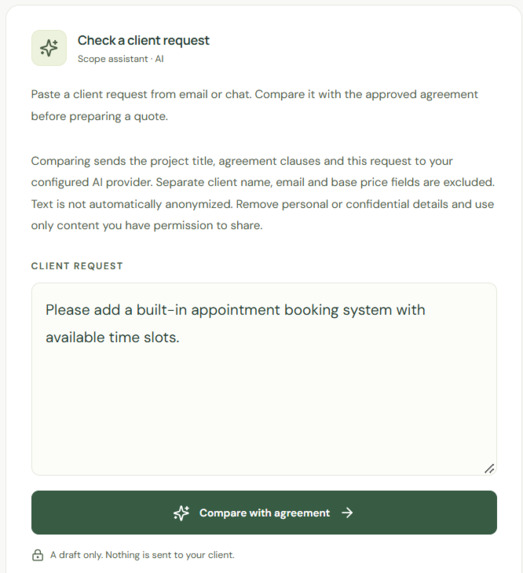
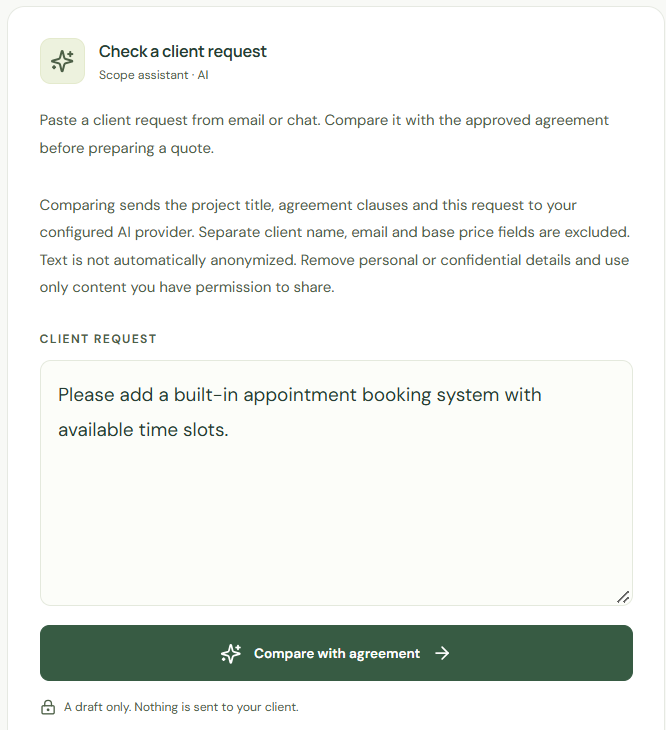
Compare a new appointment-booking request against the accepted agreement.
-
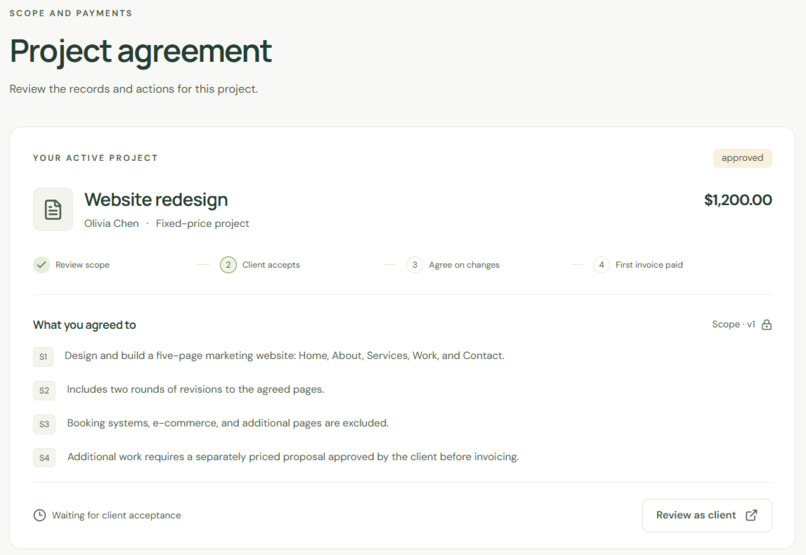
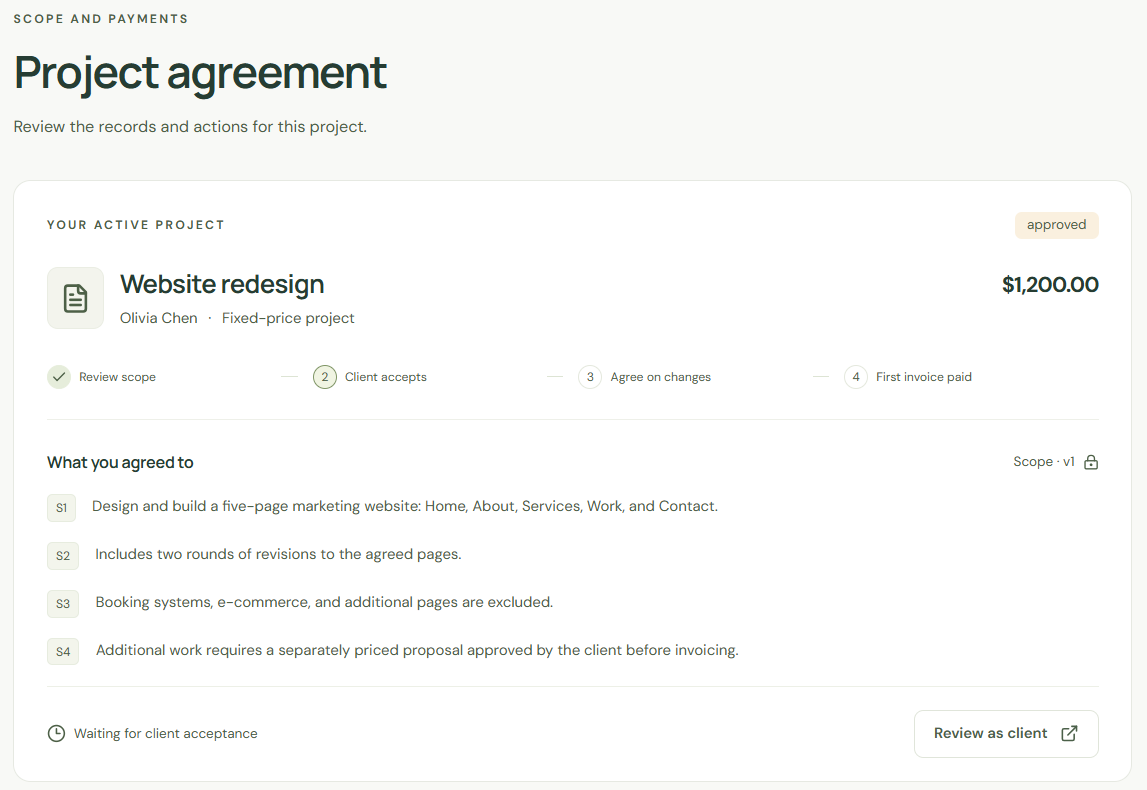
Approved scope locked and ready for client acceptance.
-
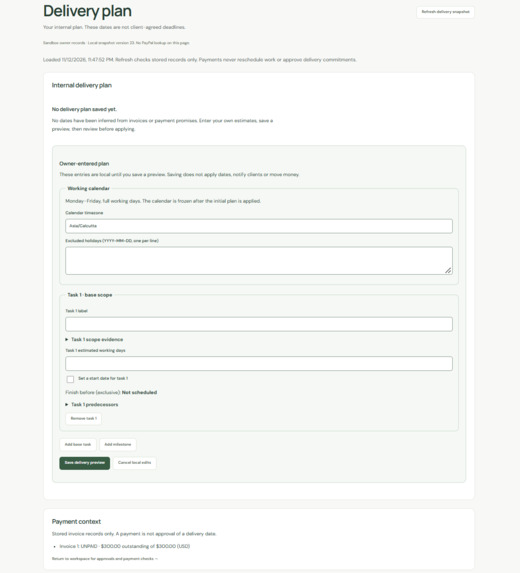
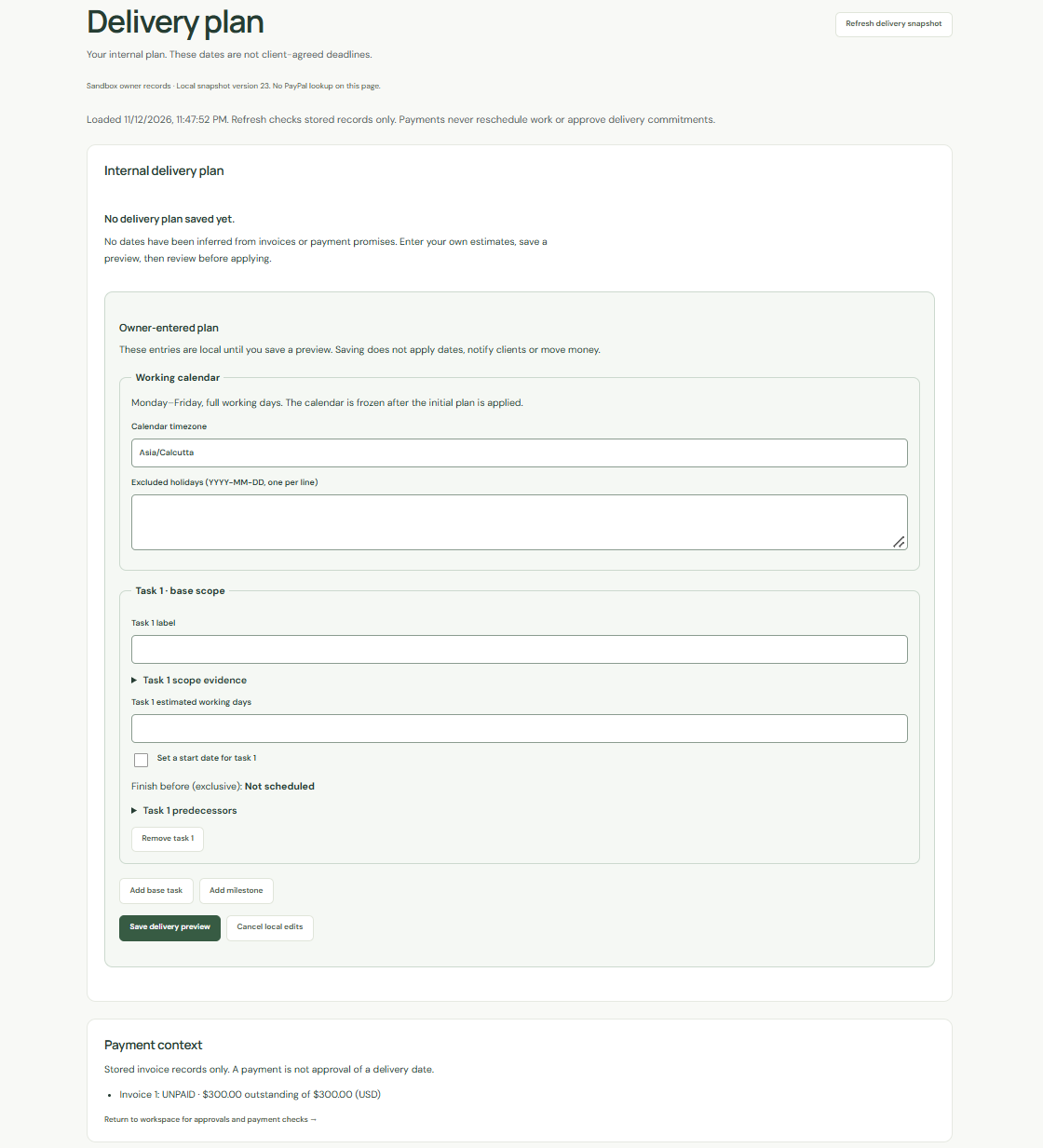
Plan delivery using working days, holidays and task dependencies, then save a preview for review.
-
Workspace access protected by an administrator token.
-
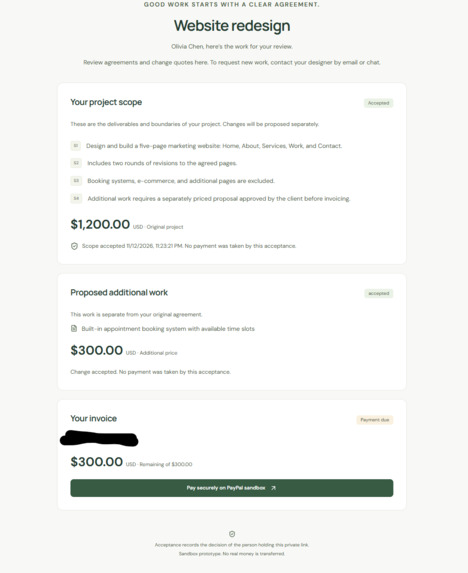
The client can access the PayPal sandbox payment page from their project view.
-
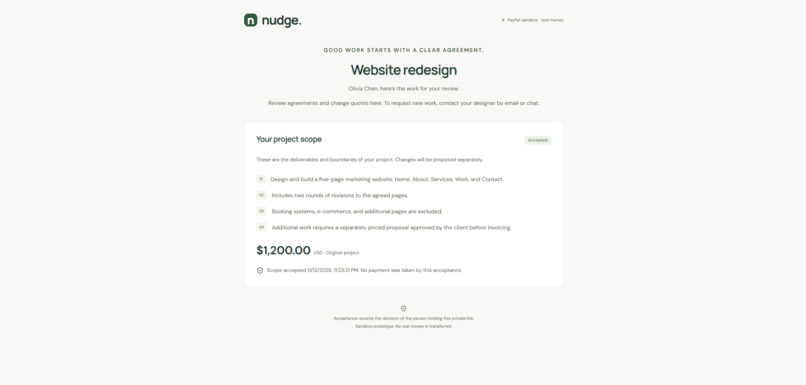
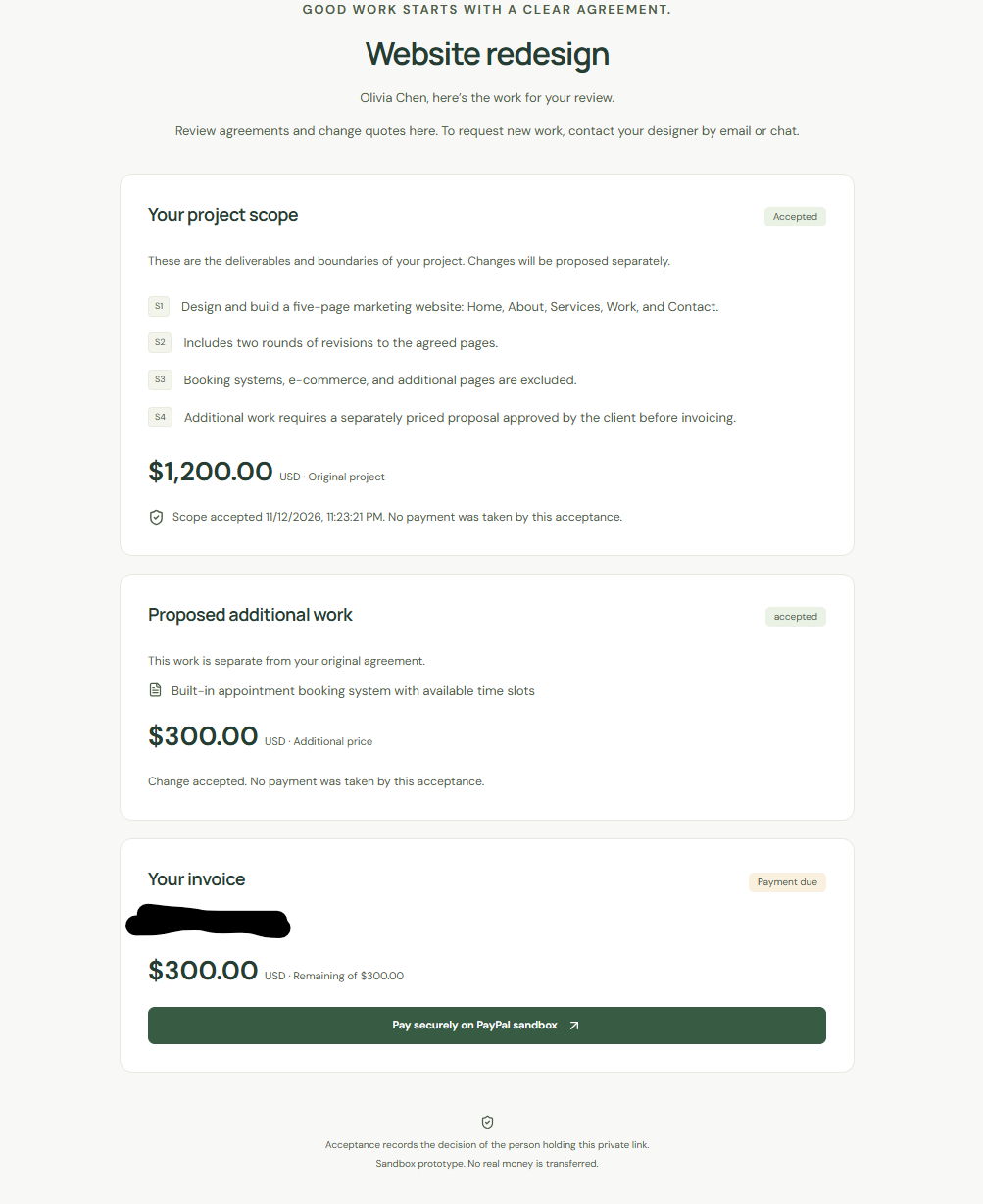
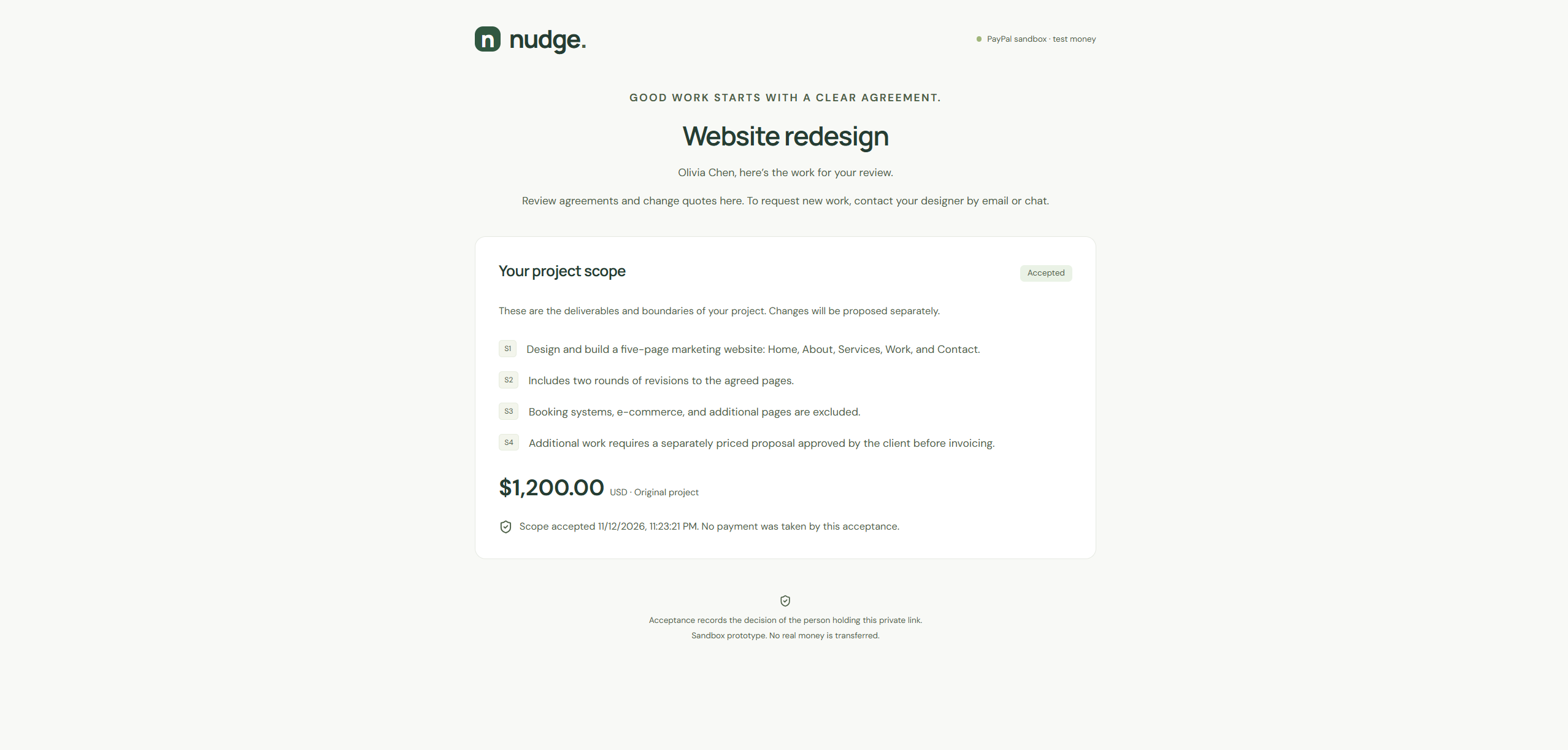
Client acceptance recorded before reviewing additional work.
-
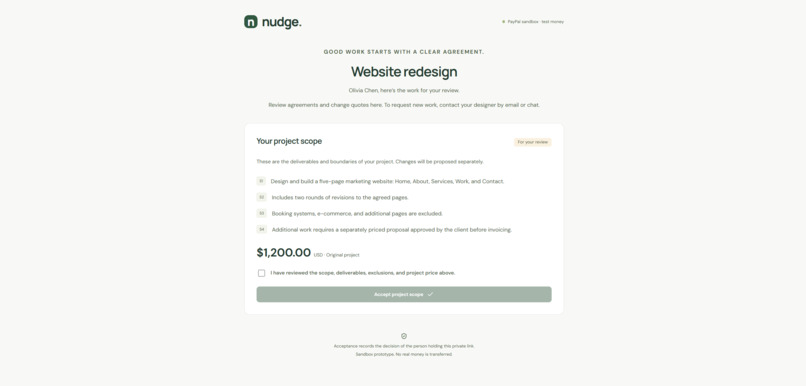
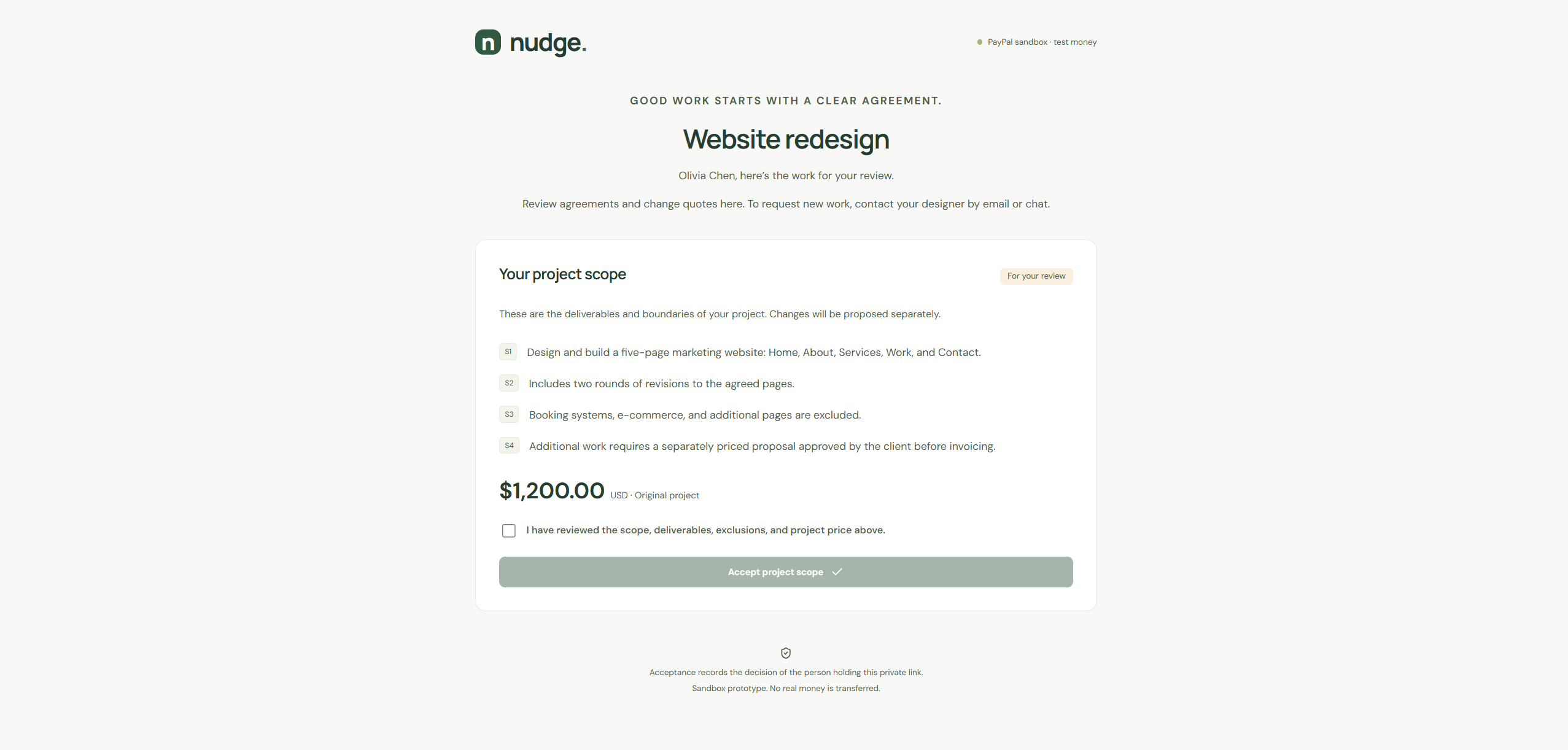
The client reviews the original agreement and USD1,200 project price.
-
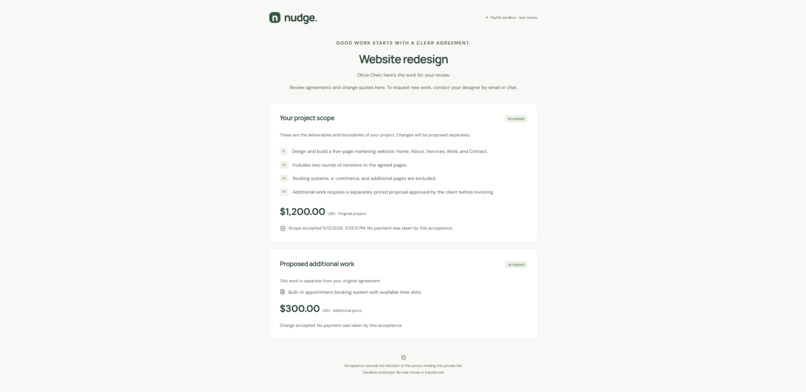
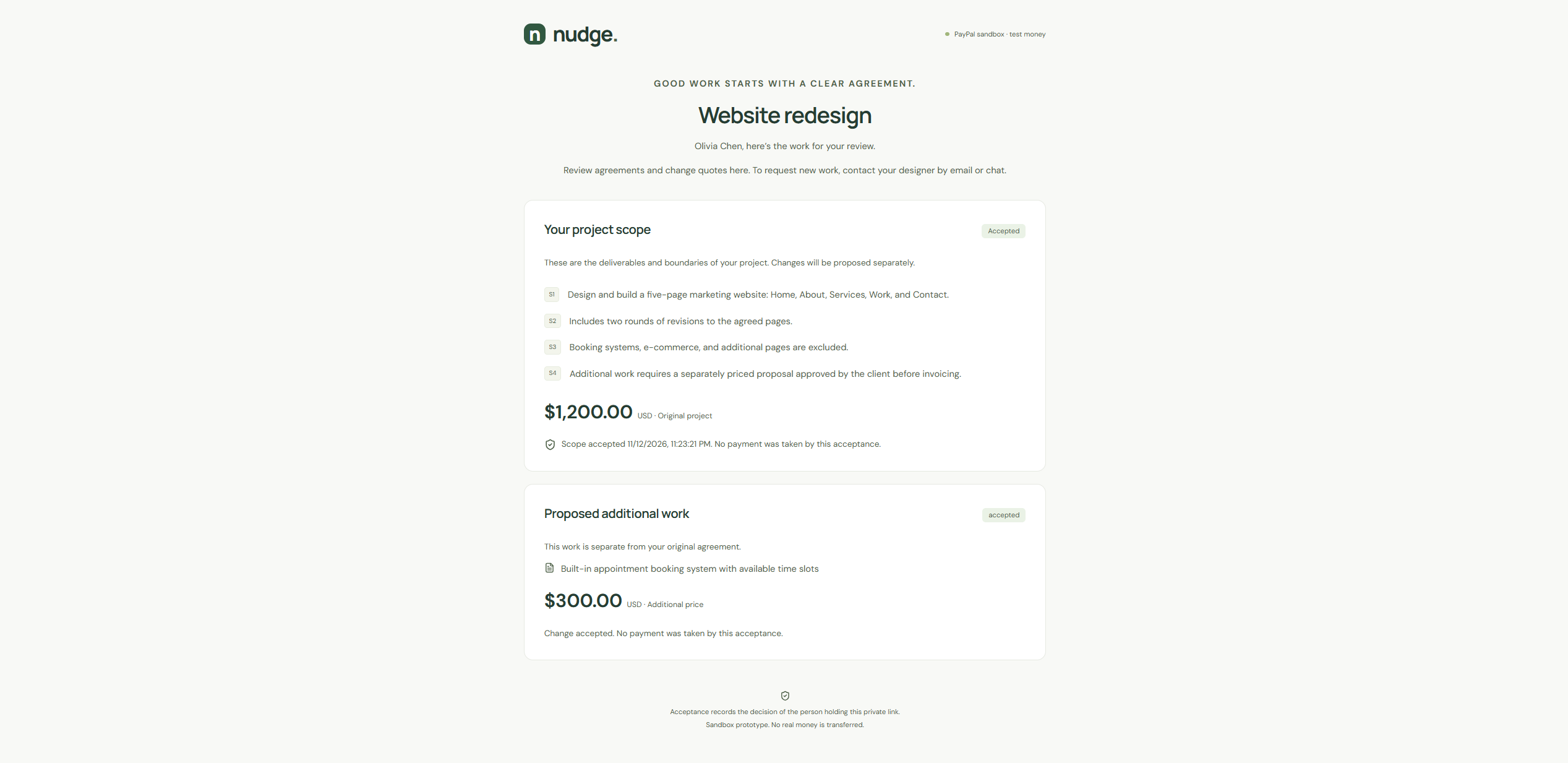
The client accepts the booking system as a separate USD300 addition.
-
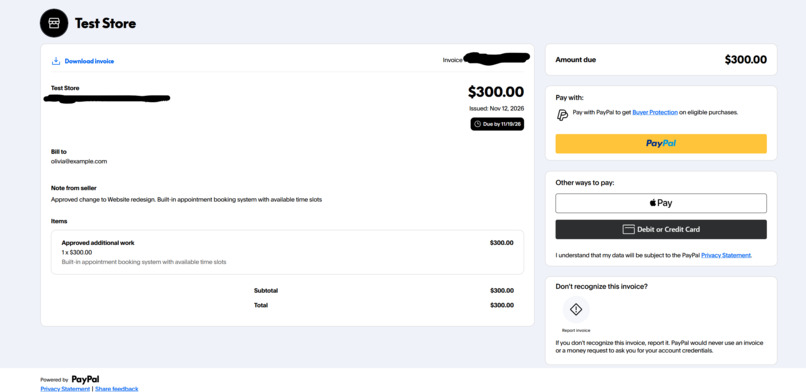
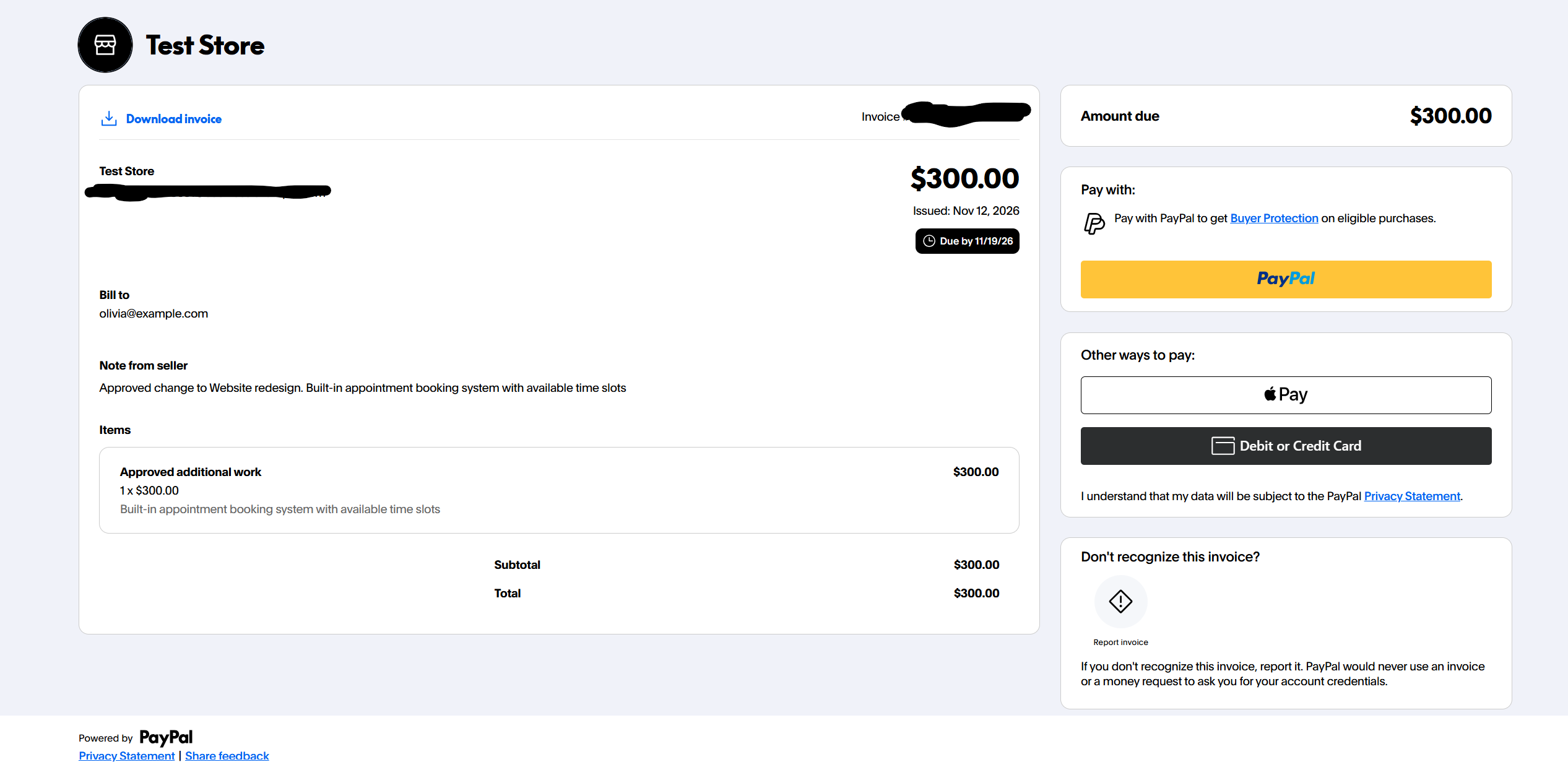
PayPal’s hosted sandbox invoice shows the approved booking work and USD300 amount due.
-
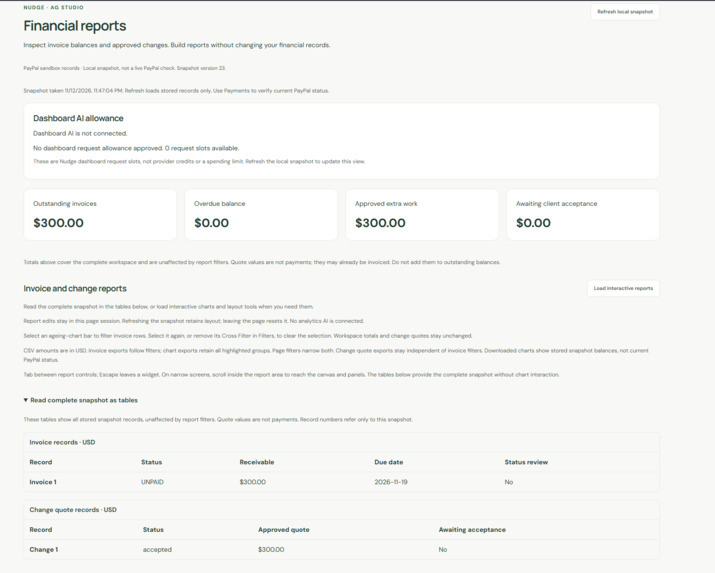
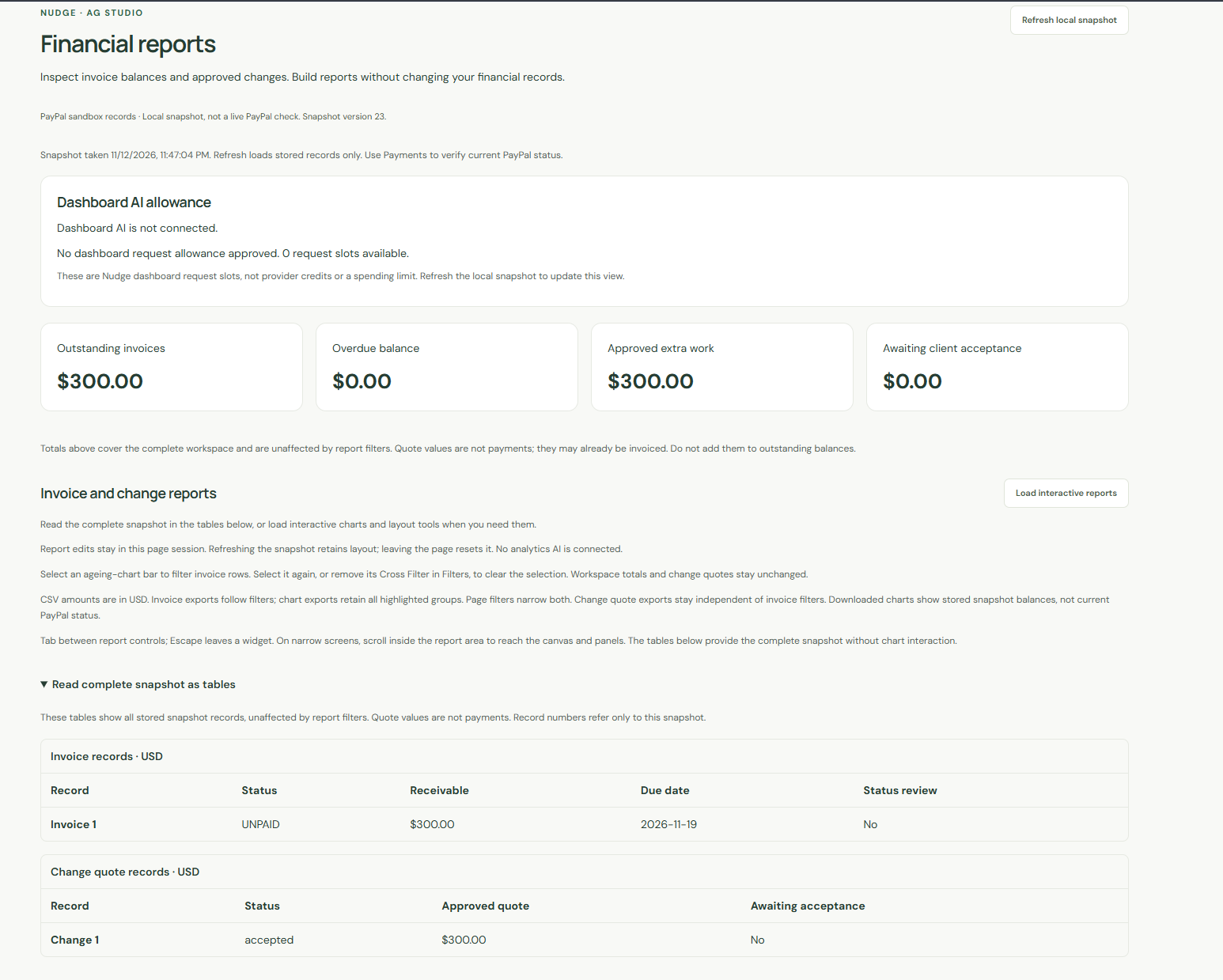
Financial reports show the USD300 outstanding invoice alongside the accepted change quote.
-
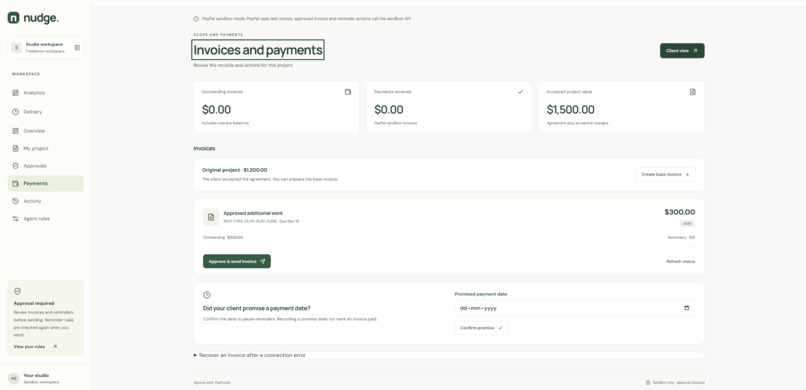
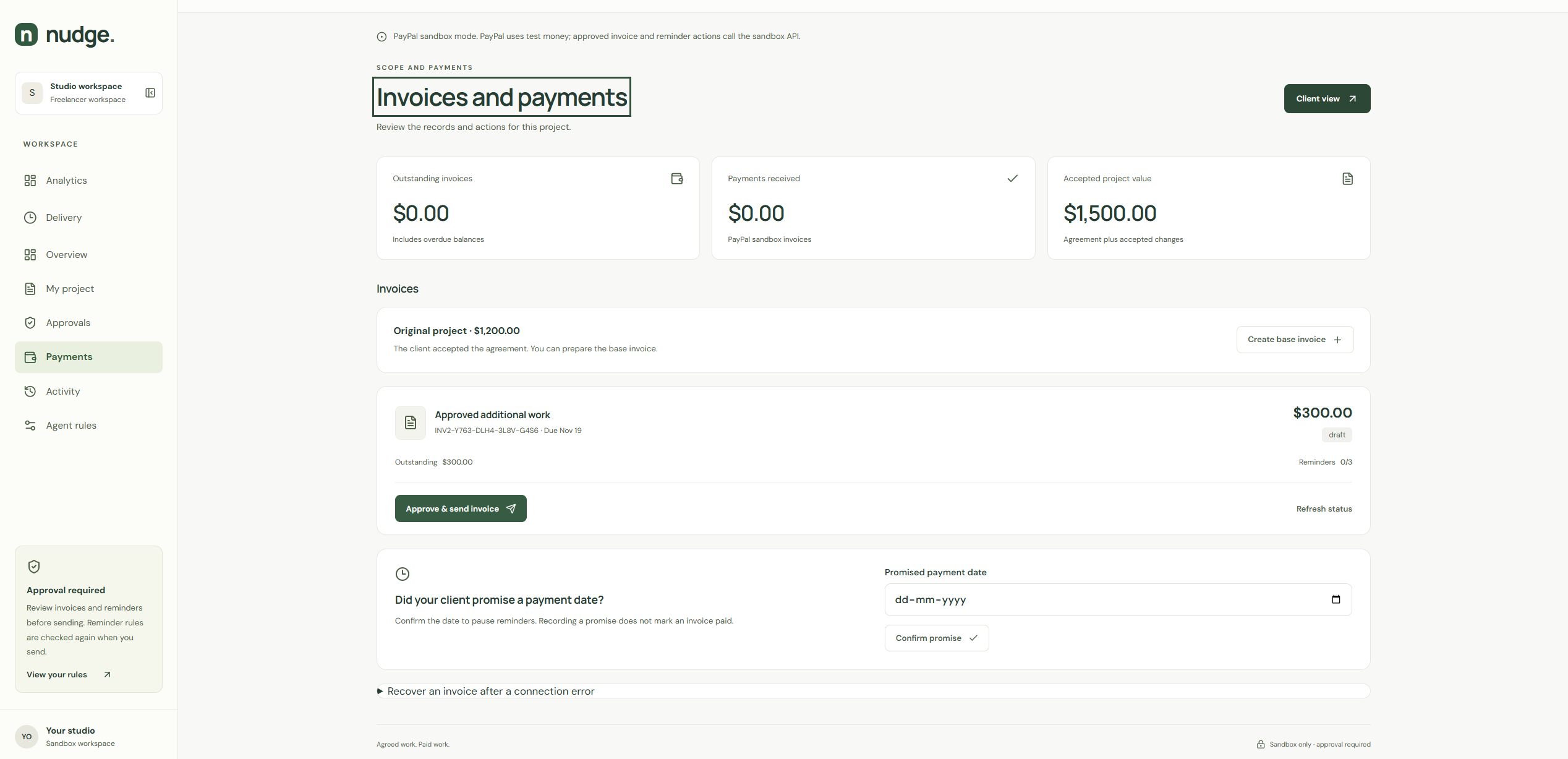
A USD300 PayPal sandbox invoice awaits the freelancer’s approval to send.
-
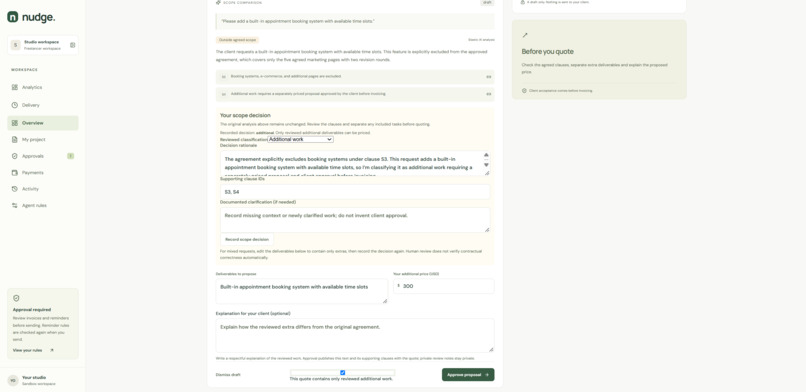
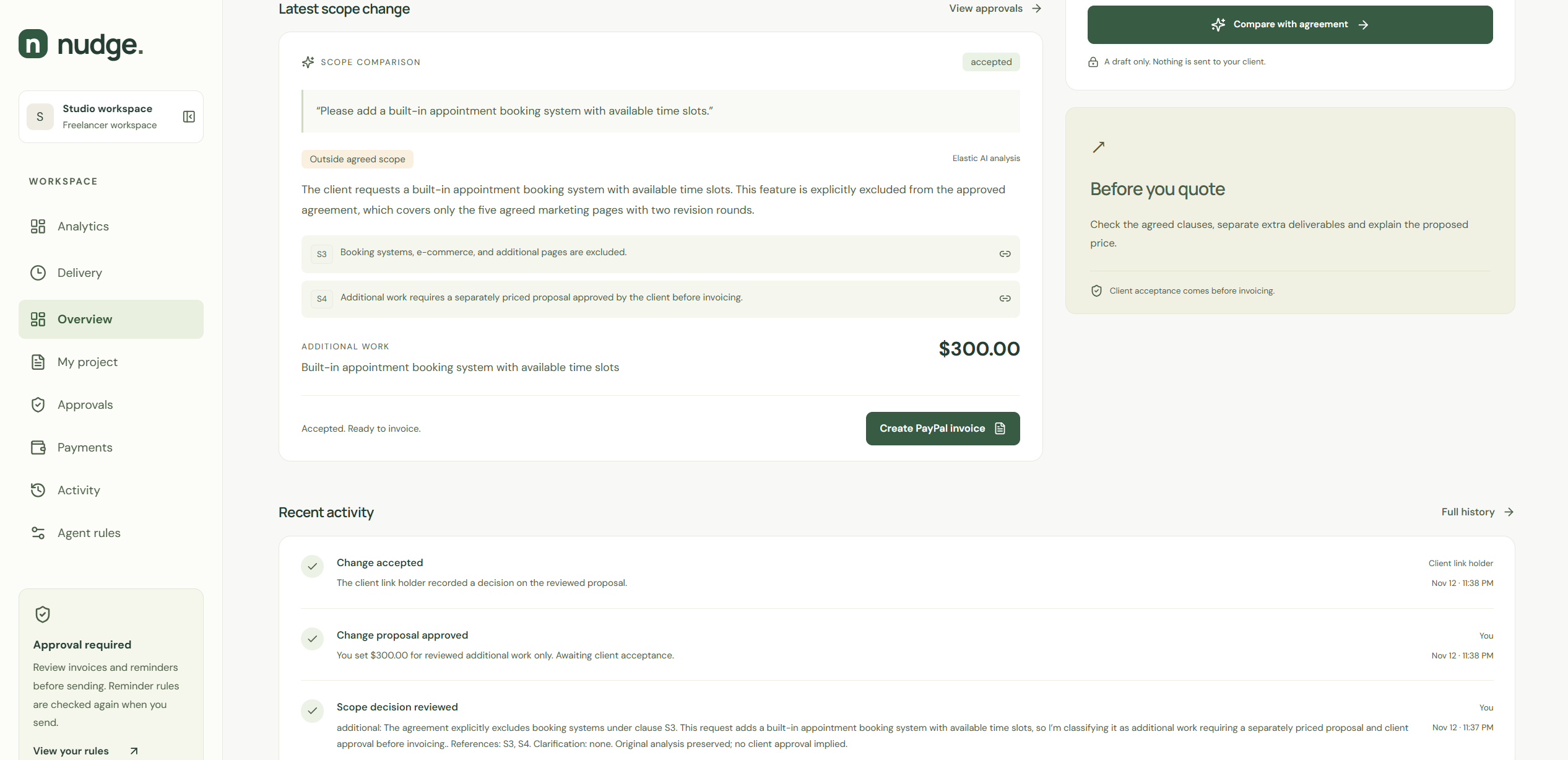
Elastic AI cites the relevant clauses while the freelancer reviews the decision and sets a USD300 quote.
-
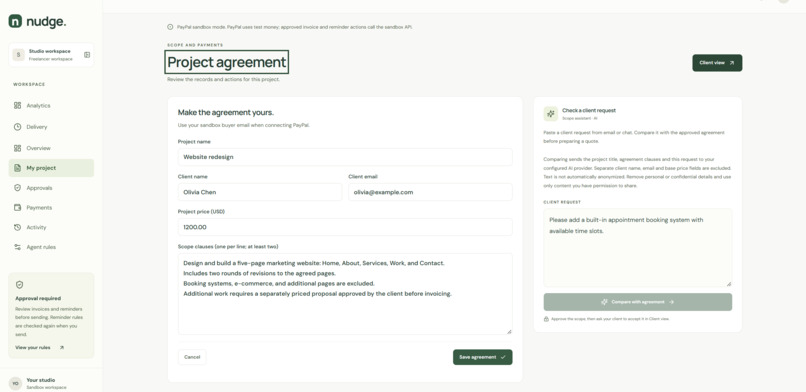
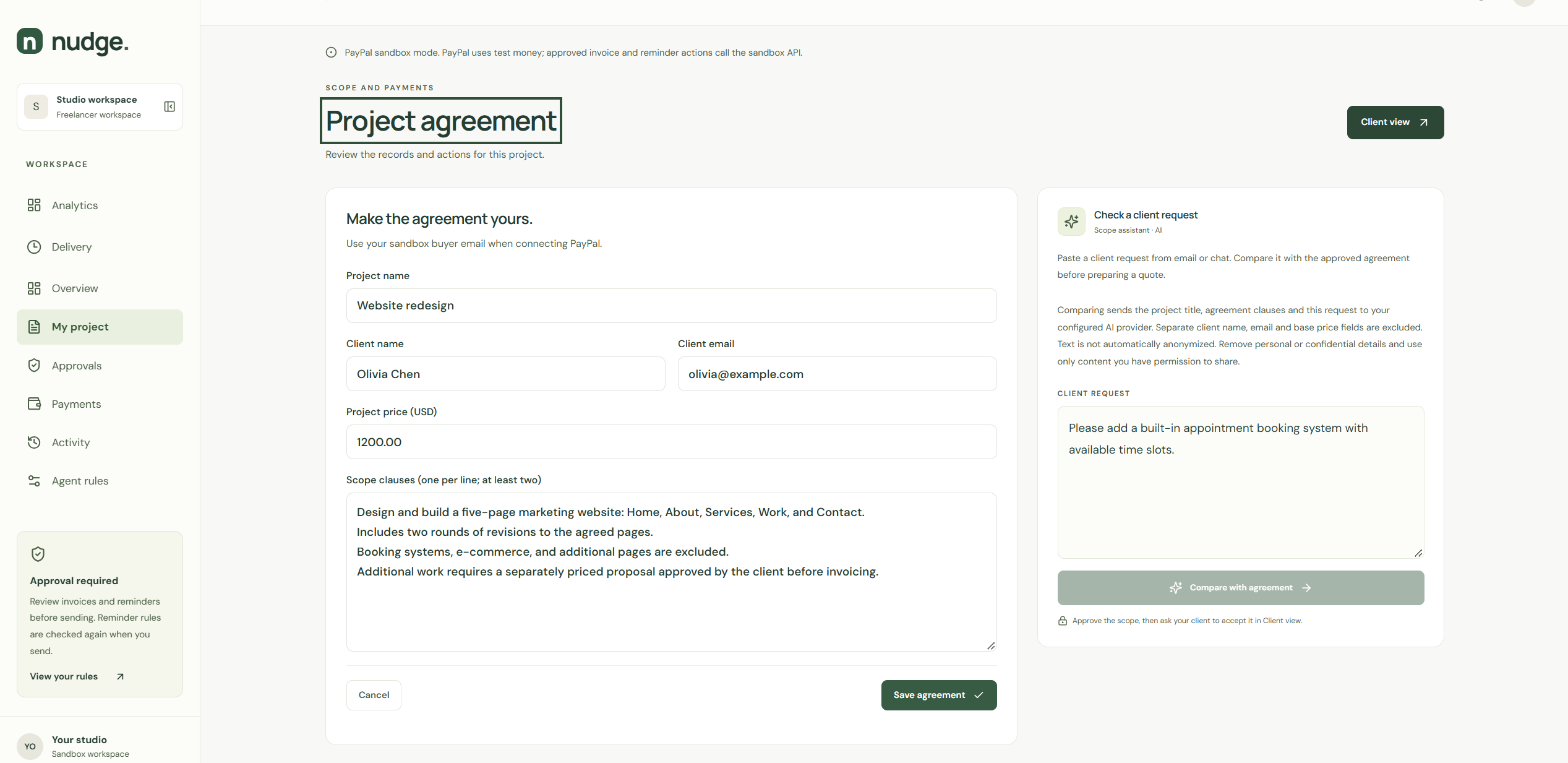
Define the original deliverables, exclusions and project price.
-
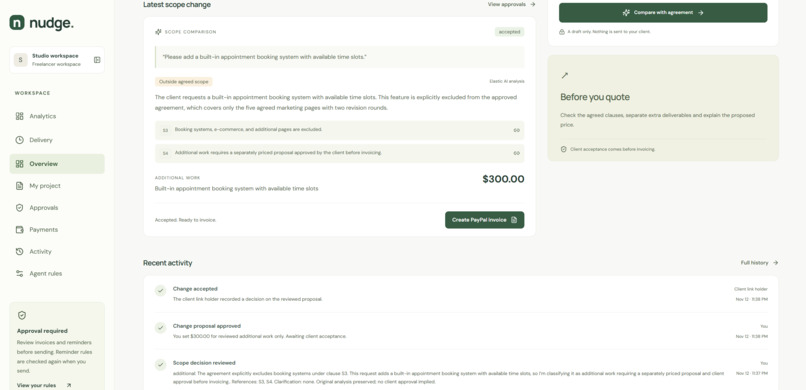
Accepted extra work is ready for PayPal invoicing, with its review history recorded.
-
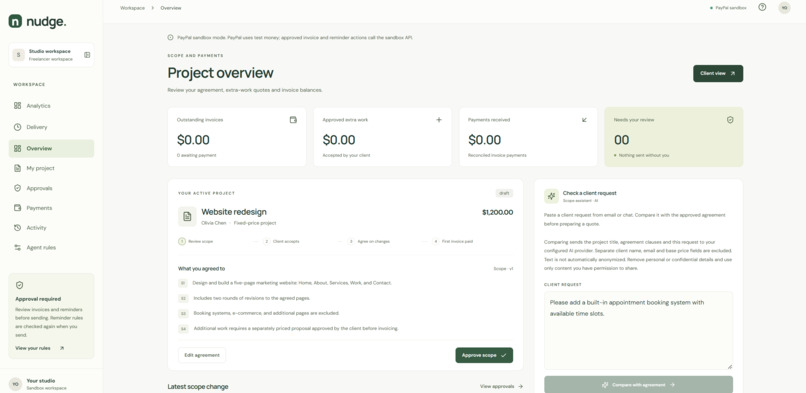
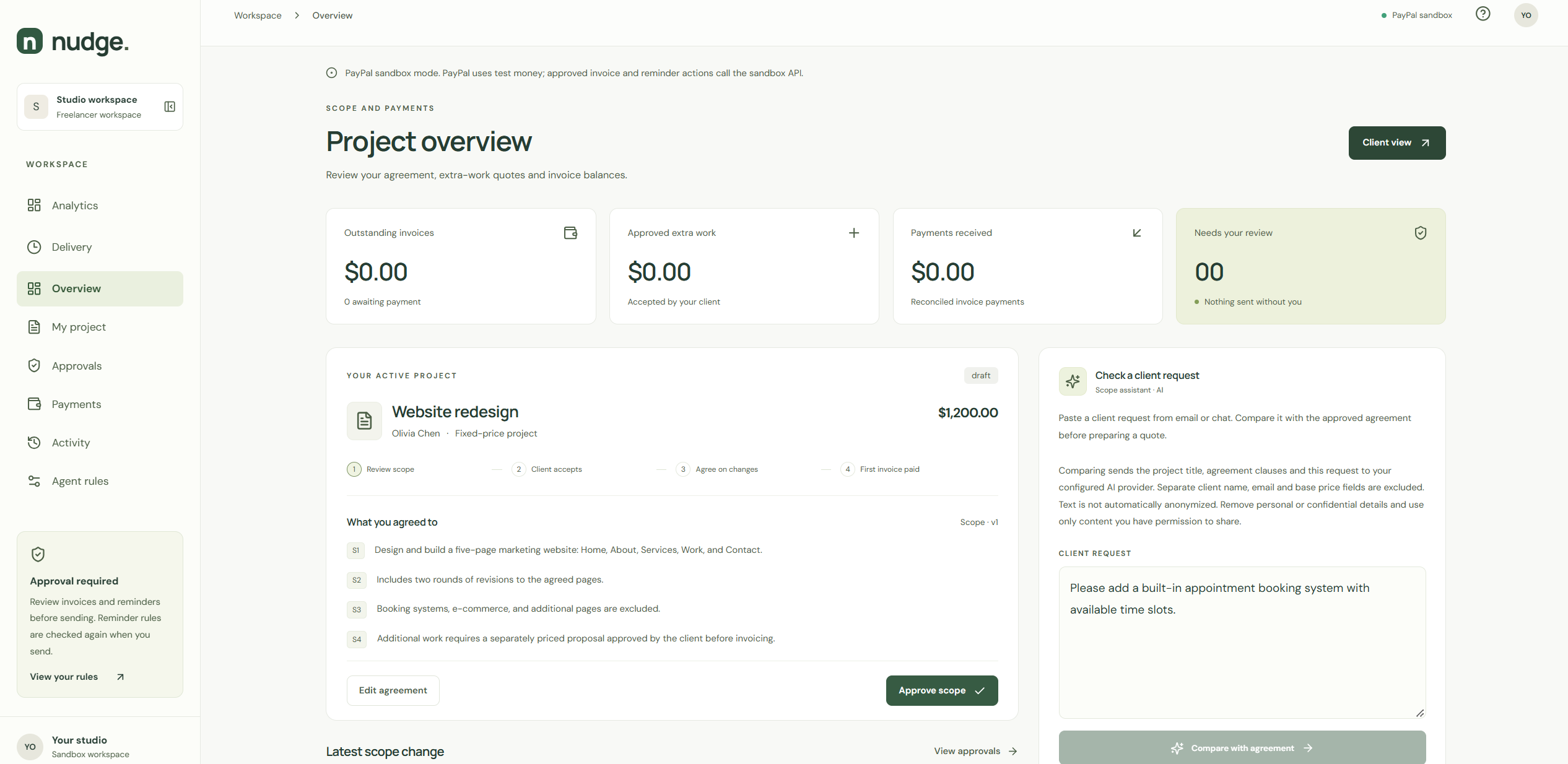
Project overview with agreed scope, payment totals and a client request ready for review.

Inspiration
A client asks for “one small addition.” For a freelancer, that can mean another evening of work and an uncomfortable conversation about money.
What interested me was the gap between recognising extra work and getting agreement on it. The original scope might be in a document, the new request in a message, and the invoice somewhere else.
I built Nudge to connect those steps, from understanding what changed to getting client approval and creating a PayPal invoice.
What it does
Nudge helps freelancers and small studios manage scope changes on fixed-price projects.
Imagine a freelancer agrees to build a five-page website, with appointment booking explicitly excluded. Later, the client requests a booking system.
With Nudge:
- The freelancer defines the original scope, exclusions and price. The client reviews and accepts the agreement through a private project link.
- Elastic Agent Builder compares the new request with the agreement, cites relevant clauses and assesses whether the work appears included, additional or ambiguous.
- The freelancer reviews the analysis, makes the decision and sets the price for additional work.
- The client reviews the proposed work, explanation and price, then accepts or declines.
- Accepted work can become a PayPal sandbox invoice, with payment status reconciled against PayPal.
AG Studio provides interactive reports for changes and invoices. Bryntum Gantt helps the freelancer preview how additional work could affect delivery dates.
How I built it
I used Next.js, React and TypeScript for the web application, with server routes for integration logic and SQLite for persistent project records.
PayPal's Sandbox Invoicing API handles invoice creation, sending and status lookup. The integration includes OAuth authentication, webhook signature verification and duplicate-event handling.
Elastic Agent Builder produces structured scope assessments. Nudge validates the response and checks that cited clause IDs exist in the agreement before accepting the draft. The freelancer reviews the decision and controls pricing and proposal approval.
AG Studio provides embedded analytics, custom widgets, filtering and editable report layouts. Bryntum Gantt visualises original, current and proposed delivery plans, with an explicit review step before applying changes.
I used Postman collections and Newman to exercise the API workflows, including actions that should be rejected.
Challenges I faced
One difficult part was handling AI responses reliably. An HTTP success could still contain an incomplete answer, an interactive prompt or an unexpected tool call. I added checks for the actual response structure and outcome before allowing it to become a scope draft.
Payments brought another challenge. Requests can be repeated, responses can arrive late and notifications can be delayed. State checks, duplicate handling and provider-backed reconciliation help keep local records consistent with PayPal.
The interface also needed to distinguish an AI suggestion, an approved quote, a client acceptance and a paid invoice. Making those stages understandable took several rounds of review.
Accomplishments I'm proud of
I verified a fictional booking request through actual Elastic analysis, human review, a USD300 quote, client acceptance, PayPal sandbox invoicing and payment reconciliation across development sessions.
A recorded offline test run passed 273 tests with zero failures, with two tests skipped. A separate isolated Postman workflow completed 47 HTTP requests and 77 assertions, covering approval rules, rejected actions and persistence after restarting the server.
The analytics and delivery views also connect to the same project records, helping the freelancer understand both the financial and scheduling impact of a change.
What I learned
I learned how much engineering sits around an API call. Authentication, validation, delayed responses and recovery all affect whether a feature is dependable.
Working with AI taught me to keep uncertainty visible. When the agreement leaves something unclear, a clarification question can be more useful than a confident classification.
I also learned that interface design affects how safely people use a workflow. Users need to understand what they are reviewing and what happens when they approve it.
What's next
I want to test Nudge with freelancers using anonymised examples of past scope disagreements, particularly to understand whether the assessments and client explanations make those conversations easier.
Further priorities include broader AI evaluation, completing hands-on accessibility checks and keeping functional access reliable throughout judging.
All demonstrated payments use PayPal's sandbox.
Explore Nudge
Built With
- ag-studio
- bryntum
- elasticsearch
- next.js
- node.js
- paypal
- playwright
- postman
- react
- sqlite
- typescript
- zod

