-
-
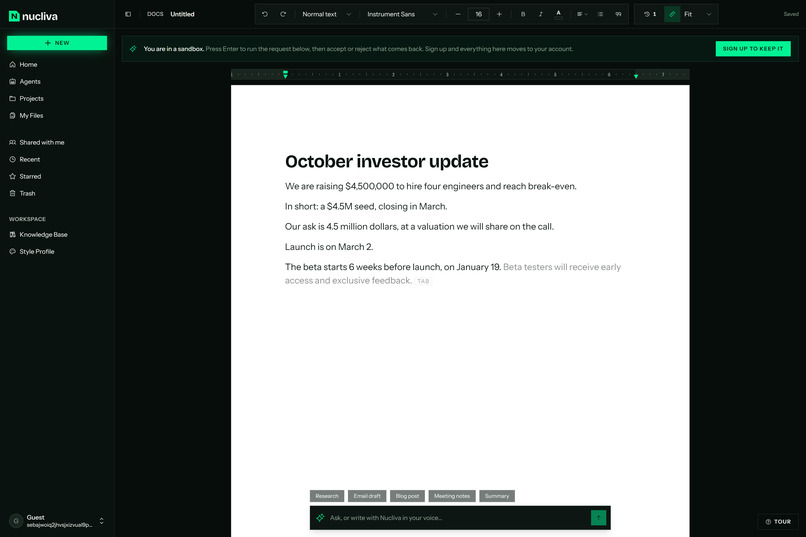
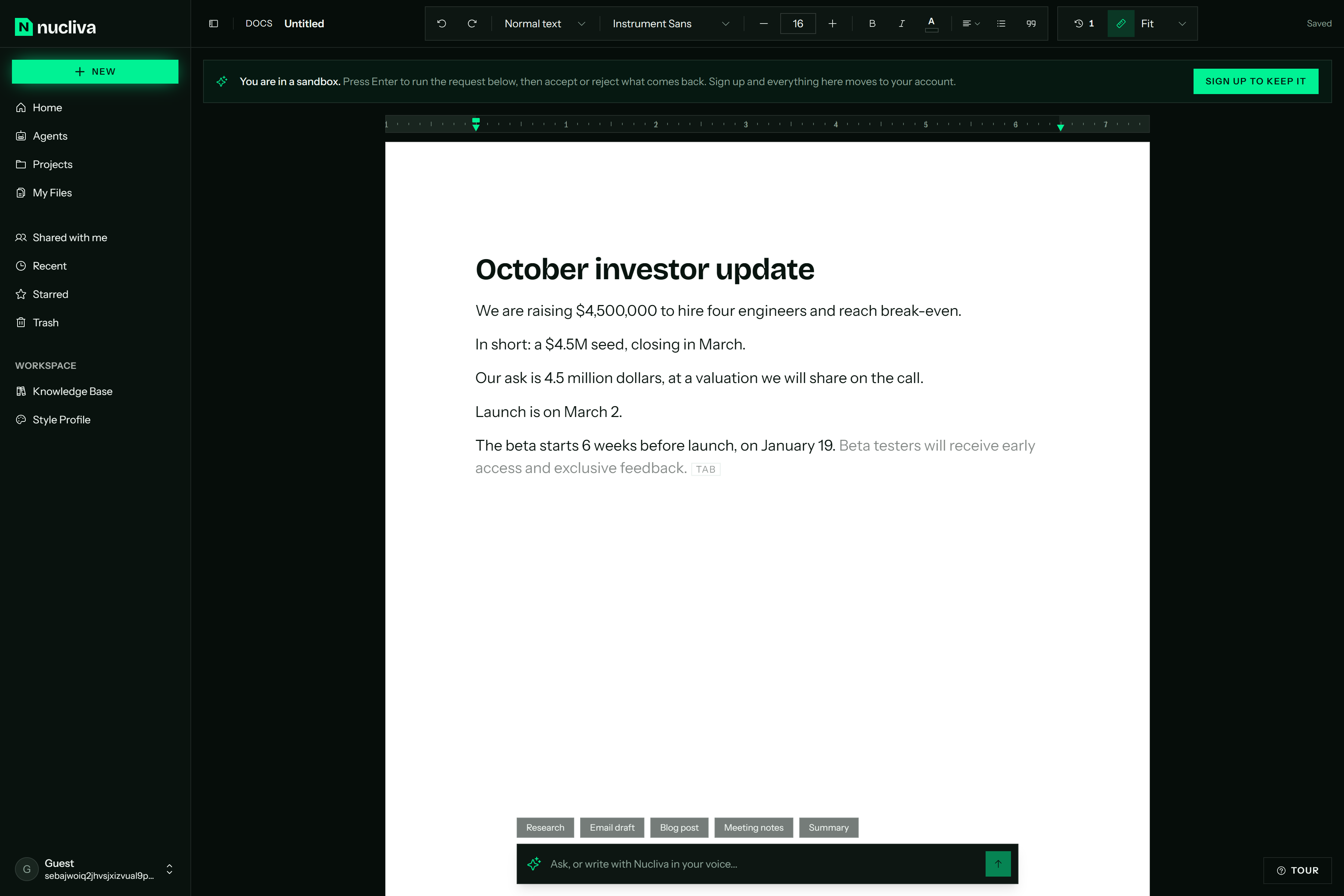
Inline autocomplete from NVIDIA Nemotron 3 Nano, thinking off: about 700 ms, so the suggestion keeps up with your typing. Tab to accept.
-
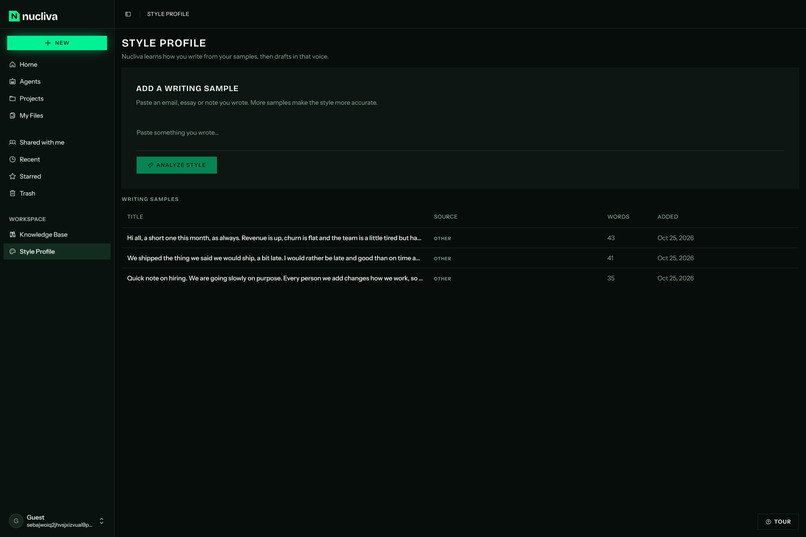
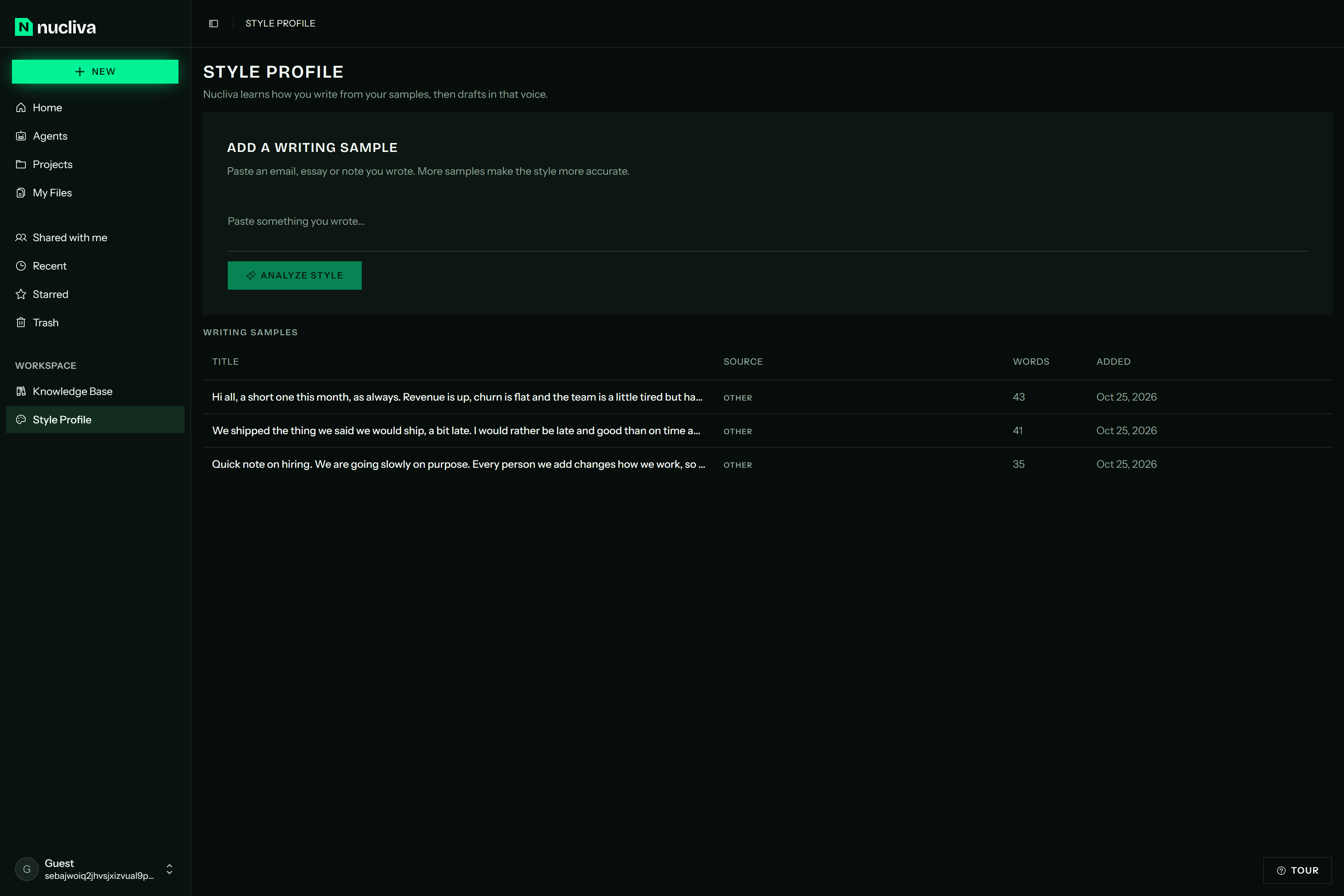
Learns how you write. Add samples of your own writing and every draft matches your tone, sentence rhythm and word choice.
-
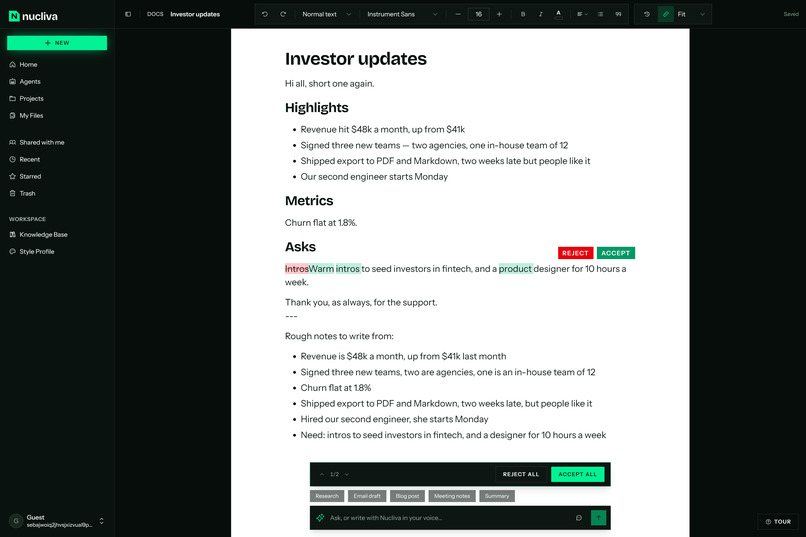
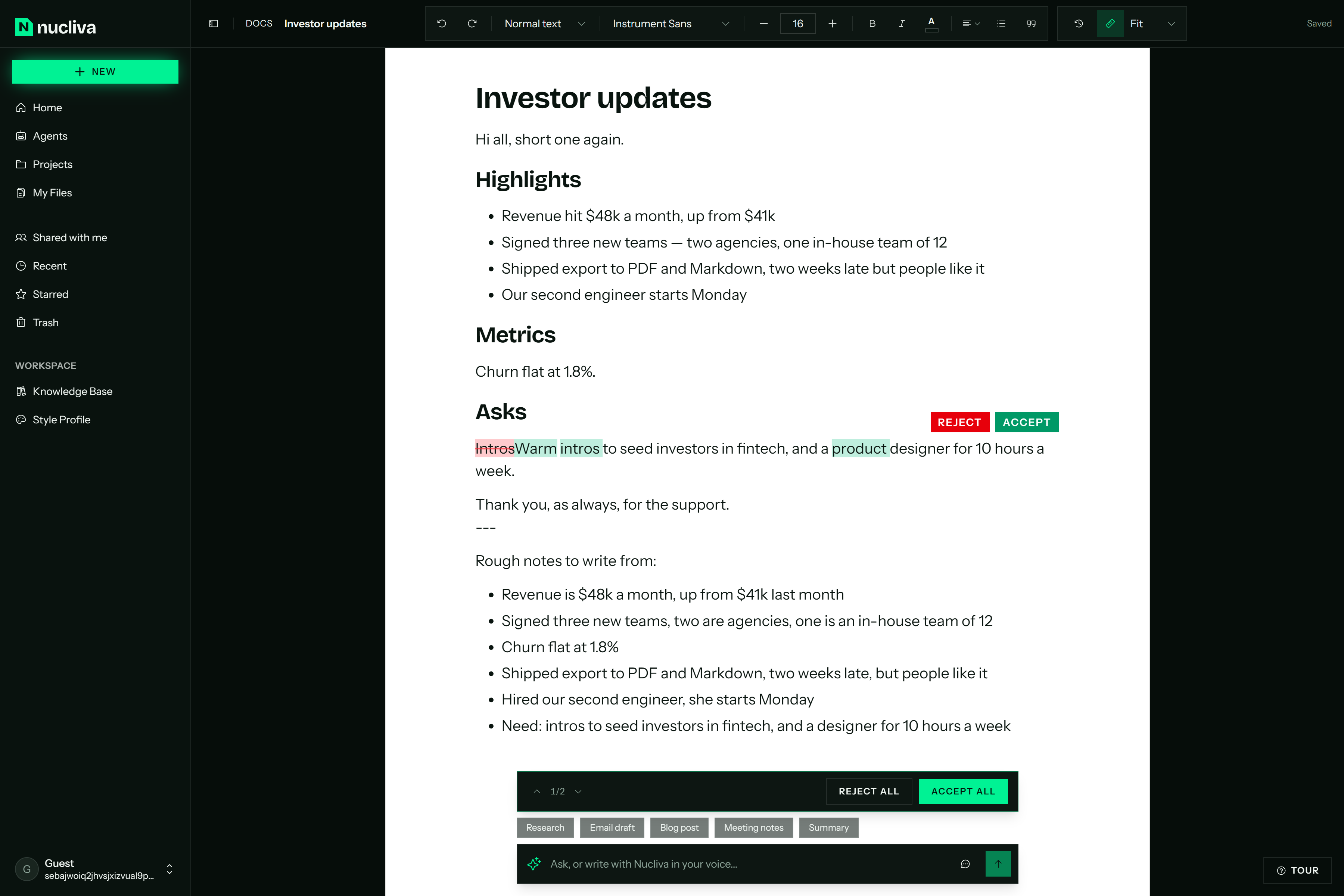
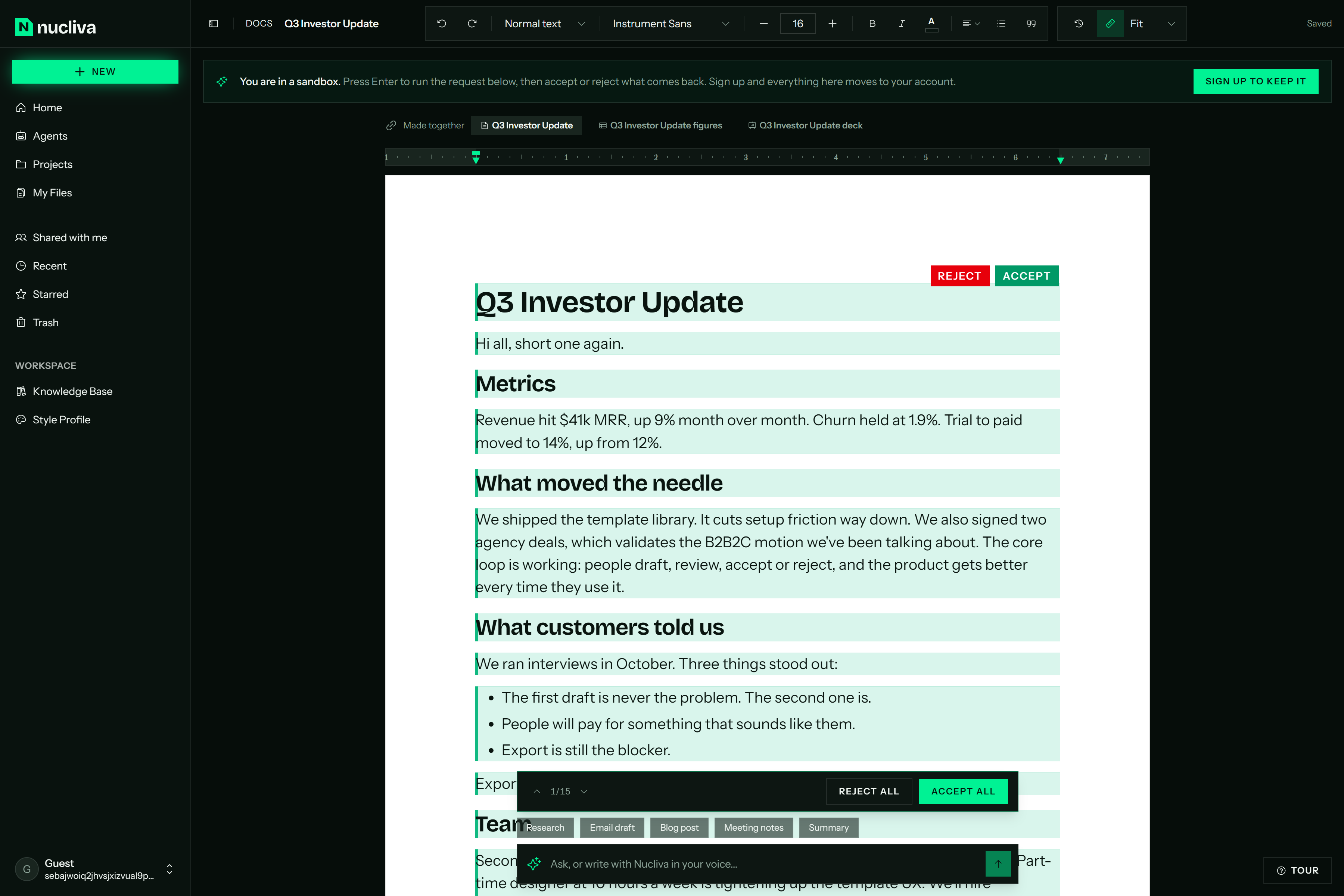
Every edit is yours to keep or reject. Nemotron 3 Ultra's changes land as suggestions, down to single words, each with Accept and Reject.
-
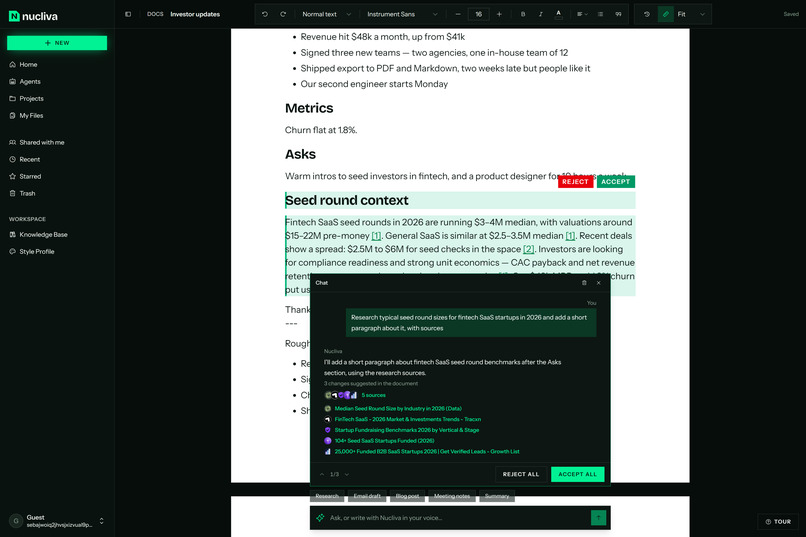
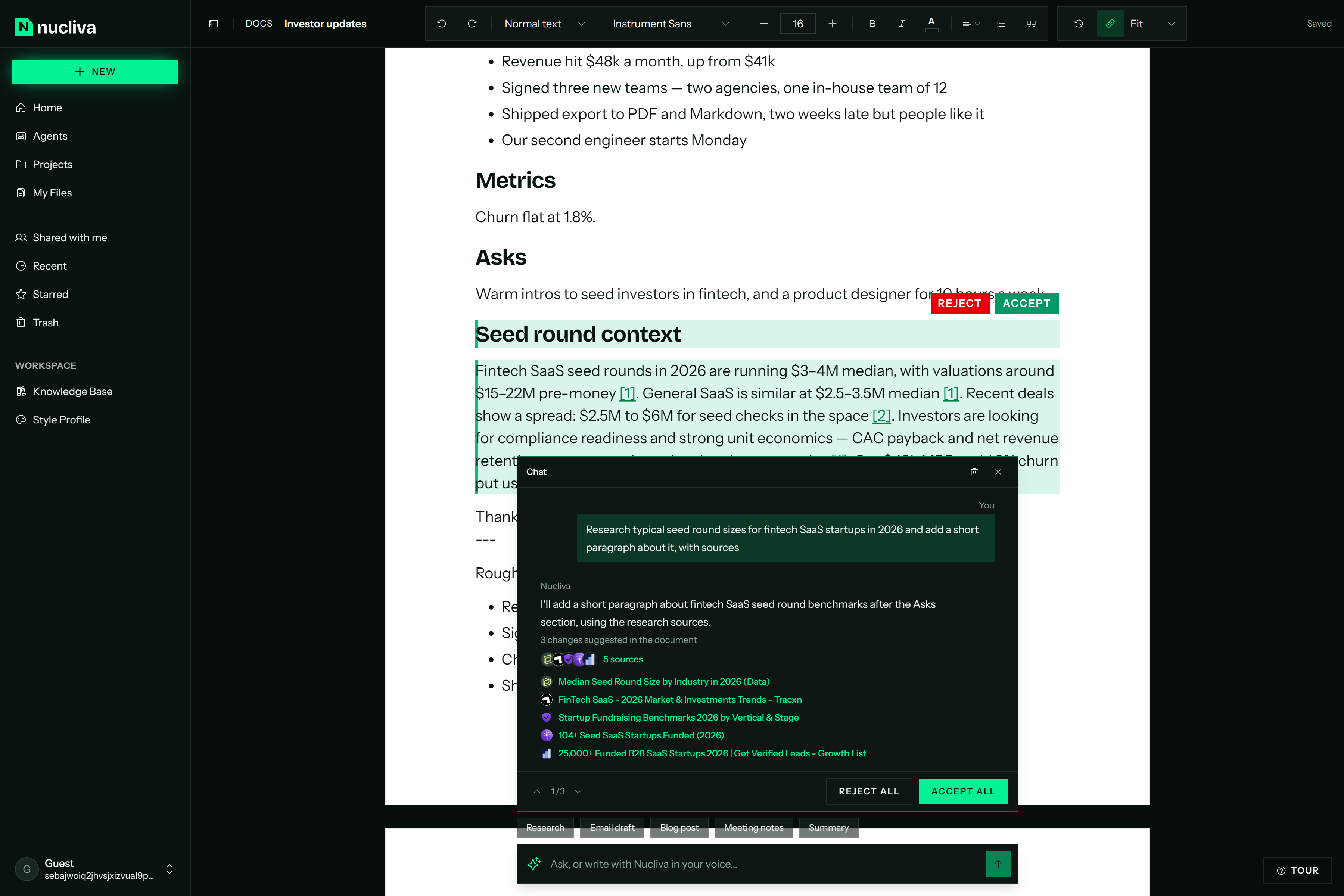
Researched with Tavily, every source cited. The draft links each claim to its source, and the chat shows where it all came from.
-
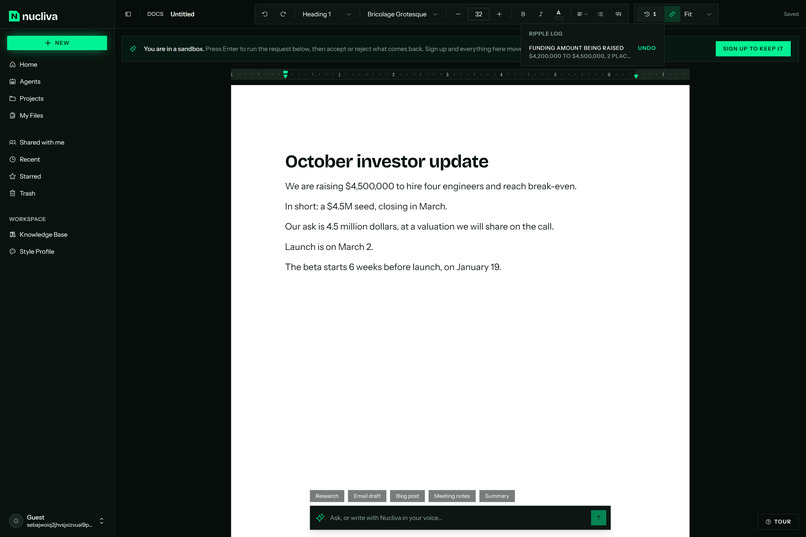
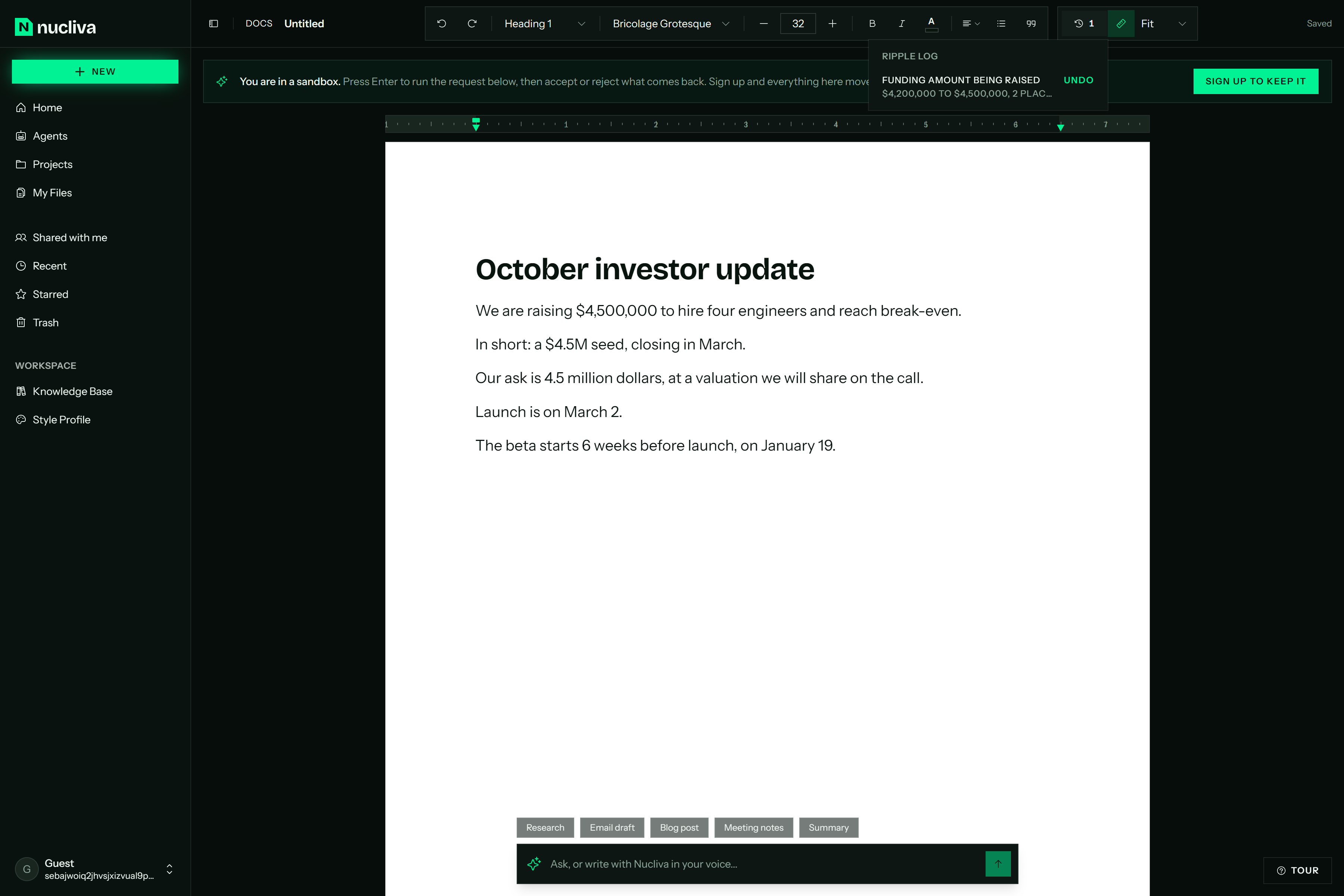
Change a fact once. $4,200,000 became $4,500,000, and $4.5M and 4.5 million dollars updated themselves. Every ripple can be undone.
-
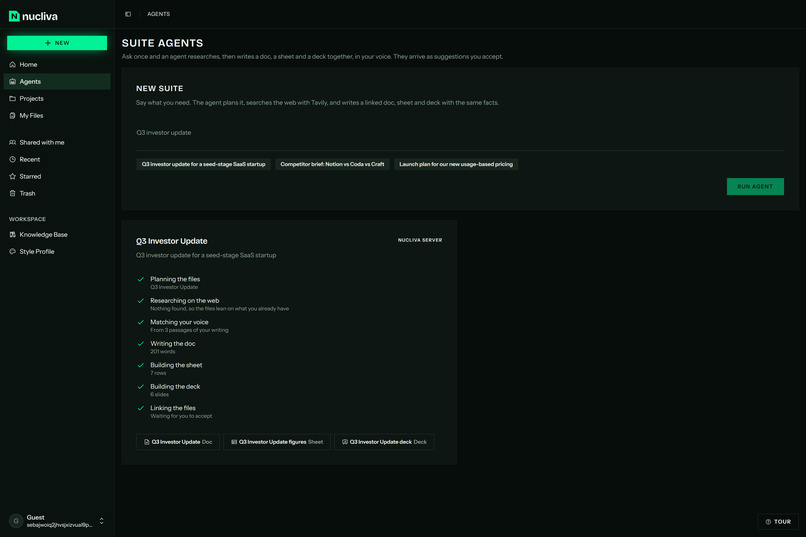
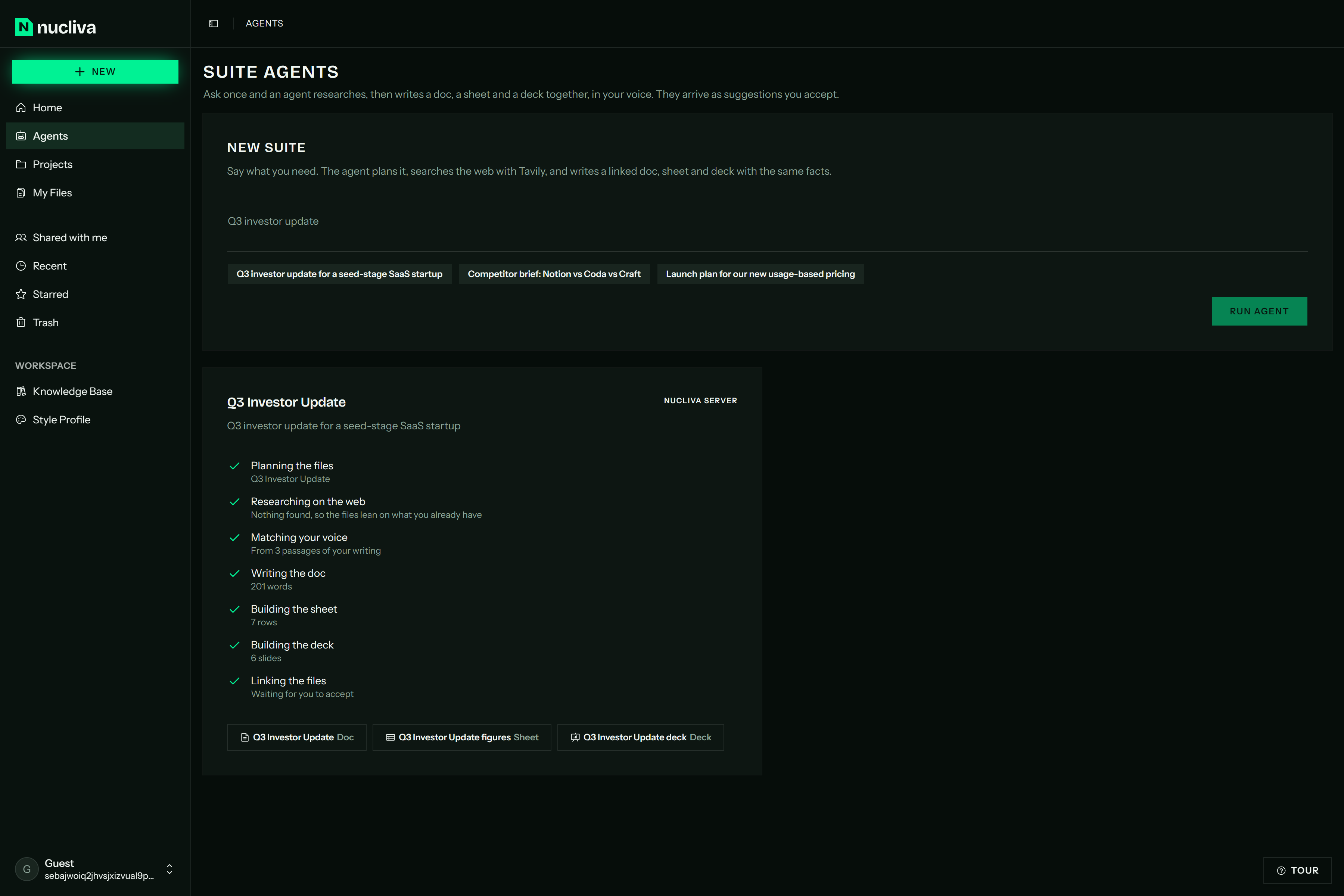
One request, three linked files. A suite agent plans, researches, matches your voice, then writes a doc, a sheet and a deck.
-
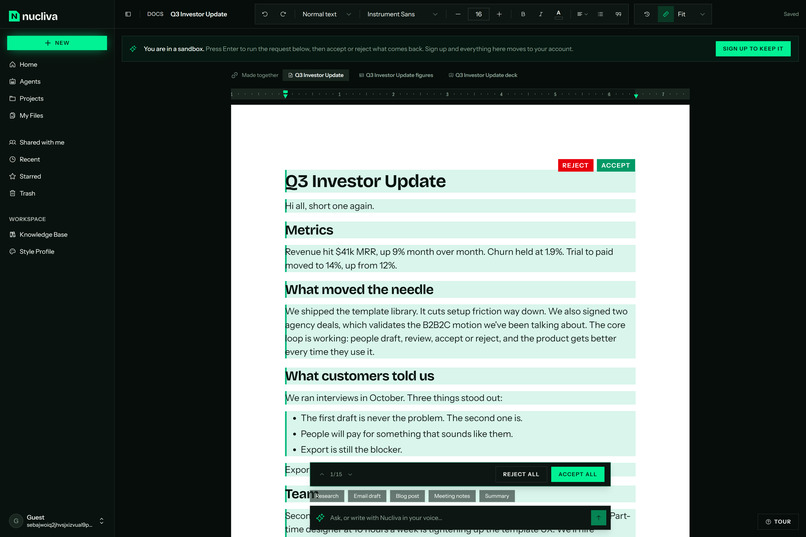
The agent's doc arrives as suggestions to accept, linked to the sheet and deck it was made with.
-
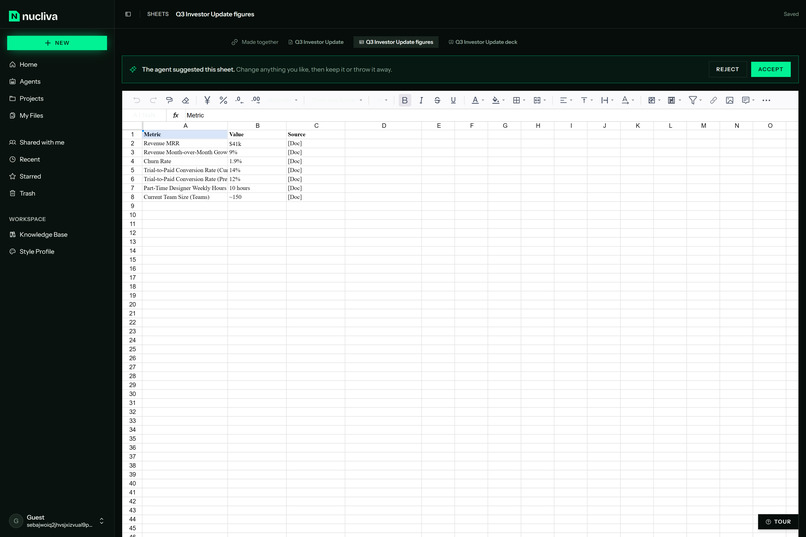
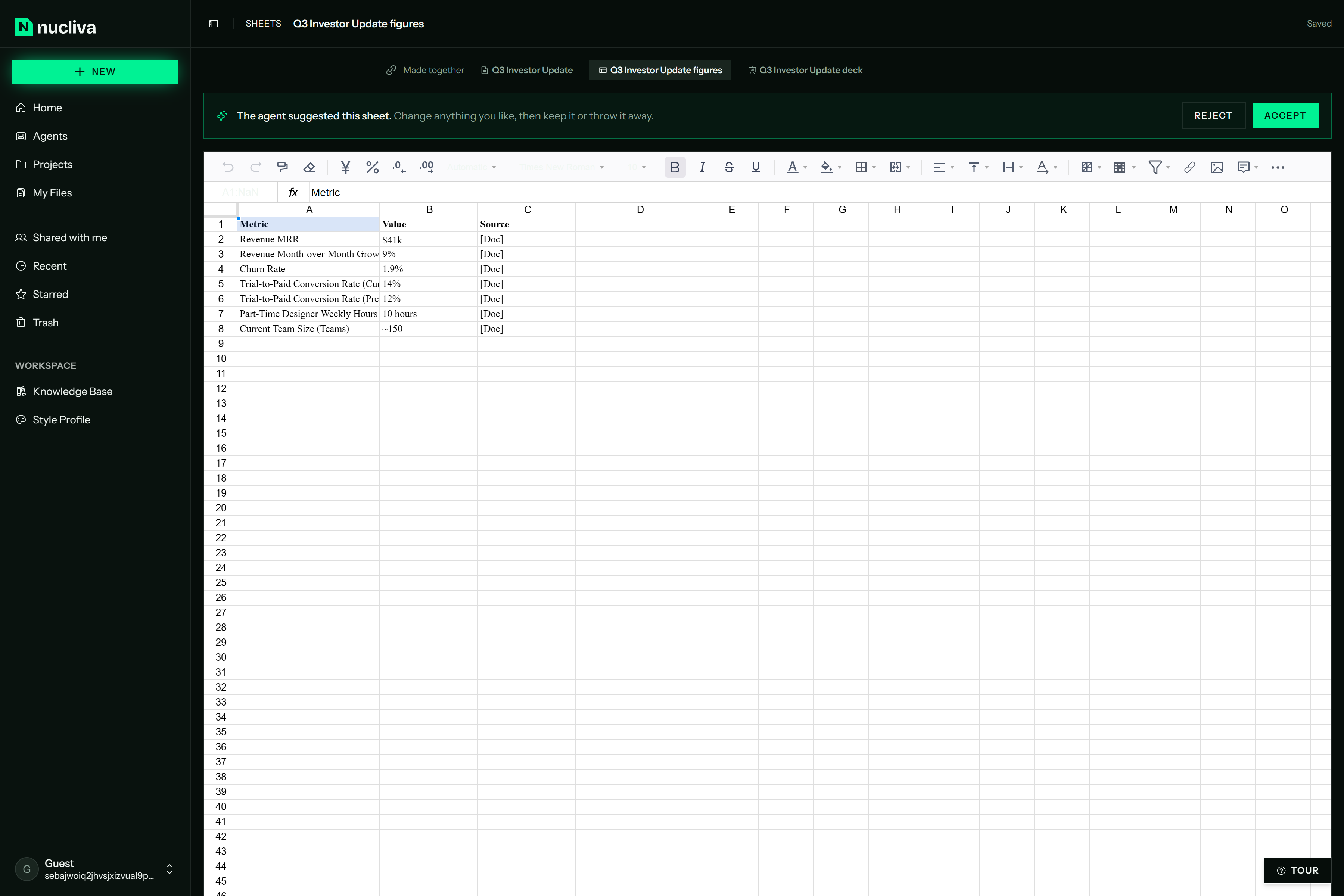
The sheet uses the same numbers as the doc, each traced to its source. Accept it or throw it away.
-
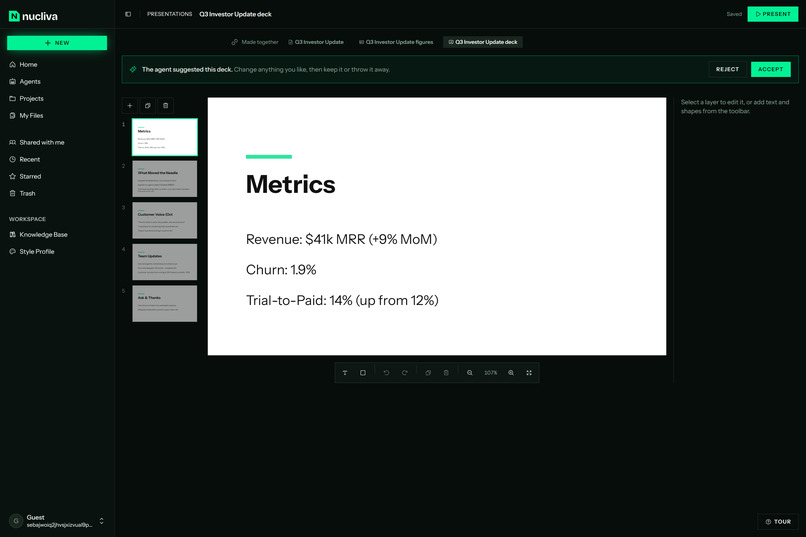
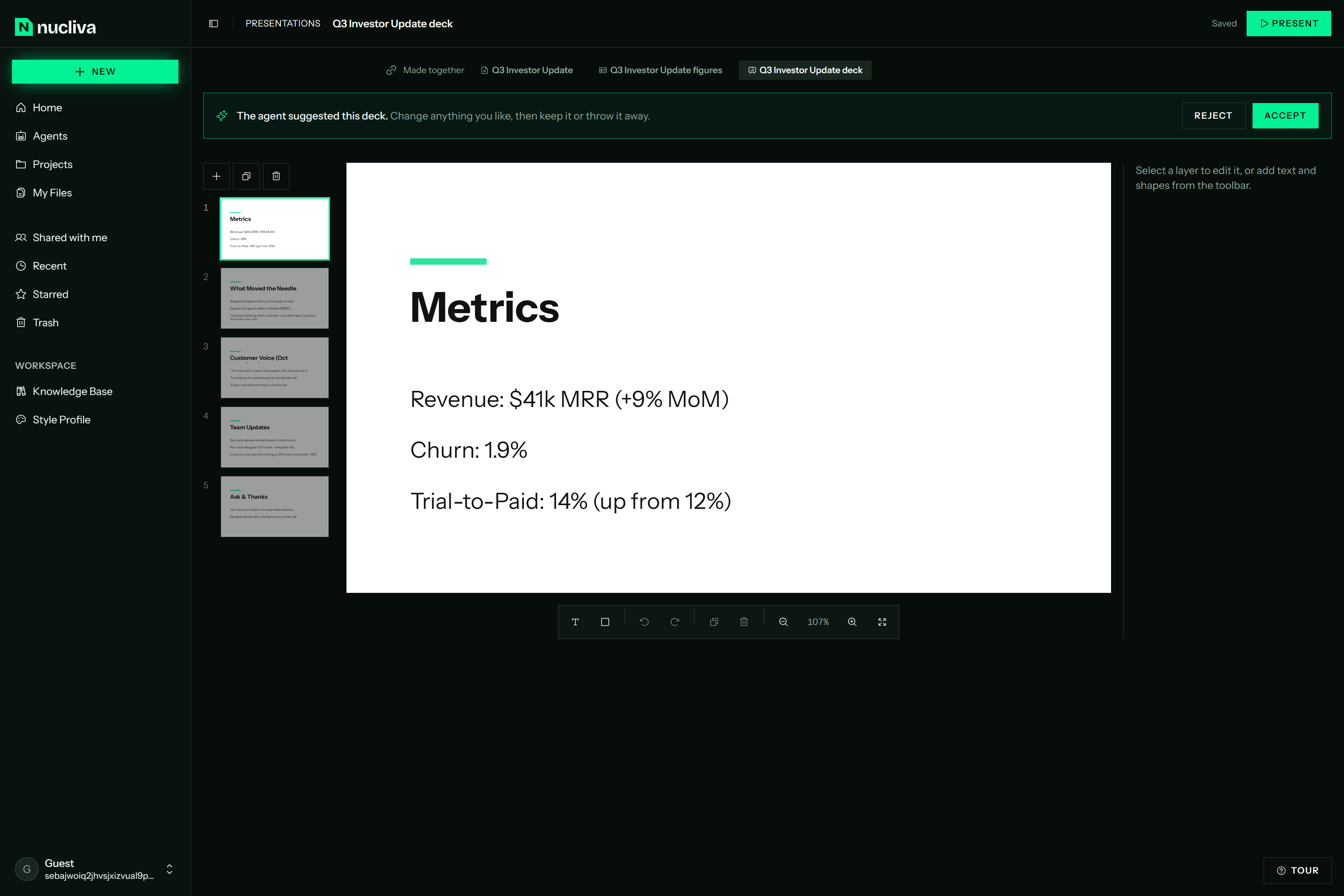
The deck tells the same story with the same numbers, ready to present once you accept it.
-
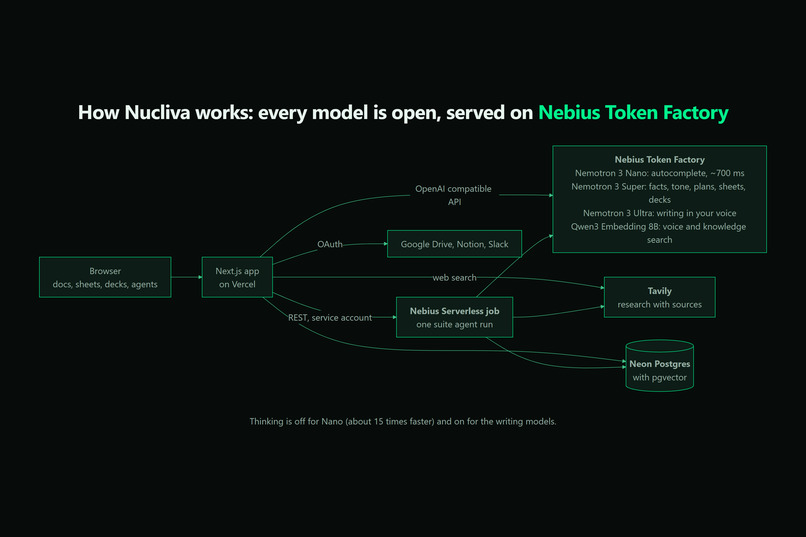
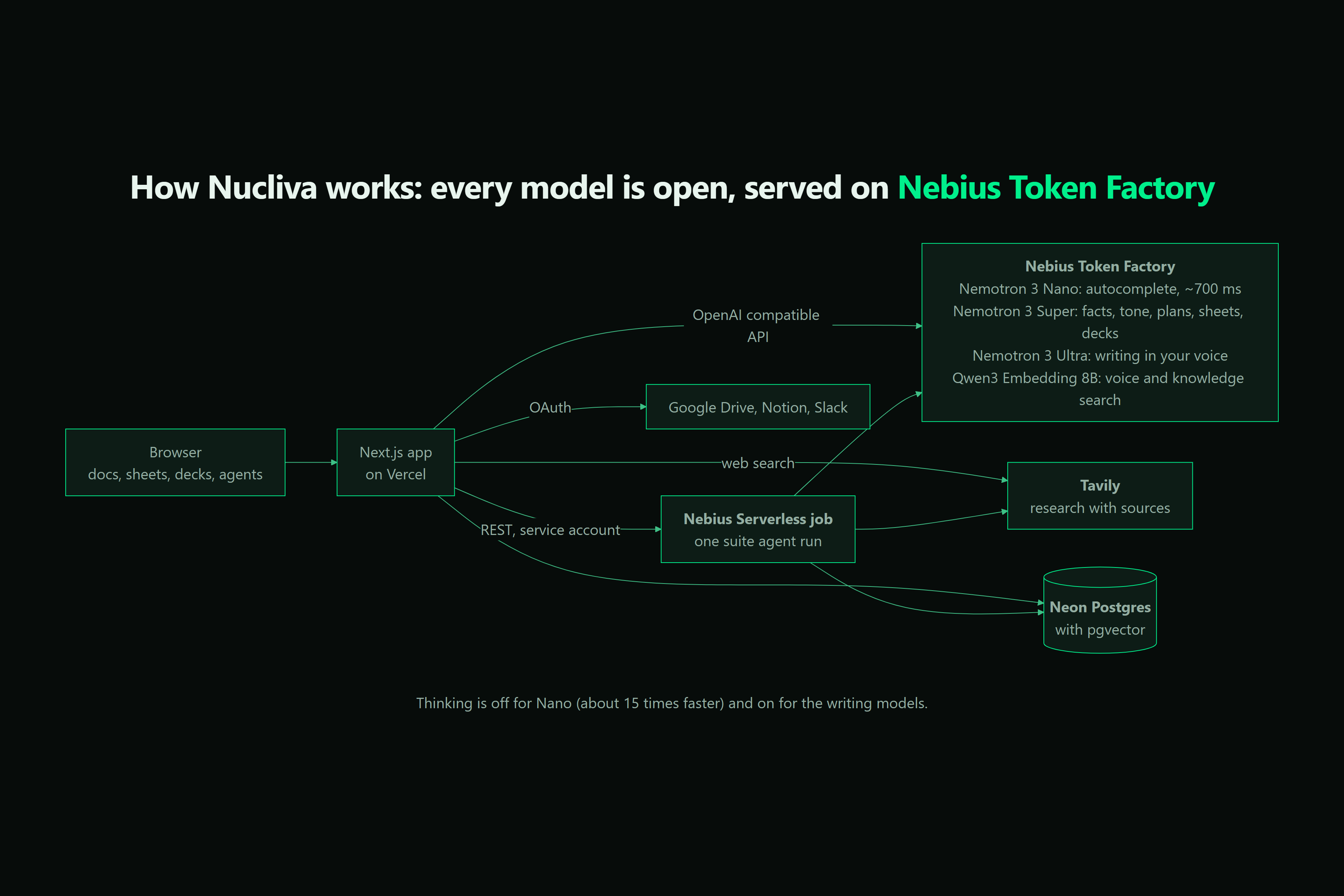
Every model is open and served on Nebius Token Factory: Nemotron 3 Nano, Super and Ultra, plus Qwen3 embeddings, with Tavily and pgvector.
Inspiration
Every week I watched the same thing happen: someone asks an AI tool for an investor update or a deck, it generates something generic, and then they spend an hour rewriting it so it sounds like them and checking whether the numbers are real. The tools were fast at producing text and useless at the part that actually takes time.
Coding tools had already solved a version of this. Cursor and Supermaven don't write your program for you; they predict your next move at typing speed and you stay the author. I wanted that feeling for documents, slides and sheets: AI that works inside your suite, sounds like you, and can show where every claim came from.
What it does
Nucliva is an AI workspace with docs, sheets and slides in one place.
- Typeahead in your voice. As you write, NVIDIA Nemotron Nano suggests the next few words inline. Press Tab to accept.
- An agent that edits, not overwrites. Ask the doc chat to rewrite a section, add a table or research a topic, and its changes arrive as suggestions you accept or reject, down to single words.
- Research with sources. Research requests go through Tavily, the sources show up while the draft is written, and the draft cites them with numbered links.
- Your voice. Nucliva learns tone markers (formality, sentence structure, vocabulary) from your writing samples and drafts in that style with Nemotron Ultra.
- The ripple. Change a number, amount or date once, and every other place in the document that states it updates to match, each in its own format (
$4.2Mstays short,$4,200,000stays long). Dates worked out from other dates are recalculated. Every ripple is logged and can be undone. - Suite agents. One request, like "Q3 investor update", and an agent plans it, researches it with Tavily, matches your voice, then writes a linked doc, sheet and deck with the same numbers. They arrive as suggestions you accept.
- Knowledge base. Upload PDFs and notes, or connect Google Drive, Notion and Slack, and drafts draw on your own material.
How I built it
- Frontend: Next.js 16 and shadcn/ui in a pnpm + Turborepo monorepo. The docs editor is built on Lexical with custom pagination, a ruler with tab stops, and tables. Sheets use FortuneSheet; slides use react-moveable.
- Models on Nebius Token Factory, each picked for a job:
| Task | Model | Why |
|---|---|---|
| Inline autocomplete | Nemotron 3 Nano | Fast; reasoning turned off for latency |
| Fact reading, tone analysis, agent plans, sheets and decks | Nemotron 3 Super | Reliable structured output |
| Drafts and rewrites in your voice | Nemotron 3 Ultra | Highest quality writing |
| Embeddings | Qwen3-Embedding-8B | Style and context retrieval |
- Research: Tavily search behind a dedicated API route, so the editor can show sources while the draft is still being written.
- The ripple: a model reads each paragraph and names the facts in it; code reads the values from the words, links the same fact written different ways, and does all the arithmetic and formatting.
- Data: Neon Postgres with pgvector for embeddings, Drizzle ORM, Better Auth for accounts. Every API route checks both the session and document ownership.
- Observability: LangSmith traces for latency and prompts.
Challenges I ran into
- Latency. Nemotron models reason before answering by default, which made a three-word completion take around ten seconds. Turning thinking off through the chat template brought autocomplete down to a median of 694 ms.
- The space problem. Models drop or add a leading space unpredictably, which glues words together or doubles spaces. I changed the autocomplete contract to return JSON with an explicit
spaceflag instead of trusting whitespace. - Facts the model made up. My first ripple design asked the model to invent fact IDs and read exact values, and it scored 0 on my evaluation. Moving IDs, values and arithmetic into code took it to 30 of 30.
- Ghost text that looks right. Suggestions needed to match the font, size and color of the text around them, survive undo, and disappear if a stale reply arrives after the user has moved on.
- Pagination in a rich-text editor. Lexical has no concept of pages, so I built float-based pagination that keeps text flowing across page boundaries.
- Edits as suggestions. Letting an agent change a document safely meant building a suggestion layer where every change can be reviewed, accepted or rejected.
What I learned
- Picking a model per task matters more than using the biggest one everywhere. Nano with reasoning off is the right tool for keystrokes; Ultra is the right tool for a full draft.
- Models should understand, and code should do the math. That one rule took the ripple from 0% to 100% on my evaluation.
- Users trust AI output far more when they can see its sources and approve its changes one at a time.
What's next
- Carrying a ripple into the linked sheet and deck, not just the document.
- Voice that keeps learning from your edits.
- Team workspaces with a shared knowledge base.
Results
- Autocomplete: 694 ms median and 795 ms p90 with Nano and thinking off, against 10.8 s median with thinking on, about 15 times faster (50 calls).
- The ripple: 30 of 30 changes correct over 5 runs on the evaluation (100% precision and recall), with a different
$4.2Mcorrectly left alone.
Try it with no sign up at nucliva.com: every solution page opens a sandbox workspace with an interactive tour.
Built With
- better-auth
- docker
- drizzle-orm
- fortunesheet
- gsap
- langchain
- langsmith
- lexical
- nebius-serverless
- nebius-token-factory
- neon
- next.js
- nvidia-nemotron
- pgvector
- pnpm
- postgresql
- react
- shadcn-ui
- tailwind-css
- tavily
- turborepo
- typescript
- zod

Log in or sign up for Devpost to join the conversation.