-
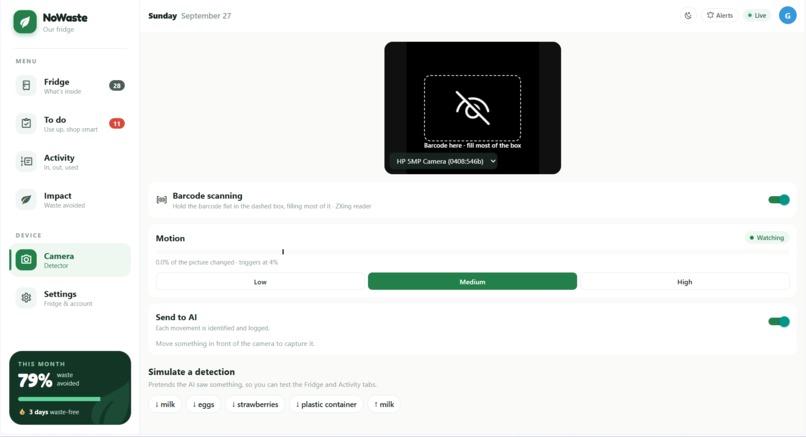
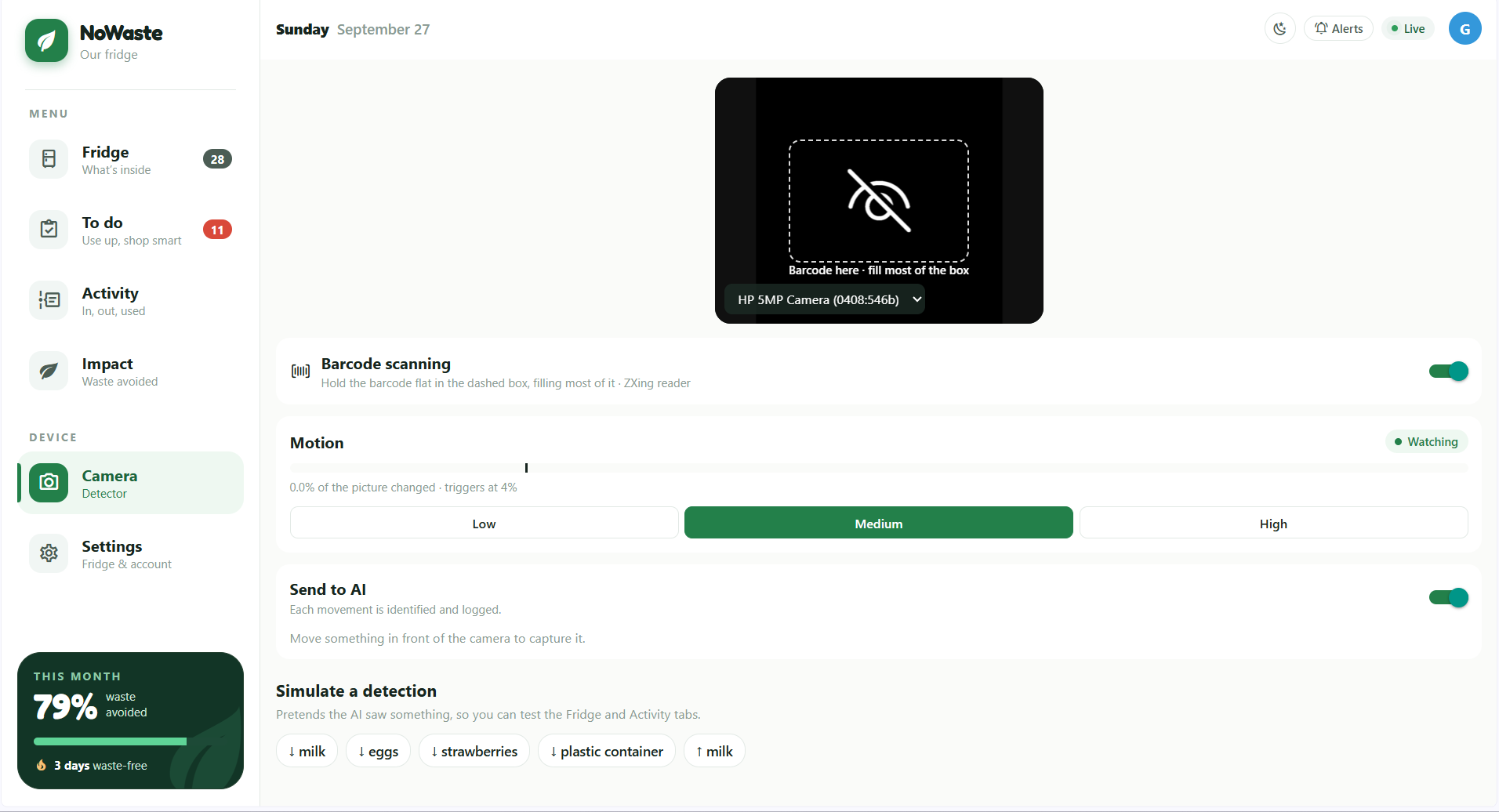
Camera/Scanner
-
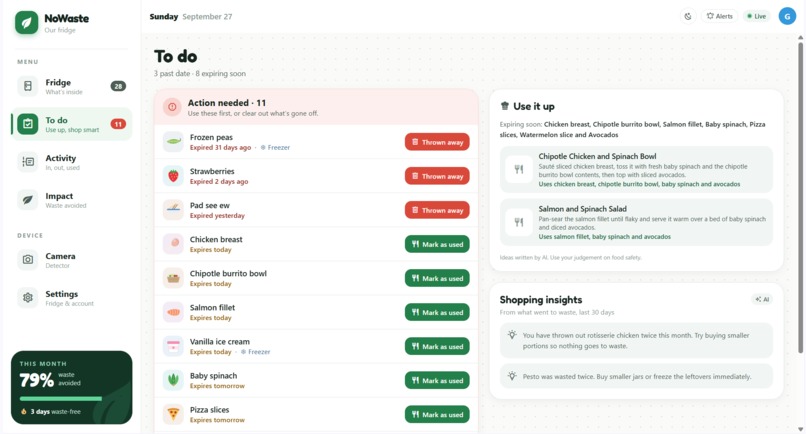
To Do
-
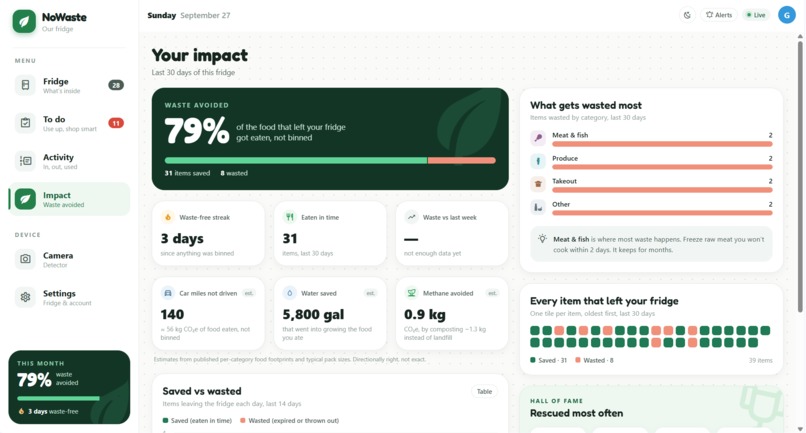
Impact
-
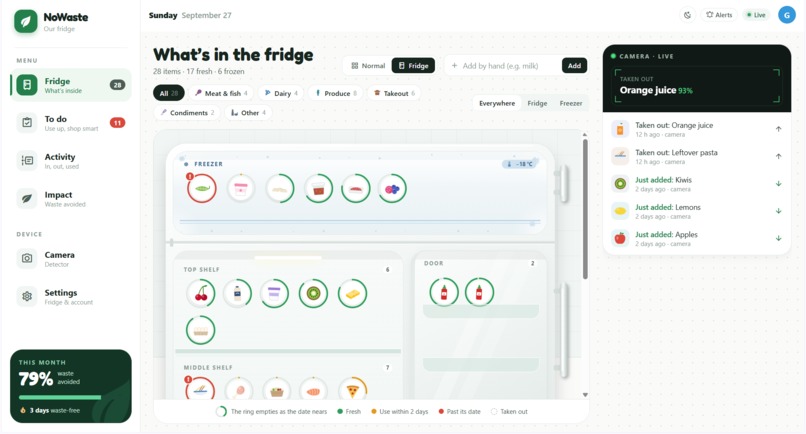
Home Page
-
Activity
Inspiration
Every one of us has thrown out a bag of spinach we forgot at the back of the fridge. In a shared house it's worse: nobody knows what's in there, who bought it, or when it goes bad.
Then we looked up the numbers. According to UNEP's Food Waste Index Report 2024, the world wasted 1.05 billion tonnes of food in 2022, and 60% of it happened at home: about 79 kg per person every year. Food loss and waste cause 8–10% of global greenhouse gas emissions.
Most of it isn't a bad decision. It's a forgotten decision.
What it does
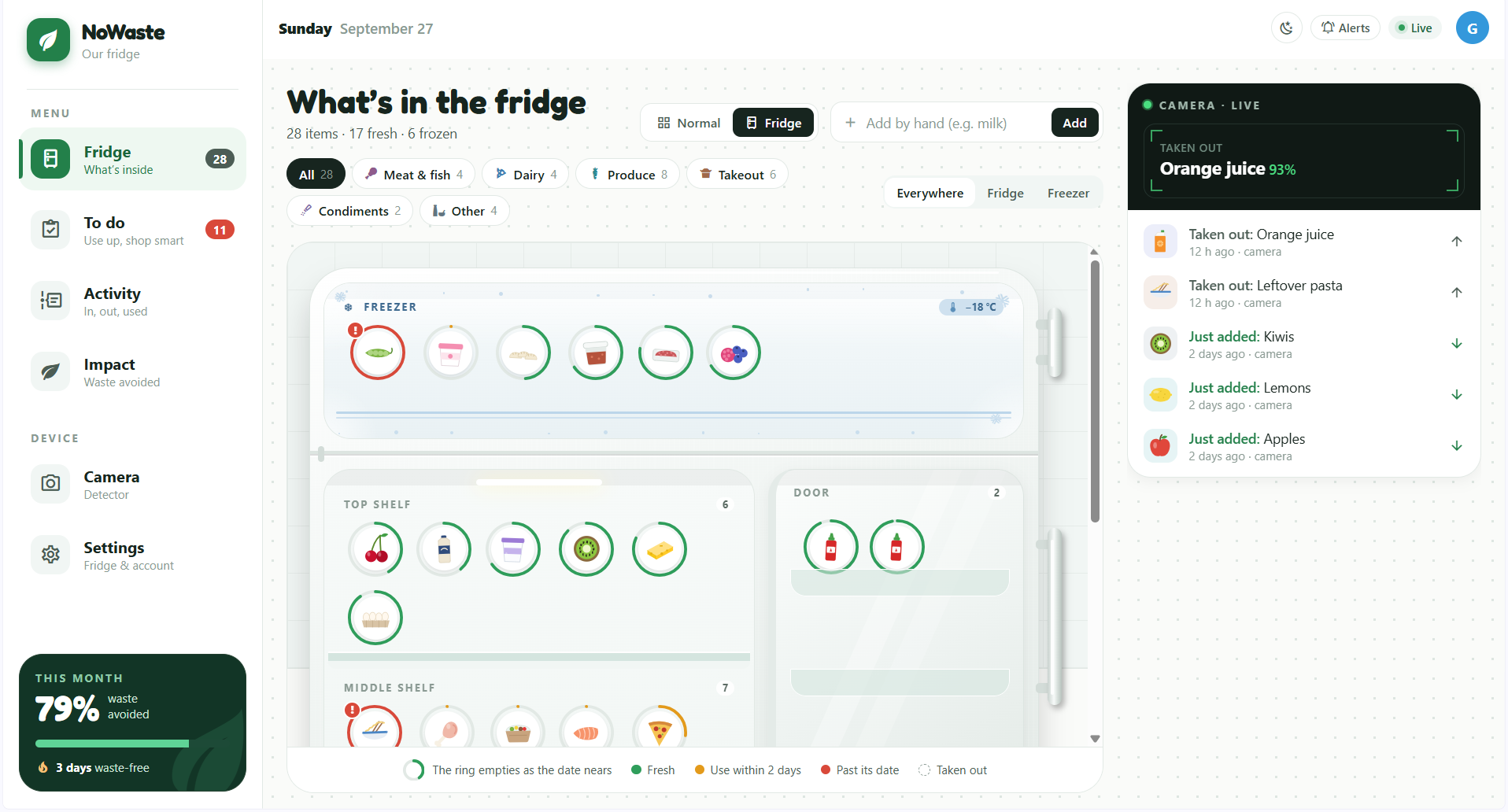
NoWaste puts a camera at the fridge. When something goes in or comes out, AI vision and barcode scanning identify it, and the whole household sees one live inventory with expiry dates, on phone, tablet or laptop.
- Fridge: items laid out by shelf, color-coded fresh / use soon / expired, plus an illustrated "open the door" view
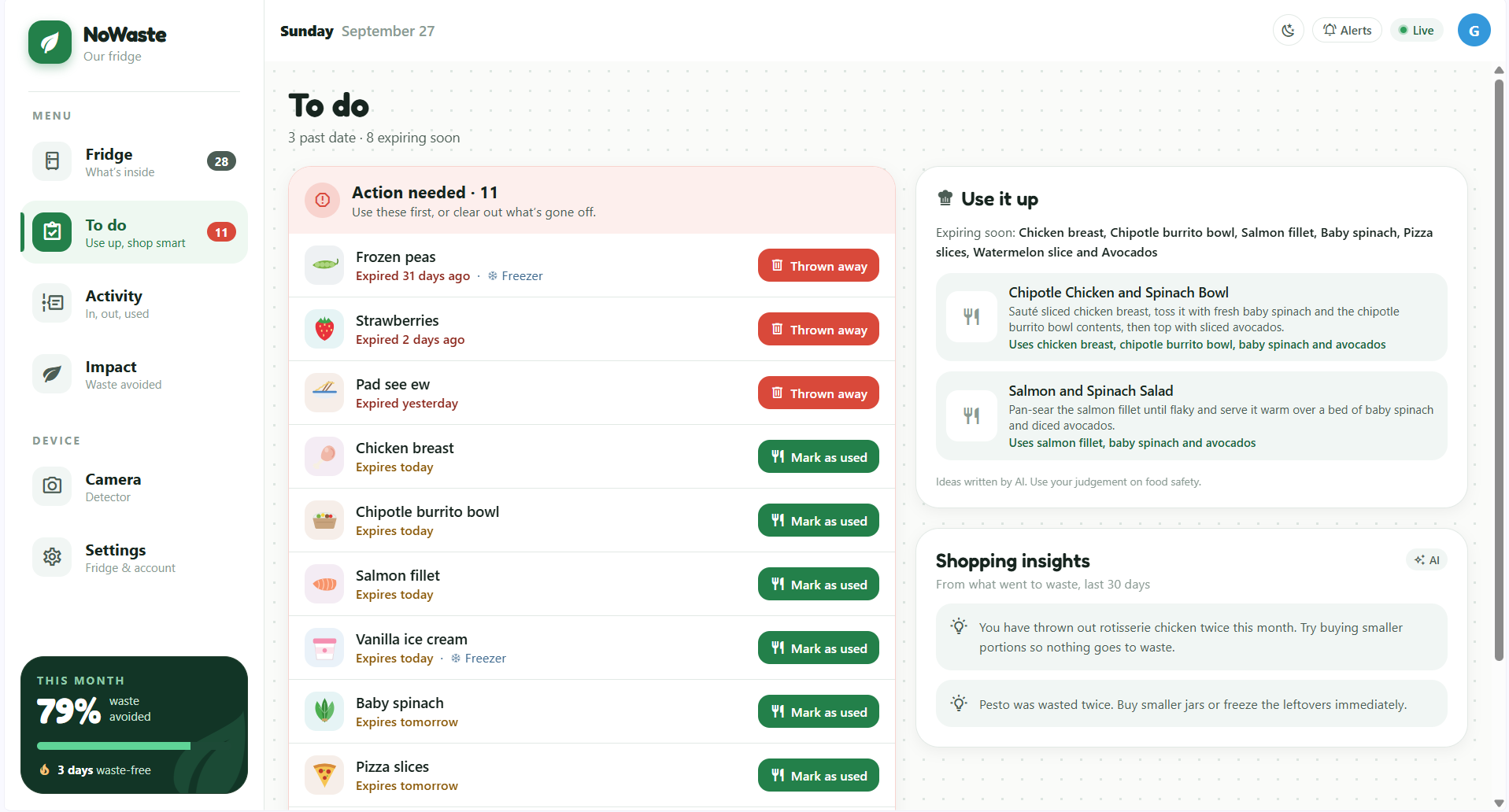
- To do: what's expiring, recipes that use it up, and shopping nudges learned from what you waste
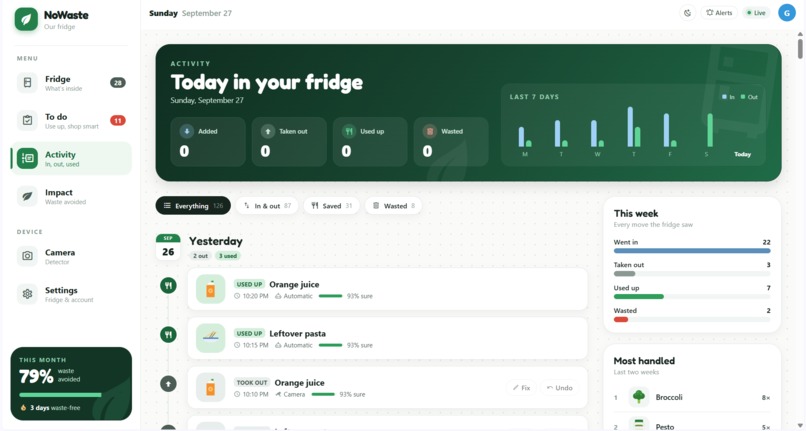
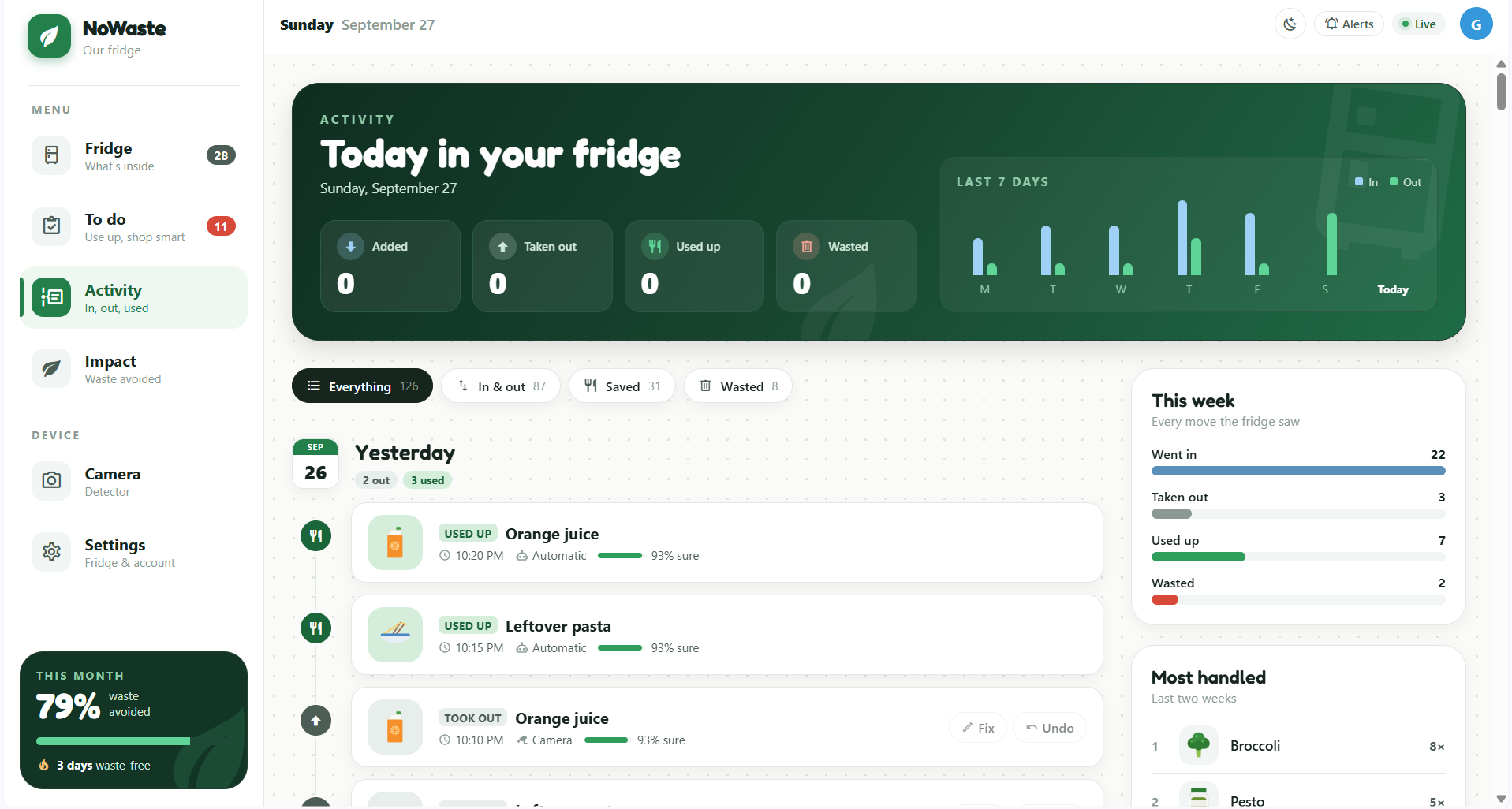
- Activity: a timeline of everything the fridge saw, with Undo and Fix (corrections are remembered)
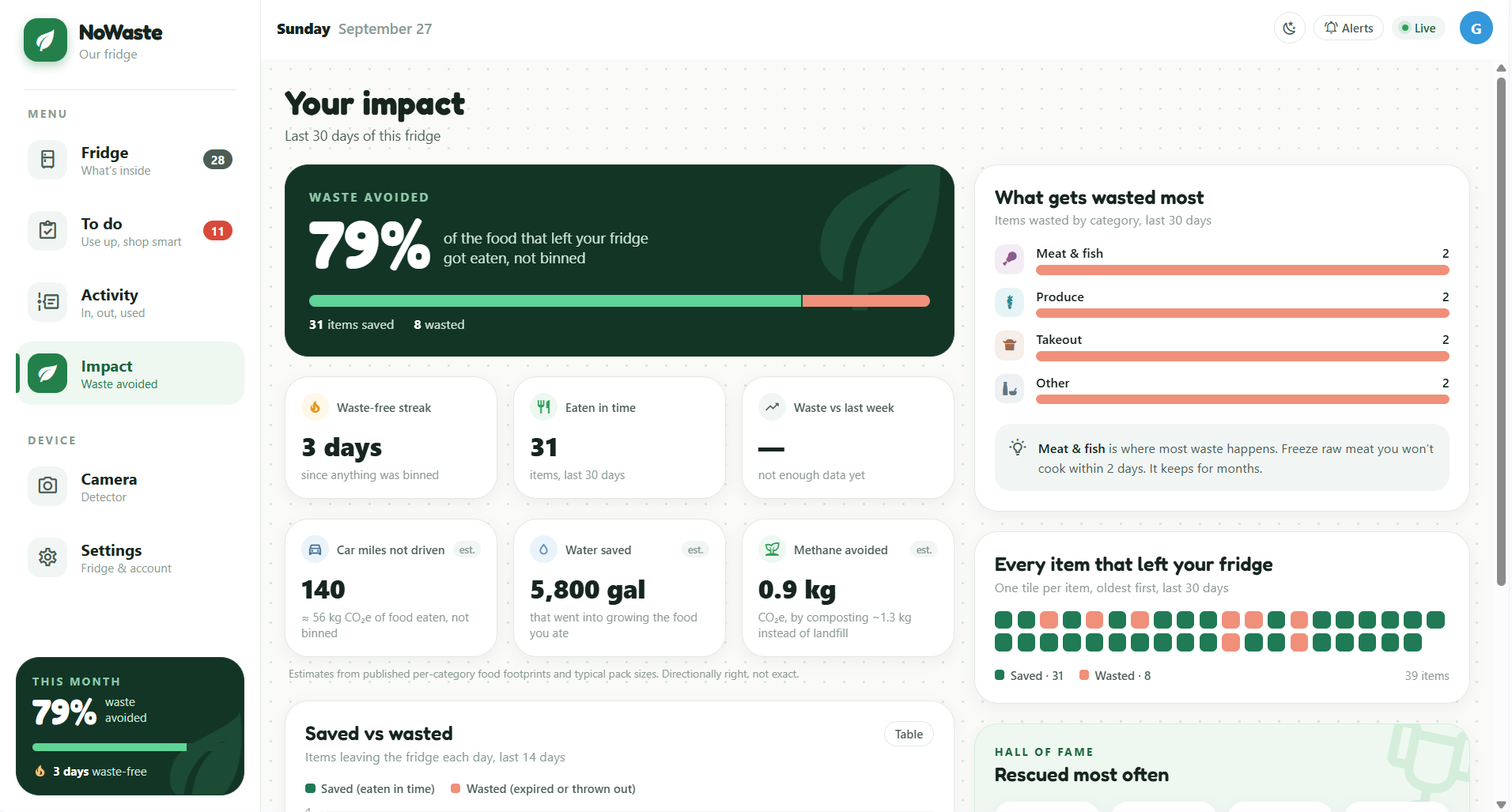
- Impact: the percentage of food eaten instead of binned, streaks, and estimates in car miles, water and methane
How we built it
App: one Expo (React Native) codebase for iOS, Android and web, with Expo Router and Tailwind via Uniwind.
Backend: Supabase: Auth, Postgres with row-level security, Realtime and Edge Functions. Every detection goes through one Postgres function, record_event(), which updates the shared inventory and logs the event in one transaction. Every screen subscribes to Realtime, so a change on one phone shows up on the others within a second.
Motion detection: runs in the browser. We shrink each frame to a $64 \times 48$ grayscale image and measure the share of pixels that changed:
$$ c_t = \frac{1}{N} \sum_{i=1}^{N} \mathbf{1}\left[\, \lvert I_t(i) - I_{t-1}(i) \rvert > \tau \,\right] $$
A movement starts when $c_t$ passes a threshold (4% on Medium sensitivity). We then send 6 frames to the AI: one before, four during and one after. That gives the model enough to tell in from out.
AI vision: an Edge Function sends the frames to Google Gemini (Claude is also supported via one setting) and asks for strict JSON: item, direction, quantity and a confidence score. Detections below $0.4$ confidence aren't logged but are still shown as "AI saw…" so the user can confirm them.
Barcodes: read with ZXing on the web and the native scanner on phones. Lookups go to barcodes the household has seen before, then Open Food Facts, then a one-time "what is it?" prompt that's remembered.
Expiry: shelf life depends on both the food and where it's kept (meat lasts about 4 days in the fridge but months frozen). Moving an item to the freezer re-dates it, and bringing it back starts a thawing clock. Names are matched to a catalog with a plural-tolerant, whole-word match, so "philadelphia cream cheese" finds cream cheese, not cheese.
Impact: the headline number is simply
$$ \text{waste avoided} = \frac{\text{items eaten}}{\text{items eaten} + \text{items wasted}} $$
and we turn it into real-world terms using published per-category food footprints.
Challenges we ran into
- Is it going in or coming out? A single photo can't tell. Sending before/during/after frames fixed most cases. We also added a 10-minute grace period: a "taken out" item waits before it counts as eaten, in case it goes back in.
- Webcams can't read barcodes. Laptop cameras blur anything close enough to scan. So we built a separate phone Scan tab (phones focus close up) with a vibration and a green flash as feedback.
- The AI gets items wrong. Rather than hide it, we made mistakes cheap to fix: one tap on Fix, and the correction is remembered for next time.
- Cost. We started on a paid model and switched to Gemini's free tier, keeping the AI behind one shared helper so switching providers is a one-line setting.
- Unglamorous bugs: a USB camera that only showed a green screen in the browser, an old version of a database function that made calls ambiguous, and Open Food Facts' rate limit (so every lookup is saved and reused).
Accomplishments that we're proud of
The camera sees something, the AI names it, and every phone in the house updates in under a second, from one codebase with no separate mobile app to maintain.
What we learned
- Real-time sync is mostly a database design problem. Putting every change through one function made the whole app consistent.
- An AI feature is only as good as the way it handles being wrong: confidence scores, "AI saw…" hints, and Undo/Fix mattered as much as the model.
- Expo's web + native story, Supabase Edge Functions, and a lot about how long food really lasts.
What's next for NoWaste
- A camera built into the fridge, facing out, that wakes when the door light turns on
- Sharper recognition: send the clearest frames at higher resolution to a stronger vision model
- Working on training our own Model to recognize food items.
Built With
- react-native
- supabase
- typescript
