-
-
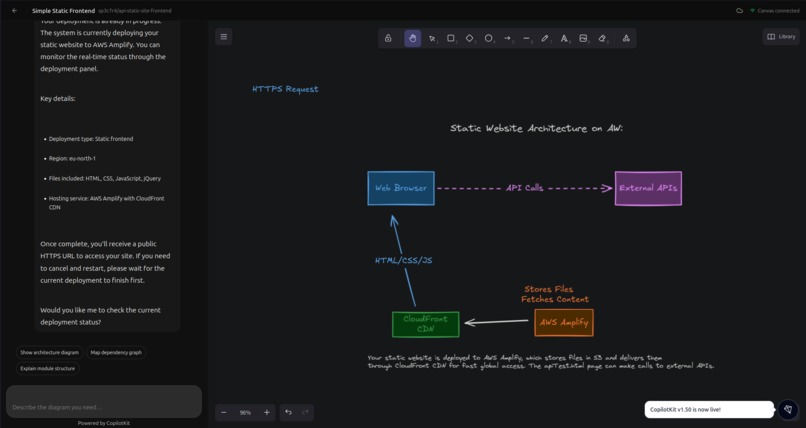
Workspace
-
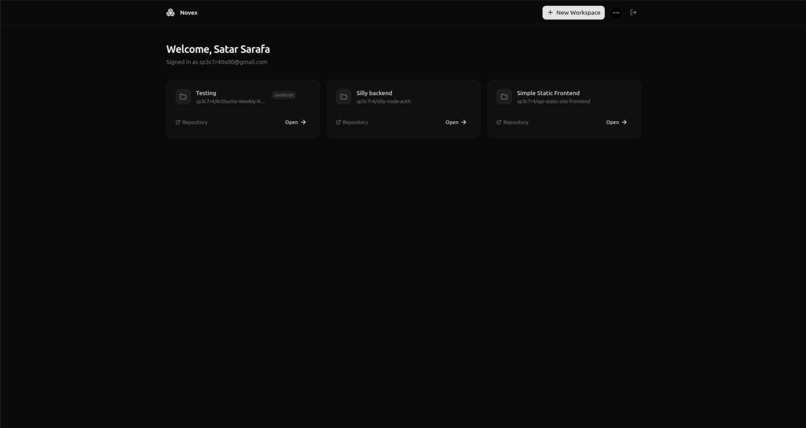
Dashboard
-
Login

Inspiration
Every developer has looked at a new codebase and wondered: "What does this do?" You clone a repo, open the folder, and see dozens of directories, config files, and dependencies, but there’s no architecture diagram or overview. Understanding a project's structure before writing any code can waste a lot of time in software engineering.
We aimed to create a tool that examines a GitHub repository like a senior engineer would. It reads the key files, understands the tech stack, and maps out services and data flows. Then it shows you this information on a live canvas in real time. Once you grasp your architecture, why not deploy it too?
That’s how Novex came to life: an AI-powered platform where Amazon Nova doesn't just discuss your code it visualizes your architecture and deploys your application.
What it does
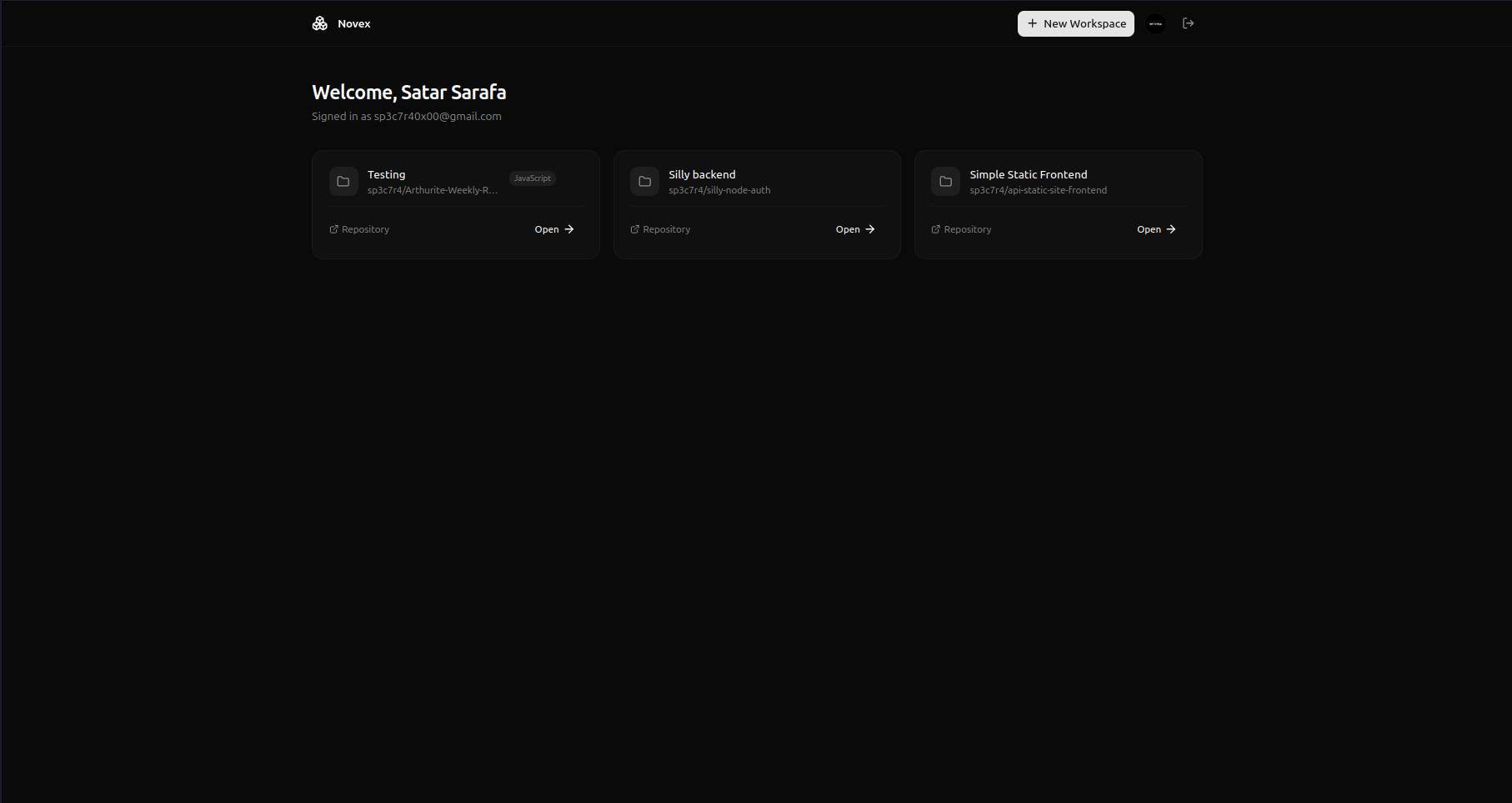
Novex is an intelligent AI platform built on Amazon Nova Premier that changes how developers understand, visualize, and deploy their codebases.
Connect a GitHub Repository
Link any GitHub repo to a Novex workspace. The system downloads the source code, identifies key files (package.json, Dockerfile, CI workflows, entry points, Prisma schemas), and uses Amazon Nova to create a thorough technical analysis covering the tech stack, folder structure, dependencies, environment variables, and inferred architecture.Visualize with a Live Canvas
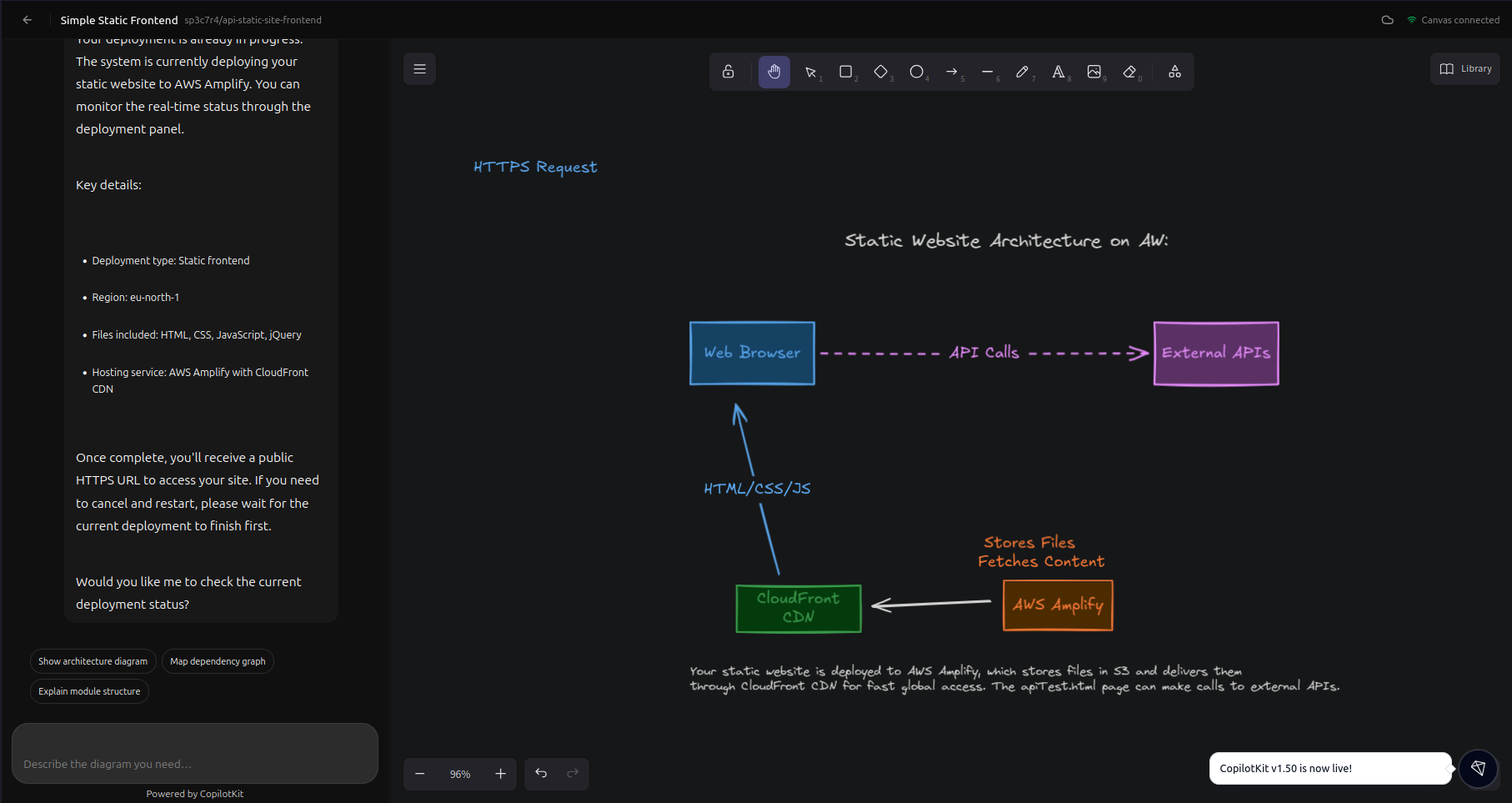
Ask the Novex agent to draw your architecture, and it creates a colorful, professional diagram on an interactive Excalidraw canvas. This diagram includes correctly labeled services, databases, queues, and API flows directly from your actual code. The agent uses over 20 tools to manipulate the canvas programmatically. Each diagram reflects your project, not a generic template.Deploy to AWS
Once you understand your architecture, you can deploy it with a single command. The agent determines your project type static frontend, containerized backend, no-Dockerfile backend, or fullstack and manages the entire pipeline:
- Downloads source from S3
- Builds and pushes Docker images to Amazon ECR
- Provisions AWS App Runner services or AWS Amplify apps
- Streams real-time progress via WebSocket
- Returns a live HTTPS URL
- Conversational Memory
Novex remembers your past discussions using a memory system with semantic vector recall, so it builds context over time and doesn’t re-analyze your repo in every session.
How we built it
Core AI: Amazon Nova Premier powers the main agent through Amazon Bedrock, managing repo analysis, diagram creation, deployment classification, and all conversations. We use the Mastra AI framework to coordinate the agent, tools, and memory.
MCP Architecture: The Excalidraw canvas is controlled through a custom Model Context Protocol server that runs as a subprocess. This gives the agent over 20 tools for element manipulation, including batch_create_elements, update_element, describe_scene, and snapshot_scene. The MCP server connects with the main backend via HTTP, enabling real-time updates.
Deployment Pipeline: We created specific AWS service integrations:
- ECRService — creates repositories and authenticates Docker pushes
- DockerService — builds images and auto-generates Dockerfiles when none are available
- AppRunnerService — provisions containerized backend services
- AmplifyService — deploys static frontends with auto-detected install commands
- DeploymentService — manages the full pipeline based on project type
Real-time Events: All long-running tasks, like repo initialization and deployment, stream progress updates through Redis Pub/Sub to the client via WebSocket, allowing users to see every step as it happens.
Infrastructure: Bun runtime, Hono web framework, MongoDB with replica sets, Redis with BullMQ for job queues, and Docker Compose for local orchestration.
Challenges we faced
Preventing diagram overlaps: Getting Amazon Nova to create clean, spaced diagrams was a significant design challenge. LLMs tend to group elements closely. We refined the system prompt by adding spacing rules and color-coded assignments until diagrams appeared clean and professional every time.
MCP tool reliability: The Excalidraw MCP server operates as a child process using stdio. Ensuring over 20 tools register consistently, manage timeouts, and sync the canvas state back to the main server required careful error handling and a connection timeout of 30 seconds with fallback solutions.
Auto-generating Dockerfiles: When a repo lacks a Dockerfile, the agent must generate a functional one. This requires passing the complete repo analysis to Nova and confirming that the output covers the appropriate base image, dependency installation, build steps, and port exposure. Edge cases with monorepos and unusual runtimes needed extra adjustments.
Deployment credential security: Users provide their own AWS credentials for deployment. We created an encryption layer (AES-256) in AwsCredentialsService, ensuring credentials are encrypted at rest and only decrypted in memory during deployment—never stored in plaintext or exposed to the agent.
Accomplishments we're proud of
End-to-end agentic pipeline: From git clone to live HTTPS URL in a single conversation, the agent manages repo analysis, diagram generation, project classification, and multi-service AWS deployment independently.
Over 20 MCP tools: A fully custom MCP server offers the AI agent detailed control over a live Excalidraw canvas, enabling the creation of interactive, editable, and exportable diagrams.
Smart project classification: The agent automatically identifies whether a repo is a static frontend, containerized backend, or fullstack app, directing it to the correct AWS deployment strategy without user input.
Auto-detect install commands: The system checks lockfiles in the S3-stored zip to choose the appropriate install command, preventing many deployment failures.
Real-time streaming: Each operation streams detailed progress reports to the UI via WebSocket, so users never feel stuck wondering what's happening.
What we learned
Amazon Nova 2 lite excels at organized reasoning. It is effective at classifying project types, generating Dockerfiles from repo analysis, and following complicated workflows. The model consistently follows instructions based on our detailed system prompt.
MCP is a useful framework for agent tools. Rather than hardcoding every tool, the MCP protocol allows us to develop Excalidraw tools as a separate server that can be added easily. This approach scales, as any new tool server can connect to the agent without changing the agent's code.
Prompt engineering involves architectural work. The difference between a cluttered diagram and a clean one depended heavily on the system prompt. We spent significant time refining spacing rules, color schemes, and layout guidelines.
Real-time feedback fundamentally changes user experience. Streaming each step of a deployment process makes it feel quick and transparent, even when the operations take a little while.
What's next for Novex
Nova 2 Sonic voice interface: Implement real-time voice interactions so developers can engage with the agent hands-free while reviewing diagrams.
Multi-repo workspaces: Enable connecting multiple repositories to a single workspace for visualizing microservice architectures.
Diagram versioning and diff: Automatically detect repo changes using GitHub webhooks, regenerate diagrams, and show visual differences as the architecture changes.
Collaborative editing: Allow multiple users to edit the canvas in real-time with shared agent conversations.
SAM/CloudFormation deployment: Finalize the serverless deployment method for Lambda-based architectures.
CI/CD pipeline generation: Enable the agent to create GitHub Actions workflows based on the detected project type and deployment approach.
Built With
- amazon-bedrock
- amazon-ecr
- amazon-nova-premier
- amazon-web-services
- aws-amplify
- aws-app-runner
- bullmq
- bun
- copilotkit
- docker
- excalidraw
- github-api
- hono
- jwt
- mastra
- mcp
- mongodb
- oauth-2.0
- redis
- typescript
- websockets
- zod

Log in or sign up for Devpost to join the conversation.