NovelCraft AI
Writing a novel is a solitary and often overwhelming endeavor. Authors juggle dozens of character arcs, complex timelines, and thousands of words, making it incredibly difficult to spot plot holes or pacing issues until it's too late. We wanted to build a tool that feels less like a spellchecker and more like a compassionate, intelligent developmental editor—one that reads the entire manuscript and understands the story as deeply as the author does.
What it does
NovelCraft AI is a comprehensive workspace for novelists.
- Multi-Format Ingestion: Users can upload manuscripts in PDF, DOCX, or plain text formats. The app stitches multiple files together (e.g., separate chapter files) into a single cohesive context.
- Deep Analysis Dashboard: It generates a high-level report including a logline, a chapter-by-chapter breakdown with key events, and a "Issues Found" tracker that spots plot holes, inconsistencies, and pacing problems with specific severity ratings.
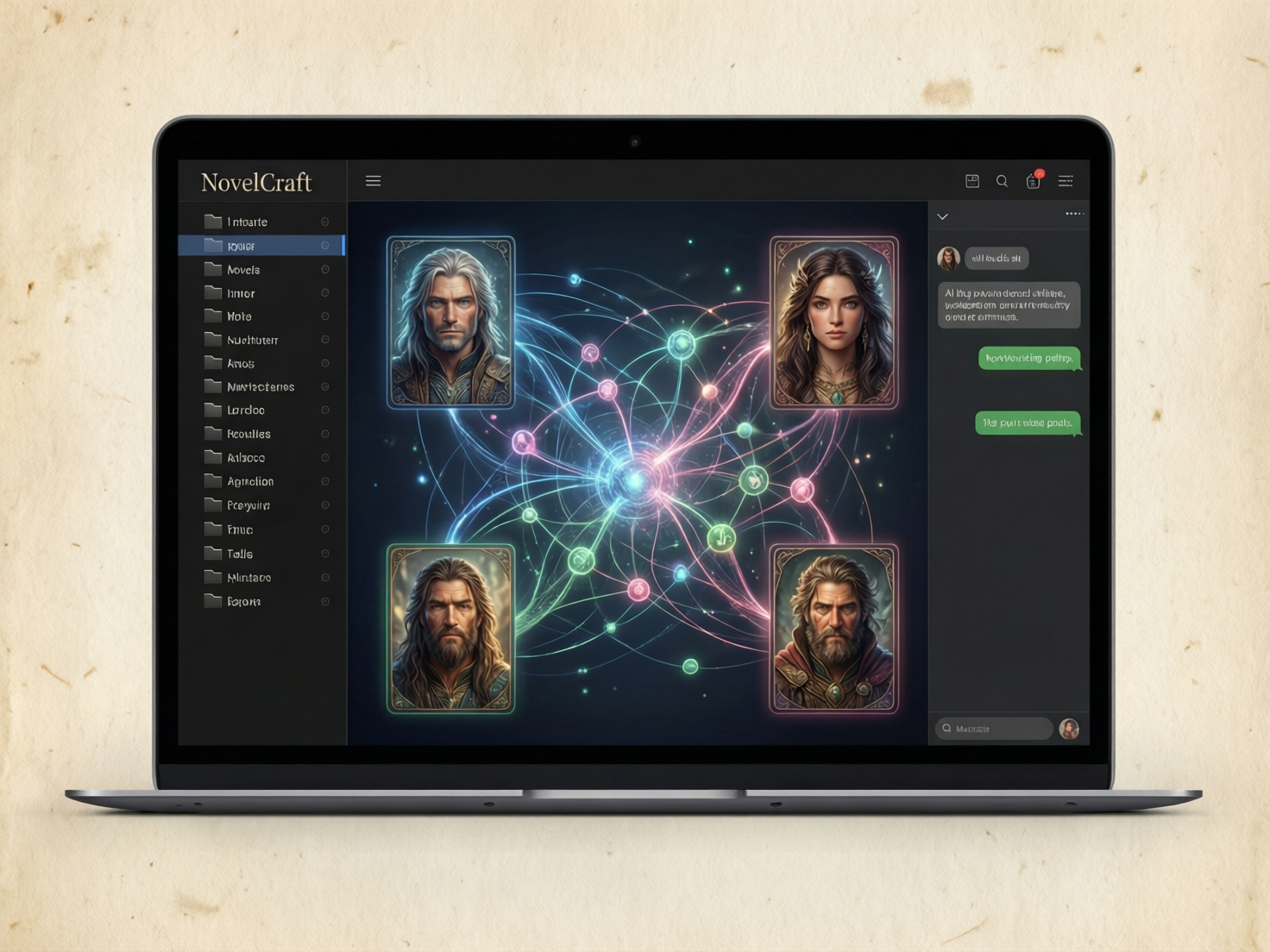
- Character Visualization & Tracking: It automatically extracts a list of characters, their roles, and detailed physical descriptions (hair, eyes, scars). Users can then generate AI portraits of their characters with a single click, ensuring the visuals match the text.
- Interactive Relationship Network: The app visualizes complex character webs using D3.js. It supports dual views: a "Force" graph for general connections and a "Tree" lineage view that maps out family histories and multi-parent dynamics.
- Context-Aware Creative Partner: Unlike generic chatbots, the integrated chat interface has read the specific manuscript. Authors can ask, "Does the tone in Chapter 3 match the ending?" or "What happened to the subplot about the locket?" and get answers grounded in their actual text.
How we built it
I built the application as a modern, client-side React application using React 19 and TypeScript.
- AI Powerhouse: We leveraged the Google Gemini API via the
@google/genaiSDK.gemini-3-pro-previewhandles the heavy lifting of manuscript analysis and reasoning.gemini-3-flash-previewpowers the real-time chat interface for low latency.gemini-2.5-flash-imageis used to generate high-quality character portraits based on extracted physical descriptions.
- Data Visualization: We implemented D3.js to render interactive Force-Directed and Hierarchical Tree graphs, allowing authors to explore complex character relationships visually.
- File Parsing: We implemented browser-based file parsing using
mammoth.jsfor Word documents andpdfjs-distfor PDFs, allowing us to extract raw text without needing a backend server. - UI/UX: The interface was styled with Tailwind CSS to create a distraction-free, "paper-like" aesthetic using warm off-white tones (#fdfbf7) and serif fonts (Merriweather). Lucide React provided the iconography.
- Architecture: The app uses ES Modules delivered via esm.sh, allowing for a lightweight build process without complex bundler configurations for this prototype.
Technologies Used
React 19, TypeScript, Google Gemini API (@google/genai), gemini-3-pro-preview, gemini-3-flash-preview, gemini-2.5-flash-image, D3.js, Tailwind CSS, Lucide React, Mammoth.js, PDF.js, HTML5, CSS3, ES Modules.
Challenges we ran into
- Context Management: Passing an entire novel (50k+ words) to an LLM can be tricky. We had to ensure we used models capable of handling large context windows (
gemini-3-pro) and structured the prompts effectively to prevent the AI from "forgetting" the beginning of the book when analyzing the end. - Structured Output: Getting the AI to reliably output a complex JSON schema (Chapters -> Key Events -> Issues -> Characters with Physical Descriptions) for a large text required careful prompt engineering and schema validation.
- Browser Limitations: Parsing complex PDF and DOCX binaries strictly in the browser (client-side) presented challenges with formatting and special characters, which we solved by using robust libraries like Mammoth and PDF.js workers.
- Hard limits: I had to be careful when coding limits in the prompt, because if you suggest the AI aim for at least 20 items, it can interpret it as a hard limit, stopping at this limit.
Accomplishments that we're proud of
- Granularity: We successfully tuned the AI to list every chapter and specific issues rather than giving a vague summary. The analysis feels actionable.
- Visual Creativity: The ability to instantly turn a text description into a visual character portrait brings the story to life in a way text alone cannot.
- The "Editor" Vibe: We are proud of the aesthetic. It doesn't look like a dashboard for data; it looks like a workspace for art.
- Zero-Backend Analysis: The entire application runs in the browser, communicating directly with the Gemini API, ensuring that user manuscripts aren't stored on an intermediate server we control.
What we learned
We learned the immense power of Gemini 3's context window. Being able to dump an entire book into the context allows for reasoning that simply wasn't possible with previous generations of models. We also deepened our understanding of React 19's streaming capabilities and how to handle large asynchronous data flows for better UI feedback.
What's next for NovelCraft AI
- Local Persistence: Currently, projects are held in memory. We plan to add IndexedDB support to save projects locally.
- Export Options: allowing authors to export the analysis as a PDF or Markdown file.
- Visual Timelines: Using the "Key Events" data to generate a visual graph of the plot's rising and falling action.
- Google Drive Integration: Directly picking files from Google Drive instead of downloading/uploading.
Built With
- css3
- d3.js
- es
- esm.sh
- gemini-2.5-flash-image
- gemini-3-flash-preview
- gemini-3-pro-preview
- google-gemini-api-(@google/genai)
- html5
- lucide-react
- mammoth.js
- pdf.js
- react-19
- react-markdown
- tailwind-css
- typescript

Log in or sign up for Devpost to join the conversation.