About NovaMuse: Children’s Museum Co-Pilot

Inspiration

Children’s museums are designed for joyful exploration, but the behind-the-scenes work is constant. On a busy day, staff are simultaneously handling check‑in surges, managing crowding around popular exhibits, responding to small safety incidents, and completing repetitive administrative tasks that keep the museum running. When demand spikes, the museum can shift from “guided discovery” to “constant reaction.”

NovaMuse started from a simple question:

How can we make a children’s museum safer and easier to operate—without reducing the magic of hands‑on learning?

Instead of building a generic chatbot, we focused on the kinds of moments that matter in museums:

  • When a zone becomes overcrowded and staff need quick, consistent playbook actions
  • When a minor incident (spill, lost item, conflict) needs to be logged and routed fast
  • When a child asks a great question but staff are busy and can’t always stop to explain

What the project does

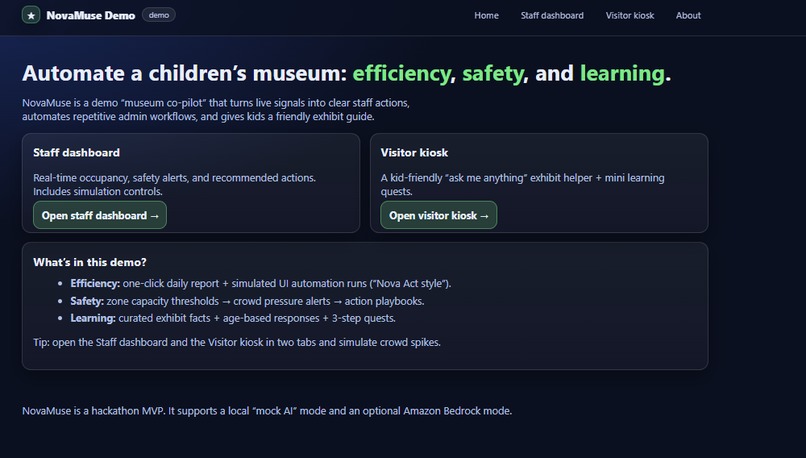
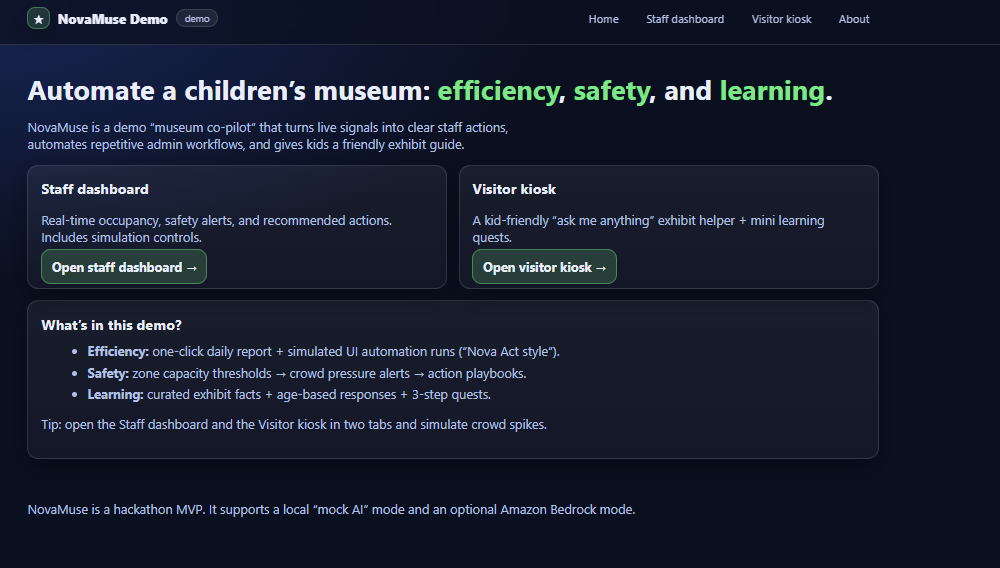
NovaMuse is a prototype “museum co-pilot layer” built around three outcomes: efficiency, safety, and learning.

1) Efficiency

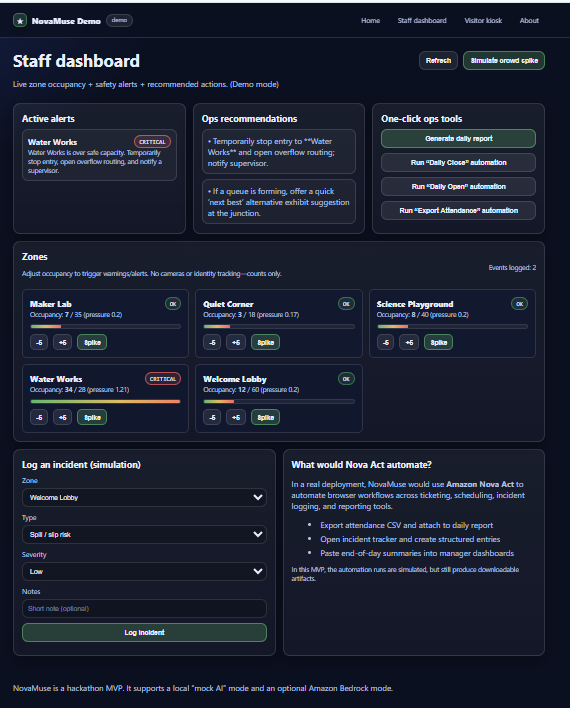
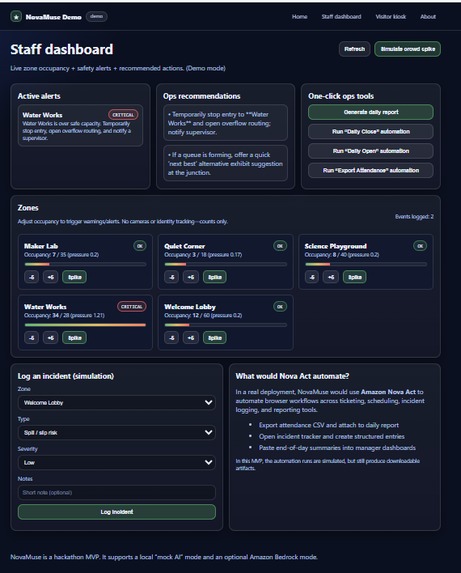
NovaMuse provides a staff dashboard that consolidates operational signals into one view:

  • A live summary of zones, capacity status, and safety alerts
  • One-click generation of a daily report (downloadable Markdown artifact)
  • Downloadable JSON “automation run” artifacts that represent repeatable admin workflows (designed to be replaced by real UI automation)

This is intentionally practical: museums already run on checklists and logs; NovaMuse helps teams produce them faster and more consistently.

2) Safety

NovaMuse simulates occupancy per zone, escalates alerts, and recommends playbook actions (redirect traffic, open overflow routing, temporarily pause entry).

We compute a simple crowd-pressure score: [ \text{CrowdPressure} = \frac{N}{C} ] where (N) is the number of visitors currently in a zone and (C) is the zone’s safe capacity. As (\text{CrowdPressure}) increases, NovaMuse escalates guidance from “monitor” → “redirect” → “pause entry.”

Privacy-by-design: the demo uses counts only (no cameras, no identity tracking). It models the type of operational signal a museum can safely use without collecting personal data.

3) Learning experience

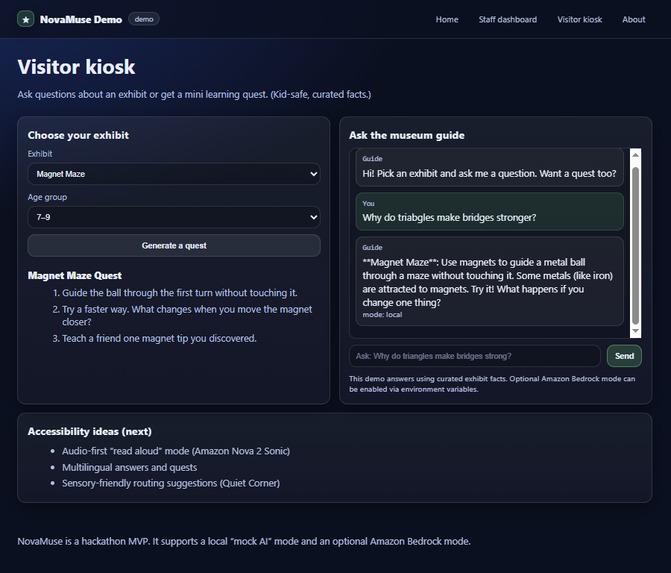
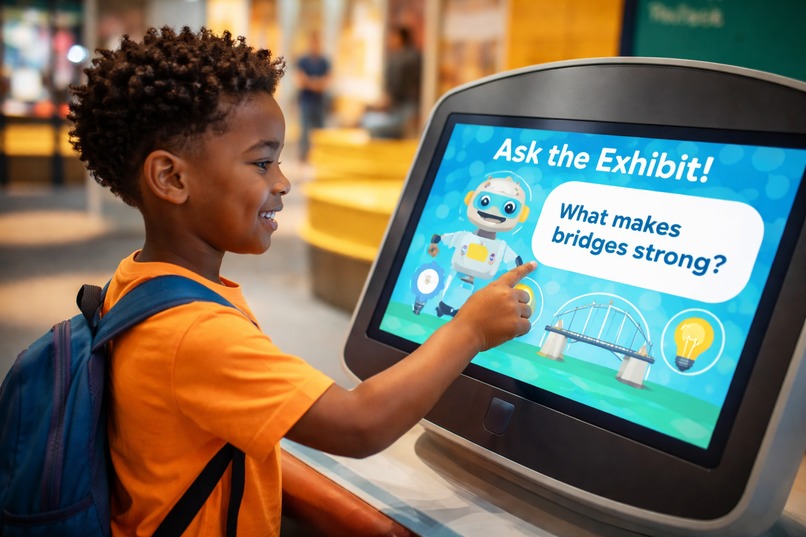
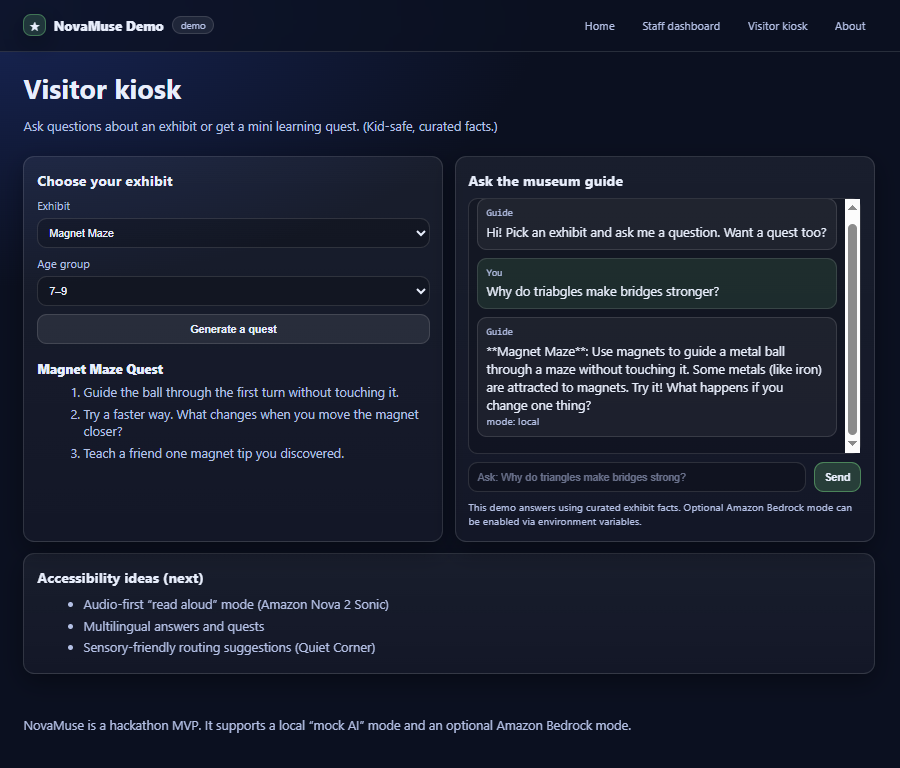
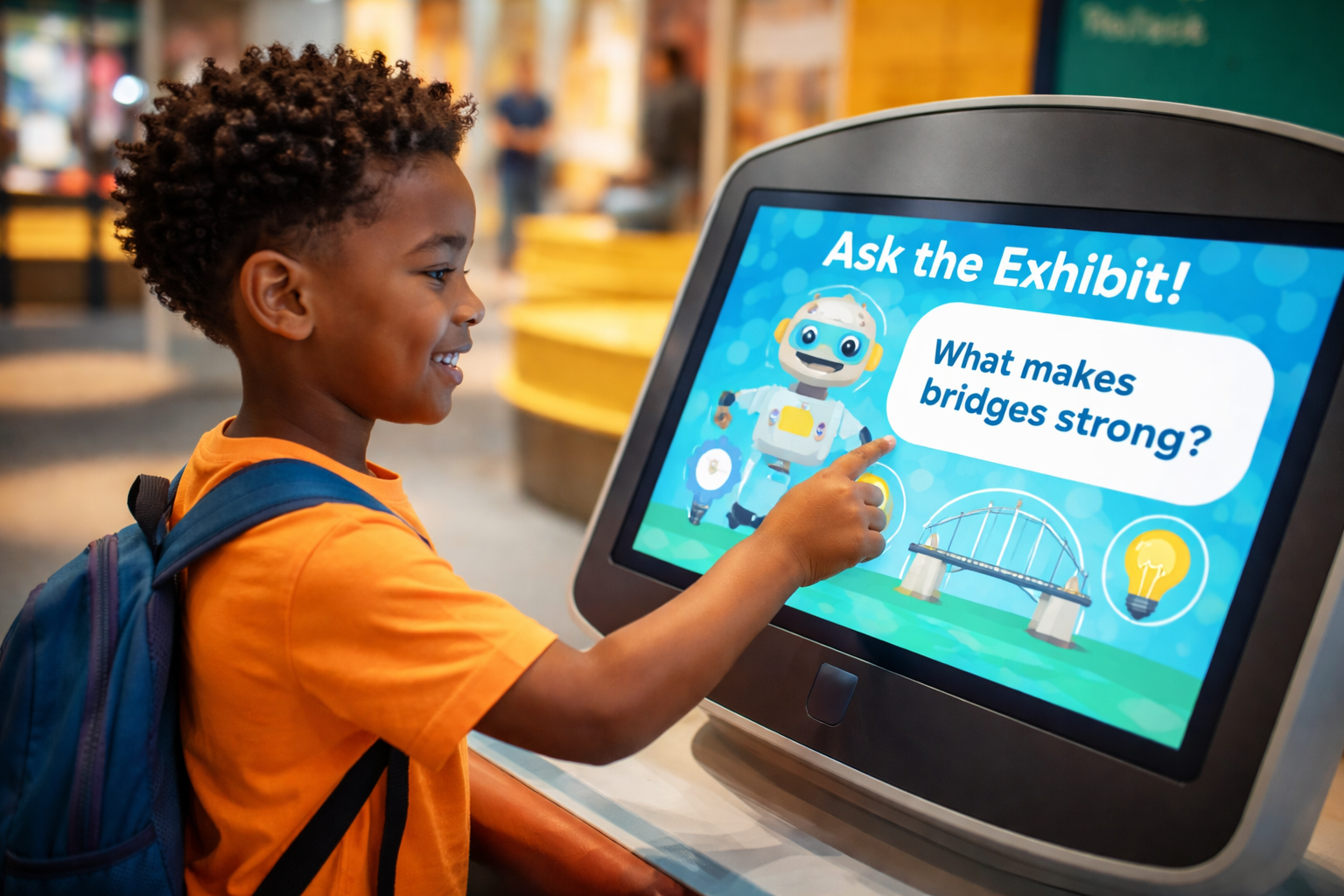
NovaMuse includes a visitor kiosk experience designed for short, kid-friendly interactions:

  • Exhibit Q&A grounded in curated exhibit facts (safe, age-appropriate)
  • Mini “quests” (3 steps) that turn an exhibit into a structured challenge: observe → try → explain

The kiosk is meant to complement staff, not replace them—especially during busy periods when educators are handling operations.


How we built it

We built an MVP that runs locally for development and can also be deployed publicly for judges.

Architecture

  • Backend: Python + FastAPI (API endpoints + page routes)
  • UI: Server-rendered HTML templates plus lightweight JavaScript for actions and refresh
  • Artifacts: downloadable Markdown daily reports and JSON workflow run logs
  • Containerization: Docker
  • Deployment: Amazon ECR + AWS App Runner (public URL)

AI integration approach NovaMuse supports two execution modes:

  • Mock mode (default): deterministic, curated responses so the demo works without AWS credentials and stays grounded for a children’s environment.
  • Bedrock mode (optional): the kiosk Q&A can call Amazon Bedrock with Amazon Nova when environment variables and IAM permissions are configured.

Nova-specific integration detail To run Nova 2 Lite reliably, we invoke Bedrock using the inference profile ID (for example: us.amazon.nova-2-lite-v1:0) rather than the base model ID, because on-demand throughput may not be enabled for the base ID in all accounts/regions. This ensures the deployment is aligned with Bedrock’s supported invocation path.

UI workflow automation For museum operations automation, we implemented “Nova Act style” workflow runs as a structured placeholder: the app generates step-by-step run artifacts that mirror how a real automated workflow would execute (navigate UI, export attendance, close-out routine). The intended next step is to replace the simulated runner with actual Amazon Nova Act workflows to automate real museum admin portals with higher reliability.


Challenges we faced

  • Deployment reliability: Even a small web app can fail in production if ports and health checks don’t match platform expectations. We had to align container listening ports with App Runner configuration and health checks.
  • Public demo state management: A judging demo must be replayable. We implemented a full “clean slate” reset so the simulation can be restored to a known starting point.
  • Hosted UI responsiveness: Real-time dashboards can drift if state updates aren’t explicit. We implemented predictable refresh patterns after actions so staff always see the correct occupancy and alert state.
  • Model invocation troubleshooting: The project includes both mock mode and Bedrock mode. We added logging and stepwise tests (local CLI tests, then deployed tests) to isolate whether failures came from code, permissions, model IDs, or account configuration.
  • Kid-safe behavior from day one: The kiosk experience must stay short, appropriate, and grounded. We constrained responses, structured prompts, and included safe fallback behavior so the system remains usable in a children’s setting.

What we learned

  • An operations copilot is mostly decision support: clear alerts, consistent playbooks, and fewer repetitive tasks—not replacing staff judgment.
  • “Small” infrastructure details (ports, health checks, environment variables, IAM roles) often determine whether a demo is usable.
  • Building for children changes the bar: privacy, guardrails, and deterministic fallbacks are not optional—especially in public kiosk experiences.

What’s next

  • Replace the simulated workflow runner with real Amazon Nova Act automation for museum admin portals (incident routing, exports, end-of-day close).
  • Add Nova 2 Sonic for a voice-first kiosk experience that supports pre-readers and accessibility.
  • Add Nova multimodal embeddings to expand retrieval beyond text (signage, exhibit guides, images) for stronger museum-specific RAG.
  • Connect to real operational signals (ticket scans, counters, IoT devices) and persist state in a database so the system scales across multiple instances.

Built With

Share this project:

Updates

posted an update

1) Got the NovaMuse demo running locally on Windows

  • We clarified that commands like py -m venv .venv must be run in PowerShell / Command Prompt, not inside the Python REPL (>>>).
  • We resolved Python/pip compatibility issues:
    • Your machine was on Python 3.7.2 and an older pip, which caused package/version install failures.
    • You upgraded to a newer Python so dependencies could install correctly.
  • We confirmed the local demo URLs (http://127.0.0.1:8000/staff, /kiosk) work only on your computer unless you deploy/host them.

2) Deployed the demo to AWS App Runner

  • We containerized the app with Docker, pushed the image to ECR, and created an App Runner service.
  • We fixed a deployment failure caused by a wrong port:
    • App Runner health checks were running on port 8080, but the app listened on 8000.
    • After setting App Runner to use port 8000, deployment succeeded.
  • We produced a public URL for the app and validated /staff and /kiosk were reachable.

3) Fixed demo functionality bugs in the app

  • We addressed issues you reported in the staff dashboard:
    • The Reset button behavior was updated so it can work without a password (previously it required a token/password flow).
    • The zone +/- controls were fixed so the "+5 / -5" buttons actually update the zone values.
  • We also created and delivered an updated demo zip containing the fixes.

4) Attempted to integrate Amazon Nova 2 Lite via Amazon Bedrock

  • We updated your deployment configuration to support Bedrock by setting runtime environment variables in App Runner:
    • NOVAMUSE_AI_MODE=bedrock
    • AWS_REGION=us-east-1
    • BEDROCK_MODEL_ID=...
  • We created/attached an App Runner instance role and ensured it had Bedrock permissions (using broad access for fast testing).

5) Diagnosed why the app stayed in local/mock mode

  • We verified the API response showed mode: local, meaning the app was falling back to deterministic mock behavior.
  • We modified the code to print Bedrock errors to logs (so failures were visible), then rebuilt and redeployed.
  • App Runner logs revealed the real issue:
    • ValidationException: Operation not allowed
  • Conclusion at that stage: Bedrock Runtime inference was blocked at the account/service level (not a code bug).

6) Verified Bedrock “Mantle” worked, but Bedrock Runtime (Nova) was blocked

  • Using Bedrock Quickstart, you successfully ran the OpenAI-compatible (Mantle) example and got OK.
  • However, Nova 2 Lite requires Bedrock Runtime (Converse / InvokeModel), not Mantle Responses.
  • Your local boto3 + CLI tests against bedrock-runtime converse continued to fail until AWS Support unblocked your account.

7) After AWS Support unblocked the account, we resolved the remaining integration blockers

Bearer token expiration

  • You got:
    • AccessDeniedException: Bearer Token has expired
  • Root cause: your shell still had AWS_BEARER_TOKEN_BEDROCK set from earlier testing.
  • Fix:
    • Removed the env var and returned to normal AWS credential usage.

On-demand throughput not supported for the base model ID

  • You got:
    • Invocation of model ID amazon.nova-2-lite-v1:0 with on-demand throughput isn’t supported. Retry ... with an inference profile
  • Root cause: your account requires calling Nova 2 Lite through an inference profile, not the base on-demand model ID.
  • Fix:
    • Switched to the inference profile ID:
    • us.amazon.nova-2-lite-v1:0

PowerShell JSON quoting and AWS CLI parsing issues

  • Multiple CLI attempts failed because PowerShell stripped JSON quotes when passed inline.
  • Fix:
    • Wrote a JSON request to a file (request.json) using ASCII encoding to avoid BOM/encoding issues.
    • Used:
    • --cli-input-json file://request.json
  • Result:
    • The Bedrock Runtime CLI test printed OK, confirming Nova 2 Lite inference works with:
    • modelId = us.amazon.nova-2-lite-v1:0

8) Final deployment configuration for Nova 2 Lite in App Runner

  • Since Nova 2 Lite works only via an inference profile in your account, App Runner must use:
    • BEDROCK_MODEL_ID=us.amazon.nova-2-lite-v1:0
  • Keep:
    • NOVAMUSE_AI_MODE=bedrock
    • AWS_REGION=us-east-1
  • Then redeploy App Runner and verify the app response switches from:
    • mode: local → to mode: bedrock

Bugs and issues we worked out

Local development issues

  • Running shell commands inside Python REPL caused SyntaxError.
  • Outdated Python/pip caused dependency resolution failures (FastAPI version mismatch).

AWS deployment issues

  • App Runner health check failures caused by port mismatch (8080 vs 8000).
  • Confusion around ECR region/account variables and correct command usage in PowerShell.
  • Incorrect environment variable formatting in App Runner (map key/value format errors).

Demo app issues

  • Reset flow required a password/token when you wanted a clean slate reset without a password.
  • Zone "+5 / -5" buttons did not update values.

Bedrock/Nova integration issues

  • CloudShell environment creation blocked due to account verification (not required for integration, but slowed debugging).
  • Bedrock Runtime initially blocked with Operation not allowed until AWS Support unblocked the account.
  • Expired bearer token (AWS_BEARER_TOKEN_BEDROCK) caused Bearer Token has expired.
  • Base model ID (amazon.nova-2-lite-v1:0) failed due to on-demand throughput not supported; fixed by using inference profile (us.amazon.nova-2-lite-v1:0).
  • PowerShell JSON quoting caused invalid JSON parsing; fixed by using a JSON file with safe encoding.

Log in or sign up for Devpost to join the conversation.

posted an update

Summary of bugs fixed

1) Reset demo was blocked by a password/token

Symptom: Clicking Reset demo prompted for a password and then returned Forbidden.

Root cause: The reset endpoint required an admin token (NOVAMUSE_ADMIN_TOKEN) and returned 403 Forbidden when the provided token was missing or incorrect.

Fix: Removed the authentication requirement entirely:

  • /api/admin/reset no longer requires a token or header.
  • The UI no longer prompts for a password; it only asks for confirmation and then resets.

Result: Reset works immediately (full clean slate) without a password.


2) Zone controls (+5 / -5 / Spike) did not update the UI

Symptom: Clicking +5, -5, or Spike appeared to do nothing.

Root cause: The UI relied on WebSocket pushes for updates and did not reliably refresh state after an action. In a hosted environment, WebSockets can be unreliable, causing the dashboard to appear unchanged.

Fix:

  • After each zone action, the UI now calls fetchState() to refresh /api/state.
  • Added error handling so failures are not silent.
  • Added a polling fallback when WebSockets are unavailable.

Result: Zone occupancy updates immediately after clicking the buttons.


3) Other staff actions did not refresh dashboard counters consistently

Symptom: After actions like generating a report, running automation, or logging an incident, the event count and alerts sometimes did not change until manual refresh.

Root cause: These actions did not trigger a state refresh in the UI.

Fix: After each action completes, the UI now refreshes state via fetchState().

Result: Dashboard counters and alerts stay in sync after actions.


4) Added a clear deployment/version check

Change: /health now returns version 0.1.1.

Result: It is easy to confirm the new build is deployed by checking the /health response.

Log in or sign up for Devpost to join the conversation.

posted an update

Live Demo Deployed + Bug Squashing in Progress
(Feb 23, 2026)

After 5 intense days of building from scratch, I'm excited to share that the live demo for NovaMuse is now up and running!

You can check it out right here:
https://effhhpqz2c.us-east-1.awsapprunner.com

Key highlights in this deployment:

  • Fully functional main landing page explaining the concept
  • Staff Dashboard: real-time (simulated) occupancy monitoring, crowd spike simulation, safety alerts, action recommendations, and one-click daily report generation
  • Visitor Kiosk: kid-friendly Q&A powered by curated facts + "Generate a Quest" button for interactive 3-step learning adventures
  • Mock AI responses and simulated backend actions (with plans to integrate Amazon Bedrock + Nova Act in future iterations)

It's running on AWS App Runner for quick, reliable hosting. The core flow works smoothly — try opening the Staff Dashboard and Visitor Kiosk in separate tabs, then simulate a crowd spike to see alerts and recommendations in action!

A few buttons and interactions are still being ironed out (some sim controls and report downloads may not respond yet — actively debugging those today/tomorrow). This is very much an in-progress hackathon build, but the foundation is solid and the vision is clear: helping small museums do more with less staff while making visits more magical and educational for kids.

Huge thanks to everyone who's viewed or given feedback so far — it means a lot during these final crunch hours!

More polish and fixes coming very soon. Stay tuned, and feel free to drop any thoughts/questions here.

NovaMuse #Hackathon #AIMuseum #ChildrensMuseum

Log in or sign up for Devpost to join the conversation.