-
-
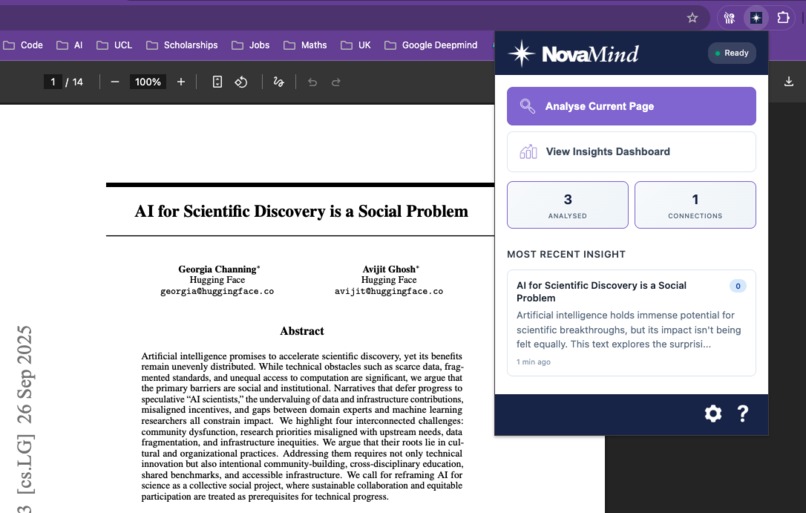
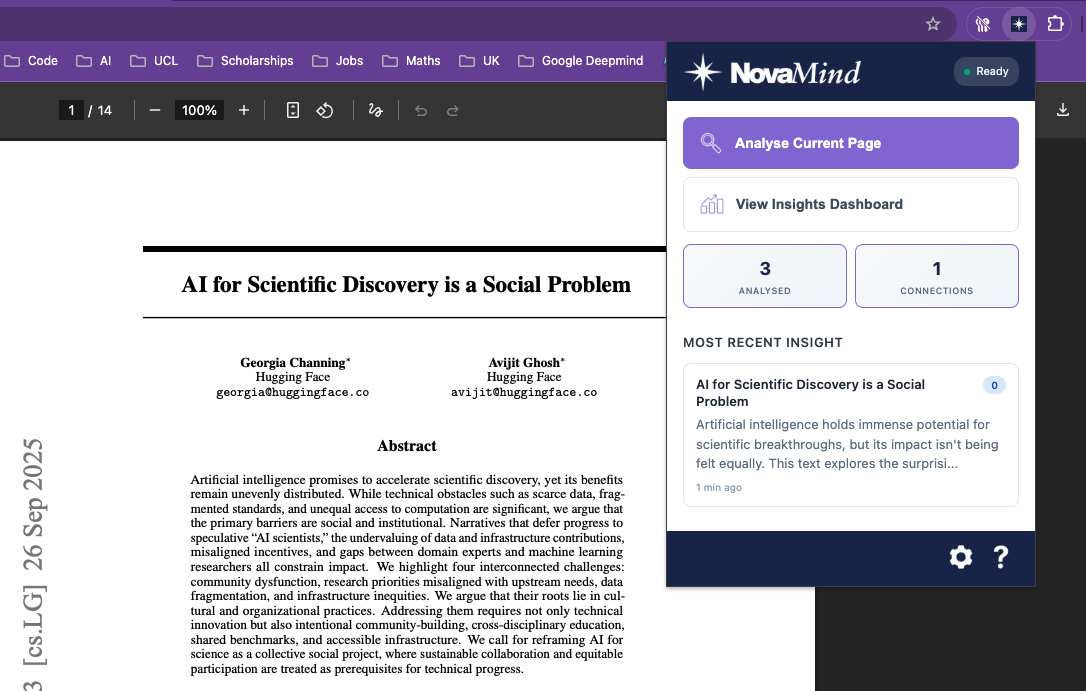
Chrome Extension
-
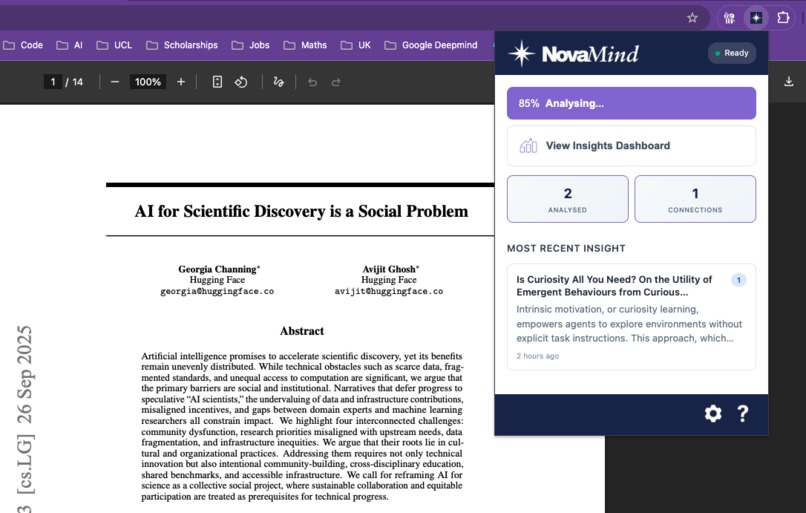
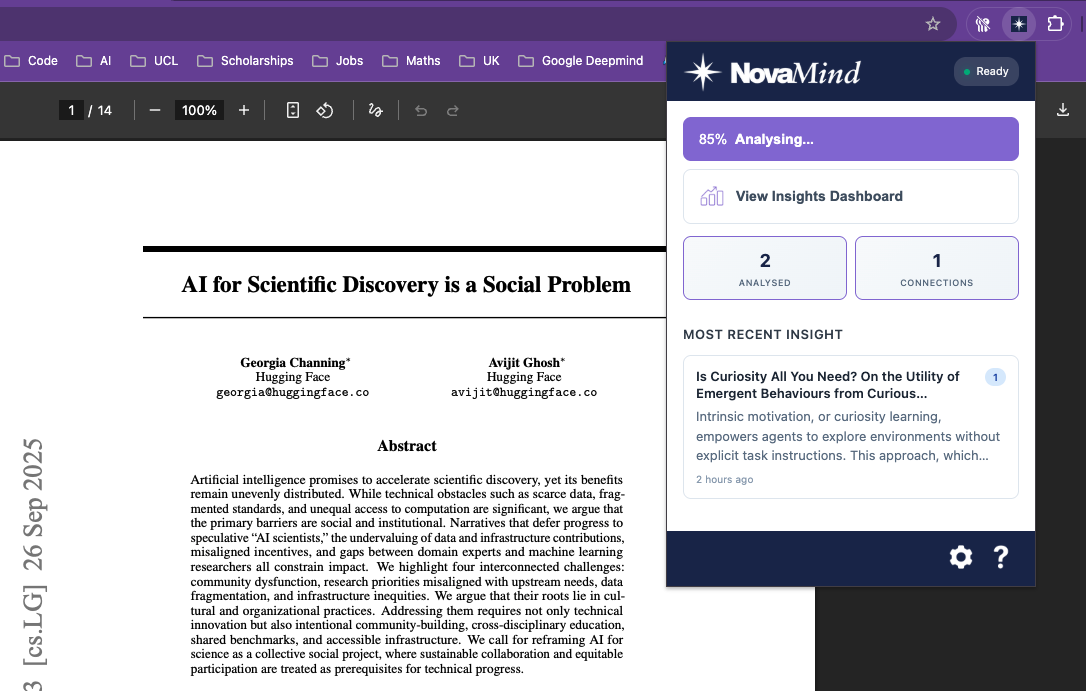
Analysing Research Paper
-
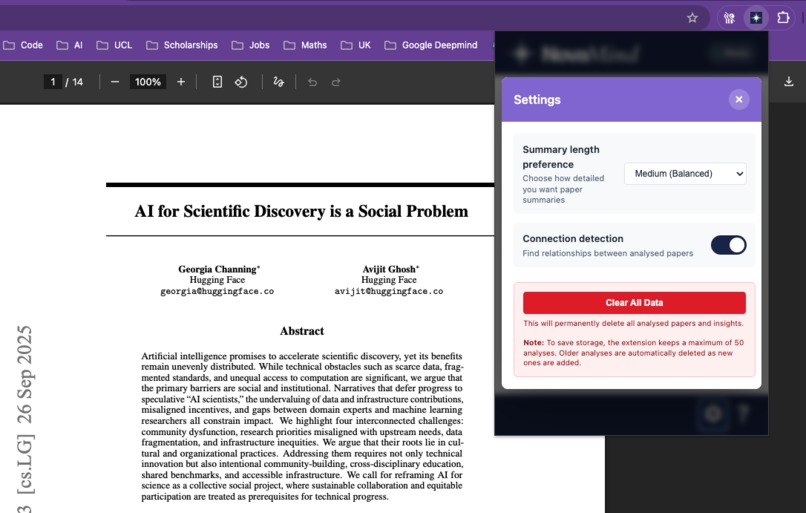
Settings
-
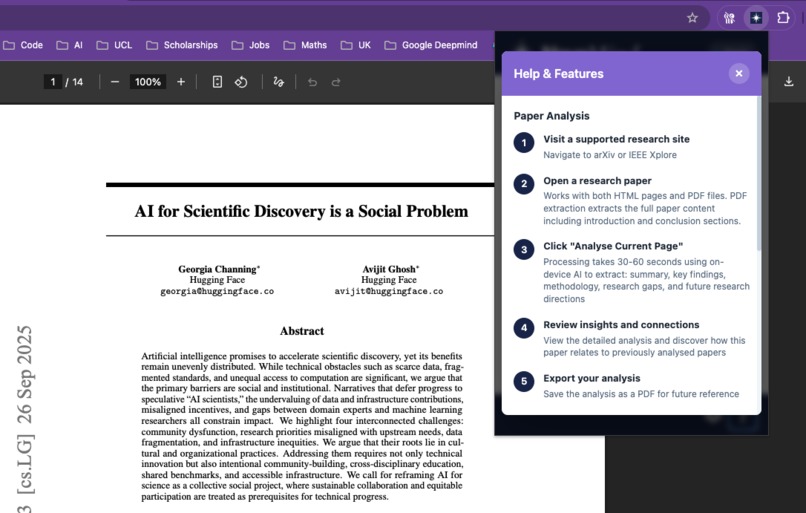
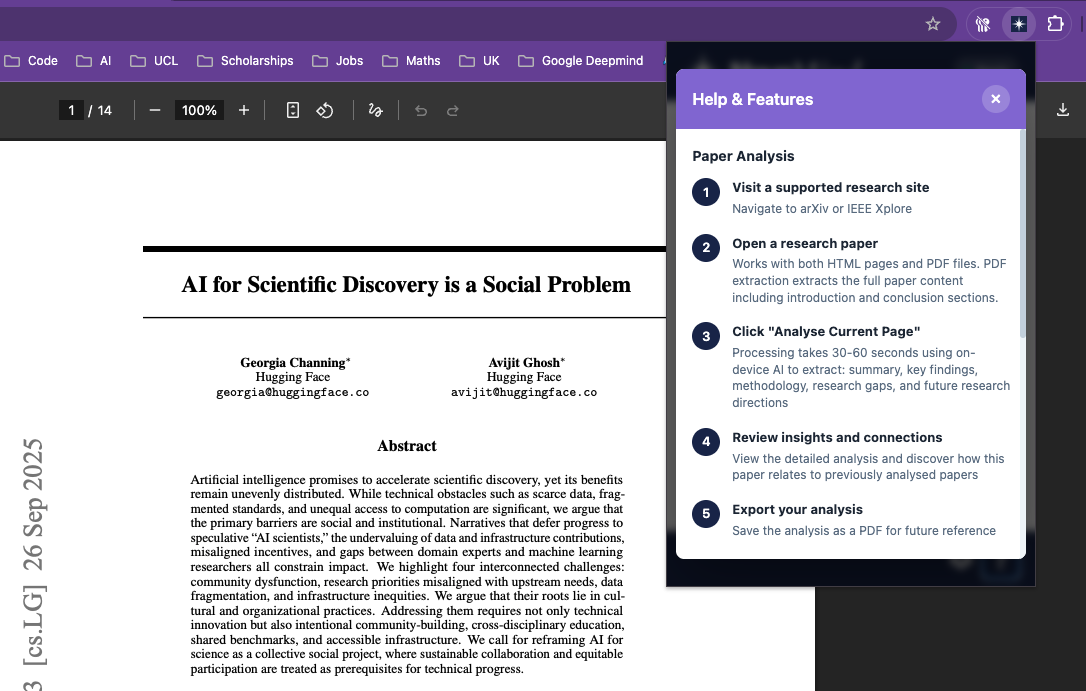
Help & Features
-
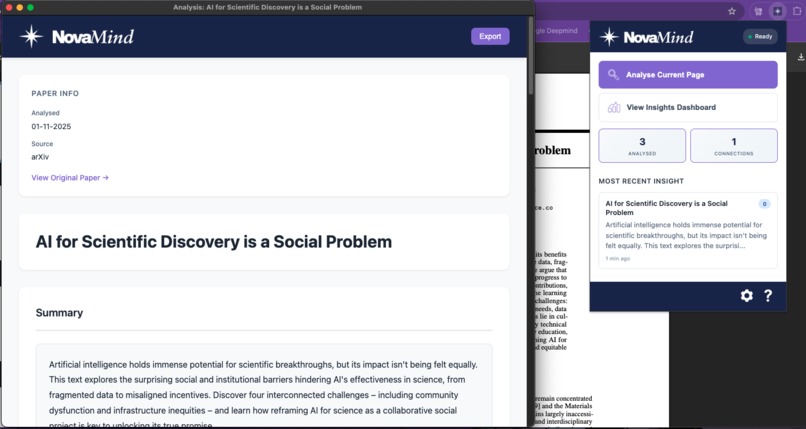
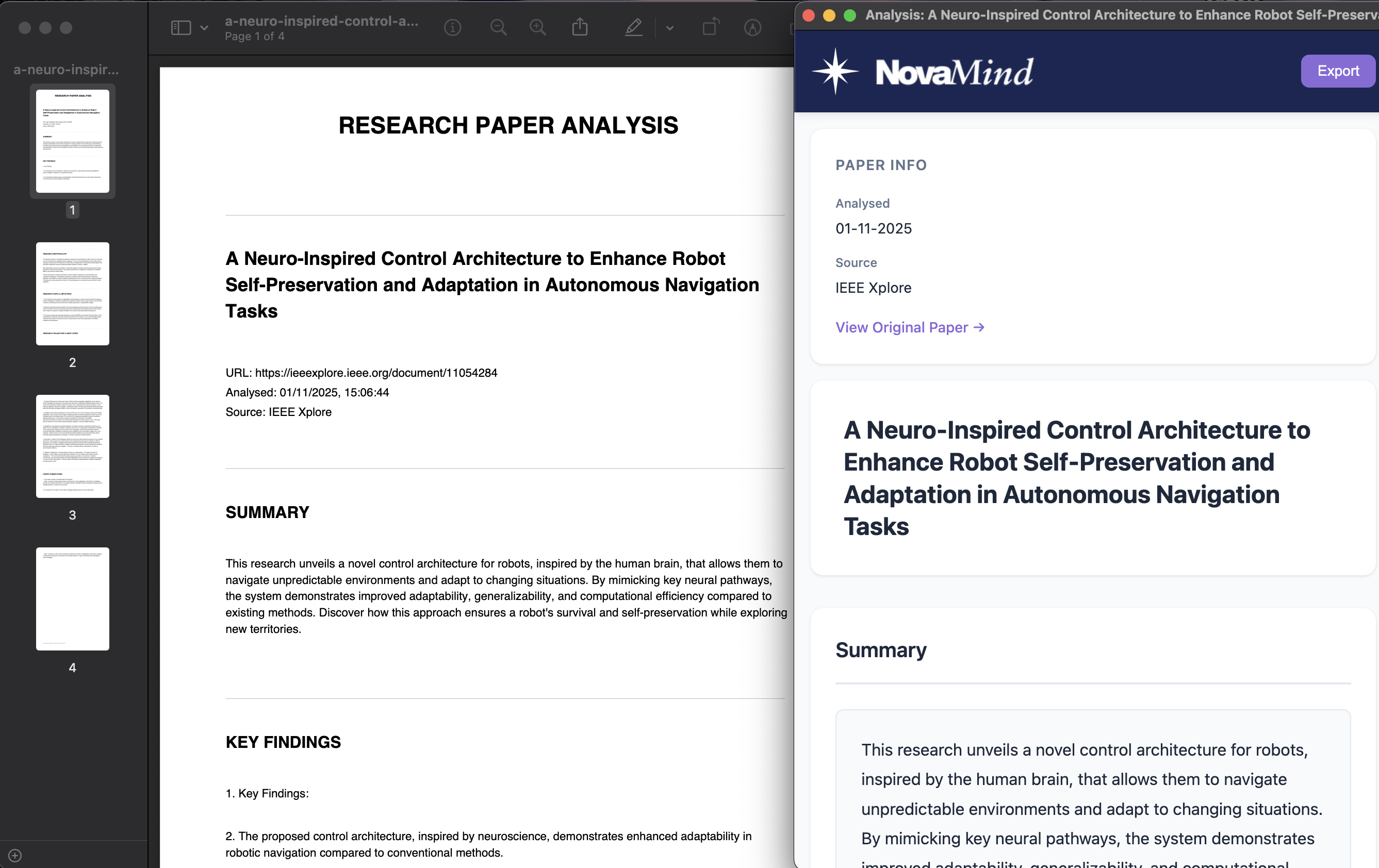
Analysed Research Paper
-
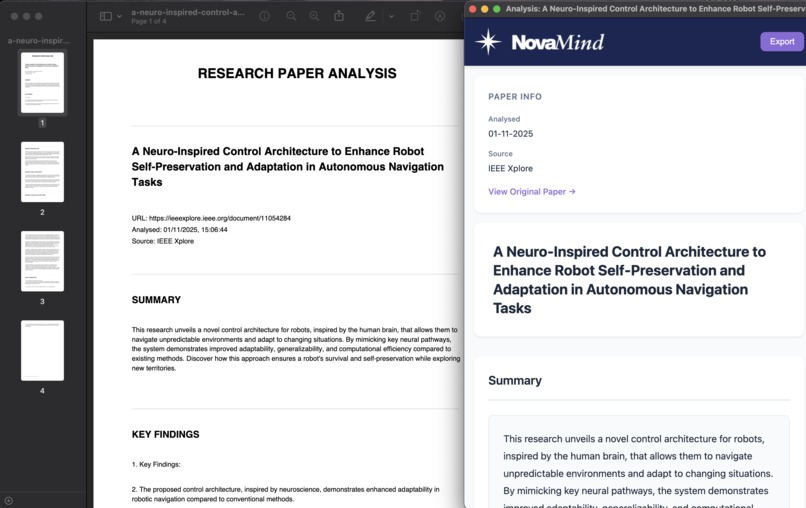
Exported Analysis
-
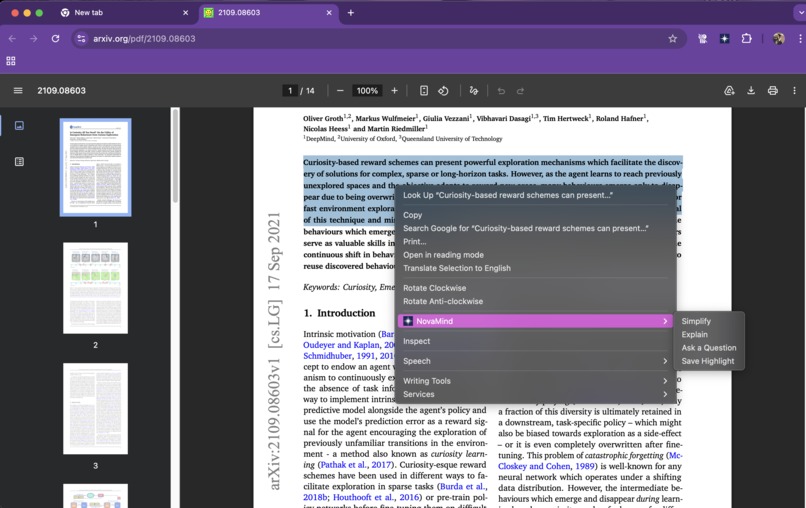
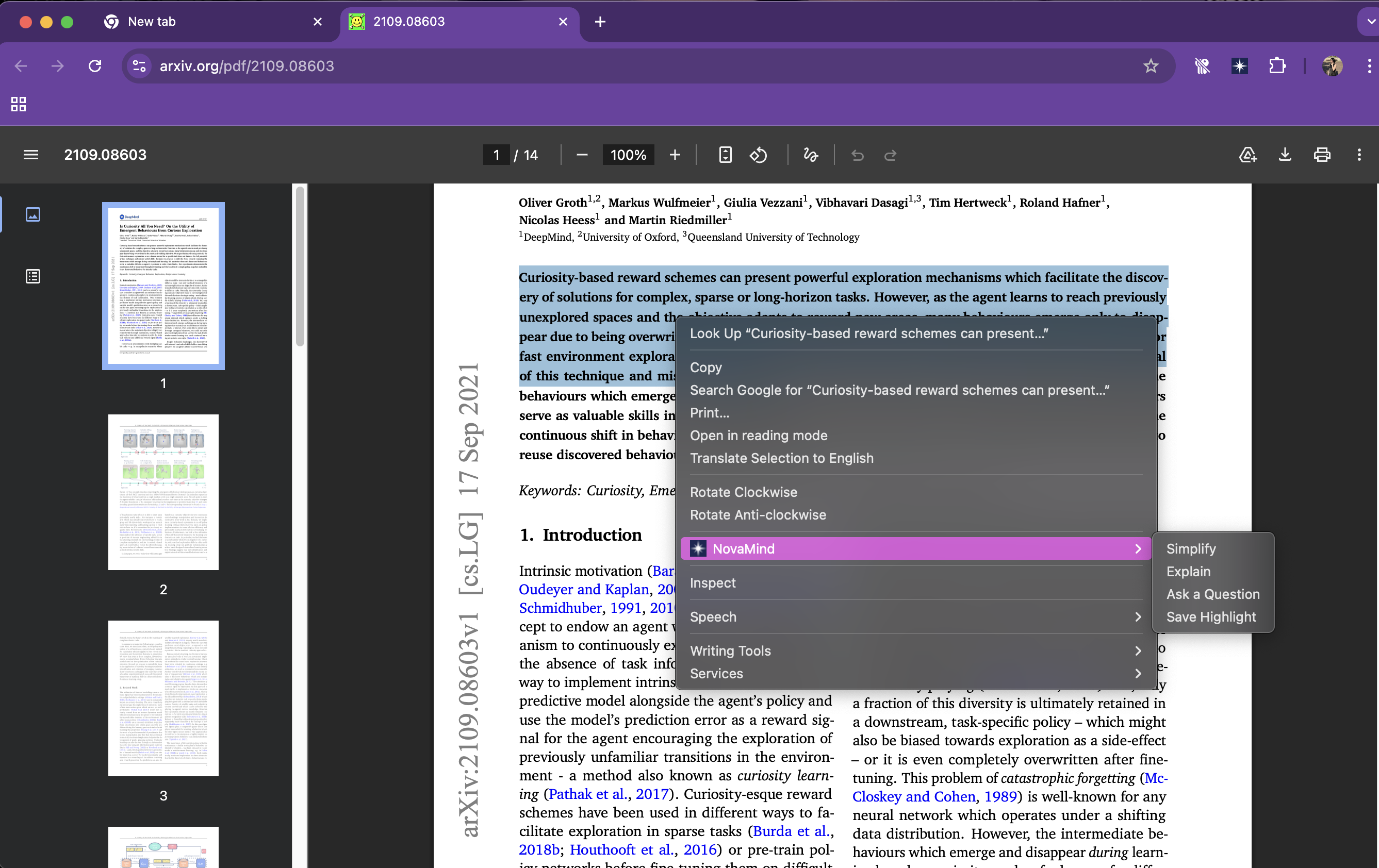
Mouse Right Click Highlighted Text - Text Assistant Options
-
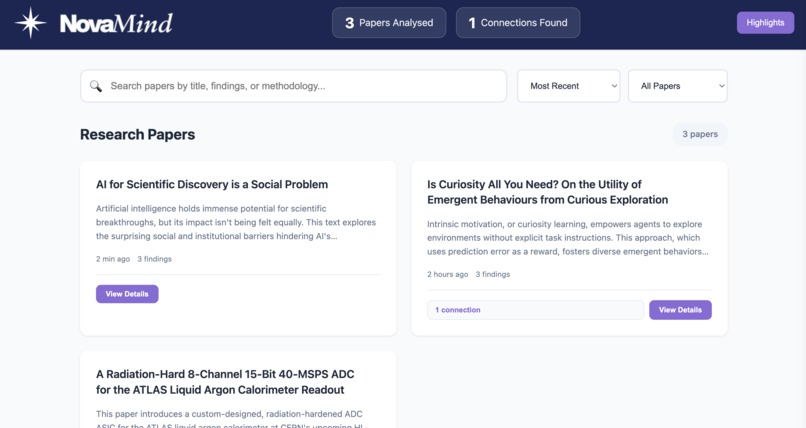
Dashboard
-
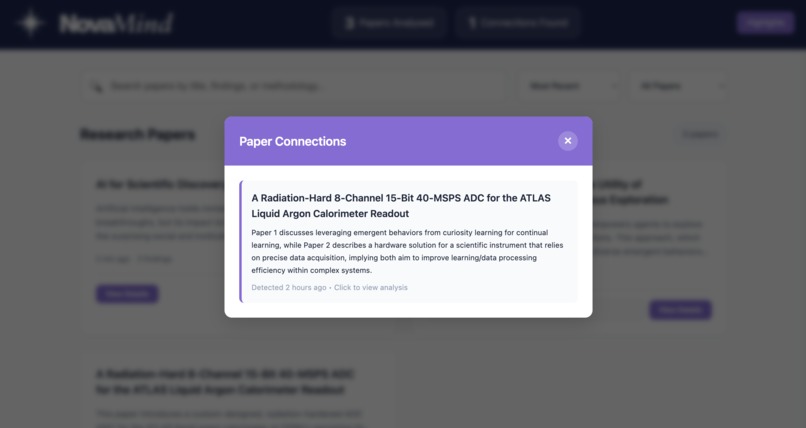
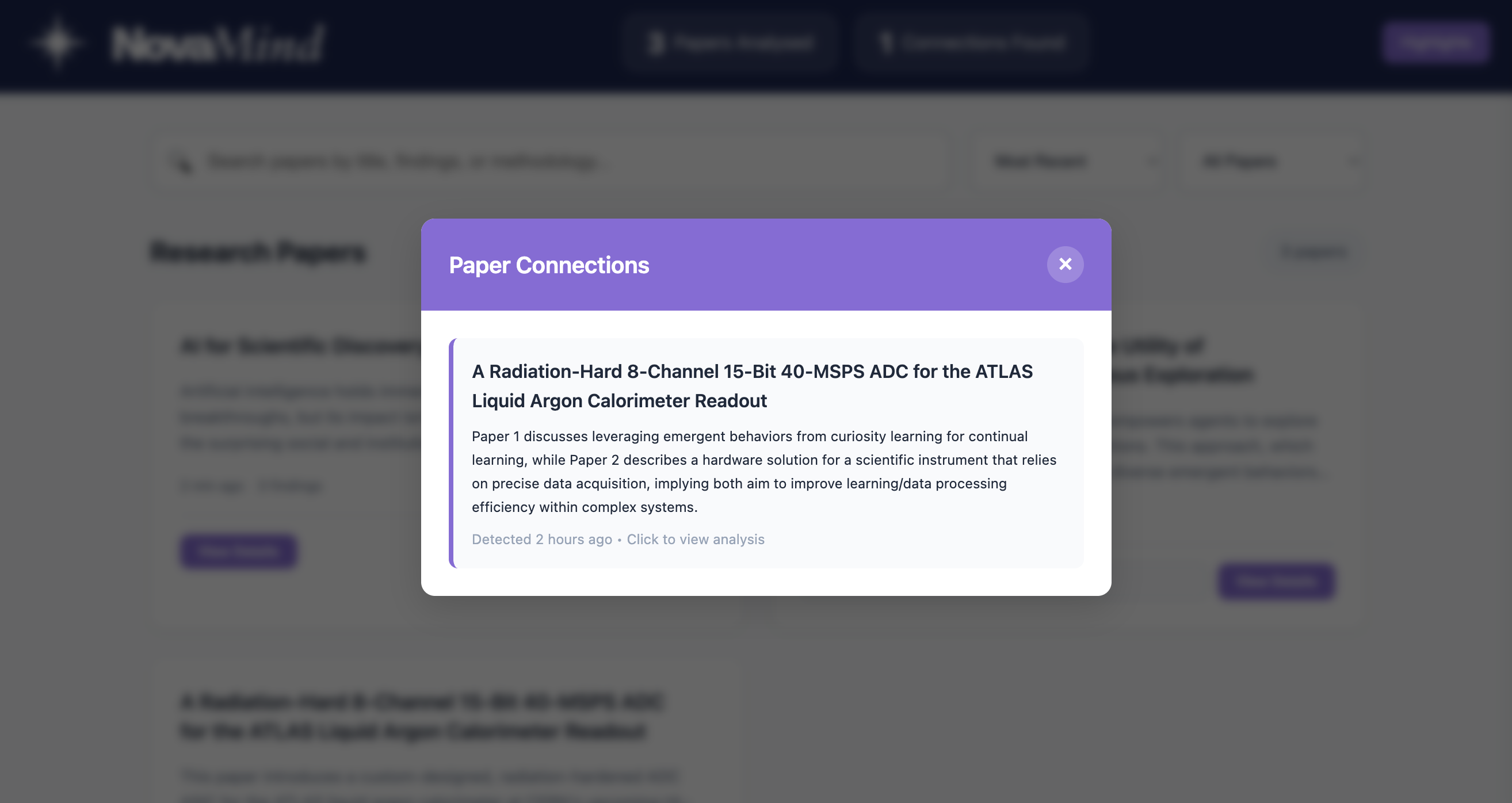
Connections
-

Highlights




Inspiration
Imagine being a researcher or a student entering a complex academic field. The sheer volume and density of research papers can feel overwhelming. It often takes two to four hours to carefully read and understand just one paper, and identifying research opportunities or limitations can be especially difficult when you are just starting out. Dense academic writing slows comprehension, turning what should be a process of discovery into a time-consuming task.
NovaMind its a name drawn from the astronomical nova, a star that intensifies in brightness. Likewise, our Chrome extension brings growing clarity to the research process, lighting the way through complex academic work.
What it does
NovaMind serves as your intelligent research partner, with these key features:
Smart Paper Analysis automatically extracts a paper’s summary, key findings, methodology, research gaps, and suggested future directions. This works on supported websites such as arXiv.org and IEEE Xplore, for both HTML and PDF papers.
Connection Detection functions as a personal research assistant, automatically identifying and describing relationships between the papers you have analysed.
Text Assistant (right click mouse function) allows you to highlight any complex text on a page to simplify it, request a detailed explanation, or ask specific questions about the selected passage.
Saved Highlights function, which helps you save references for your own research by storing important passages locally in a central dashboard for you to review at any time.
How we built it
It was build using HTML, CSS and Javascript and multiple Chrome AI APIs:
Detect and Extract: The content.js script recognises supported research sites such as arXiv and IEEE Xplore, and uses PDF.js with custom heuristics to extract text (including abstracts, introductions, and conclusions) from both HTML and PDF files.
Analyse Content: The background.js script coordinates the analysis, using the Summarizer API for summaries, the Writer API to extract key findings and methodology, and the LanguageModel API to identify research gaps and propose future research directions.
Find Connections: The ConnectionDetector class within background.js uses the LanguageModel API to compare a new paper’s summary with previously analysed papers, producing concise descriptions of how they relate.
Assist Reading: The assistant.js script powers the right-click context menu, using the Rewriter API to simplify text and the LanguageModel API to explain content or answer questions about the selected text.
Generate Reports: The extension employs jsPDF to produce downloadable PDF reports of any analysis for offline reference.
Challenges we ran into
Parsing Complex Documents: Extracting text from PDFs is difficult. We integrated PDF.js and then wrote custom text parsing logic in content.js to reliably find structured sections like "Introduction" and "Conclusion" from the unstructured text flow.
Managing Model Input Limits: On device models operate with strict input token limits. We engineered functions in background.js to carefully prepare and send text chunks to the AI APIs, preserving the most critical information without exceeding limits.
Supporting Diverse Site Structures: Every research site formats its papers differently, with unique structures. To ensure a reliable and accurate text extraction process, we decided it was best to focus on supporting just two popular sites, arXiv.org and IEEE Xplore, for now.
Accomplishments that we're proud of
Multi-API Application: Advanced analysis using a combination of the Summariser, Writer, Rewriter, and LanguageModel APIs to deconstruct papers.
Complete Offline Processing: All analysis, including complex tasks is carried out locally, ensuring complete privacy.
On-Device Relational Analysis: The ConnectionDetector introduces an innovative approach to building a local relational database of research papers without the need for a server.
Hybrid Content Extraction: Intelligent parsing of both structured HTML and unstructured text from PDFs using PDF.js.
Polished User Experience: From the popup to the dashboard to the results view, we designed an intuitive interface that makes research feel less overwhelming.
What we learned
Technical Skills:
- Deep expertise with Chrome's experimental AI APIs and their capabilities/limitations
- Advanced PDF parsing and text extraction techniques
- Token management and optimisation for LLMs
- Chrome Extension Manifest V3 architecture and lifecycle management
- Designing AI prompts that produce consistent, structured outputs
AI/ML Insights:
- Local AI models are surprisingly capable for specialised tasks
- Connection detection requires careful prompt engineering to avoid false positives
What's next
NovaMind aims to make academic research more approachable for everyone, from undergraduates to seasoned academics, by accelerating discovery.
We are excited about the future and are already planning to expand NovaMind's capabilities. Our roadmap includes:
- Expanding compatibility to include other popular academic sites.
- Creating visual, interactive mind map visualisations to explore paper connections.
- Allowing users to add their own personal notes to each paper analysis.
- Enabling the AI assistant to analyse and answer questions about figures and graphs.
- Adding a feature to back up and restore the local analysis database.
Built With
- css3
- html5
- javascript
- jspdf
- pdf.js

Log in or sign up for Devpost to join the conversation.