-
-
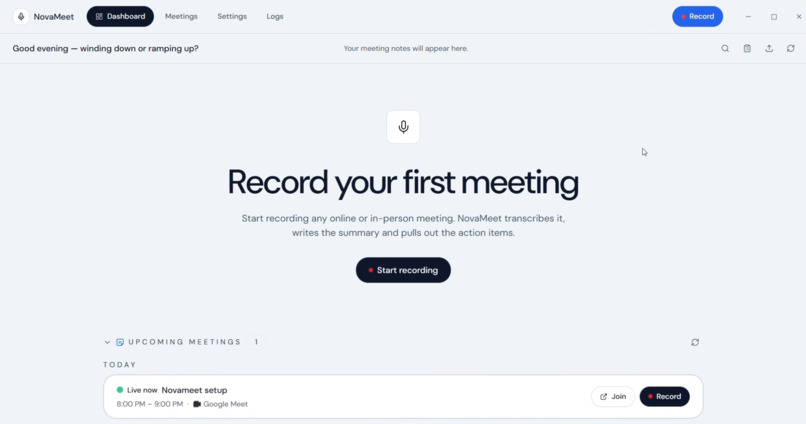
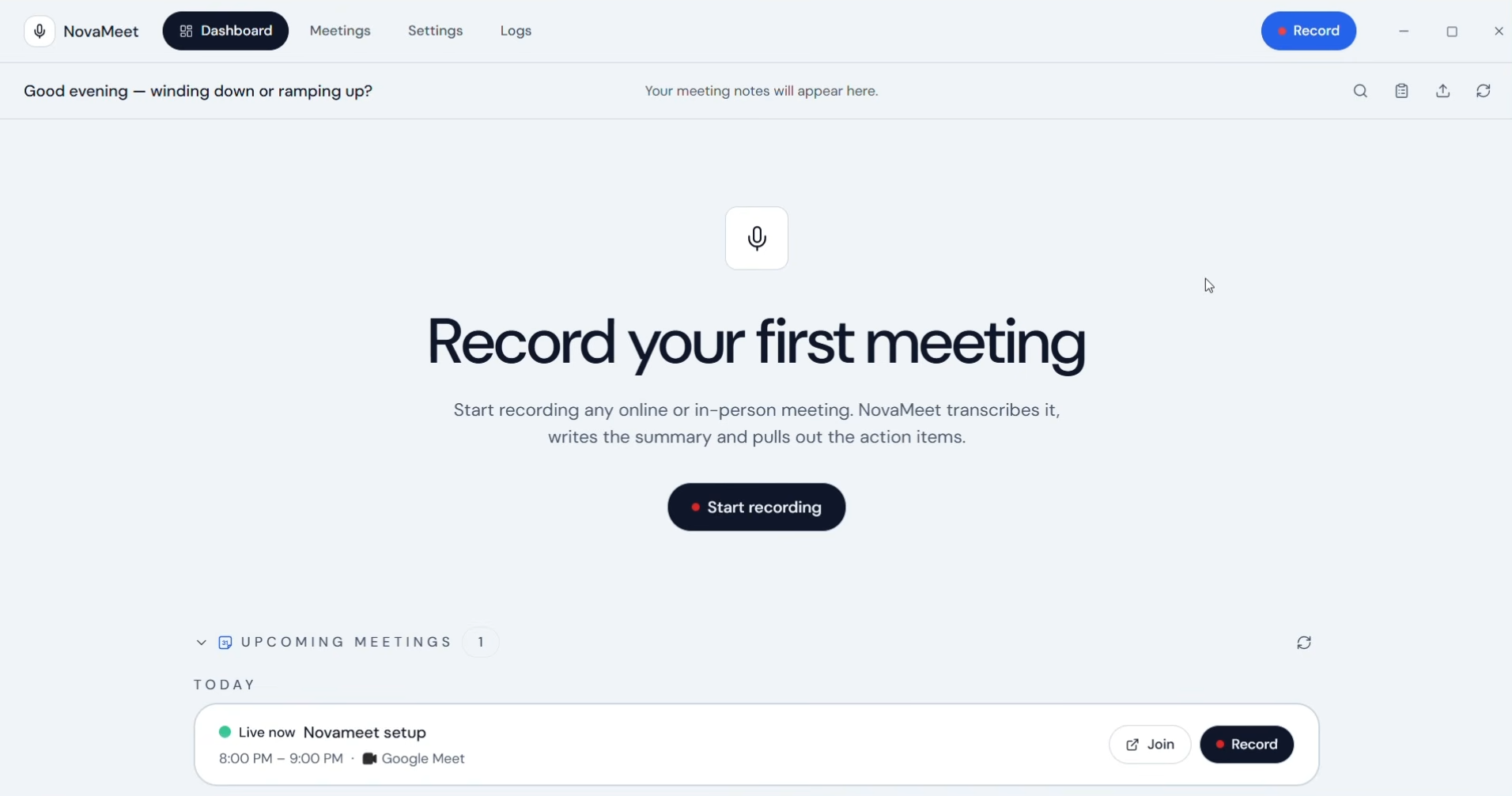
Executive Command Center
-
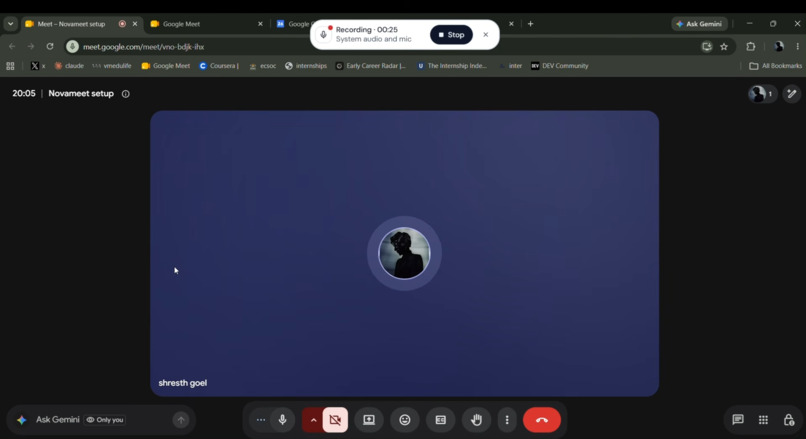
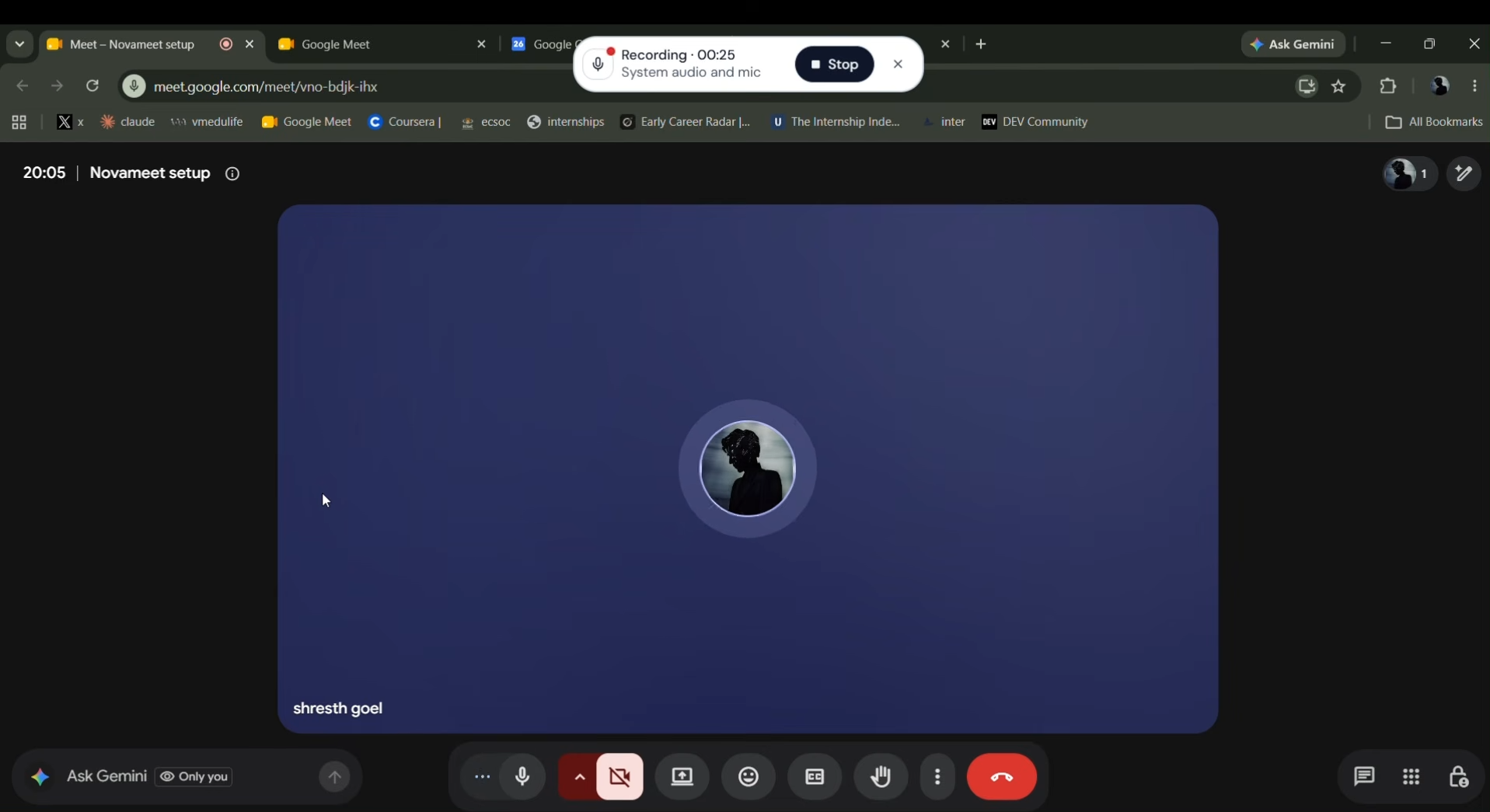
Native Google Meet Overlay
-
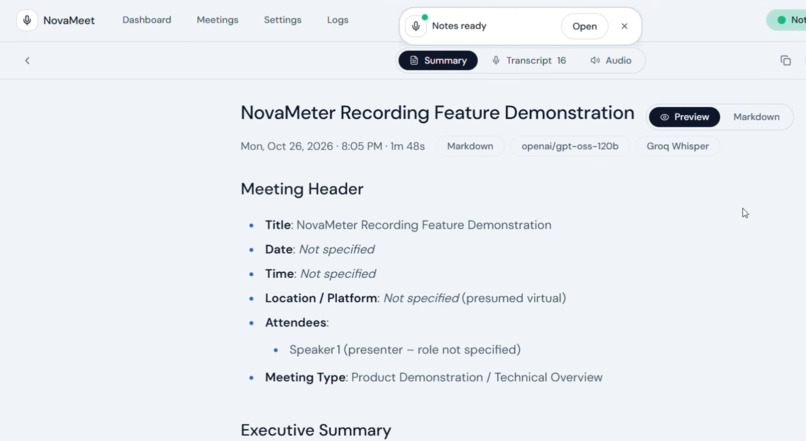
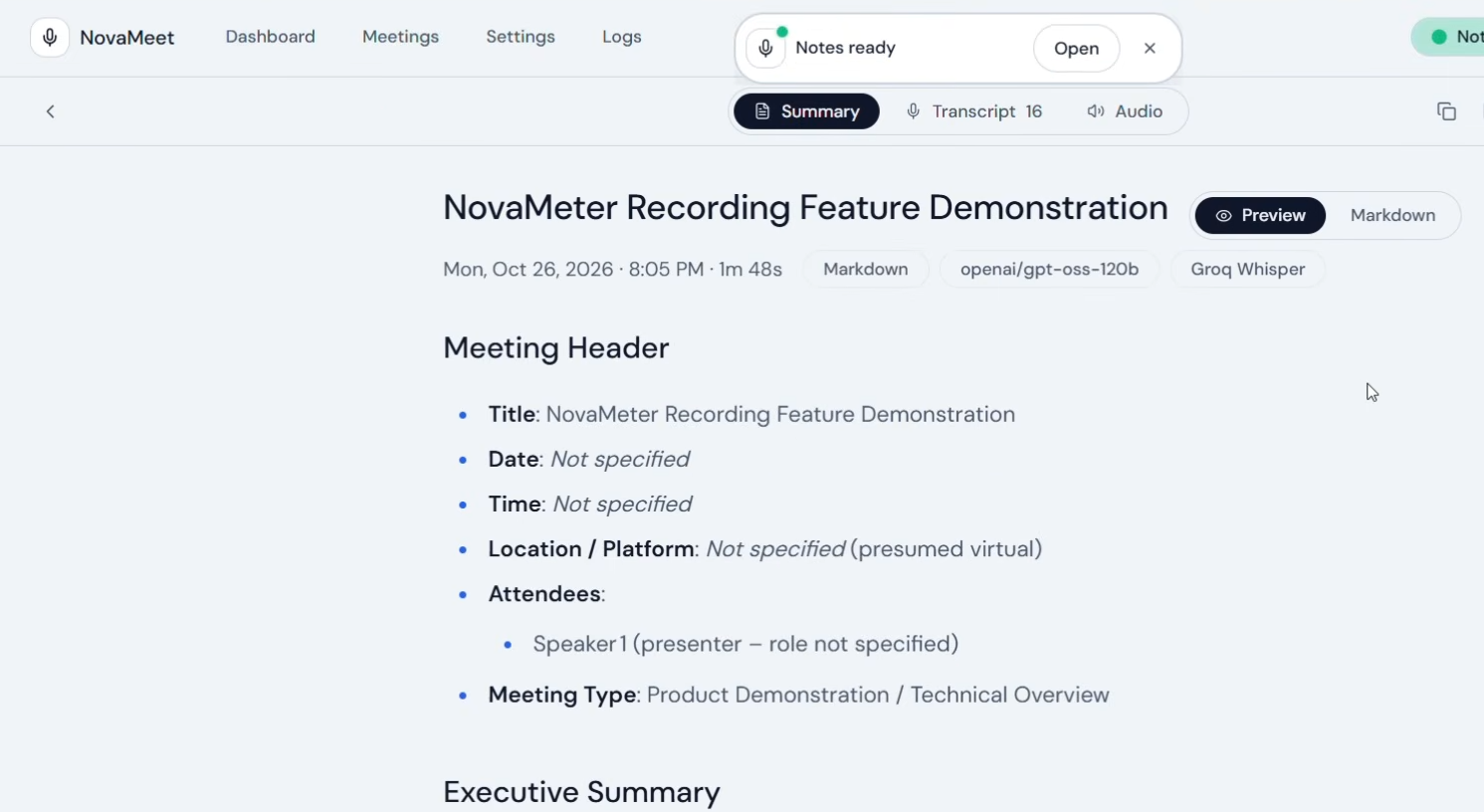
AI-Powered Meeting Minutes
-
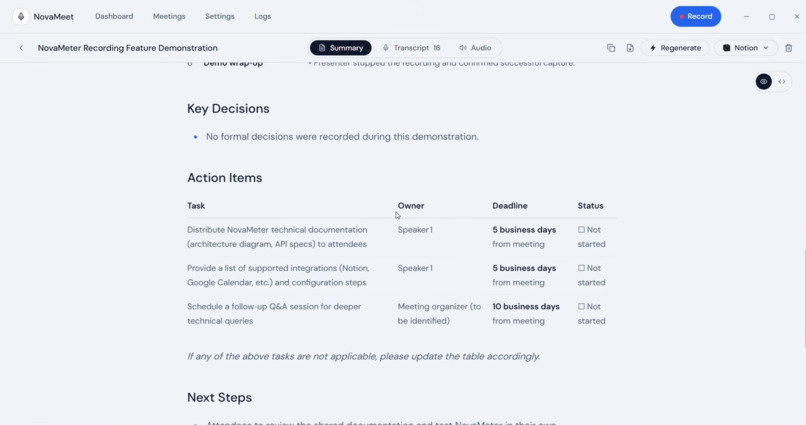
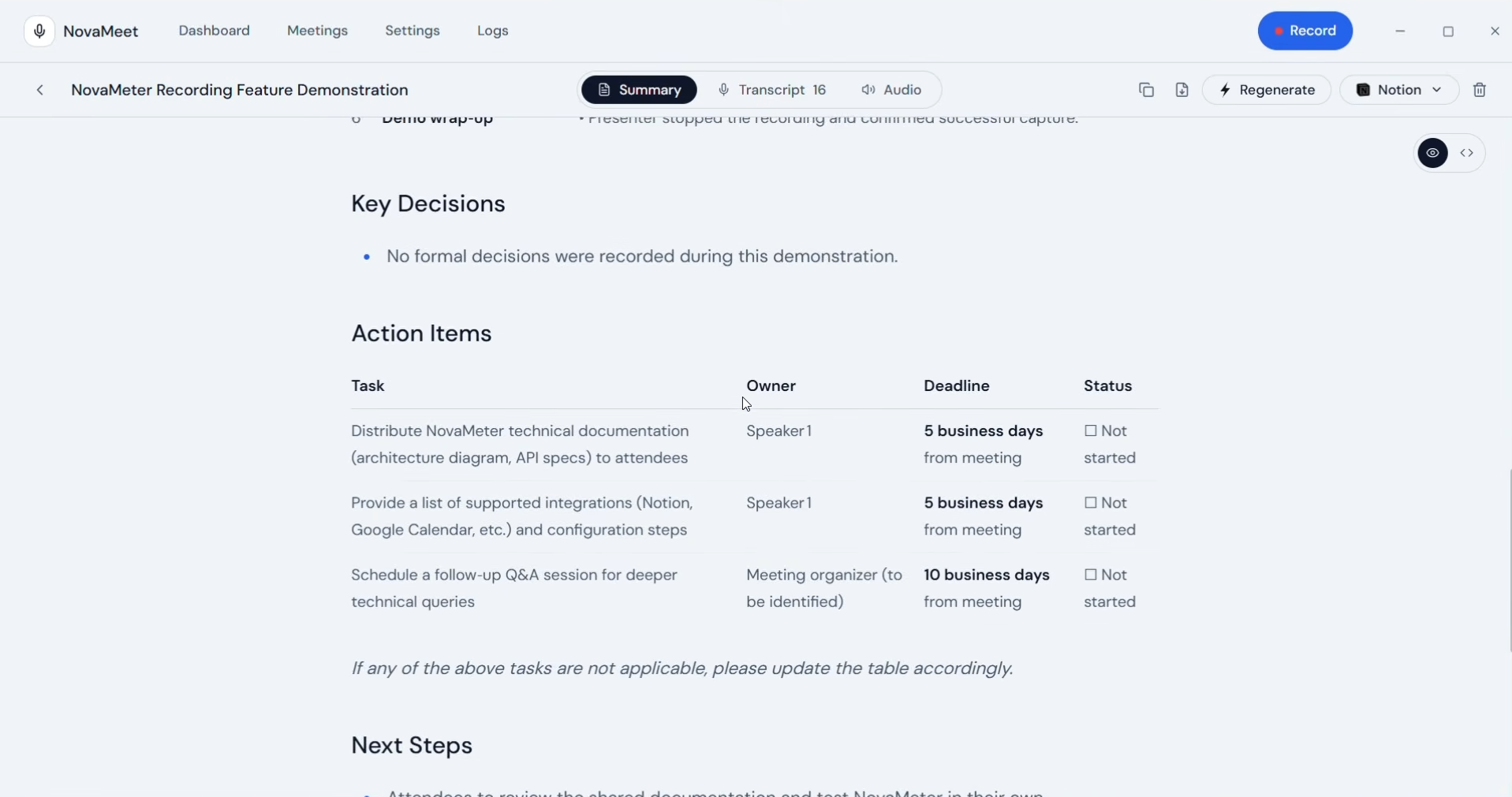
Structured Action Items & Decisions
-
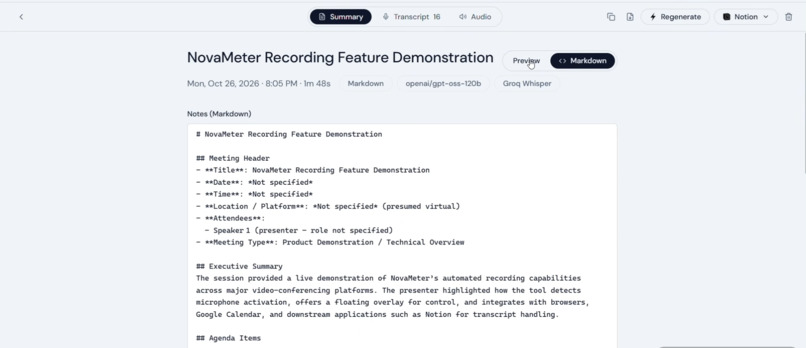
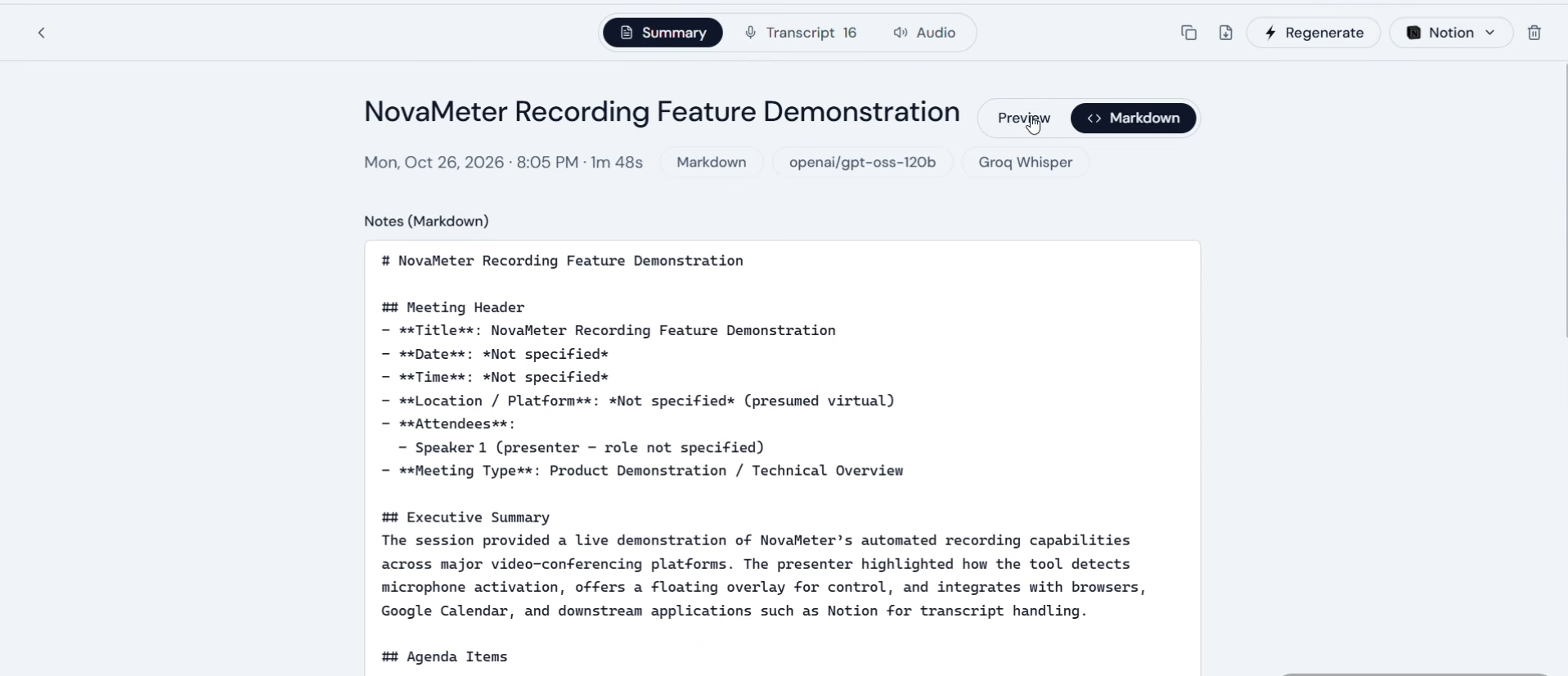
Rich Markdown & JSON Export
-
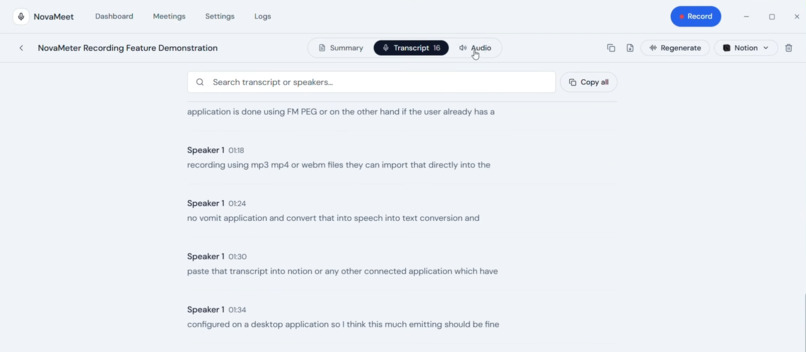
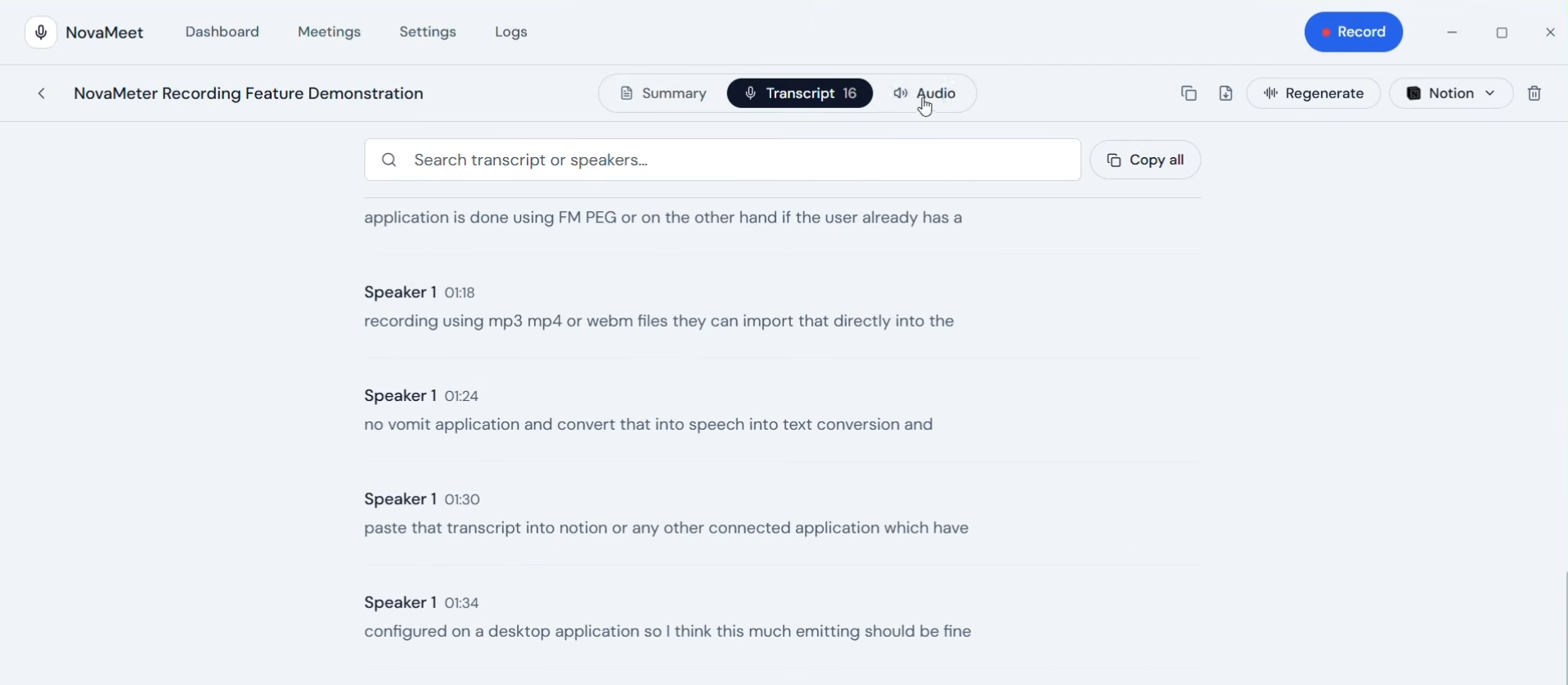
Real-Time Speaker Diarization
-
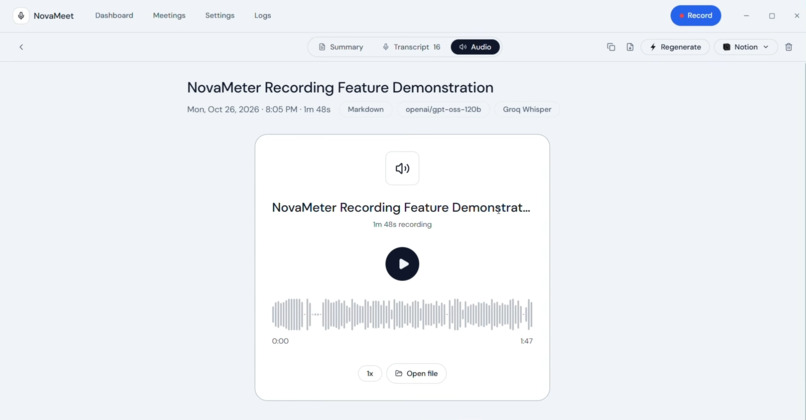
WASAPI & Core Audio Dual-Stream Capture
-
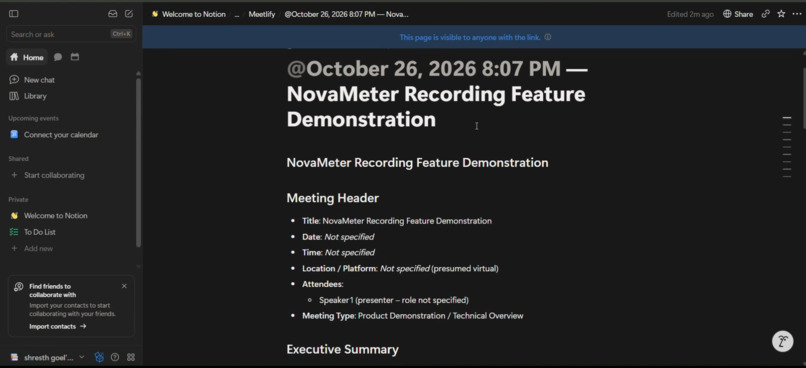
One-Click Notion Block Sync
-
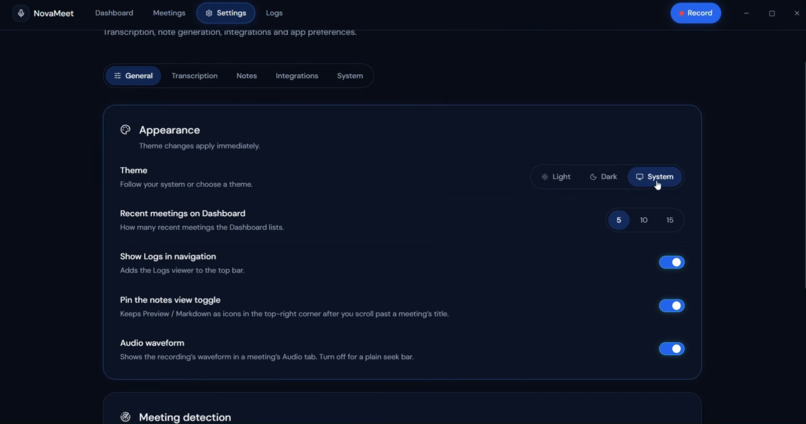
Sleek Obsidian Dark Mode
-
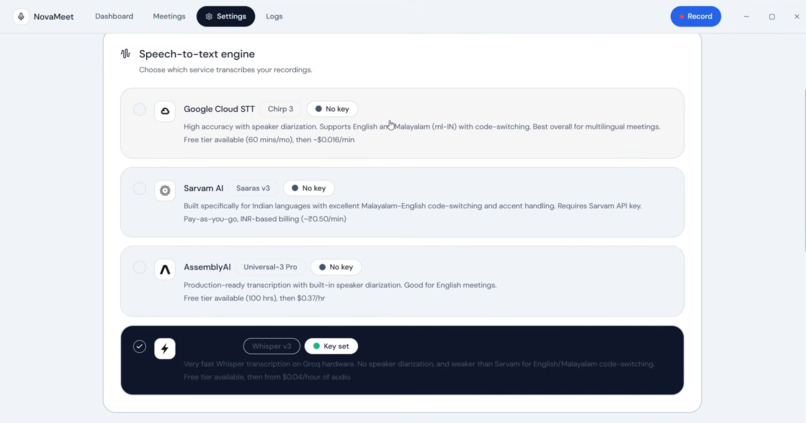
Multi-Engine STT Registry
-
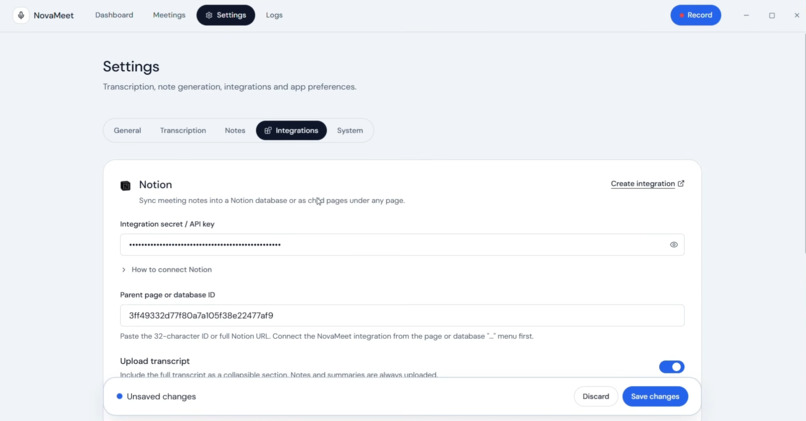
Bring-Your-Own-Key AI Configuration
-
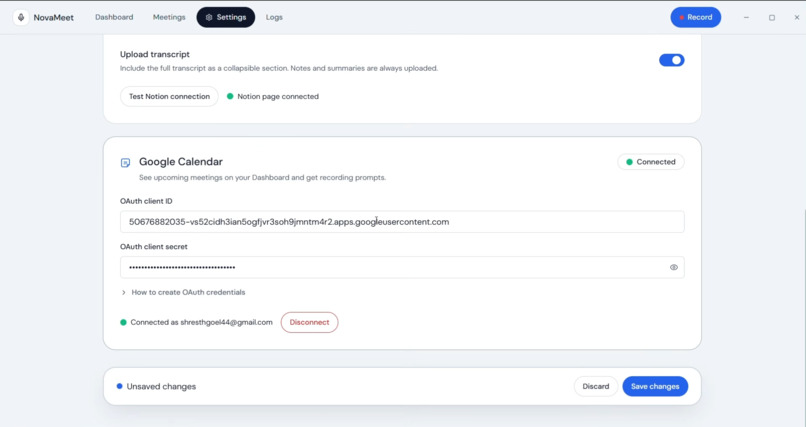
Google Calendar Meeting Sync
-
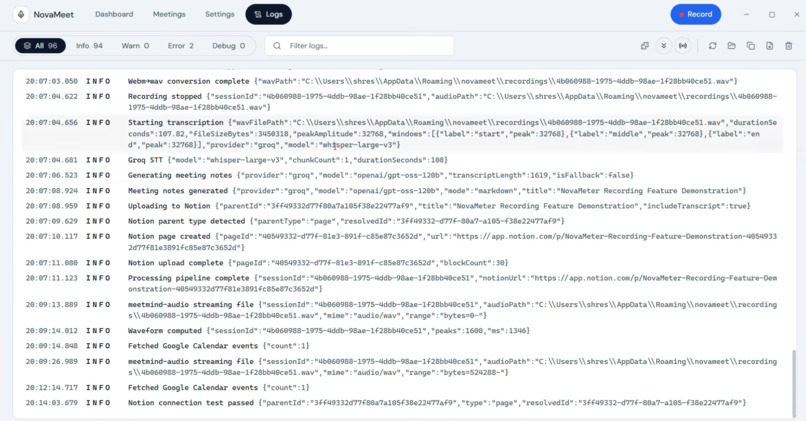
Real-Time Main-Process System Logs
-
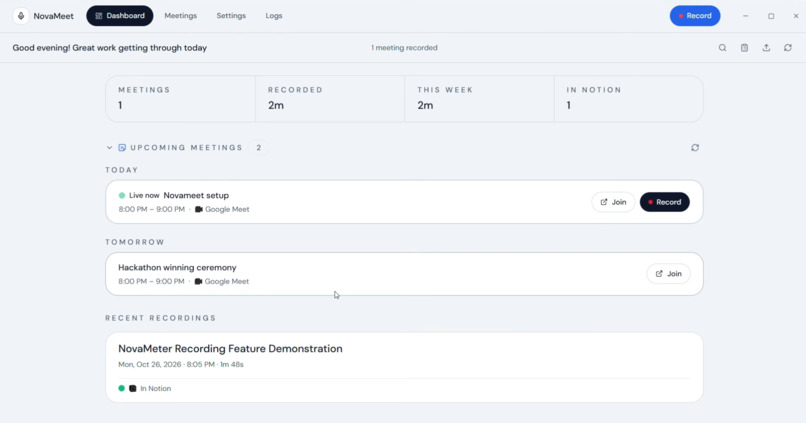
Unified Productivity Workspace
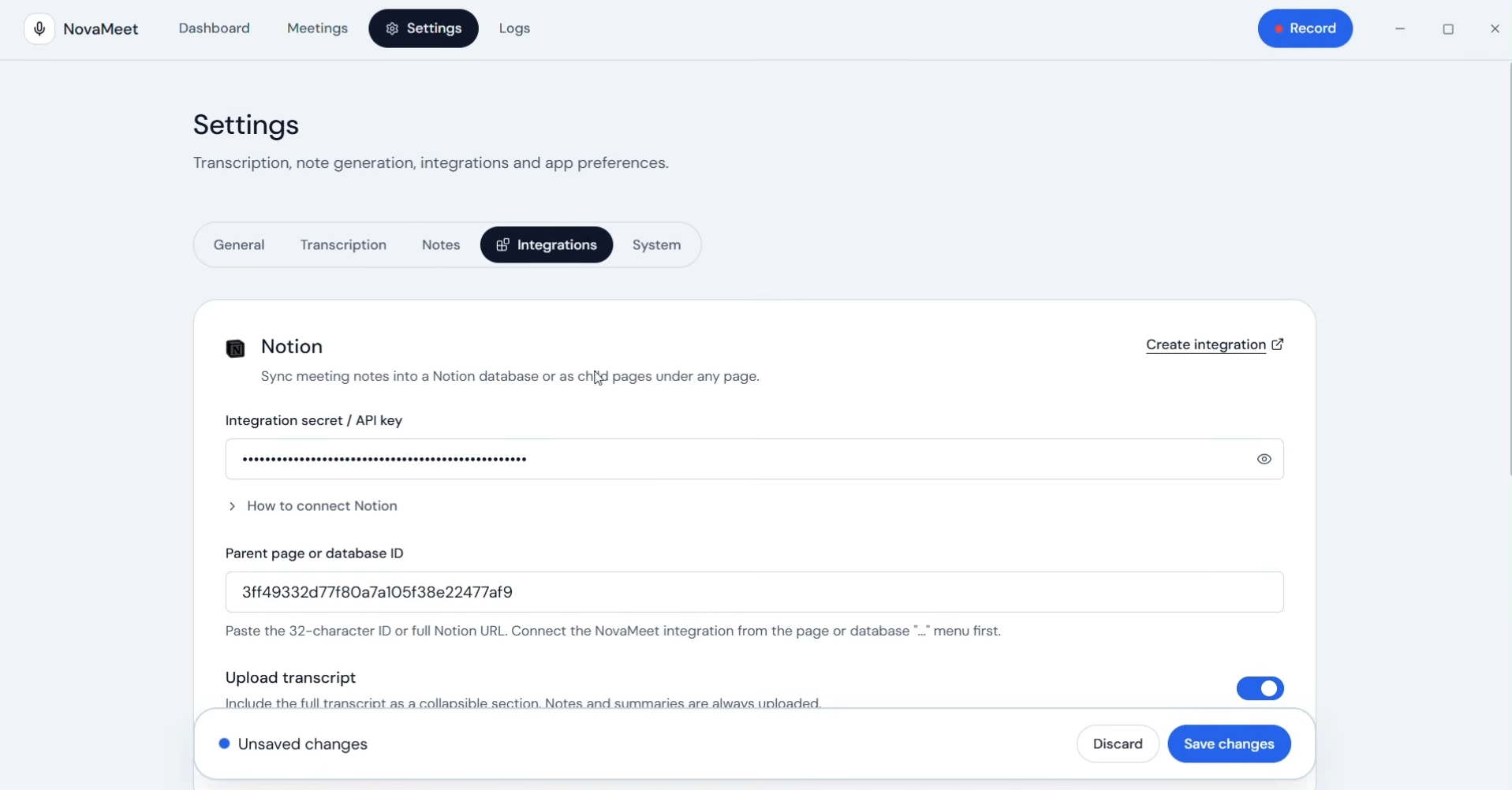
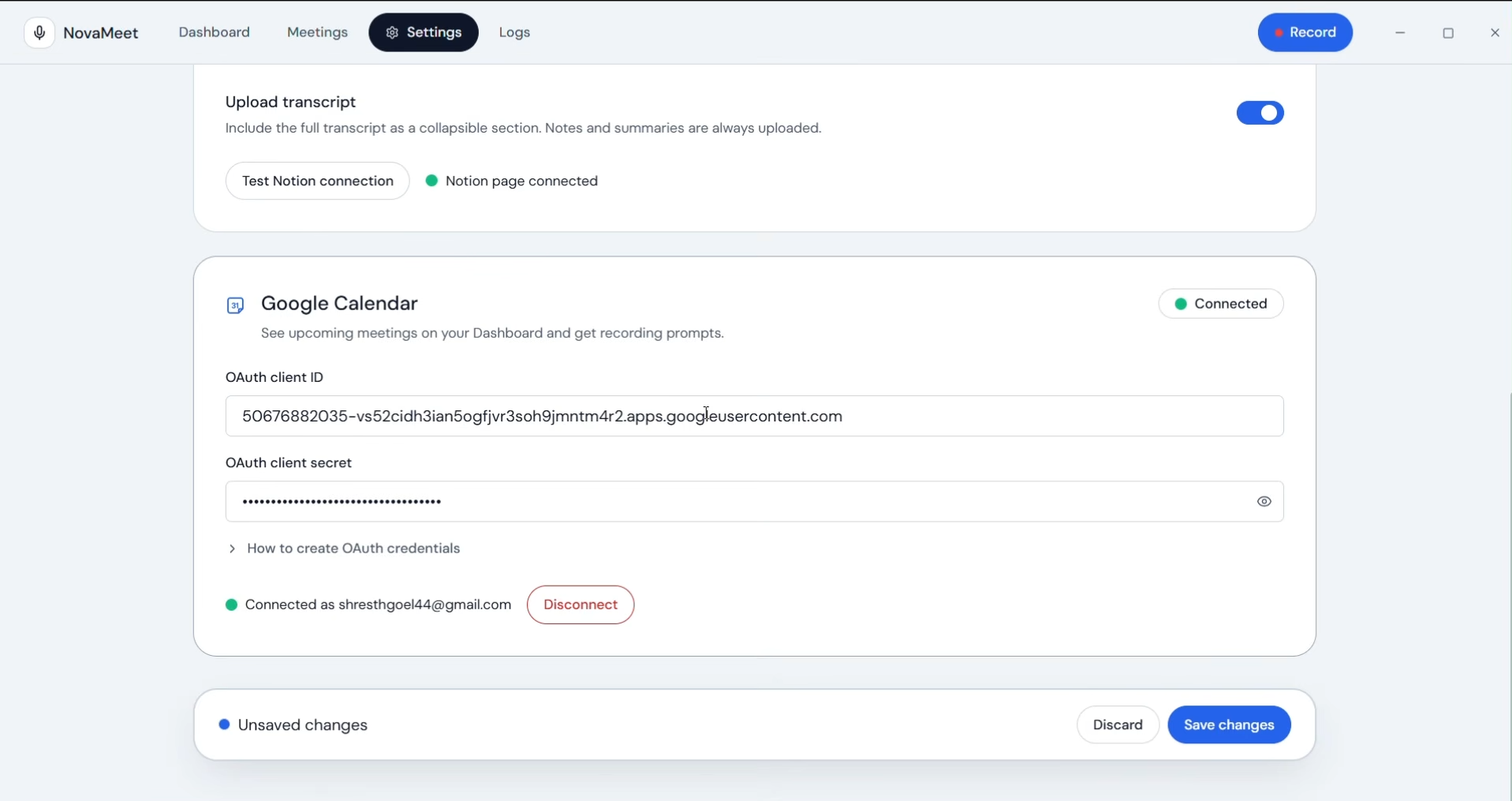
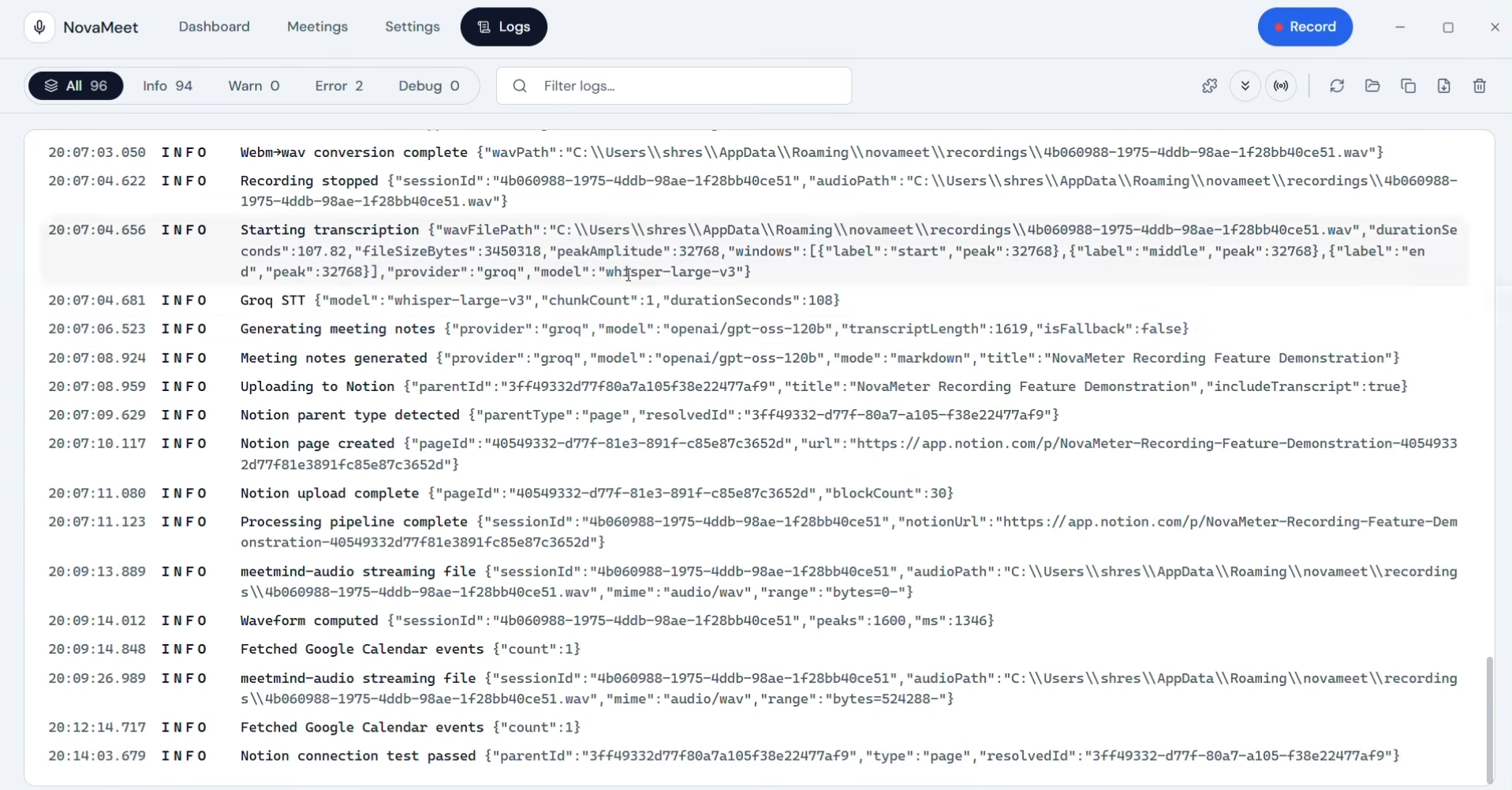
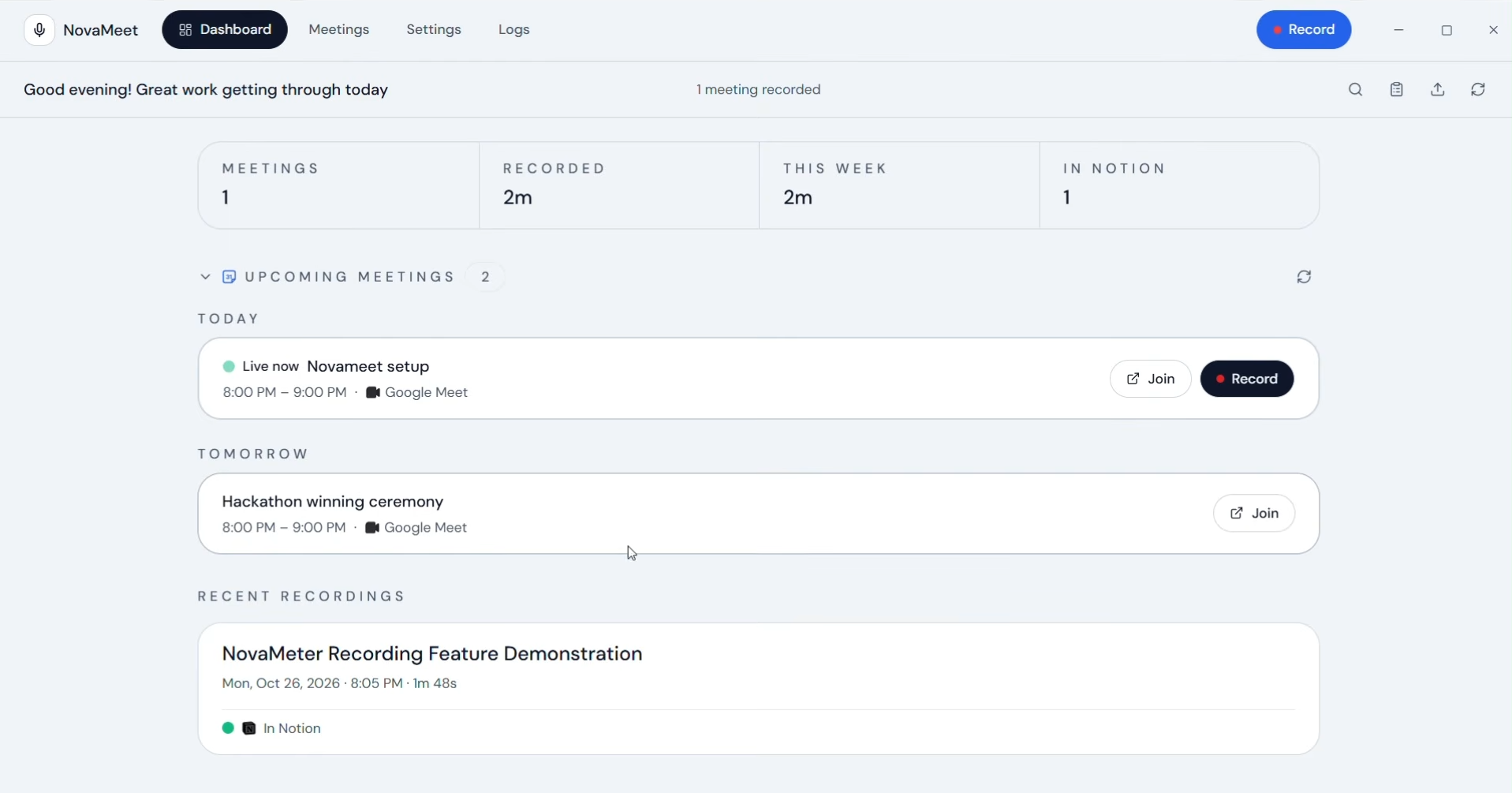
💡 Inspiration
Online meetings are the backbone of remote work and collaboration, yet capturing accurate notes, action items, and decisions remains a major point of friction. Most existing AI meeting assistants—like Otter.ai or Fireflies.ai—require a third-party "recording bot" to join your call as an intrusive participant, force you into expensive monthly SaaS subscriptions, and store your sensitive conversations on proprietary cloud servers.
Furthermore, for global teams that frequently mix English with regional Indic languages (code-switching) within the same sentence, standard transcription models often fail completely.
We built NovaMeet to change that: a free, open-source, local-first desktop AI meeting assistant that captures audio directly on your machine with zero meeting bots, lets you bring your own API keys (leveraging free tiers like Gemini and Groq), and keeps your recordings, transcripts, and notes stored privately in a local SQLite database.
🚀 What it does
NovaMeet turns any online call or audio source into structured, executive-ready meeting minutes:
- Bot-Free Dual Audio Capture: Simultaneously records your computer's system audio (via WASAPI loopback on Windows and Core Audio on macOS) and your microphone, mixed in real time using FFmpeg. Because it captures audio at the OS level, it works seamlessly with Google Meet, Zoom, Microsoft Teams, Slack Huddles, Discord, Webex, or local media files.
- Automatic Meeting Detection & Smart Overlays: On Windows, NovaMeet automatically detects when Google Meet, Zoom, or Teams begins using your microphone and unfolds a slim, non-intrusive floating overlay at the top center of your screen offering one-click recording, a live timer, and processing status. An optional Manifest V3 Chrome Extension also injects a floating record button directly inside Google Meet and Zoom tabs.
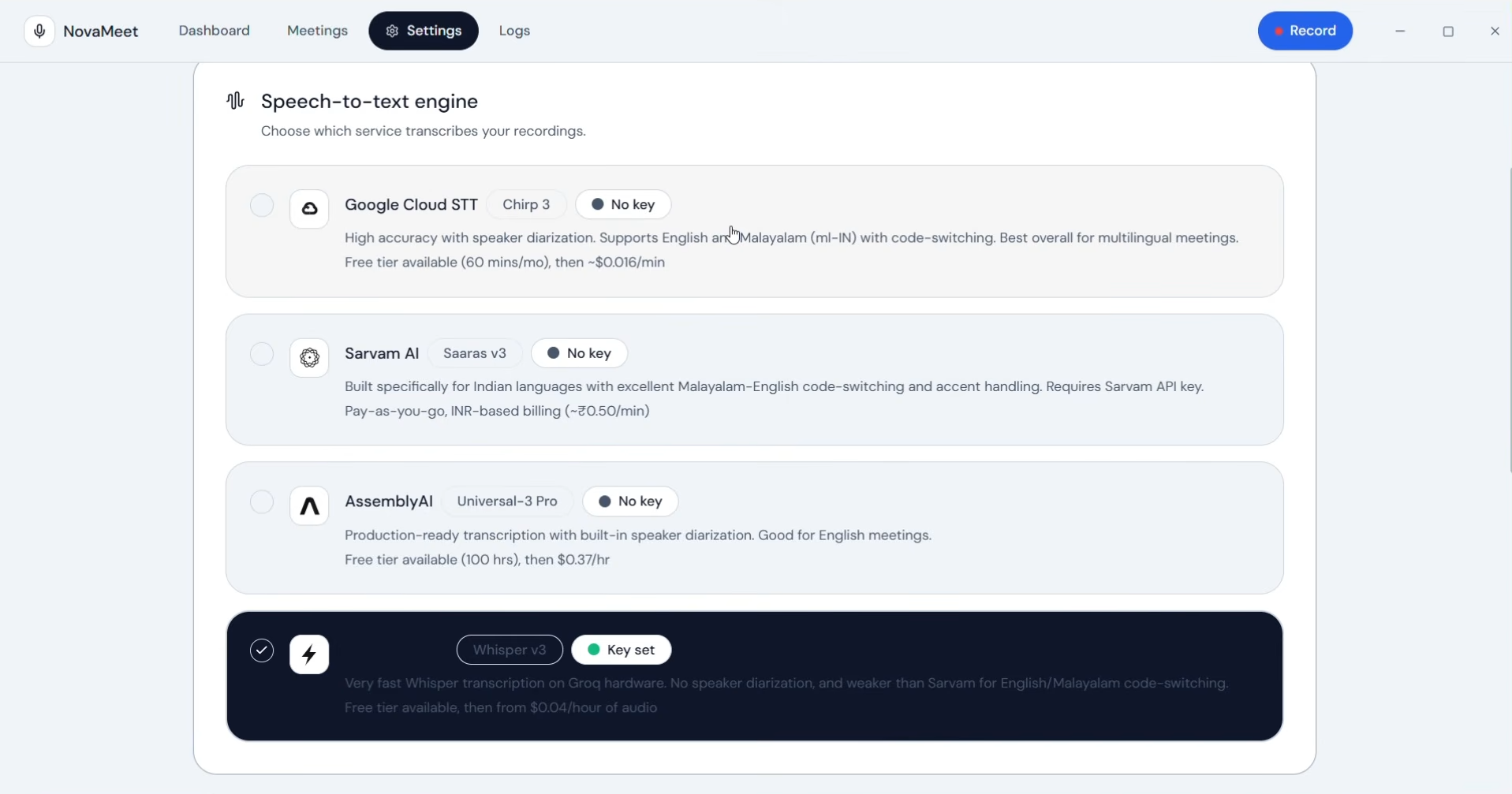
- Multi-Engine Speech-to-Text & Code-Switching: Choose between AssemblyAI, Google Cloud Speech-to-Text (v1 & v2), Sarvam AI (
saaras:v3for high-accuracy English–Indic code-switching), or Groq Whisper, complete with speaker diarization (speaker labels). - Multi-LLM Note Generation with Live Streaming & Fallback: Generate structured meeting minutes using Google Gemini, Groq (Llama 3.3, GPT-OSS), or Anthropic Claude. Watch a real-time streaming preview as notes are written, customize the system prompt, choose between Executive Markdown or Structured JSON formats, and configure an automatic fallback provider/model so rate limits or long transcripts never interrupt your workflow.
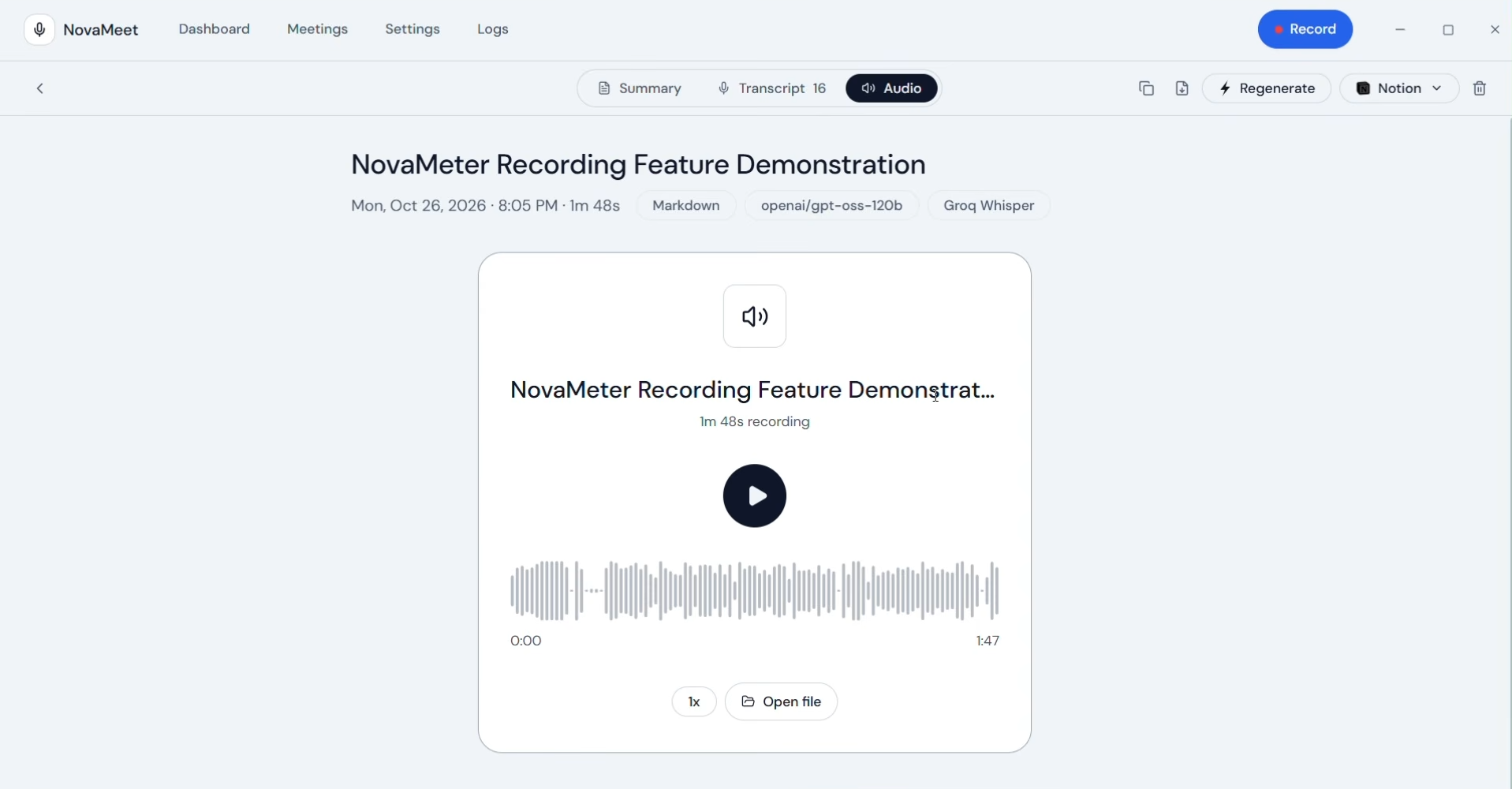
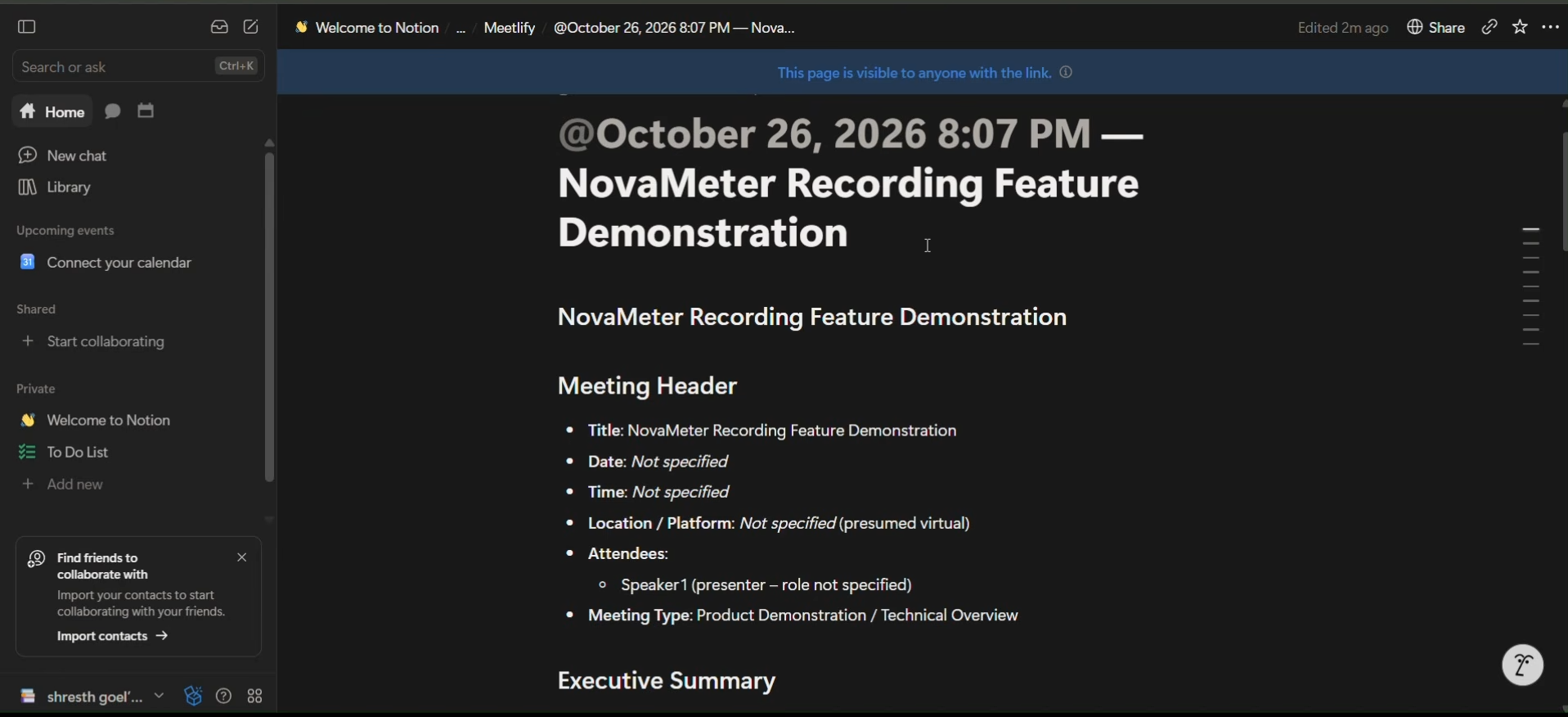
- Seamless Workflows & Local-First Storage: Everything is saved locally in SQLite—meaning if an LLM call fails or you want to re-summarize with a different prompt, NovaMeet reuses the saved transcript without paying for transcription twice. Export notes to dated PDFs, copy as Markdown, or sync directly to Notion as native blocks (headings, tables, to-dos) with smart deduplication.
- Relevance-Ranked Global Search: Search across every meeting title, note, and transcript with typo tolerance, related-word matching, highlighted passages, and speaker filtering.
🛠️ How we built it
NovaMeet is engineered as a modular, cross-platform desktop application:
- Desktop & Core Runtime: Built on Electron 44 and Node.js 22.12+, separating privileged OS-level tasks in the Main Process from a sandboxed Renderer UI via a secure
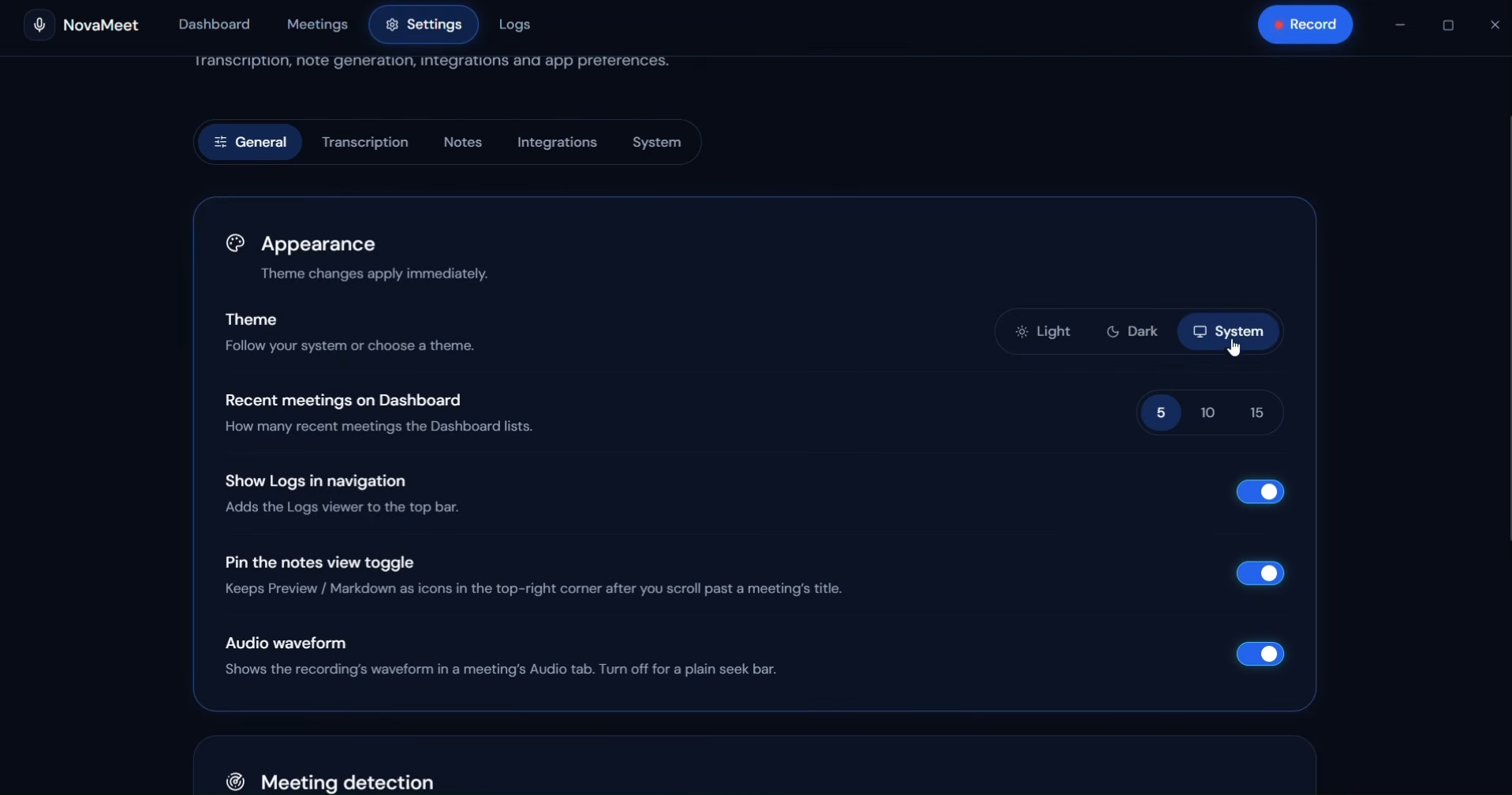
contextBridgepreload layer. - Frontend UI/UX: Built with React 18, Vite 6, and Tailwind CSS 3, featuring a clean, high-density dashboard layout, real-time audio waveform visualizations, keyboard accessibility, and full Light/Dark mode support.
- Audio Pipeline: Uses native OS audio loopback (WASAPI on Windows, Core Audio on macOS 14.2+) paired with a checksum-verified FFmpeg pipeline (
amix/amerge) to merge multi-channel system and microphone streams into clean WAV recordings. - Modular AI Provider Architecture: Every STT and LLM engine is implemented as a self-describing module under a unified registry (
electron/providers/). Adding a new AI provider requires just a single file and one registry line. - Local Storage & Integrations: Uses local SQLite for session persistence, OAuth2 / REST APIs for Google Calendar (upcoming meeting alerts) and Notion (block-level page syncing), and a local WebSocket server (
127.0.0.1) to bridge the desktop app with the Manifest V3 Chrome Extension.
🧠 Challenges we ran into
- Synchronizing Dual Audio Streams Across Platforms: Capturing both sides of a conversation without echo or drift required careful tuning of FFmpeg filter graphs and buffer management across Windows WASAPI loopback and macOS Core Audio APIs.
- Reliable, Non-Intrusive Call Detection: Detecting when a meeting starts and ends on Windows without hooking invasively into third-party applications required monitoring OS microphone session states and window rules, then coordinating state transitions smoothly with an always-on-top transparent Electron overlay window.
- Handling LLM Rate Limits on Long Transcripts: An hour-long meeting produces a massive transcript that can easily hit token-per-minute limits on free-tier APIs. We solved this by building an automatic provider fallback pipeline (e.g., trying Groq first for speed and automatically failing over to Gemini if a context limit is reached) alongside local transcript caching in SQLite so users never lose data or re-transcribe audio.
- Idempotent Notion Syncing: Converting Markdown and JSON meeting schemas into native Notion API blocks (tables, checkboxes, headings) while ensuring that re-syncing updates the existing page rather than creating duplicates.
🏆 Accomplishments that we're proud of
- 100% Bot-Free & Privacy-First: Delivering a meeting assistant that works on any platform playing audio without ever awkward-joining a call as a bot or storing user data on a central cloud server.
- Plug-and-Play Provider Registry: Designing a clean, extensible architecture where any developer can add a new Speech-to-Text or LLM provider in minutes with a single self-contained module.
- Bilingual & Code-Switching Support: Empowering multilingual teams through first-class support for English–Indic code-switching via Sarvam AI alongside global engines like AssemblyAI, Google STT, and Groq.
- Zero-Cost Accessibility: Allowing students, indie hackers, and teams to run a production-grade AI meeting assistant completely for free using Gemini and Groq free-tier API keys.
📚 What we learned
- Deepened our understanding of OS-level audio routing, loopback capture architectures, and real-time FFmpeg stream mixing in Node.js/Electron.
- Learned how to design resilient multi-provider AI pipelines using Server-Sent Events (SSE) for real-time streaming previews and automatic cross-provider fallbacks.
- Mastered inter-process communication patterns across three distinct contexts: Electron Main Process, React Renderer Process, and a Chrome MV3 Extension communicating over local WebSockets.
🔮 What's next for NovaMeet
- macOS Automatic Meeting Detection: Bringing the automatic microphone-activity call detector and floating prompt overlay to macOS alongside Windows.
- 100% Offline Local AI Mode: Adding support for local Whisper.cpp / ONNX speech-to-text and Ollama / local LLMs so users can run the entire transcription and summarization pipeline completely offline without any external API calls.
- Cross-Meeting AI Chat (RAG): Allowing users to chat with their entire local SQLite database of past meetings—asking questions like "What did we decide about the Q3 roadmap last month?" with citations linked to exact transcript timestamps.
- Expanded Workspace Integrations: Adding one-click export and webhook sync for Slack, Linear, Jira, and Obsidian vaults.
Built With
- assemblyai
- chrome
- claude
- electron
- ffmpeg
- gemini
- google-calendar-api
- google-cloud
- groq
- node.js
- notion-api
- react
- sarvam-ai
- sqlite
- tailwindcss
- vite
- websockets

Log in or sign up for Devpost to join the conversation.