-
-
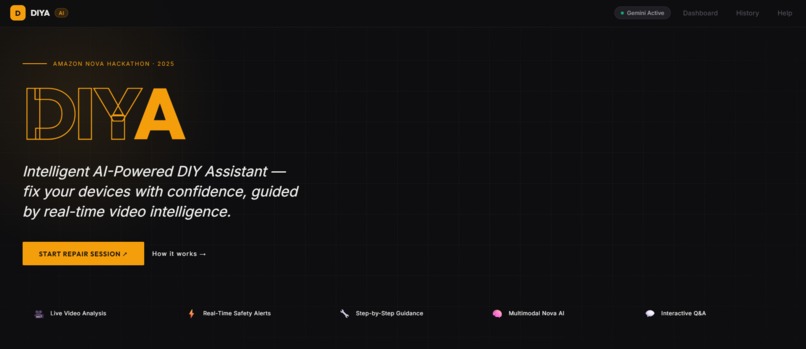
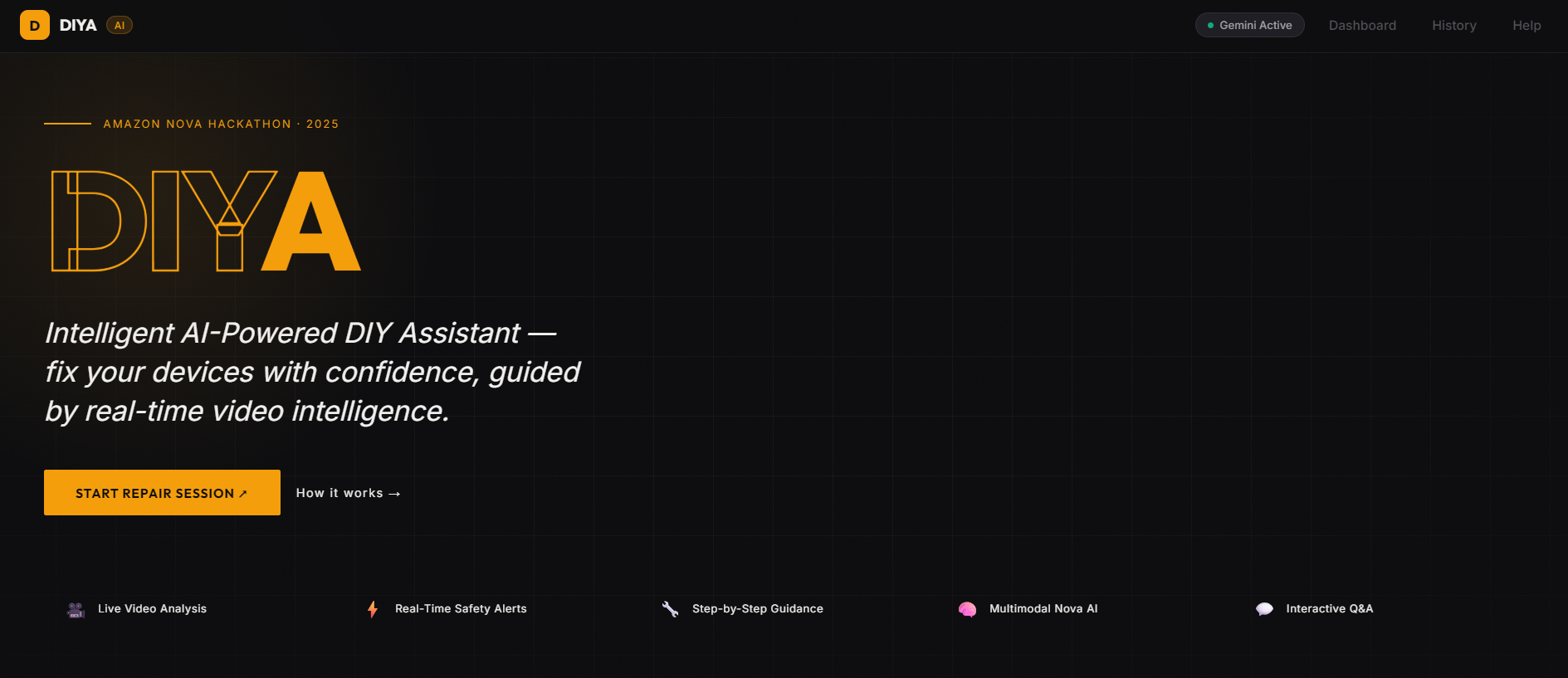
First look of our solution
-
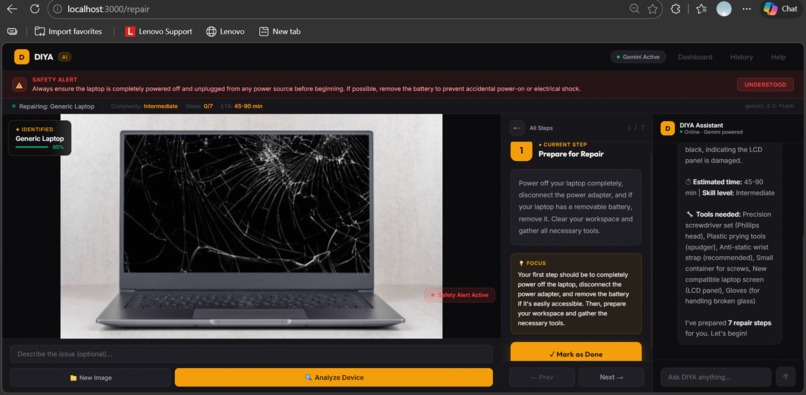
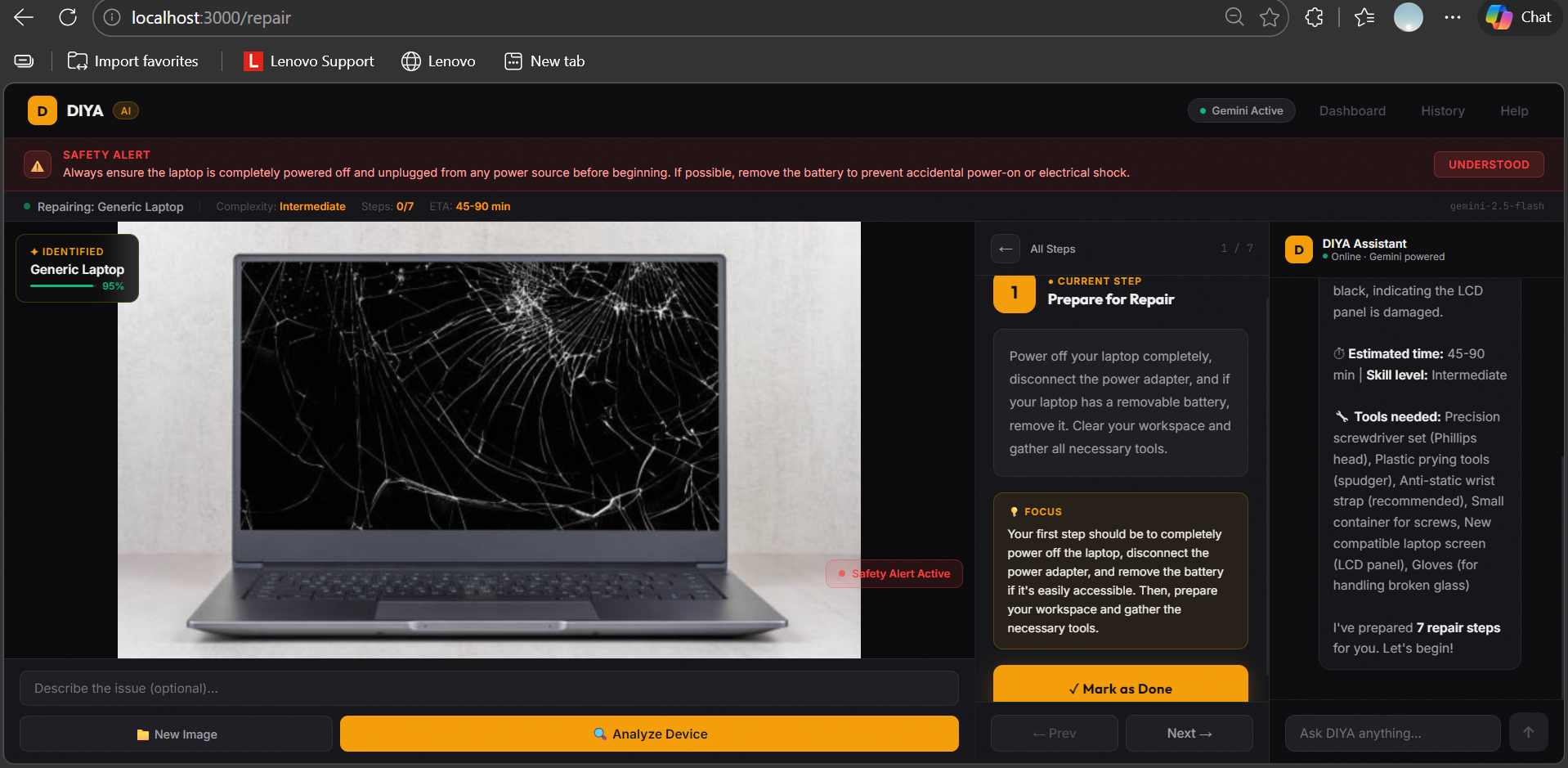
Actual Idea
Inspiration
Every year, millions of people attempt DIY repairs on their devices — and millions fail, not because they lack skill, but because they lack real-time, intelligent guidance. Generic YouTube tutorials don't know what your device looks like. Static repair guides can't warn you about the specific capacitor that's about to discharge.
The Right-to-Repair movement is growing fast, but the tools haven't caught up. We built DIYA to bridge that gap — an AI repair assistant that sees what you see and guides you through every step, live.
What It Does
DIYA (DIY AI Assistant) is a full-stack web application that turns any device repair into a guided, safe, step-by-step experience:
- 📷 Upload a photo of your broken device — DIYA instantly identifies it
- 🧠 AI-powered diagnosis — detects the issue, estimates complexity and repair time
- 🪛 Step-by-step repair plan — detailed instructions tailored to your exact device
- ⚠️ Real-time safety alerts — warns you about exposed capacitors, live wires, thermal risks
- 💬 Live chat assistant — ask DIYA anything mid-repair and get instant answers
- ✅ Progress tracking — mark steps done and DIYA adapts guidance accordingly
How We Built It
Frontend: React 18 + Vite, custom dark industrial UI with zero component libraries — every pixel hand-crafted.
Backend: Node.js + Express with Server-Sent Events for real-time streaming chat, WebSocket for live frame analysis.
AI: Google Gemini API
gemini-2.5-flash— multimodal vision analysis, device identification, repair plan generationgemini-2.0-flash-001— low-latency streaming chat and safety checks
Architecture: User uploads image ↓ Gemini Vision → JSON (device, steps, safety alerts, tools) ↓ React UI renders 3-panel layout: [Image View] [Step-by-Step Guide] [DIYA Chat] ↓ User asks questions → Gemini streams response live
The repair guide is structured as a navigable multi-page experience — each step gets its own full view with description, focus tip, and a "Mark as Done" button that advances the workflow.
Challenges
Structured JSON from vision models — Getting Gemini to consistently return well-formed JSON with all required fields (steps, safety alerts, tools, confidence score) required careful prompt engineering and fallback parsing logic.
Streaming UX — Building smooth Server-Sent Events streaming while keeping the chat UI responsive and the backend stateless was trickier than expected.
Safety-first design — We wanted safety alerts to be impossible to miss without being annoying. Finding the right balance between urgency and usability took several iterations.
One codebase, zero dependencies on paid tiers — We built everything to work on Gemini's free tier so any developer can clone and run DIYA instantly.
Accomplishments
- ✅ Single-inference multimodal analysis — one API call identifies device, generates full repair plan, lists tools, and flags hazards simultaneously
- ✅ Sub-2 second device identification from photo upload to rendered repair plan
- ✅ Navigable step-by-step UI — each step has its own page with Prev/Next navigation
- ✅ Real-time streaming chat with full repair context awareness
- ✅ Tiered safety system:
critical|warning|infoalerts with visual hierarchy
What We Learned
- Gemini's multimodal capabilities are remarkably strong for technical object identification
- Prompt engineering for structured outputs is as much an art as a science — specificity in the JSON schema prompt dramatically improved output quality
- Streaming APIs require careful state management on the frontend to avoid race conditions
- Good UX for step-by-step workflows means getting out of the way — one step at a time beats showing everything at once
What's Next
- v1.1 — Live webcam streaming for real-time repair monitoring
- v1.2 — Voice guidance via text-to-speech (hands-free mode)
- v2.0 — Parts identifier and buy-links integration
- v2.5 — B2B mode for professional repair technicians
- v3.0 — Multi-language support, AR overlay guidance
Thank you
Built With
- api
- express.js
- gemini
- gemini-2.5-flash
- html/css
- javascript
- node.js
- react
- server-sent
- vite
- websocket


Log in or sign up for Devpost to join the conversation.