-
-
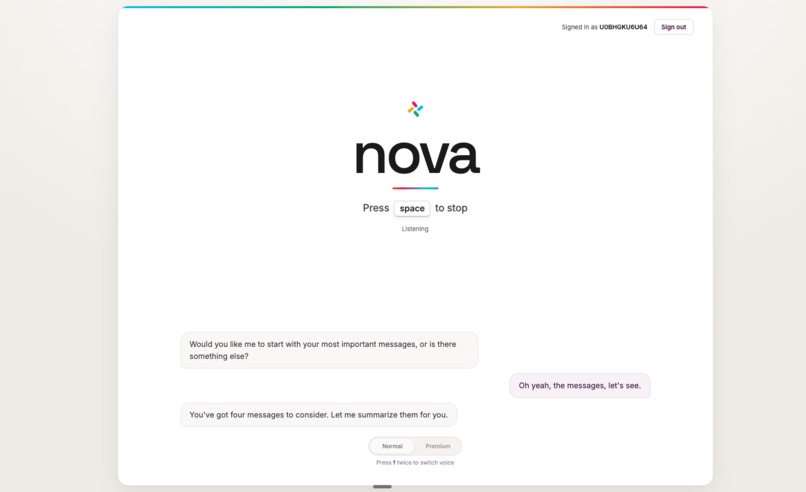
Main Page
-
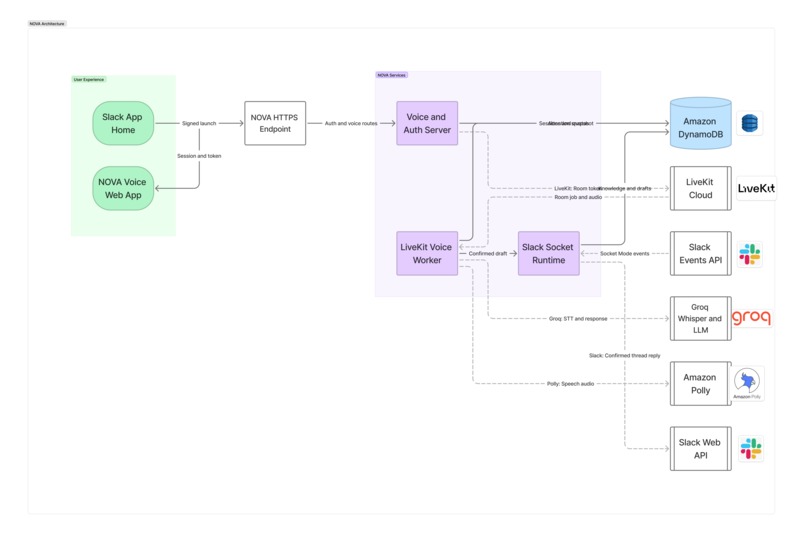
System Diagram
-
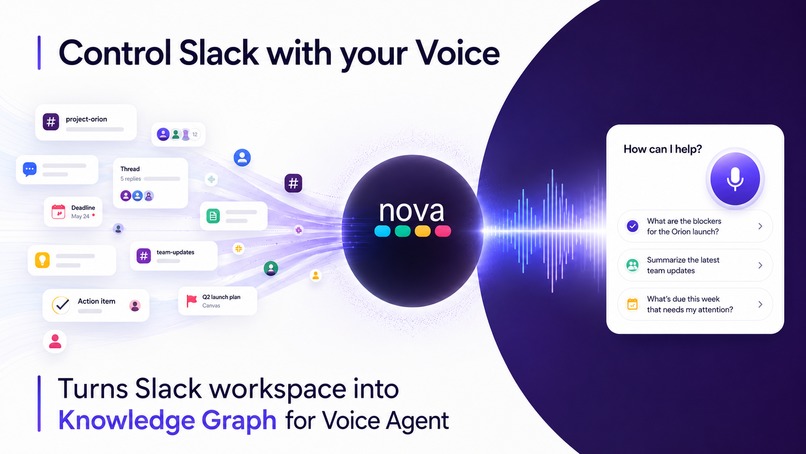
Visual
About the Project
Inspiration
Slack is built for speed. Messages, threads, mentions, deadlines, decisions, and incidents can appear across many channels at once.
For someone using a screen reader, that same richness can become friction. Slack may be technically accessible, but understanding what matters can still require moving through conversations one message at a time, rebuilding context manually, and searching for the exact place to respond.
I built NOVA - Navigation-Oriented Voice Agent to close that gap.
NOVA is designed to make Slack feel as immediate through voice as it does visually: understand what changed, identify what deserves attention, ask follow-up questions, and act without manually traversing the workspace.
What It Does
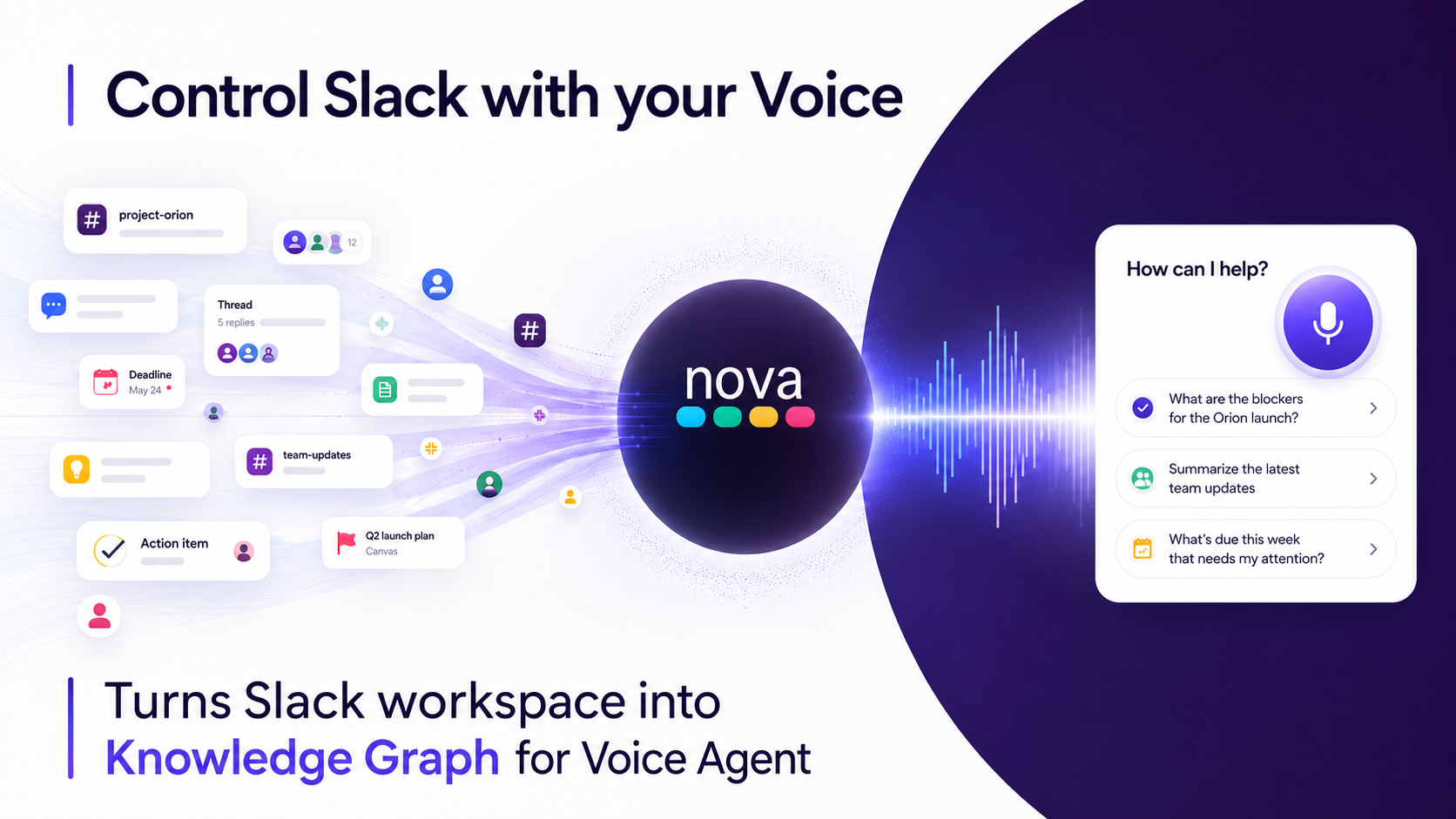
NOVA turns Slack activity into a continuously updated knowledge graph that powers an AI voice agent.
Instead of treating every message as an isolated notification, NOVA connects:
- People and organizational relationships
- Channels and threads
- Requests and assignments
- Deadlines and schedule changes
- Decisions and unresolved questions
- Incidents, blockers, and resolutions
- Previous context and new updates
A user can ask:
- “What needs my attention?”
- “Why is that first?”
- “Who sent it?”
- “What did my manager ask for?”
- “When is it due?”
- “What changed since my last briefing?”
- “Read the supporting thread.”
- “Reply that I’ll investigate it before noon.”
NOVA does not simply read Slack aloud or summarize the newest messages. It builds a user-specific view of the workspace and ranks information using urgency, relationships, deadlines, project importance, unresolved work, and whether an item has already been heard, handled, or resolved.
Hierarchy matters, but it does not control the ranking. A critical production incident reported by an intern can appear before routine communication from an executive.
Every answer remains grounded in real Slack context, including the sender, channel, timestamp, thread, source message, and known relationship to the user.
NOVA also allows users to act through voice. It can prepare a reply, identify the exact destination, read the full draft back, and wait for explicit confirmation before sending it once to the correct Slack thread.
Two delivery modes are supported:
- Privacy-aware mode: NOVA posts transparently as an agent acting on the user’s behalf.
- Direct mode: When explicitly authorized, NOVA can post as the connected user.
How I Built It
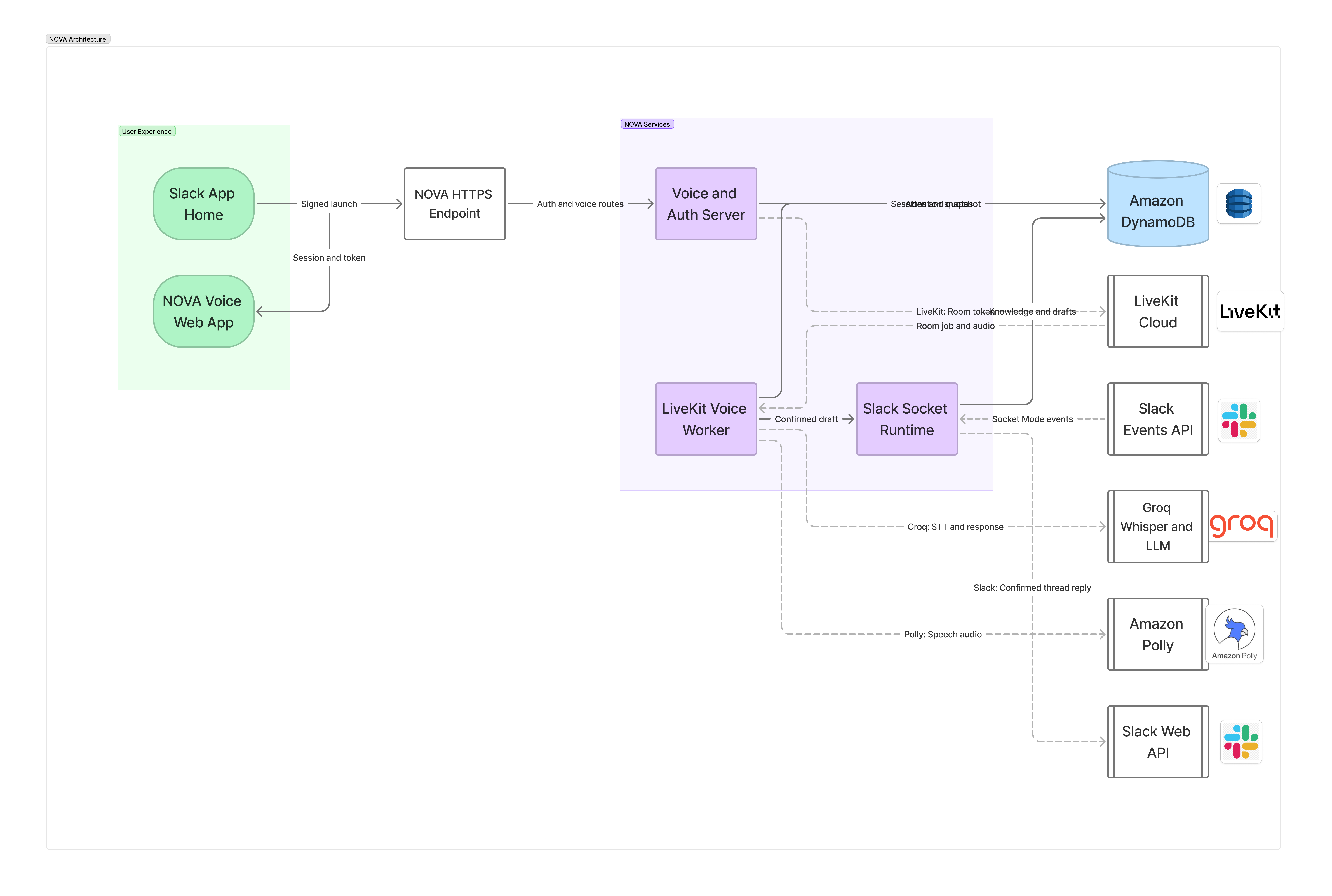
I designed NOVA around three coordinated layers: background knowledge preparation, real-time voice interaction, and deterministic action safety.
Background Knowledge Preparation
Slack events are received through Socket Mode, acknowledged quickly, normalized, deduplicated, and processed asynchronously.
NOVA converts new activity into structured knowledge:
- Requests
- Deadlines
- Decisions
- Blockers
- Assignments
- Unresolved questions
- Thread summaries
- Resolution state
- Exact source references
Older context is compacted into structured summaries, while recent messages remain available in full. This prevents the agent from repeatedly loading entire conversations while still preserving enough context to understand what new messages mean.
Compact persistent state is stored in Amazon DynamoDB, including:
- User preferences
- Confirmed relationships
- Conversation summaries
- Processing cursors
- Attention snapshots
- Heard and handled items
- Active sessions
- Pending reply drafts
NOVA prepares user-specific attention snapshots before the user starts speaking. This means the first response can begin from an already organized view of the workspace instead of rebuilding everything after each question.
Real-Time Voice Interaction
LiveKit manages the real-time voice session, including room state and interruption behavior.
Groq Whisper transcribes speech, and a Groq-hosted language model reasons over NOVA’s prepared Slack context. Amazon Polly provides fast speech synthesis, with ElevenLabs available as a premium voice option.
Follow-up questions reuse the active session state.
For example, after asking “What needs my attention?”, the user can continue with:
- “Why is that first?”
- “Who asked me?”
- “Is it resolved?”
- “Read the thread.”
- “Reply to them.”
NOVA keeps track of the active item and only retrieves deeper or newer Slack context when the existing session does not contain enough information.
This makes the interaction feel like one continuous conversation rather than a sequence of disconnected searches.
Deterministic Action Safety
The language model can suggest wording, but it cannot independently choose arbitrary Slack destinations or post messages.
Every consequential action passes through a deterministic authorization flow:
User request
→ Proposed draft
→ Destination validation
→ Spoken and visual review
→ Explicit confirmation
→ Slack API action
Before sending, NOVA validates:
- The authenticated user
- The target channel
- The parent thread
- The intended recipient
- The exact draft text
- The draft expiration time
- Whether the action was already completed
Cancelled drafts post nothing. Expired drafts cannot be sent. Repeated confirmations cannot create duplicate replies.
Slack message content is also treated as untrusted data rather than agent instructions.
Challenges I Ran Into
The hardest part was not generating summaries. It was making a voice agent fast, grounded, and trustworthy enough for real workplace communication.
I had to solve:
- Correctly attributing messages to people, channels, and threads
- Maintaining context across long and changing conversations
- Compacting older information without losing important meaning
- Detecting when an incident or blocker had later been resolved
- Ranking urgency without blindly following organizational hierarchy
- Preserving the active item after voice interruption
- Preventing duplicate Slack events from creating duplicate state
- Keeping follow-up questions grounded in the current session
- Preventing vague speech from being interpreted as confirmation
- Binding reply drafts to the correct destination
- Ensuring confirmed replies post exactly once
- Supporting both agent-authored and directly authorized user messages
- Keeping keyboard and typed alternatives available for every voice interaction
- Balancing response speed with source verification
I also had to make several systems feel like one product: Slack events, persistent memory, voice transport, transcription, reasoning, speech synthesis, and confirmed actions.
The final interaction needed to feel simple even though the work underneath was not.
Accomplishments I Am Proud Of
-Smoothness of voice agent, it feels truly user-friendly
- Built a continuously updated Slack knowledge layer rather than a one-time summarizer
- Created background knowledge preparation so NOVA can respond from prepared context
- Designed a prioritization system where urgency can override organizational hierarchy
- Preserved exact sender, channel, thread, timestamp, and source references
- Added persistent attention memory so handled items are not repeatedly presented as new
- Implemented summary-plus-recent-message context management
- Built a smooth real-time voice experience with interruption support
- Preserved the active Slack item across follow-up questions
- Added safe voice-controlled reply drafting and confirmation
- Supported both privacy-aware bot delivery and explicitly authorized direct delivery
- Made reply actions destination-bound, expiring, and idempotent
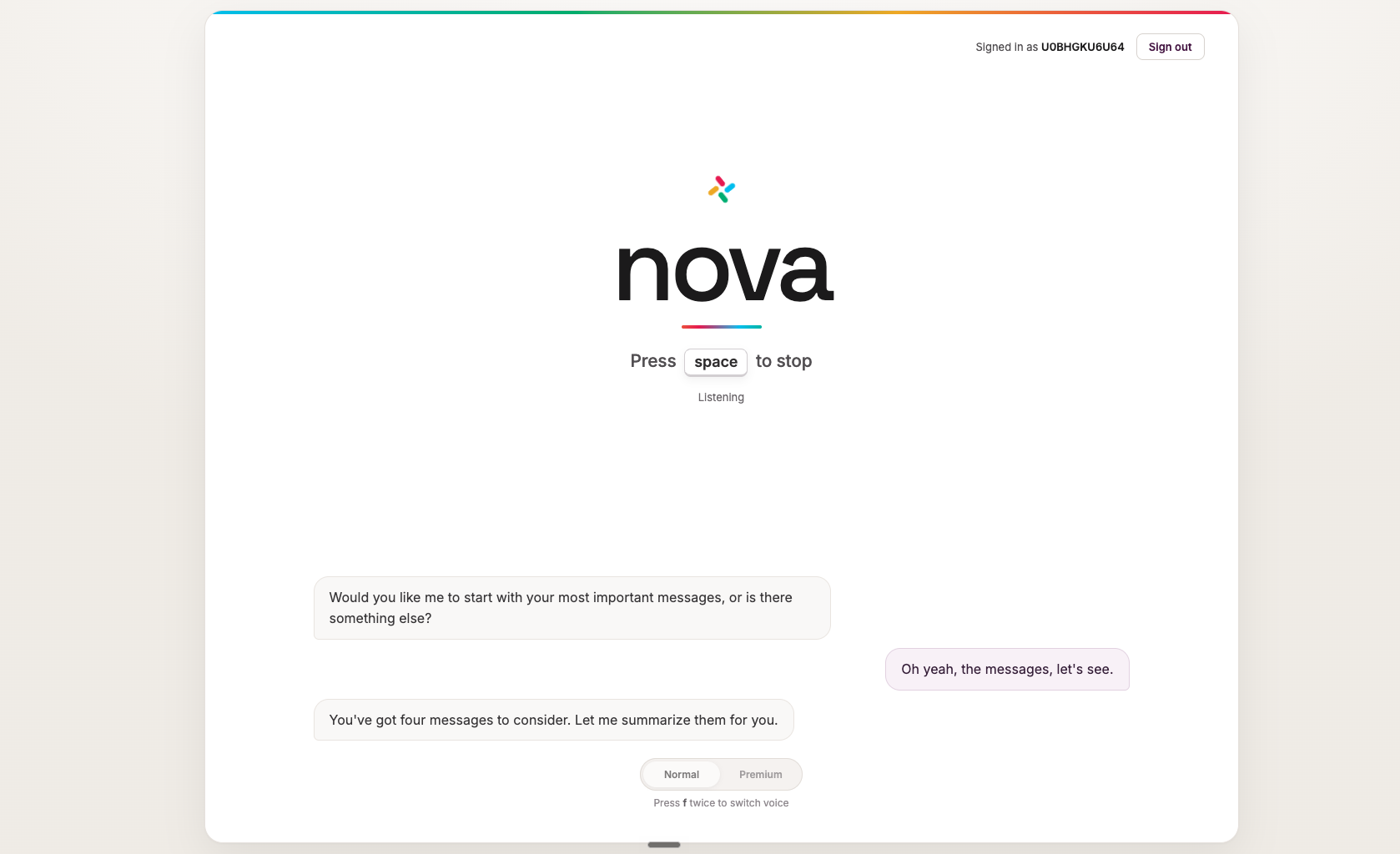
- Built an accessible interface with keyboard controls, live transcription, typed fallback, status announcements, and screen-reader-friendly interaction
- Created a website-first voice experience that remains connected to Slack without requiring the Slack client to stay open -It works with both laptop and mobile.
What I Learned
A useful workplace agent needs more than an LLM, a search endpoint, and text-to-speech.
It needs whole architecture:
- Prepared context
- Persistent memory
- Source attribution
- User-specific relevance
- Structured uncertainty
- Freshness boundaries
- Safe action controls
- Interruption-aware session state
- Reliable failure behavior
- Clear permission boundaries
I also learned that accessibility is not achieved by reading an existing interface aloud.
The workflow itself has to change.
Instead of forcing users to process Slack chronologically, NOVA reorganizes the workspace around meaning:
- What is urgent?
- What requires action?
- What changed?
- What has already been resolved?
- What can safely wait?
The best voice interaction feels simple because retrieval, compression, ranking, grounding, memory, and authorization happen before the user has to think about them.
What Is Next
I think the biggest upgrade can be if the NOVA can be inbuilt within this Slack, like it can open as soon as a user opens the app. I think it would make that experience so much better and faster, but that requires integration on the Slack side. Other than that, these are some extra features I think can be meaningfully improve it:
- User-configurable people, project, and channel priorities
- Broader testing with blind and low-vision Slack users
- Multilingual transcription, reasoning, and speech
- Richer descriptions for images, files, and visual Slack content
- Organization-managed privacy, retention, and audit controls
- Additional confirmed Slack actions
- Team-level policy configuration for direct and privacy-aware delivery
- More detailed user control over briefing depth and speaking style
- Cross-tool actions through approved enterprise integrations
- Improved handling of meetings, documents, and external project systems
NOVA is designed primarily for blind and low-vision professionals, but the same model can also help people with ADHD, dyslexia, cognitive fatigue, temporary visual impairments, or anyone returning to a high-volume workspace after time away.
Built With
- ai
- amazon-web-services
- audio
- cli
- css
- dynamodb
- elevenlabs
- express.js
- groq
- html
- livekit
- node.js
- oauth
- slack
- typescript
- whisper

Log in or sign up for Devpost to join the conversation.