Inspiration
Every computer today makes you adapt to it. You learn folder structures, keyboard shortcuts, which app opens which file. It has no memory of your habits, no idea what you were just doing, and every AI assistant that tries to fix this is still a chatbot in a browser tab — forgotten the moment you alt-tab away. We wanted an assistant that lives with you on your desktop instead of one you have to remember to open, inspired by "desktop pet" apps like Desktop Mate crossed with a real, capable AI agent.
What it does
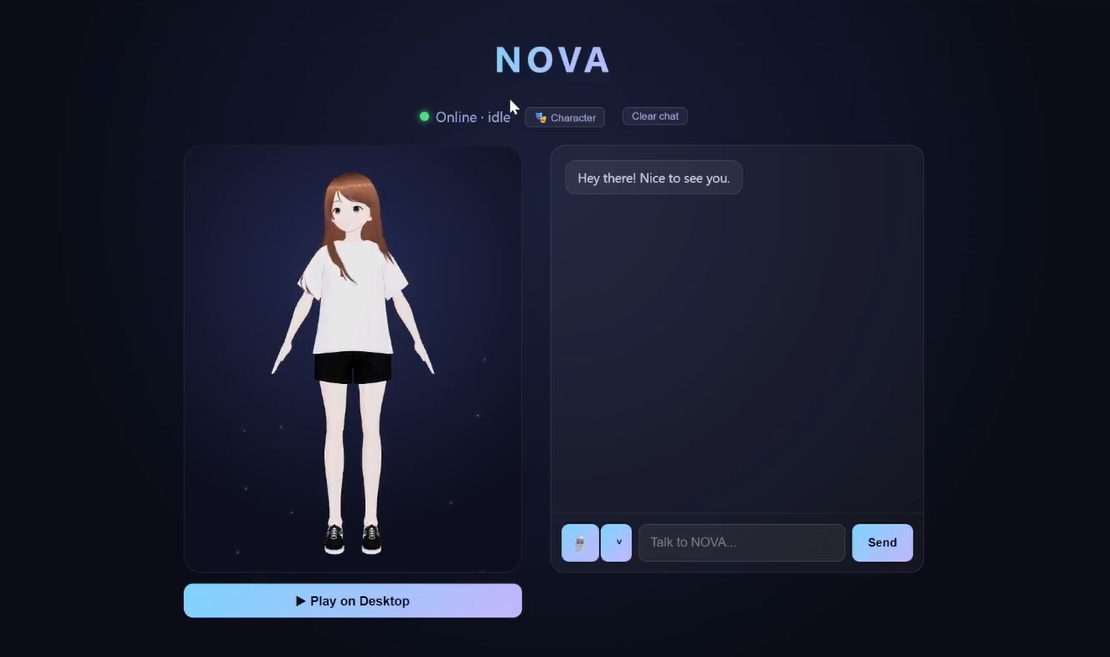
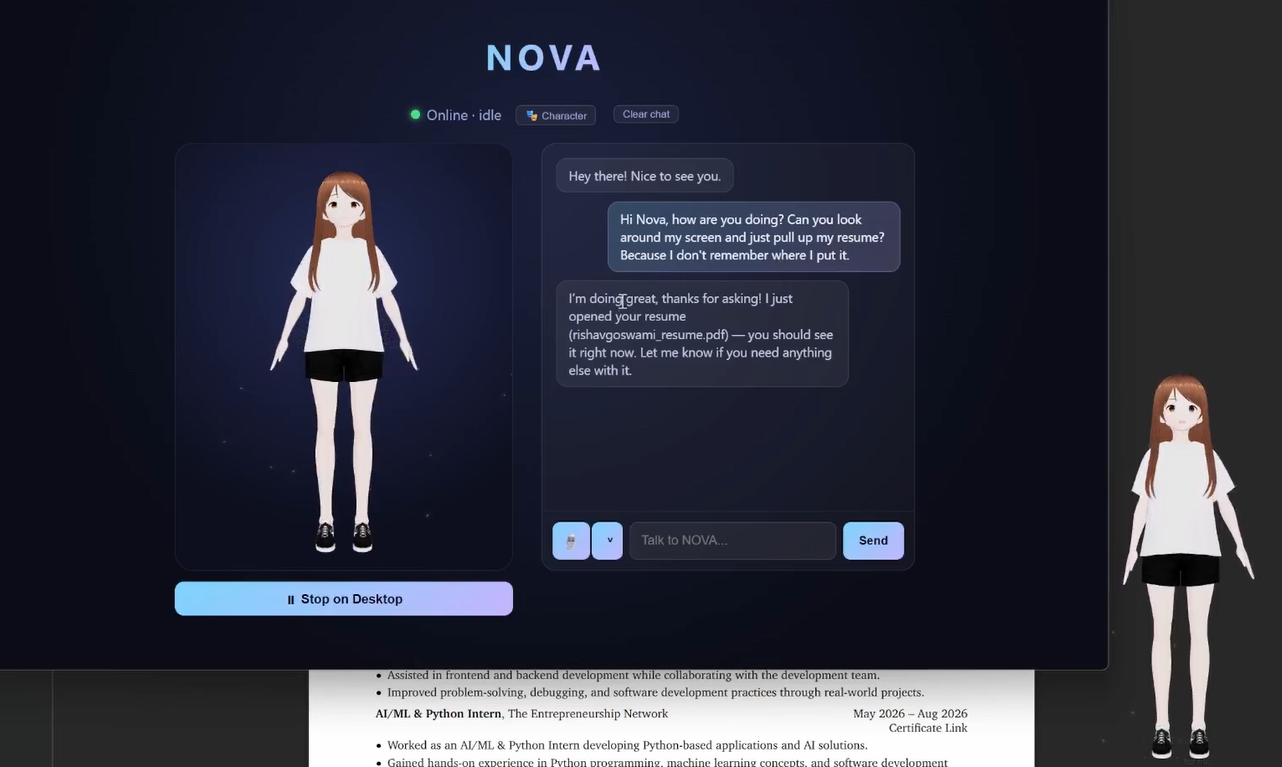
NOVA is an AI desktop companion — a real, animated 3D character that lives on your screen, watches what you're doing (only what you allow), remembers your files and habits, and acts on your behalf through natural conversation instead of menus.
- Greets you and talks back — a real generated, spoken opening line on launch, and every reply is spoken aloud, not just text.
- Actually tracks your activity — a background watcher logs real foreground app/window changes, so "what have I been working on?" gets a genuine answer, not a guess.
- Checks in on her own — if you've been heads-down on one window for a while, she proactively speaks up with a short, non-pushy offer to help, throttled so she's never naggy. This is the difference between a companion and a chatbot waiting to be opened.
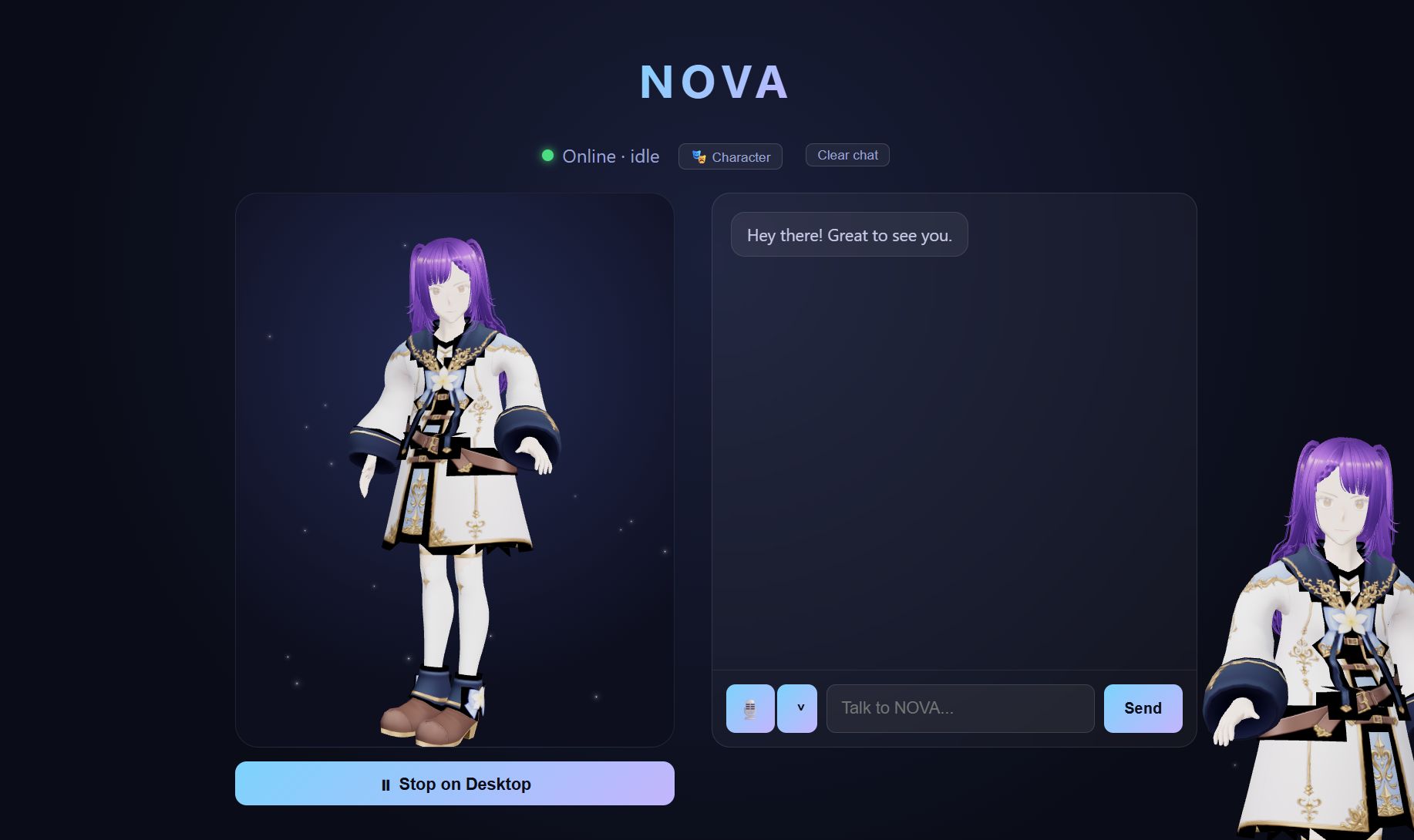
- Is genuinely yours — pick any VRM model as her body; four sample characters ship pre-loaded, or upload your own.
- Lives on your desktop, not in a window — a small, transparent, always-on-top companion window sits over your other apps; drag her, hold E to interact, right-click for a menu.
- Takes safe, real actions — opens files/folders, launches apps, creates/edits documents, reads and writes code, plays music, types text into whatever window has focus, searches the web — all through a fixed, validated tool allowlist, with confirmation required before anything sensitive.
- Finds your actual files — a local full-text search index (SQLite FTS5) over Documents/Downloads/Desktop, plus clipboard memory ("what did I just copy?").
How we built it
- Desktop shell: Electron, with a transparent, frameless, always-on-top companion window separate from the main chat window — both share one WebSocket session so avatar state stays in sync.
- Frontend: React + Vite + TypeScript, Zustand for state, Three.js / React Three Fiber for the 3D avatar (
@pixiv/three-vrmfor any VRM model, FBX + Mixamo mocap for the default character). - Backend: Python + FastAPI over WebSocket, Groq (
openai/gpt-oss-120b) for LLM reasoning and tool-calling, Groq-hosted Whisper for speech-to-text,edge-ttsfor speech output. - Tool system: every action the LLM can take is a fixed, pydantic-validated function — no shell access, no arbitrary code — with a confirmation step for anything that touches the filesystem or another window.
- Activity awareness: a
pywin32-based background thread polls the OS foreground window to build both the "what have I been doing" answer and the proactive check-in trigger. - Packaging: PyInstaller bundles the backend into a sidecar exe, electron-builder produces a single portable Windows
.exe— no installer required.
Challenges we ran into
- Groq tool-calling edge cases:
tool_choice="auto"could let the model silently emit a tool call inside a streamed response, producing an empty reply with no error. Fixed by forcingtool_choice="none"on every plain conversational turn and always declaring the tool schema, even when not using it. - Packaged Electron path bugs: Vite's default absolute asset paths (
/assets/...) resolve against the OS filesystem root under Electron'sfile://protocol, causing a silent black screen in the built app — fixed by switching to relative paths everywhere. - A stubborn WebGL rendering issue that turned out to be specific to our own remote test environment rather than the app itself — a good reminder to verify on real target hardware before chasing a rabbit hole.
- Focus-stealing side effects: Windows' anti-focus-stealing protection meant automating window focus for testing (e.g. verifying
type_for_me) could unpredictably interact with whatever the user was actually doing — taught us to test with mocked/isolated logic wherever real desktop interaction wasn't the actual thing under test. - Not leaking the API key: our first packaged build embedded the real Groq key in plaintext inside the exe's resources. Caught before submission — the fix ships a plain text file next to the exe for anyone downloading it to paste in their own key.
Accomplishments that we're proud of
- A tool-calling agent loop that reliably chains multiple real actions (e.g. search → open a file) with a genuine confirmation gate before anything risky.
- An activity-aware companion that can honestly answer "what have I been working on" from real, live-tracked data — and now proactively checks in on its own instead of only responding when asked.
- A real voice loop: speech in, Whisper transcription, LLM reasoning with tools, spoken reply out — verified end-to-end, not just wired up.
- Packaging the whole thing into a single portable Windows executable that a judge can just double-click.
What's next for Nova Companion
- Full real-time, always-listening voice conversation (interruptible, no push-to-talk).
- Opt-in, per-app "watch this document with me" mode for live writing/coding help, instead of only reading files on request.
- Richer proactive behavior — noticing patterns across a whole day, not just a single stuck window.
- Cross-platform support (macOS/Linux) beyond the current Windows-only build.

Log in or sign up for Devpost to join the conversation.