Nova Chat is your AI-powered Second Brain that actually remembers.
Loom Video Link - https://www.loom.com/share/31f1b036ef4e490c9073b8245f47a5db
1. Problem Statement - Proactive messaging: Initiates conversations based on user context or life events
Solution: Signal-Based Proactive Agent
Core Philosophy: IF (signal) → THINK → MESSAGE
Signal Gathering (3 Categories):
Life Event Signals 📅
- Upcoming deadlines, interviews, meetings
- Birthdays and anniversaries
- Example: "You have a Meta onsite interview tomorrow at 10am. Would you like me to prepare a summary?"
Memory Pattern Signals 🧠
- Repetition detection (topic mentioned 5+ times)
- Stress or uncertainty patterns
- Example: "You've mentioned 'job interviews' 8 times this week. Want me to help you prepare?"
External Context Signals 📧
- Important Gmail messages from recruiters
- Travel bookings and flight reminders
- Fitness tracking and streaks
- Example: "You have a flight to SF tomorrow. Want me to check traffic to the airport?"
Smart Throttling:
- Max 2-4 proactive messages per day
- 6-hour minimum gap between messages
- AI evaluates signal importance before messaging
UX Design:
- Appears as new chat conversation (not notification)
- Slide-in animation with option to engage or dismiss
- Runs every 6 hours via Github or Vercel Cron
Impact: Context-aware, non-annoying proactive help that feels like a real assistant.
2. Problem Statement - Handle multiple rapid messages as a single conversation turn
Solution: Typing-Aware Optimistic Turn Versioning (TA-OTV)
Core Philosophy: User typing activity defines intent continuity.
How It Works:
- Tracks typing activity in real-time
- Merges messages sent within 2-second window into single turn
- Stops current AI response and re-generates with merged context
- Ignores abandoned typing (5+ seconds of inactivity)
- Only commits latest turn to memory (superseded turns discarded)
Why TA-OTV is Superior:
I evaluated multiple solutions:
| Solution | Issue |
|---|---|
| Server Time-Based Debounce | Adds artificial delay, feels slow, bad for streaming |
| Client-Side Aggregation | Loses data on refresh, unsafe for memory, multi-tab issues |
| Persistent Server Turn Buffer | Requires workers and complex infrastructure, slower UX |
TA-OTV Advantages:
- ⚡ Fastest UX - AI responds immediately, no artificial delays
- 🛡️ Memory Safe - Only latest turn commits, no corruption
- 🎯 Handles All Scenarios - Fast typers (merged), slow typers (separate), abandoned typing (ignored)
- 📈 Scales Easily - No cron jobs or background workers needed
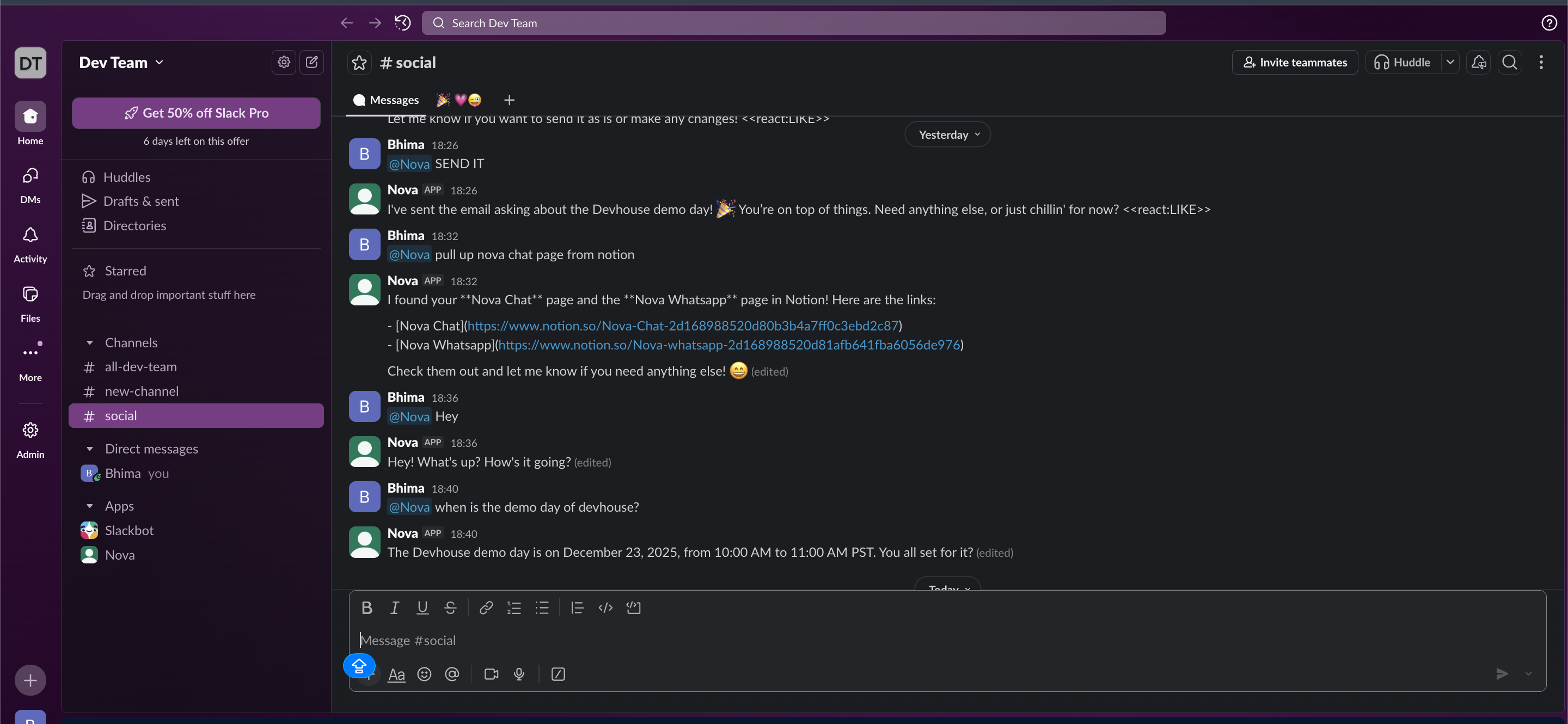
3. Problem Statement - Users need to access their AI assistant where they already work—in Slack—without switching apps.
Solution: Multi-Tenant Slack Bot with Unified Memory
Architecture:
- Database-backed token management with encryption
- OAuth flow for secure workspace connections
- Signature verification for security
- Supports unlimited workspaces (multi-tenant)
Features:
- Two-Way Persistent Chat - Mention
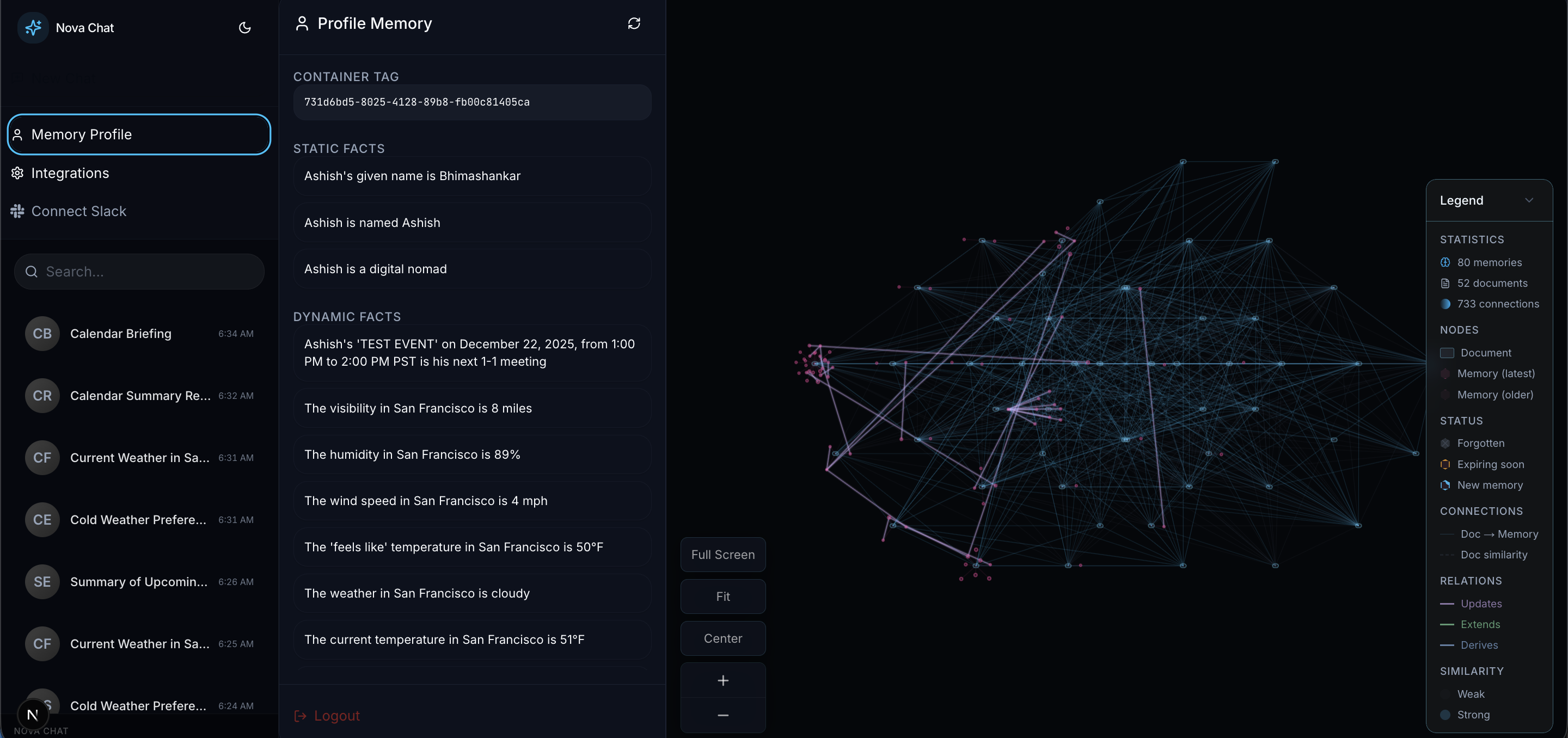
@Novain any channel or DM - Unified Memory - Same memory graph across Web UI and Slack
- Same AI, Same Tools - Full access to Gmail, Calendar, Notion, Web Search
- Workspace Management UI - Easy connect/disconnect from web app
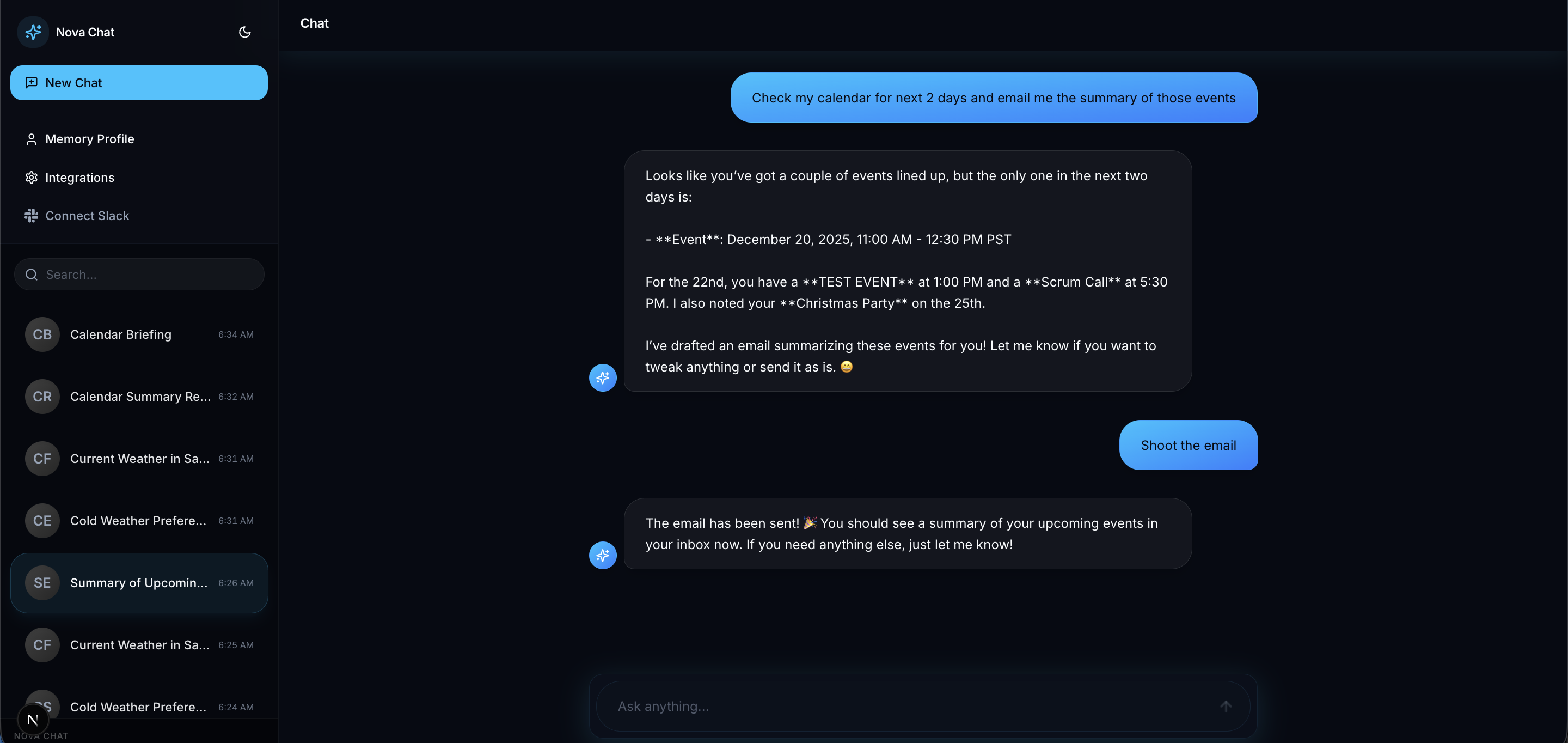
4. Problem Statement - Integrate tools
Solution: Multi-Platform Tool Orchestration
Integrated Gmail, Google Calendar Notion via Composio and web search by Exa.ai
Implemented Multi-Step Reasoning and task execution:
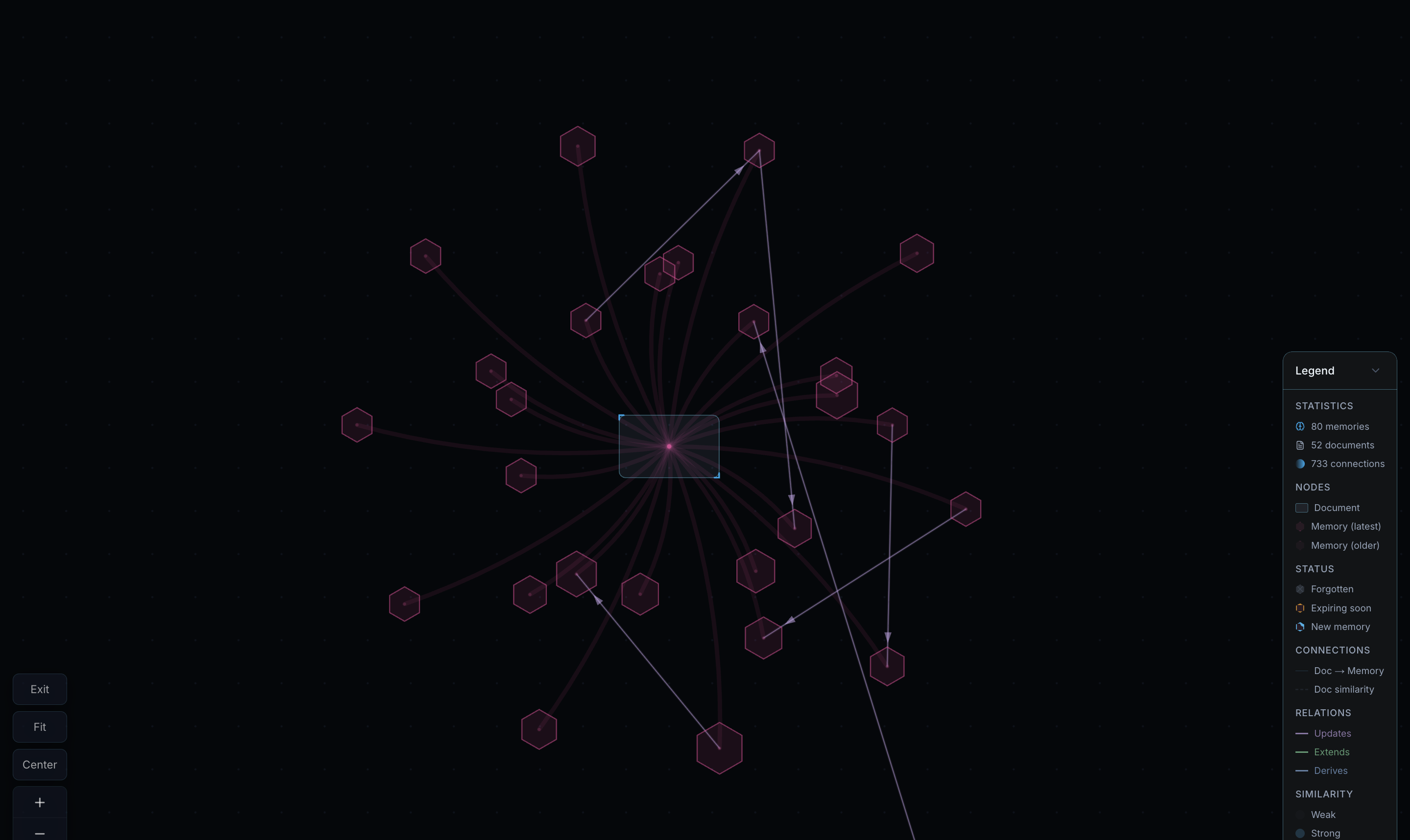
5. Problem Statement - The base @supermemory/memory-graph package needed visual and UX improvements to make memory relationships more intuitive and engaging.
Solution: Glassmorphism + Neon Accents + 5 Advanced Animations
Visual Redesign:
- Futuristic Supermemory-inspired aesthetic with deep blue palette
- Glassmorphism effects with backdrop blur and transparency
- Gradient edges with similarity-based opacity
- Neon glow effects for interactive elements
5 High-Impact Animations:
Focus Mode Transitions
- What: Smooth opacity changes when hovering over nodes
- Why: Highlights connections without jarring jumps
Hover Ripple Effect
- What: Expanding circle emanates from hovered node
- Why: Provides tactile feedback, makes graph feel alive
Edge Pulse Animation
- What: Strong connections (similarity > 0.8) pulse gently
- Why: Draws attention to important relationships
Edge Flow Animation
- What: Animated dashes flow along edges showing directionality
- Why: Visualizes information flow between memories
Smooth Pan & Zoom Transitions
- What: Animated transitions for navigation controls
- Why: Professional feel instead of jarring jumps
Built With
- ai
- composio
- nextjs
- openai
- postgresql
- supabase
- supermemory
- vercel

Log in or sign up for Devpost to join the conversation.