-
-
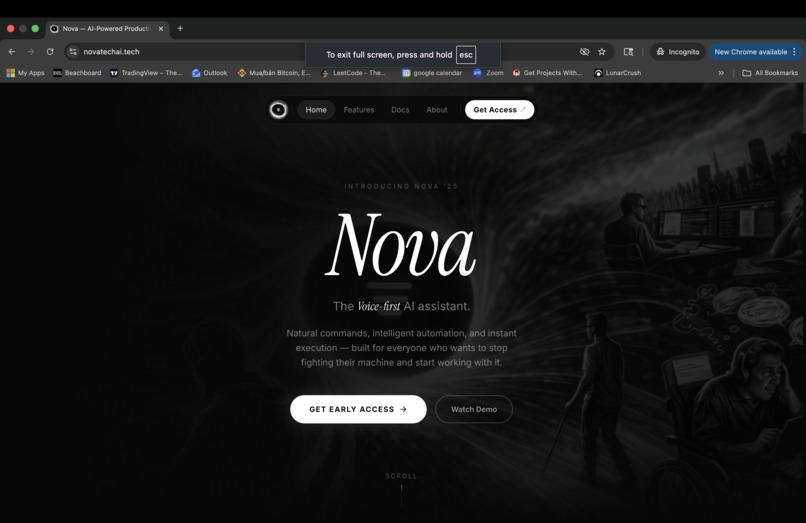
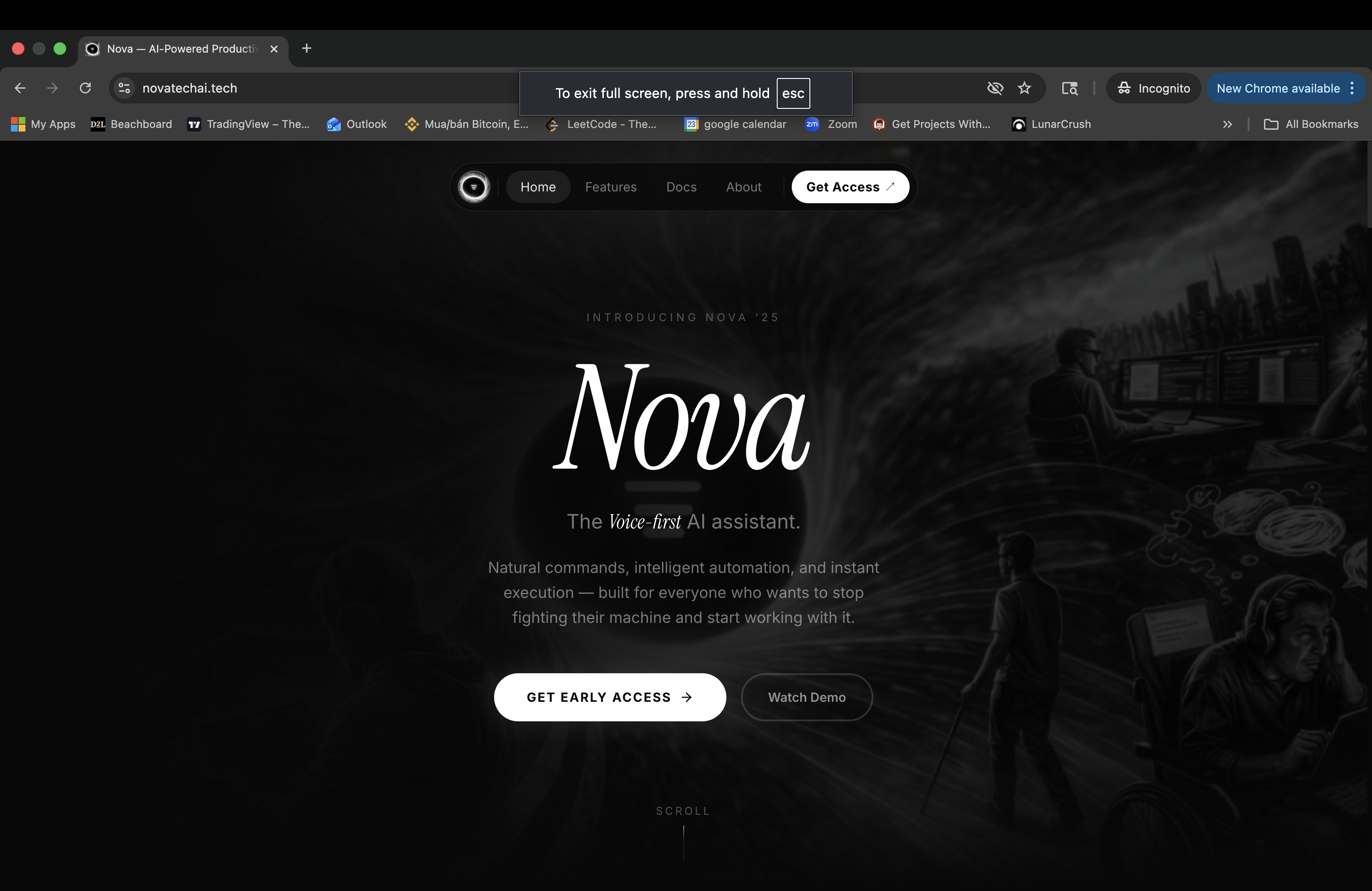
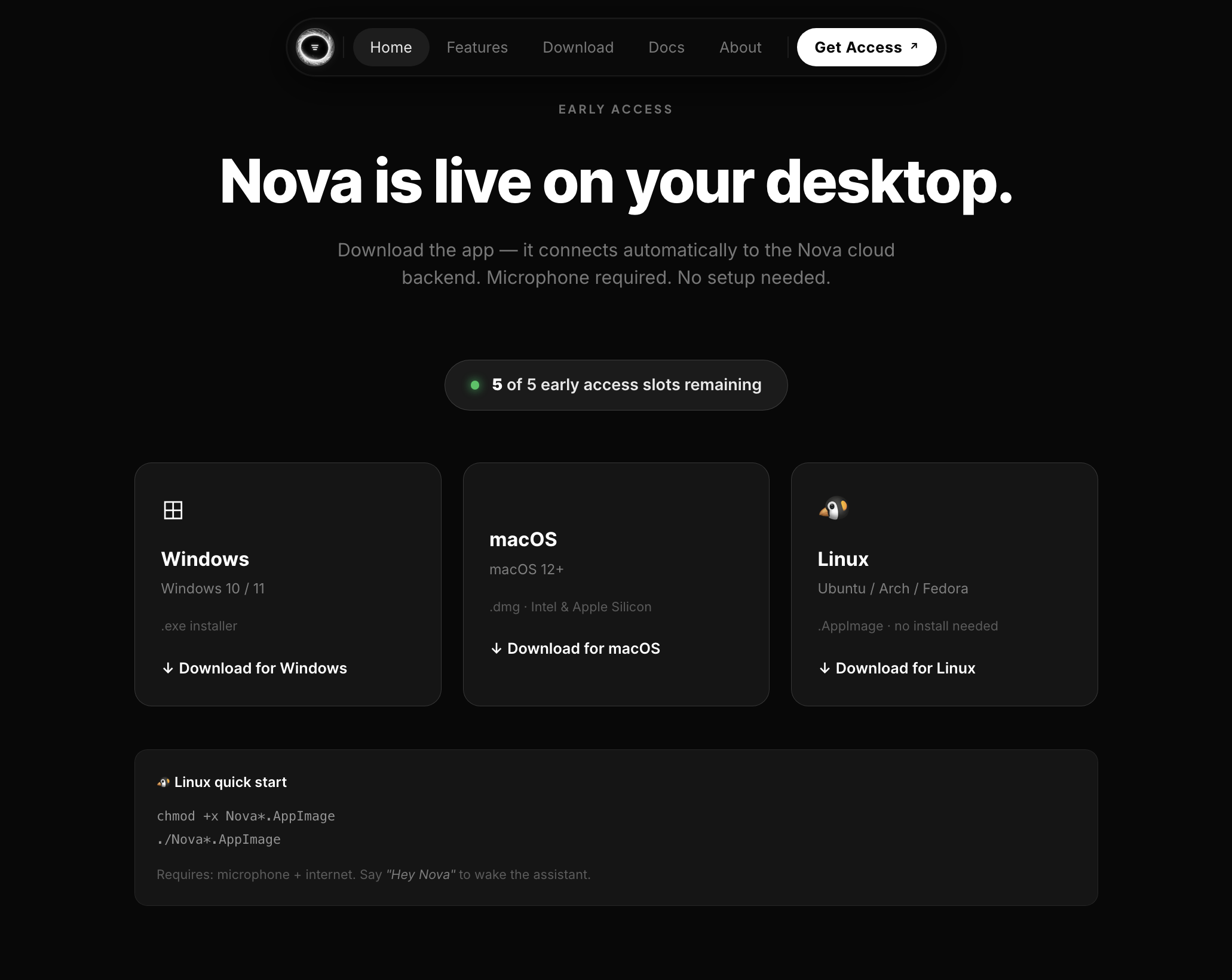
Nova Website with product fully deployment, ready to download our software
-
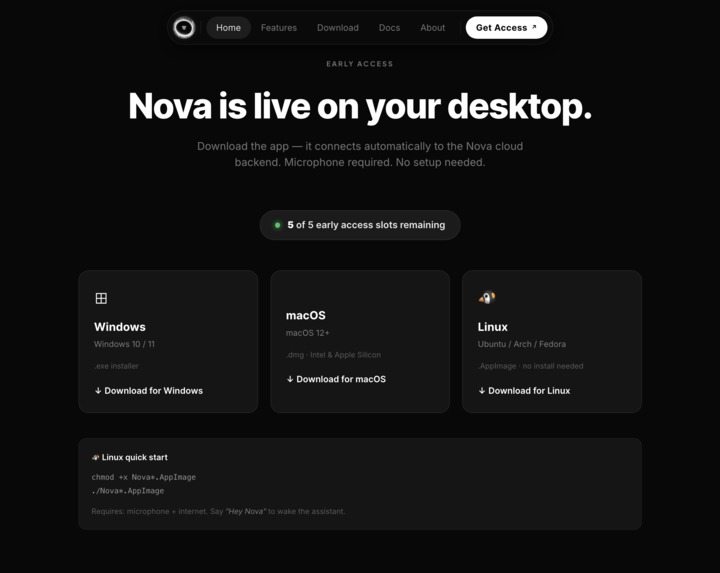
Available to downloads on Window, MacOS and Linux
-
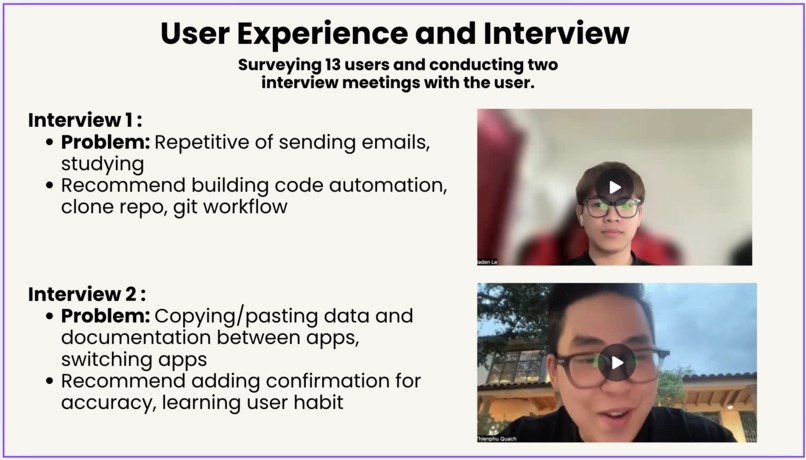
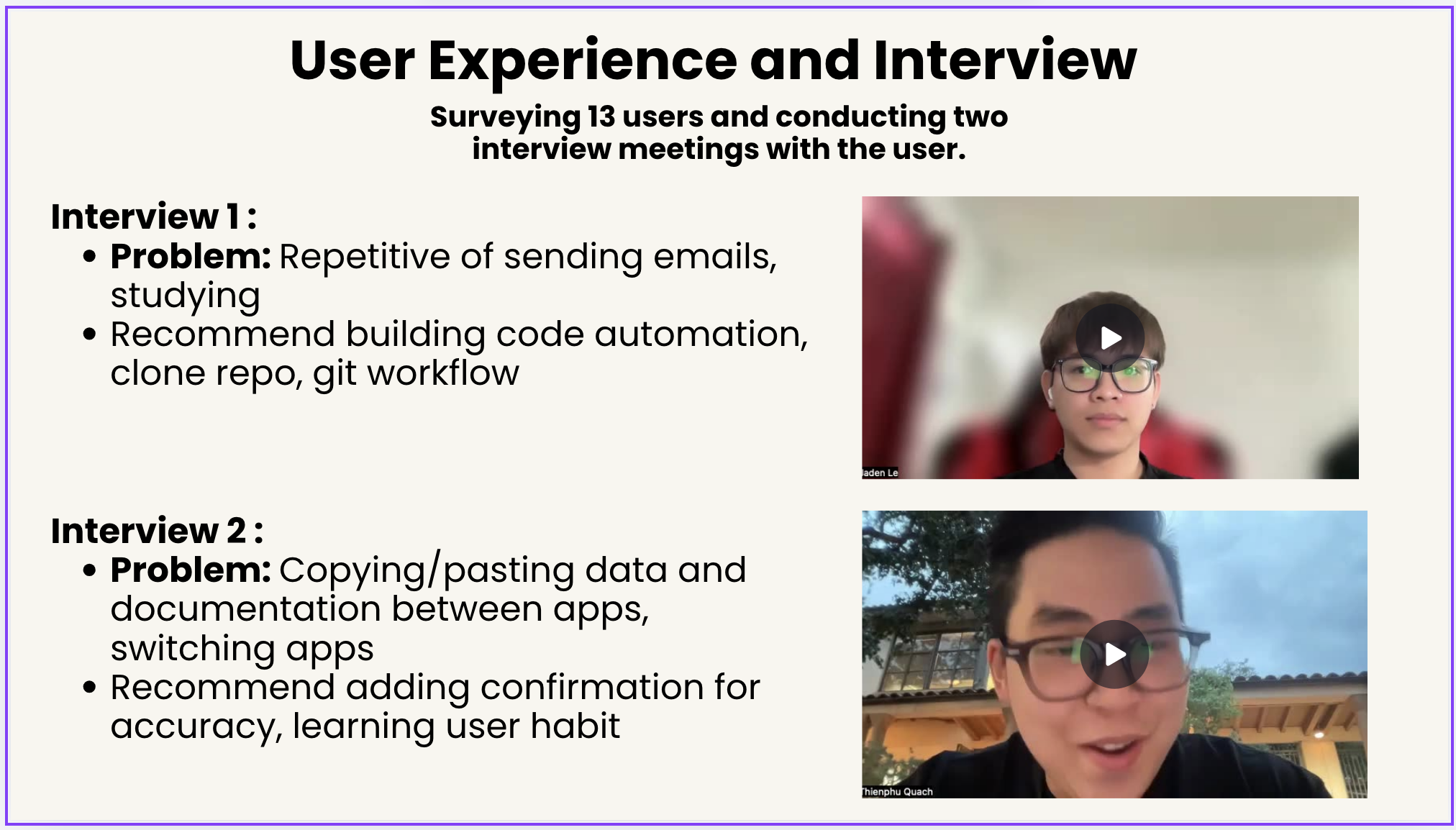
Interview 2 real user about Nova AI
-
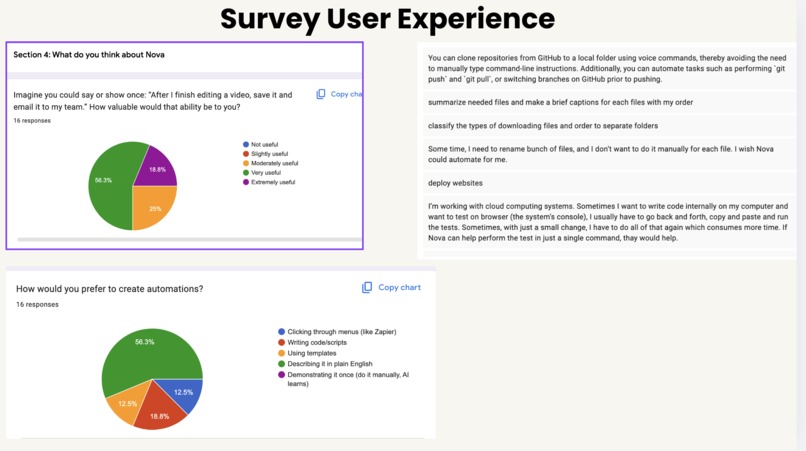
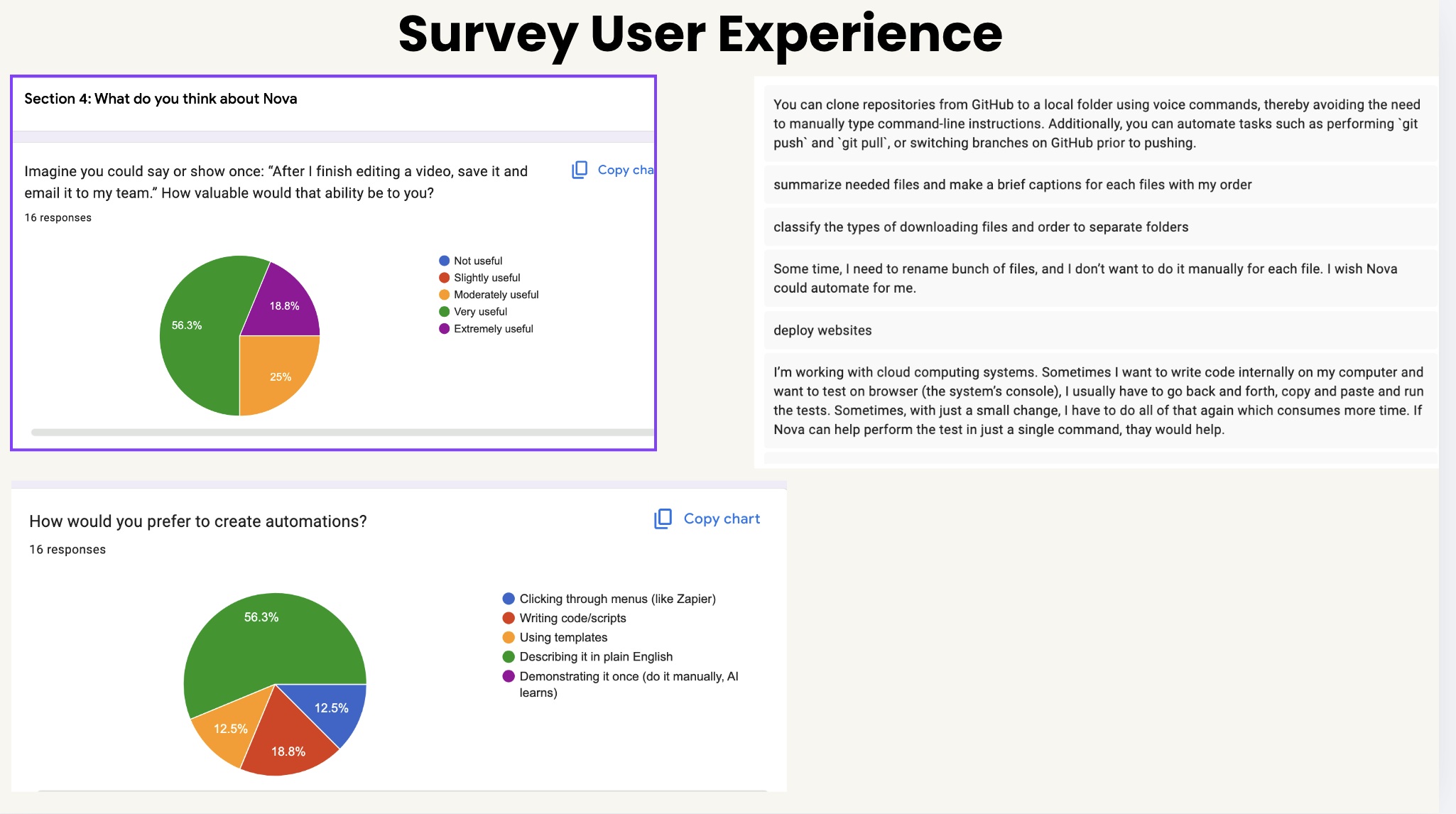
Doing survey on 16 user about Nova AI
Inspiration
Zapier was revolutionary in 2011. It taught the world that software should talk to software, so you shouldn't have to manually copy data between tools or babysit repetitive tasks. For cloud SaaS apps with APIs, it delivered on that promise.
But there's a wall Zapier has never crossed: it only works where APIs exist.
Your video editor. Your design tool. Your internal company app and more! None of these has Zapier integrations. Yet these are exactly the apps where professionals spend hours doing repetitive, manual, multi-step work every single day.
We asked: "If Zapier were founded in 2026, with AI at its core — what would it look like?"
It wouldn't just connect more APIs. It would work everywhere Zapier can't — reaching into local apps, the file system, and the desktop itself. Nova extends the automation layer, not replaces it.
What it does
Nova is an AI agent that lives on your desktop and automates workflows across any software on your machine, including apps that have never been integrated with anything. Nova AI not only connects applications already in cloud APIs, but also lets anyone control/ automate their entire desktop, allowing anyone to build their workflow across any application using any language
You describe a task in plain English. Nova executes it immediately, or you can record a named routine and replay it on demand — operating directly on your machine the way a human does: it opens apps, edits files, chains actions across tools, and communicates on your behalf.
The demo that proves the point:
"Nova, open my video project, import my latest clip, add it to the timeline, render a preview, then email the file to Phu Quach."
Zapier cannot do this. OpenShot has no API. Nova AI doesn't need one for local work — and uses the best available APIs (Gmail, Google People, Calendar) where they exist.
Key capabilities:
- Voice Macro Recording — say "remember this" while Nova is working and it records each step as a named routine; say "run Edit and Send" anytime to replay it
- Routine Persistence — macros save to
macros/macros.jsonand survive restarts; list, rename, or delete them by voice - Cross-App Chaining — chain actions across any combination of apps: video editor → file system → email → browser
- Vision Analysis — Nova screenshots your screen and uses Gemini's multimodal capability to describe and reason about what's visible
- Live Browser Automation — open URLs, scroll, and click elements using live DOM extraction — no hardcoded selectors
- Non-Technical First — no config forms, no integrations to set up for local features. Anyone who can describe a task can automate it.
How we built it
Nova is built on Electron with a 4-layer pipeline:
Voice Layer: Vosk/Kaldi offline wake word (40MB on-device, zero cloud latency) → Gemini Live (gemini-3.1-flash-live-preview) via Multimodal Live WebSocket → Gemini TTS "Orus" voice profile.
AI Brain: Gemini 2.5 Flash for NL understanding and tool dispatch. Gemini 2.5 Flash (multimodal) for screenshot-based screen reasoning. Gemini 2.5 Pro for complex long-form tasks.
Macro Engine: Every Gemini Live tool call during a recording session is captured as a typed step and written to macros/macros.json. On run_macro, steps execute sequentially with per-step pause budgets (900ms default, 1400ms for browser) — failures are logged and skipped without aborting the routine.
Integrations: Gmail via Google OAuth2 with a 4-layer contact resolution chain. Google Calendar for full event CRUD. Browser automation via Electron <webview> + live DOM extraction. Full OS-level app control across macOS, Windows, and Linux.
Challenges we ran into
Reliable .osp editing without the GUI. Hand-crafted clip JSON fails silently — clips appear with broken has_video/has_audio flags (Y=-1) that OpenShot treats as disabled. We solved this by calling libopenshot's Python bindings via clip_gen.py inside the Flatpak sandbox and patching the output to Y=1.
Macro replay timing. Apps take 0.5–3s to load. We solved this with per-step pause budgets and a macOS frontmost-app pre-check that skips redundant focus steps when the target is already active.
Contact resolution across voice errors. Vosk mishears names — "Tineo" → "Tino", "Bryan" → "Brian". We solved this with a 4-layer chain: Google People API with phonetic variants → Gmail sent-history → fuzzy contacts scan → word-by-word fallback.
Preventing tool call loops. Gemini Live occasionally retried tool calls mid-session. We solved this with per-action debounce maps (3s–120s), in-flight mutexes, and 3.5s echo-tail gating after TTS ends.
Accomplishments that we're proud of
- Zero configuration for local app automation. VoiceBridge automates OpenShot, VS Code, any browser, and any desktop app — APIs used where they exist and best, bypassed where they don't.
- The full demo works end-to-end. Voice → OpenShot opens → clip imported via
ffprobe+ libopenshot → placed on timeline → rendered byffmpeg→ emailed with attachment. No existing automation tool can execute this workflow. - Intelligent contact resolution. "Email the video to Bryan" reliably resolves to the right Bryan even when Vosk mishears the last name — across four fallback layers with no user intervention.
- Non-technical UX from day one. If you can describe a task or say "remember this" while doing it, you can automate it — no technical knowledge required.
What we learned
Make something people want
What's next for Nova AI
- Vision-Based Clicking — extend the macro engine with
vision_find_and_clicksteps: capture a screenshot, ask Gemini to locate a UI element by natural language description, and click at the returned coordinates — enabling automation of apps with no keyboard shortcuts at all - Demonstration Mode — show Nova a workflow once manually and it records it, no voice description needed
- Enterprise — IT teams deploying standardized routines across entire organizations, automating internal tools that will never get a Zapier integration
Built With
- desktop-capturer
- electron
- gemini-live-api
- gemini-vision
- gmail-api
- google-calendar-api
- google-gemini
- google-oauth2
- javascript
- node.js
- vosk

Log in or sign up for Devpost to join the conversation.