Inspiration
Most AI assistants are limited to a chat window. I wanted to create an assistant that feels present on the computer—one that can communicate naturally, understand the user’s context, use approved desktop tools, and remain accessible without disrupting the workflow.
That idea became NOVA — Neural Operations Virtual Assistant.
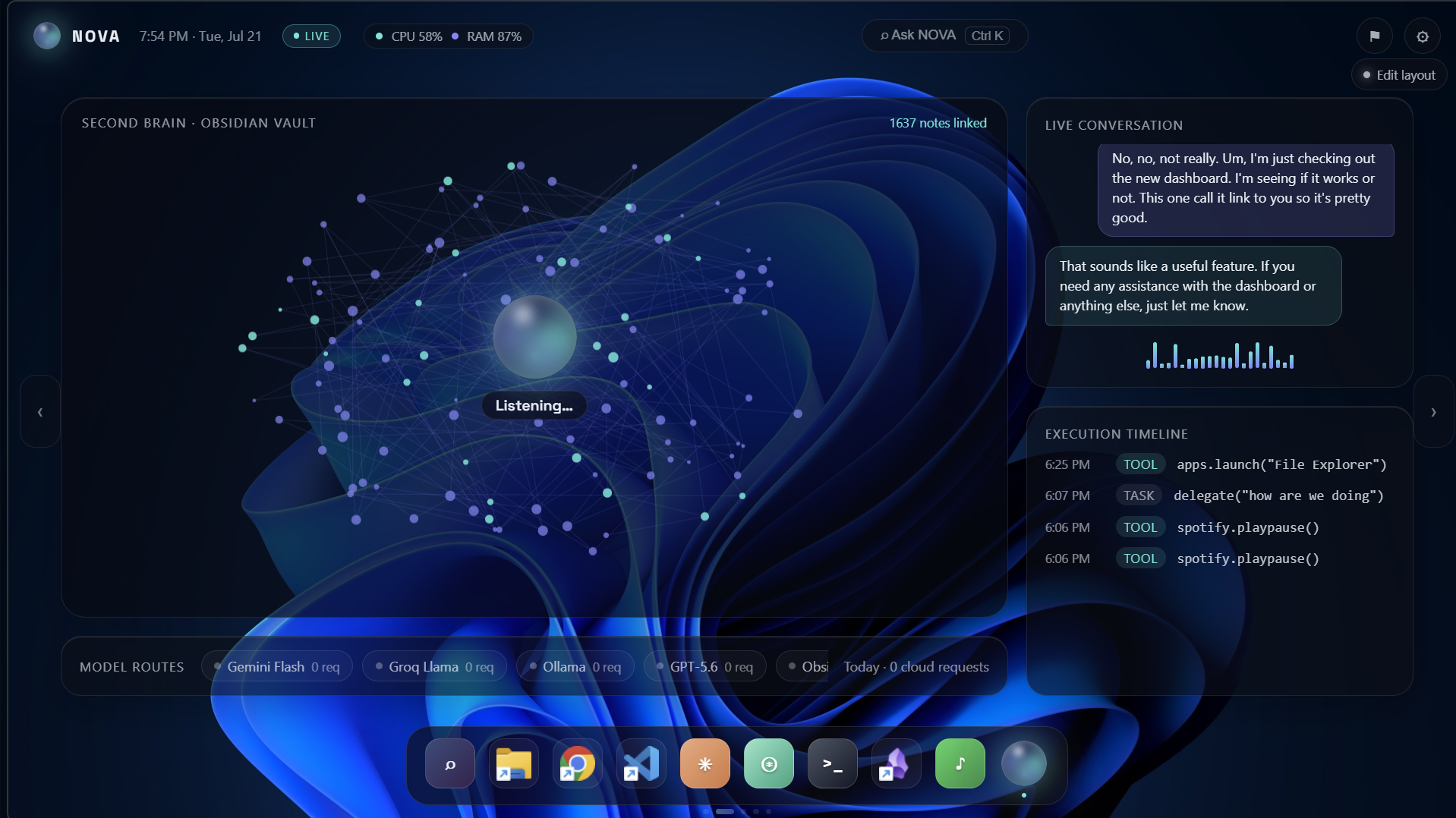
What it does NOVA is a multimodal AI desktop companion for Windows. It combines a real-time voice agent with a customizable floating dashboard and a collection of desktop tools. The current prototype can:
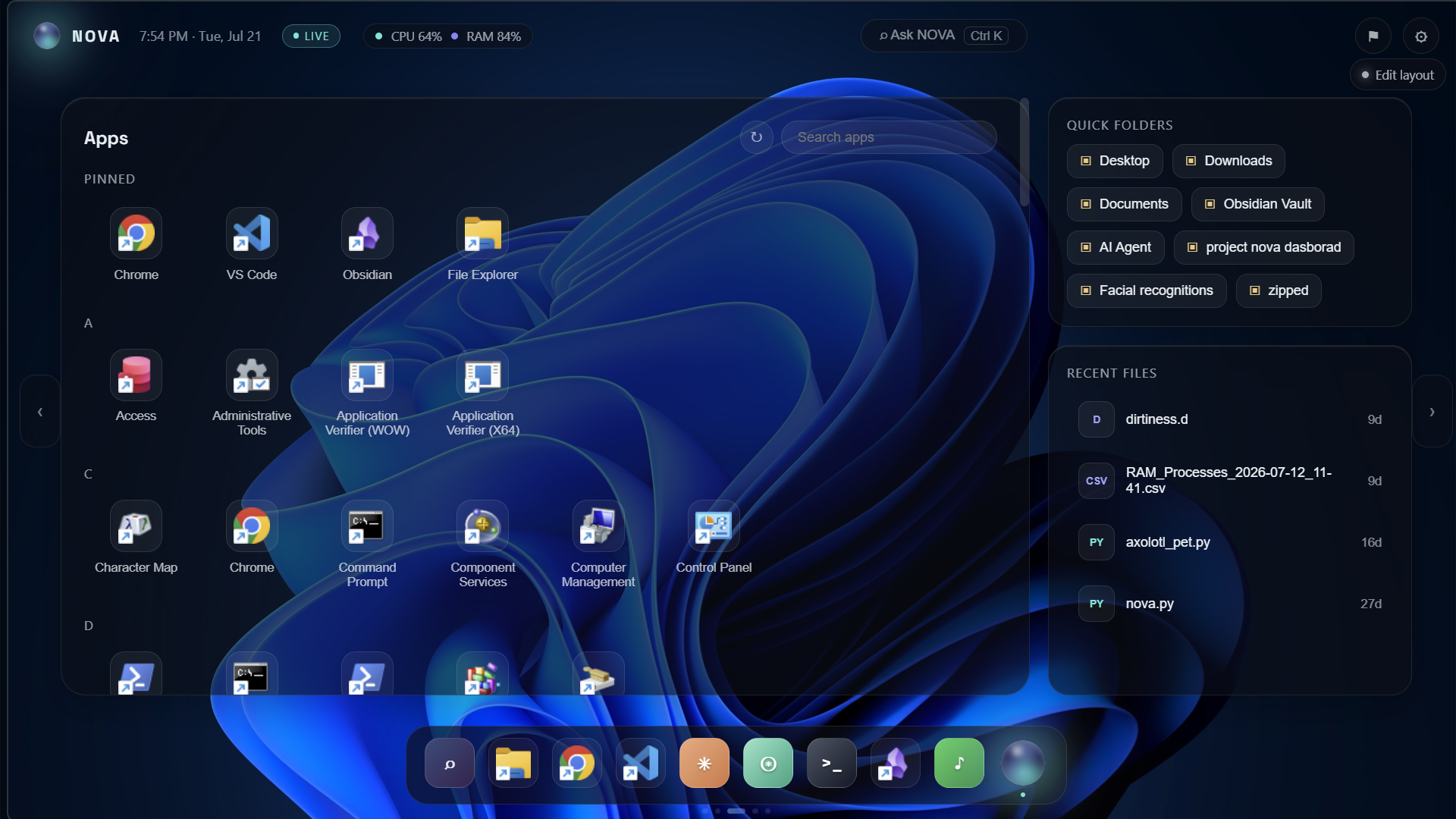
- Open, close, and restart desktop applications
- Open websites and search the web
- Control Spotify, YouTube, and system volume
- Report weather, time, system statistics, and currently playing media
- Create and read notes and files
- Capture the screen for visual context
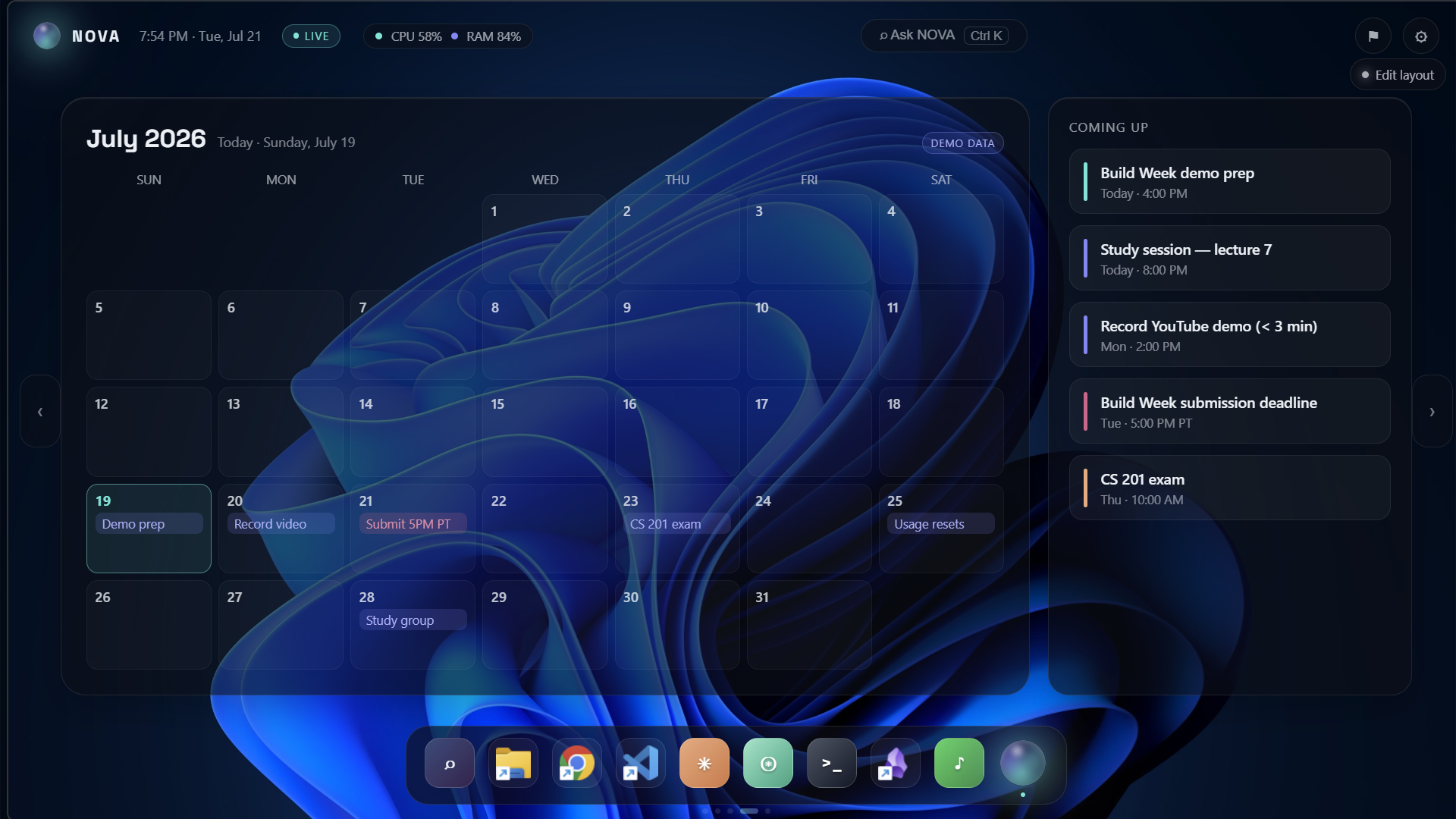
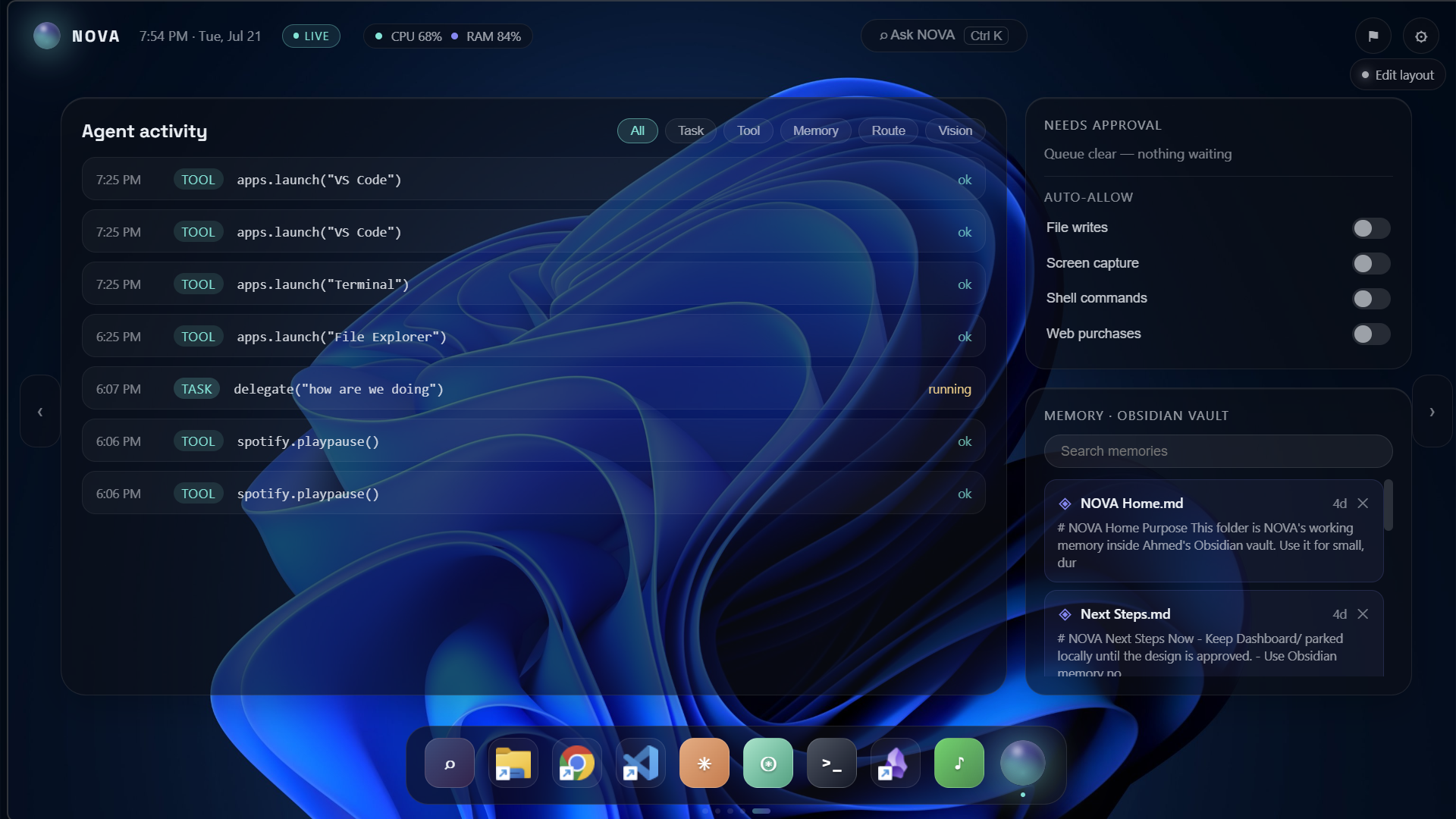
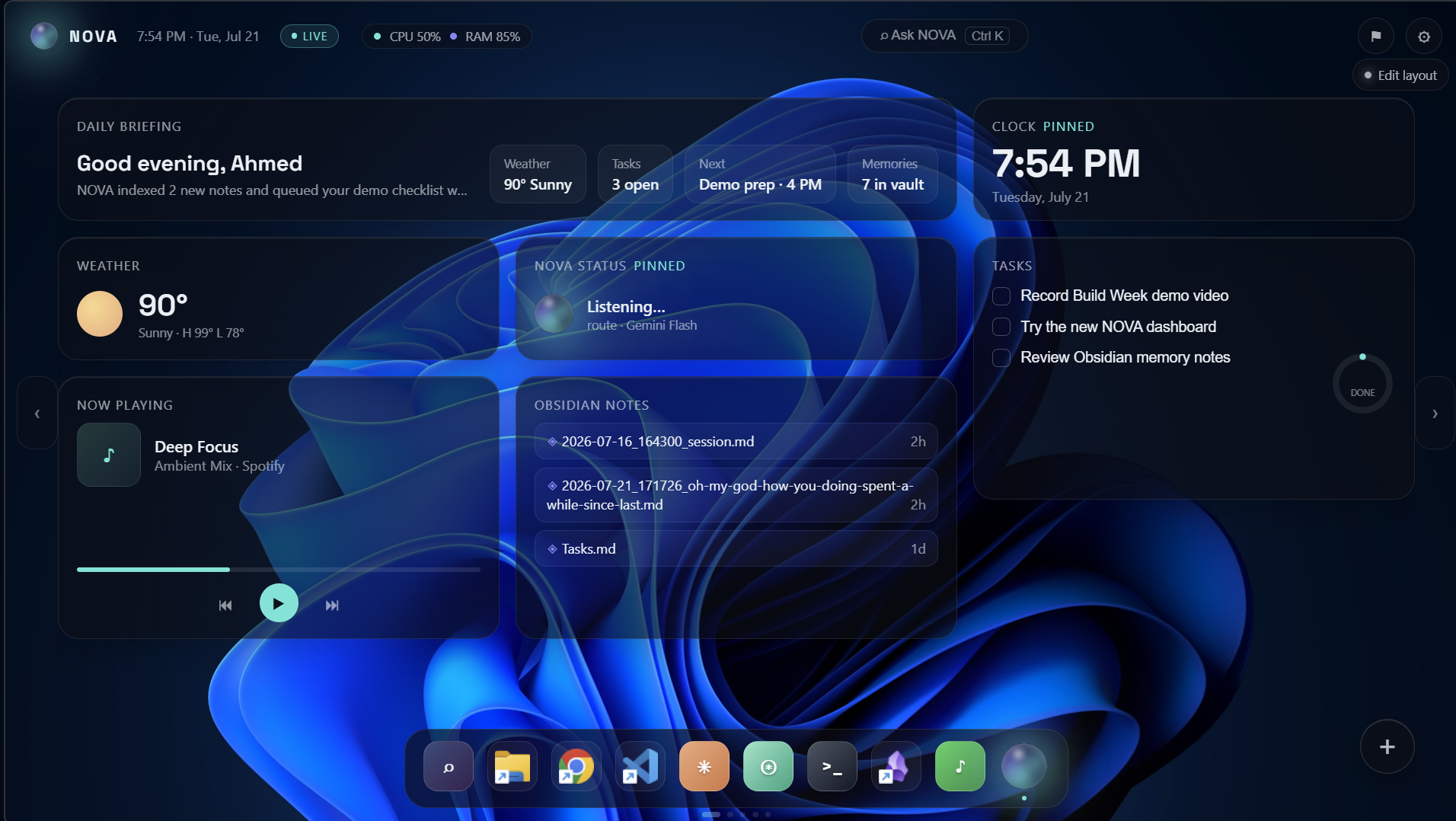
- Display agent activity through a movable and resizable dashboard
- Route tasks between online AI services and local Ollama models
- Continue offering limited functionality through local models when offline The dashboard is designed to feel like part of the Windows desktop instead of a traditional webpage. Its widgets can be moved and resized, and the interface can remain available as a lightweight desktop companion.
How I built it NOVA’s agent is primarily written in Python. I used LiveKit Agents to support real-time voice interaction and created separate tool modules for desktop control, files, media, system information, vision, notes, and model routing. The desktop dashboard was built with HTML, CSS, and JavaScript. It uses a transparent glass-style interface and communicates with the Python agent through an event-based integration layer. I used OpenAI and Codex throughout the development process to review the project structure, identify missing integrations, generate focused implementation patches, troubleshoot errors, improve the dashboard, and organize the code into a more maintainable architecture. NOVA also supports a hybrid model approach. Online models can handle advanced reasoning and real-time conversation, while local Ollama models provide an offline fallback.
Challenges I faced One of the largest challenges was making the interface behave like a real desktop widget rather than a browser window. I needed to handle transparency, draggable widgets, resizing, persistent dashboard state, and communication between the visual interface and the Python agent. Real-time voice interaction also introduced challenges such as latency, interruptions, repeated prompts, queued responses, and determining when the user has finished speaking. Another important challenge was safety. A desktop agent can perform sensitive actions, so NOVA is being designed around permission-aware tools that keep the user informed and in control.
What I learned I learned that building an effective desktop agent requires much more than connecting an AI model to several tools. The agent needs a modular architecture, reliable event handling, provider fallbacks, clear permissions, useful visual feedback, and graceful recovery when a service becomes unavailable. I also learned how OpenAI and Codex can accelerate development by helping inspect architecture, diagnose issues, generate implementations, and improve existing code while still allowing the developer to review and control every change.
#############################
What's next The next stage of NOVA includes:
- Completing the permission and confirmation system
- Adding secure Gmail and Microsoft Outlook connections
- Combining school, work, and personal calendars
- Improving wake-word and speaker recognition
- Adding secure face recognition and device alerts
- Expanding the Obsidian knowledge integration
* Creating mobile and cross-device companion applications
My long-term goal is to make NOVA a secure, proactive, and customizable operating companion that works across the user’s devices while always keeping the user in control.

Log in or sign up for Devpost to join the conversation.